

Share this tool:
 |
Description:
- Introduction
- Strong Features and Capabilities
- What Superpower Chat Actually Is
- Where Superpower Chat Is Strongest
- Workflow and Ease of Use
- Prompt Management Without Turning the Review Into Prompt Advice
- Image Gallery, Voice, and Right-Click Tools
- Privacy and Local Storage
- Best Use Cases
- Limitations and Trade-Offs
- Final Takeaway
Superpower Chat is a browser extension for people who use ChatGPT often enough to feel the limits of the default interface. It does not replace ChatGPT or add a separate AI model. Instead, it adds practical organization and productivity features around ChatGPT: folders, search, prompt management, export, minimap navigation, image gallery, chat references, right-click actions, custom instruction profiles, and more. The Chrome Web Store listing describes it as an extension for adding folders, search, bulk export and deletion, prompt tools, a minimap, gallery, chat references, model switching, and related workflow upgrades to ChatGPT.
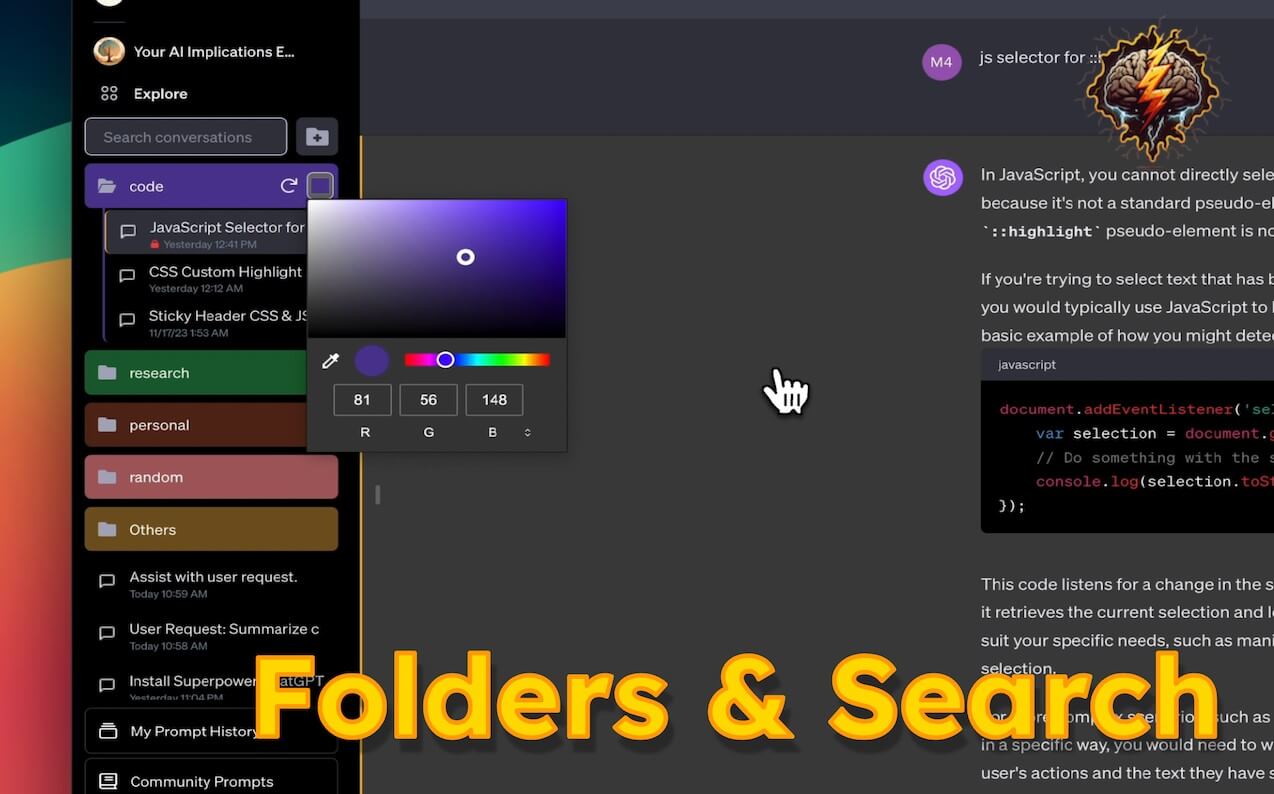
Organize chats into folders and subfolders, with drag-and-drop management and visual customization.
Find older conversations and highlight matching text, which is useful when ChatGPT becomes a research archive.
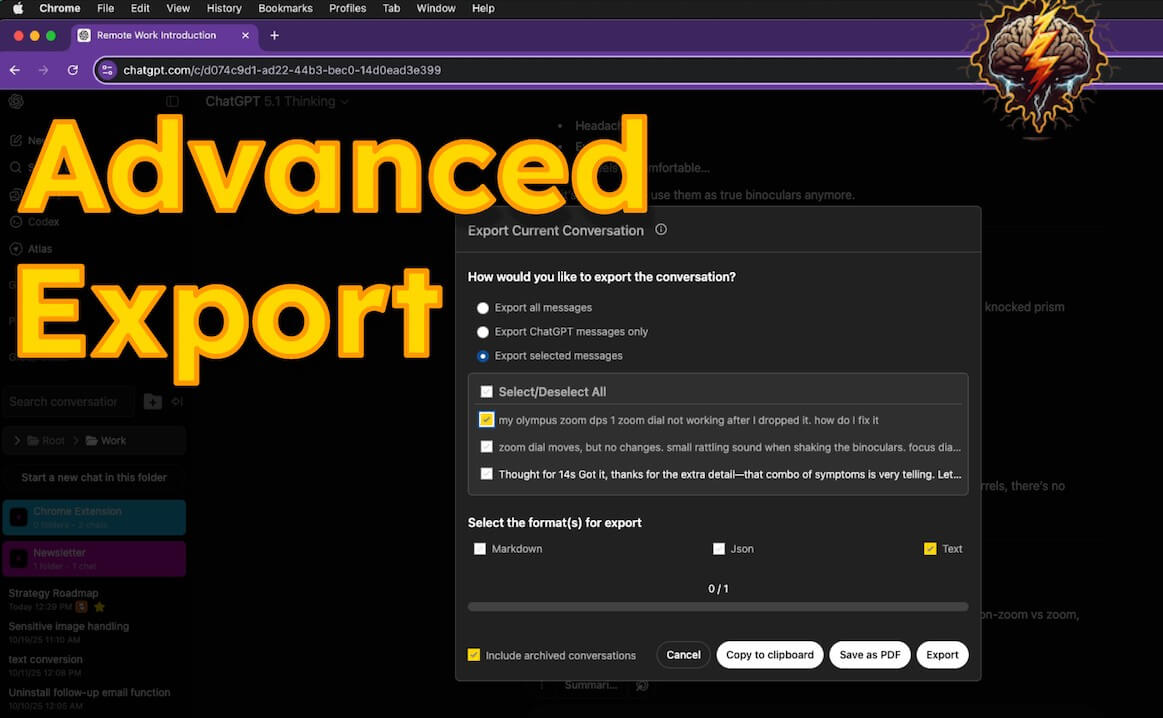
Export chats in formats such as PDF, text, Markdown, and JSON, or clean up groups of conversations together.
Save prompts, use variables with double curly brackets, browse prompt history, run prompt chains, and access prompts from the input box with slash-style shortcuts.
Use pinned messages, minimap, timestamps, and scroll controls to move through long conversations faster.
Use custom instruction profiles, right-click actions, language and tone selectors, word counts, custom conversation width, and copy/export controls.
The easiest way to understand Superpower Chat is as a power-user layer on top of ChatGPT. It lives in the browser and modifies the ChatGPT experience so that long-term users can manage conversations, prompts, outputs, and recurring tasks with less friction.
That distinction matters. This is not a writing assistant in the usual sense. It is not a research engine, document editor, or standalone chatbot. It is closer to an interface upgrade for ChatGPT users who have outgrown the native sidebar.
The official website centers the product around three broad areas: conversation management, advanced prompt management, and productivity utilities. Those categories are useful because they match the real value of the tool. Superpower Chat is strongest when your ChatGPT account has become a working archive rather than a casual chat history.
Superpower Chat is strongest at reducing the mess that builds up when you use ChatGPT every day. Native ChatGPT is fine when you have a small number of conversations. It becomes harder to manage when you have months of chats, repeated prompt formats, project-specific research threads, screenshots, generated images, and old answers you want to find again.
Folders and subfolders are the most obvious improvement. You can organize conversations by client, project, topic, course, workflow, or content type. The official site says users can create folders and subfolders with custom colors and images, search and highlight old conversations, export chats, reference previous conversations, and use a minimap to navigate long threads.
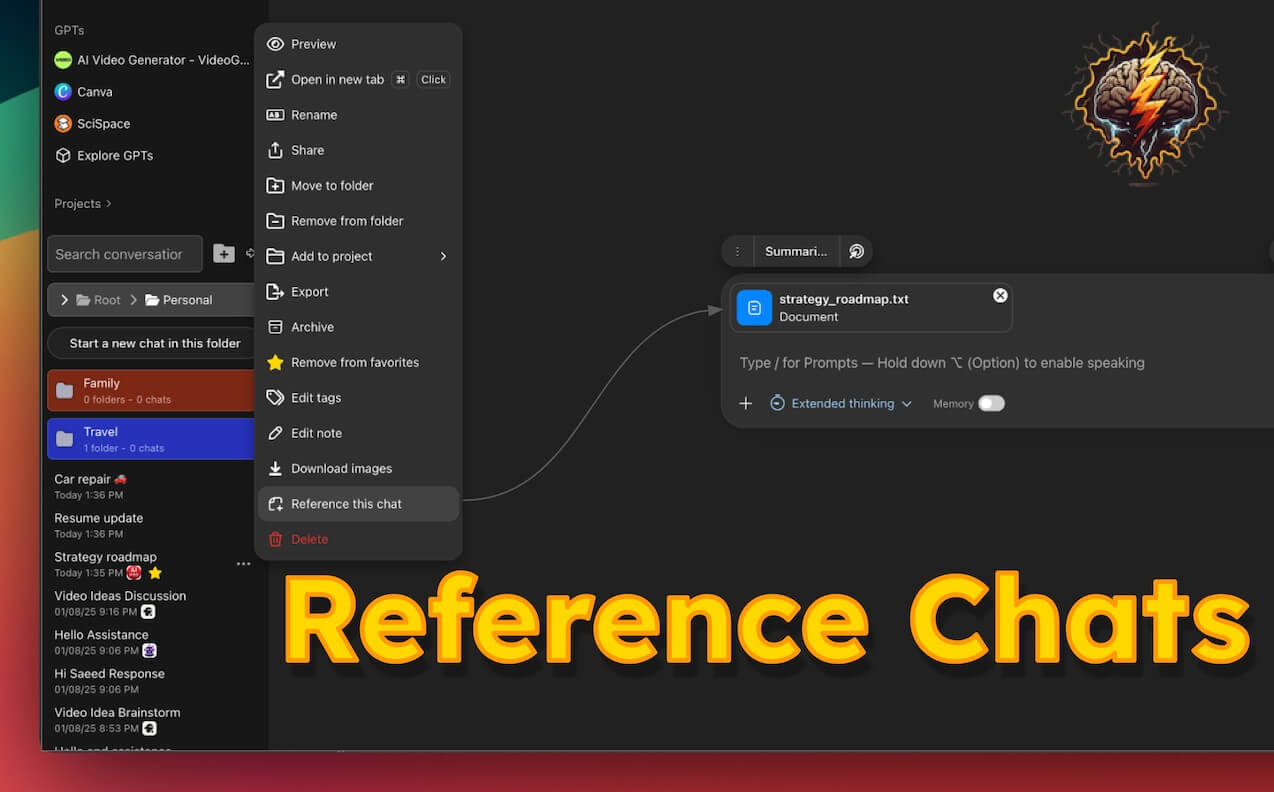
That makes the extension useful for writers, researchers, marketers, students, developers, founders, consultants, and anyone who uses ChatGPT as a daily work surface. The more scattered your ChatGPT history is, the more useful Superpower Chat becomes.
Superpower Chat is most useful after installation, once it starts enhancing the ChatGPT interface directly. The workflow does not require learning a separate app. You keep using ChatGPT, but you get more controls around the areas where the native product can feel thin.
The folder system is the best entry point. If your chat history is already messy, organizing existing conversations by project or use case will probably deliver the fastest benefit. After that, prompt management is the next layer. Saving repeat prompts, creating prompt chains, and using variables can remove a lot of repeated setup work.
The tool also helps with long conversations. A minimap, pinned messages, timestamps, and quick navigation may sound small, but they matter when a chat contains research, code, drafts, revisions, and decisions spread across many messages. Superpower Chat turns long ChatGPT threads into something closer to a navigable workspace.
Superpower Chat does include prompt-focused features, but the product itself is still better reviewed through workflow. Its prompt tools are about storage, reuse, organization, and automation rather than teaching users what to write.
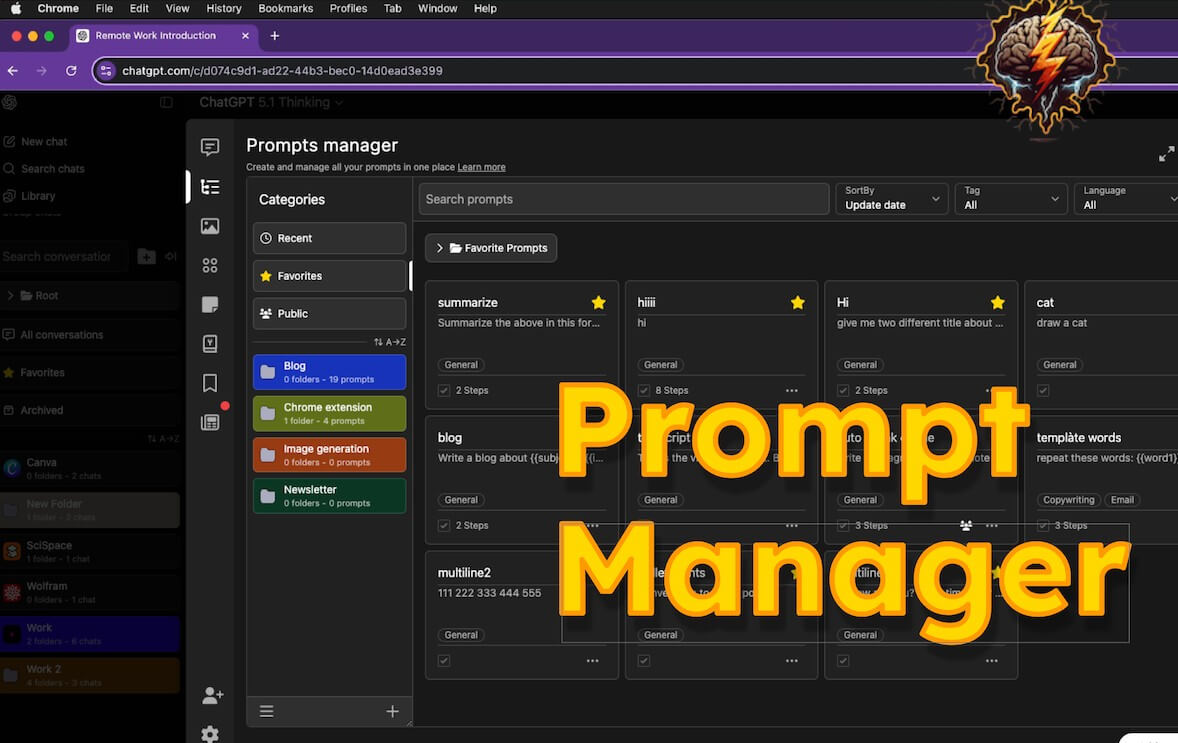
The prompt manager is useful for people who repeat the same types of tasks: content briefs, code reviews, editing passes, SEO outlines, data extraction, lesson planning, customer support drafts, and research summaries. Prompt templates with variables are especially useful because they let you reuse a structure while changing the inputs. Prompt chains go further by letting users run a sequence of prompts with less manual copy-paste work.
This is where Superpower Chat starts to feel less like a cosmetic extension and more like a workflow system. It helps users turn repeated ChatGPT behavior into something more organized and repeatable.
The image gallery is a practical addition for people who generate images in ChatGPT and then struggle to find them later. The Chrome Web Store listing says the gallery lets users see images in one place, read the prompt, search images, download them, and manage image outputs more easily.

The side-by-side voice mode is also useful if you use ChatGPT voice while still needing to view the conversation. It is a small workflow detail, but it fits the product’s broader purpose: making ChatGPT easier to manage for heavy users.
Right-click actions are another strong utility. The listing describes right-click access for running custom prompts on websites and sending screenshots to ChatGPT. That makes Superpower Chat more useful outside the ChatGPT tab, especially for research, page analysis, quick summarization, and screenshot-based questions.
Privacy is one of the most important parts of a browser extension that touches ChatGPT. The official site says chats are not saved anywhere other than the user’s device, and that chat history, messages, and prompts are stored locally in the browser using local storage. It also says messages go directly from the browser to OpenAI over HTTPS, without a middle server.
The Chrome Web Store privacy section adds that the extension handles personally identifiable information, while the developer declares that user data is not sold to third parties, not used for unrelated purposes, and not used to determine creditworthiness or lending eligibility. The practical takeaway is simple: Superpower Chat’s privacy story is better than many cloud-heavy workflow tools, but users should still review extension permissions, browser storage behavior, and organizational policies before using it for sensitive work.
Superpower Chat is a strong fit for people who use ChatGPT as a serious work tool rather than an occasional assistant.
It works well for content teams managing prompts and drafts, researchers organizing long-term chat history, students keeping study threads by subject, developers saving debugging and refactoring prompts, consultants separating client conversations, and creators who need to find old image prompts or exported chats.
It is also useful for people who repeat the same ChatGPT tasks every day. If you often reuse instructions, run multi-step workflows, or need to export conversations for documentation, the extension saves time.
The first limitation is that Superpower Chat depends on ChatGPT’s browser experience. When ChatGPT changes its interface, extensions may need updates. That is normal for this category, but it is still worth knowing.
The second limitation is feature overload. The tool has folders, prompts, gallery, voice tools, exports, instructions, right-click actions, model switching, minimap, copy modes, and more. Heavy users may love that. Light users may find it too much.
The third limitation is that it does not improve the intelligence of ChatGPT itself. It helps you organize, reuse, search, and manage work. It does not make weak prompts better by magic, and it does not remove the need to review AI outputs.
Finally, local storage is both useful and fragile. It supports privacy, but users should be careful when clearing browser data, switching machines, or relying on extension-managed history for important records.
Superpower Chat is best for serious ChatGPT users who need better organization, faster prompt reuse, stronger search, easier exports, and more control over long conversations. Its strongest value is not one flashy feature. It is the way folders, prompt management, minimap navigation, image gallery, chat references, and right-click tools make ChatGPT feel more like a managed workspace.
The main caveat is that it adds complexity, so casual users may not need it. For daily ChatGPT users with messy histories and repeated workflows, it is one of the more practical browser upgrades to test.
TAGS: Productivity AI Chat/Assistant
Related Tools:

AI writing assistant that helps refine stories

Multilingual chatbot for websites
Offers features like advanced content generation

Email tool that summarizes long threads and offers smart reply

Enhances productivity for researchers
Assists in creating classroom content