

Share this tool:
 |
Description:
- Introduction
- What VoiceMaker Actually Does Best
- Strong Features and Capabilities
- The Model Families That Actually Matter
- Workflow and Ease of Use
- Voice Cloning, Speech-to-Speech, and Audio Tools
- VoxFX, MusicSense, and Creative Audio Treatment
- Developer Access and API Use
- Best Use Cases
- Practical Tips
- Limitations and Trade-Offs
- Final Takeaway
VoiceMaker is more than a basic text-to-speech converter. The current product spans a large voice catalog, multilingual synthesis, voice cloning, speech-to-speech conversion, dubbing, a Multi Editor for assembling longer projects, VoxFX for stylized audio treatment, and a developer API with both REST and WebSocket support. That breadth is the main reason to use it. The second reason is that the workflow is still understandable even after the product has expanded well beyond “paste text, download MP3.”
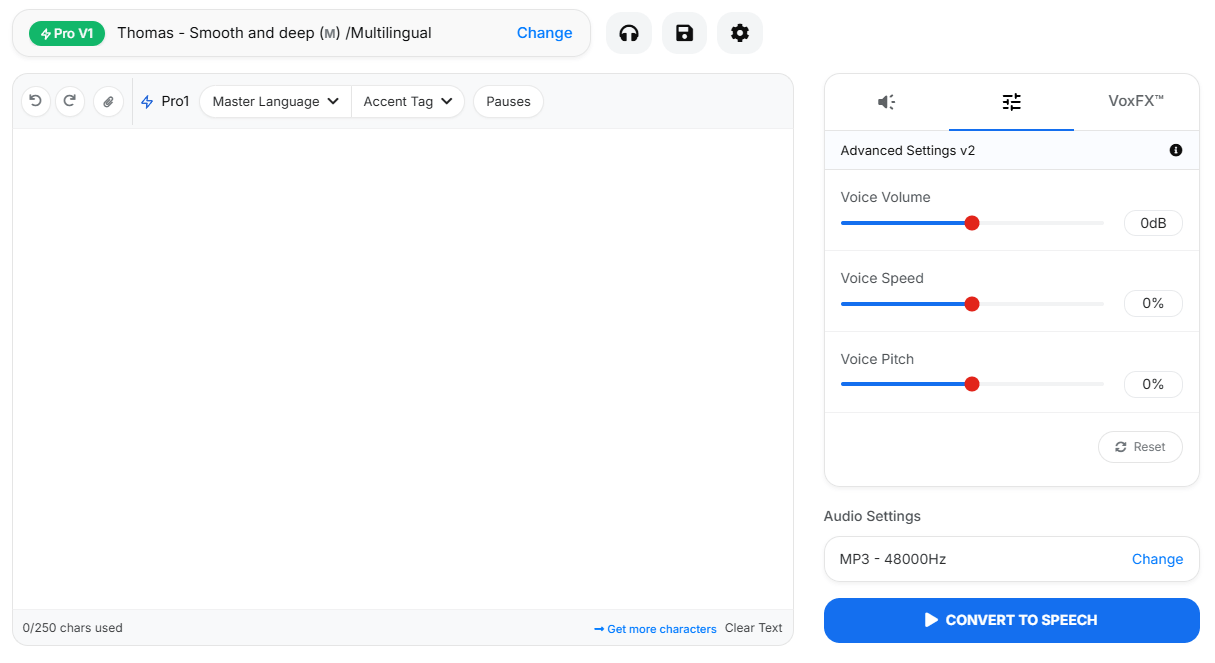
VoiceMaker is strongest when the job is practical voice production rather than pure experimentation. If you need to generate multilingual narration, build dialogue with multiple speakers, revise and combine clips inside one project, clone a voice for reuse, or push TTS into an app through an API, it covers all of that in one system. The platform’s official materials emphasize 1,500+ AI voices, 130+ languages, project-based editing, speech-to-speech, AI dubbing, and cloud-based project management, which is a broader stack than a lot of simpler TTS tools offer.
That matters because many voice tools are either very simple or very infrastructure-heavy. VoiceMaker sits in the middle. It gives creators enough control to build real voiceover workflows, but it also gives developers an API surface with authentication, voice listing, generation endpoints, VoxFX support, cloning, speech-to-speech, and streaming. In practice, that makes it a better fit for ongoing production than one-shot “type text, get audio” sites.
VoiceMaker’s homepage markets 1,500+ AI voices across 130+ languages, with separate default and Pro voice families.
The Multi Editor lets you create projects, add generated clips to tracks, and build conversational or multilingual audio inside one workspace.
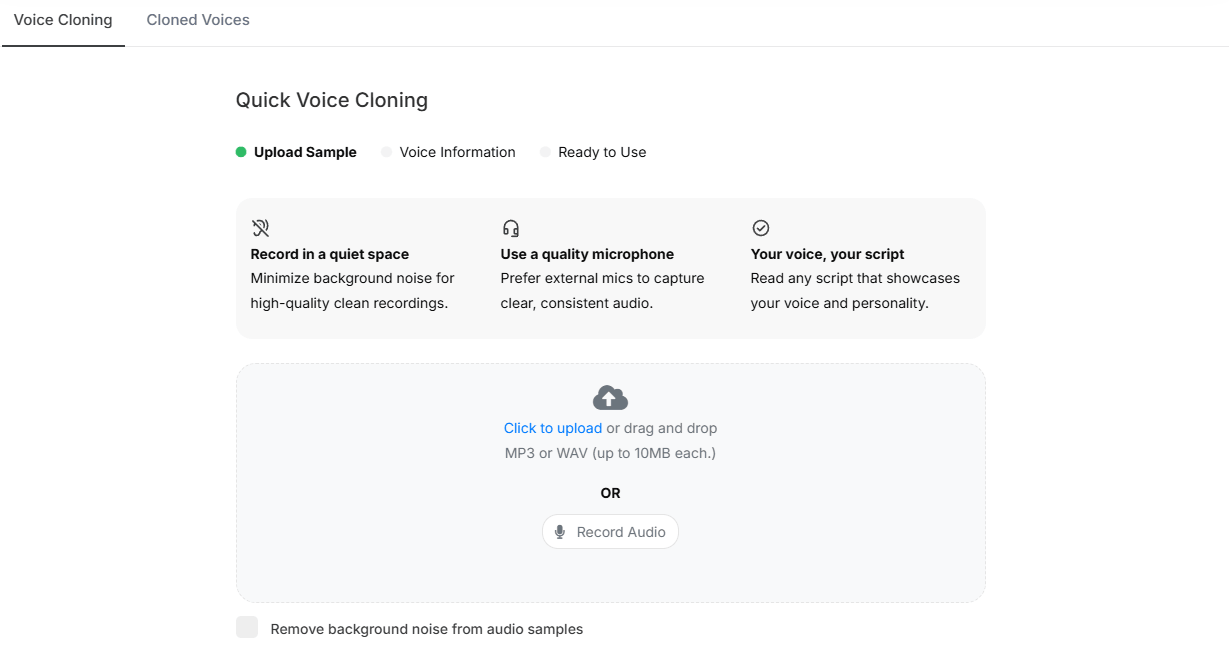
You can clone voices in the web app by uploading or recording samples, and the API supports asynchronous clone creation from longer uploads.
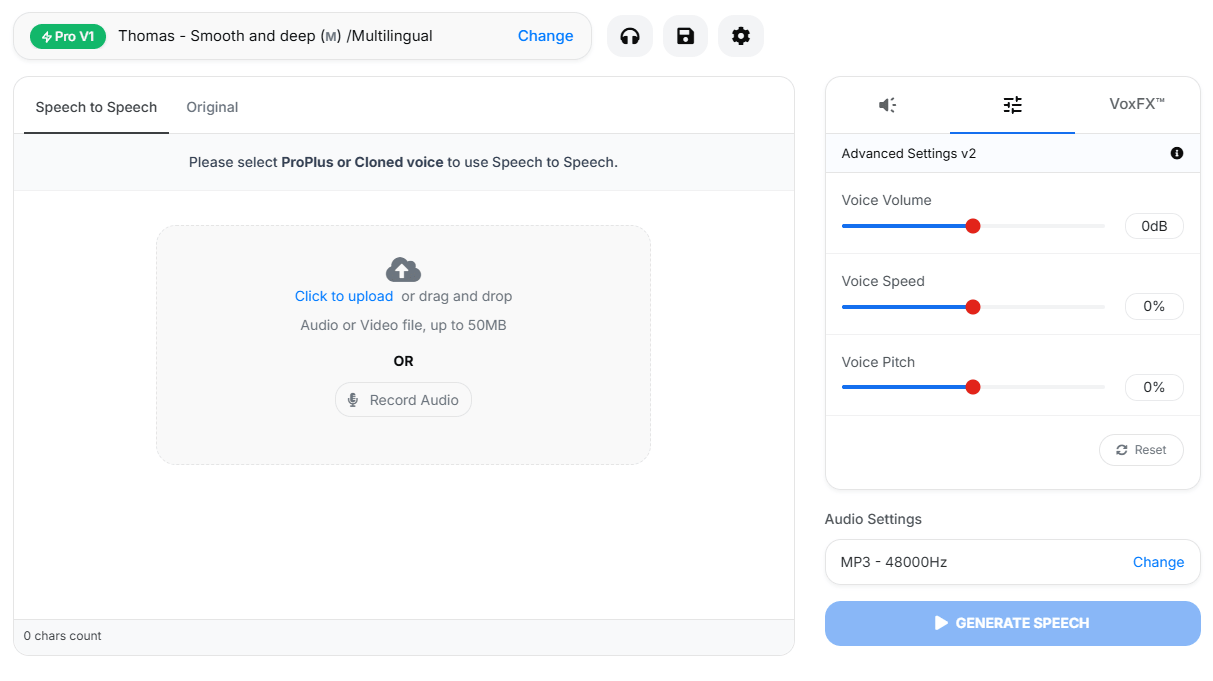
VoiceMaker can re-voice existing audio while preserving timing, pacing, and structure.
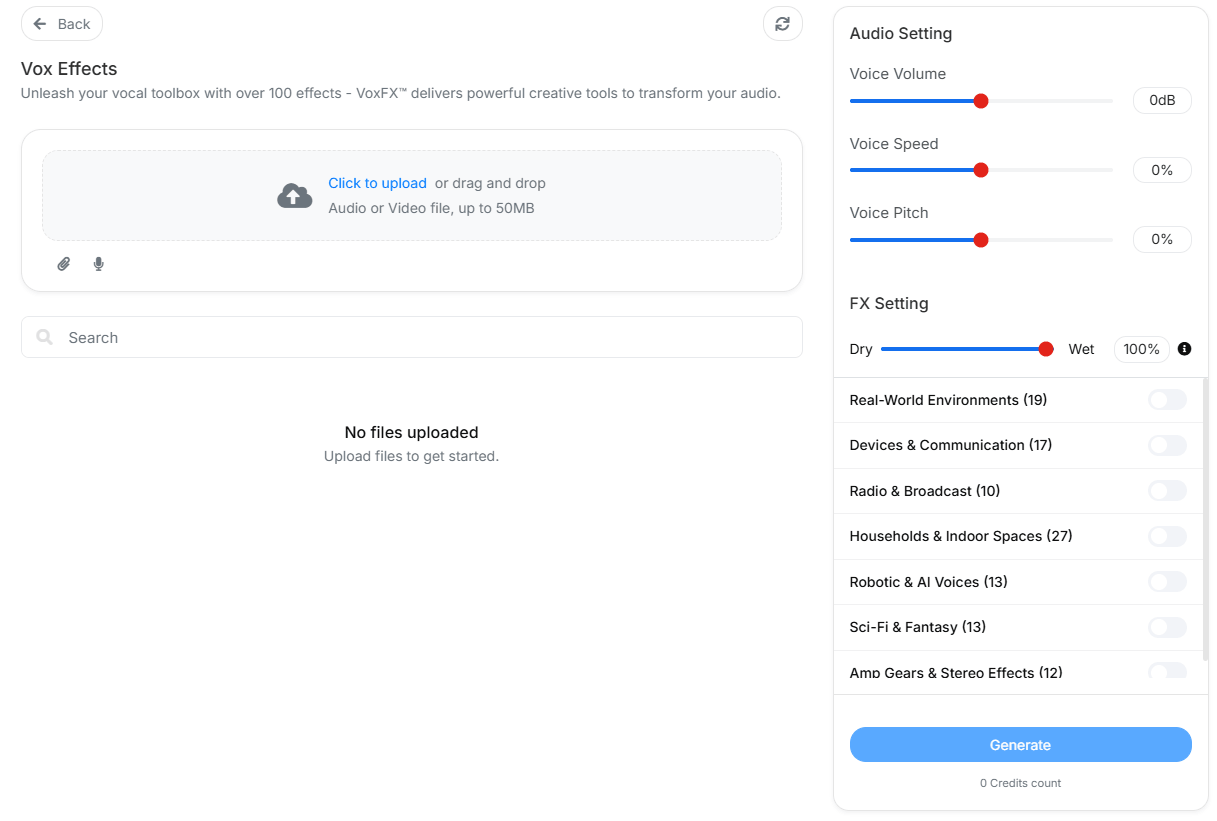
The platform includes an in-house effects engine with 100+ presets for more stylized, scene-aware audio.
The API supports bearer-token auth, REST generation, voice listing, and WebSocket streaming for real-time use cases.
VoiceMaker gets easier to evaluate once you stop thinking of it as one voice engine. The API docs split the platform into several model families, and that split affects quality, latency, language coverage, and how much manual control you get.
Default Voices are the broadest baseline option. The docs position them as the most affordable everyday voices for bulk TTS and scalable workloads, with 130+ language support. This is the practical starting point for straightforward narration, internal tools, basic explainers, and high-volume production.
Pro1 and Pro2 sit above that baseline. Pro1 is framed as a standard multilingual neural model with 90+ languages, while Pro2 narrows language support but is presented as a more advanced next-generation engine, especially for stronger multilingual output and Indian-language support. Those are the middle layers for users who want a clearer quality step up without moving immediately into the more stylized ProPlus lane.
ProPlus Turbo is the speed-first model. The API docs call it the low-latency option for chatbots, assistants, and live dialogue systems, while the help center describes it as VoiceMaker’s fastest real-time engine with response times under 100ms and support for 30+ languages. That makes Turbo the obvious choice when responsiveness matters more than polish.
ProPlus High-Res is the production-oriented model. VoiceMaker describes it as studio-grade, emotionally rich, and context-aware, with 30+ language support and a stronger emphasis on narration quality, pacing, tone, and realism. This is the model family that makes the most sense for polished media voiceovers.
ProPlus Expressive is the most distinctive one. It is described in both the API docs and help center as the most advanced and flexible TTS system in the lineup, with prompt-tag control for tone, speed, mood, ambient effects, and other performance cues, plus 70+ language support. That means Expressive is not just “better sounding TTS.” It is closer to performance-shaped voice generation.
The base workflow is straightforward. You enter text, choose a voice, adjust settings, generate speech, and export in the format you need. The homepage and help docs show support for MP3, WAV, OGG, AAC, and OPUS, plus configurable sample rates and subtitle downloads. That makes the basic workflow accessible even if you never touch the API or advanced project editor.
The Multi Editor is where VoiceMaker becomes more useful for real projects. Instead of generating isolated clips one at a time, you can build a project, arrange multiple tracks, manage different voices, preview sections, and export a more complete voiceover piece. That matters for dialogue, lessons, explainers, multilingual content, or any project where one single TTS block is not enough.
The workflow does get more complex as you add advanced models, cloned voices, speech-to-speech conversion, and VoxFX. That is normal for a production-oriented voice platform. The good news is that the entry-level workflow remains simple enough for normal voiceover generation, while the deeper tools are there when you need them.
Voice cloning is one of the platform’s more practical expansion points. Instead of only selecting from stock voices, you can create a reusable custom voice from uploaded or recorded samples. That is useful for creators, educators, brands, and teams that want voice identity to stay consistent across repeated projects.
Speech-to-speech is the more performance-oriented tool. It lets you take an existing recording and transform it into a different voice or style while preserving the timing and delivery structure of the original. That makes it useful when the performance already exists but the voice needs to change.
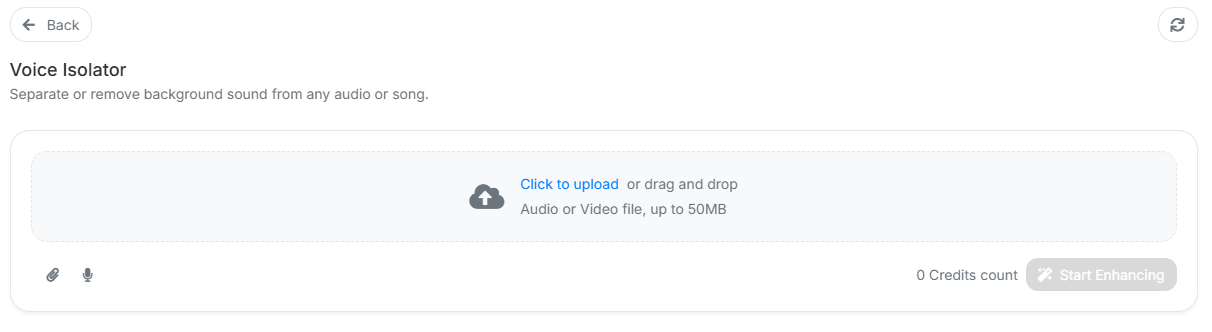
VoiceMaker also includes utility-style audio tools around the main generation stack. A voice isolator is especially practical because it supports cleanup workflows before you clone, transform, or repurpose a recording.
VoxFX is the clearest sign that VoiceMaker is not only chasing clean narration. The platform’s effects engine is meant for stylized audio treatment, with presets that can make a voice feel more like a radio transmission, stadium announcement, cave echo, alien character, or other scene-specific sound. That gives creators a way to make audio feel more produced without leaving the platform.
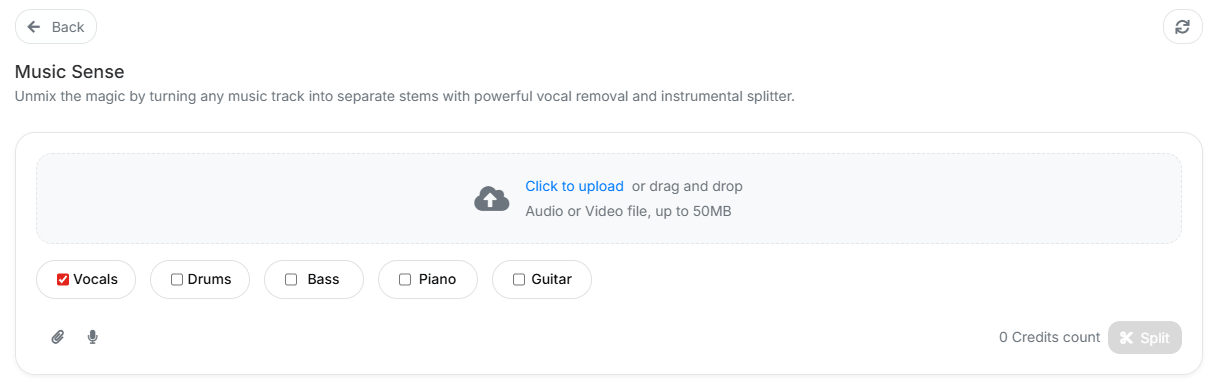
MusicSense adds another adjacent creative layer. While VoiceMaker’s core strength is still voice, tools like MusicSense make the platform feel more like a broader audio-production workspace instead of only a narration generator.
The practical takeaway is simple: use clean TTS for narration, use speech-to-speech when performance timing matters, use cloning when voice identity matters, and use VoxFX or related creative tools when the output needs style instead of just clarity.
VoiceMaker’s developer layer makes the platform more serious than a casual browser-only voice tool. The API supports bearer-token authentication, voice listing, REST generation, WebSocket streaming, speech-to-speech, voice cloning, and VoxFX-related workflows. That makes it viable for apps, internal tools, narration pipelines, and interactive systems where voice generation needs to happen repeatedly or automatically.
The WebSocket side matters most for real-time or near-real-time use cases. A normal batch TTS workflow is fine for video narration or downloadable audio, but chatbots, live assistants, and interactive interfaces benefit from lower-latency streaming. That is where VoiceMaker’s API story becomes more meaningful than the homepage alone suggests.
- Creators and YouTubers: VoiceMaker is useful for multilingual narration, character-style voices, shorts, explainers, and recurring voiceover production.
- Educators and course builders: The large language catalog, project editing, and export formats make it practical for lessons, tutorials, and training modules.
- Marketing and business teams: It fits product videos, ad reads, demos, onboarding content, and localized voiceovers.
- Developers: The REST and WebSocket API paths make it relevant for apps, assistants, voice tools, and automated content pipelines.
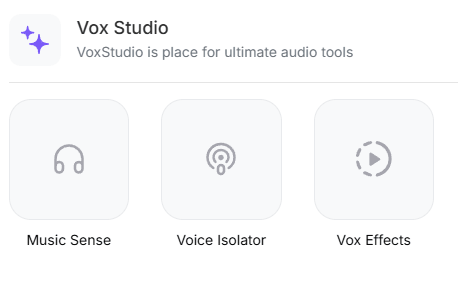
- Audio creators who need light production tools: VoxStudio, VoxFX, MusicSense, and Voice Isolator make it more useful than a simple TTS form.
- Start with the default voices for quick drafts, then move into Pro or ProPlus voices only when the content is worth the extra quality or control.
- Use VoxStudio for longer or multi-speaker projects instead of generating every clip separately and assembling them elsewhere.
- Use voice cloning only when repeatable identity matters. For one-off narration, a stock voice may be faster and cleaner.
- Use speech-to-speech when the original performance already has the pacing and emotion you want to preserve.
- Use VoxFX intentionally. Effects can improve character and atmosphere, but overusing them can make narration harder to understand.
- The first limitation is complexity. VoiceMaker now spans many voice models, cloning, speech-to-speech, dubbing, projects, effects, music-aware tools, audio cleanup, and APIs. That breadth is useful, but new users may need time to understand which surface to use.
- The second limitation is that different model families solve different problems. The broadest language coverage, lowest latency, highest quality, and most expressive control do not necessarily live in the same model family. Users need to choose deliberately.
- The third limitation is output review. Even with strong voices and controls, generated narration still needs human checking for pronunciation, pacing, emotional fit, and language accuracy.
- The fourth limitation is that the platform’s value depends on how much of the stack you use. If you only need one quick voiceover, VoiceMaker may feel broader than necessary. It makes more sense when you need ongoing production, multilingual output, project editing, or API access.
VoiceMaker is best understood as a flexible voice-production platform rather than a simple text-to-speech converter. Its strengths are the large multilingual voice catalog, model variety, project-based editing, cloning, speech-to-speech, VoxFX, audio utilities, and API access.
It is most valuable for creators, educators, marketers, and developers who need repeated voiceover production across languages, formats, or applications. The main caveat is that VoiceMaker is now broad enough that the best results come from choosing the right model and workflow instead of treating every task like a basic TTS conversion.
TAGS: Voice/Audio Modulation Text to Speech
Related Tools:
Enables user to create and modify music
Transforms written texts to voiceovers

Allows developers to create high-performance 2D games

Conversational AI tool for voice-based interactions within virtual worlds

Translates, dubs, and add subtitles to videos
Offers real-time voice changing capabilities