

Share this tool:
 |
Description:
- Introduction
- Core Features and Capabilities
- What Sync Labs Actually Is
- What Sync Labs Does Best
- Workflow and Ease of Use
- Models and Platform Layers That Matter
- Lip-Sync Quality and Output Control
- Dubbing and Localization Workflow
- API, SDK, and Automation Layer
- Best Use Cases
- Where Sync Labs Is Strongest
- Where It Is Weaker
- Practical Tips
- Final Takeaway
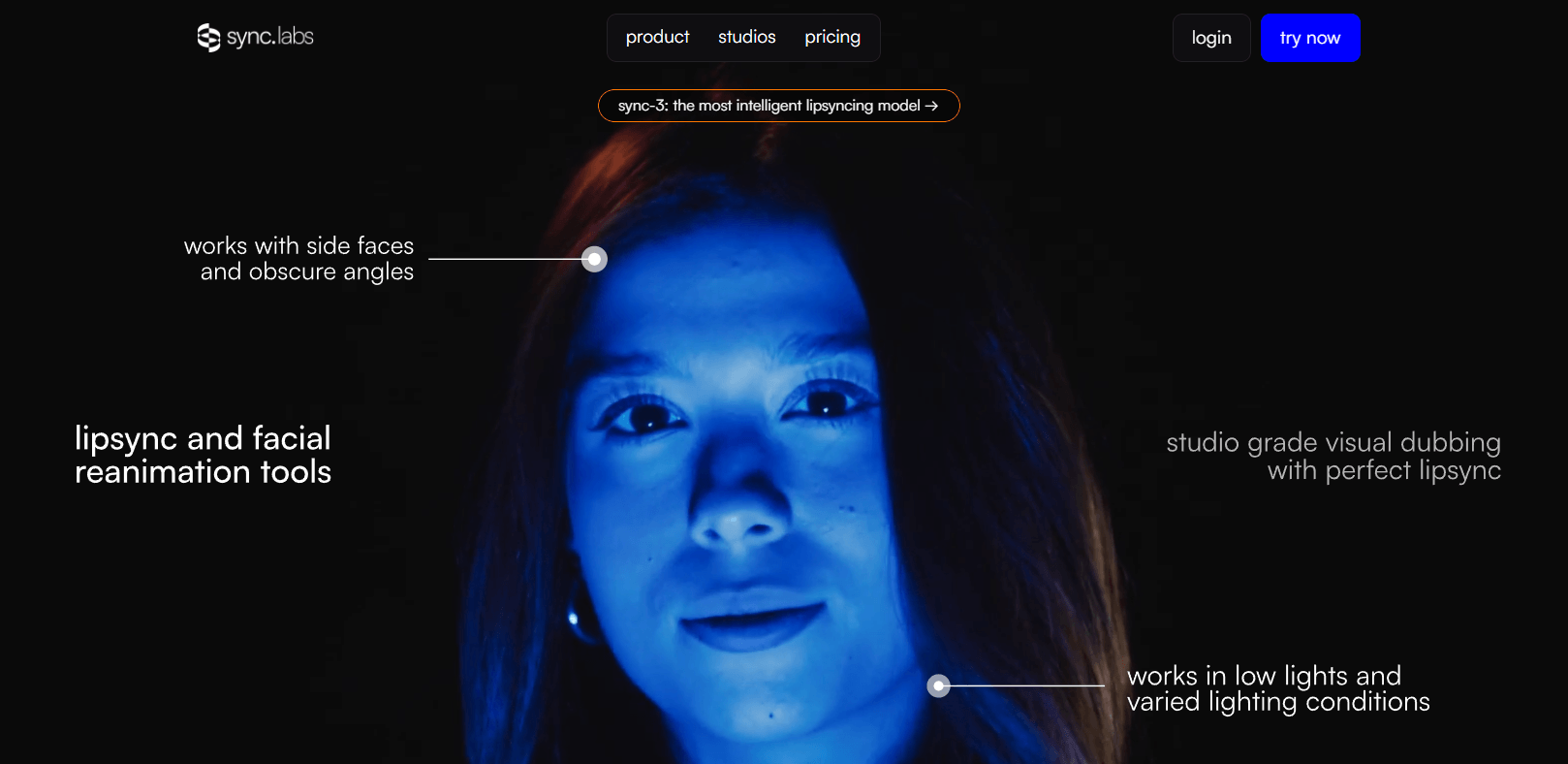
Sync Labs is an AI video lip-sync and visual dubbing platform for creators, studios, localization teams, marketers, and developers who need to make a speaker’s mouth movements match new audio. Its core value is simple but powerful: take a video and an audio track, then generate a new version where the face appears to naturally speak the replacement dialogue.
Takes video and audio input, then generates new video with lip movements matched to the supplied audio.
Gives users a browser-based place to explore and compare models before building a full API workflow.
Supports model options such as lipsync-2, lipsync-2-pro, react-1, and sync-3, giving users different quality and speed choices.
Supports dubbing through POST /v2/generate with dubParams, where Sync extracts audio, dubs it through ElevenLabs, and runs lip-sync on the dubbed result.
Lets teams process up to 500 generation requests in a single batch operation, using JSON Lines input files.
Provides official Python and TypeScript SDK paths for production integration.
Sync Labs, often branded as “sync. labs” or simply “Sync,” is focused on AI lip-sync technology. The official documentation describes Sync as a research company building AI video technology, currently focused on lip sync, with an API that accepts video and audio inputs and generates matched lip movements. Users can work through Sync Studio in the browser or integrate the system through Python and TypeScript SDKs.
That makes Sync different from a normal video editor, dubbing app, or text-to-speech platform. It does not primarily generate voices. It does not replace a full localization pipeline by itself in every case. Its strongest job is the visual sync layer: making the speaker’s face match audio that may have been recorded separately, translated, generated by TTS, or customized for a specific viewer.
| Layer | What it does | Why it matters |
|---|---|---|
| Sync Studio | Lets users test and compare lip-sync models in the browser. | Best for creators and teams evaluating output quality before deeper integration. |
| Lip-sync API | Generates video where mouth movements match supplied audio. | Useful for apps, localization workflows, media tools, and production pipelines. |
| Dubbing workflow | Translates and lip-syncs video through API dubbing flows. | Useful for multilingual video localization. |
| Model selection | Offers models with different speed, quality, and capability trade-offs. | Helps users choose between faster tests and higher-end outputs. |
| Batch processing | Processes many videos in one batch job. | Useful for large localization or personalized-video workflows. |
| Integrations | Supports workflows with tools such as ElevenLabs, ComfyUI, and Adobe Premiere-related plugin paths. | Makes Sync easier to fit into existing creative and developer stacks. |
Sync Labs is strongest when the visual face match matters. Standard dubbing can change the audio language, but the mouth often still moves like the original language. Sync’s value is that it adjusts the visual performance so the speaker appears to say the new audio more naturally. The documentation gives the example of sending an English-speaking video and a Japanese audio track, then producing a new video where the speaker’s lips move naturally to match the Japanese audio.
Its second strength is production scalability. Sync is not only a single-file web toy. Its docs highlight API and SDK workflows, batch processing for up to 500 videos, and use cases such as e-learning localization, marketing outreach, and content dubbing.
Its third strength is model range. Sync’s documentation lists multiple models, including lipsync-1.9, lipsync-2, lipsync-2-pro, react-1, and sync-3, each positioned for different quality, speed, and use-case trade-offs.
Sync’s workflow depends on whether you are using the web Studio or the API.
For a creator or producer, the easiest starting point is Studio. You bring a video and audio input, choose a model, generate a result, and compare whether the lip movement feels natural enough for the project. This is useful when you are testing a clip, validating a dubbing concept, or deciding which model is worth using for a larger job. Sync’s docs describe Studio as the browser option for exploring and comparing models directly.
For developers, the workflow is more structured. The Quickstart guide says users can create an API key, install the SDK, and submit a generation request in about five minutes. It lists Python and TypeScript SDK support, MP4 video input, WAV or MP3 audio input, and sync-3 as the default model in the quick reference.
The most common production workflow looks like this: prepare a video, prepare or generate replacement audio, submit both to Sync, wait for processing, then retrieve the output video. The API overview describes Sync’s REST API as generating lip-synced videos from video and audio inputs, with the API returning a new video whose lip movements match the supplied audio.
The main workflow advantage is focus. Sync does not ask users to manage a huge editing timeline. It solves a specific problem: visual speech alignment. The trade-off is that users still need other tools around it for translation, script editing, voice acting, TTS quality, video editing, final sound mix, review, and publishing.
Model choice matters with Sync because not every job needs the same balance of speed, realism, and visual detail.
| Model / Layer | Best For | Practical Notes |
|---|---|---|
| lipsync-2 | General-purpose lip sync. | Good baseline option for natural lip-sync where speaking style preservation matters. |
| lipsync-2-pro | Higher-end visual quality. | Adds enhanced facial detail and diffusion-based super-resolution, with support for 4K according to Sync’s model page. |
| sync-3 | Professional-grade and difficult visual scenarios. | Sync describes it as its most advanced model, built with wider spatial context and designed for fewer retakes and fewer manual fixes. |
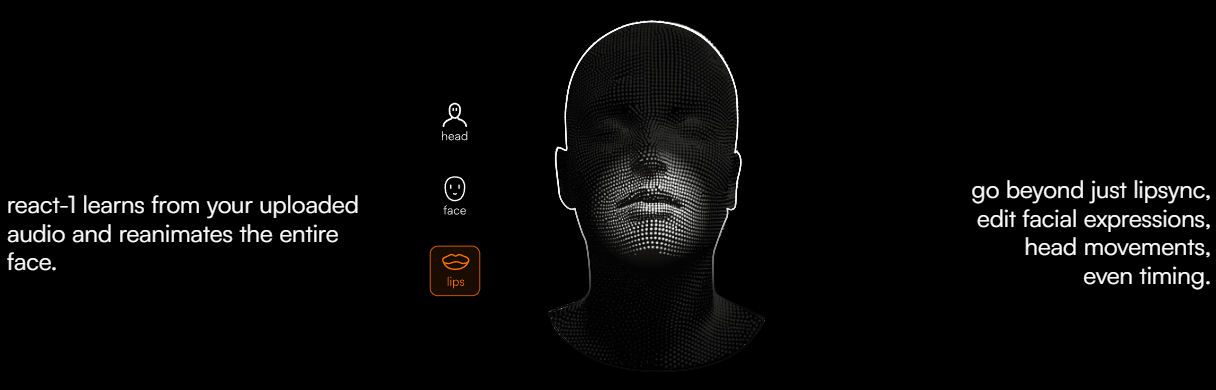
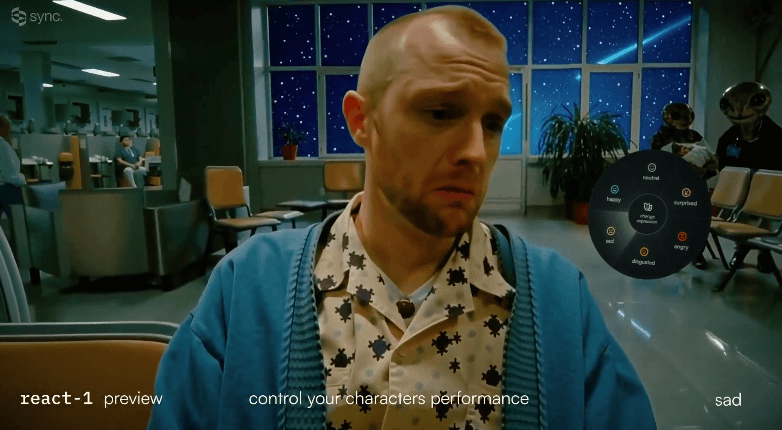
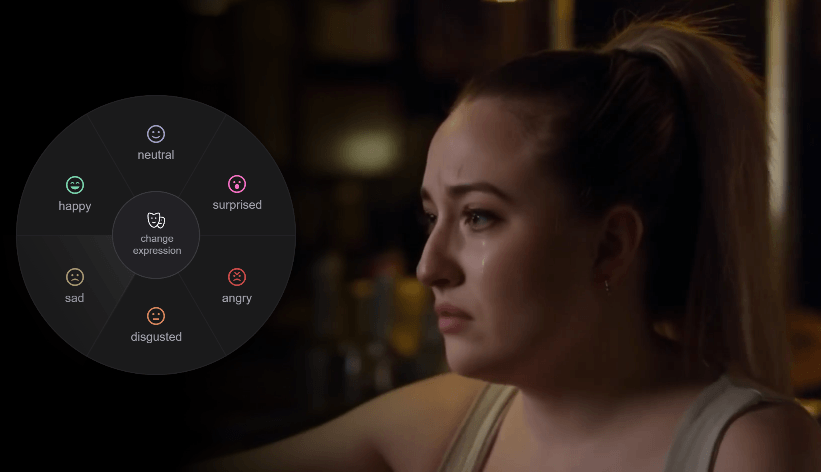
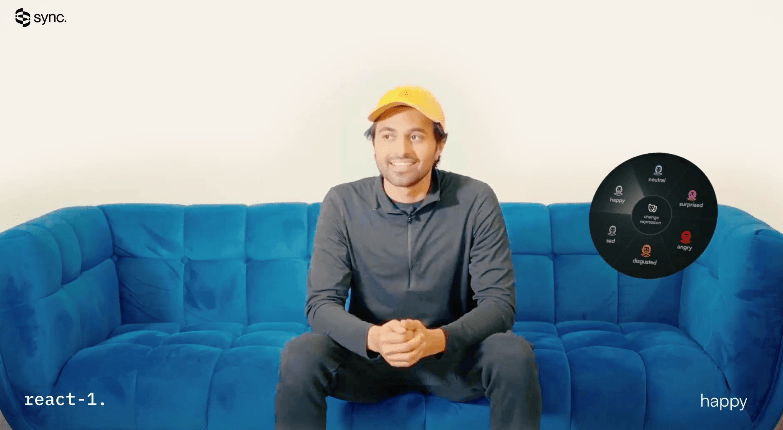
| react-1 | Expression and timing edits. | Positioned around going beyond lip sync by editing facial expressions, head movements, and timing. |
| Native dubbing | Translation-plus-lip-sync jobs. | Uses dubParams in a single API flow, with ElevenLabs currently listed as the dubbing provider. |
| Batch API | High-volume generation. | Supports up to 500 requests per batch, useful for scaling localization or personalized video. |

The simple recommendation is to use Studio or a smaller API test first, then choose the model based on how visible the face is, how polished the output needs to be, and how difficult the input video is. Close-up faces, commercial videos, films, and brand work need more scrutiny than casual social clips.
Sync’s quality is strongest when the input video gives the model enough natural facial motion to work from. The model documentation includes an important limitation: lipsync-2 and lipsync-2-pro require natural speaking motion in the input video and may not work properly during still-frame segments where the speaker is not actively moving or speaking.
That matters because AI lip-sync is not magic face animation in every possible scenario. A video of someone already speaking gives the model more useful motion patterns. A frozen face, still image, or long silent section creates a harder problem. Users should not assume that every static or poorly captured shot will produce convincing lip movement.
lipsync-2-pro is positioned for higher visual fidelity. Sync says it preserves details such as teeth, facial features, freckles, makeup, and beards, and supports 4K through diffusion-based super-resolution. It is also described as working across live action, animation, and AI-generated video.
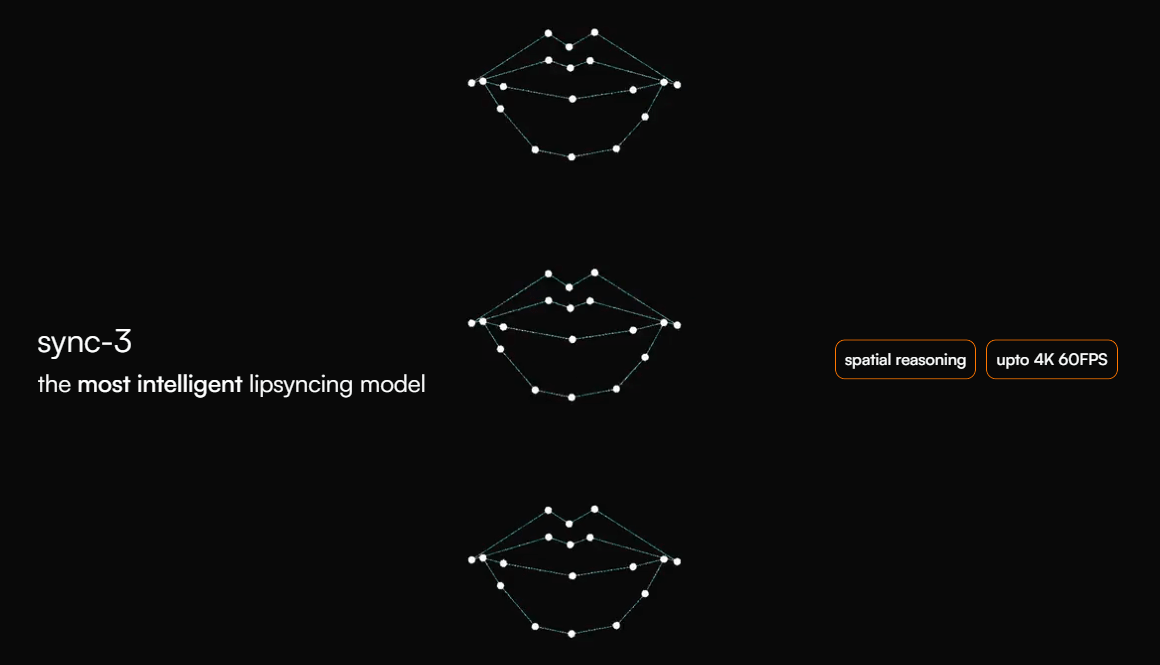
sync-3 is the more ambitious current model direction. Sync describes it as approaching lip-sync with wider spatial context, understanding the scene rather than only syncing the mouth, and working across movies, podcasts, games, and animations.
The practical takeaway is that output review is mandatory. A model can be impressive and still need checking for mouth artifacts, teeth distortion, jaw movement, timing mismatch, unnatural pauses, face warping, or emotional mismatch between the new audio and original performance.
Sync is a strong fit for dubbing, but it is important to understand what part of dubbing it handles.
In a full localization workflow, you typically need transcription, translation, script adaptation, voice generation or voice acting, audio editing, lip-sync generation, quality review, and final video export. Sync’s core strength is the lip-sync step. Its native dubbing flow goes further by letting users pass dubParams to POST /v2/generate, where Sync extracts the source audio, dubs it through ElevenLabs, and runs lip-sync on the dubbed result as one job.
This is useful for standard translation-plus-lip-sync workflows. For more controlled projects, Sync’s docs recommend manual orchestration when users need custom control over transcription, TTS voice cloning, or intermediate steps.
That distinction is important. A quick social localization job may benefit from a single automated flow. A film, ad campaign, course library, or brand video may still need human script adaptation and careful voice direction before Sync handles the visual alignment.
Sync is clearly built for developers as well as creators. Its API documentation describes a REST API at https://api.sync.so/v2 for generating lip-synced videos from video and audio inputs. It also includes generation endpoints, asset endpoints, model endpoints, webhooks, batch processing, and SDK authentication.
The API supports public URLs, direct uploads, and asset IDs for inputs. The Quickstart reference recommends MP4 for video and WAV or MP3 for audio, and notes direct upload limits in that quick-start context.
Webhooks matter for production use. The Create Generation reference notes that users can provide a webhookUrl so Sync sends generation status updates when a job completes.
Batch processing is especially useful for localization teams, agencies, and personalized-video systems. Sync’s batch guide says the input file must be JSON Lines, can include up to 500 requests per batch, and supports the standard generation request format.
API key management also needs care. Sync’s authentication guide says SDKs can read the SYNC_API_KEY environment variable automatically and recommends treating API keys like passwords, using environment variables, avoiding commits to source control, rotating keys, using separate keys per environment, and restricting access.
- Video localization: Sync is a strong fit for translating course videos, YouTube content, marketing videos, and training material while making the speaker’s mouth match the translated audio.
- Film, ads, and dialogue replacement: Sync’s homepage positions the platform for studio-grade lip sync across films, ads, and content, while lipsync-2-pro is positioned around editing what someone says while preserving speaking style and facial details.
- Personalized video messaging: Sync’s docs describe a workflow where one recorded video can become many personalized messages by combining text-to-speech with lip-sync generation.
- E-learning and training: Course creators and training teams can localize instructor-led videos into multiple languages while keeping the instructor visually aligned with the new audio.
- Developer products: Apps that generate avatars, sales videos, localized clips, AI presenters, or dubbing tools can use Sync through API and SDK workflows.
- Creative AI workflows: ComfyUI support and Studio access make Sync useful for AI video creators who want lip-sync as part of a larger generative pipeline.
Sync is strongest when it is used as a specialized visual dubbing engine. If you already have strong audio and a video with a visible speaker, Sync can make the final output feel much more native than simple dubbed audio over mismatched mouth movement.
It is also strong for scale. Batch processing, API access, webhooks, SDKs, asset workflows, and model selection make it practical for more than one-off experiments.
The model roadmap is another strength. Sync is not relying on one generic model. It has distinct options for general lip sync, higher-detail pro output, expressive editing, and the newer sync-3 approach built around wider scene understanding.
Sync is weaker when users expect it to be the entire dubbing pipeline without preparation. The visual output can only be as good as the script, voice, audio timing, input footage, and review process around it.
It is also limited by input conditions. The still-frame limitation for lipsync-2 and lipsync-2-pro is important: videos need natural speaking motion for those models to work properly during those sections.
The second trade-off is review time. High-quality lip-sync still needs human checking, especially for close-ups, brand work, emotionally sensitive scenes, comedy timing, singing, or multilingual content where mouth shapes and performance rhythm can feel subtly wrong.
The third trade-off is technical setup. Studio is approachable, but the full power of Sync is in the API. Teams that want automated localization, batch generation, webhooks, and personalized videos need engineering resources.
The fourth limitation is rights and consent. Sync can change what a person appears to say. That makes it powerful, but also sensitive. Users should only use video, audio, voices, likenesses, and scripts they have the right to use, especially in advertising, political content, public figures, client work, and commercial localization.
- Start with a short test clip before processing a full video. Lip-sync quality is easiest to judge on the exact type of footage you plan to use.
- Use clear, well-timed audio. Sync handles the visual alignment, but bad audio pacing, awkward translation, or unnatural TTS delivery will still make the final video feel wrong.
- Choose the model based on risk. Use faster or baseline options for testing, and higher-end models for close-up, client-facing, or high-visibility work.
- Avoid still or silent face segments when possible. Sync’s own model docs note that some models need natural speaking motion in the input video.
- Use native dubbing for standard workflows, but manual orchestration for serious localization. Sync’s docs distinguish between the single-call dubParams flow and manual orchestration when users need more control over transcription, TTS, and voice cloning.
- Use batch jobs only after the template works. Test a few clips manually before running hundreds of videos through the API.
- Secure API keys properly. Sync’s docs recommend environment variables, key rotation, separate keys for development and production, and avoiding source-control exposure.
Sync Labs is best understood as a specialized AI lip-sync and visual dubbing platform. Its value is not general video editing. Its value is making new audio look natural on an existing face, whether that audio is translated, generated, personalized, or re-recorded.
It is best for localization teams, creators, video platforms, agencies, AI video builders, e-learning teams, and developers who need scalable visual speech alignment.
The main caveat is that Sync is one part of a production pipeline. Great results still depend on strong source footage, clean audio, thoughtful translation, model choice, rights clearance, and careful human review before publishing.
TAGS: Voice/Audio Modulation
Related Tools:

Allows developers to create and publish 2D and 3D games
Real-time AI voice change

Transforms written texts to voiceovers
Enhances audio recordings by removing unwanted sounds
Text-to-Speech and Voice Cloning
Animates people in videos to speak any language