
Share this tool:
 |
Description:
- Introduction
- What CleanVoice AI Actually Is
- What CleanVoice AI Does Best
- Core Features and Capabilities
- Workflow and Ease of Use
- Editing Control and Customization
- Audio Cleanup Quality
- Transcription, Summaries, and Repurposing
- API, SDK, and Automation Layer
- Where CleanVoice AI Is Strongest
- Where It Is Weaker
- Security and Data Handling
- Best Use Cases
- Practical Tips
- Final Takeaway
CleanVoice AI is an automated audio and video editing tool built mainly for podcasters, interviewers, video creators, agencies, and developers who want to remove filler words, background noise, long silences, mouth sounds, breaths, stutters, and other distractions without manually scrubbing through every few seconds of a recording.
CleanVoice AI is not a full digital audio workstation and it is not trying to be one. It is closer to an AI post-production assistant for spoken-word content. You upload audio or video, choose what kind of cleanup you want, let the system process the file, then download the cleaned result or export supporting files for further editing.
The official site describes the core job clearly: remove background noise, filler words, long silence, and mouth sounds from podcasts using AI. It also frames the product around audio and video podcast cleanup rather than broad music production or general creative editing.
The easiest way to understand CleanVoice is through its main layers:
| Layer | What it does | Why it matters |
|---|---|---|
| Audio cleanup | Removes noise, mouth sounds, breaths, stutters, and awkward pauses. | Saves the most repetitive parts of podcast editing. |
| Speech editing | Detects fillers, hesitations, long silences, and repeated word fragments. | Helps spoken content sound tighter without manually cutting every mistake. |
| Video podcast editing | Applies cleanup while keeping audio and video usable together. | Important for video podcasts where cuts can affect sync. |
| Transcription and summaries | Turns episodes into text assets and summaries. | Useful for show notes, subtitles, repurposing, and review. |
| Templates and settings | Lets users customize what gets removed, muted, or preserved. | Gives more control than a one-button cleanup tool. |
| API and SDK layer | Lets teams automate cleanup in products or production pipelines. | Useful for agencies, podcast apps, developers, and high-volume workflows. |
CleanVoice is strongest at removing the small interruptions that make spoken content feel rough: “um,” “uh,” awkward gaps, lip smacks, breath sounds, stutters, and distracting background noise. Its filler-word page says the AI identifies and removes filler words automatically, including multilingual filler sounds and accents from different regions.
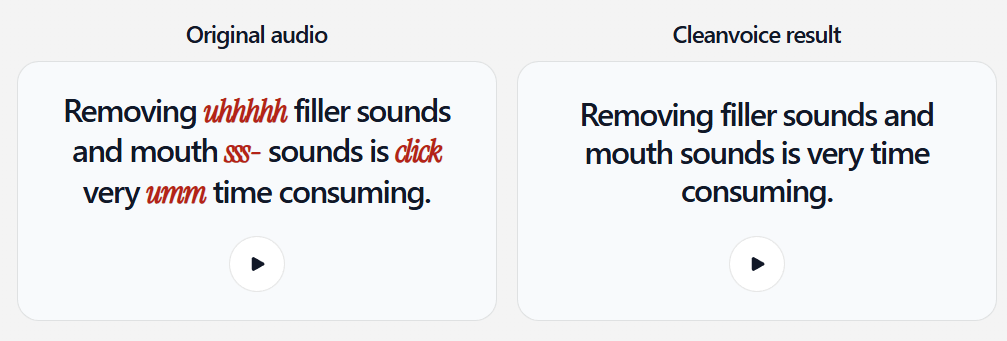
That matters because filler editing is one of the least creative parts of podcast production. A human editor can remove every hesitation by hand, but it is slow. CleanVoice’s value is that it handles that first pass automatically, so creators can spend more time on content, structure, and publishing.
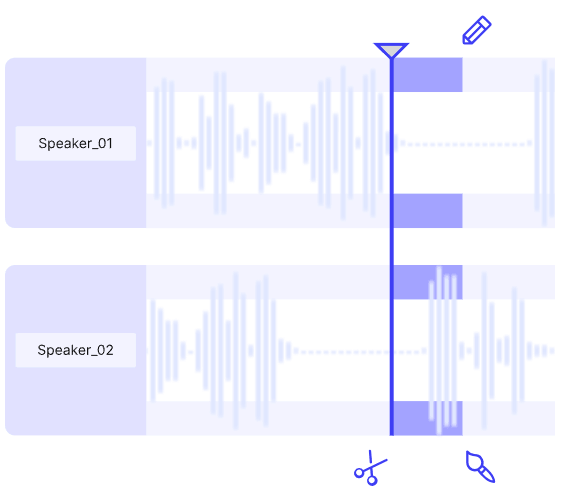
The second strength is multi-track cleanup. CleanVoice says it can edit filler words across multiple tracks while keeping everything in sync, and its noise-removal page also describes removing unwanted background noise from each track of a podcast. This is important for interviews and panel shows where each speaker is recorded separately. A tool that only works well on one flattened audio file is less useful for serious podcast workflows.
The third strength is that CleanVoice does not stop at audio-only podcasts. Its video podcast page says users can remove background noise, fillers, awkward pauses, and other unwanted sounds from video podcasts, while using mute edits and sync-friendly handling so the video does not become shaky or mismatched.
Detects and removes filler words like “um” and “uh,” including support for multiple languages and accents.
Reduces unwanted sounds such as cafe noise, traffic, wind, kids, neighbors, hiss, and buzz from audio or video recordings.
Removes lip smacks, clicks, tongue sounds, breaths, stutters, silences, and other spoken-word distractions.
Cleans video podcasts while preserving usability, with options like mute edits, sync handling, subtitles, and custom templates.
Generates transcripts and summaries alongside cleanup, making episodes easier to repurpose and review.
Provides Python, JavaScript, REST, Make, and n8n workflows for developers and teams that want automated editing, enhancement, transcription, and summaries.
CleanVoice is built around a simple upload-process-export workflow. For background-noise removal, the official page describes the process as uploading audio or video, letting AI remove the noise, then downloading the cleaned podcast. That same simplicity carries through most of the product.
The main appeal is that users do not need to learn editing jargon or understand a complex audio interface. CleanVoice’s background-noise page explicitly positions the workflow as simple for first-time users, and its video editing page uses the same “drag and drop, let AI edit, download or export” structure.
That makes it especially useful for creators who publish regularly but do not want to live inside Audition, Reaper, Pro Tools, or Premiere. A weekly podcaster can upload a recording, remove the obvious problems, export a cleaner file, and then do only the editorial review that actually requires judgment.
The trade-off is that CleanVoice is not designed for full creative editing. It is excellent for cleanup and first-pass speech editing. It is less suited to rearranging an episode’s narrative, mixing music beds, shaping transitions, choosing the best takes, balancing emotional pacing, or making editorial decisions that depend on the meaning of the conversation.
CleanVoice is more flexible than a pure one-button enhancer because it lets users decide which edits should happen. Its API configuration reference lists options for fillers, long silences, mouth sounds, breath, stutters, hesitations, and muted edits. The muted option is especially important because it silences edits instead of cutting, preserving the original timing.
That matters most for video. If you cut audio aggressively from a video podcast, lip movement and video timing can become awkward. CleanVoice’s video page directly addresses this by explaining that users can mute edits rather than cut them, helping keep audio and video in sync.
The template system is another useful control layer. CleanVoice says users can choose whether to mute or remove plosives, clean or keep click sounds, decide whether they want subtitles, and create saved templates for video podcast editing. This is one of the more practical features for recurring production work because different shows have different editing styles.
For example, an informal creator podcast may want to keep some natural pauses and breaths. A polished business interview may want filler words removed more aggressively. A video podcast may prefer muted edits over cuts. CleanVoice is strongest when users treat these controls as editorial choices rather than assuming every artifact should always be removed.
CleanVoice’s cleanup quality depends heavily on the source recording. It can remove a wide range of common noise types, including audience noise, coffee shops, wind, kids, traffic, neighbors, hiss, and buzz. It can also remove slight reverb, though CleanVoice itself warns that extreme reverb is not something it can fully fix.
That caveat is important. AI cleanup can make a decent recording much better, but it cannot always rescue a recording that was captured badly. A close microphone in a mildly noisy room is a good candidate. A distant laptop mic in a large echoey room is much harder. A clipped recording, heavy distortion, or overlapping speakers can still create problems.
The filler-word remover also needs context. CleanVoice says simply removing filler words can make a recording sound unnatural, so its AI adds silence or room noise to help the podcast flow more naturally. That is exactly the right problem to solve. Good speech editing is not only about deletion. It is about making the result sound like a natural conversation instead of a choppy sequence of cuts.
CleanVoice includes transcription and summary workflows, which makes it more useful than a cleanup-only tool. Its main site lists “Transcription & Summary” as part of the product, while its API page says CleanVoice can edit audio or video, enhance voice, transcribe, and summarize podcasts.
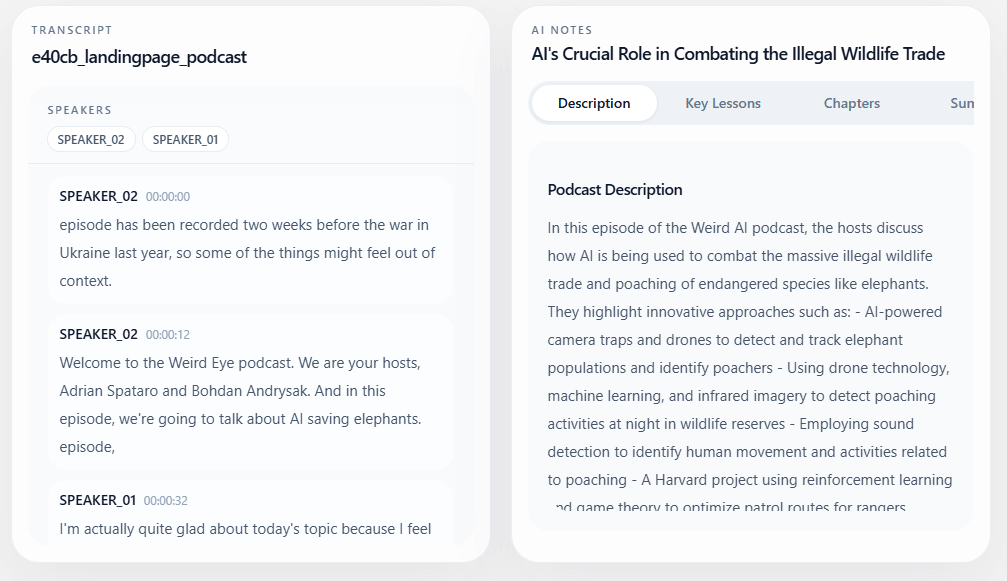
The transcription page positions the tool around multilingual speech-to-text, including podcast audio in English, Spanish, and other languages. In practical terms, this gives creators more than a cleaned audio file. They can turn episodes into transcripts, subtitle files, show notes, blog drafts, quote pulls, or internal review material.
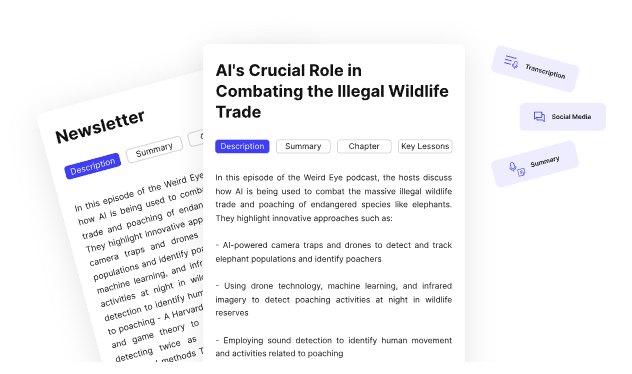
This matters because podcast production does not end when the episode sounds good. Creators still need titles, descriptions, summaries, clips, captions, newsletters, and social posts. CleanVoice is not a full content repurposing suite, but transcription and summaries make the cleaned episode easier to reuse.
CleanVoice has a serious developer side. The official docs describe CleanVoice as a system for auto-editing, enhancing, and transcribing audio or video, with official Python and JavaScript SDKs, REST, Make, and n8n workflows.
The API page also shows a configuration example with options such as normalization, studio sound, fillers, hesitations, stutters, and long silences. That matters because developers do not only need a generic “enhance” button. They need predictable options they can turn on or off depending on the product experience.
This is where CleanVoice becomes more than a creator tool. A podcast hosting platform could offer automatic cleanup. A content agency could process client files in batches. A video tool could add speech cleanup to uploads. A meeting archive product could clean and summarize recordings. CleanVoice’s API page also says it supports batch and multitrack editing and can connect with automation platforms like Make and n8n.
The practical split is simple:
| User Type | Best CleanVoice Surface |
|---|---|
| Solo podcaster | Web app upload and export. |
| Video podcaster | Video editor with mute/cut and sync controls. |
| Agency | Templates, batch workflows, multitrack editing. |
| Developer | Python SDK, JavaScript SDK, REST, Make, or n8n. |
| Audio editor | Timeline export and markers for manual finishing. |
CleanVoice is strongest for spoken-word cleanup. Podcasts, interviews, video podcasts, webinars, course recordings, audiobook drafts, and narration are the natural fit. These formats usually have the same problems: filler words, uneven pacing, background noise, breaths, clicks, stutters, and silence.
It is also strong for creators who publish frequently. If you make one episode a year, manual editing may be tolerable. If you publish weekly, the time savings become much more meaningful. CleanVoice’s own positioning is about avoiding the stop-start manual editing process that happens every few seconds in a recording.
The product is especially useful when you already have a clear structure and mainly need polish. A good interview with a few filler words is perfect. A strong episode recorded in a room with mild background noise is a good use case. A video podcast where you need to clean audio but preserve sync is also a strong fit.
CleanVoice is weaker when the recording needs deep editorial judgment. It can remove filler words, shorten silence, reduce noise, and create a cleaner version. It cannot decide which story arc is strongest, which guest answer should be cut, which tangent should stay, or how to restructure an episode for pacing.
It is also not a full mixing environment. If you need detailed EQ, compression, mastering chains, music ducking, sound design, scene transitions, ad insertion, or exact loudness delivery for a network, you may still need a dedicated audio editor or DAW.
The second limitation is source quality. CleanVoice can remove many kinds of noise, hiss, buzz, and slight reverb, but it is honest that extreme reverb is not something it can fully fix. Bad mic placement, clipping, heavy distortion, multiple people talking over each other, and extremely echoey rooms can still limit the result.
The third limitation is that automated removal can sometimes be too aggressive. Some fillers are part of a speaker’s rhythm. Some pauses carry meaning. Some breaths make speech sound human. Users should check the output instead of assuming every automatic edit is an improvement.
CleanVoice publishes a data processing agreement and describes its services as podcast transcription, summarization, audio and video enhancement, and analysis through either the platform or API integration. Its developer documentation also states that CleanVoice is GDPR compliant, ISO 27001 certified, processes audio in the EU, and says audio is not used to train AI models.
That is useful for teams handling client recordings, interviews, corporate podcasts, and internal media. Still, users working with sensitive legal, medical, financial, or confidential material should review the current data processing agreement and internal policies before uploading recordings to any cloud-based audio tool.
- Podcasters: CleanVoice is a strong fit for removing fillers, long pauses, mouth sounds, breaths, stutters, and background noise from regular episodes.
- Video podcasters: The video workflow is useful because it includes sync-aware options like muting edits instead of cutting everything.
- Interviewers and journalists: It can clean interview audio quickly while still preserving enough natural flow for review and publication.
- Course creators and educators: Lesson recordings often need noise reduction, silence trimming, transcription, and cleaner speech before publishing.
- Agencies and production teams: Templates, multitrack handling, timeline exports, and automation support make CleanVoice useful for repeatable client workflows.
- Developers and platforms: The SDK, REST, Make, and n8n options make CleanVoice relevant for products that need automated audio cleanup, transcription, summaries, or enhancement inside their own workflows.
- Start with clean input. Use a close microphone, reduce room echo, and avoid clipping. CleanVoice can improve recordings, but good capture still matters.
- Do not remove everything automatically. Some pauses, breaths, and hesitations make speech feel natural. Use templates and settings based on the tone of the show.
- For video podcasts, consider muted edits when sync matters. Cutting every filler can make video feel jumpy, while muting can preserve timing.
- Use multitrack uploads when available. Separate speaker tracks usually give better control than a single mixed file, especially for interviews.
- Export timelines or markers when you want a human final pass. CleanVoice can handle the heavy cleanup, then an editor can polish the structure.
- Use the API only when the workflow is repeatable. For one-off editing, the web app is simpler. For platforms, agencies, and recurring production pipelines, API automation is the stronger fit.
CleanVoice AI is best understood as an automated post-production assistant for spoken audio and video. Its strongest value is removing the repetitive cleanup work: filler words, long silences, mouth sounds, breaths, stutters, background noise, and basic polish.
It is best for podcasters, video podcasters, interviewers, course creators, agencies, and developers who need faster spoken-word cleanup without manually editing every interruption.
The main caveat is that CleanVoice is not a replacement for editorial judgment or full audio production. It gives you a cleaner first pass, but the best results still come from reviewing the output and finishing important projects with human taste.
TAGS: Podcast Voice/Audio Modulation
Related Tools:

Enhances online communication by eliminating background noise

Enables users to create 2D games for various platforms

Game development tool for Nintendo Switch

Conversational AI tool for voice-based interactions within virtual worlds

Design and build immersive 2D and 3D experiences

Enables to create cross-platform 2D and 3D games