

Share this tool:
 |
Description:
Vimcal is a calendar app for people whose workday depends on scheduling. It is designed for founders, executives, remote teams, and executive assistants who spend too much time finding meeting slots, copying availabilities, managing time zones, and coordinating across Google Calendar, Outlook, Zoom, Google Meet, Teams, and multiple calendars. Its value is not that it reinvents the calendar. It makes heavy calendar work faster, cleaner, and less error-prone.
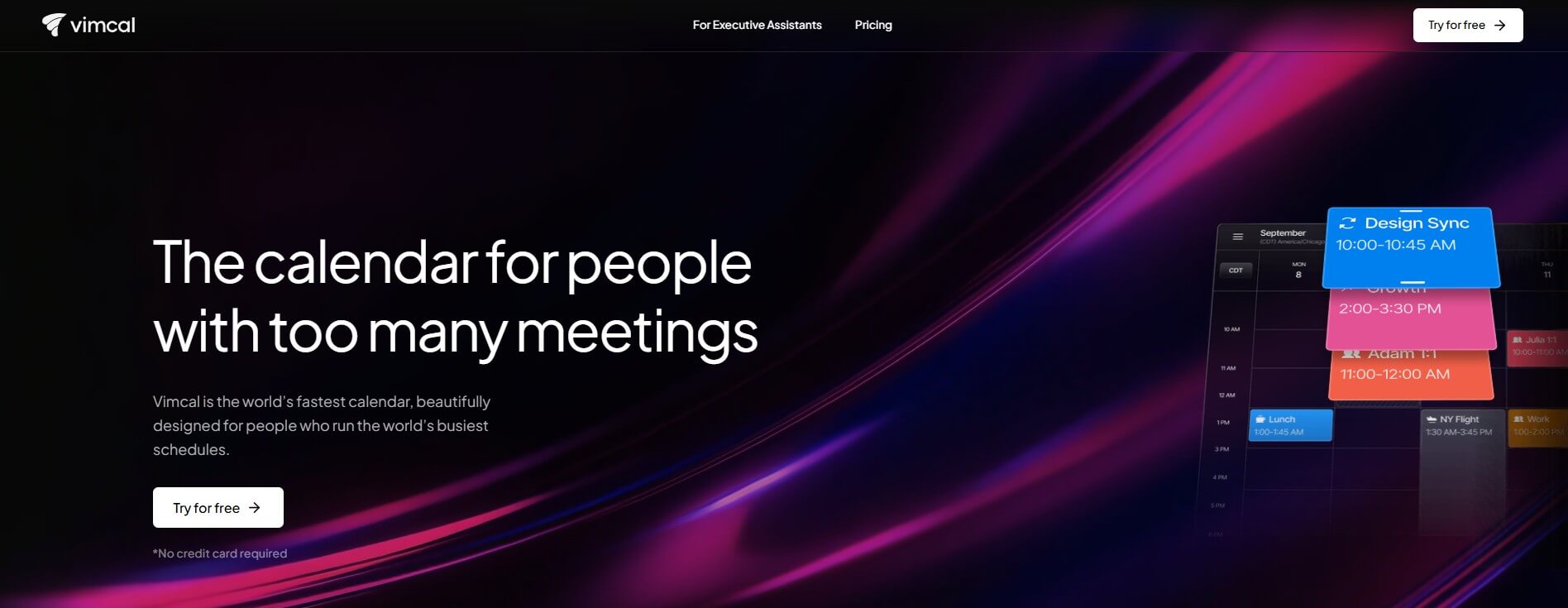
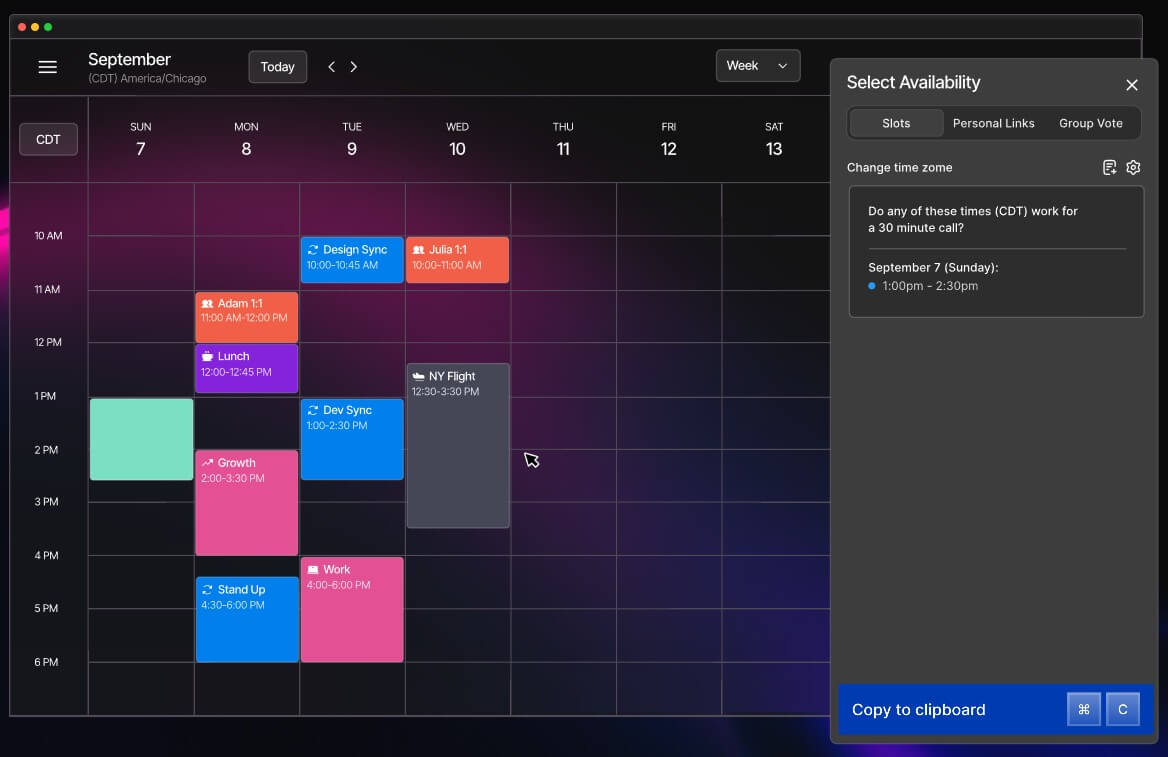
Vimcal lets users share available time slots without manually typing each option or relying only on a booking link.
Vimcal shows overlapping work hours across time zones, which is useful for remote teams, international clients, and executive scheduling.
Vimcal is built around fast interactions, shortcuts, and low-friction calendar actions.
Vimcal can coordinate across work and personal accounts in one calendar view, reducing the chance of booking on the wrong account.
Vimcal AI can help find times for large groups, surface mutual availability, and provide guest context through AI-powered dossiers.
The assistant-focused version supports multi-exec calendars, scheduling preferences, time zones, holds, polls, integrations, and workflows built for executive assistants.
Vimcal is a scheduling-focused calendar layer. It works with existing Google Calendar and Outlook setups, so users do not have to abandon the calendars their workplace already uses. The main product is built for busy professionals, while Vimcal EA is a separate version made for executive assistants and people who manage calendars on behalf of others.
That difference matters. Vimcal is not trying to be a general productivity suite like Notion or a task-heavy planner like Motion. It is much more focused: get meetings scheduled faster, reduce time-zone mistakes, make availability sharing feel less awkward, and give calendar power users better tools than the default Google or Outlook interface.
The easiest way to understand it:
| Vimcal Layer | What It Does | Why It Matters |
|---|---|---|
| Calendar view | Combines work and personal calendars | Reduces tab switching and booking mistakes |
| Availability sharing | Lets users drag and copy open slots | Faster than typing out times manually |
| Time zones | Shows overlapping work hours across locations | Helps remote teams avoid scheduling errors |
| Shortcuts | Speeds up calendar actions | Useful for heavy daily scheduling |
| AI scheduling | Helps find times and interpret availability | Reduces manual coordination |
| Vimcal EA | Supports multi-exec and assistant workflows | Built for people scheduling on behalf of others |
Vimcal is strongest when scheduling is frequent, time-sensitive, and cross-functional. A casual user with two meetings a week may not feel a huge difference. Someone who books calls all day will.
The official site emphasizes sharing availabilities, scheduling across time zones, shortcuts, and a unified calendar view. Vimcal also says it has instant response times and shortcuts for calendar actions, which shows where the product is focused: speed.
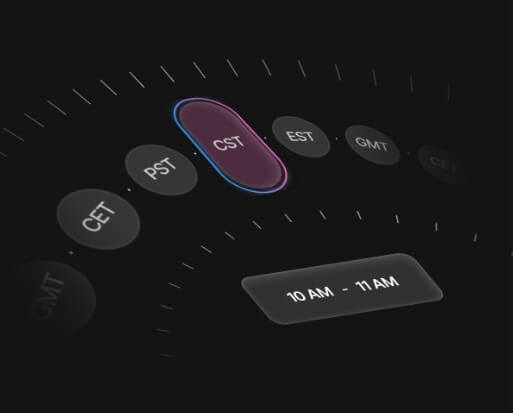
The best fit is someone who often thinks:
- “I need to send three available times without sounding like I’m pushing a booking link.”
- “I need to schedule across New York, London, and Singapore.”
- “I need to see my work and personal calendars together.”
- “I need to move through calendar actions faster than Google Calendar lets me.”
- “I manage an executive’s calendar and cannot afford messy scheduling.”
That is where Vimcal feels useful. It removes small scheduling frictions that repeat all day.
The core workflow is simple: connect your calendar accounts, manage events in Vimcal, share availability when needed, and use the speed features to move through scheduling faster. Vimcal works with Google Calendar and Outlook, and the App Store listing describes it as giving users “superpowers” for those existing calendars rather than replacing them completely.
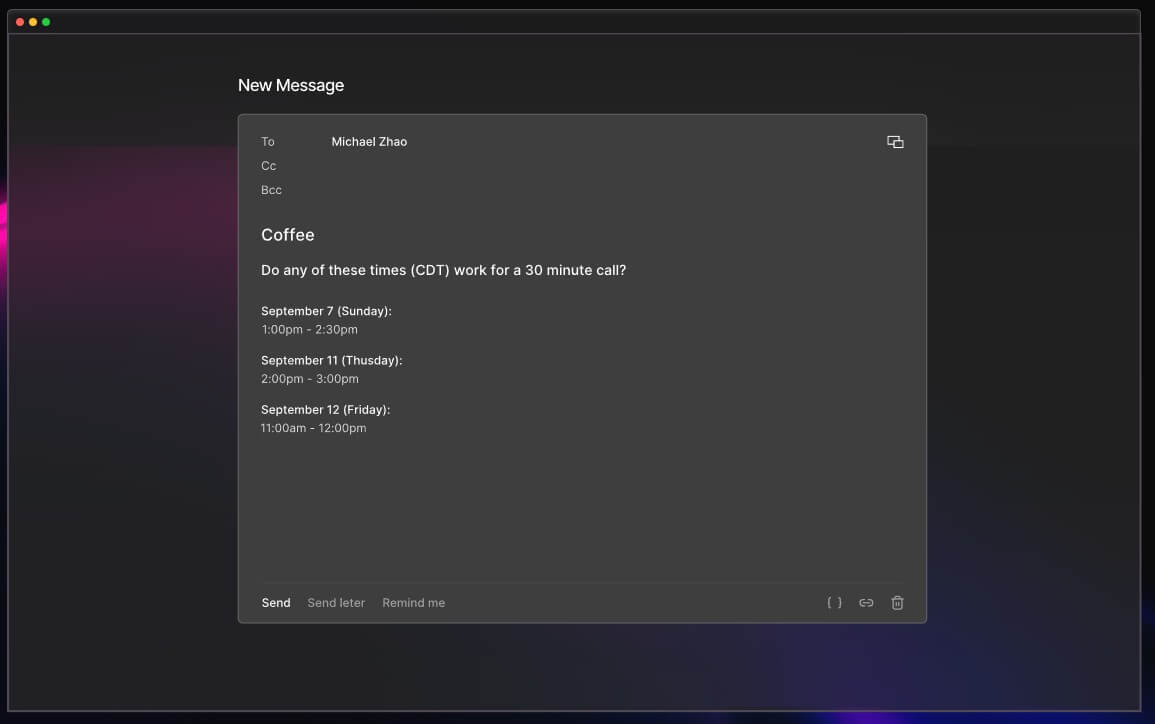
For everyday users, the best workflow is availability-first. Instead of opening a calendar, checking open slots, typing those times into an email, and adjusting for time zones, Vimcal lets users select availability and copy it in a cleaner format. That makes scheduling feel more personal than sending a booking link, but faster than writing everything manually.
For executive assistants, the workflow goes deeper. Vimcal EA is built around managing someone else’s calendar, handling preferences, coordinating across executives, sending holds, avoiding time-zone errors, and keeping the assistant in control of notifications. Vimcal says EA users do not need their executives to opt in, and changes sync with Google or Outlook.
That is an important product decision. Executive assistants often need control without forcing every executive or coworker to adopt a new tool.
Vimcal AI is not a general chatbot. It is a scheduling assistant inside the calendar workflow. The most useful features are practical: finding times for large groups, displaying mutual availability when someone sends a list of times or a Calendly link, and adding context about meeting guests.
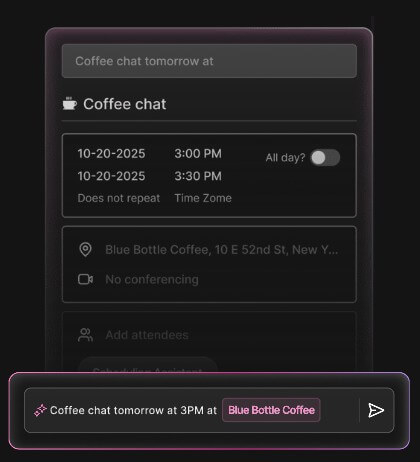
This is a better use of AI than adding a generic chat panel. Calendar work is full of small decisions: who is free, which time zone applies, which meeting matters, where the invite should go, and whether a conflict is real. AI can help if it stays close to those decisions.
The caveat is trust. Scheduling is sensitive. A wrong time, wrong attendee, or wrong calendar can create real friction. Vimcal’s AI features are most useful when they assist the user, not when users stop checking the details.
Vimcal EA deserves separate attention because it is not just “Vimcal with a different label.” It is built for executive assistants, who are often the heaviest calendar users in a company. The EA version includes multi-exec support, time-zone preferences, auto-deleting holds, meeting polls, executive profiles, conferencing integrations, and calendar sync with existing Google and Outlook setups.
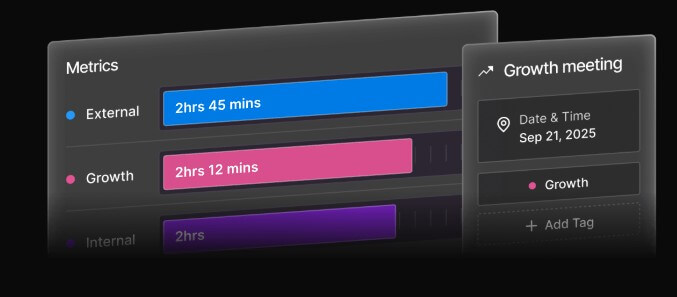
This is probably Vimcal’s clearest niche. Google Calendar and Outlook are general tools. EAs need something more precise: faster scheduling, fewer clicks, clean time-zone math, meeting room support, conferencing setup, and control over notifications. Vimcal EA’s FAQ says coworkers do not have to use Vimcal, and the executive does not need to receive unnecessary notifications.
That makes Vimcal EA a better fit for high-stakes admin work than for casual solo scheduling.
Best for assistants, chiefs of staff, and operations people managing calendars for executives or teams.
Useful when meetings regularly cross time zones and working hours.
Strong fit for people who schedule many external calls and need fast availability sharing.
Helpful for teams that need to offer times quickly without sending every contact through a generic booking page.
Good for users juggling personal, work, and shared calendars in one place.
Best for anyone whose calendar is busy enough that default tools feel slow.
- Use Vimcal’s availability sharing for human conversations. Booking links are efficient, but copied slots can feel better for high-touch clients, partners, and executive scheduling.
- Set up time zones carefully. Vimcal’s time-zone tools are a major strength, but they only help if your working hours and calendar accounts are clean.
- Use shortcuts early. Vimcal’s speed advantage depends on learning the faster way to move through common actions.
- For EA workflows, define executive preferences before scaling the tool. Time zones, meeting buffers, conferencing rules, and notification behavior should be clear before the calendar gets crowded.
- Keep AI as an assistant, not an autopilot. Review suggested times, attendees, and conflicts before sending important invites.
Vimcal may be more calendar than light users need. If you only need a basic weekly view and a few personal reminders, Google Calendar, Apple Calendar, or Outlook may be enough.
The second limitation is learning curve. Vimcal is built for speed, but speed features take habit-building. Shortcuts, slots, holds, multi-calendar views, and EA workflows are useful because they are more powerful than default calendars, but that also means users need time to set them up properly.
The third limitation is scope. Vimcal is not a full task manager, project management system, meeting notes platform, or CRM. It can improve scheduling, but it will not replace tools designed for deeper work planning or team execution.
The fourth limitation is sensitivity. Calendar tools touch private meetings, contacts, schedules, and company logistics. Vimcal’s EA page highlights enterprise security, encryption, audits, and compliance standards, which is encouraging, but organizations should still review security requirements before rolling it out widely.
Vimcal is best for people who schedule enough meetings that calendar speed matters. Its strongest value is reducing the daily friction of availability sharing, time-zone math, multi-calendar coordination, and high-volume scheduling.
Founders, executives, sales teams, remote workers, and especially executive assistants will get the most from it. The main caveat is that Vimcal is not meant to be a broad productivity suite. It is a focused calendar power tool, and it works best for users whose calendar is busy enough to justify a more specialized workflow.
TAGS: Productivity
Related Tools:

Designed to enhance learning and productivity
AI-powered mobile keyboard app that enhances typing efficiency

Simplifies time tracking and billing

Enhances efficiency in Excel and Google Sheets

AI-powered academic writing tool

Generates summaries and transcripts of video meetings