
Share this tool:
 |
Description:
VideoToPage is an AI content repurposing tool for people who already have useful video or audio content but need it turned into written material. It can transcribe media, extract screenshots, read on-screen text, build outlines, generate articles or documentation, and export the result into other tools. Its best use is not replacing a writer. It is turning raw spoken content into a structured first draft that is easier to edit, publish, and reuse.
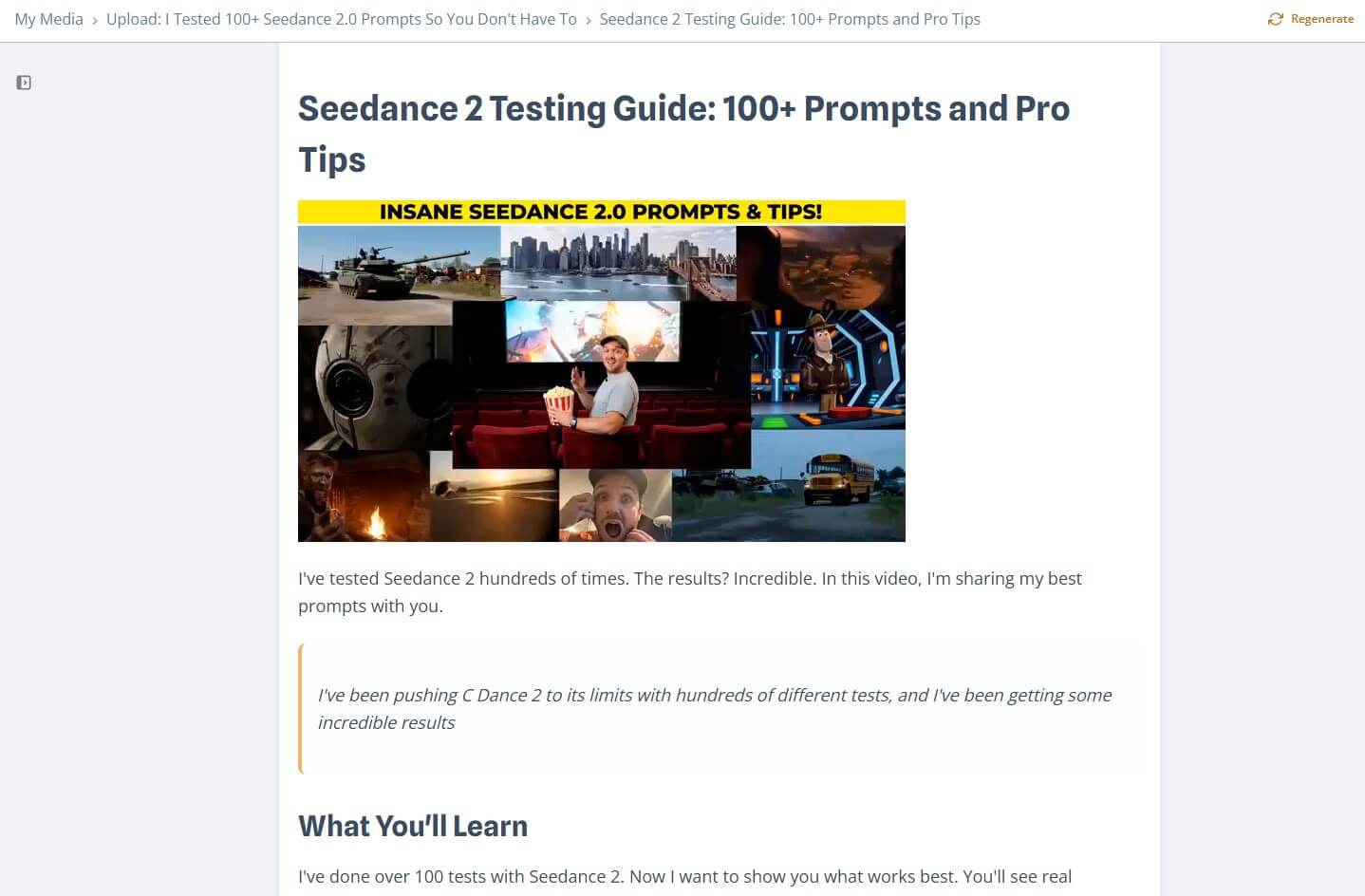
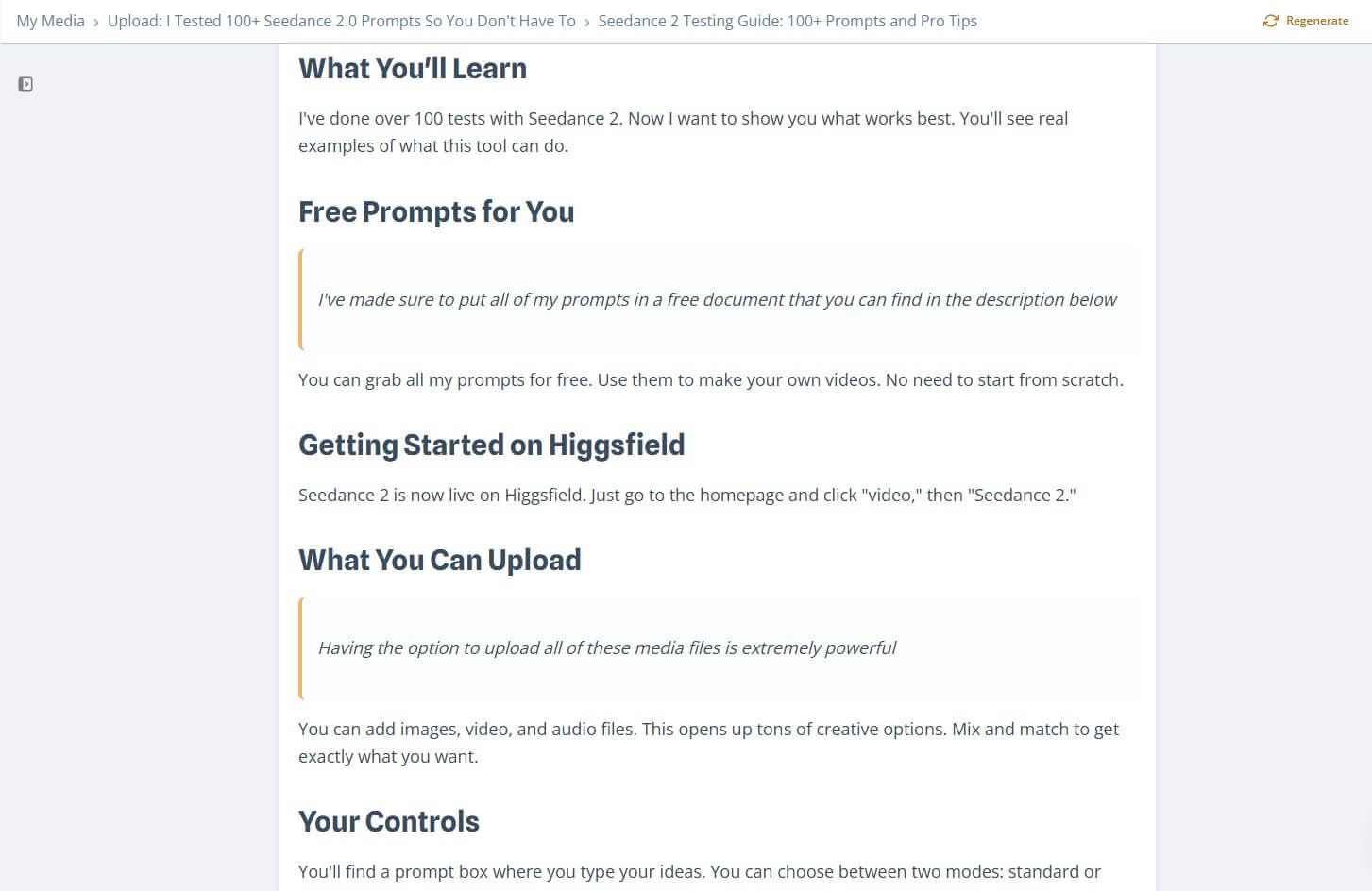
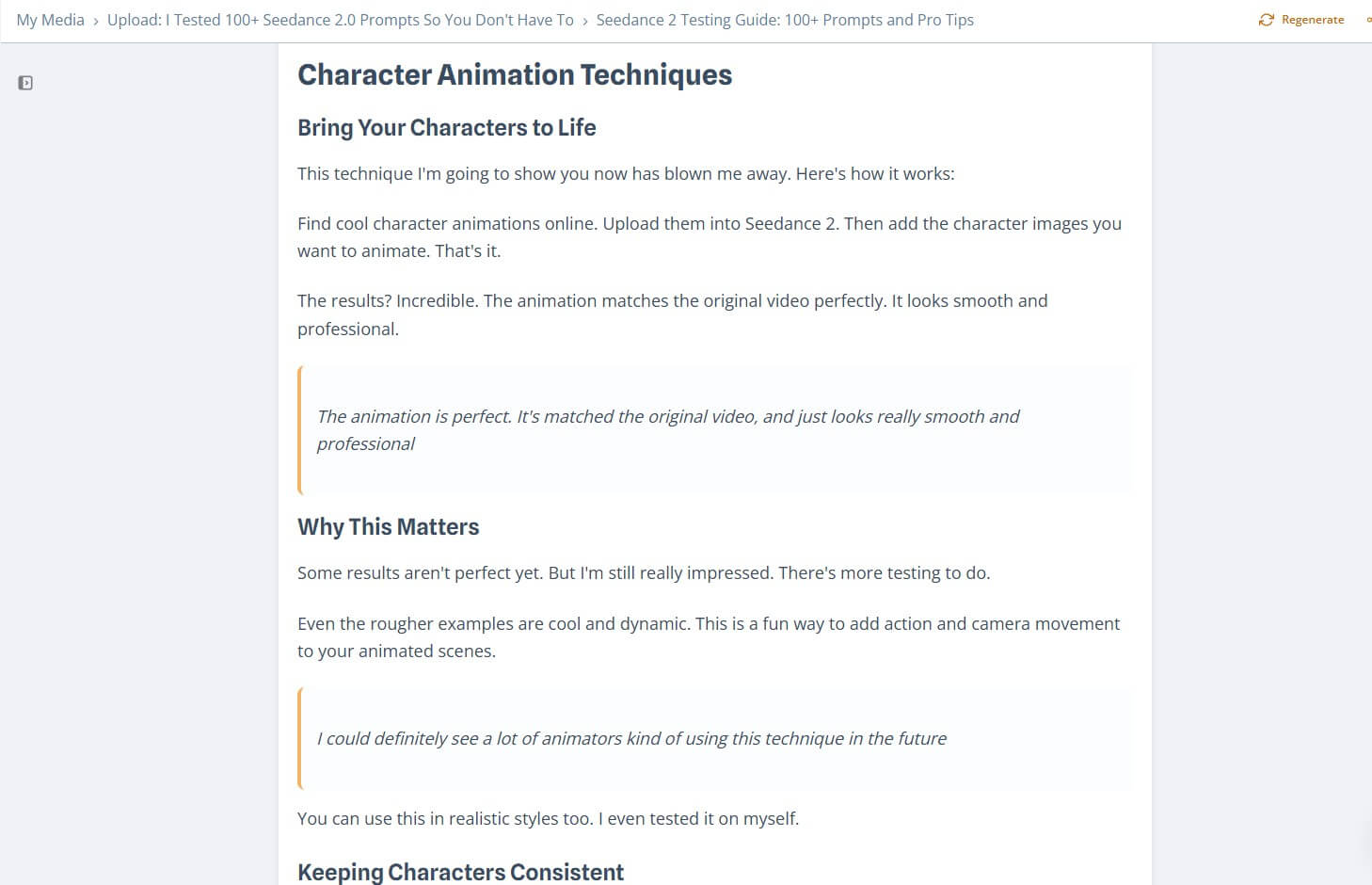
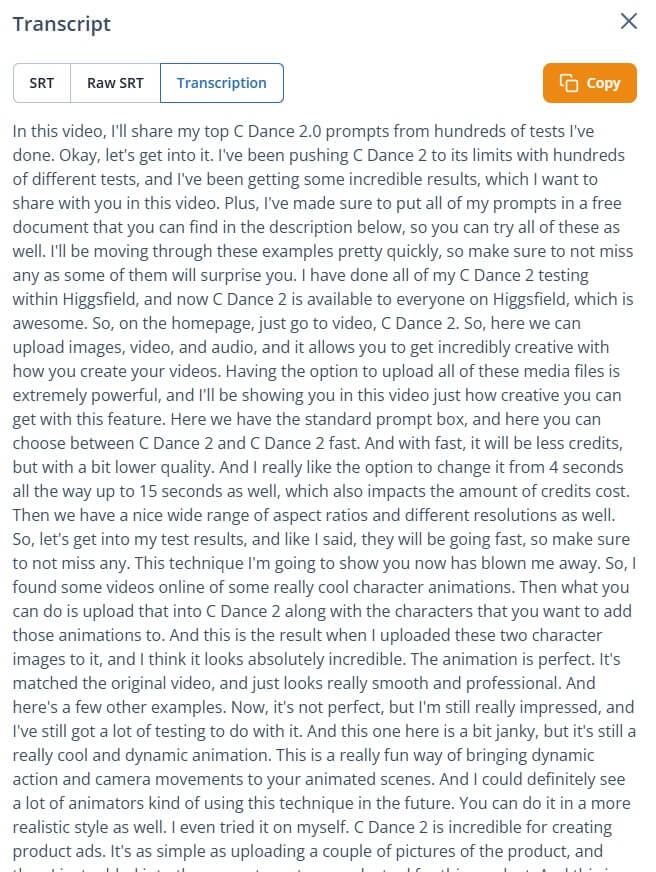
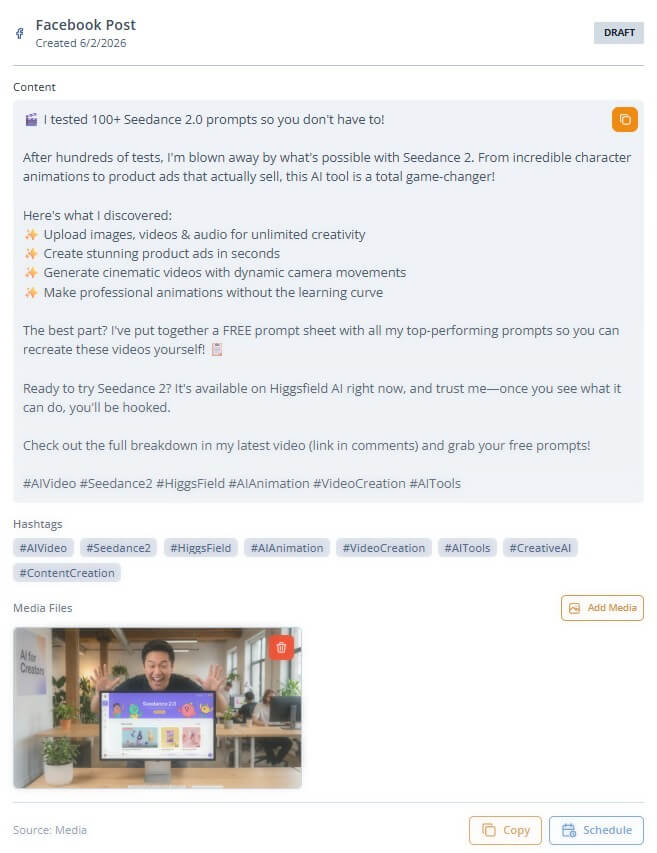
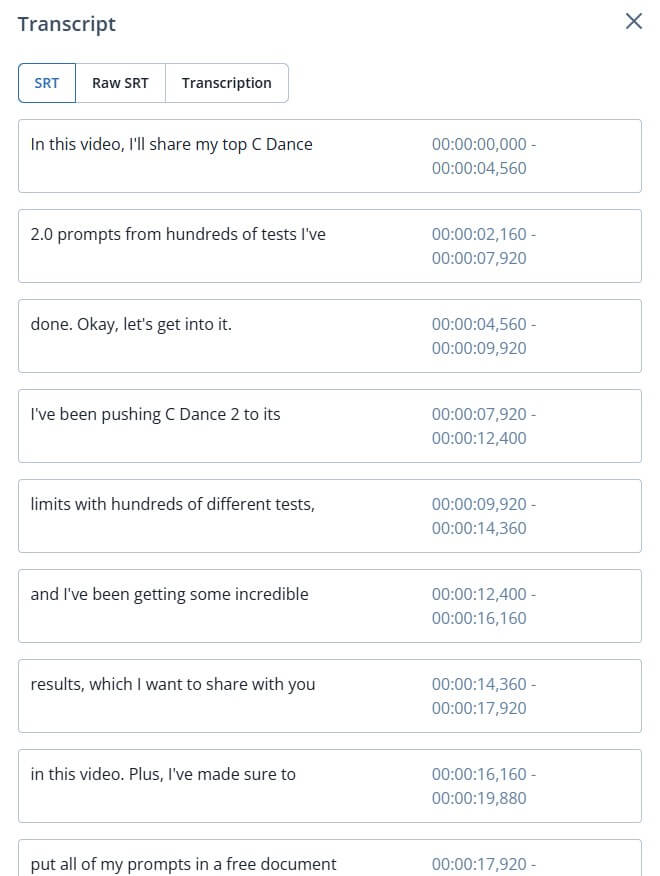
These sample screenshots show the kind of output VideoToPage can create from video content: a structured page with sections, extracted context, and editable written material instead of a flat transcript.
| Feature | Practical value |
|---|---|
| Intelligent Video Processing | Transcribes, cleans, structures, and extracts key shots from video content. |
| OCR Content Extraction | Reads text from video frames and images, which helps when slides or screen recordings contain important details. |
| Content Hierarchy Building | Creates organized pages with semantic structure instead of a flat transcript. |
| Rich Text Editing | Lets users edit generated pages with modern content tools and AI assistance. |
| Publishing and Export | Supports direct publishing workflows, including WordPress, Shopify, social platforms, and Notion export. |
| API Access | Allows developers to run video-to-text workflows programmatically with async processing and webhook notifications. |
The key feature is structure. Many tools can produce a transcript. VideoToPage’s value is that it tries to understand the content well enough to build a usable page from it.
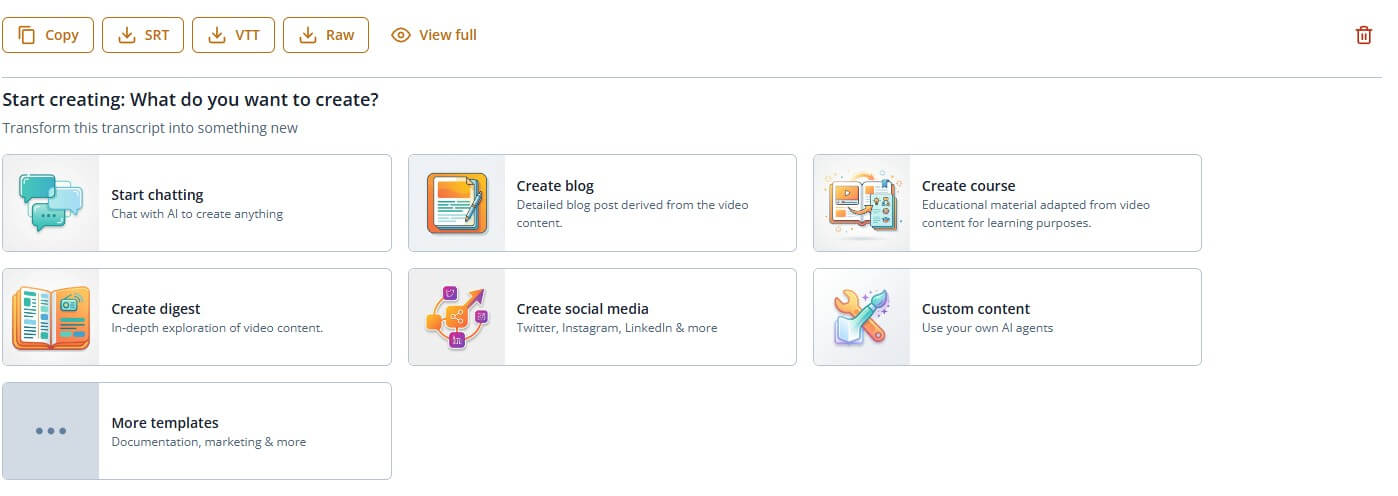
VideoToPage is a workflow tool for converting media into reusable written content. The official site describes it as a way to convert videos, podcasts, and audio into blog posts, courses, and documentation. Its terms describe the service as processing uploaded video to generate transcriptions, summaries, thematic analyses, and other written content.
That matters because the product is broader than a transcript generator. A plain transcription tool gives you text. VideoToPage tries to move further down the content workflow: clean the transcript, structure the ideas, organize sections, extract screenshots, use OCR on visual content, generate the page, and help you edit or publish it. The homepage also highlights semantic content hierarchy, AI-powered editing, chatbot assistance, workflow automation, YouTube channel syncing, and direct publishing to platforms such as WordPress and Shopify.
The simple way to think about it: VideoToPage is for people who have content trapped in video and want to turn it into pages.
VideoToPage is strongest when the video already contains useful substance. A product demo, tutorial, webinar, podcast episode, course lesson, interview, training call, or internal walkthrough can become a blog post, SOP, tutorial, lesson page, documentation article, or social media content.
The tool is less compelling for weak source material. If the video is rambling, unclear, thin, or poorly recorded, AI can organize it, but it cannot fully create missing substance. The better the source video, the better the output.
Its strongest workflow is for creators and teams that repeatedly publish from video. A YouTube creator can turn videos into SEO articles. A course creator can turn lessons into study notes or modules. A software team can turn screen recordings into docs. A company can turn webinars into blog posts, LinkedIn content, email newsletters, and internal resources.
The workflow starts with a video, audio file, podcast, or link. VideoToPage processes the media, generates a transcript, extracts visual context, builds an outline, and then creates written content based on the chosen format. Its FAQ explains the multi-step approach: first transcription, then cleanup, then page outlines, with the option to edit or regenerate the outline before generating and exporting the content.
That edit-before-final step is important. Content repurposing tools often fail when they jump straight from transcript to finished article. The outline stage gives the user a chance to fix structure before the final page is written. That is especially useful for long webinars, tutorials, or interviews where the spoken order may not be the best written order.
The rich text editor and chatbot assistance also make sense here. A user may need to tighten a section, add a conclusion, change tone, simplify technical language, or ask what part of the video supports a claim. VideoToPage’s page-level assistant is useful because it works in the context of the generated content rather than in a separate chat box.
VideoToPage is built for people who need output, not just analysis. The Notion integration page says users can turn videos into blog posts, tutorials, SOPs, and more, then export them directly into Notion by connecting the account, generating the content, and deploying it to a target page.
That is a useful fit for internal documentation. Many teams already store SOPs, onboarding notes, training material, meeting recaps, and process docs in Notion. VideoToPage can help convert a recorded walkthrough into a first draft of a process page instead of leaving the knowledge buried in a video.
For marketing teams, direct publishing and social automation are more relevant. The homepage mentions platform-specific social content for Twitter, Instagram, LinkedIn, Facebook, YouTube, and TikTok, along with scheduling and content distribution workflows.
VideoToPage also has a more technical side. Its API documentation describes REST-based workflow execution, JavaScript, Python, and cURL examples, async processing, webhook notifications, and JWT authentication. It also notes API use for video-to-text, YouTube-to-blog-post, and podcast-to-blog-post workflows.
This makes the platform more useful for agencies, media teams, and SaaS products that want repeatable workflows. A team could process new videos automatically, generate drafts, send notifications when content is ready, and move the result into a CMS or internal system. The API is not necessary for casual users, but it matters for teams with recurring content pipelines.
VideoToPage is a strong fit for YouTubers, podcasters, course creators, consultants, marketers, software teams, and internal operations teams.
It works especially well for:
- Educational videos that need to become lessons, notes, or course pages.
- Product demos that can become documentation, tutorials, or sales enablement material.
- Podcasts and interviews that can become blog posts, summaries, or social content.
- Webinars that need to become recap articles, guides, and follow-up resources.
- Internal screen recordings that should become SOPs or onboarding docs.
It is less useful when the source video has little instructional, educational, or editorial value.
The first limitation is accuracy. VideoToPage’s own terms say it does not guarantee the accuracy of AI-powered transcriptions and analyses, and users are responsible for reviewing and verifying generated content. That is the right warning. Transcription errors, misunderstood context, and weak summaries can still happen.
The second trade-off is editorial quality. The output may be structured, but it still needs a human pass for voice, examples, fact-checking, transitions, and brand standards. A generated blog post from a video can save time, but it should not go straight to publication without review.
The third limitation is source quality. Bad audio, long digressions, unclear speakers, dense slides, or low-resolution screen recordings can reduce output quality. OCR helps, but it is not a substitute for clean visual input.
VideoToPage is best for creators and teams that want to turn existing video or audio into useful written assets. Its strongest value is the combination of transcription, screenshot extraction, OCR, outline generation, rich editing, chatbot assistance, publishing integrations, social content workflows, and API automation. The main caveat is that it produces drafts, not finished editorial judgment. Use VideoToPage to get from video to structured content faster, then review the result like a publisher before sending it live.
TAGS: Productivity Content Creation
Related Tools:

Automates and optimizes business workflows

Streamlines note-taking, task organization, and insight generation

Simplifies the creation of professional-quality video

Records, transcribes, and summarizes meetings
Versatile video editor that enhances production

Provides adaptive teaching methods