

Share this tool:
 |
Description:
- Introduction
- Strong Features and Capabilities
- What Penelope AI Actually Is
- The Editor and How AI Fits Into It
- Autocomplete
- Rewriting
- Paraphrasing
- Summarizing
- Article Generation
- PDF Information Retrieval
- The Writing Workflow in Practice
- Who Penelope AI Is Best Suited For
- Best Use Cases
- Limitations and Trade-Offs
- How Penelope AI Differs from Chatbot-Style AI Tools
- Final Verdict
Penelope AI is a writing assistant built around a clean, minimal editor. It is not mainly a chatbot and it is not mainly a collection of separate writing utilities. The core idea is that the writing happens inside one focused editor, and the AI support appears directly inside that environment when you need it. That includes autocomplete, rewriting, paraphrasing, summarizing, article generation, and file-based research support.
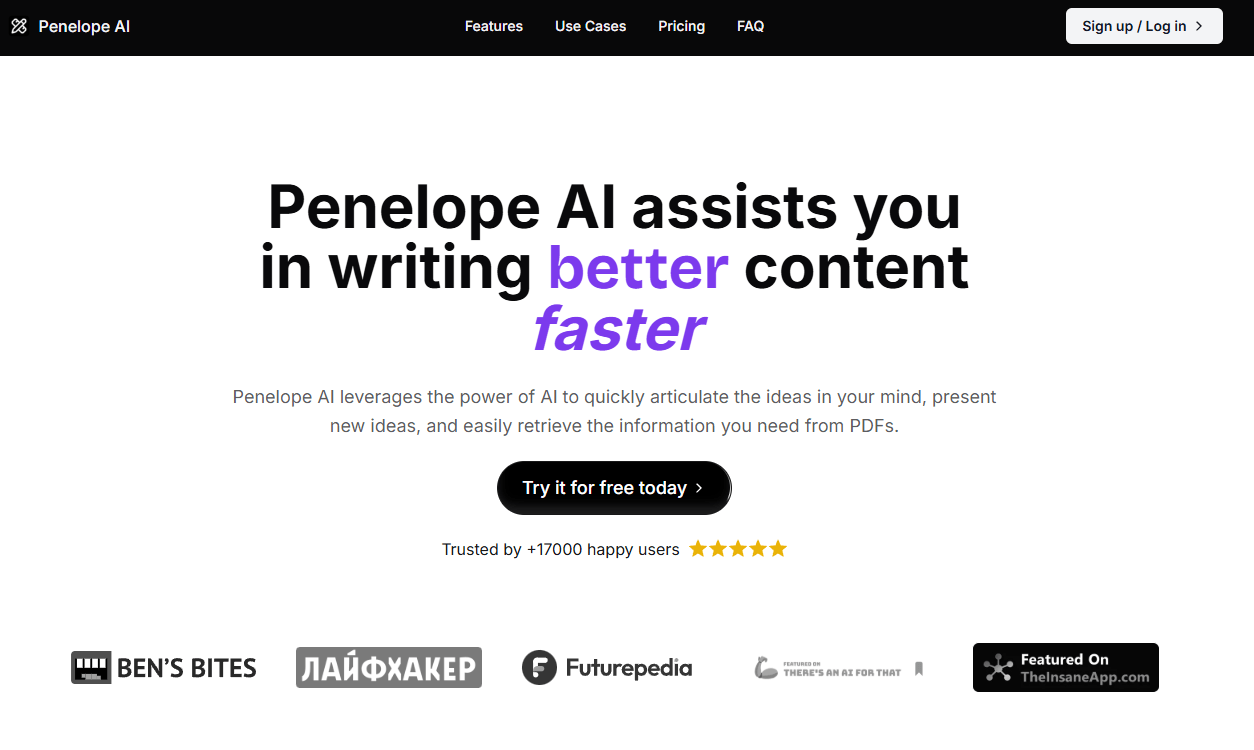
Penelope AI keeps the writing process inside one markdown-style editor instead of pushing users into a separate chat flow.
AI can be triggered directly in the document, which makes autocomplete and revision faster and less disruptive.
Rewrite, paraphrase, and summarize are built for improving existing drafts, not only generating new ones.
It can generate structured article drafts from a topic or starting idea, which is useful for moving past the blank page.
File upload allows users to bring source material into the same writing workflow.
Penelope AI is best understood as a writing-focused AI editor. The key difference is that the AI is built into the writing environment itself.
That matters because the usual workflow with general AI tools is:
- stop writing
- open a separate chat
- explain what you need
- read the response
- copy the useful parts back into your document
Penelope AI removes most of that context switching. Your script describes two main triggers:
- ++ for inline autocomplete
- / for the feature menu
That design choice shapes the whole experience. Penelope AI is less about open-ended prompting and more about staying in flow while writing.
The editor is clean, minimal, and markdown-based in feel. Your script is right to frame this first, because every other feature makes more sense once that editor-first structure is clear. The public site also presents Penelope as a simple AI writing assistant rather than a bloated workspace.
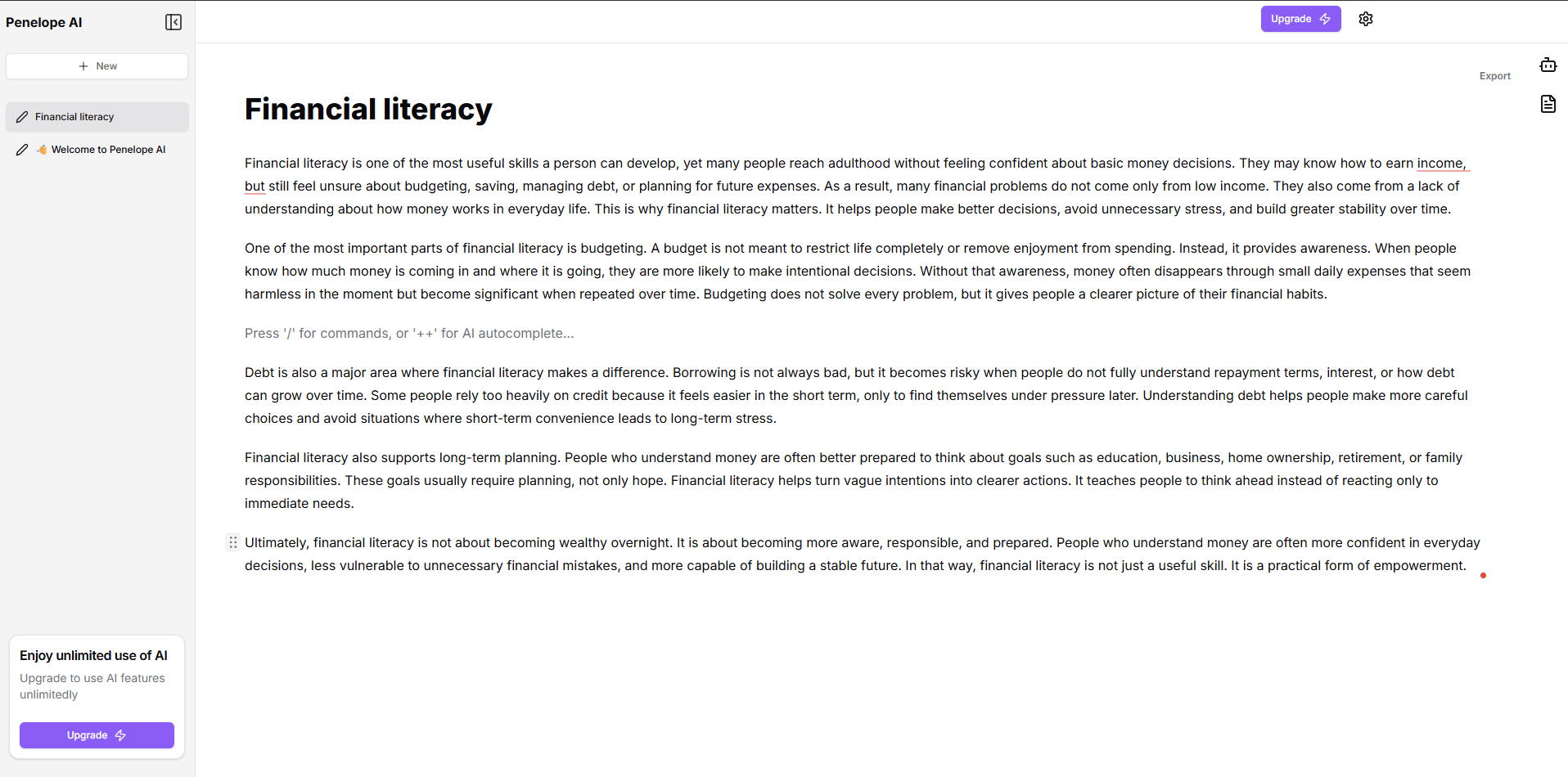
The practical value is that the AI support does not interrupt the draft. You trigger help where you are already typing, get the output, and continue. That sounds like a small design choice, but it is one of the main reasons this kind of tool can feel faster than a chatbot-style workflow.
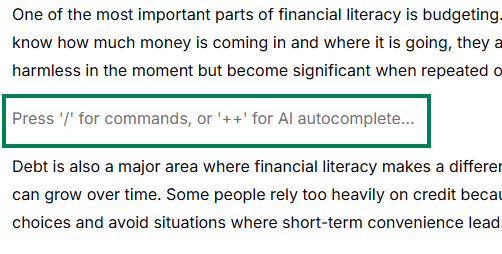
Autocomplete is likely the feature many users will hit most often. Your script describes it correctly: you write a few sentences, pause, type ++, and Penelope AI suggests the next phrase or sentence based on the context already in the document.
This is most useful for:
- staying in flow mid-paragraph
- overcoming short pauses
- keeping first drafts moving
- reducing the friction of sentence-by-sentence drafting
The important limitation is also the right one: autocomplete is best in short bursts. It is not there to write the whole article for you. It is there to keep momentum from stalling.
Rewrite is for content that already exists but needs improvement. That is a stronger use case than generation-only writing, because many real writing sessions are about cleaning up what is already on the page.
Your script’s example works well: the AI can tighten awkward, wordy, or weak sentences into cleaner versions without forcing you to rework them manually.
This is useful for:
- shortening wordy phrasing
- improving clarity
- cleaning rough first drafts
- tightening business or blog writing
What this reveals about the tool: rewrite is one of the more practical day-to-day features because it helps improve real drafts instead of only generating new material.
Paraphrasing is similar to rewriting, but more specifically focused on saying the same thing differently, often with tone control. Your script points out that Penelope AI offers tone-based paraphrasing, and that is a meaningful distinction.
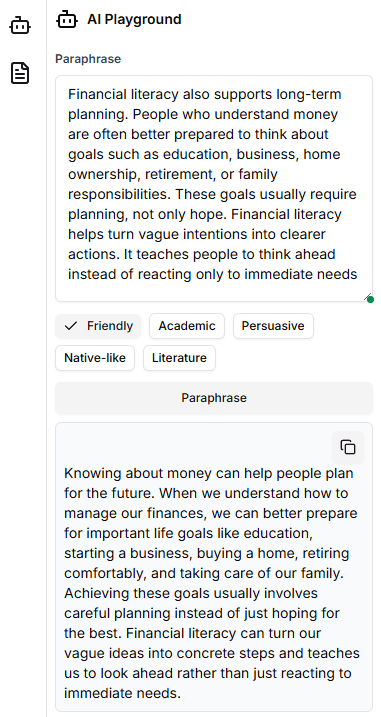
That makes it useful for:
- adapting one message for different audiences
- turning formal copy into a more casual version
- turning casual copy into a more professional version
- refreshing repetitive wording
What this reveals about the tool: paraphrasing is especially valuable when one piece of writing needs to work across multiple contexts or platforms.
Summarization takes longer text and condenses it into the essential points. Your script covers the use case clearly: long drafts, reports, articles, or source material can be shortened quickly without manually extracting the main takeaways.
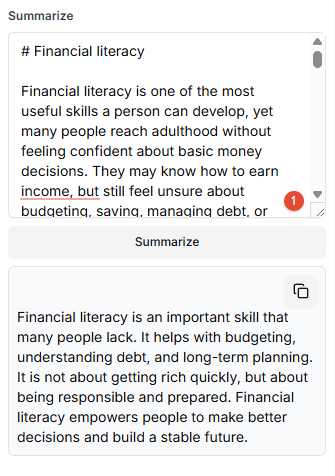
This is useful for:
- executive summaries
- research preparation
- simplifying long notes
- creating short recap versions of larger documents
What this reveals about the tool: summarization is a clear time-saver for knowledge work and one of the strongest practical utility features in the platform.
Article generation is the full-draft feature. You give Penelope AI a topic, title, or idea set, and it produces a structured draft with headings and organized sections. Your script frames this the right way: the output is a scaffold, not a final publish-ready article.
That is important because the strongest use case is:
- get the structure
- get the first pass
- edit it into something better
This is useful for:
- bloggers
- content marketers
- students
- solo creators
- anyone who struggles most with starting
What this reveals about the tool: article generation is valuable because it shortens the distance between topic and workable draft.
This is one of the more practical differentiators in the platform. Your script describes uploading a PDF, then extracting information from it, asking questions, or summarizing the content directly inside the same environment.
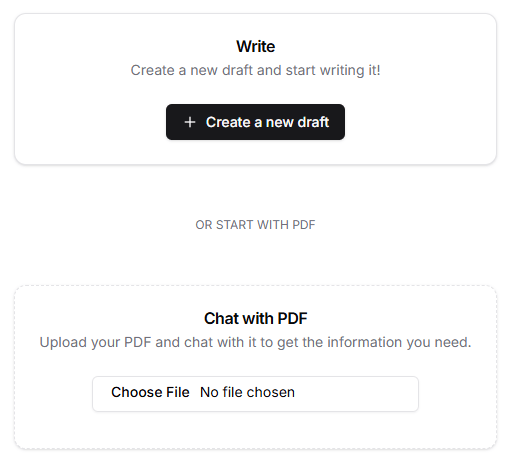
This is useful because it collapses a common research workflow:
- keep source material open in separate tabs
- skim it manually
- note down key points
- switch back to the draft
Instead, the source can sit inside the same writing workflow.
What this reveals about the tool: PDF retrieval is a strong fit for students, analysts, researchers, and writers working from external source material.
Your script’s workflow section captures the real value of the platform well:
- start with a topic
- generate a draft
- rewrite weaker paragraphs
- use autocomplete to keep moving
- summarize if you need a shorter version
- upload a PDF if outside information is needed
That is a practical end-to-end workflow, and it is also the clearest reason to use Penelope AI instead of a looser chat-based system. The tool is strongest when those features are combined, not when judged only as isolated buttons.
Penelope AI is a strong fit for:
- bloggers and content creators
- students and academic writers
- solo entrepreneurs and freelancers
- professionals who write as part of their work
- knowledge workers using external documents as source material
It is a weaker fit for:
- users needing enterprise-grade collaboration
- teams wanting complex project or publishing management
- highly technical or highly specialized writing where heavy human editing is still inevitable
- users who mainly want open-ended brainstorming instead of in-editor writing support
That fit matters. Penelope AI is strongest for focused individual writing work.
The best use cases are the ones your script highlights:
- writing first drafts faster
- improving rough drafts
- adapting writing for different audiences and tones
- summarizing long material
- working with uploaded research PDFs
- reducing editing workload over a full writing session
These are all practical, recurring writing tasks, and that is exactly where the platform is most useful.
A few trade-offs are worth keeping clear.
- The AI features require an internet connection.
- Generated content still needs review and editing.
- Fact-checking is still your responsibility.
- The tool is strongest in common writing formats, not every specialized format.
- The public site shows Free, Ace, and Team, which suggests the product is built for individuals and smaller teams more than large enterprise content systems.
These are reasonable limits. They do not weaken the main use case, but they do define it more clearly.
This is one of the most important distinctions in your script, and it is the right way to explain the product.
General AI chat tools work through conversation:
- ask
- wait
- copy
- paste
- go back to writing
Penelope AI works inside the editor:
- trigger help inline
- get the output where you are already writing
- keep moving
That makes Penelope AI better for:
- focused drafting
- revision inside the document
- low-friction writing support
- workflows where staying in the editor matters
General chat tools are still better for:
- deep brainstorming
- open-ended ideation
- broad research conversations
- long exploratory back-and-forth
Neither is objectively better. They just solve different writing problems.
Penelope AI is a focused writing assistant built around a clean editor and practical in-editor AI help. That is its real identity. It is not trying to be everything. It is trying to make writing faster, smoother, and less interrupted.
Its clearest strengths are:
- inline autocomplete
- rewrite and paraphrase tools
- summarization
- article generation as a structured starting point
- PDF-based research support
- an editor-first workflow that reduces context switching
If your writing process is slowed down more by friction than by lack of ideas, Penelope AI is worth a serious look.
TAGS: Copywriting Content Creation
Related Tools:
Helps organize and share web content

Enhances photo and video editing

Quickly generate high-quality, customizable written content
AI-enhanced copywriting tool

Easily produce engaging videos using templates

Provides personalized assistance for writing