

Share this tool:
 |
Description:
Transmonkey is an AI translation platform built for people who need more than pasted-text translation. It handles documents, images, video, audio, subtitles, and YouTube-style dubbing workflows, which makes it more useful when the real job is preserving layout, extracting text, translating media, generating captions, or creating localized versions of existing files.
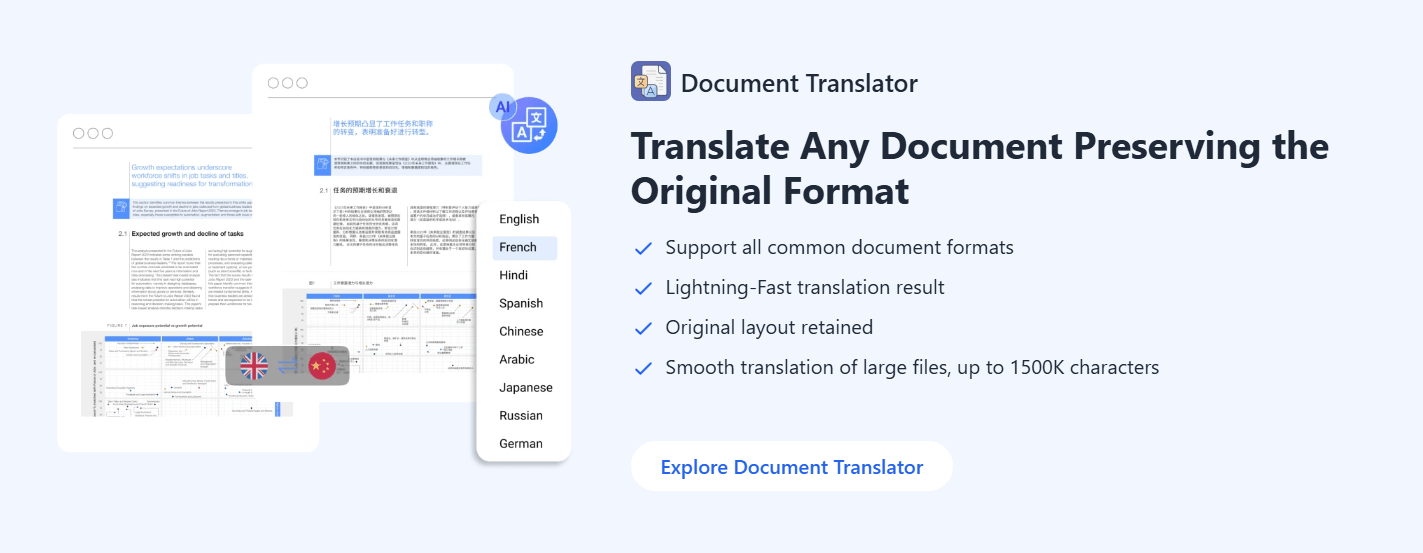
Translates common document formats while aiming to preserve the original layout, including support for PDFs, scanned PDFs, Word documents, spreadsheets, presentations, and more.
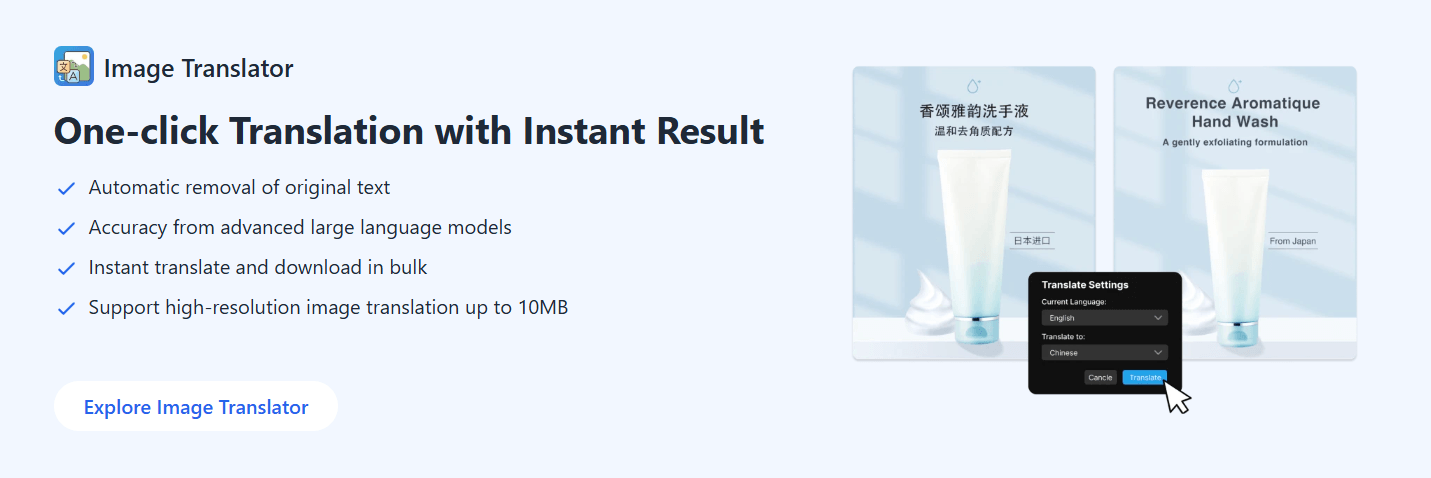
Uses OCR and AI translation to detect image text, remove the original wording, and place translated text back into the visual while preserving the background.
Supports transcription, translated subtitles, and AI dubbing across more than 130 languages.
Lets users transcribe and translate audio or video files in the same workflow.
Translates subtitle files such as SRT and VTT across more than 130 languages.
Transmonkey offers browser-based translation workflows, including document and image translator extensions and a YouTube-focused dubbing extension.
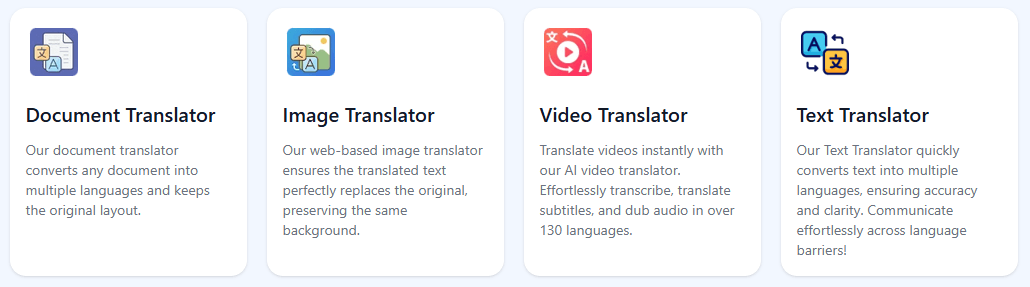
Transmonkey is best understood as a multi-format AI translation suite. The platform says it can handle more than 30 file formats, including PDF, Word, PNG, Excel, MP4, and PPTX, and it positions itself around translating files rather than only translating text snippets.
That matters because many translation tasks are not clean text tasks. A user may need to translate a scanned PDF, a product image, a presentation, an infographic, a video lesson, a podcast, or a subtitle file. Transmonkey tries to bring those workflows into one browser-based system.
The platform also says its translation stack is supported by large language models such as ChatGPT, Gemini, and Claude, while voice and media workflows use OpenAI Whisper and text-to-speech models. In practice, that means Transmonkey combines several AI layers: OCR for visual text, speech recognition for audio, language-model translation for context, and generated voice for dubbing.
The simplest way to think about it:
| Workflow | What Transmonkey helps with |
|---|---|
| Documents | Translate PDFs, Word files, spreadsheets, slides, scanned files, and other document formats. |
| Images | Detect text in images, translate it, remove the original text, and write translated text back into the design. |
| Video | Transcribe, translate subtitles, and create dubbed output. |
| Audio | Transcribe and translate audio or video files. |
| Subtitles | Translate SRT and VTT subtitle files. |
| YouTube dubbing | Add AI dubbing and subtitles to YouTube viewing workflows. |
That range is the main reason to use Transmonkey. It is not trying to be only a language translator. It is trying to be a file localization assistant.
Transmonkey is strongest when the translation is tied to a file format.
A normal translator can turn one paragraph into another language. That is useful, but it does not solve the next problem: rebuilding the result into the original file. Transmonkey is more practical when you need the translated material to remain usable as a document, image, video, subtitle file, or audio output.
The document translator is built around layout preservation. Transmonkey says it supports major formats including PDF, scanned PDF, DOCX, XLSX, PPTX, JPG, TXT, and other formats, and the product page specifically emphasizes keeping the original document layout after translation. That is one of the most important real-world features, because recreating document formatting manually is often the most time-consuming part of translation.
The image translator is another strong area. It can remove original text from an image, write back translated text, preserve the background, process multiple images in bulk, and handle large images up to 10,000 pixels, according to Transmonkey’s image translator page. This makes it useful for posters, social graphics, screenshots, comics, product images, ads, and visual learning materials.
The video and audio tools are broader. Transmonkey’s video translator supports transcription, subtitle translation, and dubbing in over 130 languages, and its FAQ says users can choose from a voice library, clone the original video voice, or use their own voice for dubbing. The audio translator can transcribe and translate audio at the same time and supports uploading audio or video files. That combination gives Transmonkey a practical role: it reduces the number of separate tools needed to localize content.
Transmonkey’s workflow is built around upload, choose language, translate, and download.
For documents, the process is simple. You upload a document, choose the original and target language, run the translation, and download the translated file. Transmonkey’s document page describes this in three steps: upload, select language, and download the translated document.
For images, the workflow is similar but more technically demanding. You upload an image, choose the source and target language, then download the translated image after processing. Behind that simple flow, the platform is doing OCR, translation, text removal, background preservation, and text replacement. This is where Transmonkey feels much more useful than copying image text into a normal translator.
For video and audio, the workflow naturally becomes more layered. The system needs to transcribe speech, translate the transcript, generate subtitles, and possibly create dubbed audio. Transmonkey’s video translator is positioned around transcription, subtitle translation, and dubbing, while the audio translator is positioned around simultaneous transcription and translation.
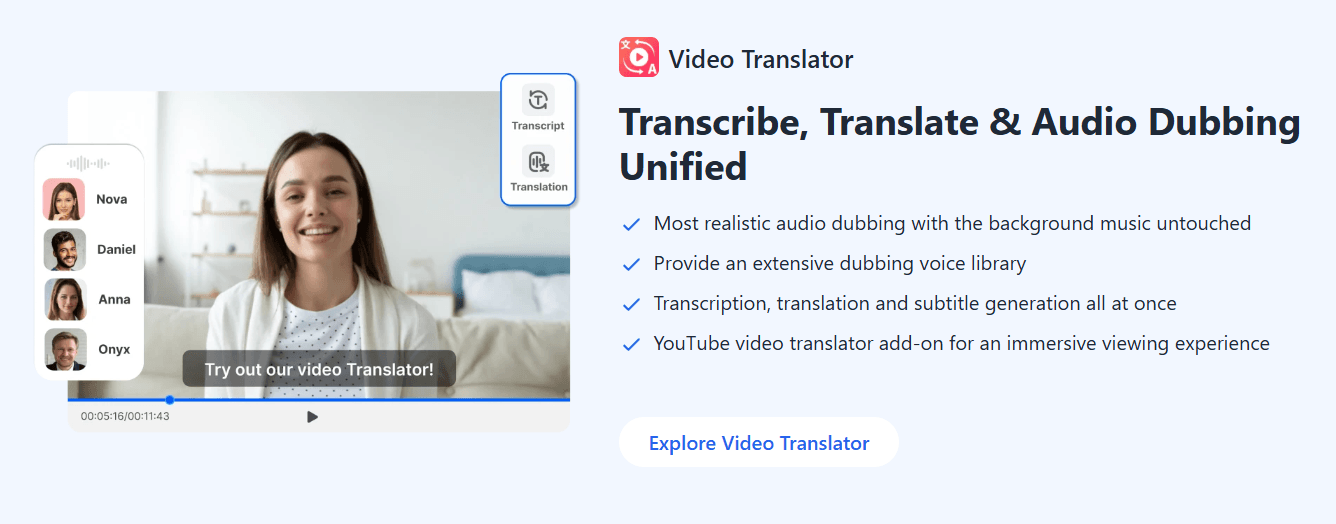
The YouTube dubbing workflow is more consumption-focused. Instead of manually downloading and processing a video, users can use a YouTube dubbing extension for translated subtitles and audio while watching. Transmonkey’s YouTube dubbing page describes it as real-time AI dubbing and audio translation for YouTube content.
The overall experience is strongest when the file is clean. Clear documents, sharp images, good audio, and well-structured videos are much better inputs than blurry scans, noisy recordings, crowded infographics, or videos with overlapping speakers.
Transmonkey’s output quality depends heavily on the format.
For documents, the main question is whether the translation preserves structure. A translated paragraph is easy. A translated PDF with tables, charts, headings, embedded images, and original spacing is much harder. Transmonkey specifically claims its document translator re-inserts translated text into the correct places while preserving the original layout. That is the feature to test first if your work depends on formatted files.
For images, the quality test is more visual. The translation needs to be accurate, but it also needs to fit the available space. Short labels, screenshots, product photos, posters, web graphics, and comics are good fits. Dense technical drawings, tiny labels, stylized fonts, and complex backgrounds may need closer review. Transmonkey’s image translator supports bulk translation and background-preserving text replacement, but the final polish will still depend on image complexity.
For audio and video, there are more points of failure. First, the speech has to be transcribed correctly. Then the transcript has to be translated correctly. Then the subtitles need to feel readable and timed well. If dubbing is used, the voice also has to sound natural enough for the intended use. Transmonkey says its video dubbing workflow uses Whisper for speech processing, large language models for translation, and OpenAI text-to-speech for voiceover generation. That makes the product powerful, but it also means users should review outputs before publishing. AI-generated subtitles and dubbing are useful for speed, but professional or high-stakes content still needs human checking.
Transmonkey is a strong fit for creators, educators, marketers, students, researchers, and small teams that work with multilingual files.
For content creators, the video, subtitle, audio, and YouTube dubbing tools are the most relevant. A creator can translate a tutorial, produce subtitles, localize a clip, or create a dubbed version of a video. The ability to choose a voice, clone an original voice, or use a user-provided voice makes the video workflow more flexible than simple subtitle-only translation.
For educators, the document and media workflows are especially useful. Teachers and course creators often work with slides, PDFs, lecture recordings, video lessons, and screenshots. Transmonkey’s support for documents, image translation, transcription, subtitles, and dubbing makes it practical for turning existing course material into multilingual learning assets.
For ecommerce and marketing teams, image translation may be the most valuable feature. Product images, ad graphics, banners, promotional posts, and marketplace visuals often contain embedded text. Transmonkey’s image translator is built to replace that text inside the image rather than forcing the user to recreate the graphic from scratch.
For researchers and students, document translation, scanned document support, image OCR, and audio transcription are practical. The value is not just translation, but getting readable output from source materials that may not be easy to copy and paste.
- Localized educational videos: Translate lessons, tutorials, and training clips into different languages with subtitles or dubbing.
- Translated PDFs and business documents: Convert formatted documents while keeping the structure closer to the original.
- Marketing images and product visuals: Translate embedded text in images without rebuilding the design manually.
- Subtitle workflows: Translate SRT and VTT files for videos, courses, social clips, and internal content.
- Multilingual YouTube viewing: Use AI dubbing and translated subtitles to watch foreign-language YouTube videos more comfortably.
- Audio transcription plus translation: Turn spoken content into translated text or subtitles for podcasts, interviews, lectures, and recorded discussions.
- Start with the cleanest possible source file. A sharp PDF, clear audio track, clean subtitle file, or high-resolution image will usually perform better than a messy input.
- For image translation, check spacing after export. Translated text often expands or contracts compared with the original language, so even a good translation may need visual review.
- For videos, review the transcript before trusting subtitles or dubbing. A small transcription error can affect every later step.
- Use subtitle translation when you already have a clean SRT or VTT file. It is usually easier to control than extracting speech from noisy video.
- Use dubbing for speed and accessibility, but use human review for public-facing, brand-sensitive, legal, medical, or professional content.
- For YouTube viewing, the extension makes sense when convenience matters. For content you plan to publish, the fuller video translation workflow gives you more control over output review.
Transmonkey’s biggest limitation is that translation automation still needs review. The platform can move quickly across many formats, but accuracy, tone, formatting, and timing are still context-dependent. This matters most for legal, medical, technical, financial, or public-facing material.
The second limitation is design precision. Image translation is useful, but it is not the same as having a human designer manually rebuild a layout. It can save a lot of time, especially for drafts and operational content, but complex visuals may still need editing after export.
The third limitation is media quality. Dubbing and subtitles depend on clean speech. Heavy background noise, multiple speakers talking over each other, strong accents, poor microphones, and fast dialogue can all reduce quality. Transmonkey’s own YouTube dubbing page recommends reviewing generated subtitles for professional broadcasting or audio with heavy background noise.
The fourth limitation is that Transmonkey is broad rather than specialized in one niche. It covers documents, images, audio, video, subtitles, and browser workflows. That breadth is useful, but users who need advanced enterprise localization controls, translation memory, glossary enforcement, multi-reviewer approval workflows, or professional subtitle timing tools may still need a more specialized platform.
Transmonkey is most useful when translation is attached to a real file. Its strongest advantage is not just that it translates text, but that it can work across documents, images, videos, audio, subtitles, and YouTube-style dubbing workflows in one place.
It is a strong fit for creators, educators, marketers, students, researchers, and small teams that need fast multilingual output without rebuilding every file manually.
The main thing to remember is that Transmonkey should be treated as a production accelerator, not a replacement for final review. For clean files and practical localization work, it can save a lot of time. For high-stakes publishing, sensitive material, or polished brand assets, review and cleanup still matter.
TAGS: Translation
Related Tools:

Combines AI and human expertise for multilingual content marketing
Translates video speech into multiple languages

Enhances communication by providing multilingual support
Translates, dubs, and add subtitles to videos
Provides natural-sounding dubbing and translation

Streamlines localization and translation processes