

Share this tool:
 |
Description:
- Introduction
- What VideoGuru Actually Is
- The Core Workflow
- What VideoGuru Does Best
- Strong Features and Capabilities
- AI Effects and Property Enhancement
- Workflow and Ease of Use
- Real Estate Editing Quality
- Branding and Version Control
- Social Media and MLS Workflows
- Best Use Cases
- Comparison to Traditional Video Editing
- Practical Tips
- Limitations and Trade-Offs
- Final Takeaway
VideoGuru is an AI real estate video editor built for agents, real estate photographers, media teams, and property marketers who need listing videos without spending hours inside traditional editing software. Its main promise is simple: upload listing photos or video clips, let the AI assemble a property story, then fine-tune the result with real estate-specific effects, music, overlays, branding, and export formats.
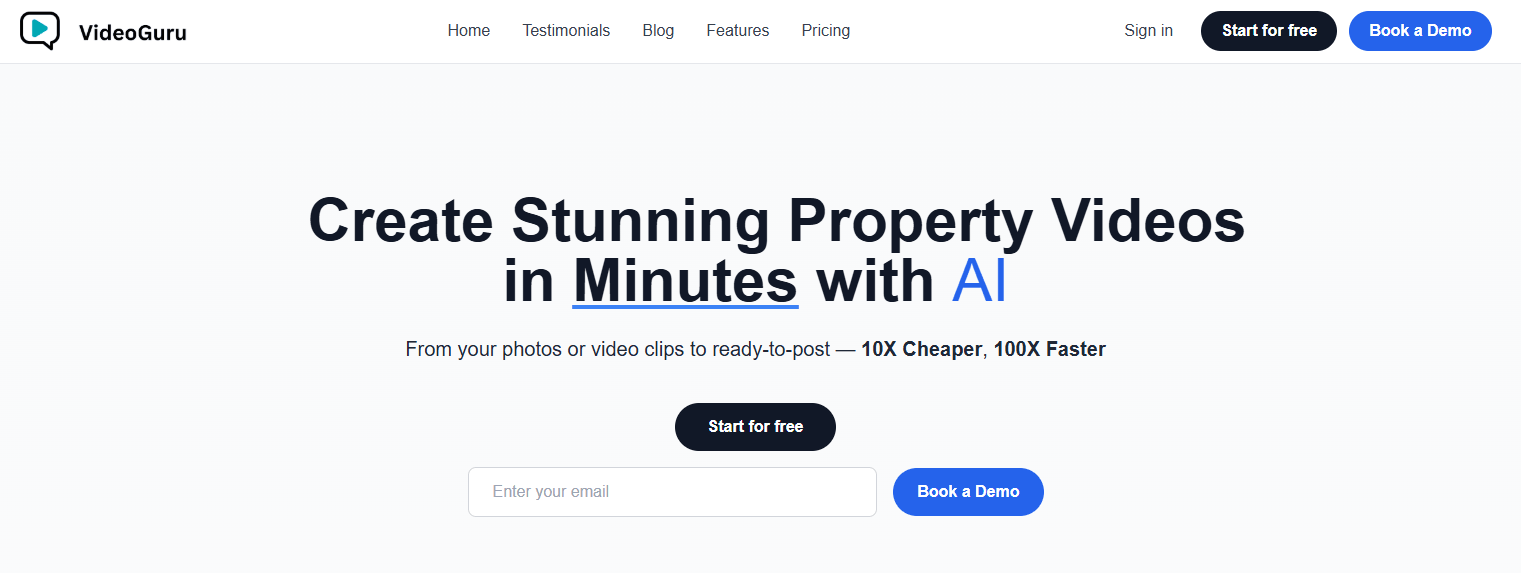
VideoGuru is not a general-purpose AI video generator in the same category as tools that create fantasy scenes from prompts. It is much more specific. The product is designed around real estate footage: listing photos, walkthrough clips, exterior shots, room reveals, property highlights, and social-ready listing videos.
The official site describes the workflow as turning photos or video clips into platform-ready property videos, with AI handling elements like speed ramps, motion blur, and animated text. That positioning matters because VideoGuru is not trying to replace every video editor. It is trying to replace the repetitive editing workflow behind real estate marketing videos.
The clearest distinction is that VideoGuru says its transformation process is “no prompt needed.” Instead of asking users to write cinematic prompts or tune complicated generation settings, the platform is built around upload-based automation and one-click real estate effects.
That makes it a feature-led tool. The user experience is less about describing a video from scratch and more about improving real property media that already exists.
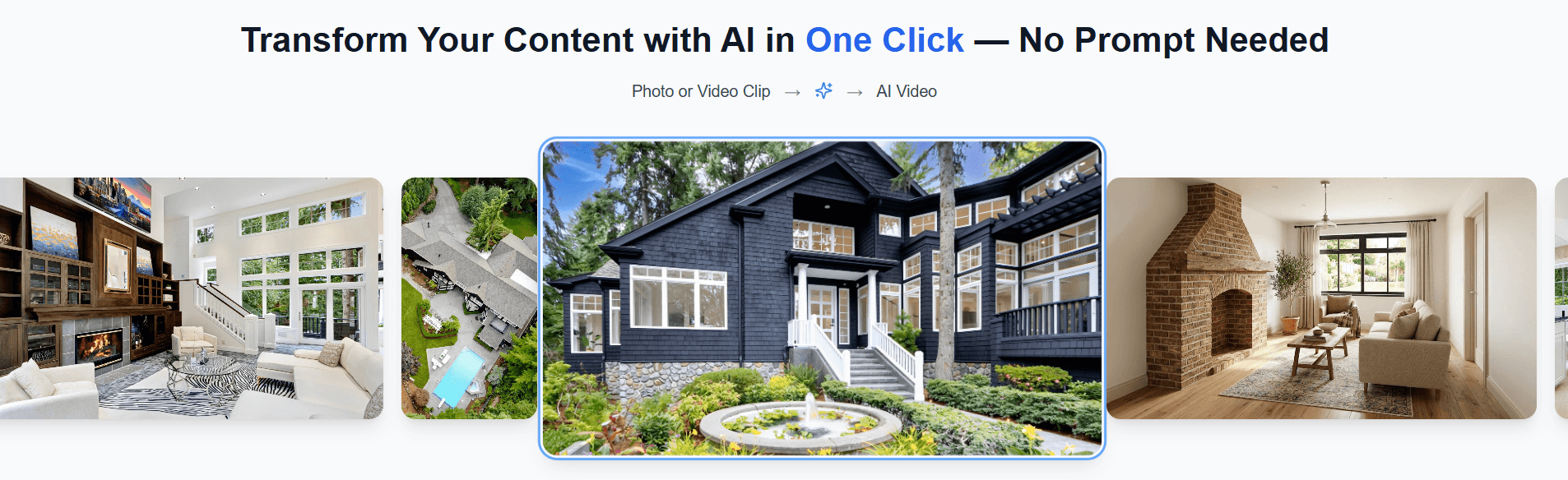
The basic VideoGuru workflow looks like this:
| Step | What happens | Why it matters |
|---|---|---|
| Upload | Add listing photos or property video clips. | Starts from real property media instead of generated scenes. |
| AI Assembly | VideoGuru turns the raw material into a property story. | Saves time on sequencing, pacing, and visual flow. |
| AI Effects | Apply real estate-specific effects like twilight, staging, or renovation-style visuals. | Helps listings feel more premium without separate shoots. |
| Editor Cleanup | Adjust clips, overlays, text, music, and branding. | Gives users control after the automated first pass. |
| Export | Create versions for social platforms, MLS, or client use. | Avoids rebuilding the same video manually for each channel. |
That structure is the reason VideoGuru makes sense. Real estate videos are repetitive, but they still need polish. Every listing needs a hook, clean flow, strong room sequencing, music, property details, social formatting, and sometimes branded and unbranded versions. VideoGuru tries to turn that into a repeatable workflow instead of a manual editing task.
VideoGuru is strongest at turning raw real estate content into something that feels ready for marketing.
A lot of real estate video editing is not creative in the Hollywood sense. It is operational. You need to choose the strongest opening shot, keep the pacing moving, make rooms feel inviting, add text where needed, match music to the property type, and export in the right size for the platform. VideoGuru’s official real estate video guide says its AI can analyze uploaded clips, identify visually compelling footage, score scenes for impact, composition, and lighting, and sequence them for engagement.
That is the kind of automation that matters in this category. The tool is not just applying a generic template. It is trying to understand what makes a real estate video work: hero shots, room reveals, transitions, pacing, branded social versions, and clean MLS-ready versions.
The AI effects are the other major strength. VideoGuru highlights property-specific effects such as twilight conversion, virtual staging, renovation visualization, and seasonal changes. Its blog describes twilight conversion as transforming existing daytime exterior footage into dusk-style scenes with warm lighting, while virtual staging adds furniture and decor to empty rooms in video footage, not just still images. That matters because these are exactly the types of visual upgrades real estate marketers often want but do not always have time, budget, or shooting conditions to capture manually.
Turns listing photos or property video clips into finished real estate videos with AI-assisted structure and pacing.
Applies real estate-specific effects without requiring prompt writing or separate AI tools.
Lets users adjust clips, overlays, music, and text inside the same workflow instead of exporting to another editor.
Stores logos, intro and outro cards, fonts, client photos, and visual identity elements for consistent listing videos.
Supports different real estate publishing needs, including branded social videos and clean versions for MLS-style use.
Uses speed ramps, motion blur, music, and animated text to make listing videos feel more dynamic.
This is the most interesting part of VideoGuru.
The platform is not just cutting footage together. It is trying to improve the emotional quality of property media. For real estate, that can matter as much as technical editing quality. A plain daytime exterior may be accurate, but a twilight exterior often feels warmer and more premium. An empty room may show square footage, but staged furniture helps buyers imagine living there.
VideoGuru’s AI effects are built around those real estate-specific problems.


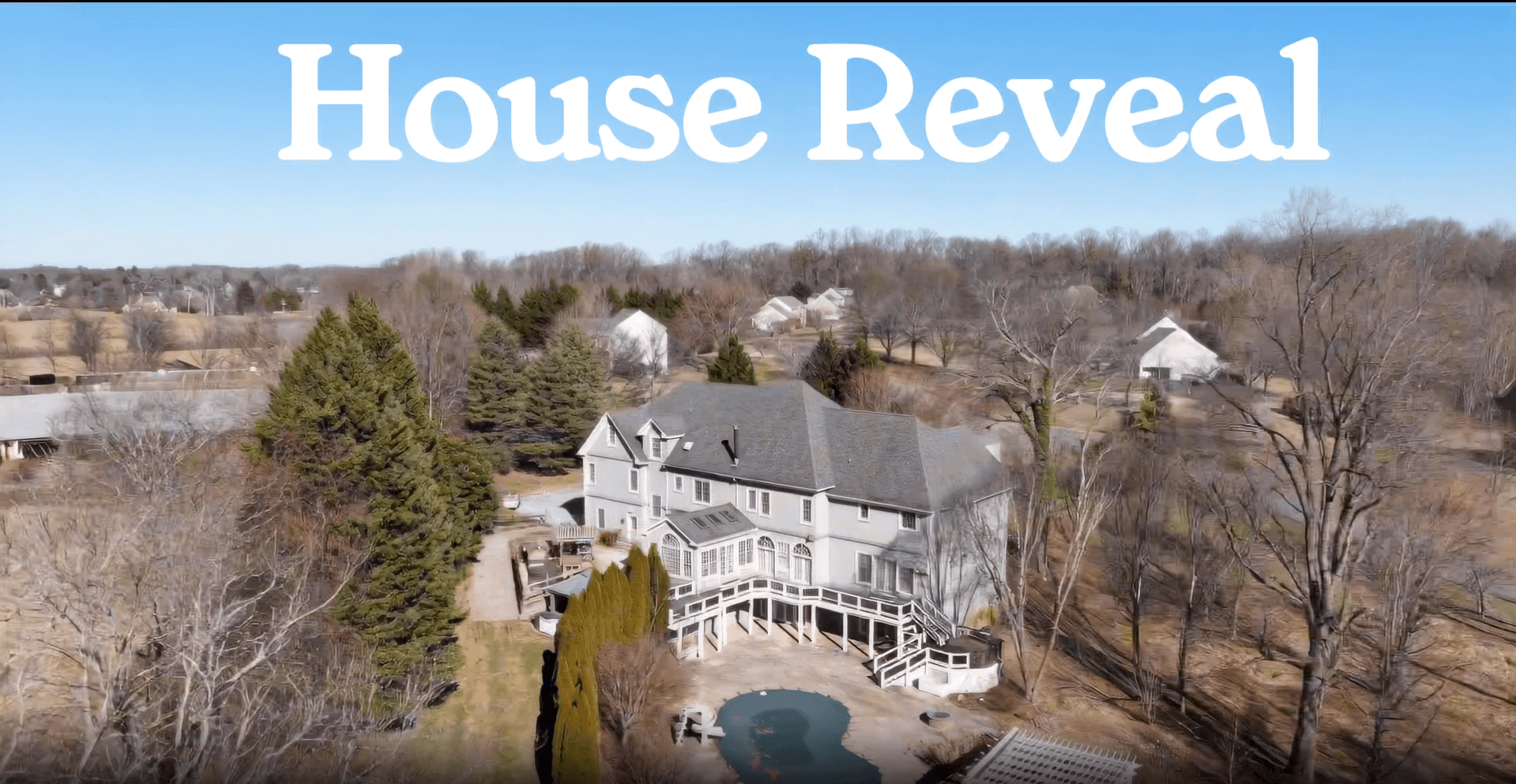
Twilight Conversion is useful when the original footage was captured during the day but the listing would benefit from a dusk-style look. VideoGuru describes this as changing the sky, adding warm interior glow, and preserving the actual property footage rather than replacing it with a generic scene.

Virtual Staging is useful for empty properties. The tool can add realistic furniture and decor to rooms in video footage, which is more ambitious than static image staging because the room needs to remain believable as the camera moves.
Renovation Visualization is aimed at fixer-uppers or dated interiors. The idea is to show a transformation from the current look into a more modern version, helping viewers see the potential of the property.
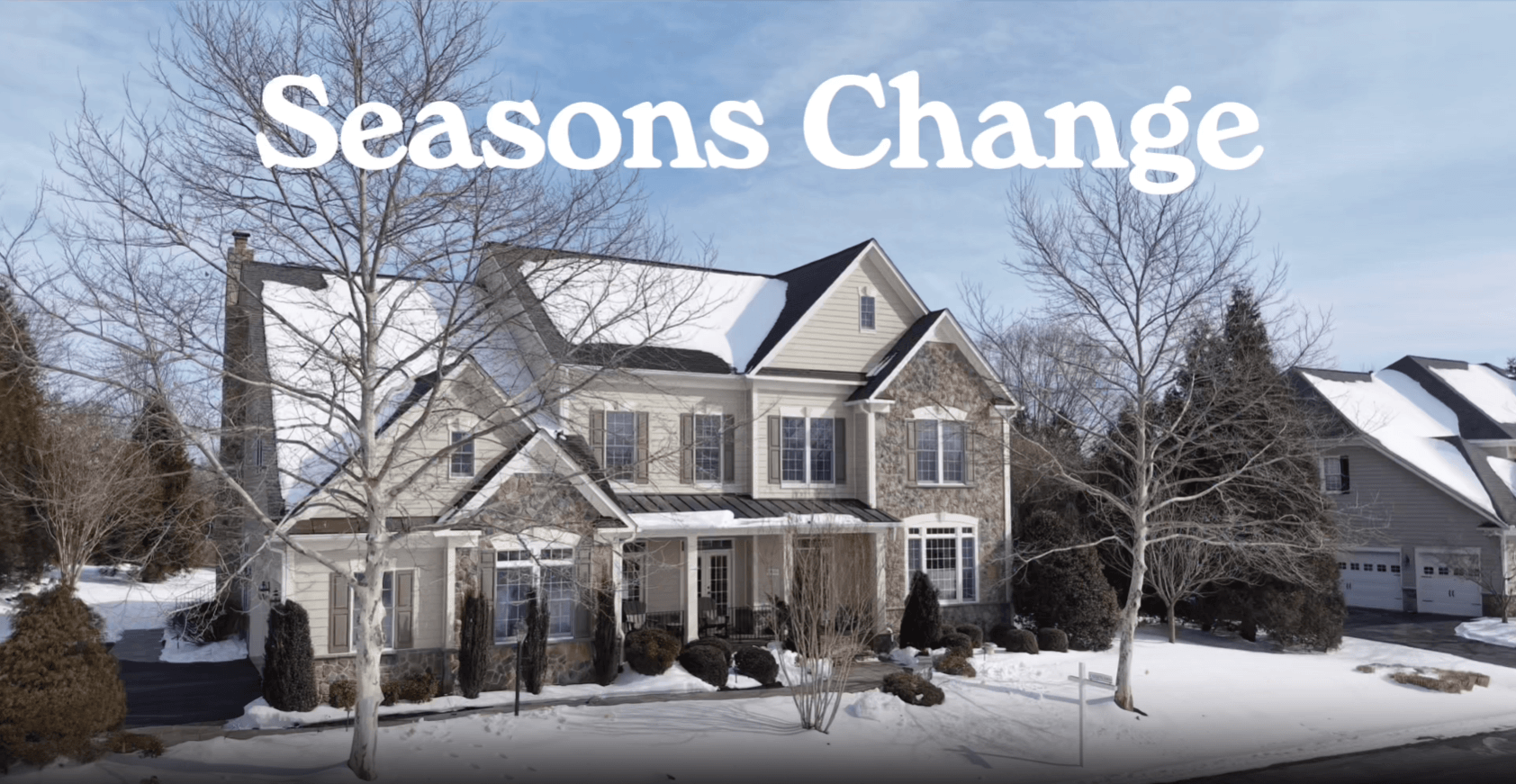
Seasonal Changes can make exterior footage feel more appealing when a property was shot in less attractive conditions. VideoGuru describes this as modifying exterior environments with greenery, fall color, blooming flowers, or snow while keeping the property itself grounded in the original footage.
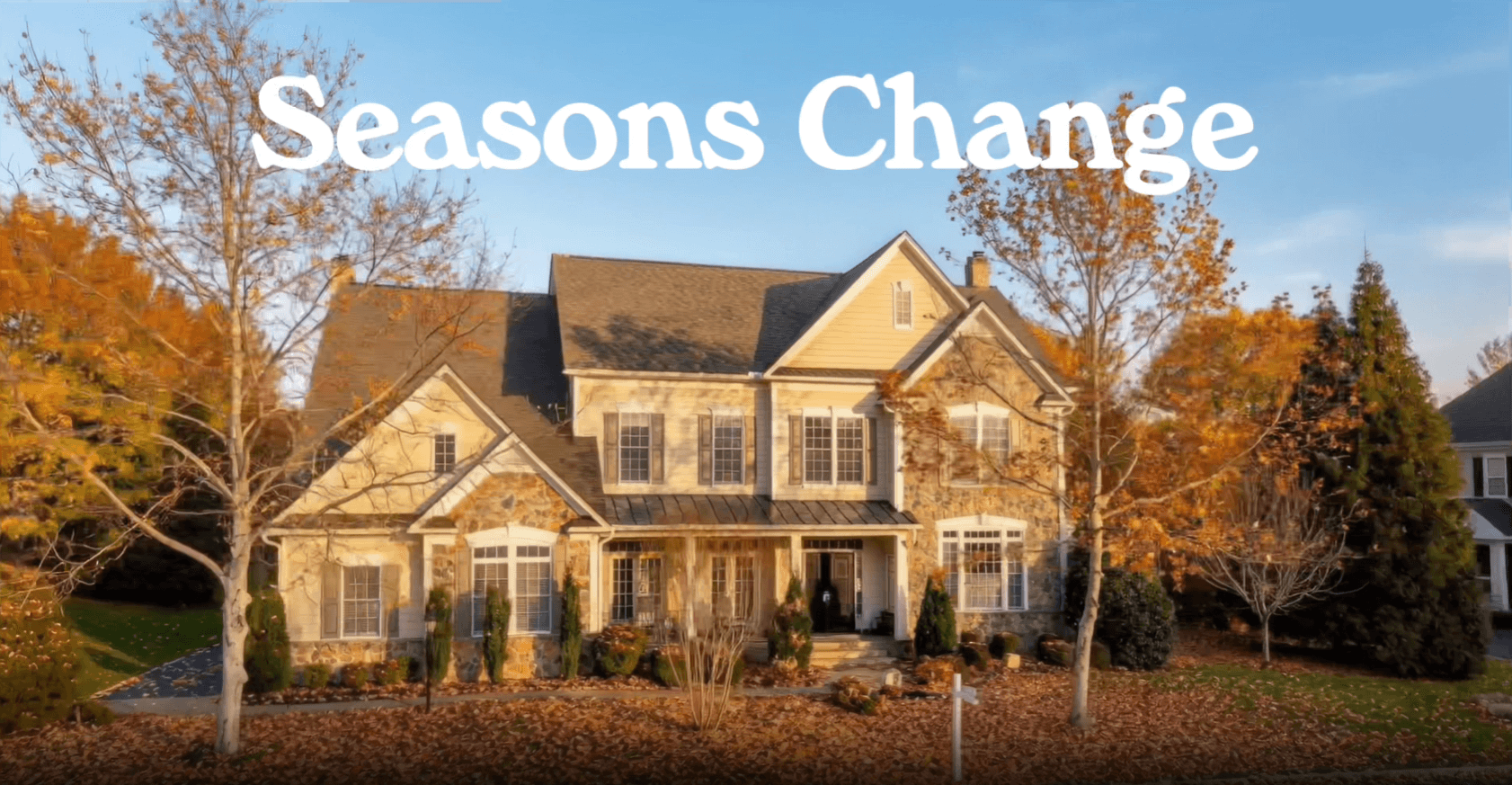


The important thing is that these effects are not general AI novelty filters. They are built around listing psychology. They help make a property easier to market.
VideoGuru’s biggest workflow advantage is that it reduces tool-switching.
A traditional real estate video workflow can involve a camera app, file transfer, Premiere Pro or Final Cut, music licensing, motion graphics, separate AI image tools, manual export versions, and back-and-forth client revisions. VideoGuru tries to pull the most common parts of that process into one place.
The official site says users can fine-tune videos in an intuitive editor by adjusting clips, overlays, music, and text. It also emphasizes avoiding a steep learning curve and keeping the workflow inside the platform.
That is especially useful for agents and small media teams that do not want to build a full post-production system. The upload-first workflow is more approachable than a professional NLE timeline, but it still gives enough control to make practical changes.
The one-click approach also helps with AI effects. VideoGuru’s blog specifically contrasts its workflow with using multiple separate AI tools, where users would need to export footage, upload to another effect tool, download the result, then import it back into an editor. VideoGuru’s advantage is that effects appear directly in the editing workflow, where timing, transitions, and clips can still be adjusted.
That integration is the real selling point. The value is not only that the AI can create effects. It is that the AI effects are close to the final video workflow.
The quality of a VideoGuru output depends heavily on the input footage.
If you upload strong clips with good light, clean movement, and logical coverage of the property, VideoGuru has a much better base to work from. The AI can help with sequencing, pacing, music, and effects, but it cannot fully rescue weak source material. A shaky, underexposed, poorly framed walkthrough will still limit the final result.
Where VideoGuru should perform best is in repeatable listing content. Good exterior shot. Strong kitchen reveal. Living room. Primary bedroom. Bathroom. Yard. Neighborhood or amenity shot. That kind of footage maps well to AI sequencing and real estate pacing.
The speed ramp system is especially relevant here. VideoGuru’s guide says its AI applies speed ramps based on scene content, speeding up walkthrough transitions and slowing down for hero moments like kitchen reveals. Users can also customize curves in the built-in editor.
That is more useful than a generic fast-cut template. Real estate videos need pacing that feels guided, not chaotic. Too slow and the video feels flat. Too fast and the viewer cannot understand the space. VideoGuru’s real estate-specific pacing is one of its more practical strengths.
Brand consistency is one of the areas where VideoGuru makes a lot of sense.
Real estate creators often need different versions of the same video. A social version may include logos, intro cards, agent branding, contact details, and an outro. An MLS version may need to be cleaner and less branded, depending on platform rules. VideoGuru’s real estate guide directly points out this split and says users can generate branded and clean versions from the same project.
The brand kit feature supports that workflow. VideoGuru says users can upload brand identity elements such as logos, intro and outro cards, client photos, and font styles, then apply them across videos automatically.
That may sound simple, but it solves a real workflow problem. Agents and media companies do not want to rebuild title cards and outros every time. They need speed, consistency, and the ability to keep every listing aligned with the same brand system. For solo agents, this means faster professional-looking content. For real estate photographers and media companies, it means more consistent delivery across clients.
VideoGuru is strongest when you think of every listing as needing multiple outputs.
A video for Instagram Reels or TikTok is not the same as a video for MLS. Social videos need a stronger hook, vertical formatting, more visual energy, and often more branding. MLS videos need a cleaner, more informative structure and usually work better in landscape format.
VideoGuru’s own guide makes this distinction clearly. It notes that MLS platforms typically use 16:9 landscape video, while Instagram Reels and TikTok require 9:16 vertical. The platform says it can export the same project in both formats and automatically crop raw footage to fit each aspect ratio without manual repositioning.
That is one of the most useful workflow features for real estate marketers. Repurposing content is usually where time disappears. A tool that can take the same footage and help produce both a polished social version and a cleaner listing version is more valuable than a simple video template generator.
- Real estate agents who create their own listing videos: VideoGuru is a strong fit for agents who shoot on a phone or camera and want a polished result without learning complex editing software.
- Real estate photographers and media companies: The platform is useful for teams that already capture property media but want faster turnaround, consistent branding, and add-on visual effects like twilight or staging.
- Brokerages managing multiple listings: Brand kits, repeatable workflows, and social-ready exports make it practical for teams that need consistency across many property videos.
- Luxury and premium listings: Twilight effects, cinematic pacing, music, animated text, and polished branding help make listings feel more elevated.
- Vacant or dated properties: Virtual staging and renovation visualization are especially useful when the raw property does not present as strongly as it could.
- Social-first property marketing: VideoGuru is a good fit when the goal is Reels, TikTok, Instagram, Facebook, YouTube Shorts, or other scroll-based platforms where pacing and the opening shot matter.
| Area | VideoGuru | Traditional Editor |
|---|---|---|
| Learning curve | Lower, built around upload and AI-assisted editing. | Higher, especially for motion graphics and pacing. |
| Real estate focus | Built specifically for property videos. | Flexible, but not specialized by default. |
| AI effects | Integrated into the real estate workflow. | Usually requires plug-ins or separate tools. |
| Branding | Brand kits and reusable visual identity. | Manual templates or editor presets. |
| Social and MLS versions | Designed around multiple export needs. | Possible, but usually more manual. |
| Creative control | Practical but more guided. | Much deeper control for advanced editors. |
The trade-off is clear. VideoGuru is better for speed and repeatability. Traditional editing software is still better for advanced manual control, custom storytelling, detailed color work, complex edits, and unusual client requests.
- Use VideoGuru with your best footage first. The AI can improve pacing and presentation, but strong source material still matters.
- Shoot with multiple outputs in mind. Capture wide shots for MLS-style videos and enough vertical-safe framing for Reels or TikTok.
- Do not overuse AI effects. Twilight, staging, renovation, and seasonal visuals are powerful, but the video still needs to feel believable.
- Set up brand assets before producing multiple videos. Brand kit setup becomes more useful once you are creating recurring listing content.
- Create separate versions for social and listing platforms. A branded vertical Reel and a clean landscape listing video serve different purposes.
- Review AI-enhanced visuals carefully. Any virtual staging, renovation, or seasonal change should still represent the property ethically and avoid misleading buyers.
VideoGuru’s biggest limitation is that it is specialized. That is also its strength. If you make real estate videos, the specialization is useful. If you need a general video editor for podcasts, product demos, music videos, gaming content, talking-head clips, or cinematic short films, VideoGuru may feel too narrow.
The second limitation is control depth. VideoGuru includes an editor for clips, overlays, music, and text, but it is not meant to replace advanced tools like Premiere Pro, Final Cut, DaVinci Resolve, or After Effects for highly customized work. Users who need detailed color grading, frame-level compositing, complex audio work, or custom motion design will still want a professional editor.
The third limitation is input quality. AI editing depends on the footage you provide. Better shots, smoother movement, good lighting, and complete property coverage will create better results. VideoGuru can make a listing video faster and more polished, but it cannot fully compensate for missing rooms, poor framing, or unusable clips.
The fourth limitation is ethical presentation. Real estate AI effects can be helpful, but they need to be used responsibly. Virtual staging, renovation visualization, twilight conversion, and seasonal changes should support marketing without misrepresenting the property. For MLS or regulated listing environments, agents and media teams should check local rules and platform guidelines before publishing AI-enhanced visuals.
Finally, VideoGuru may be less useful for users who already have a polished editing pipeline. A professional editor with strong templates, music systems, and real estate presets may not need the same level of automation. The tool is most valuable when speed, consistency, and real estate-specific automation matter more than full manual control.
VideoGuru is best understood as an AI real estate video production assistant. It takes listing photos and property clips, turns them into polished videos, adds real estate-specific effects, supports branding, and helps produce platform-ready versions for social media and listing use.
Its strongest fit is agents, real estate photographers, brokerages, and media teams that need professional-looking property videos without spending hours editing every listing manually.
The main caveat is that VideoGuru works best when the source footage is already solid and when users treat AI effects as marketing enhancements that still need responsible review. For fast, repeatable, real estate-specific video production, it is a practical and focused tool.
TAGS: Translation
Related Tools:

Translates app content into over 100 languages
Creates, edits, and optimizes videos with professional effects

Generates and translates accurate subtitles

Generates subtitles and dubbing in multiple languages

Enhances communication by providing multilingual support

Specializes in dubbing videos into multiple languages