

Share this tool:
 |
Description:
Plansom is an AI productivity and planning tool built around a simple promise: take messy inputs, such as goals, call notes, strategy documents, pitch decks, or spreadsheets, and turn them into a clear action plan. It sits somewhere between an AI planner, lightweight project manager, and execution assistant. The main appeal is not task tracking alone. It is the ability to move from “we should do this” to a structured plan with goals, tasks, priorities, owners, and timelines much faster than starting from a blank page.
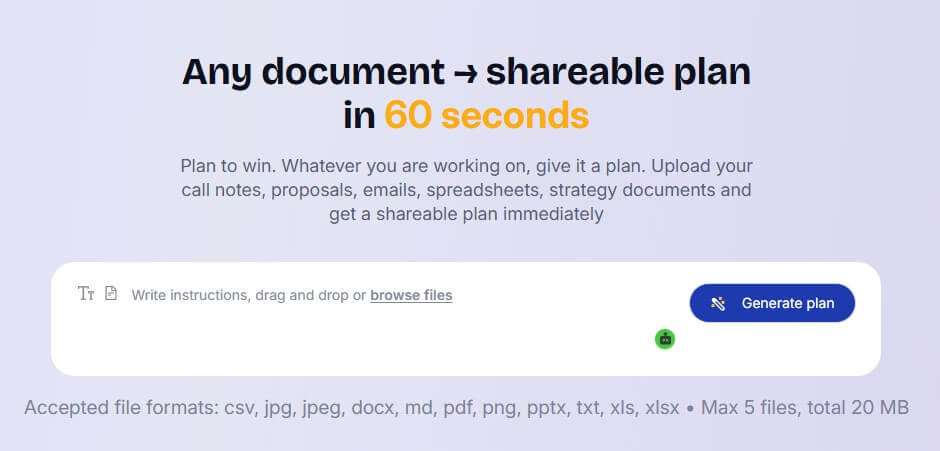
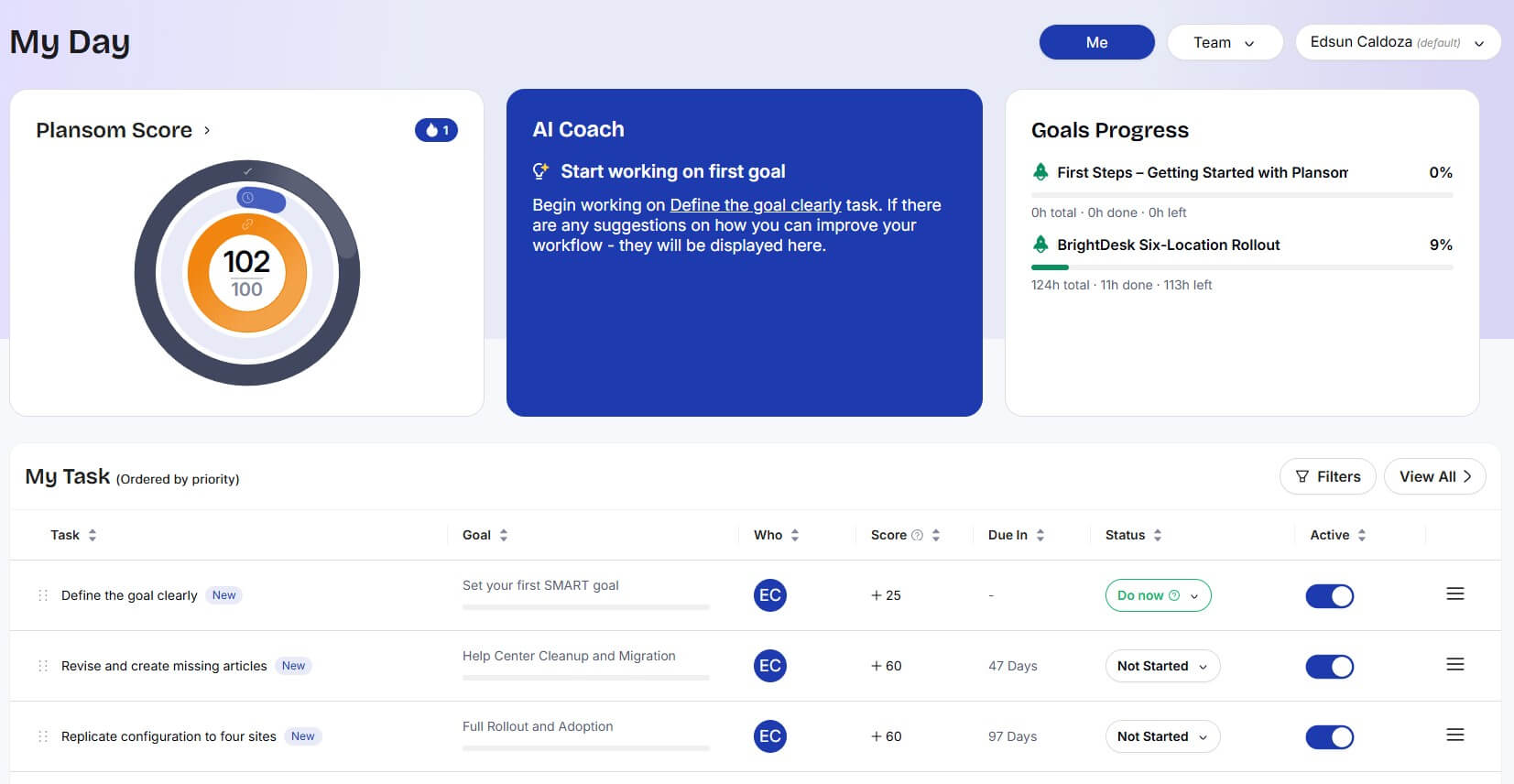
This sample shows how Plansom can take a client onboarding brief and turn it into a structured plan with goals, subgoals, and task-level execution steps.
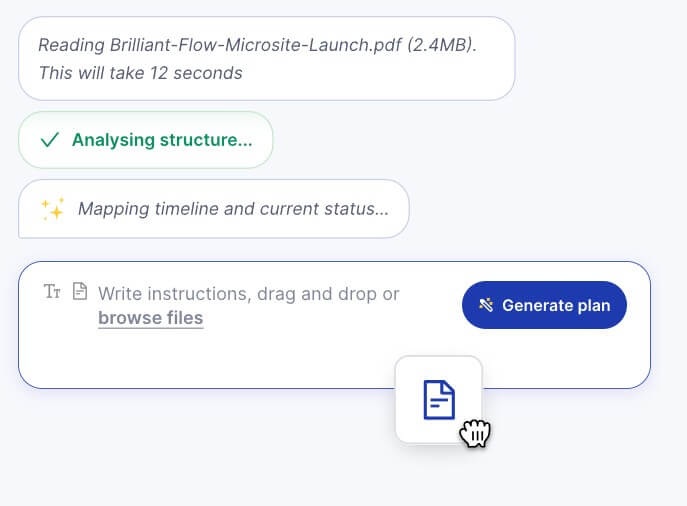
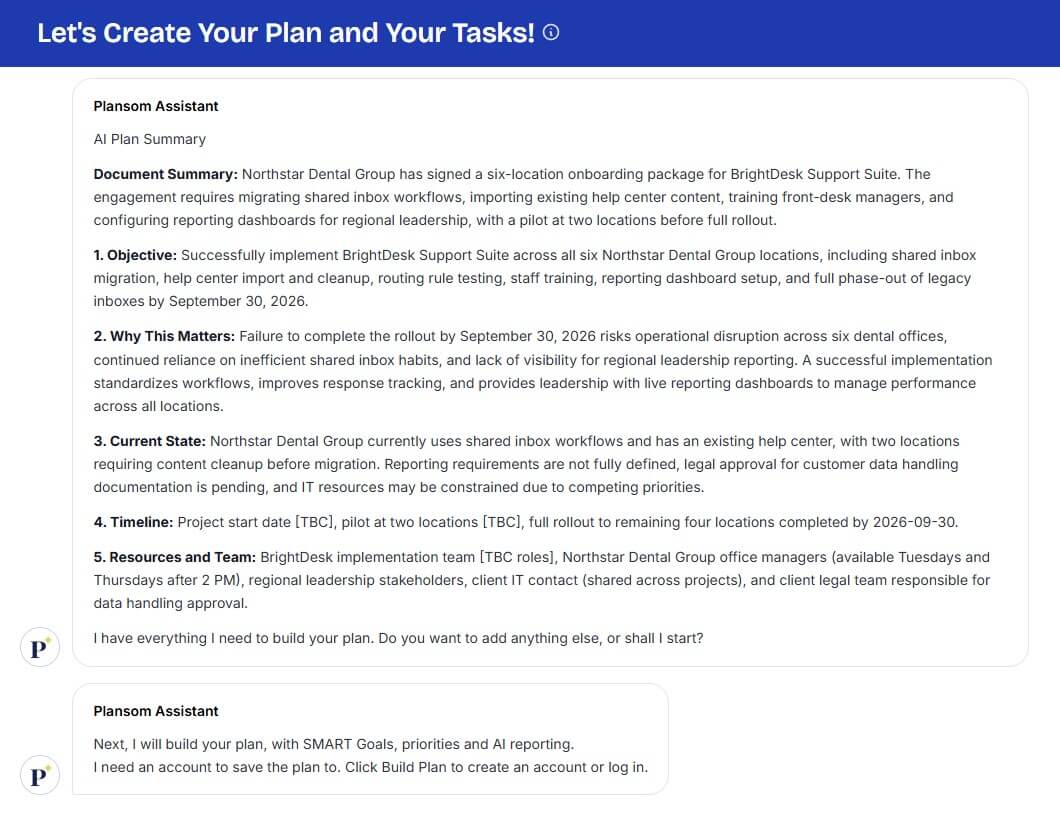
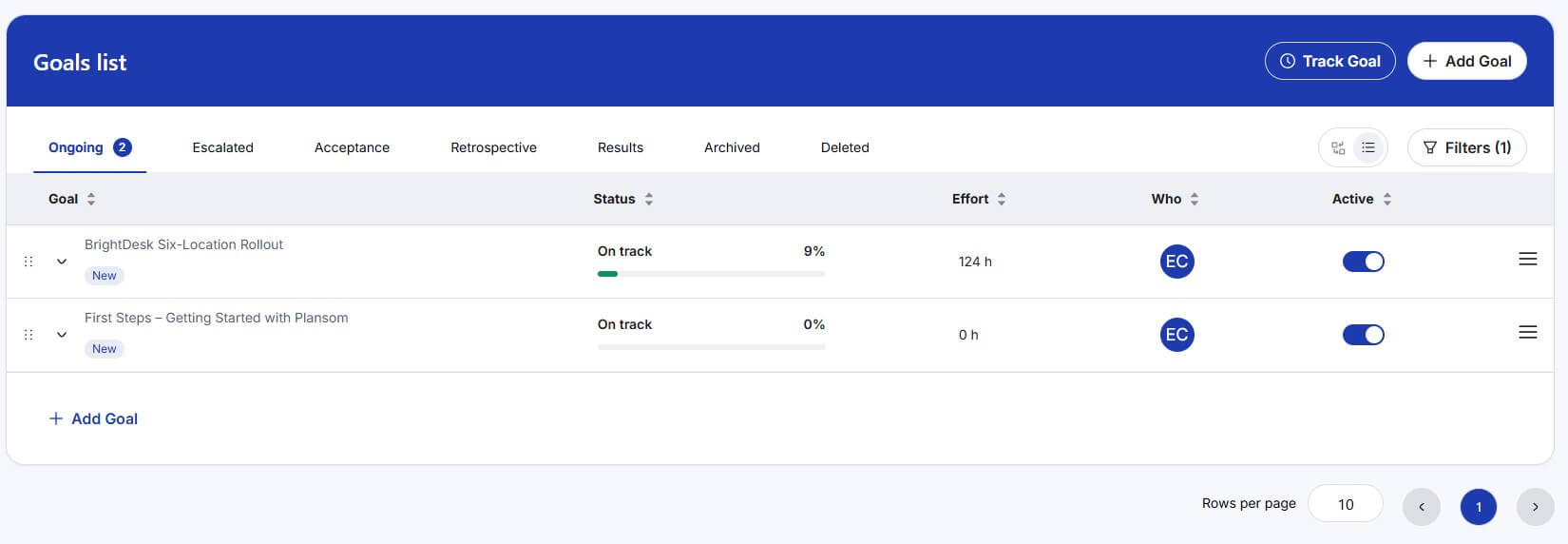
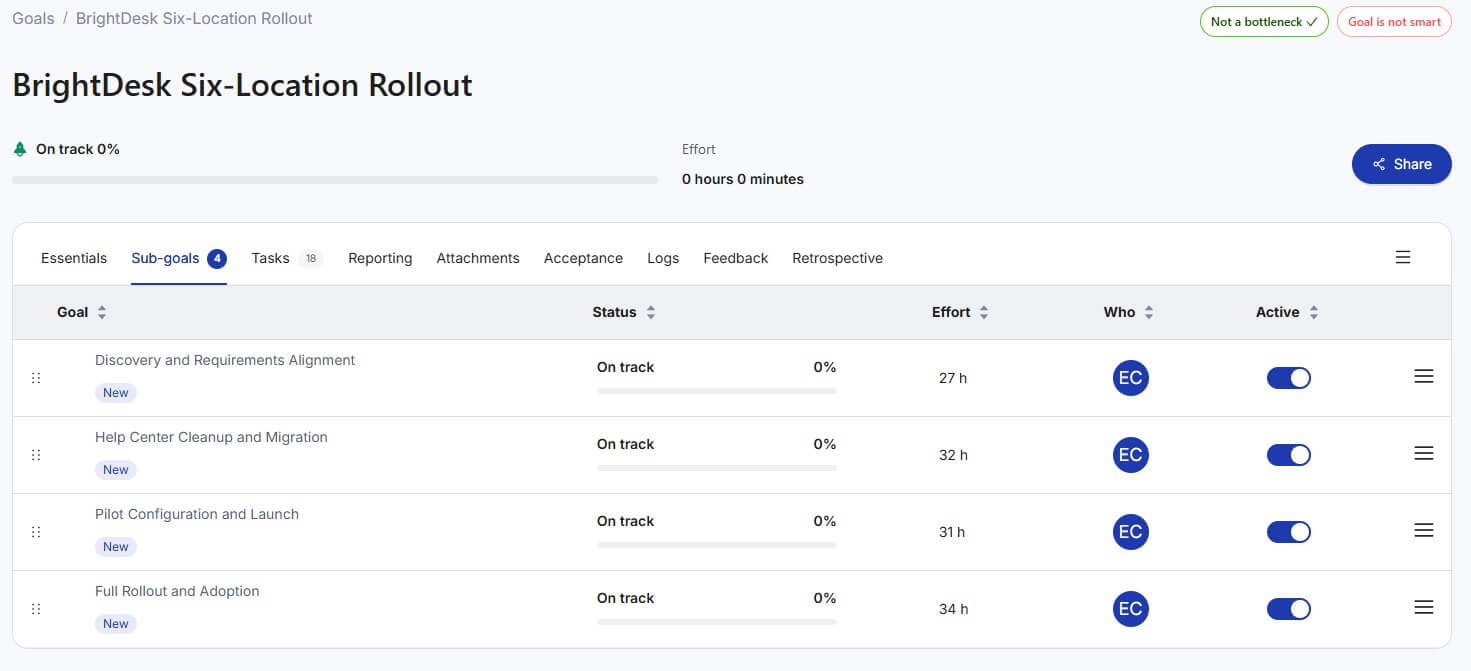
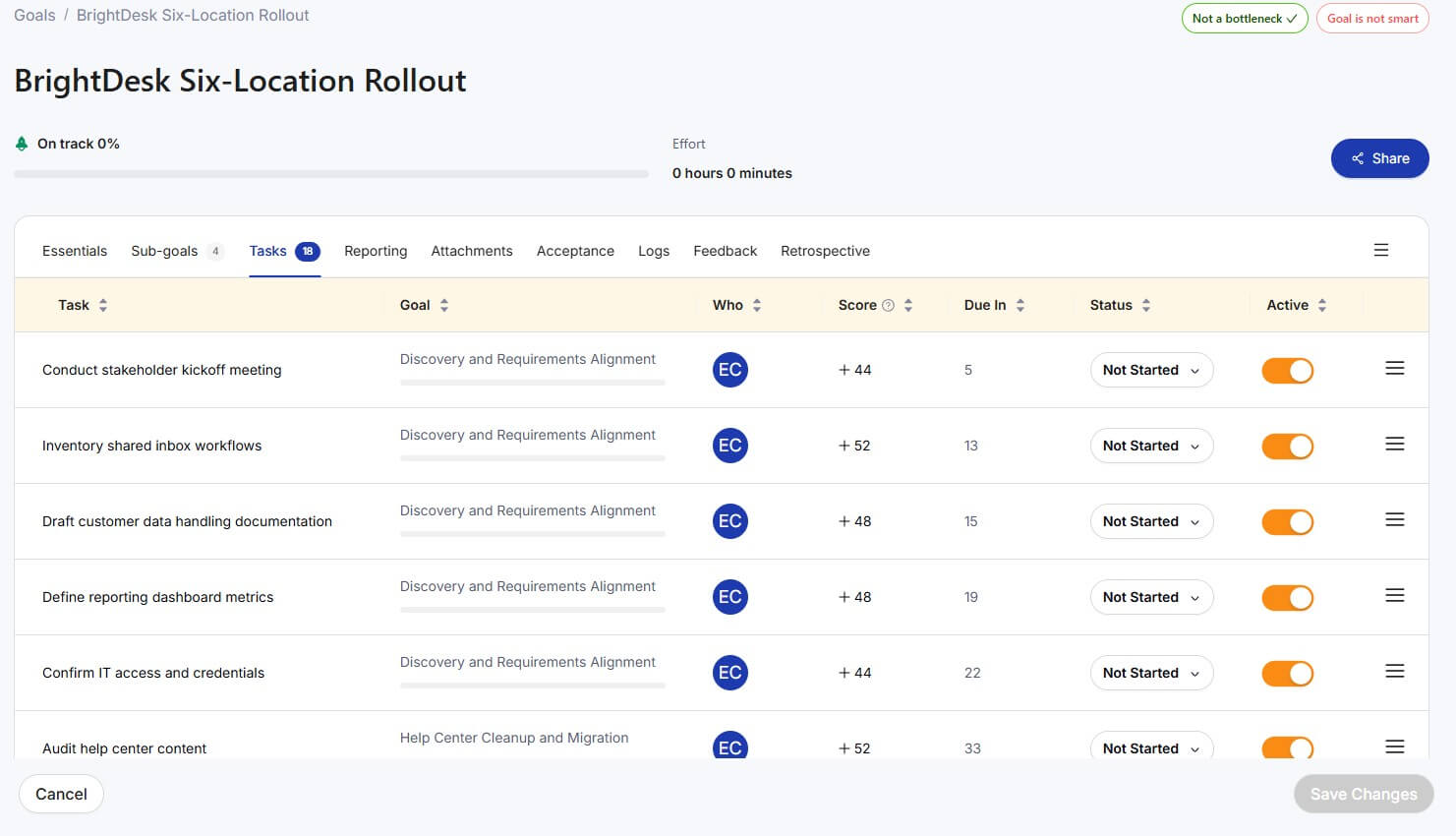
Plansom is designed to help users create actionable plans from either a goal or an uploaded document. Its public positioning says users can upload a document and get a shareable execution plan quickly, with goals, tasks, owners, and timelines generated automatically.
That makes it different from a standard to-do list app. A normal task manager waits for you to define the work. Plansom tries to interpret the source material first, then suggest the plan. That source material could be a meeting transcript, a strategy PDF, a proposal, a pitch deck, or a spreadsheet. Plansom’s LinkedIn company profile describes the workflow as three steps: upload a document, get a structured plan, then share it with one link.
The tool also has a broader productivity angle. Its About page says Plansom was built to reduce the chaos of tasks and priorities and help users create clear plans in minutes. The stated mission is to give people personalized guidance and accountability so they can feel more in control of their work.
Plansom is strongest at the front end of execution. That means the moment after an idea, meeting, strategy session, sales call, or planning document exists, but before the work has been broken into clear next steps.
This is where many teams lose time. A strategy deck gets approved, but nobody converts it into owners, dates, and dependencies. A client call creates a lot of good ideas, but the follow-up plan is buried in notes. A founder has a product roadmap in their head, but the work is not organized enough for the team to act on it.
Plansom’s best use case is closing that gap. It is less about advanced project governance and more about fast plan creation, task prioritization, and shared execution clarity.
| Feature | What it does | Why it matters |
|---|---|---|
| Document-to-plan generation | Turns uploaded materials into structured action plans | Saves time at the start of planning |
| Goal-based planning | Breaks broad goals into smaller tasks and milestones | Helps users move from intention to action |
| Prioritization | Organizes tasks by importance and urgency | Reduces the “what should I do first?” problem |
| Owners and timelines | Adds responsibility and time structure to plans | Makes plans easier to execute with others |
| My Day dashboard | Shows progress, quick wins, and daily focus areas | Helps users stay oriented during execution |
| Collaboration | Supports shared goals and task assignment | Makes the tool useful beyond solo planning |
The workflow is intentionally simple: give Plansom a goal or document, let the AI produce a plan, then review and adjust the result. That last step matters. Plansom can generate structure, but users should still treat the output as a draft. The best plans usually need human judgment around scope, sequencing, deadlines, and who should own each piece.
The Android listing describes Plansom as an AI-powered productivity partner that turns ideas into actionable plans, with personalized AI action plans, a My Day dashboard, AI coaching, reminders, quick wins, and team collaboration.
That shows the product is not only trying to create plans once. It is also trying to keep users engaged after the plan is built. The dashboard and accountability features matter because planning tools often fail when they stop at “here is a list.” Plansom is more useful when it helps users keep moving through the list, not just admire it. The possible downside is that AI-generated plans can feel too neat if the input is vague. A weak goal will produce a weak plan. A thin document may create broad tasks that still need refinement. Plansom works best when the source material has enough context for the AI to extract real priorities.
The most important quality question is not whether Plansom can generate tasks. Many AI tools can do that. The better question is whether it can produce a plan that is specific enough to execute.
Plansom’s stronger angle is document-aware planning. If the tool can read the actual proposal, call transcript, or deck, it has a better chance of capturing the real work than a generic chatbot prompt. That makes it useful for turning existing business context into action.
Still, the user should review four things before trusting any plan:
- Check whether the AI understood the main goal. If the plan is organized around the wrong outcome, the task list will look useful but point in the wrong direction.
- Check sequencing. Some tasks need to happen before others. AI planners can miss dependencies when the input does not spell them out.
- Check ownership. Suggested owners are helpful, but responsibility should match actual team roles.
- Check dates. AI can make a plan look complete by adding timelines, but real deadlines depend on team capacity, approvals, budget, and outside constraints.
Plansom is useful for individuals, but it becomes more interesting for teams that need shared clarity. The Google Play listing highlights team collaboration, including task assignment and shared goals. Product Hunt also describes Plansom as a SaaS platform for organizations and individuals that generates optimized, prioritized plans and simplifies complex planning tasks.
That team angle is important. Plans are often easy to create and hard to maintain. When work is shared, the plan needs owners, progress visibility, and reminders. Plansom’s accountability and dashboard features are aimed at that problem. The tool is likely most useful for small teams, consultants, founders, operators, and project leads who need structure without the weight of a full enterprise project management system.
Plansom is a strong fit for turning meeting notes into follow-up plans. After a strategy call, sales call, workshop, or client discussion, users can convert notes into tasks, priorities, and owners.
It also works well for startup and small business planning. A founder can take a launch idea, product brief, or pitch deck and turn it into an execution roadmap.
Consultants can use Plansom to convert client documents into delivery plans. This is useful when moving from discovery to implementation.
Managers can use it for team alignment. Instead of sending a long document and hoping people understand the next steps, they can share a structured plan.
It may also help solo users who struggle with large goals. Breaking a goal into smaller actions, quick wins, and daily focus areas can make the work feel less overwhelming.
Plansom is not a replacement for a mature project management system if a team needs detailed resource planning, complex dependencies, sprint management, portfolio reporting, or deep enterprise controls.
It also depends heavily on input quality. If the uploaded document is messy, outdated, or vague, the plan may need more editing. AI can organize what it sees, but it cannot always know what the team forgot to include.
Another limitation is review effort. Plansom may reduce blank-page planning, but it does not remove the need for judgment. A user still has to confirm priorities, owners, feasibility, and deadlines.
Finally, teams should be careful not to confuse plan creation with execution. A generated plan is only useful if people follow it, update it, and use it as the shared source of truth.
Plansom is best for people and teams that have ideas, documents, meeting notes, or strategy materials but need help turning them into clear execution plans. Its strongest value is the move from messy input to structured action: goals, tasks, priorities, owners, timelines, reminders, and progress support. It is especially useful for founders, consultants, managers, freelancers, and small teams that need planning help without building everything manually. The main caveat is that Plansom should be treated as an AI planning assistant, not an autopilot. It can create the first structure fast, but the best results still come from reviewing the plan, tightening the details, and making sure the work reflects real priorities.
TAGS: Productivity
Related Tools:

Improves team communication and project management
Provides tools for writing, image creation, coding

Provides real-time understanding and smart assistance for meetings
AI-powered mobile keyboard app that enhances typing efficiency
Enables teams to capture, access, and verify information
Simplifies and accelerates API integrations