
Share this tool:
 |
Description:
OpenRead is an AI research platform built for people who work with academic papers, not just casual web articles. Its main value is that it brings paper discovery, PDF reading, summarization, paper Q&A, comparison, note-taking, and related-paper exploration into one workspace. The product is especially useful when you need to move from “I found this paper” to “I understand where it fits” faster.
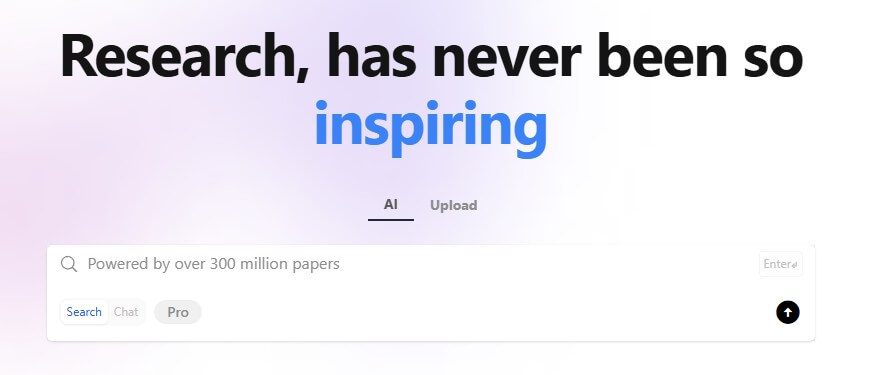
Generates structured summaries so readers can get the main idea, method, findings, and limits faster.
Lets users ask questions about a paper instead of manually searching through every section.
Helps compare multiple papers, including findings, frameworks, and language.
Shows connections between papers, which helps with literature discovery and topic mapping.
Combines paper search and web search for research exploration, with source-backed answers.
Gives users a place to keep research notes inside the same workflow instead of moving everything to a separate app.
OpenRead is not just a PDF summarizer. It is closer to an AI-assisted literature review workspace.
The platform’s homepage groups its core workflow around reading and note-taking, paper comparison, Paper Espresso, Paper Q&A, Related Paper Graph, and notes. It also includes AI search across papers and the web, with the site claiming fresh papers from 20,000+ journals every five minutes.
That combination matters. Many AI tools can summarize a PDF. OpenRead is more useful when you want to search for papers, understand them, ask questions about them, compare findings, and keep track of what you’re learning.
The best way to think about it: OpenRead tries to reduce the messy middle of research. It does not replace reading, judgment, citation checks, or expert review. But it can make the first pass through dense literature much faster.
OpenRead is strongest when the task is academic reading under time pressure.
That includes scanning unfamiliar papers, building an early reading list, checking what a paper is about, comparing several papers on the same topic, and finding related work. The Related Paper Graph is especially useful for discovery because it gives users a visual way to explore connections between papers rather than relying only on keyword search.
Paper Compare is also a practical feature. OpenRead describes it as a way to compare findings, spot contradictions, and understand the bigger picture across multiple papers. That is more useful than another one-paper summary, especially for students and researchers who need to explain how studies agree or conflict.
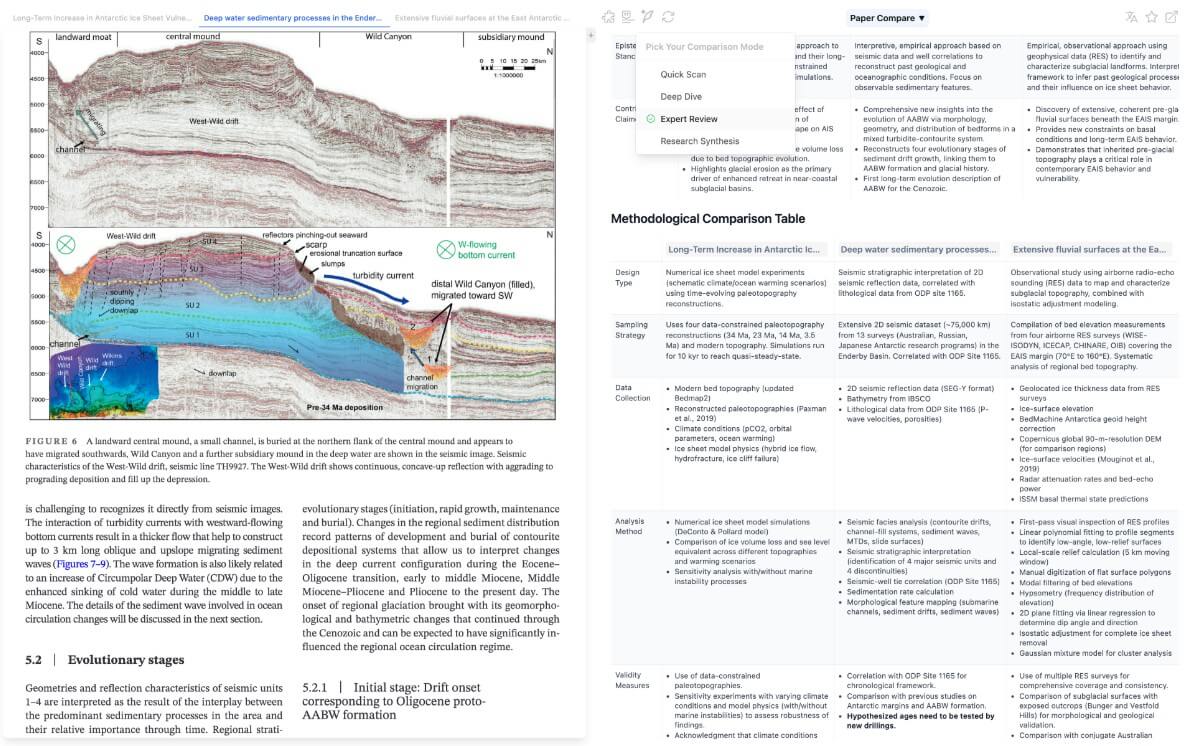
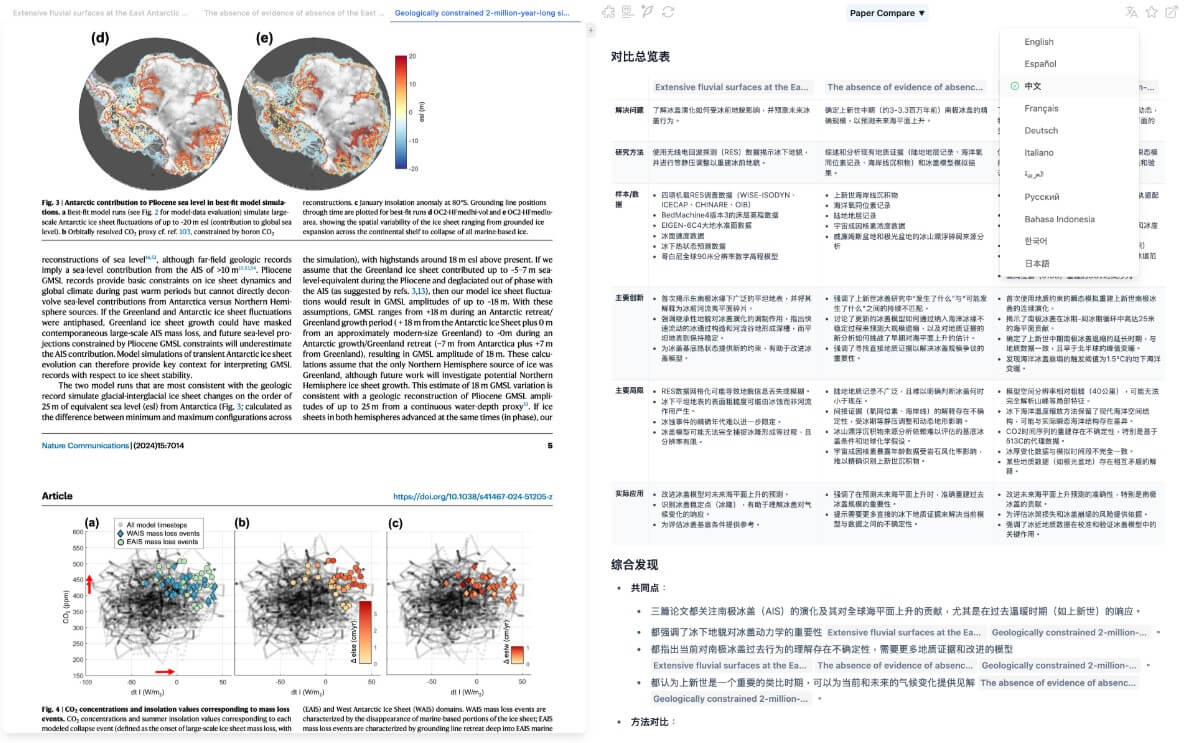
The workflow is easy to understand: search for a paper, upload or open it, summarize it, ask questions, compare it with other papers, and save notes as you go.
That is a sensible structure for academic work because research rarely happens in one step. You do not just read one paper and stop. You search, skim, branch into related papers, return to key sections, compare methods, and build a view of the field. OpenRead’s feature set follows that pattern better than a general chatbot does.
The main advantage is reduced context switching. Instead of using Google Scholar for discovery, a PDF reader for reading, ChatGPT for summarization, and Notion for notes, OpenRead puts more of that activity in one place.
The trade-off is that users still need research discipline. AI summaries can help you triage, but they should not be treated as final understanding. For important work, you still need to read the abstract, methods, limitations, and cited sources yourself.
OpenRead’s technology page describes several internal systems. Hawkeye is used for identifying sections in PDFs, including titles, authors, abstracts, headings, text, math, figures, tables, captions, references, and footers. Gauss is focused on converting mathematical content into LaTeX. The page also describes Oath as a language model used for tasks such as Paper Q&A, Paper Espresso, terminology understanding, translation, and research questions.
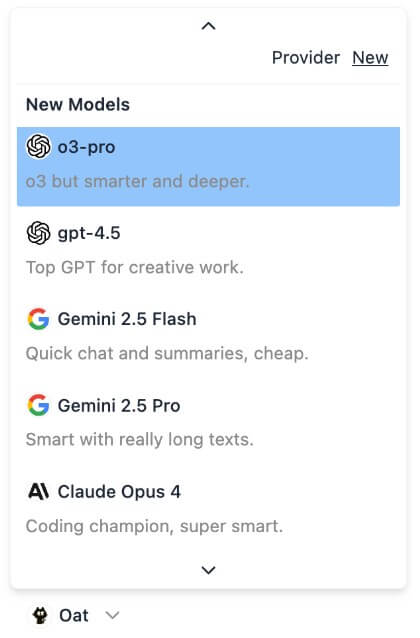
This is worth noting because academic PDFs are messy. Papers often include formulas, tables, figures, captions, references, and two-column layouts. A research assistant that cannot understand document structure will struggle with serious papers. OpenRead’s focus on PDF section detection and math conversion is a useful sign that the product is built around scholarly documents, not generic uploaded files.
There is one naming wrinkle: the homepage presents “Oat” as OpenRead AI Technology, while the technology page refers to “Oath.” For a review, it is safest to describe Oat as the user-facing AI assistant and avoid over-reading the internal naming.
OpenRead fits students who need to understand papers faster, especially when preparing literature reviews, thesis proposals, annotated bibliographies, or seminar presentations.
It also fits researchers and PhD candidates doing early-stage exploration. The Related Paper Graph, AI search, Paper Espresso, and Paper Compare can help map a topic before deeper reading begins.
For technical fields, OpenRead is useful when papers contain math, figures, tables, and dense methods sections. Its PDF-aware technology is more relevant here than a plain chatbot upload workflow.
It can also help non-native English readers. Paper Q&A, summaries, and translation support can make academic writing easier to approach, though users should still check important terms against the original text.
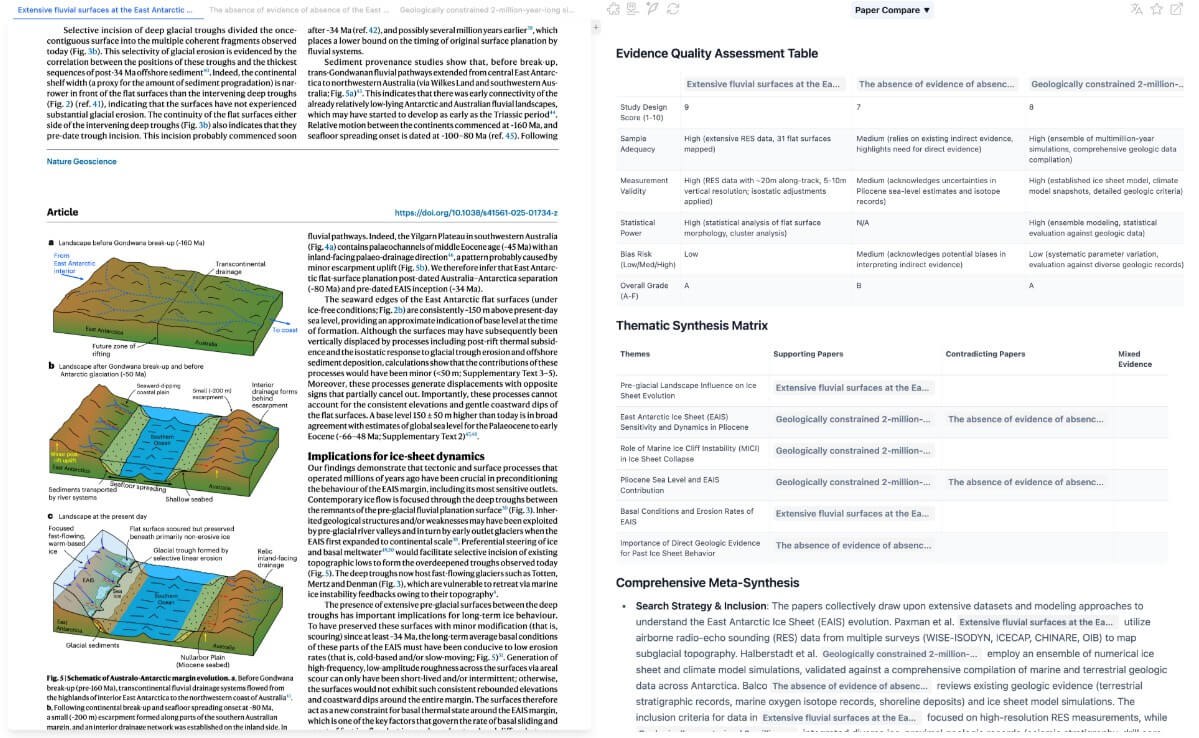
Compared with ChatGPT, Claude, Gemini, or other general AI tools, OpenRead has a clearer academic workflow. A chatbot can explain a paper if you upload it, but OpenRead gives you research-specific surfaces: paper search, summaries, Q&A, comparisons, related-paper graphs, and notes.
Compared with Semantic Scholar or Google Scholar, OpenRead is more interactive. Those tools are stronger as broad discovery engines, but OpenRead is more useful once you want AI-assisted reading and paper-level interaction.
The right comparison is not “Which AI gives the best answer?” It is “Which tool keeps the research workflow organized?” On that question, OpenRead has a clear angle.
- Start with Paper Espresso for triage, not final understanding. Use it to decide whether a paper is worth deeper reading.
- Use Paper Q&A for targeted questions like “What dataset did this study use?” or “What are the stated limitations?” rather than broad prompts such as “Explain everything.”
- Compare papers only after you understand each one at a basic level. Paper Compare is more useful when you already know what you are trying to compare: methods, findings, assumptions, or limitations.
- Use the Related Paper Graph early in a literature review. It can help you find nearby work that keyword search may miss.
- Always verify citations, claims, and technical details in the original paper before using them in academic writing.
The biggest limitation is trust. AI research assistants can misread context, over-compress nuance, or make a weak paper sound more settled than it is. OpenRead helps with reading, but it does not remove the need for source checking.
The second limitation is coverage. Even with broad paper search, no research platform captures everything perfectly. Users working in niche fields should cross-check against Google Scholar, PubMed, arXiv, Semantic Scholar, Scopus, Web of Science, or discipline-specific databases.
The third issue is workflow fit. OpenRead is useful for paper-heavy work, but it may feel unnecessary if you only need occasional article summaries. It is strongest when research is a repeated activity, not a one-off task.
There is also a mild product clarity issue around naming and feature boundaries. OpenRead has Paper Espresso, Paper Q&A, Oat, AI search, Paper Compare, and internal model names. Most users will not care, but new users may need a little time to understand what each layer does.
OpenRead is best for students, researchers, and knowledge workers who spend serious time with academic papers and want a faster way to search, summarize, question, compare, and organize research. Its strongest value is the full research workflow, especially Paper Espresso, Paper Q&A, Paper Compare, Related Paper Graph, and notes in one place.
The main caveat is that it should support academic judgment, not replace it. For important research, OpenRead is a strong first-pass assistant, but the original papers still matter most.
TAGS: Research Productivity
Related Tools:

Writing tool that generates, customizes, and refines content

Provides real-time insights for stock and crypto
Simplifies creation of visual content for marketing

Quickly summarizes lengthy text by extracting key points
AI assistant that excels at deep reasoning and multimodal tasks
Enables teams to capture, access, and verify information