

Share this tool:
 |
Description:
Motion is an AI productivity platform built around one core idea: your work should be scheduled, not just listed. Instead of giving you another static task manager, Motion tries to decide what you should work on, when it should fit into your calendar, and how your day should adjust when meetings, delays, or new priorities appear.
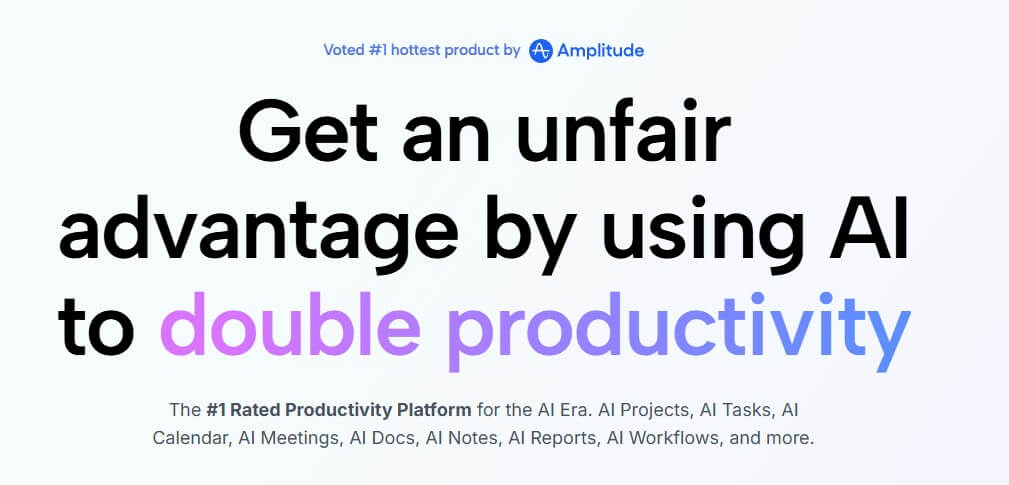
Motion is part calendar, part task manager, part project manager, and part AI planning assistant. Its help center describes it as an all-in-one work platform built around automatic scheduling, where Motion plans your day based on tasks, deadlines, priorities, and available time. When work changes, Motion updates the schedule so the plan stays current.
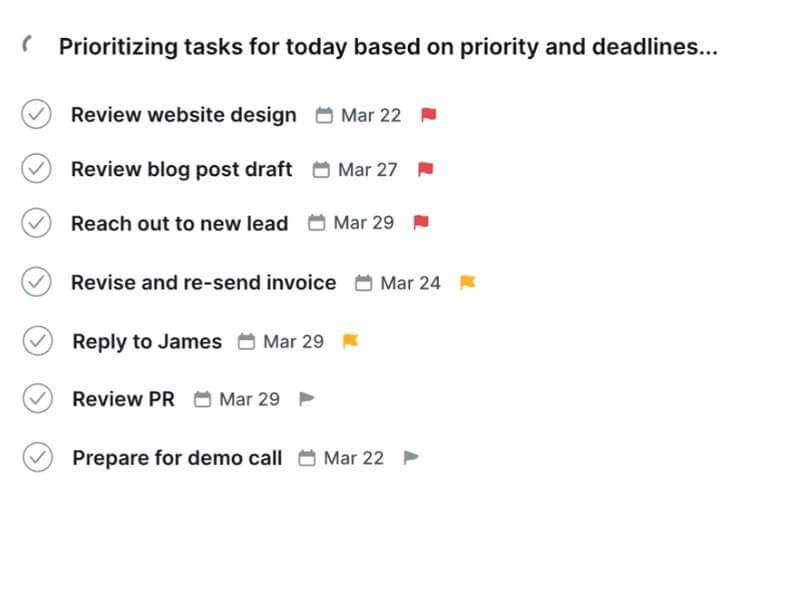
That distinction matters. In many task apps, you make a list and then decide what to do next. In Motion, the task list is only the starting point. You add the task, estimate how long it will take, set a deadline or priority, and Motion places it into your calendar. If you miss it, if a meeting runs long, or if a higher-priority task appears, Motion reshuffles the plan.
This makes Motion more useful for people whose workday is crowded and shifting. It is less about storing reminders and more about turning work into time blocks.
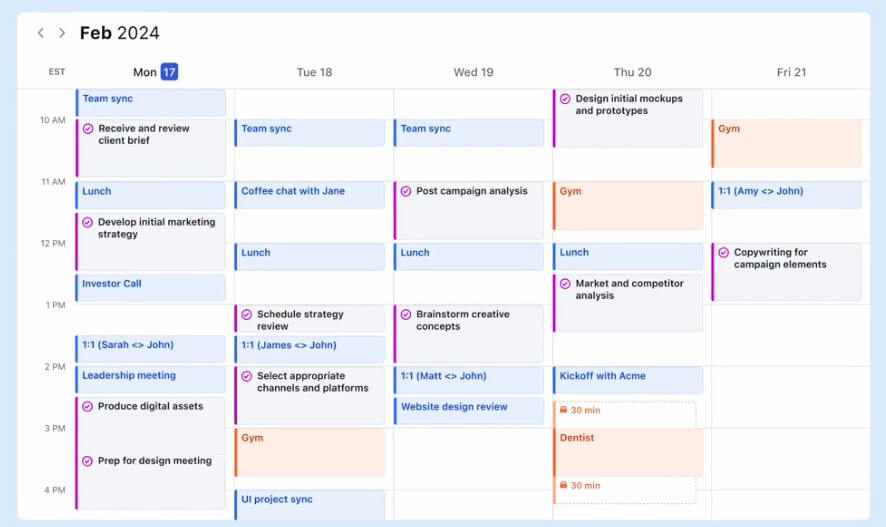
Motion is strongest at reducing the mental load of daily planning. That is its biggest advantage over a normal to-do list. The platform’s AI Calendar page says it can prioritize tasks, flag at-risk deadlines, schedule meetings, and protect deep work time. It can also recalculate the day when plans change.
This is useful because planning is often hidden work. Many professionals spend time every morning deciding what matters, moving tasks, checking calendars, and adjusting deadlines. Motion tries to automate that daily rearranging.
The tool is especially compelling for users who know their priorities but struggle to fit them into real available time. A long task list can look manageable until it meets a calendar full of meetings. Motion’s strength is showing that conflict earlier.
| Feature | What it does | Why it matters |
|---|---|---|
| AI Task Manager | Schedules tasks based on deadlines, priorities, dependencies, durations, and available calendar time | Helps users know what to work on next |
| AI Calendar | Combines meetings, tasks, deadlines, and focus time in one planned schedule | Keeps tasks from living separately from real available time |
| Automatic Replanning | Reshuffles the schedule when interruptions happen | Reduces manual calendar rearranging |
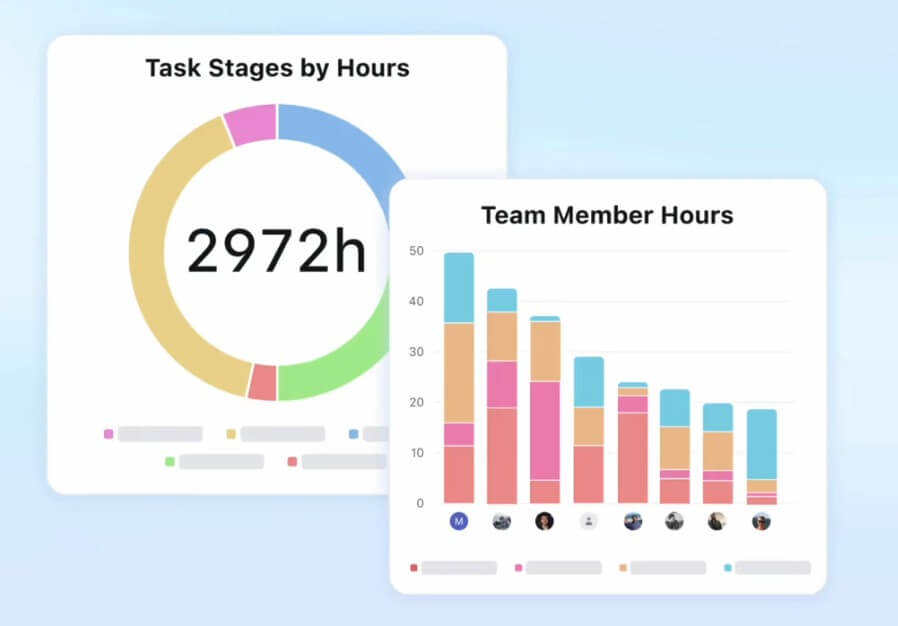
| Project Management | Supports projects, stages, tasks, dependencies, capacity planning, dashboards, and progress visibility | Makes Motion useful for team execution, not only personal planning |
| Multiple Views | Shows project work through List, Kanban, and Gantt views with filters | Lets teams review work by assignee, deadline, project, or status |
| AI Notetaker | Works with Zoom, Google Meet, and Microsoft Teams, then helps review and approve action items | Turns meeting follow-ups into Motion tasks |
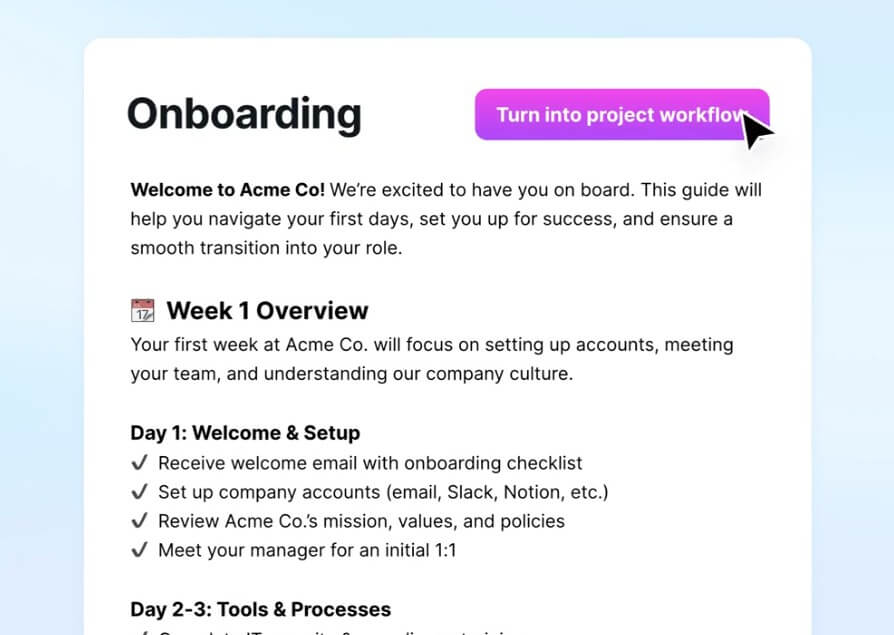
The basic workflow is straightforward: add tasks, set deadlines, estimate duration, connect calendars, and let Motion build the schedule. That setup requires more detail than a lightweight to-do app, but the extra fields are what make the automation work.
The practical difference shows up during the day. Instead of opening a task app and choosing from a list, you can look at Motion’s schedule and see what the system thinks should happen next. That can be helpful for people who lose time switching between projects or second-guessing priorities.
There is a learning curve, though. Motion works best when users are honest about task duration, deadline urgency, and available work hours. If every task is marked urgent, or every task is given an unrealistic estimate, the schedule becomes less useful. Motion can plan around rules, but it cannot fix bad inputs.
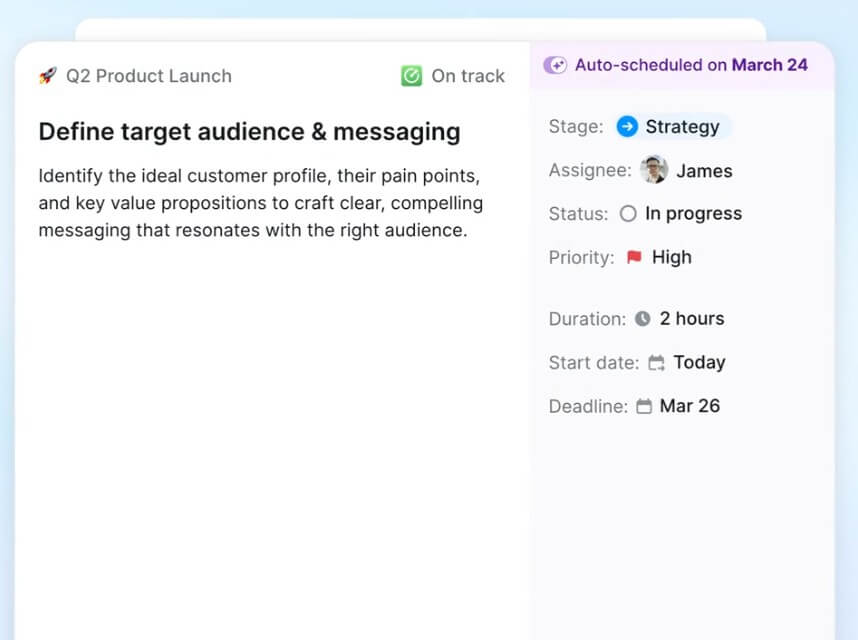
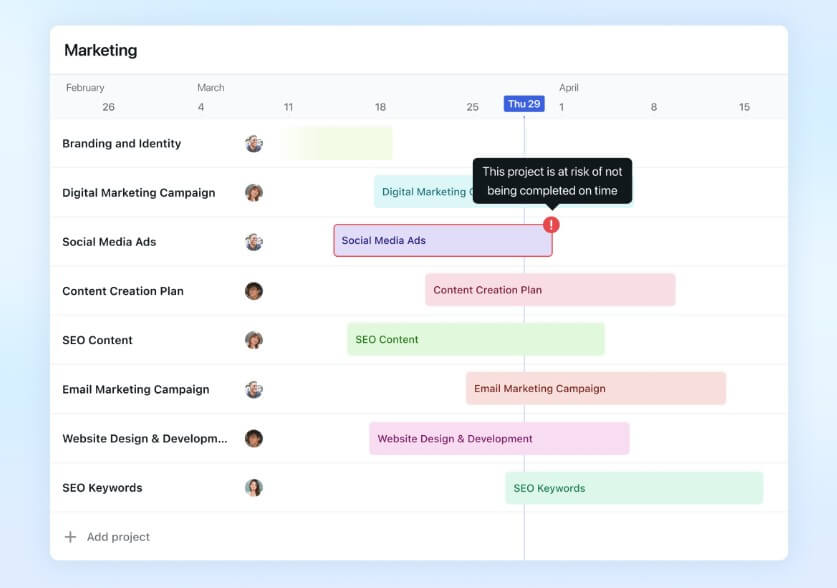
Motion’s team value is stronger than its personal productivity branding may suggest. Its AI Project Manager page describes automated project movement, task handoffs, prioritization, capacity planning, progress visibility, and delay prediction. It also says Motion can alert teams when a project is off track based on workload, deadlines, and team capacity.
That makes Motion interesting for agencies, service businesses, startups, consultants, and small teams that need execution discipline but do not want to manage a heavy project system. Motion can show what each person should work on, where bottlenecks are forming, and whether workload is realistic.
The best fit is not every kind of team. Motion works best when tasks have owners, time estimates, stages, and deadlines. Creative teams, client-service teams, software teams, operations teams, and executive teams may benefit. Teams with loose, unstructured work may need to improve their task discipline before Motion becomes useful.
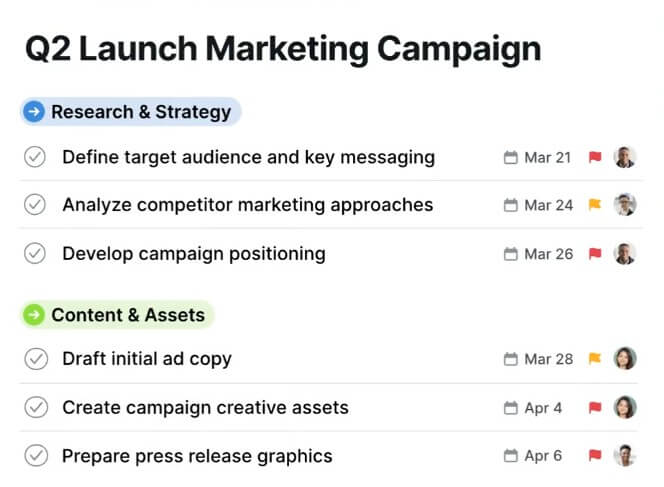
Motion’s calendar layer is one of its most important pieces. It is not only a place to see meetings. It is the engine that decides whether work can fit into the day.
This is where Motion differs from tools like Todoist, Trello, or a standard project board. Those tools can track work, but they do not always force the question: “Where does this task fit?” Motion does. That can be uncomfortable at first, but it is useful. If the calendar has no open space, the work is not planned. It is only wished for.
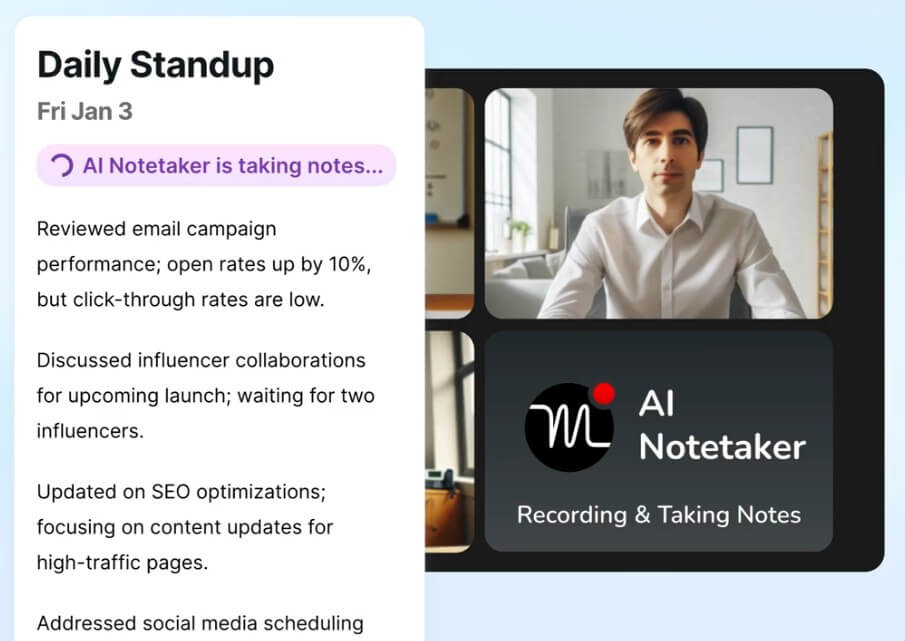
The AI Meeting Notetaker adds another layer by turning calls into follow-up work. Motion’s help docs say users can share notes, access past and upcoming calls, and review action items before turning them into tasks.
Motion is a strong fit for founders, managers, consultants, agency teams, executives, freelancers, sales teams, project leads, and busy professionals who constantly balance tasks, meetings, and deadlines.
It is especially useful for people who ask these questions often:
- What should I work on next?
- Can I finish this by the deadline?
- Where can I fit deep work this week?
- Who on the team has capacity?
- What happens if this meeting pushes my day back?
Motion is less necessary for users with light schedules or short task lists. If you only need a few reminders, a simpler task app may feel faster.
Motion’s biggest trade-off is setup discipline. The tool needs task durations, priorities, deadlines, and calendar access to create a useful plan. Users who do not want to estimate work may find the workflow too structured.
The second trade-off is trust. Letting software decide your day can feel strange. Motion is helpful when the schedule reflects your real priorities. It becomes annoying if the plan feels too rigid or if you spend more time adjusting the system than doing the work.
The third limitation is complexity for casual users. Motion combines tasks, calendar, projects, meeting notes, and team planning. That is useful for busy teams, but it may be too much for someone who only wants a clean checklist.
Motion is one of the more practical AI productivity tools because it applies AI to a real daily problem: deciding what work fits into your calendar and adjusting when plans change. It is best for busy professionals and teams that manage deadlines, meetings, projects, and competing priorities. The main caveat is that Motion rewards structured users. If you give it accurate tasks, time estimates, and priorities, it can reduce planning friction. If your work is vague or poorly defined, it may expose that mess instead of solving it.
TAGS: Productivity
Related Tools:

Automates chat interactions with customizable chatbots

Automates employee and customer support

Automates and optimizes the job application process

Converts documents and PDFs into interactive mind maps

Automatically tracks tasks and facilitates goal setting

Cloud platform for video and audio AI applications