
Share this tool:
 |
Description:
- Introduction
- What Voicemod Actually Is
- The Main Product Layers
- What Voicemod Does Best
- Core Features and Capabilities
- Workflow and Ease of Use
- Voice Changer Quality
- Soundboard and Live Reactions
- Voicelab and Custom Voice Design
- Streaming, Gaming, and App Integrations
- Console Support and Voicemod Key
- Best Use Cases
- Practical Tips
- Limitations and Trade-Offs
- Final Takeaway
Voicemod is a real-time voice changer and soundboard platform for gamers, streamers, online communities, and creators who want to change how they sound live. It works across voice apps, games, streaming setups, video calls, and some console workflows through Voicemod Key, making it more of a live audio identity tool than a traditional recording or editing app.
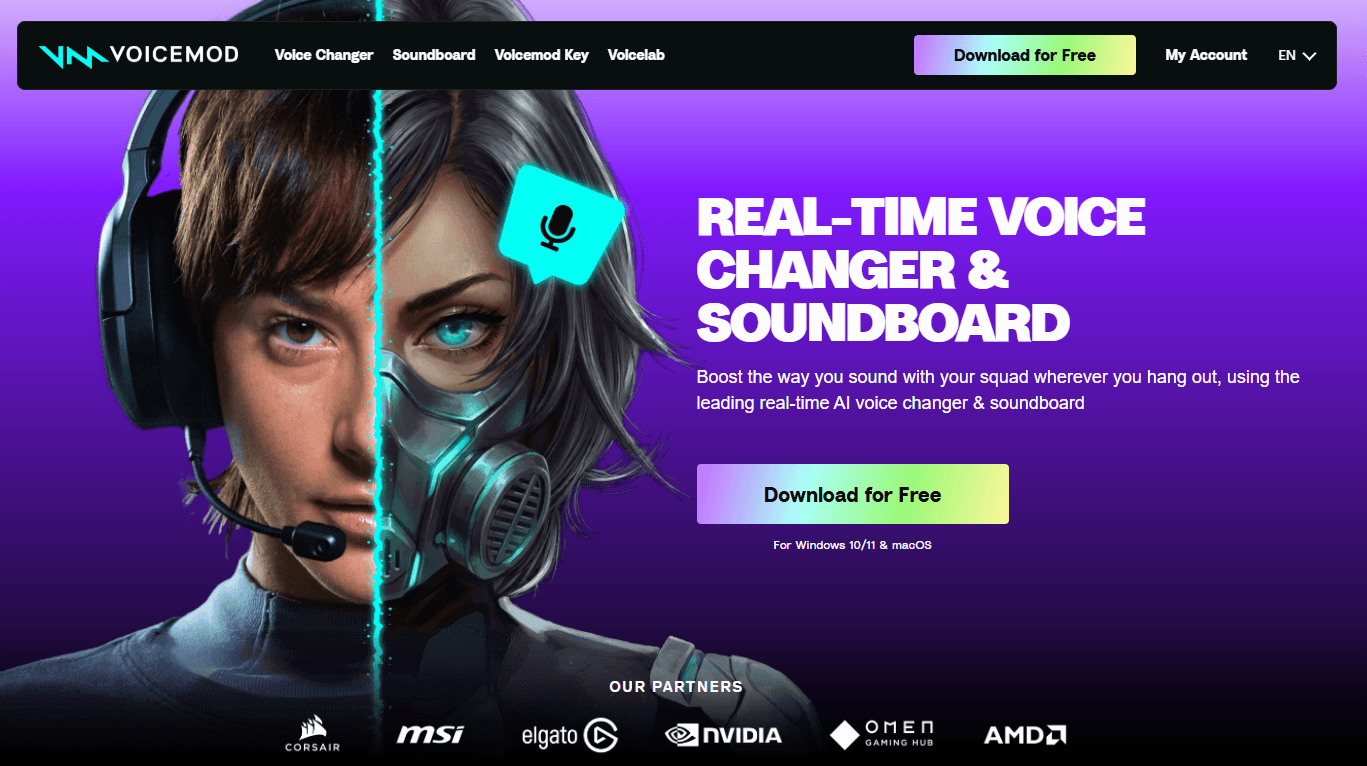
Voicemod is built around a simple idea: your microphone goes into Voicemod, Voicemod processes the sound, and the transformed output becomes the microphone input for Discord, OBS, Zoom, games, or other apps. That virtual microphone model is what makes the tool flexible. Instead of needing each app to support voice effects directly, you select Voicemod as the input device and let it handle the transformation. Voicemod’s own guide says users can pick voices, activate “Hear Myself,” and fine-tune pitch, tone, or filters inside the app.
The product has three main layers. The first is the voice changer, where users apply real-time voice effects. The second is the soundboard, where users trigger memes, reactions, effects, or custom clips during games and streams. The third is Voicelab, where users build custom voice effects by layering modules and tweaking the sound. Voicemod also has broader creator integrations, including OBS, Streamlabs, XSplit, Twitch Studio, Audacity, Gamecaster, and native Stream Deck support.
| Layer | What it does | Why it matters |
|---|---|---|
| Voice Changer | Changes your voice in real time. | Best for gaming, roleplay, streaming, calls, and character performance. |
| AI Voices | Applies AI-powered voice effects. | Useful when you want more dramatic or character-like transformations. |
| Soundboard | Plays triggered sounds, memes, and custom clips. | Strong for stream reactions, Discord moments, and live entertainment. |
| Voicelab | Lets users build custom voice effects. | Gives more control than simply choosing a preset. |
| Community Library | Offers shared voices and sounds from other users. | Makes it easier to find ready-made effects without building everything yourself. |
| Integrations | Connects with streaming tools, games, calls, and controllers. | Makes Voicemod practical for live workflows, not just casual testing. |
Voicemod is strongest in live situations. If you are recording a podcast that needs careful cleanup, it is not the first tool to reach for. If you are in a Discord call, streaming a game, running a roleplay session, playing Roblox or Valorant, or building a more interactive Twitch stream, Voicemod makes much more sense.
Its biggest strength is immediacy. You can switch voices, trigger sounds, and react in the moment. Voicemod’s Discord-focused page highlights custom keybinds, external controllers like Loupedeck and Stream Deck, smartphone control, background noises, and soundboard reactions as part of the live experience.
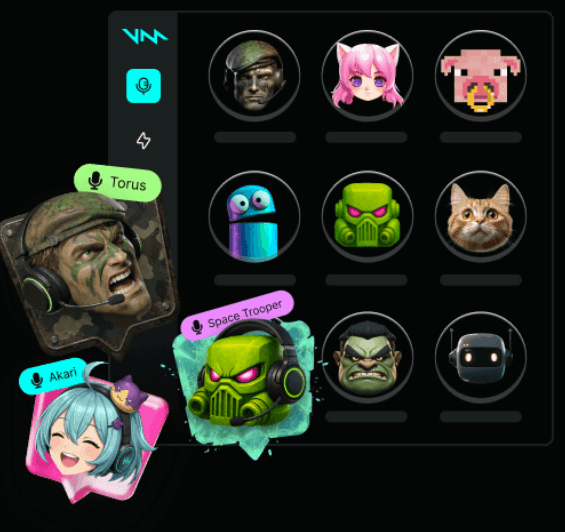
The second strength is compatibility. Voicemod’s homepage says it works not only in voice apps like Discord but also in in-game voice chats. Its creator page also says it is compatible with OBS, XSplit, Streamlabs, Audacity, Gamecaster, and other streaming software.
The third strength is customization. Voicelab 2.0 lets users build voice changers with effects, characters, devices, ambience, spaces, pitch changes, and other audio layers. Voicemod says users can add and tweak more than 140 voice effects, save creations, and share them with the community.
Applies live voice effects to your microphone so other apps hear the transformed version.
Adds more advanced voice transformations for character-style or entertainment-focused use.
Lets users organize and trigger sounds, reactions, memes, and custom clips during live sessions.
Lets users build custom voices by layering effects such as pitch, ambience, devices, characters, and spaces.
Works with OBS, Streamlabs, XSplit, Twitch Studio, Audacity, Gamecaster, and Stream Deck workflows.
Voicemod can be used with consoles through Voicemod Key or workarounds, although it is not natively installed as a standalone PlayStation app.
Voicemod’s normal workflow is straightforward. You select your real microphone inside Voicemod, choose your headphones as output, enable the voice changer, then choose Voicemod Virtual Microphone as the input in the app you want to use. The official OBS guide follows this same basic logic: set your main microphone and headphones in Voicemod, then select the Voicemod microphone in the streaming software.
For beginners, this is easy enough once the concept clicks. Voicemod is not replacing your microphone. It is sitting between your microphone and the app that receives your voice. That is why the setup works across so many platforms. Discord, OBS, Zoom, Google Meet, Teams, WhatsApp Web, and game voice chats do not need special AI voice support if they can accept Voicemod as the input device. Voicemod’s guide specifically says video-call users can select Voicemod Virtual Microphone as the input device in platforms like Zoom, Google Meet, Microsoft Teams, and WhatsApp Web.
The learning curve starts when users build more complex setups. Streamers may need to route different audio sources into OBS. Users with audio interfaces, Voicemeeter, dual-PC setups, or Stream Deck controls will need more careful configuration. The good news is that Voicemod has support material for common setups. The trade-off is that real-time audio tools are naturally more sensitive to device settings than normal apps.
Voicemod’s voice effects are strongest when used for character, comedy, roleplay, stream interaction, and casual transformation. They are not meant to be invisible studio correction. The best voices are the ones that fit the context: robots, monsters, radio filters, exaggerated characters, game-themed effects, or playful social voices.
The quality depends on three things. First is your microphone. A clear mic gives Voicemod a cleaner signal to process. Second is your input level. Voicemod’s troubleshooting guide recommends choosing your real microphone, adjusting the slider to avoid the red clipping area, selecting headphones as output, and enabling “Hear Myself” and “Voice Changer.” Third is the effect itself. Some voices are designed to sound natural enough for conversation. Others are intentionally extreme.
This is important because users sometimes judge voice changers by the wrong standard. Voicemod is not always trying to make you sound like a perfectly realistic different human. Its best use is performative: becoming a character, adding a filter, creating a gag, or making a live moment more entertaining.
The soundboard is one of Voicemod’s most useful features because it turns the app into more than a voice filter. It lets streamers, gamers, and Discord users trigger audio clips at the right moment. That could be a meme sound, a custom alert, a reaction, a roleplay effect, or a recurring channel sound.
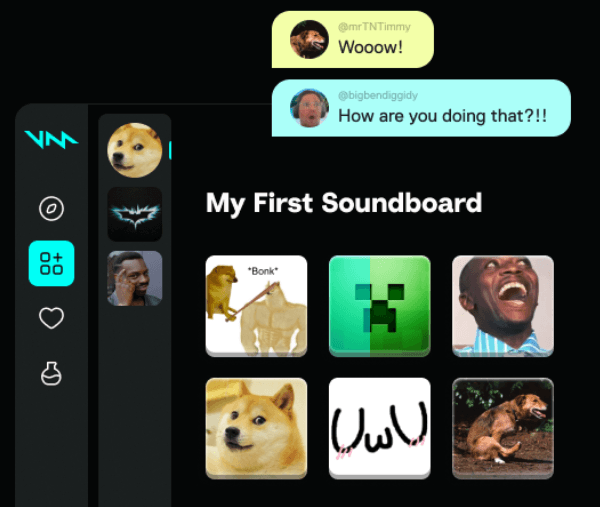
Voicemod’s guide says the soundboard lets users organize sounds into customizable profiles, with sounds ready for quick reactions during gaming, streaming, or chatting. The Soundboard is especially useful for creators because it creates repeatable moments. A streamer can build signature reactions. A tabletop RPG host can trigger ambience or monster sounds. A Discord group can build shared jokes into the call.
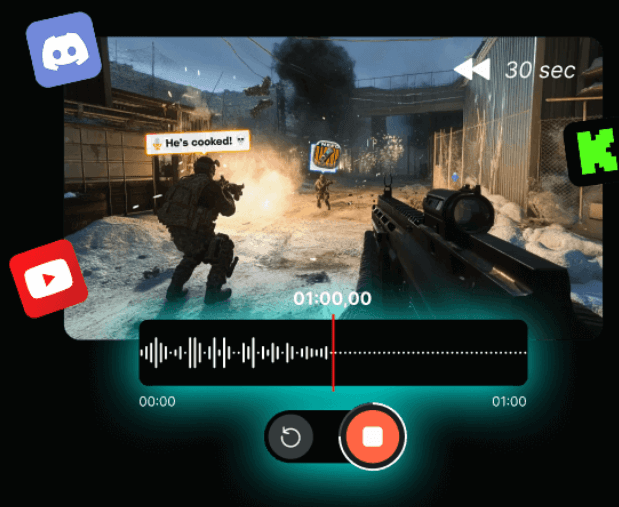
The real value is timing. A soundboard that is hidden behind too many clicks is not useful live. Voicemod handles this with keybinds, external controllers, and Stream Deck integration. Its Stream Deck page emphasizes one-press voice and sound control without tabbing out or breaking the moment.
Voicelab is where Voicemod becomes more than a preset library. It lets users create custom voices by combining effects and modifying the sound. Voicemod describes Voicelab 2.0 as a voice maker where users can pick a character, tweak pitch, shape tone, start from scratch, remix an existing voice, save the result, and share it with the community.
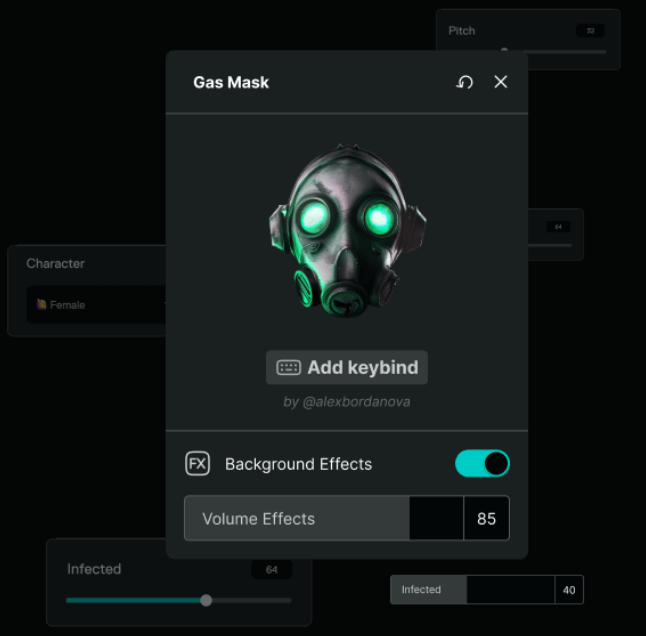
This matters because preset voices are fun, but they can get repetitive. Custom voice design lets creators build an identity. A streamer can have a recurring villain voice. A roleplayer can build a specific character sound. A VTuber can create a voice that matches their avatar. A gaming group can create team-specific sounds or personas.
Voicelab is still more accessible than a professional audio plugin chain. It is built around quick experimentation rather than technical audio engineering. That is the right design choice for most of Voicemod’s audience, but it also means advanced users may still prefer a DAW and dedicated plugins for precise studio control.
Voicemod’s strongest market fit is streaming and gaming. It works well with live chat culture because it adds personality without requiring post-production. The creator page says Voicemod is compatible with OBS, XSplit, Streamlabs, Audacity, Gamecaster, and other streaming software, and that it offers native Stream Deck integration.

For OBS and similar tools, setup is usually a matter of selecting Voicemod Virtual Microphone as the input. Voicemod’s official OBS support guide says users can select the Voicemod microphone in OBS properties, and for XSplit or Twitch Studio they only need to select Voicemod Virtual Microphone as the preferred input.
This makes Voicemod practical for a wide range of creators. Streamers can switch voices mid-scene. YouTubers can record bits with character voices. Gamers can use voice effects inside supported game chats. Educators or presenters can use it sparingly for humor or interactive segments, though that is more niche.
Voicemod is strongest on PC and Mac, but the console story is more nuanced. The general guide says Voicemod can be used on consoles with Voicemod Key and a smartphone, where the phone processes the voice and the hardware routes it into the console headset path.
The important caution is native compatibility. Voicemod’s PlayStation support page says Voicemod is not natively compatible with PS4 or PS5 as a standalone app and is designed to work on Windows systems, but it offers workarounds through PS Remote Play or the Voicemod Key device.
That makes console support useful, but not as frictionless as desktop use. On PC, Voicemod behaves like a virtual microphone. On console, the setup depends on hardware, cables, phone app behavior, headset compatibility, and the game or party chat system. It can be very useful, but it is not the same as installing a native console app.
- Streamers: Voicemod is a strong fit for Twitch, YouTube Live, and TikTok Live creators who want voices, reactions, and soundboard moments during streams.
- Gamers: It works well for Discord, in-game chat, roleplay servers, Roblox, Valorant, Minecraft, and social gaming sessions where voice personality adds to the experience.
- VTubers and character creators: Voicelab and AI voices are useful for matching a voice style to a digital avatar or recurring persona.
- Discord communities: Soundboards and voice effects can turn group calls into more playful, social spaces.
- Tabletop RPG and roleplay hosts: Voicemod can help hosts create monsters, radio effects, ambience, and character voices without editing audio later.
- Casual video calls: It can work in Zoom, Google Meet, Microsoft Teams, and WhatsApp Web when selected as the microphone input, though it is best used with restraint in professional settings.
- Start with clean microphone input. A better mic and proper gain staging will do more for voice quality than any single effect.
- Use “Hear Myself” while testing, but turn it off if it causes distraction or monitoring problems. Voicemod’s support materials also flag feedback and hearing-yourself-twice issues as common audio-routing problems.
- Avoid stacking too many effects at once unless you want a chaotic sound. Subtle pitch, ambience, and device effects often work better for live conversation than extreme filters.
- Set keybinds before going live. A soundboard or voice changer is much more useful when you can trigger it without leaving the game or stream.
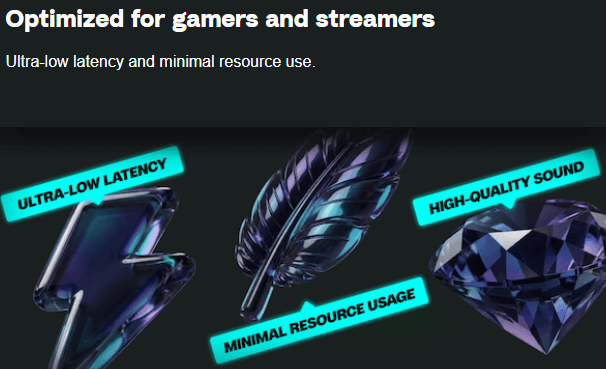
- Watch for delay. Voicemod’s support page says there will always be some delay because the app needs time to process your voice, though users can reduce it with settings changes like disabling audio enhancements and managing CPU load.
- Test every app separately. Discord, OBS, games, and video calls may all use different input settings, so check the microphone source before assuming Voicemod is active everywhere.
The biggest limitation is latency. Real-time processing always adds some delay. For casual gaming and streaming, that is usually manageable. For singing, tight musical performance, or highly competitive communication, even small latency can feel distracting. Voicemod’s own support page acknowledges that there will always be a delay because processing takes time.
The second limitation is setup sensitivity. Voicemod depends on the correct microphone, output device, virtual input, monitoring, and app settings. If one part is wrong, users may hear no audio, doubled audio, feedback, clipping, or unprocessed voice. This is not unique to Voicemod; it is a common issue with live audio routing.
The third limitation is realism. Some AI voices and effects can sound impressive, but Voicemod is still mostly an entertainment and creator tool. Users looking for broadcast-grade voice replacement, film dubbing, professional narration, or precise voice cloning may need more specialized production software.
The fourth limitation is console friction. Voicemod Key expands the use case, but console support is still more hardware-dependent than desktop use. The PlayStation support page specifically notes that Voicemod is not natively compatible with PS4 or PS5 as standalone software.
Voicemod is one of the most practical AI voice and soundboard tools for live online use. Its value is not just that it can make you sound like a robot, monster, character, or radio announcer. The value is that it brings voice effects, soundboard reactions, custom voice design, keybinds, and streaming integrations into a workflow that works while you are actually playing, talking, or broadcasting.
It is best for streamers, gamers, VTubers, roleplay communities, Discord groups, and creators who want live audio personality without building a complex production setup.
It is less ideal for users who need studio-grade voice replacement, zero-latency performance, or detailed post-production control. Used in the right context, Voicemod is not just a voice changer. It is a live performance layer for online audio.
TAGS: Voice/Audio Modulation
Related Tools:

Design and build visually stunning games

Transforming audio and video recordings into polished, shareable content

Allows developers to create and publish 2D and 3D games
Text-to-Speech and Voice Cloning

Enables users to create 2D games for various platforms
Enhances voice in real-time