
Share this tool:
 |
Description:
Saner AI is an AI productivity assistant built for people who struggle with scattered notes, unfinished tasks, email overload, and constant context switching. Its public positioning is especially ADHD-friendly, but the broader use case is clear: give knowledge workers one place to capture information, search it naturally, organize it with AI, and turn it into reminders or next steps.
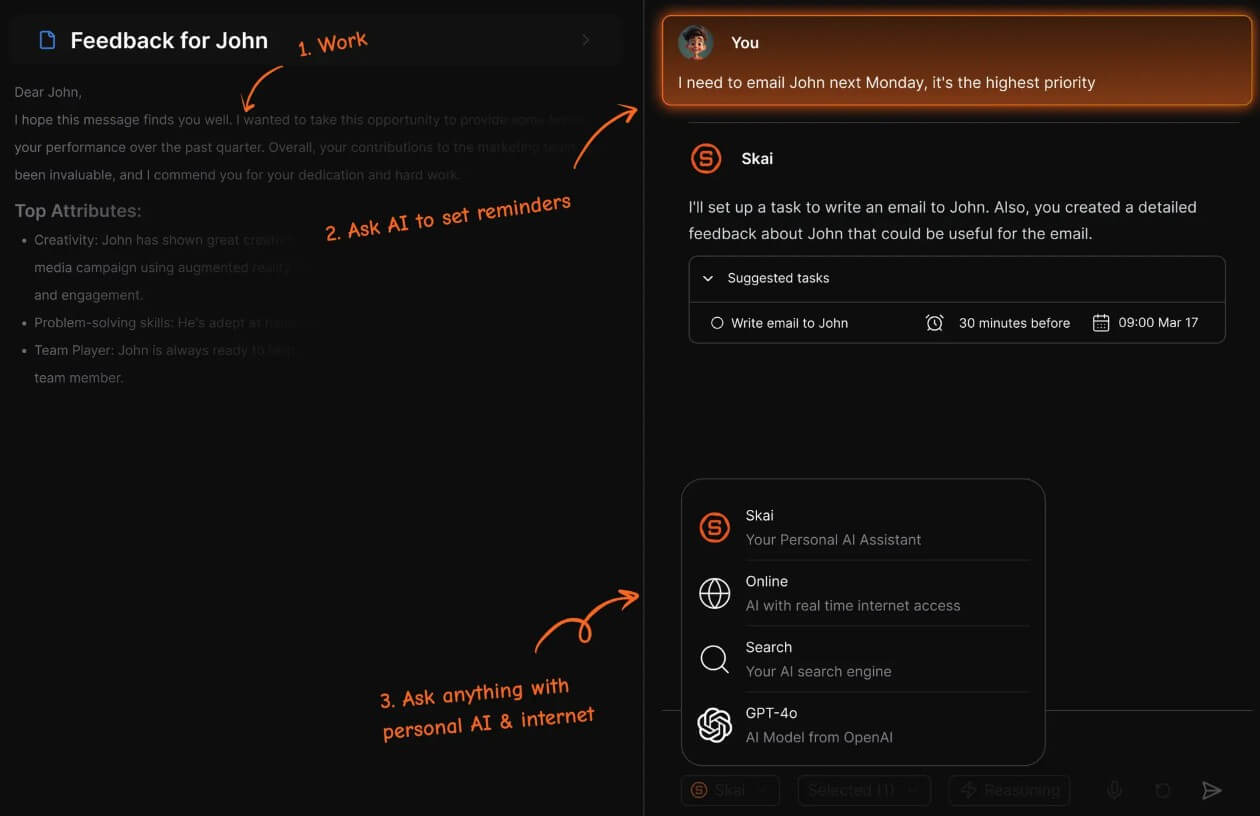
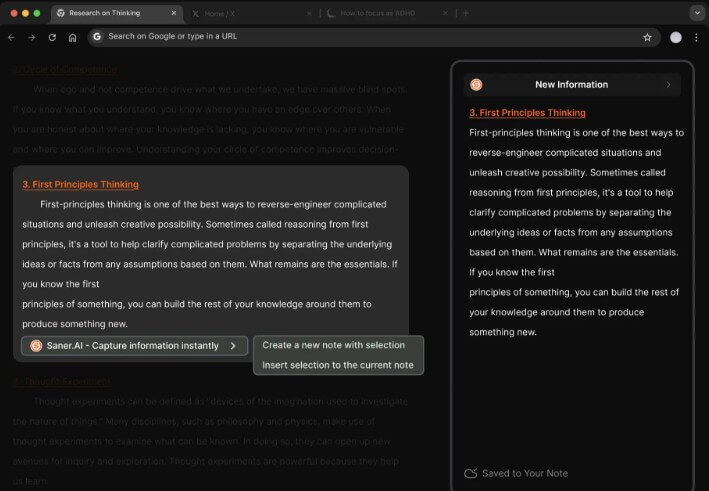
Saner AI is not just a note-taking app with a chatbot added on top. It is closer to a personal productivity layer that combines notes, task management, email, calendar, connected sources, and an assistant called Skai. The official App Store listing says Saner AI centralizes information and tasks from sources such as email, Drive, and Slack, making them searchable in one place.
That matters because the product is not trying to compete only with Notion, Todoist, or Apple Notes. It is trying to solve the mess between those tools: the email you meant to follow up on, the idea you wrote in a note, the task buried inside a document, and the calendar event you forgot to plan around.
The core promise is lower cognitive load. You capture information, and Saner AI helps organize, recall, connect, and act on it.
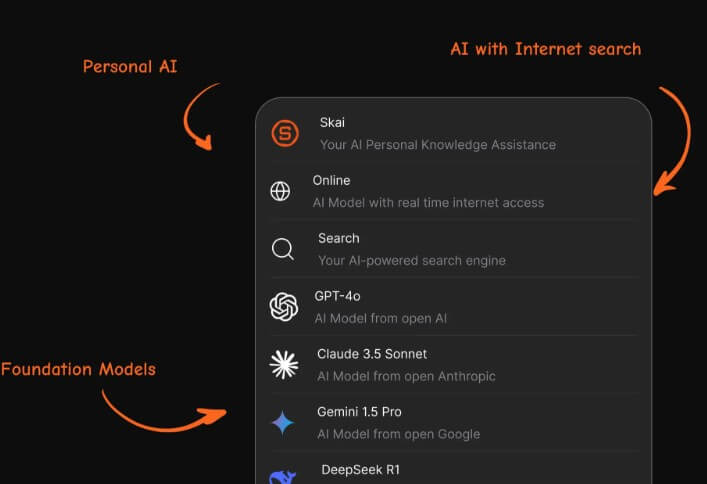
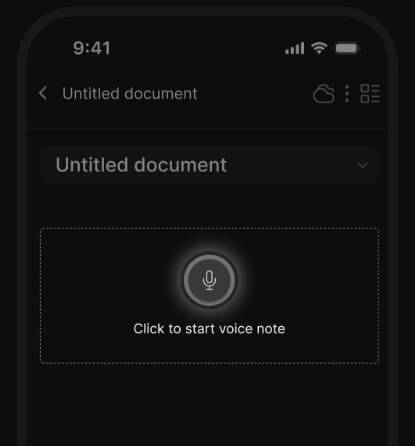
Saner AI is strongest for people who already have information spread across too many places. If your workday includes notes, emails, meeting reminders, browser research, loose tasks, and calendar commitments, the tool makes more sense than a plain note app.
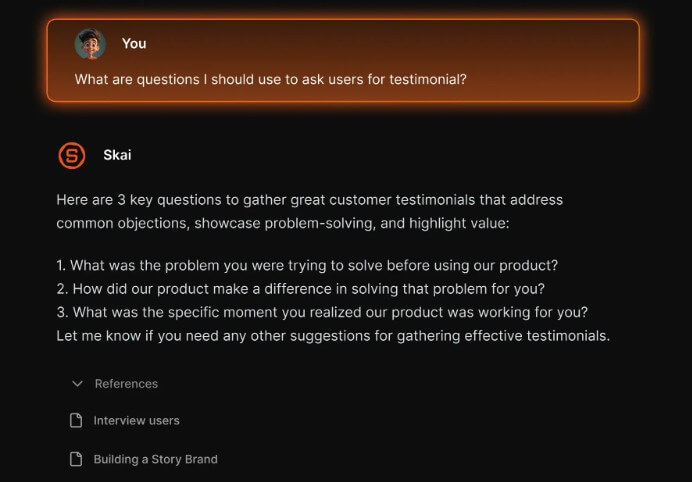
Its strongest fit is not minimalist writing. It is personal knowledge and task recovery. You ask Skai about something you captured earlier, and it can recall or synthesize relevant notes. You add a rough task, and the system can help break it into smaller steps or remind you later. The App Store listing describes Skai as a personal knowledge assistant that helps users recall notes, synthesize them, and get direct answers.
That makes Saner AI useful for founders, students, managers, consultants, ADHD users, researchers, creators, and busy professionals who often know they saved something but cannot remember where.
| Feature | What it does in practice |
|---|---|
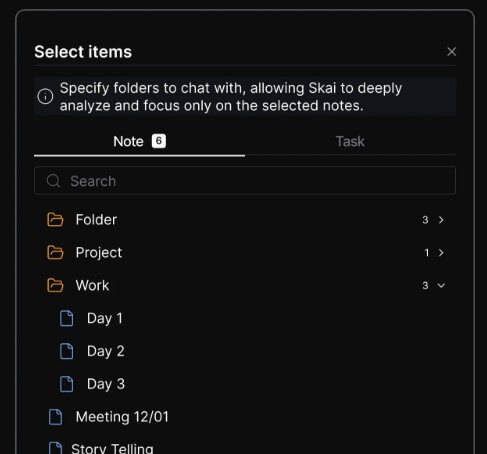
| Skai Assistant | Helps recall notes, synthesize information, and answer questions from your workspace. |
| Unified Capture | Lets users collect notes, tasks, emails, and connected information in one place. |
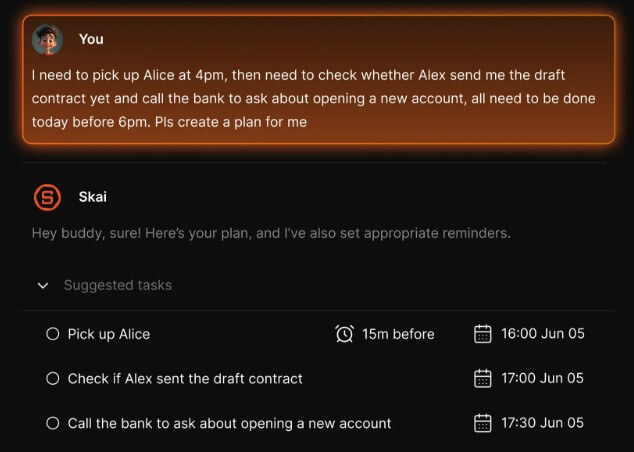
| Task Assistant | Pulls or creates tasks, breaks them into steps, and supports reminders. |
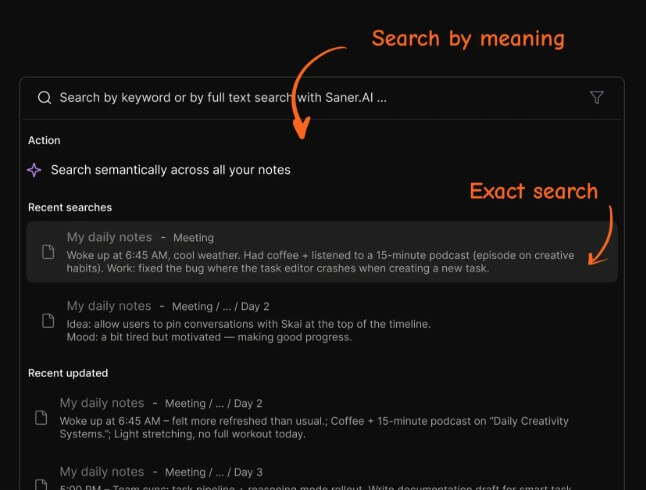
| Semantic Search | Helps users find information without needing exact keywords. |
| Email and Calendar Context | Connects work commitments with notes and tasks for better planning. |
| Proactive Planning | Can generate a daily plan from tasks, notes, calendar events, and emails. |
Saner’s changelog also shows steady movement toward more proactive assistance. Updates listed in late 2025 added Skai Proactive, task duration, subtasks, auto-tagging, auto-foldering, advanced search, Outlook calendar and mail syncing, and smarter capture.
The workflow is built around quick capture first. That is the right design choice for this category. If a productivity tool asks the user to maintain a perfect system before it becomes useful, many users will abandon it. Saner AI’s pitch is different: write things down naturally, then let Skai organize and connect them over time.
This is especially helpful for messy inputs. A thought, a task, a note, an email follow-up, or a meeting detail may not arrive in the right format. Saner AI is trying to turn that raw material into something usable.
The task workflow is also more practical than a simple checklist. The mobile listings say tasks can be pulled from emails or docs, created manually, checked in on, broken into manageable steps, and paired with reminders.
The best way to use Saner AI is to treat it as a daily command center, not just a storage app. Capture everything quickly, then use Skai to find what matters, sort your next actions, and prepare for the day.
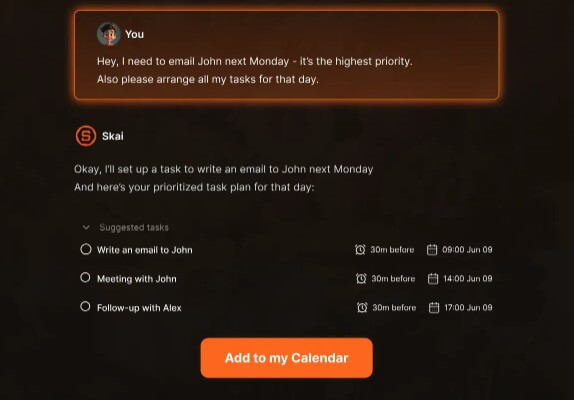
Saner AI’s more interesting direction is proactive planning. Many AI productivity tools still wait for the user to ask a question. Saner’s changelog describes Skai Proactive as a feature that can scan calendar events, overdue tasks, and recent notes to generate a morning summary of what needs attention.
That is a meaningful shift. A passive note app helps only when you remember to search. A proactive assistant can surface what you may have forgotten. For users who struggle with working memory, task switching, or too many open loops, that difference matters.
The key caveat is trust. A proactive assistant is only useful if its suggestions are accurate, timely, and not annoying. Users will need to tune their workflow and review whether the daily plan reflects real priorities.
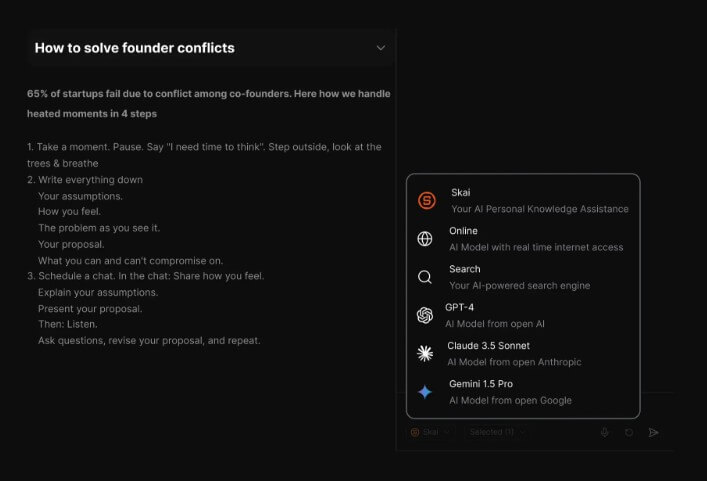
Saner AI’s value rises when it connects to the tools where work already happens. Public app listings and product pages mention email, Drive, Slack, notes, tasks, and calendars as part of the connected workspace idea.
Outlook support is also notable. The Saner changelog says Outlook Calendar and Mail Connector became generally available, syncing Outlook events and emails into Saner AI so they can appear as notes and be queried by Skai.
This matters for professionals who live in Microsoft or Google ecosystems. A personal assistant is much weaker if it cannot see the real sources of work.
Saner AI is a strong fit for daily planning, meeting follow-up, project notes, personal knowledge management, inbox triage, research capture, reminder recovery, and turning messy thoughts into structured tasks.
It is especially useful for people who do not want to build a complex productivity system manually. Notion can be powerful, but it often requires designing databases and workflows. Obsidian can be excellent, but it rewards users who enjoy manual linking and structure. Saner AI is more appealing to users who want the assistant to do more of the organizing.
It is less ideal for teams that need formal project management, complex permissions, reporting dashboards, or strict enterprise workflow controls.
The first limitation is that Saner AI needs access to sensitive personal work data to be useful. Notes, emails, calendars, and tasks can include private information. Users should review permissions carefully before connecting major accounts.
The second trade-off is dependence on AI organization. Automatic tagging, summarizing, and task suggestions can save time, but they can also misread context. Important work should still be reviewed by the user.
The third limitation is maturity. Saner AI is growing quickly, with frequent updates across mobile, search, tasks, Outlook, and proactive planning. That is promising, but fast-moving productivity tools can also feel uneven while features mature.
Saner AI is best for people who feel buried under notes, tasks, emails, and reminders, especially users who want an ADHD-friendly assistant that reduces context switching. Its strongest value is the combination of quick capture, Skai, semantic search, task support, connected sources, and proactive planning. The main caveat is that the tool works best when you are comfortable giving it access to your personal productivity data and reviewing its suggestions before relying on them.
TAGS: Productivity
Related Tools:

AI-enhaanced calendar for scheduling
Enhances efficiency in Excel and Google Sheets
Simplifies creation of visual content for marketing
Enhances browsing and online tasks

Captures meetings, manages tasks, and organizes documents

Helps to optimize resume and cover letters