

Share this tool:
 |
Description:
GPT for Sheets is an AI add-on that brings spreadsheet automation directly into Google Sheets. Instead of moving data into a separate chatbot, you can ask it to fix formulas, clean columns, translate text, enrich records, summarize ranges, generate content, build charts, or process rows in bulk from inside the spreadsheet. Its real value is not novelty. It is the way it turns Google Sheets into a practical AI workspace for repetitive, language-heavy, and formula-heavy work.
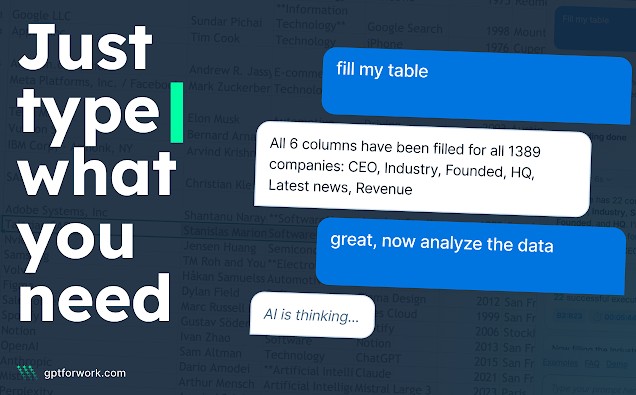
GPT for Sheets has three main working layers: the Agent, bulk tools, and GPT functions. The Agent is the plain-language chat interface for spreadsheet work. You describe what you need, and it can read the current sheet, plan the steps, and execute directly in the spreadsheet. Official docs describe it as able to handle everyday spreadsheet tasks and row-by-row bulk processing across larger datasets.
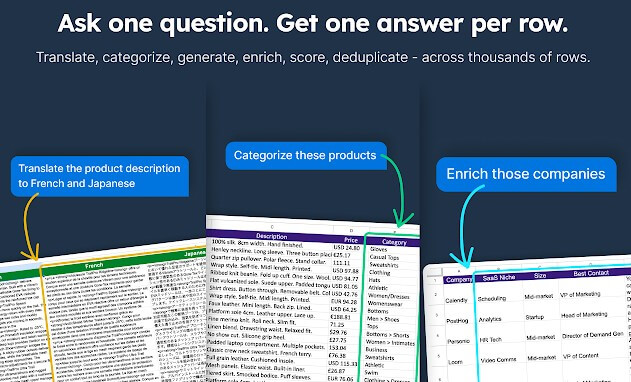
Bulk tools are for column-based production work. They let you run prompts on specific spreadsheet columns without writing formulas, which makes them useful for tasks like classification, extraction, rewriting, translation, and content generation. GPT functions are more advanced: they behave like spreadsheet functions, so you can prompt AI from inside cells and combine those outputs with normal formulas.
| Layer | Best for | Practical value |
|---|---|---|
| Agent | General spreadsheet automation | Easiest way to ask for formulas, cleanup, charts, and summaries |
| Bulk tools | Row-by-row AI processing | Best for high-volume tagging, rewriting, translation, and enrichment |
| GPT functions | Repeatable cell-based workflows | Useful when AI output needs to behave like a spreadsheet formula |
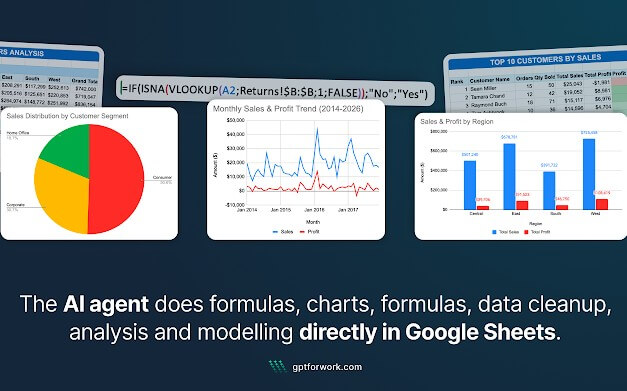
The Agent can create or fix formulas, add or reorganize rows and columns, style cells, summarize ranges, create charts, build pivot tables, and process data in bulk.
Bulk tools are designed for running prompts across selected columns, which is the core feature for teams handling product catalogs, CRM exports, support tickets, SEO tasks, or research tables.
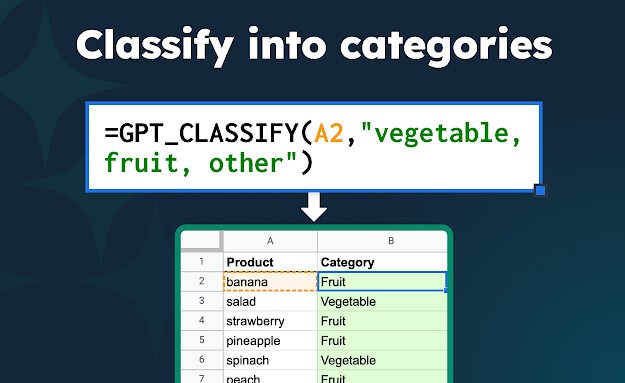
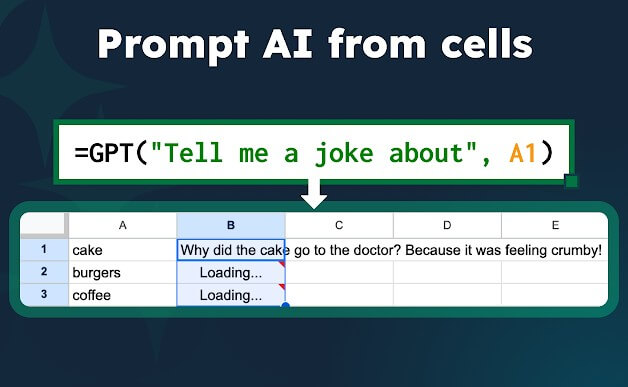
GPT functions let users bring AI into cells, combine AI with regular spreadsheet functions, and use dedicated functions for tasks such as translation, classification, and web search.
GPT for Sheets supports models from providers including OpenAI, Anthropic, Gemini, Perplexity, xAI, DeepSeek, and Mistral, giving teams more flexibility than single-provider AI tools.
The Marketplace listing says the app passed an independent security assessment, and Talarian’s security FAQ says the company is ISO 27001 certified and GDPR compliant.
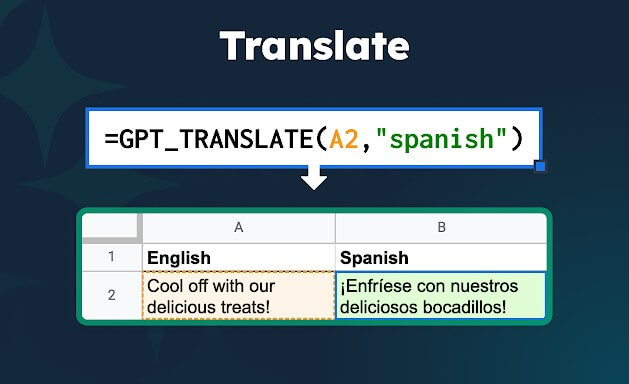
GPT for Sheets is strongest when the work is structured but still needs language judgment. A normal spreadsheet formula is better for exact math. GPT for Sheets is better for fuzzy work: cleaning inconsistent names, classifying customer feedback, generating product copy, summarizing long text, translating rows, enriching company lists, or turning messy exports into usable tables.
The tool is also a good fit when users know the outcome they want but do not know the exact spreadsheet formula. That matters for non-technical teams. Asking “calculate employee seniority from the start date and fill the formula down” is easier than searching through formula examples, adapting one, and debugging it manually.
The basic workflow is clean. Install the add-on, open a spreadsheet, launch GPT for Sheets from the Extensions menu, and work from the sidebar. The Agent is the best starting point because it handles plain-language requests and can decide the steps for you. The official docs also recommend starting with the Agent as the easiest option, while bulk tools are described as moderate and GPT functions as more advanced.
The learning curve appears when the dataset gets larger or the task gets more sensitive. For simple tasks, you can describe what you want and review the output. For larger jobs, you need cleaner headers, clearer categories, and better instructions. Bulk tools are more efficient than the Agent when you need one result per row, but they require more setup. GPT functions give the most spreadsheet-native control, but they also demand more comfort with formulas.
That split is useful. Beginners can start with the Agent. Spreadsheet-heavy users can move into bulk tools. Advanced users can build repeatable GPT-function workflows directly inside cells.
GPT for Sheets is useful for SEO teams generating titles, descriptions, content briefs, and keyword-based variations across many rows. Ecommerce teams can use it for product descriptions, attribute cleanup, category tagging, localization, and catalog normalization. Sales and RevOps teams can use it to clean CRM exports, score leads, standardize company names, or enrich account lists. Support and research teams can classify tickets, tag survey responses, summarize feedback, and extract themes from unstructured text.
It also works well for spreadsheet users who need quick formula help. The Agent can create, fix, and explain formulas using natural language, which makes it useful for users who are competent in Sheets but do not want to spend time troubleshooting syntax.
GPT for Sheets still needs review. AI-generated formulas can be wrong, and bulk outputs can vary if the prompt or categories are vague. The tool can speed up classification and enrichment, but it does not remove the need for quality checks.
There are also workflow boundaries. The Agent cannot yet scrape specific URLs directly, take documents as input, or take images as input; the docs point users to separate bulk tools for some of those needs.
The other limitation is data discipline. GPT for Sheets works best when the spreadsheet has clear headers, consistent columns, and enough context. Messy sheets can still be improved by the tool, but unclear inputs raise the chance of uneven results.
GPT for Sheets is a strong fit for people who already work heavily in Google Sheets and want AI to handle repetitive spreadsheet tasks without leaving the file. Its best strengths are the Agent, bulk processing, GPT functions, model flexibility, and practical row-by-row automation.
It is best for SEO, ecommerce, sales ops, research, support, and data cleanup workflows. The main caveat is that it should be treated as an assistant, not an autopilot. It can save a lot of time, but the best results still come from clean data, clear instructions, and careful review.
TAGS: Productivity
Related Tools:

Syncs multiple calendars and automates scheduling

Offers features like advanced content generation

Helps teams plan, organize, and automate projects

AI-powered research assistant

Extracts data from PDF documents

Analayzes key information from documents