

Share this tool:
 |
Description:
HyperWrite sits in an interesting middle ground between a standard AI chatbot and a true writing workflow tool. The current product is not just “ask AI to write something.” It combines a browser extension, inline autocomplete, a document editor, citation-backed research, custom personas, and a very large library of specialized writing tools. That broader shape is what makes it more useful than a plain text box for some users, and also what makes it more uneven than the cleanest modern AI assistants.
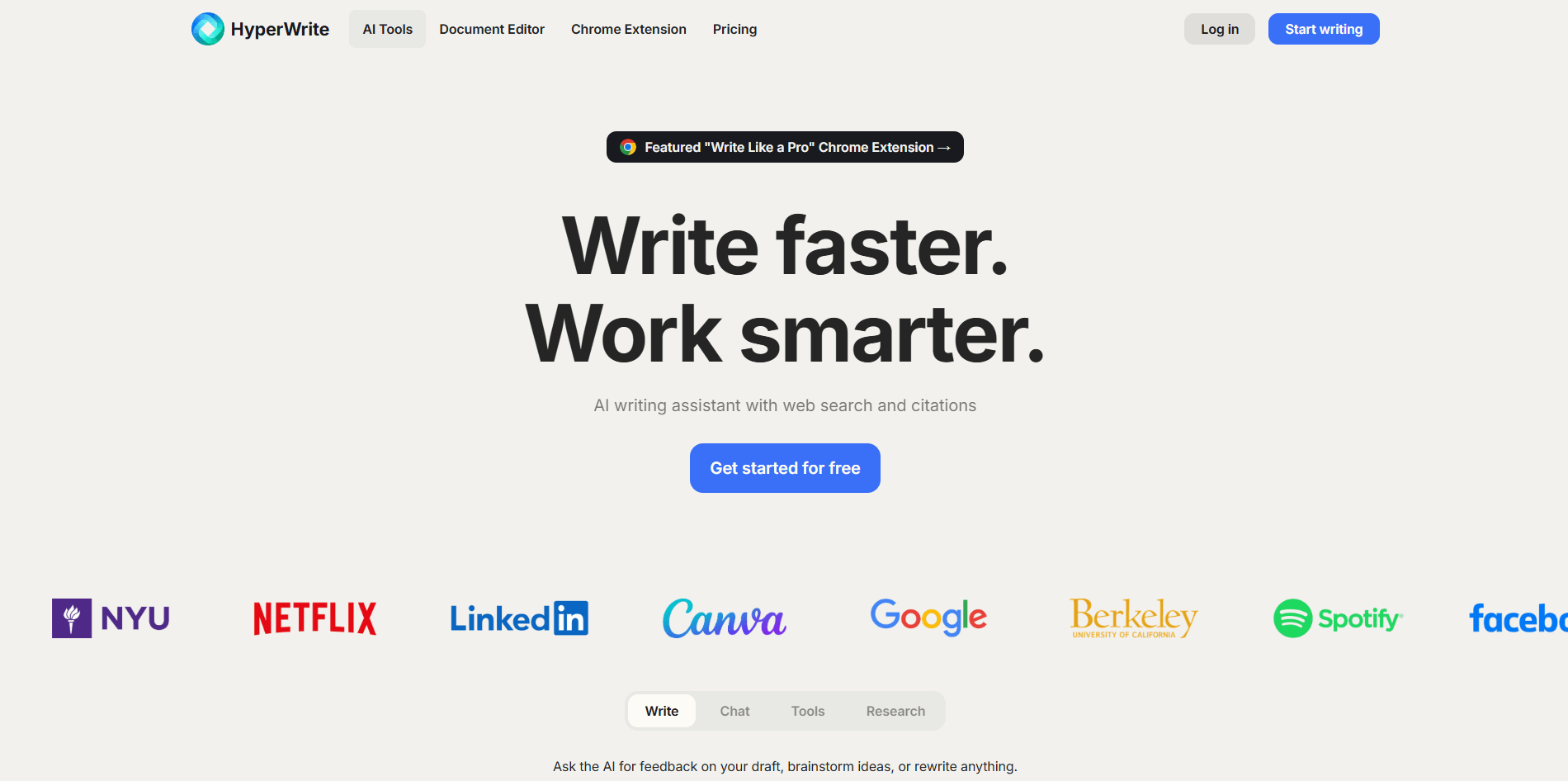
HyperWrite’s signature inline feature suggests sentence completions as you write, especially through the Chrome extension.
Premium and up add citations and real-time info, while Scholar AI and ScholarAI Research Copilot search scholarly sources for research-heavy workflows.
The editor combines assistant chat, rewrite tools, TypeAhead, and a familiar long-form document workflow.
Paid plans let you define personas so the AI can better match your voice and behavior across tasks.
HyperWrite publicly positions itself around hundreds of AI tools for writing, research, rewriting, citations, study help, and more.
The Chrome extension brings TypeAhead and the AI Writing Assistant directly into sites where you already work online.
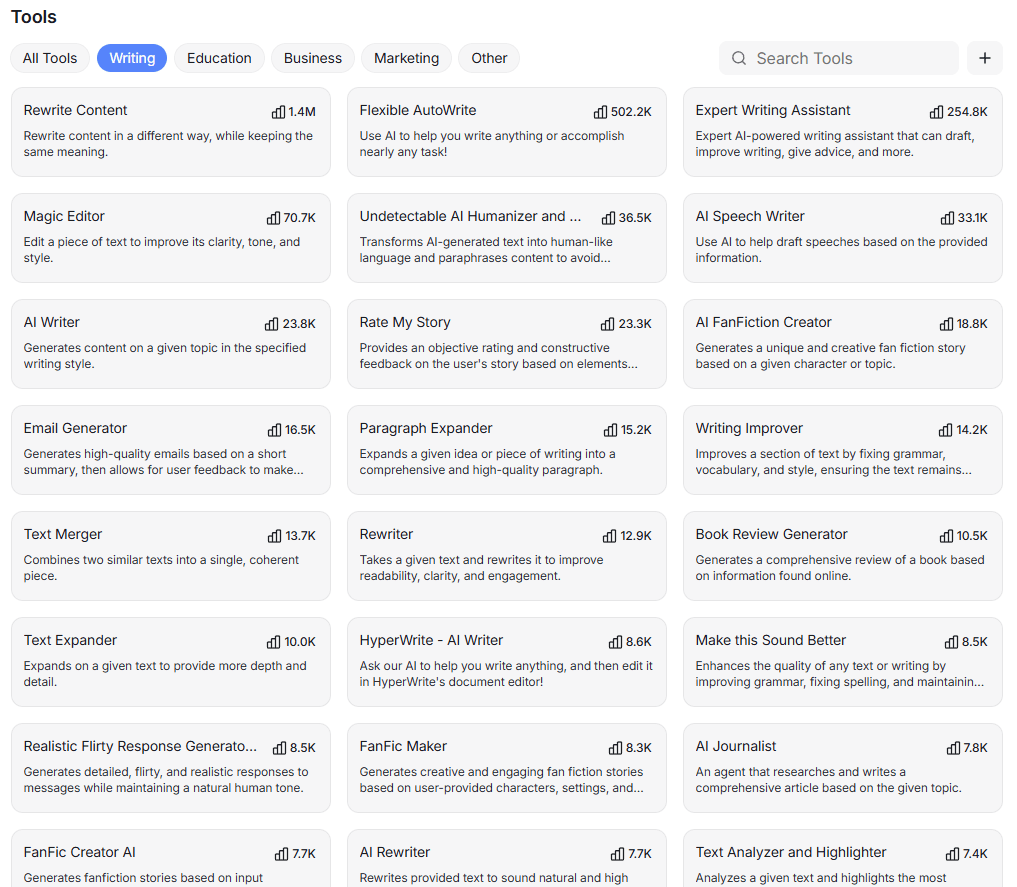
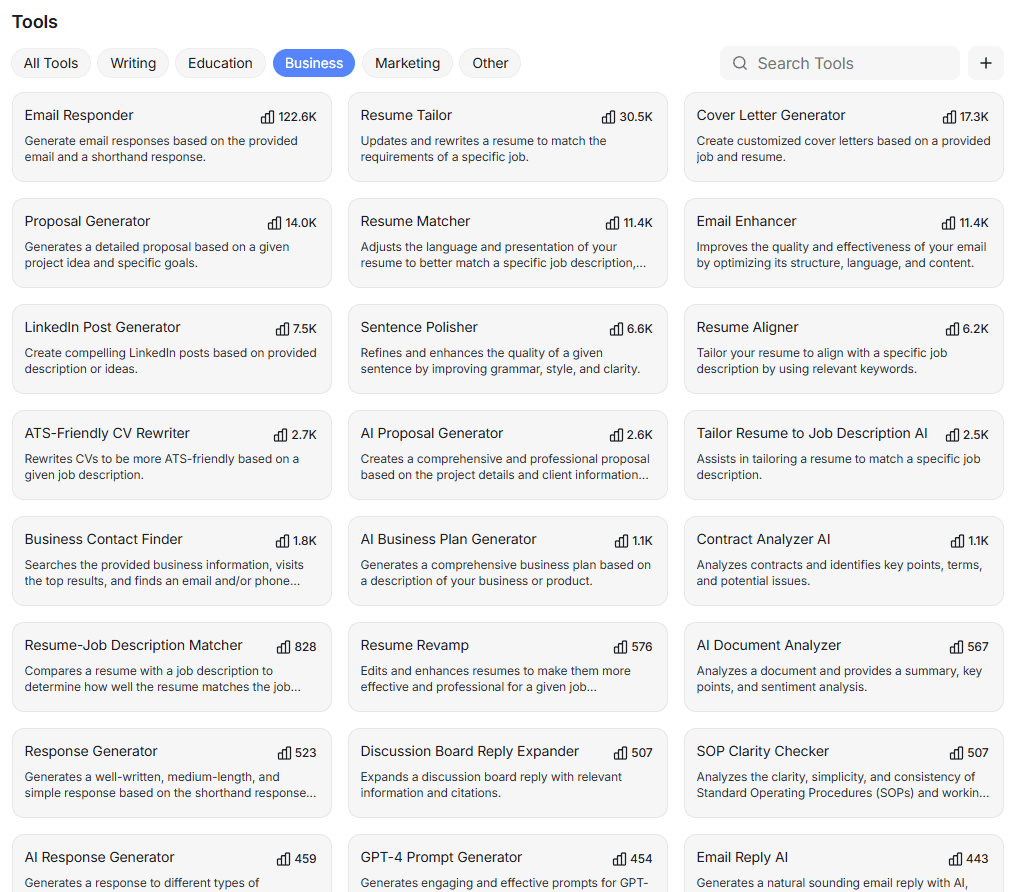
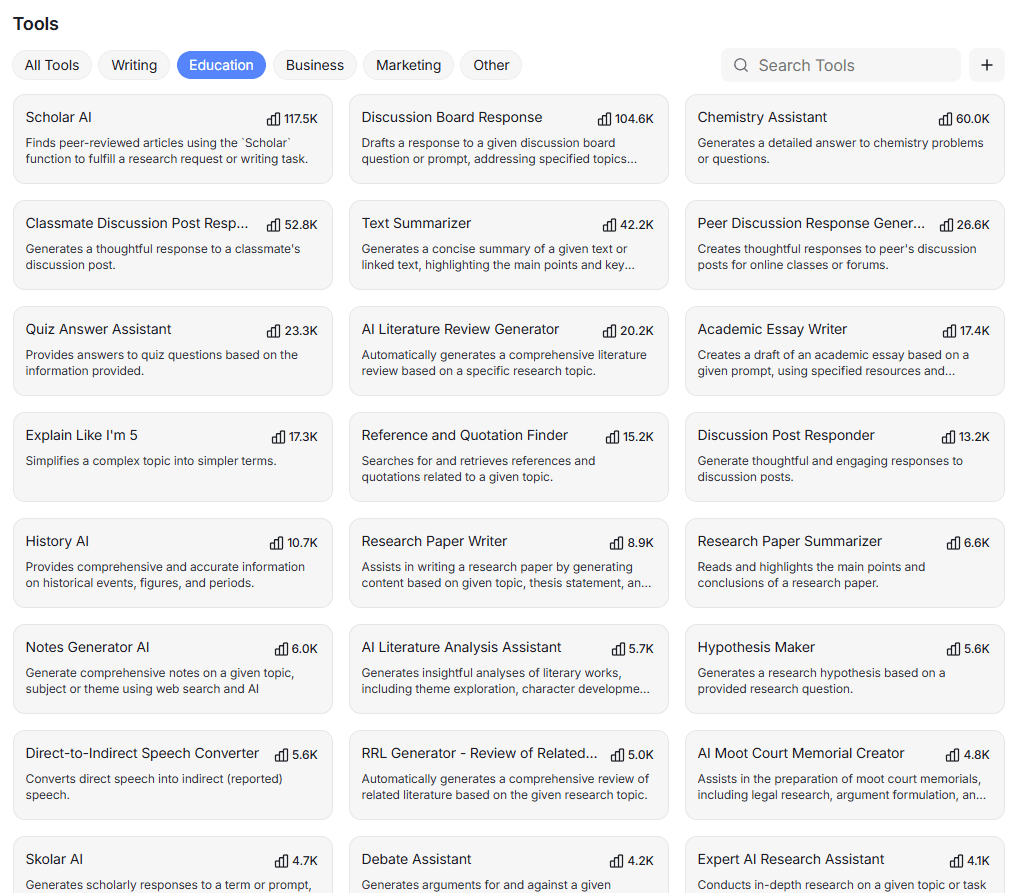
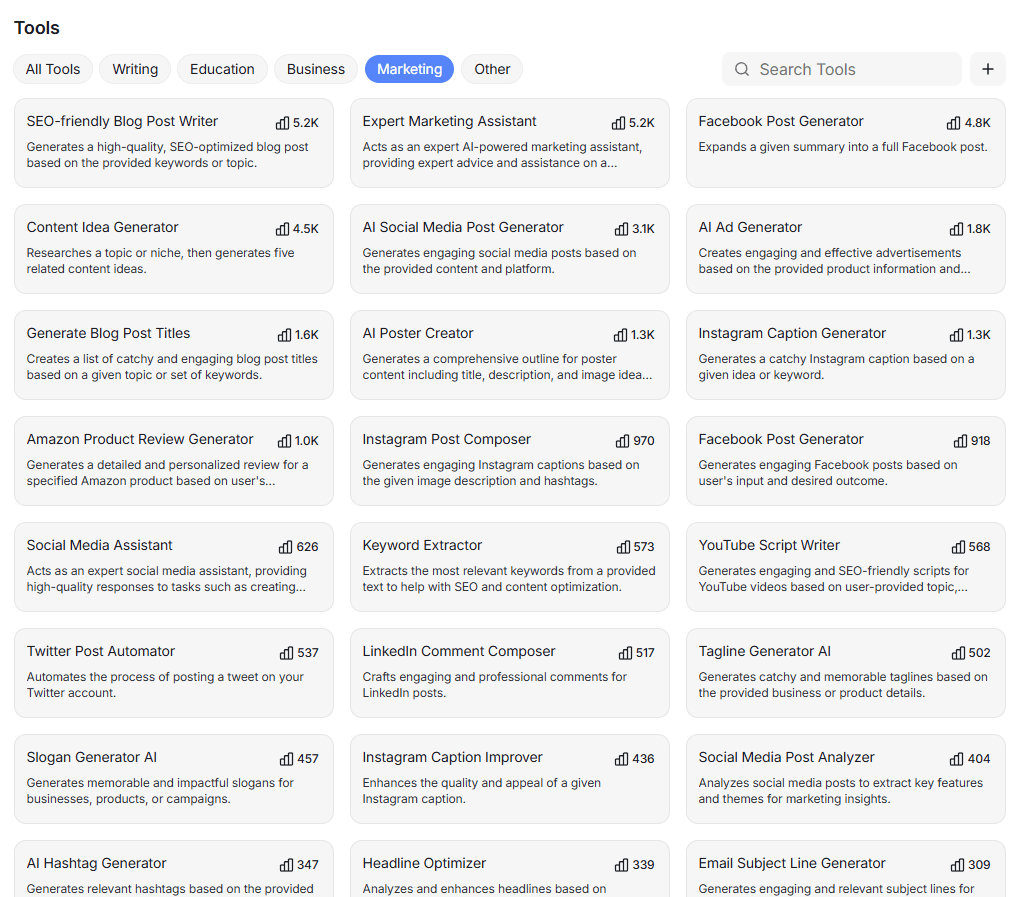
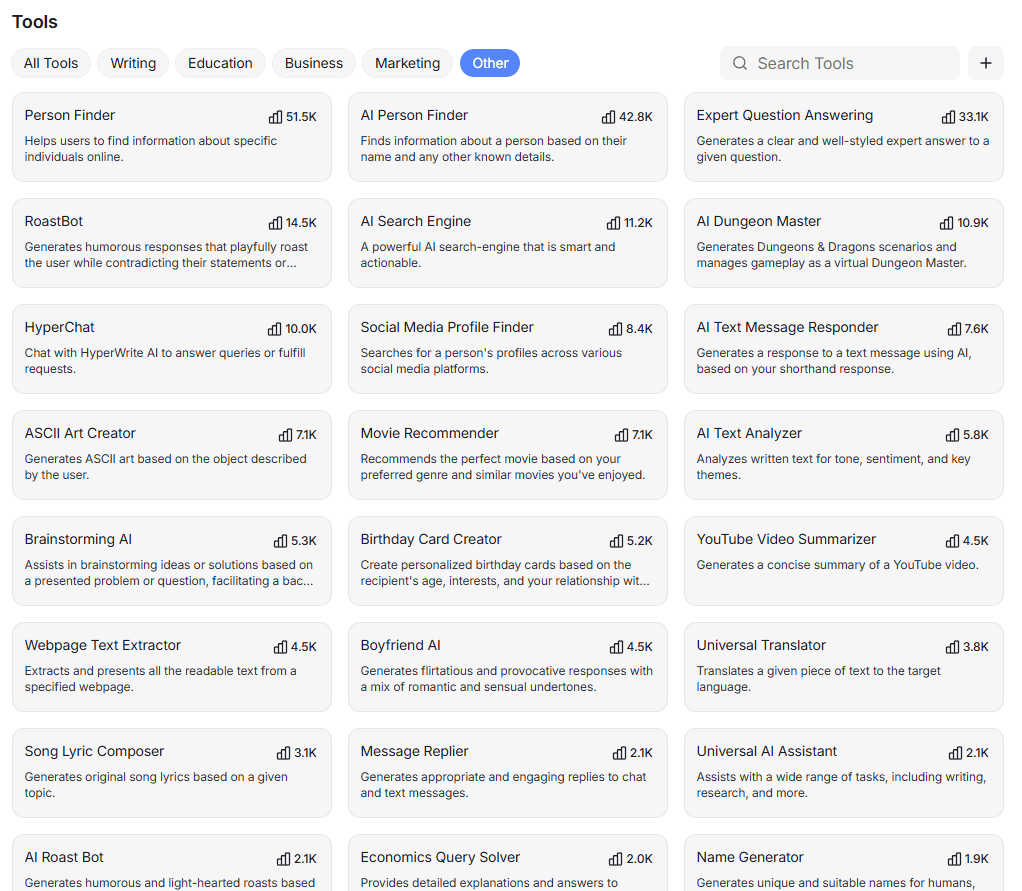
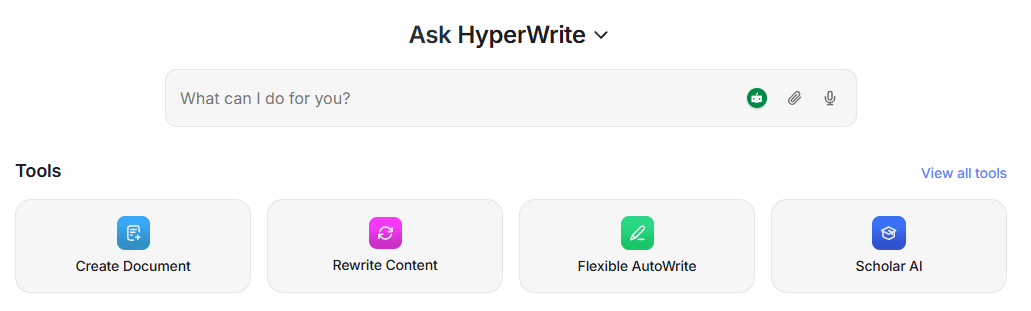
The easiest way to understand HyperWrite is to split it into four layers. First, it is a writing assistant with general drafting tools like AutoWrite, AI Writer, and HyperChat. Second, it is an inline writing product built around TypeAhead in the browser. Third, it is a research assistant through Scholar AI, ScholarAI Research Copilot, and citation-backed answers. Fourth, it is a library of specialized mini-tools for everything from essays and literature reviews to citation generation, email replies, and code snippets.
That layered structure is the main reason HyperWrite still stands out in a crowded AI-writing category. A lot of competitors are really just chat surfaces with templates. HyperWrite is trying to be a writing companion that follows you into Gmail, documents, and browser workflows, then adds research and tool-specific generation on top. That makes it feel more operational than a typical “AI writer” landing page suggests.
The product is also broader than its name implies. HyperWrite is obviously built for writing, but the current public tool library stretches into study help, academic sourcing, literature reviews, business writing, social copy, code generation, resume help, SEO-ish keyword tools, and many narrow utility generators. That breadth is useful if you like having many ready-made starting points. It is less useful if you prefer one polished assistant that handles everything in a single coherent interface.
HyperWrite is strongest in the moment-to-moment mechanics of writing. TypeAhead is still one of the clearest reasons to use it because it changes the workflow from “stop and ask AI for a chunk” to “keep writing and accept suggestions as needed.” The Chrome extension page says the extension’s two primary features are TypeAhead and the AI Writing Assistant, and that pairing gets at the product’s real value: it helps both when you know what you want to say and when you are stuck.
The second major strength is research-backed drafting. HyperWrite’s pricing page explicitly sells citations plus real-time info, and its Scholar tools are built around peer-reviewed or academic-source discovery rather than generic web chatter. Scholar AI says it searches millions of scholarly sources and summarizes findings, while Research Copilot combines academic and web search to answer research questions and surface reputable sources. That makes HyperWrite more useful than a plain AI writer for students, analysts, and anyone doing source-heavy work.
The third strength is voice adaptation. HyperWrite repeatedly emphasizes that it is trying to write in your personal style, not just generate polished but generic text. Paid plans include custom personas, and the AI Writer page says the system personalizes to your writing style over time when you use the Chrome extension. In practice, that means HyperWrite’s best version is not the one you use once. It is the one you use repeatedly in the same environments until the output starts sounding closer to you.
For basic use, HyperWrite is fairly approachable. You can open one of the many prebuilt tools, enter a topic or task, and generate output. The AI Writer, AI Document Creator, and research tools all follow that pattern. This is helpful for users who prefer structured inputs over open-ended prompting, especially for repetitive tasks like blog sections, summaries, essays, replies, or study materials.
The more important workflow is the extension-based one. HyperWrite becomes more convincing when it is sitting inside the places where you already write. The Chrome extension is built around TypeAhead plus a browser-based AI assistant, so it can help in email, forms, and other sites without forcing constant tab-switching. That workflow is a better fit for daily writing than opening a separate chatbot window every time you need a paragraph or rewrite.
Then there is the document workflow. The AI Document Editor is one of the more practical surfaces in the current product because it combines assistant chat, TypeAhead, rewriting, and a familiar long-form environment. HyperWrite describes it as a document editor with AI insights, smart editing tools, and real-time collaboration. That is a more useful setup for drafting and revision than relying only on one-shot tool pages.
The catch is that the overall product can feel fragmented. HyperWrite has a homepage, extension, document editor, HyperChat, Scholar tools, and hundreds of narrowly named tool pages. That gives users lots of entry points, but it also makes the product feel more like an ecosystem of helpers than one unified workspace. Some users will like that modularity. Others will find it messier than a cleaner assistant-first product.
HyperWrite’s output quality looks best when you treat it as a drafting and refinement system rather than as a final-answer machine. The official pricing FAQ says it can research and write on almost any topic and provide up-to-date sources, but it also explicitly recommends that users fact-check and edit before publishing or sharing. That is the right expectation. HyperWrite can clearly save time, but it is still an AI writing tool, not a substitute for judgment.
Where the product becomes more interesting is control. HyperWrite does not only give you a generic AI response. It offers personas, a rewrite layer, structured tools, inline suggestions, and research-specific tools that change what kind of help you are getting. That is a more mature control system than “one model, one box.” It is especially useful for people who need different writing modes across academic work, professional emails, and marketing content.
The downside is that the public model story is vague. Individual tool pages still mention “advanced AI models,” “GPT-4,” and “ChatGPT,” but HyperWrite does not publicly present a clean model lineup the way some newer AI platforms do. That matters because buyers increasingly want to know what model quality level they are paying for, which features use live research, and which tools are really just wrappers around older behavior. On that front, HyperWrite’s public product story is functional, not especially transparent.
There is also some naming clutter in the research layer. The site currently exposes Scholar AI, ScholarAI Research Copilot, Scholar AI RRL, literature-review tools, and a separate Skolar AI page. That does not make the tools bad, but it does make the research suite feel more SEO-expanded than elegantly organized. For users trying to understand which research tool they should actually use first, the public naming is not as clean as it could be.
HyperWrite is a strong fit for students, researchers, knowledge workers, founders, marketers, and anyone who writes often enough to benefit from inline help rather than occasional AI bursts. Its own research pages repeatedly position Scholar tools for students, researchers, academics, and content creators, and the broader tool library covers practical business writing, summaries, emails, essays, and reports.
It is especially good for people who do three things at once: draft, research, and revise. HyperWrite’s combination of TypeAhead, citation-backed research, and rewrite tools is built for that exact loop. That makes it more compelling for academic and professional writing than for pure creative writing, even though it can handle creative tasks too.
It is a weaker fit for users who want one simple assistant with minimal surface area, strong model transparency, or a tightly integrated team workspace. HyperWrite does have collaboration language in the document editor, but the public product still reads much more like a powerful individual productivity system than a deeply structured team platform.
- Use HyperWrite in the browser first, not just on the standalone tool pages. The extension and TypeAhead are central to what makes the product different, and they are where the writing-speed benefits show up most clearly.
- Use Scholar tools when accuracy matters, but still verify important claims. HyperWrite’s research stack is one of its strongest differentiators, yet its own pages still recommend cross-checking critical information. That is the right workflow for essays, reports, and source-backed articles.
- Set up personas early if you plan to use HyperWrite often. The product is explicitly designed to adapt to your voice, and the persona system is one of the clearest ways to reduce generic output over time.
- The biggest limitation is cohesion. HyperWrite is broad, but the breadth can feel scattered. There are hundreds of tools, overlapping research products, a separate document editor, browser features, and many single-purpose pages. That gives the platform lots of reach, but it also makes the public product harder to grasp than it should be.
- The second limitation is public model clarity. HyperWrite clearly uses strong underlying models, but its official pages still describe them in fairly generic terms like GPT-4, ChatGPT, or “advanced AI models.” That is enough to communicate competence, not enough to give buyers a clean, current sense of model differentiation.
- The third limitation is that the best parts of the product are mostly paid. The free plan exists, but it is limited, while Premium is where citations, personas, and meaningful daily use really begin. That is normal SaaS behavior, but it matters here because HyperWrite’s real strengths show up after you commit to the workflow, not during a shallow trial.
HyperWrite is best understood as a writing workflow assistant rather than just an AI writer.
Its strongest advantages are TypeAhead autocomplete, browser-native drafting help, citation-backed research, and a huge tool library that covers both everyday writing and academic work.
It is best for people who write constantly and want AI embedded into that process.
The main caveat is that the product is broader and messier than the cleanest modern assistants, so its value depends on whether you actually use the extension, personas, and research stack as part of your routine.
TAGS: Copywriting Content Creation
Related Tools:
AI designed to streamline content creation

Simplifies copywriting on webpages

Offers advanced color grading and editing

Web-based video editor for easy video creation

AI-driven scriptwriting software

Pproduce engaging videos using customizable templates