
Share this tool:
 |
Description:
Textbuddy is a writing and editing toolkit built around one main idea: clearer writing. That sounds simple, but the platform covers more than a basic text editor. It combines a plain-language editor, readability scoring, grammar correction, rewriting, summarizing, translation, AI content generation, and several utility tools inside one interface. Instead of asking you to learn prompt engineering just to get useful output, Textbuddy gives you a set of labeled tools that do specific jobs.
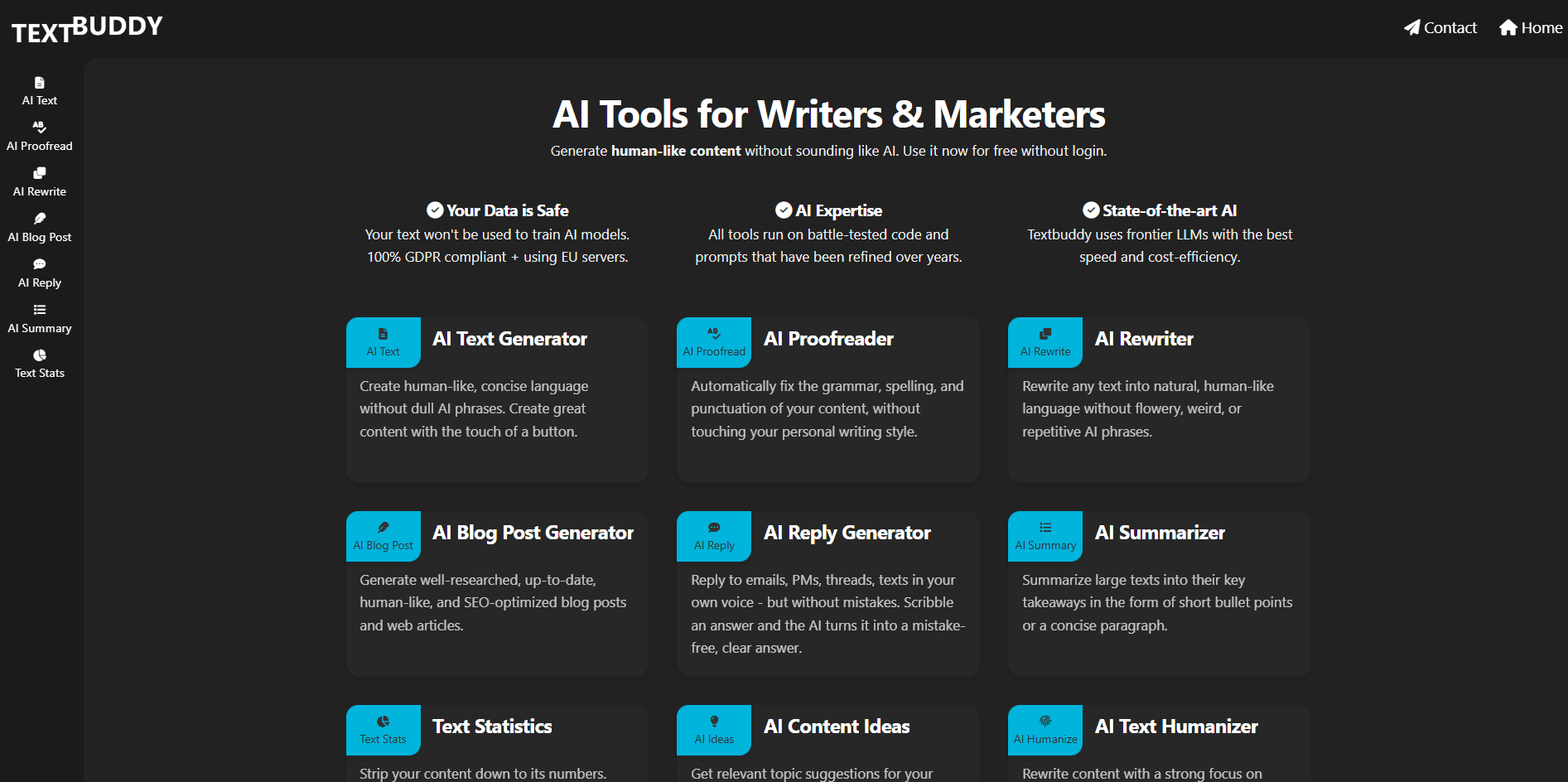
The classic editor highlights long sentences, passive voice, jargon, filler, repetitions, and other patterns that make writing harder to read.
Textbuddy gives readability feedback plus CEFR language-level guidance, which makes accessibility easier to judge.
Proofreading, rewriting, summarizing, blog drafting, humanizing, translating, and rating are broken into separate tools instead of one general-purpose chat box.
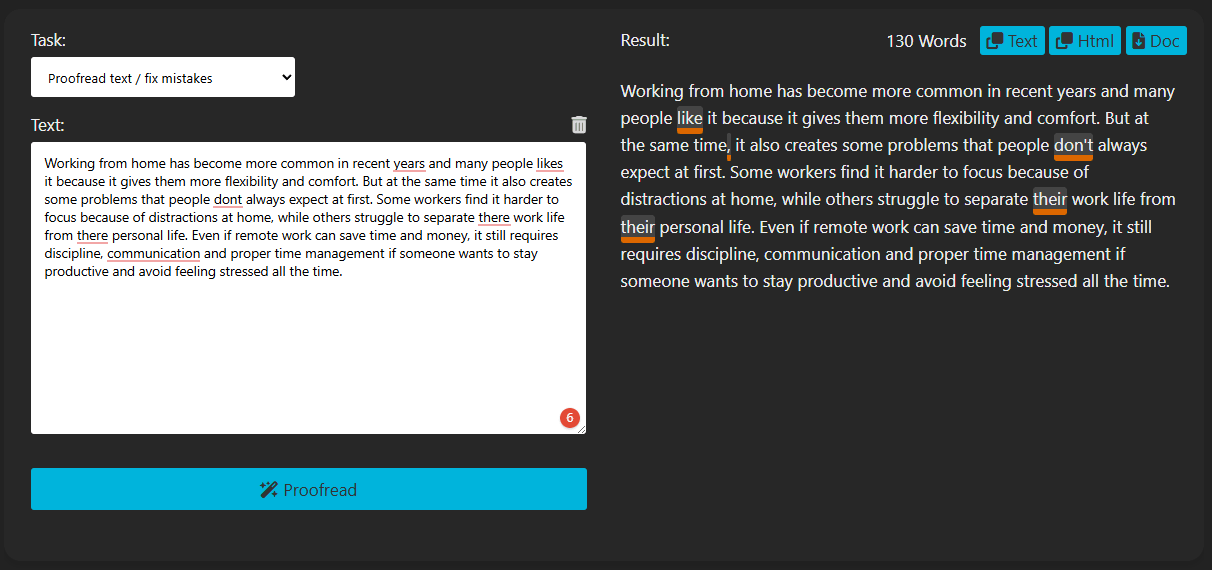
The platform explicitly frames proofreading as correction without flattening your writing style.
Textbuddy says user text is not used to train AI models and that the service is GDPR compliant and uses EU servers.
Drafting, editing, scoring, translating, and comparing versions all happen in the same interface, which reduces tool switching.
Textbuddy is best understood as a clarity-first writing toolkit. It is not mainly a blank-page AI writer. It is also not only a grammar checker. The product sits somewhere in between: a writing workspace that combines traditional editing signals with a collection of AI task tools.
That matters because the main strength of the platform is not only that it can generate text. The bigger value is that it helps users:
- spot readability problems
- fix clarity issues
- create useful first drafts
- rewrite awkward language
- summarize large blocks of text
- keep all of that in one place.
The classic editor is the starting point for the whole platform. You paste in text and it immediately highlights the kinds of patterns that usually make writing harder to read:
- long sentences
- passive voice
- adverbs
- complex words
- filler phrases
- repeated words
- overused keywords.
The public editor page also shows a readability score and language level using the CEFR framework from A1 to C2. That is more useful than it sounds because it gives you a concrete reference for how simple or complex the writing feels.
What this reveals about the tool: the classic editor is strongest when you already have a draft and want to make it clearer without relying on AI generation first.
AI Proofread is built for grammar, spelling, and punctuation correction without aggressively rewriting everything. Your script’s point here is important: a lot of proofreading tools “fix” writing by making it sound less like the writer. Textbuddy positions this tool more as technical correction while keeping the original style intact.
That makes it a good fit for:
- writers with an established voice
- professionals sending client-facing emails
- non-native English writers polishing final drafts
- teams that want cleaner writing without losing tone
What this reveals about the tool: AI Proofread is useful because it is a correction tool, not a full style override.
AI Rewrite takes text that is technically fine but sounds stiff, robotic, or awkward and rewrites it into something more natural.
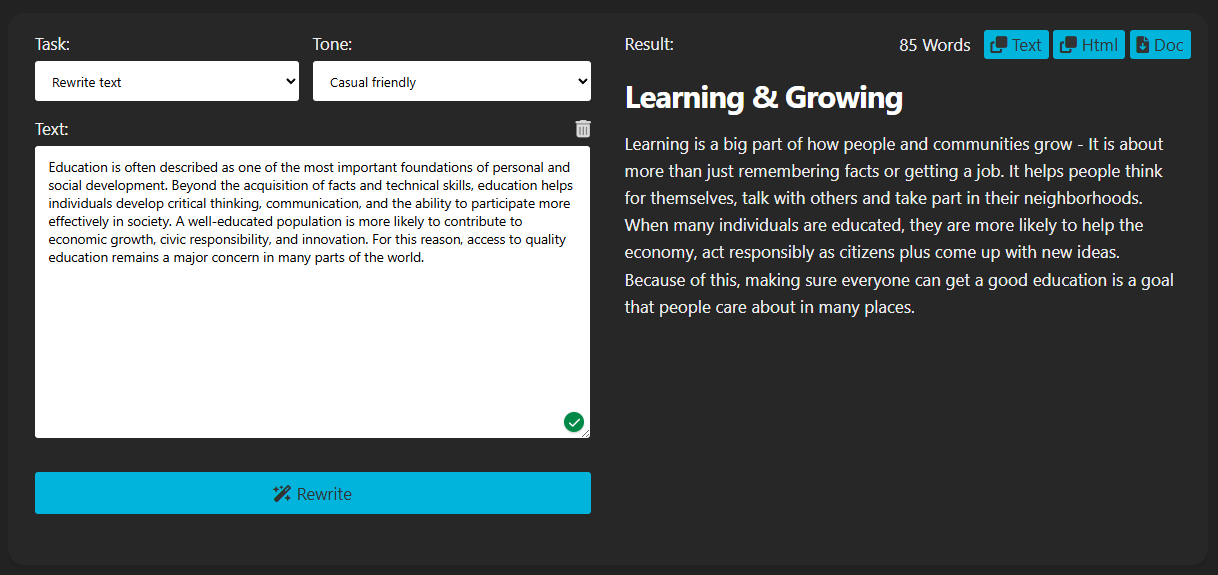
That is a practical distinction. Proofread fixes mistakes. Rewrite improves flow. Textbuddy’s premium page specifically describes rewriting text into natural, human-like language without flowery, weird, or repetitive AI phrases.
What this reveals about the tool: AI Rewrite is strongest when the problem is not correctness, but fluency and readability.
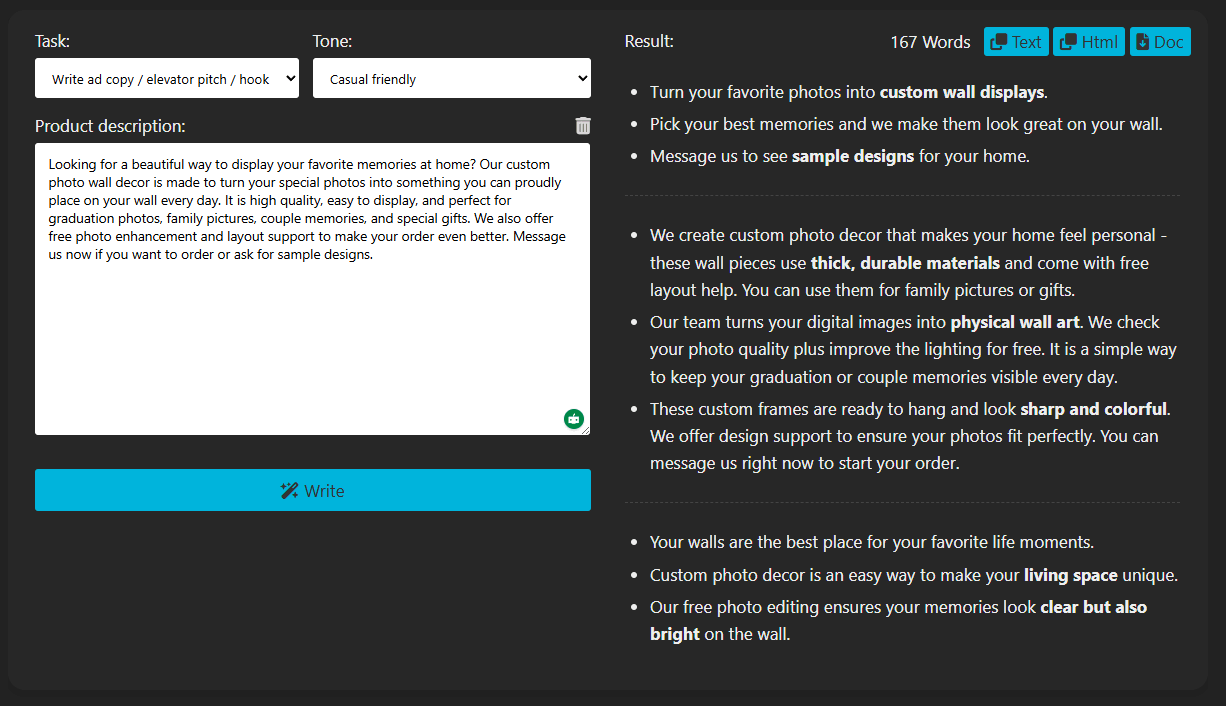
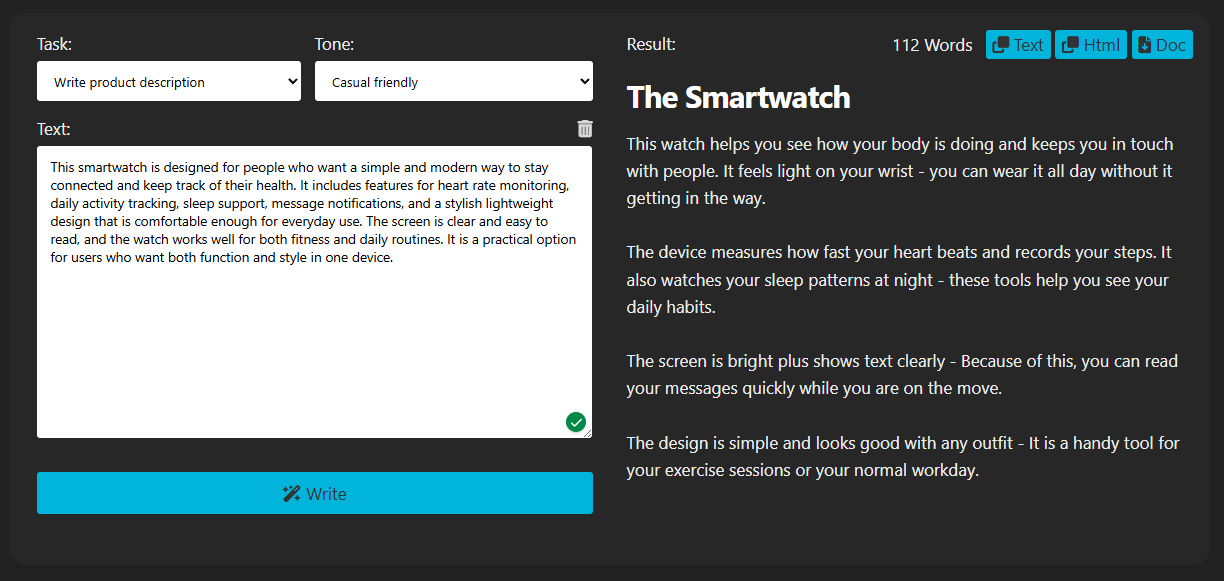
AI Text is the general content generation tool. You describe what you need and it returns a readable draft. This is useful for things like:
- bios
- short paragraphs
- intros
- lightweight marketing content
- simple content blocks.
This is not the most distinctive part of the platform, because many AI tools can generate text. The difference here is that AI Text sits inside a broader editing workflow, so the result can immediately move into proofreading, rewriting, clarity checking, or rating.
What this reveals about the tool: AI Text is best treated as a starting-point generator, not the main reason to buy the platform.
AI Blog Post is the long-form draft generator. The premium page describes it as a generator for well-researched, up-to-date, human-like, and SEO-optimized blog posts and web articles.
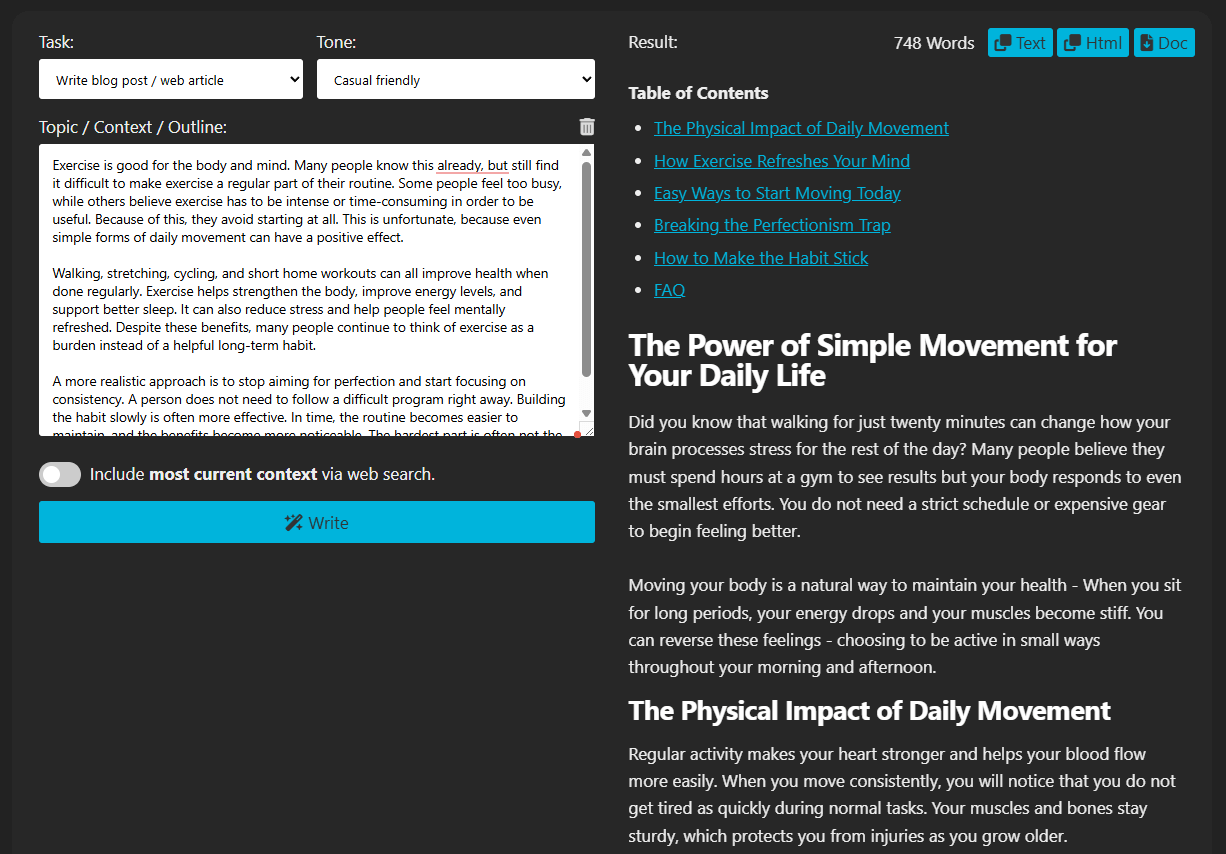
That makes it useful for:
- blog managers
- content marketers
- SEO-focused teams
- writers who need a strong first draft quickly
The right way to think about it is the same as in your script: it gives you the structure and the bones, not a final publish-without-review article.
What this reveals about the tool: AI Blog Post is valuable when you produce content regularly and want a faster route from idea to editable first draft.
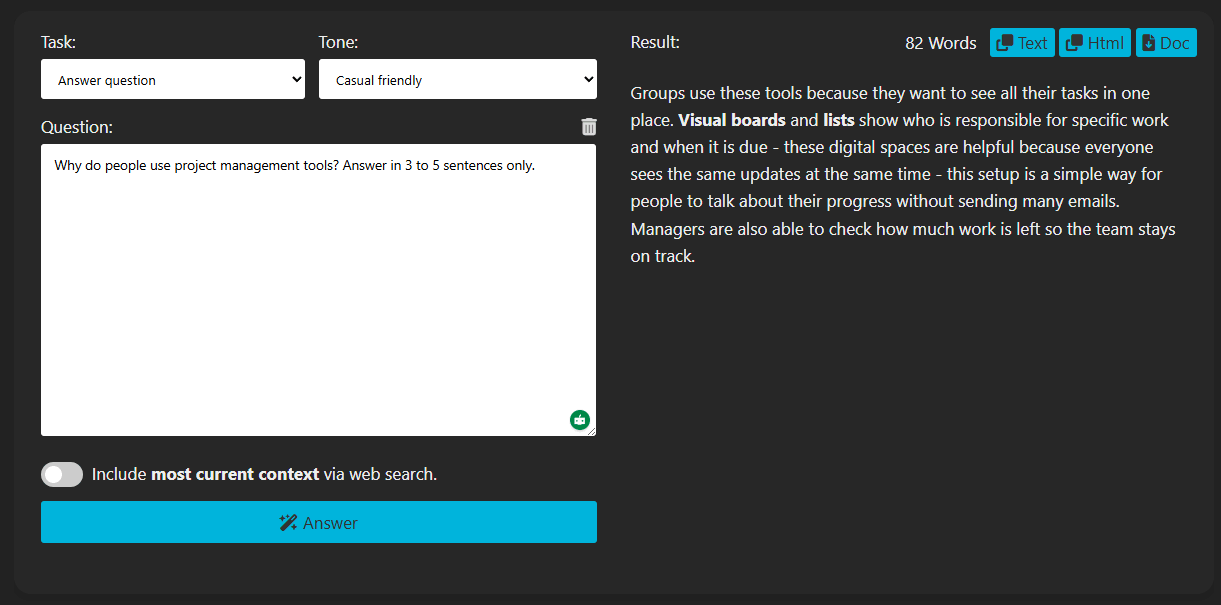
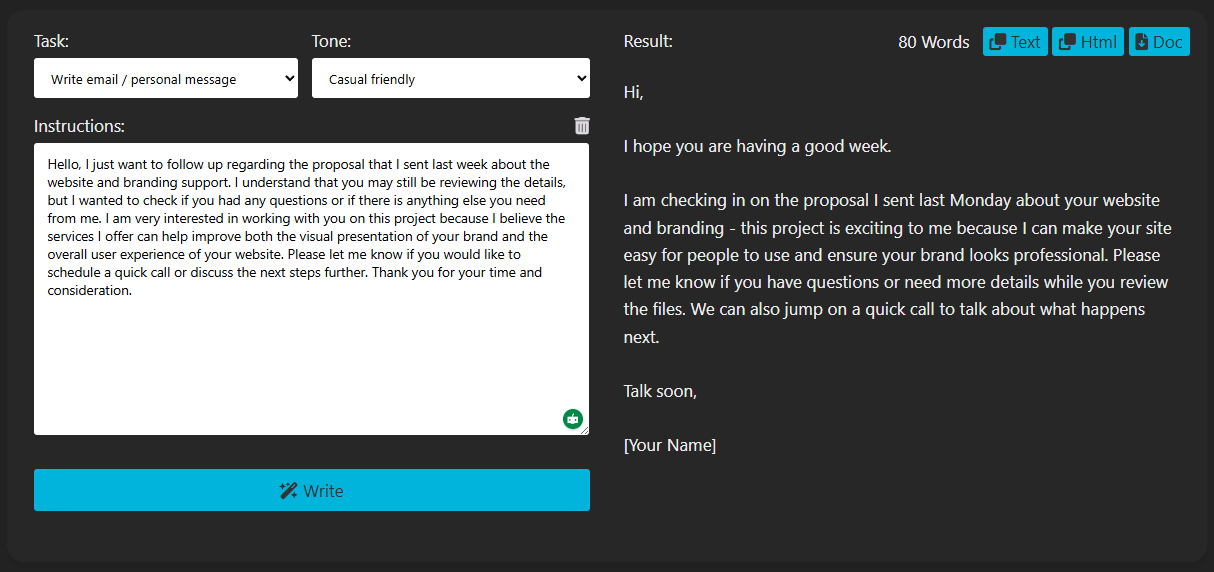
AI Reply is one of the most practically useful tools in the whole platform. You paste in an incoming email, comment, or message, add a quick note about what you want to say back, and the tool generates a polished response. The premium page explicitly frames it around replying to emails, PMs, threads, and texts in your own voice.
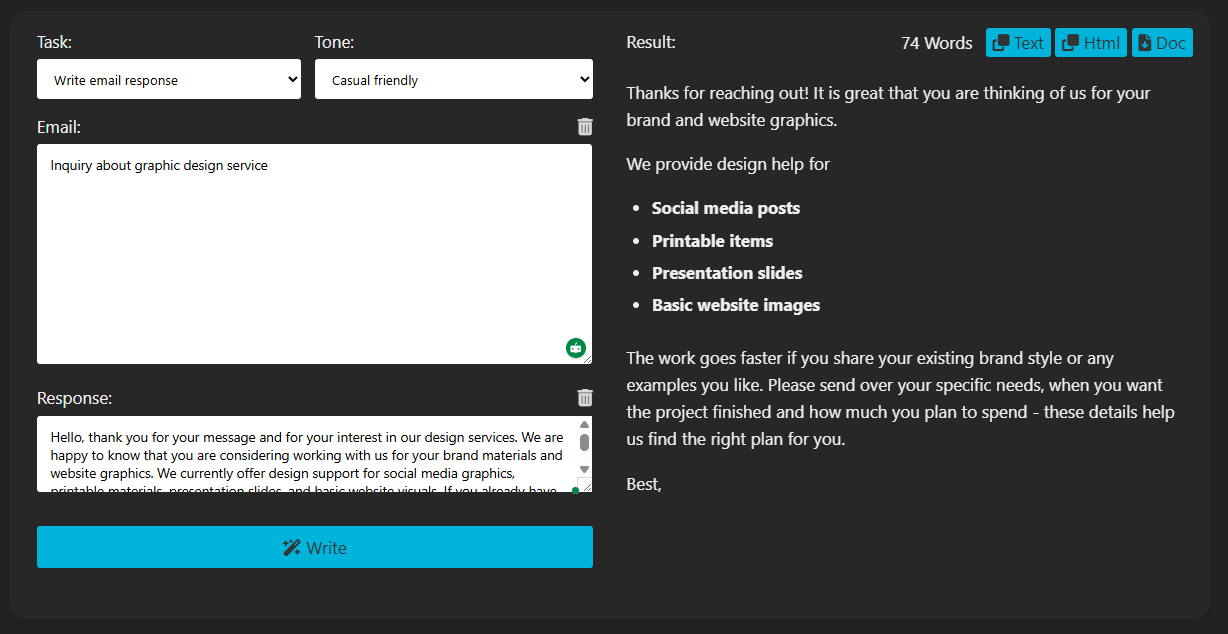
This is useful for:
- customer support
- business communication
- client replies
- comment responses
- inbox-heavy workflows
What this reveals about the tool: AI Reply is one of Textbuddy’s stronger real-world features because the use case is narrow, clear, and high-frequency.
AI Summary condenses longer content into either a paragraph or bullet-point format. The premium page describes it as summarizing large texts into short bullet points or a concise paragraph.
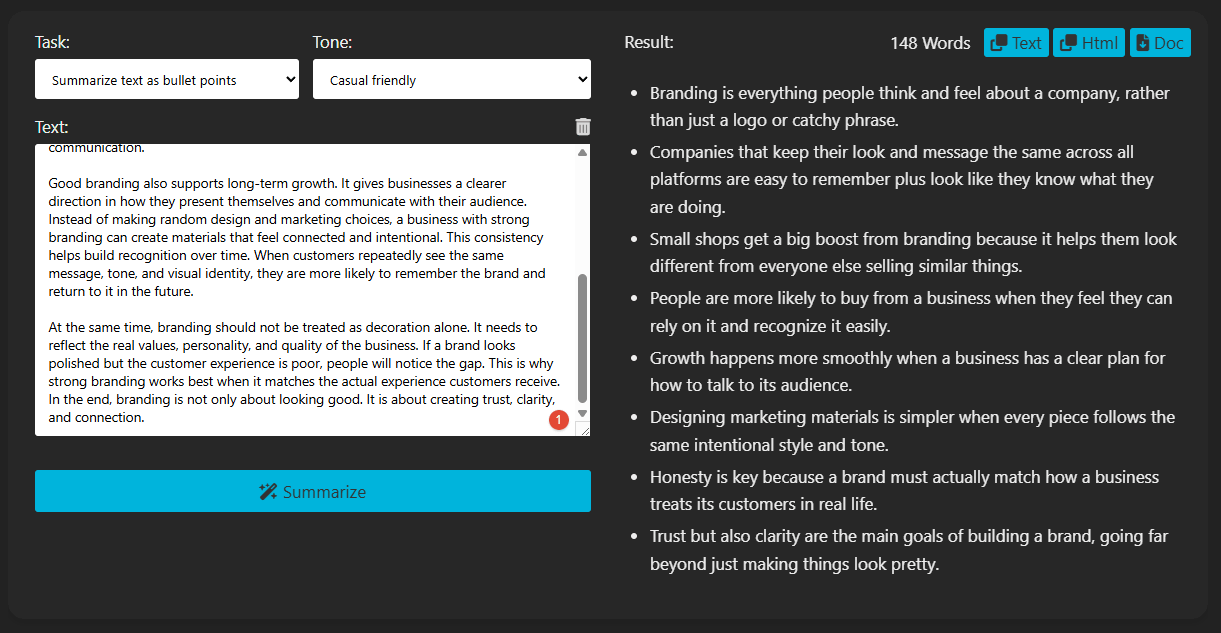
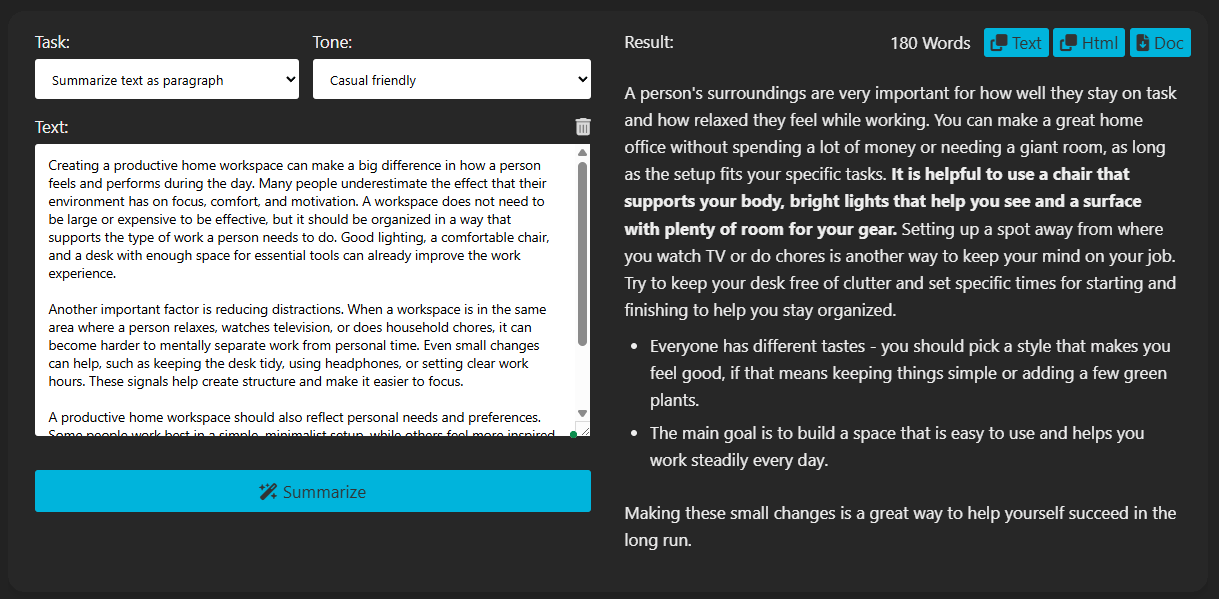
This is useful for:
- researchers
- students
- marketers repurposing long content
- teams pulling key takeaways from reports
- writers creating quick recaps or supporting content
What this reveals about the tool: AI Summary is one of those features that sounds basic but saves real time in everyday work.
Text Stats gives a numerical breakdown of the content:
- word count
- sentence count
- paragraph count
- frequency of repeated words
- readability score
- CEFR level.
The public editor page confirms readability and language-level scoring as part of the core interface.
What this reveals about the tool: Text Stats is not flashy, but it is useful for diagnosing issues like repetition, complexity, and keyword overuse quickly.
AI Ideas generates topic angles and content directions from a keyword or subject. The premium page describes it as a tool for relevant topic suggestions that can help build topical authority.
That makes it useful for:
- content calendar planning
- blog ideation
- SEO topic clusters
- breaking a broad subject into narrower publishable angles
What this reveals about the tool: AI Ideas works best as a planning aid when the topic is known but the angles are not.
AI Humanize is designed to take text that reads too obviously like AI output and make it sound more natural. The premium page is unusually direct about this and explicitly says the tool focuses on removing AI patterns and even claims detector-related use cases.
Used responsibly, the best version of this feature is simple: if AI helped draft the text, Humanize helps make the final result sound more natural and less stiff.
What this reveals about the tool: AI Humanize is useful when AI is part of the workflow and the final writing needs to feel smoother and more human.
Translate supports more than 50 languages according to both your script and the premium page.
This is useful for:
- multilingual content teams
- customer communications
- market adaptation
- writers who want to keep drafting and translation in one tool
What this reveals about the tool: Translate is a practical workflow tool because it keeps localization inside the same writing environment instead of forcing users into a separate translator.
AI Code generates concise source code from a plain-language request. The premium page explicitly positions it that way.
This is useful for:
- simple scripts
- quick utility functions
- light web or automation tasks
- writers or marketers who only occasionally need code and do not want a separate coding assistant open
What this reveals about the tool: AI Code is a convenience feature, not the core of the platform, but it is useful when small coding tasks appear inside broader writing or marketing work.
Text Clarity is one of the more on-brand tools in the platform because it fits the platform’s main value proposition directly. The premium page says it checks readability and AI scores and gives tips on how to polish the writing.
That makes it useful as a final quality check before publishing or sending content.
What this reveals about the tool: Text Clarity is not just another score panel. It is one of the features that best reflects Textbuddy’s focus on plain language and readability.
AI Rater scores writing from one to ten and explains the score. The premium page frames it the same way.
This is useful for:
- self-checking drafts
- team review workflows
- setting minimum quality standards before publication
- quick second-opinion scoring
What this reveals about the tool: AI Rater is most useful as a lightweight quality-control step.
Compare Text places two versions of a piece of writing side by side and highlights differences. The premium page describes it as comparison for spotting differences easily.
That is useful for:
- checking what changed after a rewrite
- reviewing editorial revisions
- comparing AI-generated alternatives
- quality control between drafts
What this reveals about the tool: Compare Text is a practical utility feature that saves time in editing and review workflows.
Textbuddy is a good fit for:
- writers and journalists who want clarity help without heavy-handed rewriting
- marketers and content creators working across blogs, emails, and web content
- non-native English speakers who want more natural, professional English
- students and researchers polishing drafts
- business teams handling large volumes of written communication.
It is a weaker fit for:
- teams needing full collaboration suites
- users wanting deep publishing integrations
- people expecting project management or document workflow tools
- users who want one broad open-ended AI chat tool instead of task-labeled writing tools
That fit matters. Textbuddy is strongest as a writing improvement and content utility platform, not an all-purpose workspace.
This is one of the clearer differentiators on the platform.
Textbuddy’s homepage explicitly says:
- your text won’t be used to train AI models
- 100% GDPR compliant
- using EU servers
The privacy policy also explicitly references GDPR compliance and formal data protection language.
That makes the platform more appealing for:
- client-sensitive writing
- internal business content
- regulated teams
- users who care about clearer data-handling statements
Textbuddy is especially useful for:
- editing drafts for plain language and clarity
- generating and polishing blog content
- proofreading without flattening style
- summarizing longer text quickly
- handling multilingual writing workflows
- drafting professional replies faster
- reviewing rewrites and measuring readability before publishing.
These are the workflows where keeping everything in one writing-focused interface makes the most sense.
The biggest workflow benefit is that you stay in one place.
A normal process might look like:
- draft in one tool
- grammar-check in another
- run readability somewhere else
- summarize in another tab
- translate in another service
- compare versions manually
Textbuddy pulls those into one interface. That reduces tool switching, keeps context intact, and makes the workflow faster.
It also improves consistency for teams. If everyone is using the same readability targets, the same clarity checks, and the same revision tools, output quality becomes more uniform.
A few trade-offs are worth keeping in mind.
- The AI-generated content still needs review.
- The platform is focused on writing and editing, not project management or publishing workflows.
- More specialized writing tasks may still require additional tools.
- The quality of AI outputs still depends on how clearly the input is framed.
- Pricing is reasonable, but teams still need to decide whether the time savings justify seat-based cost.
Those are fair limitations. They do not weaken the main use case, but they do define it more clearly.
Compared with grammar tools like Grammarly, Textbuddy adds a wider AI utility layer on top of grammar and readability work, with blog drafting, summarizing, translation, and task-specific tools.
Compared with Hemingway Editor, Textbuddy does the highlighting and scoring but also gives you AI tools to act on what it flags.
Compared with general AI chat tools, Textbuddy gives you labeled tools for specific writing tasks instead of requiring prompt-crafting skill. That makes it more accessible for users who want writing help without learning how to steer a blank-box AI workflow.
Textbuddy is a practical writing toolkit built around clarity, plain language, and writing workflow efficiency. Its strongest use case is not replacing every writing tool. It is giving writers, marketers, support teams, and non-native English speakers a cleaner way to draft, edit, simplify, summarize, translate, and improve text without constantly jumping between tools.
Its clearest strengths are:
- strong plain-language editing
- useful readability and CEFR scoring
- many task-specific AI tools in one place
- privacy messaging that is clearer than many competitors
- a workflow that is more guided than a general chat-based AI tool
If your goal is to write faster, edit more cleanly, and make your content easier to read, Textbuddy is worth a serious look.
TAGS: Copywriting Content Creation
Related Tools:
Streamlines content creation
Automates content creation and improves writing
AI designed to streamline content creation

Easily produce engaging videos using templates

AI-powered academic writing tool

Web-based video editor for easy video creation