

Share this tool:
 |
Description:
HubSpot Email Writer is an AI email creation tool built for marketing and sales teams that want faster first drafts without moving campaign work outside HubSpot. It can help generate email copy, subject lines, preview text, body content, and calls to action, then hand that content into HubSpot’s broader email marketing workflow for editing, formatting, scheduling, and performance tracking.
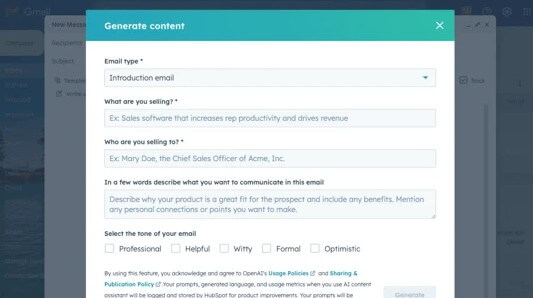
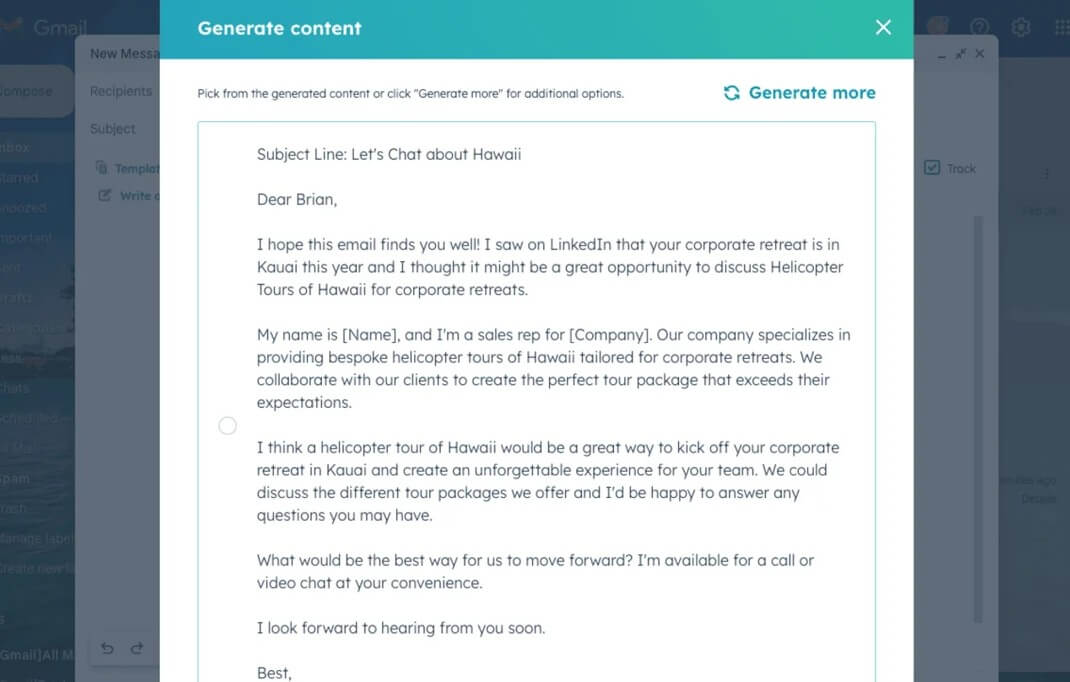
“Write a marketing email for a new project management feature that helps remote teams reduce missed deadlines. Audience: operations managers at 50 to 500 person companies. Tone: clear, practical, and helpful. Include a short subject line, preview text, body copy, and one CTA to book a demo.”
Output:
Here’s a concise, practical email you can use:
Subject: Fewer Missed Deadlines, Stronger Remote Teams
Preview text: A smarter way to keep projects on track.
Hi [First Name],
Remote work brings flexibility—but missed deadlines can quietly derail results.
Our new project management feature gives operations leaders real-time visibility into task ownership, shifting timelines, and bottlenecks before they become problems. Automated reminders keep teams accountable, shared dashboards surface risks early, and workload views help you rebalance resources fast.
The result: fewer surprises, smoother execution, and more predictable delivery.
CTA: Book a demo to see it in action.
What challenges are you currently facing with deadline visibility across remote teams?
“Create a friendly follow-up email for users who started a free trial but have not used the product in five days. Emphasize quick setup, one useful feature they can try today, and a low-pressure CTA to continue onboarding.”
Output:
Here’s a friendly, low-pressure follow-up you can use:
Subject: Need a quick hand getting started?
Preview text: You can be up and running in just a few minutes.
Hi [First Name],
I noticed you started your free trial—welcome! If you haven’t had a chance to dive in yet, no worries. Getting set up takes just a few minutes.
A great place to start today is the Task Dashboard. It instantly shows upcoming deadlines, task owners, and potential bottlenecks so you can see value right away—no complex setup required.
If you’d like a quick walkthrough, we’re here to help.
CTA: Continue onboarding
What’s been getting in the way of exploring your trial so far?
“Rewrite this email for long-term customers who already use our reporting dashboard. Keep the main offer the same, but emphasize advanced use, saved time, and team visibility instead of beginner setup.”
Output:
Here’s a revised version tailored for experienced customers:
Subject: Take your reporting further
Preview text: Unlock deeper visibility without extra work.
Hi [First Name],
You’re already using our reporting dashboard to keep projects on track—now it’s time to get even more value from it.
With advanced views and automated summaries, you can surface cross-team bottlenecks faster, reduce manual status updates, and give leadership real-time visibility without chasing reports. Custom filters and shared dashboards make it easier to align priorities and spot risks before they impact delivery.
It’s the same powerful dashboard—just used to its full potential.
CTA: Explore advanced features
What outcomes are you hoping to improve next with your reporting workflows?
“Generate 10 subject lines for an email promoting a limited-time webinar on AI customer support. Make them concise, benefit-focused, and avoid sounding spammy.”
Output:
- Smarter Customer Support with AI
- Cut Support Response Times with AI
- AI That Improves Every Customer Interaction
- Scale Support Without Adding Headcount
- Turn AI into Your Support Advantage
- Faster Resolutions Start Here
- AI Strategies for Modern Support Teams
- Deliver Better Support with Less Effort
- The Future of Customer Support Is Here
- Make AI Work for Your Support Team
What result are you hoping this webinar will drive for your team?
“Write a re-engagement email for inactive subscribers who have not opened an email in 90 days. Keep it short, honest, and useful. Offer them a choice to update preferences or stay subscribed.”
Output:
Here’s a short, honest, and useful re-engagement email:
Subject: Still want our emails?
Preview text: Let us know what works best for you.
Hi [First Name],
We noticed you haven’t opened our emails in a while, and that’s okay. We only want to send messages that are helpful and relevant to you.
If you’d like to keep hearing from us, you can update your preferences to choose the topics and frequency that fit you best. And if now’s not the right time, you can simply stay subscribed and we’ll keep sharing occasional updates.
CTA: Update your preferences
What type of content would be most useful to you right now?
“Write a concise outbound sales email to a VP of Marketing at a B2B SaaS company. Mention that their team may be trying to improve lead nurture emails. Keep the email under 120 words and include a soft CTA for a 15-minute call.”
Output:
Here’s a concise outbound email under 120 words:
Subject: Quick idea to strengthen your nurture emails
Hi [First Name],
I’ve been following your team’s growth at [Company], and I imagine improving lead nurture performance is a constant focus.
Many B2B SaaS marketing teams are working to increase engagement across longer sales cycles without adding more manual work. We’ve helped teams streamline segmentation, personalize messaging at scale, and improve conversion from MQL to opportunity.
If it’s relevant, I’d be happy to share a few ideas tailored to your current nurture approach.
Would you be open to a brief 15-minute call next week?
Best,
[Your Name]
What metrics are most important to you when evaluating nurture performance?
These prompts work because they give the tool audience, context, tone, offer, and action. HubSpot’s AI Email Writer is strongest when it is not asked to “write an email,” but given a campaign goal and enough customer context to shape the message.
HubSpot Email Writer is part of HubSpot’s growing AI layer, now branded around Breeze across many content and workflow features. In the email workflow, HubSpot says AI can help create complete marketing emails from prompts or design imports, personalize content at scale, recommend audiences and send timing, and generate subject lines and preview text from email content.
That makes it different from using a standalone chatbot. A chatbot can write email copy, but HubSpot Email Writer sits closer to the campaign itself. The generated copy can move into HubSpot templates, email tools, CRM-connected segments, and campaign workflows. For teams already using HubSpot, that integration is the main reason to use it.
The tool is not meant to replace campaign strategy. It is better understood as a drafting and variation engine inside a marketing system. It helps with the blank page, tone shifts, subject line ideas, CTA wording, and segment-specific edits.
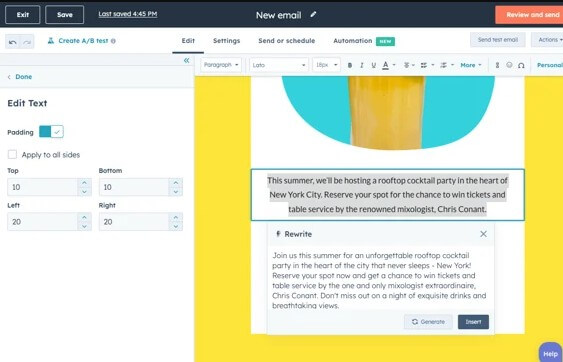
HubSpot Email Writer is strongest for marketers who already know the campaign goal but need help turning that goal into usable copy. Product announcements, nurture emails, webinar invites, newsletter intros, abandoned trial nudges, sales follow-ups, and re-engagement campaigns are natural fits.
It is also useful for teams that need multiple versions of the same message. HubSpot’s own marketing content describes using AI Email Writer to draft subject lines, body copy, and CTAs inside Marketing Hub, with prompts that adjust tone, emphasize certain features, or create variations for different segments.
That is the practical value. Most email marketing is not one perfect email. It is several versions for different audiences, lifecycle stages, offers, and intent signals. AI helps reduce the manual rewriting work.
| Feature | Practical value |
|---|---|
| Email Draft Generation | Creates marketing or sales email drafts from prompts, useful for campaign starts and outreach copy. |
| Subject Line and Preview Text Generation | Generates subject lines and preview text based on email content inside HubSpot’s marketing email tools. |
| CTA Support | Helps create email copy that includes a clear call to action tied to the campaign goal. |
| HubSpot Workflow Fit | Lets teams continue editing, formatting, saving, and scheduling emails inside HubSpot rather than copying between tools. |
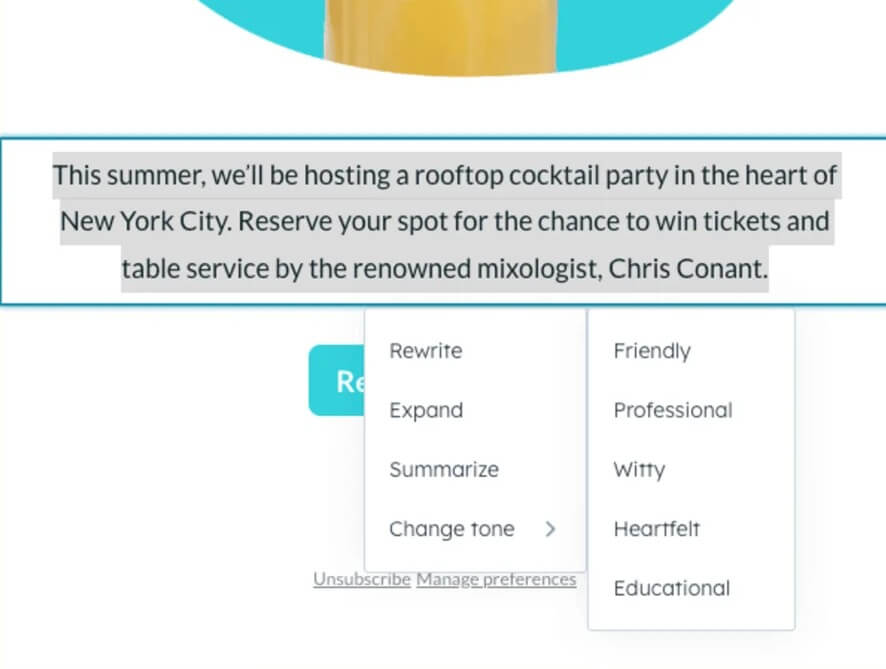
| Tone and Variation Control | Supports rewriting content for different tones, features, and customer segments when prompts are specific. |
| Breeze AI Integration | Connects with HubSpot’s broader AI system for content generation and refinement across marketing assets. |
The workflow is simple if the team already uses HubSpot. A marketer starts with a campaign idea, product update, segment, or offer. The AI generates a draft, including subject line, preview text, body copy, and CTA where supported. The marketer edits the result, checks accuracy, adjusts formatting, connects the right audience, and sends or schedules the campaign through HubSpot’s email tools. HubSpot’s documentation says AI email creation can use an existing email layout or template and include the subject line, preview text, body, and CTAs.
The ease comes from staying inside the same system. You are not writing in one AI tab, copying into another editor, then reformatting the message. That saves time and reduces small errors. It also keeps the AI closer to the marketing workflow instead of treating email copy as a standalone document.
The main work still belongs to the marketer: campaign positioning, audience choice, compliance review, offer clarity, and final approval.
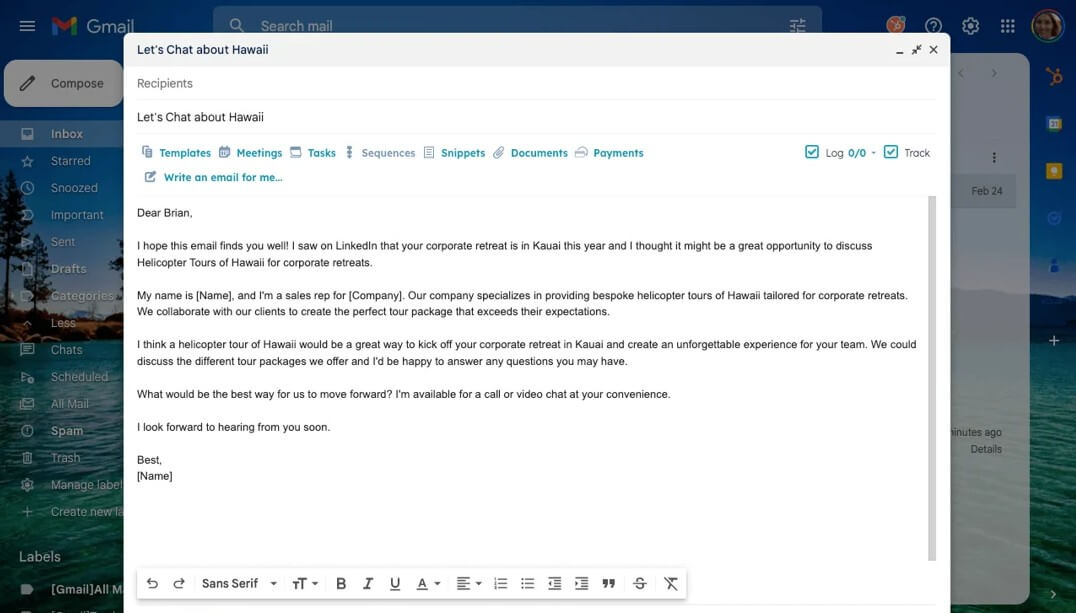
HubSpot Email Writer is a strong fit for demand generation teams creating nurture emails, event invites, product updates, lead follow-ups, and lifecycle campaigns.
It is also useful for small businesses that need polished email copy but do not have a dedicated copywriter for every campaign. Sales teams can use related HubSpot AI email tools for introduction emails, cold outreach, and follow-ups. HubSpot’s Knowledge Base describes AI-assisted sales email generation for the Office 365 add-in and reusable sales email templates.
The tool is less ideal for complex brand campaigns where every line needs strong creative direction, legal review, or deep strategic nuance. It can produce a useful draft, but the final message still needs human judgment.
- Give the tool a real audience, not a vague one. “New leads” is weaker than “HR managers at mid-sized companies who downloaded our onboarding checklist.”
- Ask for multiple subject line styles. Include direct, benefit-led, curiosity-based, and urgency-based options, then choose the one that fits your brand.
- Use it for variants, not only first drafts. A strong workflow is to write one core email, then ask for versions by segment, lifecycle stage, or pain point.
- Check every claim. AI-generated emails can sound confident even when product details, offer terms, or customer promises need correction.
HubSpot Email Writer can make email creation faster, but it will not make a weak campaign strong by itself. If the offer is unclear, the segment is wrong, or the CTA is vague, the generated email will still feel average.
The writing can also sound safe. That is useful for professional business emails, but less useful when a brand needs a distinctive voice. Marketers should expect to edit for specificity, rhythm, customer language, and brand tone.
Another limitation is that good email performance depends on more than copy. Deliverability, list quality, segmentation, timing, offer relevance, consent, and follow-up logic still matter.
HubSpot Email Writer is best for marketers and sales teams that want faster email drafts inside the HubSpot ecosystem. Its strongest value is generating campaign copy, subject lines, preview text, CTAs, and segment-specific variations without leaving the email workflow. The main caveat is that it is a drafting accelerator, not a campaign strategist. It works best when marketers bring the audience insight, offer, and final editorial judgment.
TAGS: Marketing Productivity
Related Tools:

Streamlines project coordination and automates invoicing

Helps users create customized resumes and cover letters

Monitors websites, turning real-time changes into clear insights
Provides tools for writing, image creation, coding
Automates post-meeting tasks by listening to conversations

Helps teams organize, search, and collaborate on information