
Share this tool:
 |
Description:
Tettra is an AI-powered internal knowledge base for teams that want fewer repeated questions and more reusable answers. Its clearest value is not just storing documents. It combines a company wiki, internal Q&A, verification workflows, and Kai, Tettra’s AI assistant, so employees can ask questions in Tettra or Slack and get answers from existing company knowledge.
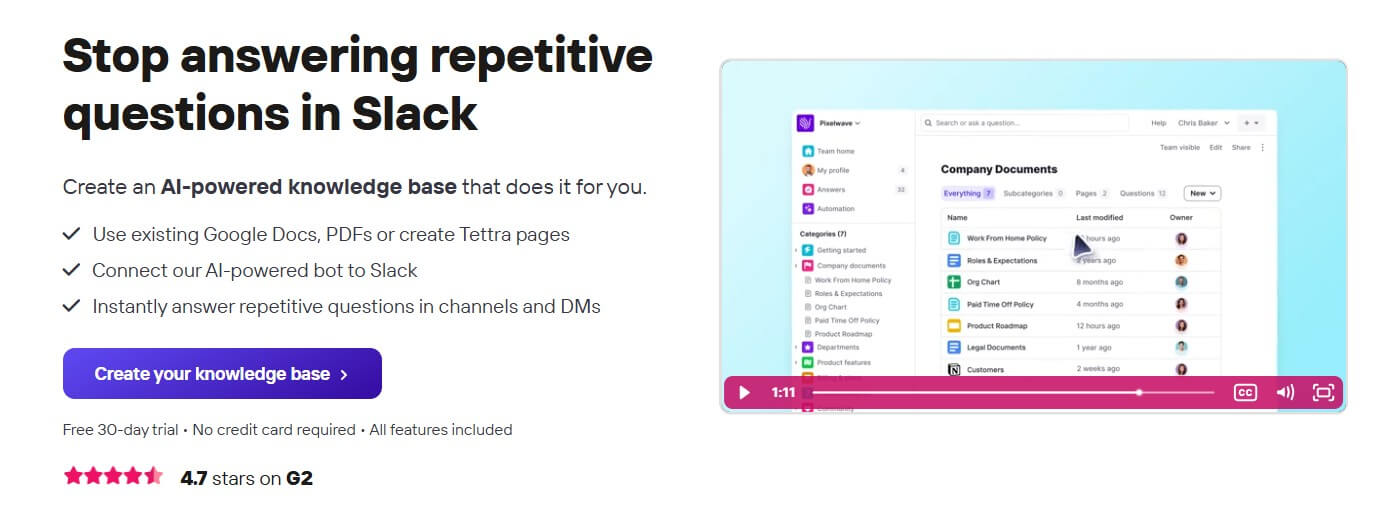
Tettra is a knowledge management tool built around a simple problem: useful company knowledge gets scattered across chat, documents, people’s heads, and old files. Tettra gives teams a place to create pages, import or link existing knowledge, store repeated answers, and keep important information easier to find. Its homepage says teams can use existing Google Docs and PDFs or create Tettra pages, then connect its AI-powered bot to Slack for answers in channels and DMs.
That makes Tettra narrower than a broad workspace tool like Notion or Coda. It is not trying to become every team’s project tracker, database, and document editor at once. It is focused on internal knowledge: the answers employees need, the docs people trust, and the workflows that keep those docs current.
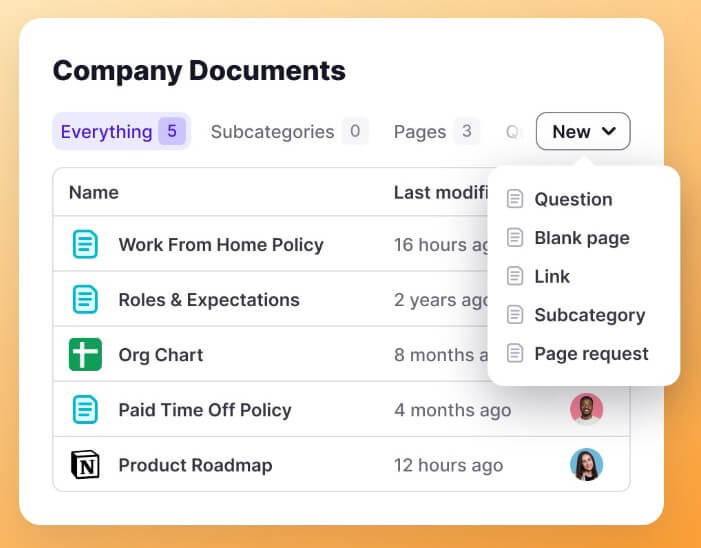
Tettra is strongest for teams that already feel the cost of repeated questions. Support teams, HR teams, operations leads, agencies, and growing companies often answer the same things in Slack: “What is our refund policy?”, “Where is the onboarding checklist?”, “How do we handle this customer scenario?”, or “Who owns this process?” Tettra’s product pages repeatedly center on that use case: capture the answer once, make it searchable, and let Kai reuse it later.
The best fit is a team that uses Slack as a daily operating layer but does not want Slack to become the permanent home for knowledge. Tettra can sit alongside chat, pull useful conversations into a knowledge base, and help employees get answers without always interrupting subject matter experts.
| Feature | What it does | Why it matters |
|---|---|---|
| Internal knowledge base | Creates and organizes pages, docs, and company knowledge | Gives employees one place to look first |
| Kai AI assistant | Answers questions from existing Tettra content in Tettra or Slack | Reduces repeated interruptions |
| Internal Q&A | Captures questions, routes them to experts, and saves answers | Turns one-off answers into reusable knowledge |
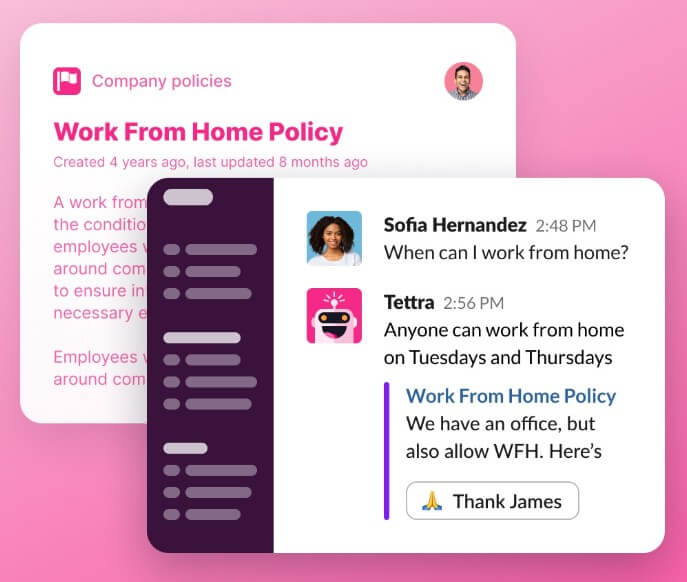
| Slack integration | Searches, answers, drafts pages, and captures useful threads from Slack | Fits the workflow where many questions happen |
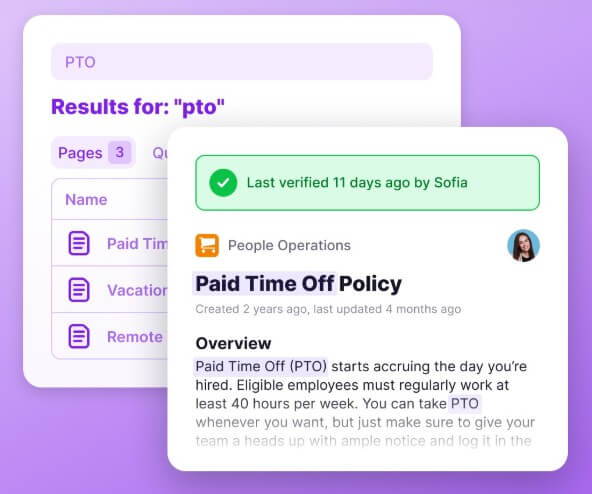
| Verification | Lets experts review content on a schedule | Helps teams trust that docs are current |
| Content cleanup | Identifies unowned, stale, or public content for maintenance | Reduces clutter as the knowledge base grows |
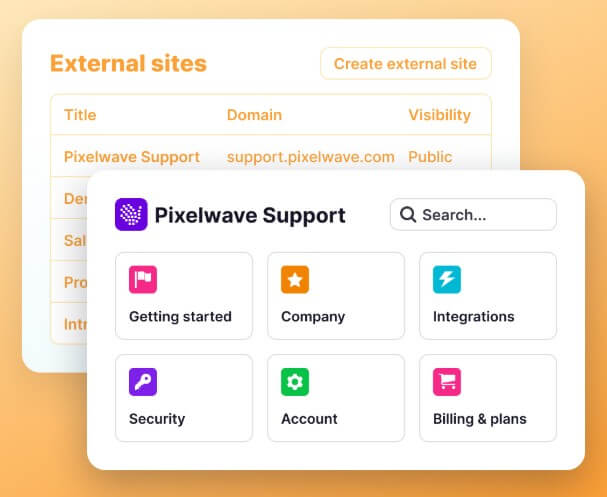
Tettra’s feature overview highlights Q&A, knowledge management workflows, internal documentation, semantic search, verification, permissions, analytics, API access, Zapier, and HTML export.
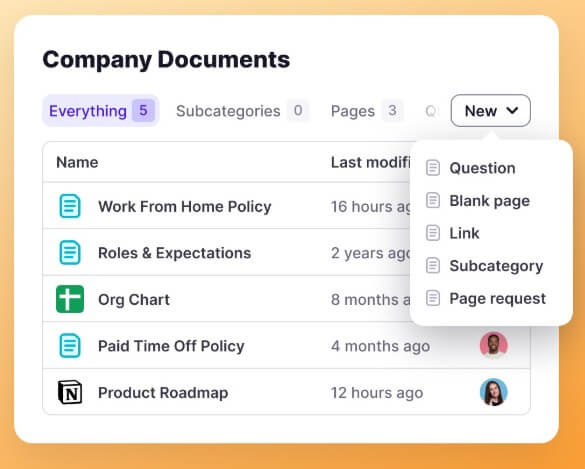
Kai is Tettra’s AI assistant, and it is the main reason Tettra feels current as a knowledge base product. Tettra describes Kai as an AI assistant that helps teams manage, curate, and circulate company knowledge. The workflow is straightforward: employees ask Kai a question, Kai searches existing company documents, and if it cannot find the answer, it helps assign the question to the right expert.
This is a practical use of AI. Tettra is not mainly using AI to generate generic text. It is using AI to make existing knowledge easier to access and to expose gaps when the answer does not exist. That second part matters. A useful knowledge system should not pretend every answer is available. It should show where knowledge is missing and help the team create it.
Kai is especially useful when a company already has a lot of information but people do not know where to find it. In that case, AI search and answer generation can reduce the pressure on managers, support leads, HR, and operations staff.
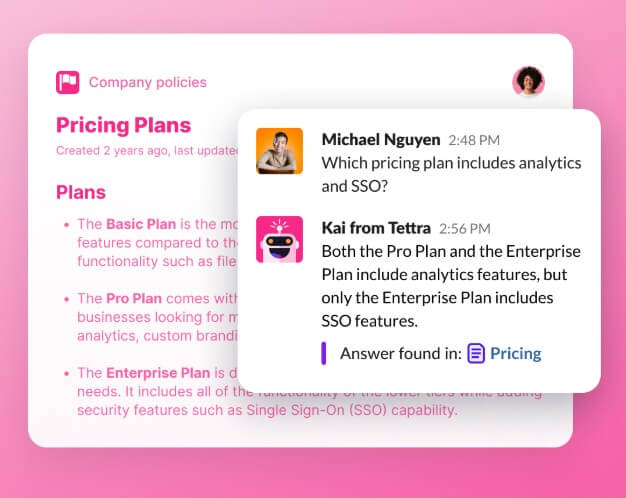
Tettra’s Slack integration is one of its strongest product choices. The integration page says Kai can automatically answer repetitive questions in Slack, respond when mentioned, handle DMs, and summarize Slack threads into new Tettra pages. It also says Kai can prompt users to save useful Slack conversations as knowledge base articles.
That workflow fits how many teams already behave. People ask questions in Slack because it is fast. The problem is that the answer gets buried. Tettra tries to preserve the speed of chat while moving lasting knowledge into a structured base.
The help center adds useful detail: Tettra’s Slack integration supports page requests, page drafts, and search from Slack channels. For teams that live in Slack, that reduces the need to open a separate knowledge tool every time they need help.
Tettra’s maintenance features are just as important as its AI answers. Many knowledge bases fail not because teams do not write docs, but because people stop trusting them. Old pages pile up. Owners leave. Policies change. The knowledge base slowly becomes a museum.
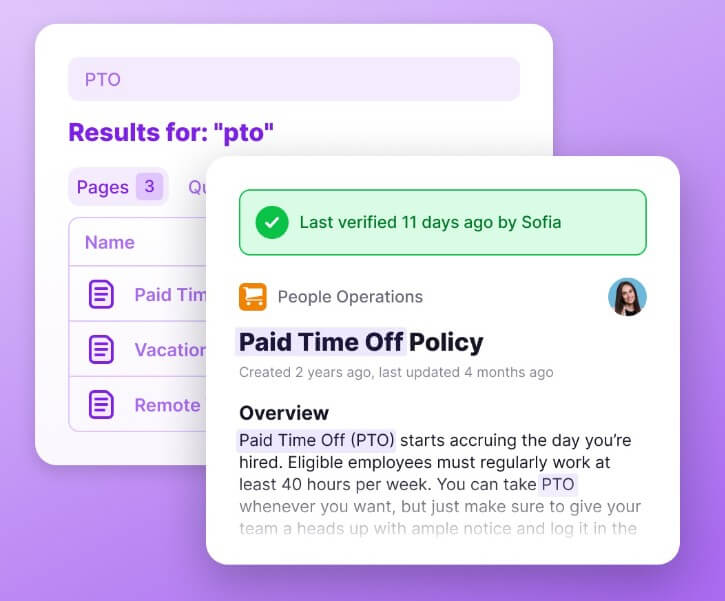
Tettra addresses that with verification, content suggestions, page requests, and cleanup signals. Its feature overview says subject matter experts can verify content on a set schedule, teammates can request new pages or updates, and content suggestions can identify unowned, stale, and public content.
This is where Tettra feels more like a knowledge management system than a shared notes folder. The goal is not only to create content. The goal is to keep answers accurate enough that employees trust them.
Tettra’s official help docs list integrations for Slack, Google Workspace, GitHub, Zapier, Notion, and API access. That is enough for many knowledge workflows, especially if the team is already centered on Slack and Google Workspace.
The integration set is practical rather than huge. This can be a strength for teams that want a focused internal knowledge base, but it may feel limiting for larger companies with more complex stacks. Tettra can support API and Zapier-based workflows, but it is not positioned as a broad enterprise search platform across every system.
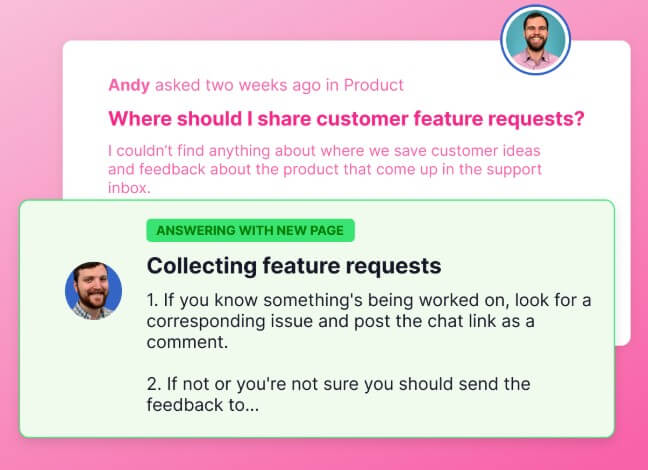
Tettra is a strong fit for customer support teams that need consistent answers, escalation processes, troubleshooting steps, and customer policy references.
It also works well for HR and operations teams that need onboarding guides, internal policies, process docs, recurring procedures, and answers to employee questions.
Agencies can use Tettra to keep client-specific knowledge, internal processes, delivery standards, and repeated service answers organized.
Growing companies may get the most value once repeated Slack questions become a visible drag. Tettra helps turn those questions into a system instead of leaving answers trapped in chat history.
Tettra is not the best choice if you want a broad all-in-one workspace with databases, project views, task management, and complex custom apps. Its focus is knowledge management, Q&A, and Slack-connected answers.
The second trade-off is adoption. Tettra works only if people use it as the place where answers are created, verified, and reused. If employees keep answering everything manually in Slack and never save the answer, the system will not improve.
The third limitation is that AI quality depends on knowledge quality. Kai can search and summarize what exists, but it cannot make outdated or missing information correct. Teams still need owners, review habits, and clear content standards.
Tettra is best for teams that want a practical internal knowledge base tied closely to Slack. Its strongest value is the combination of reusable Q&A, Kai AI answers, Slack capture, expert assignment, verification, and cleanup workflows. It is a strong fit for support, HR, operations, agencies, and growing companies that are tired of answering the same questions again and again. The main caveat is that Tettra needs real knowledge ownership. If the team maintains the content, Tettra can reduce interruptions and make answers easier to trust. If the content goes stale, the AI layer has much less to work with.
TAGS: Productivity
Related Tools:

Automates task prioritization and management
Provides quick summary of Google search results
Creates effective responses for emails
Provides real-time transcription for meetings and conversations
Helps users create customized resumes and cover letters
Automates and customizes business operations