

Share this tool:
 |
Description:
Eightify is an AI video summarizer built for people who use YouTube as a learning, research, or information source but do not want to watch every video from start to finish. Its main job is practical: extract the key ideas from a video, organize them into a readable summary, and help you decide what is worth watching in full.
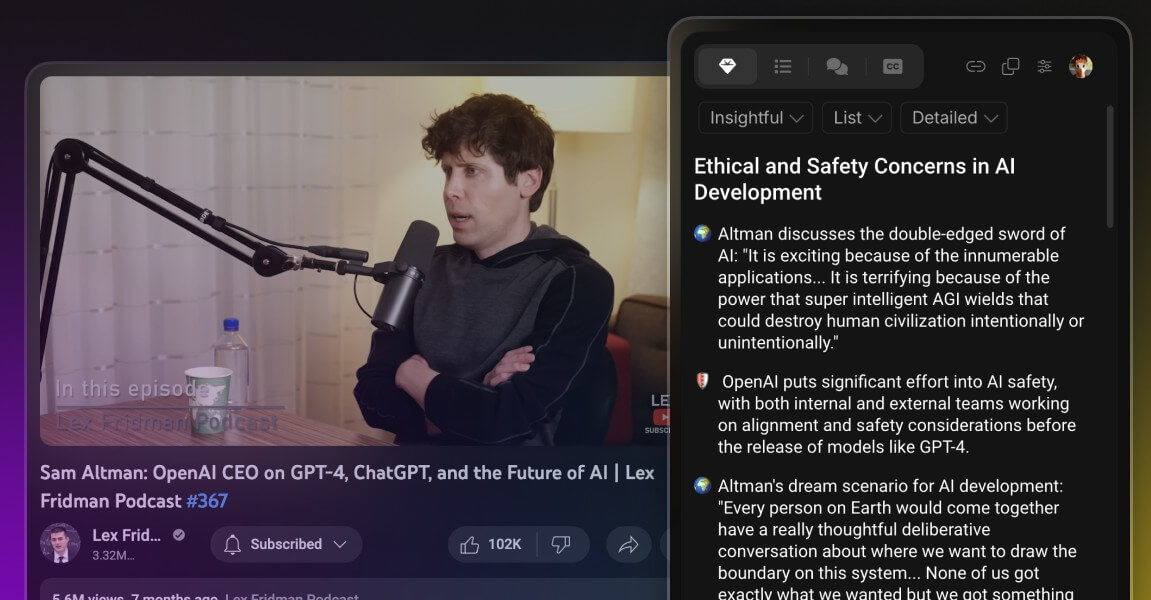
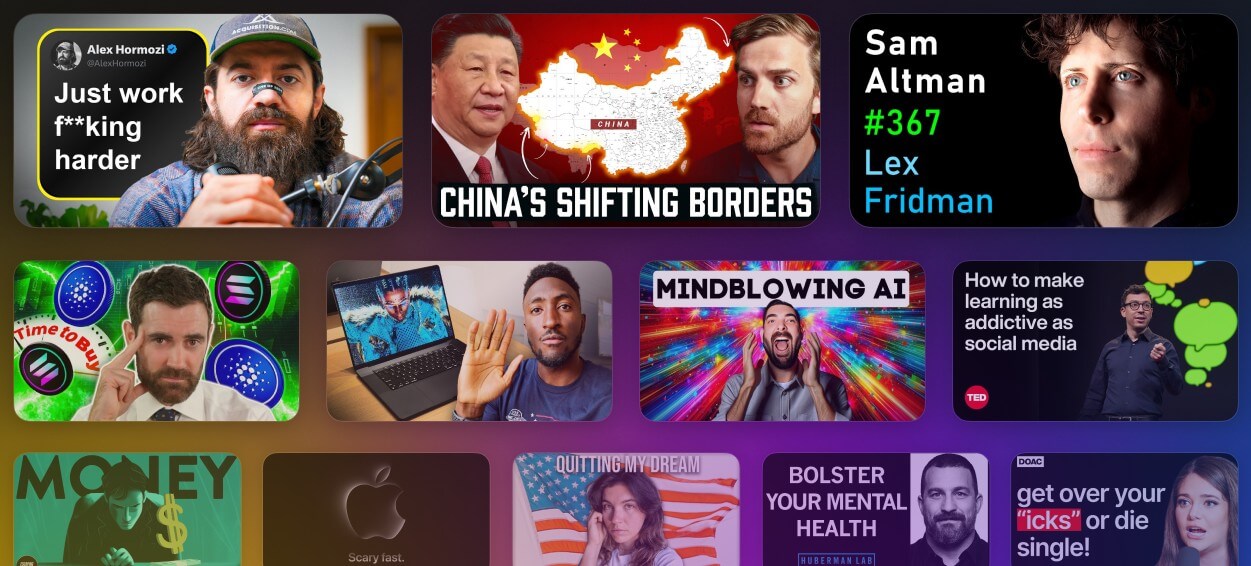
Eightify is strongest when YouTube becomes too dense to manage. That might mean a two-hour podcast, a long investing breakdown, a technical lecture, a tutorial, a news discussion, or a product review that may or may not be worth your time.
The tool adds a summary layer to YouTube. Instead of opening a separate chatbot, pasting a link, and asking for notes, you use the extension directly from the video page. The Chrome Web Store listing describes one-click video summaries, key insights, timestamped navigation, multilingual support, top-comment overview, and transcript generation. It also says the extension is powered by Claude and ChatGPT, though it does not name exact model versions.
That makes Eightify less like a general AI assistant and more like a focused viewing filter. It helps answer three useful questions quickly: What is this video about? Which parts matter? Is the full video worth watching?
| Feature | What it does | Why it matters |
|---|---|---|
| Video summaries | Condenses YouTube videos into readable takeaways | Good for screening long content fast |
| Key insights | Pulls out the main ideas from the video | Helps with learning and note-taking |
| Timestamped navigation | Links ideas to specific video moments | Lets you jump to the useful sections |
| Transcript access | Gives a text version of the video | Useful for scanning, copying notes, and review |
| Top comment overview | Shows viewer reaction at a glance | Adds social context before you commit time |
| Multilingual support | Summaries and translations are available in 40+ languages | Useful for global videos and non-English content |
Eightify’s own site also highlights AI-powered insights, smart navigation, top comment overview, video-to-text access, multilingual summaries, and sharing options.
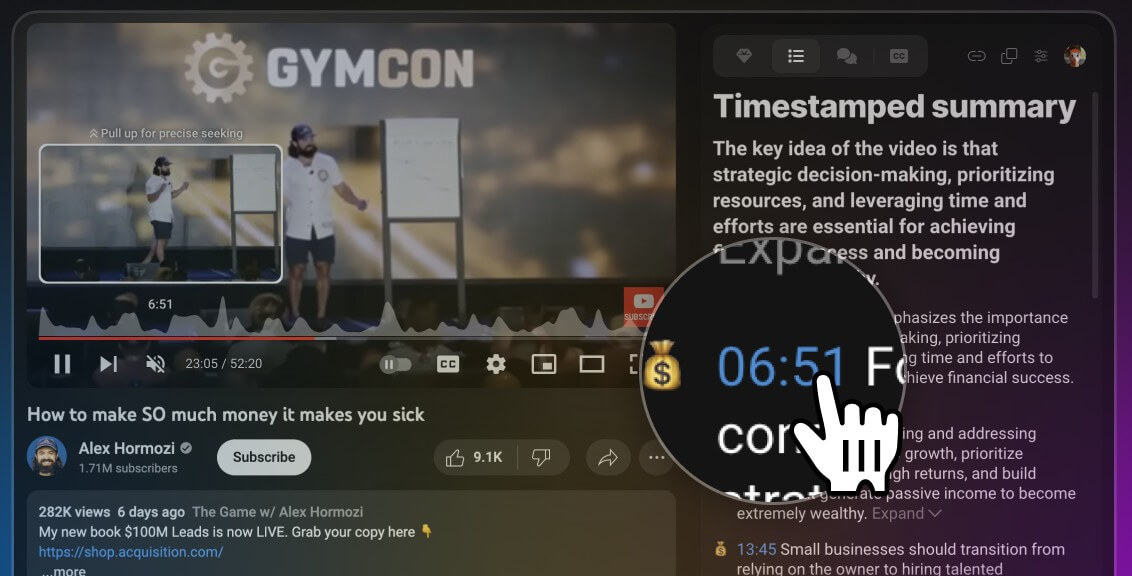
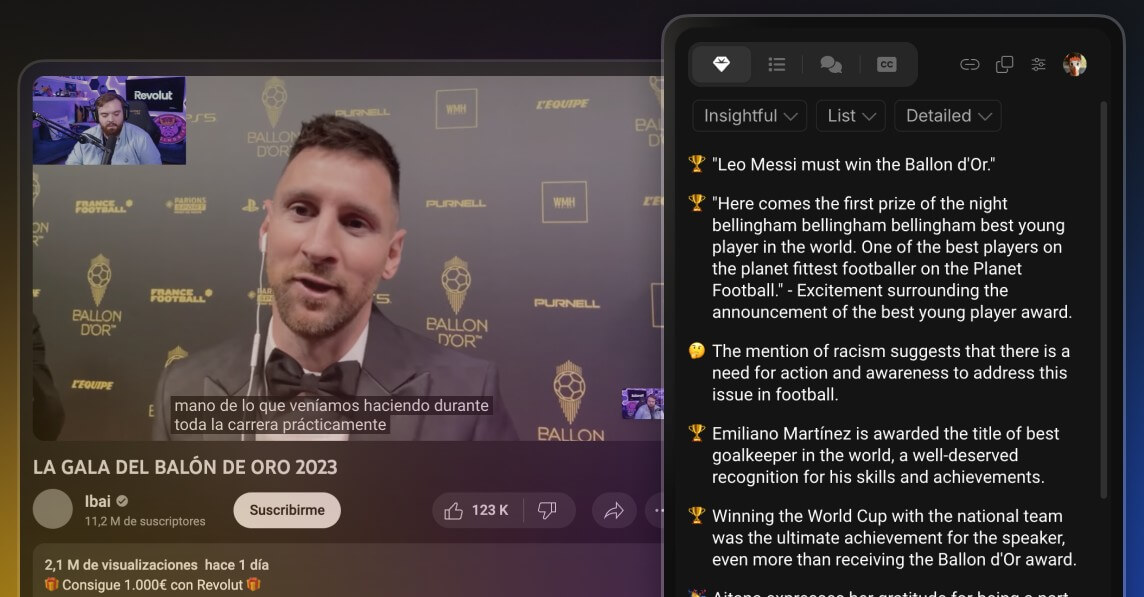
The workflow is simple. Install the extension, open a YouTube video, click the Eightify button, and read the generated summary or insights. The Chrome listing describes this exact flow: install the extension, go to a YouTube video, click Eightify, then get the summary and insights.
That in-page workflow is the point. Many AI summarizers can summarize a YouTube link, but Eightify’s advantage is that it keeps the action where the video already lives. For people who skim lots of YouTube content, that matters. It reduces the copy-paste loop and makes summarizing feel like part of watching.
The tool also supports mobile access through iOS and Android routes, according to Eightify’s site and app listings. Still, the Chrome extension is the cleanest fit for desktop research because it sits directly inside the YouTube browsing flow.
Eightify is designed for speed first. It gives you a fast read on the content, then lets you decide whether to keep watching. That is useful for videos where the title is vague, the intro is long, or the creator buries the main point halfway through.
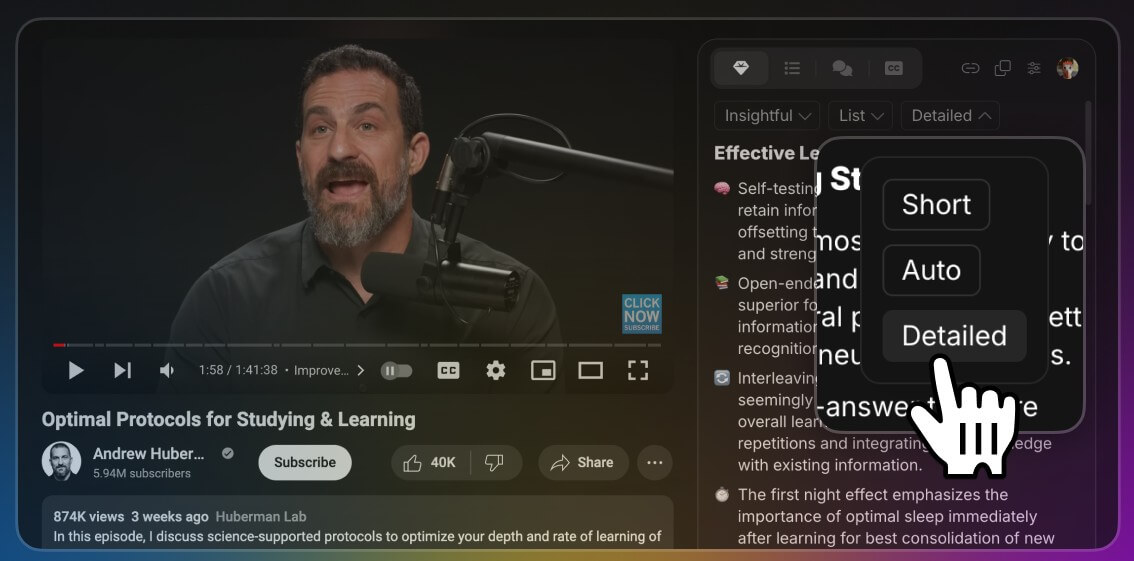
The most useful control is customization. The Chrome listing says users can customize the focus of key insights, including insightful, actionable, controversial, or funny. It also mentions format choices such as list or Q&A, length, grouping, emojis, and insight-cluster titles.
That matters because not every summary should look the same. A student may want structured study notes. A founder may want action items. A journalist may want claims and tensions. A casual viewer may only want the gist.
The practical caveat is that summaries are still summaries. They compress. They choose. They may miss tone, evidence quality, side comments, or visual context. For dense technical videos, legal analysis, medical content, financial commentary, or political clips, Eightify should be treated as a screening tool, not the final source of truth.
- Students: Students reviewing lectures, tutorials, and explainer videos.
- Professionals: Professionals scanning webinars, interviews, and market commentary.
- Researchers: Researchers collecting background from YouTube.
- Content creators: Content creators checking trends, competitor videos, and long podcasts.
- Journalists or analysts: Journalists or analysts who need to screen video sources quickly.
- Casual viewers: Casual viewers deciding whether a long video is worth the time.
The official website lists similar user groups, including busy professionals, students, content creators, educators, journalists, and casual viewers.
It is less useful for people who mostly watch short entertainment videos, music content, visual demos, or videos where the value is in the performance rather than the spoken information.
Eightify is narrower than ChatGPT, Claude, or Gemini, but that narrowness is part of the appeal.
A general chatbot can summarize a transcript if you provide one. It can also compare videos, ask follow-up questions, and help rewrite notes. But that takes more setup. You need the link, transcript, or copied content, then you need to ask for the summary you want.
Eightify is faster for one repeated task: summarizing YouTube videos while you browse. It is not better than a full chatbot for deep analysis, but it is more convenient when the question is, “What are the main points of this video?”
That makes the best workflow a combined one. Use Eightify to extract the key points first. Then, for serious research, move the transcript or summary into a broader AI tool for comparison, questioning, source checking, or outline building.
- Use Eightify first on long informational videos, not short clips. The time savings are much higher on lectures, interviews, conference talks, podcasts, and analysis videos.
- Use timestamps as a navigation tool, not just as decoration. The best use is often to skim the summary, jump to two or three important sections, then decide whether to watch the full video.
- Change the insight focus depending on the video. Actionable notes work well for tutorials. Q&A can help with educational content. A more critical focus is better for opinion-heavy videos.
- For research, save the summary with the original video link. A summary without the source is easy to misread later.
Eightify’s biggest limit is that it depends on the quality of the video’s speech, transcript, and structure. A clear lecture will usually summarize better than a chaotic livestream with interruptions, jokes, overlapping speakers, or heavy visual context.
It also cannot fully judge whether a creator’s claims are true. It can summarize what was said, but it should not be treated as fact-checking. This matters for health, finance, politics, science, and legal topics.
The comment overview is useful, but it should be read with caution. YouTube comments can give quick social context, but they are not a reliable measure of accuracy.
Another trade-off is focus. Eightify is mainly a video summarization tool. If you want a broader knowledge system with saved highlights, cross-video research, citation workflows, or long-term study organization, you may need a separate notes app or research assistant.
Eightify is a practical YouTube summarizer for people who watch, research, or screen a lot of video content. Its strongest value is speed: summaries, key insights, transcripts, timestamps, and viewer context all appear close to the video itself. It is best for students, professionals, creators, and researchers who want to learn faster from long videos. The main caveat is that it condenses information, so important videos still deserve careful watching and source checking.
TAGS: Research Productivity
Related Tools:
Automates modeling, forecasting, and reporting to help businesses

Enhances writing productivity

Turns data, text, and visuals into dynamic spreadsheets
Automates post-meeting tasks by listening to conversations

Records, transcribes, and summarizes meetings

Enables teams to capture, access, and verify information