
Share this tool:
 |
Description:
n8n is a technical workflow automation platform that sits between no-code convenience and real engineering control. It gives you a visual builder, but it also expects you to think in APIs, data flow, branching logic, credentials, and production behavior. That is the core appeal: you can build visually, drop into code when needed, and deploy either on n8n Cloud or your own infrastructure.
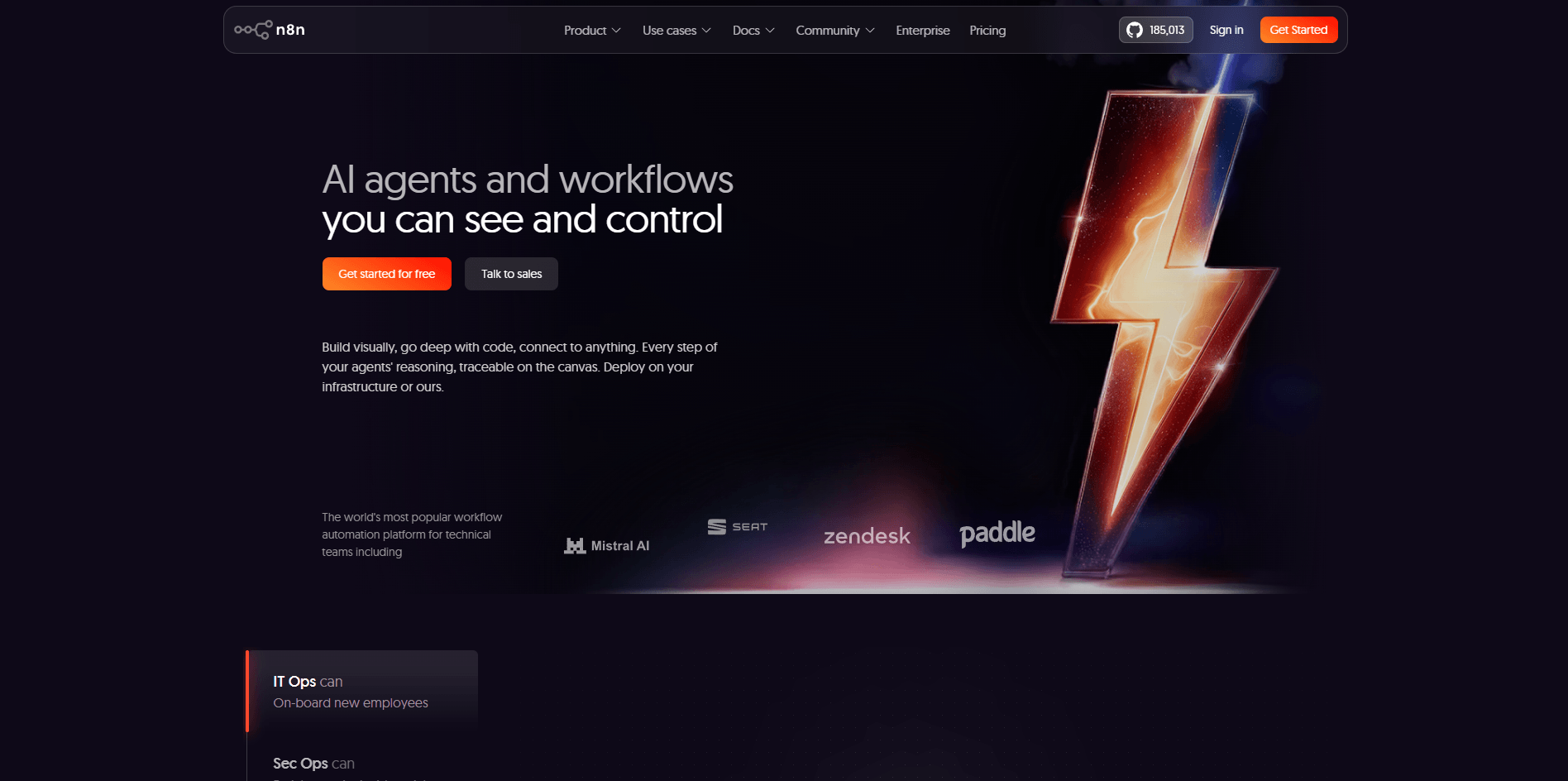
n8n now positions itself around both business process automation and AI workflows, with AI agents, MCP connectivity, human approvals, and an AI Workflow Builder layered on top of its existing node-based automation system. That makes it more than “Zapier but self-hosted.” It is closer to an automation workbench for teams that want flexibility and control.
Node-based automation builder for triggers, logic, data handling, and app integrations.
The Code node supports JavaScript and Python for complex transformations inside workflows.
Built-in AI agent tooling, LangChain-based AI capabilities, and AI workflow documentation/templates.
You can run n8n on managed cloud or your own infrastructure, including a free self-hosted community edition.
n8n markets 500+ integrations for combining business systems, AI tools, and APIs.
Official workflow templates help users start faster and adapt proven patterns.
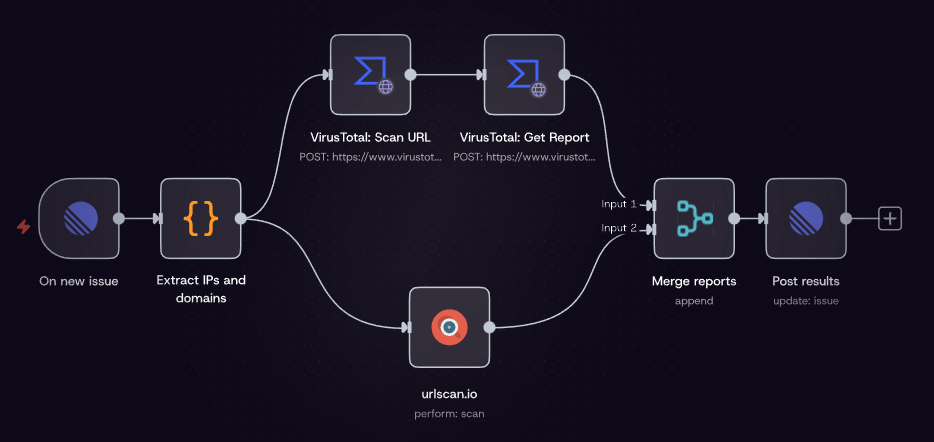
n8n is strongest when the workflow is too complex for simple app-to-app automation but does not justify building a fully custom internal platform. If you need branching logic, looping, transformations, retries, API calls, webhooks, custom code, and connections across many systems, n8n becomes much more compelling than lightweight automation tools. Its workflow model is node-based, template-friendly, and built for debugging through executions and workflow history.
Its second major strength is control. n8n explicitly supports code inside workflows through the Code node, where you can write JavaScript or Python for more complex transformations. It also supports expressions for lighter inline logic, and self-hosted users can go further with external modules and custom nodes. That makes n8n much more adaptable than platforms that only expose predefined actions.
Its third strength is deployment flexibility. n8n offers cloud plans, a free self-hosted community edition, business self-hosting, and enterprise options for cloud or self-hosted deployments. For companies with security or governance requirements, that is one of the clearest reasons to choose it over more closed SaaS automation products.
The fourth big strength is AI workflow building with guardrails. n8n’s AI positioning is not just “attach an LLM to a trigger.” It emphasizes combining AI agents with explicit logic, human approvals, evaluations, integrations, and monitoring. That gives it a stronger story for production AI workflows than tools that are mostly prompt layers wrapped around connectors.
n8n is approachable at the first-run level and demanding at the serious-use level. You can start from a template, connect credentials, tweak a node or two, and get something useful running without much setup. That is why it attracts nontraditional builders as well as developers. The quickstart flow explicitly points new users toward templates and incremental editing.
But n8n is not really a beginner-first tool once workflows become important. The platform assumes you can reason about payloads, schemas, authentication, retries, edge cases, execution history, and production reliability. The docs for self-hosting are very direct about this: n8n recommends self-hosting for expert users and warns that mistakes can lead to downtime, data loss, or security issues.
This is one of the most honest things about the product. n8n is powerful because it does not over-hide complexity. The visual interface helps, but the platform still exposes enough of the underlying logic that technical teams can actually control what is happening. That makes it more work than simple automation SaaS, but also more trustworthy for workflows that matter.
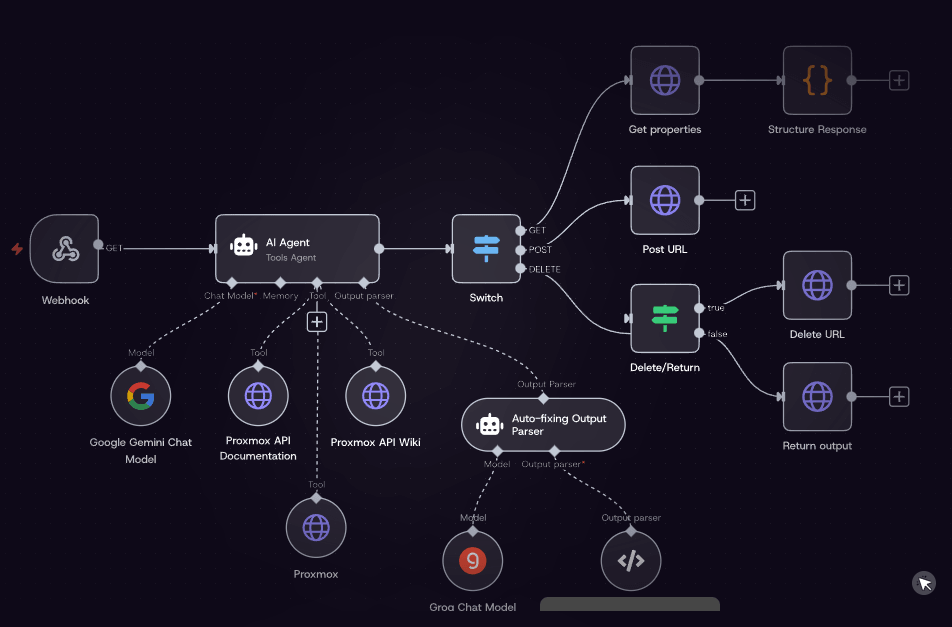
n8n’s AI layer is now a real part of the platform, not a side demo. Its official AI materials describe AI Workflow Builder, Chat Hub, evaluations for reliability, MCP support, and workflows that mix AI with human approvals, code, and conventional logic. That is the right way to understand n8n’s AI story: not as a chatbot product, but as infrastructure for operational AI workflows.
The AI Agent node matters here. n8n’s docs describe it as an autonomous system that can use tools and APIs to achieve goals, and current versions standardize this around a Tools Agent approach. In practice, that means you are not just calling a model for text output; you are wiring models to actions, retrieval, business systems, and branching logic inside a workflow environment.
That is where n8n becomes especially interesting for technical teams. You can pair LLM calls with guardrails, retrieval, approvals, and system integrations instead of hoping a prompt will carry the whole workflow. For support, ops, internal assistants, lead routing, document workflows, and tool-using agents, this is much closer to a usable production setup.
One thing worth noting: n8n’s AI feature set spans different surfaces and plans. Advanced AI docs say AI functionality is available on cloud and self-hosted in supported versions, while pricing pages show AI Workflow Builder credits attached to cloud plans and marked differently on Business/Enterprise. So buyers should distinguish between core AI workflow capability and newer convenience layers like the builder.
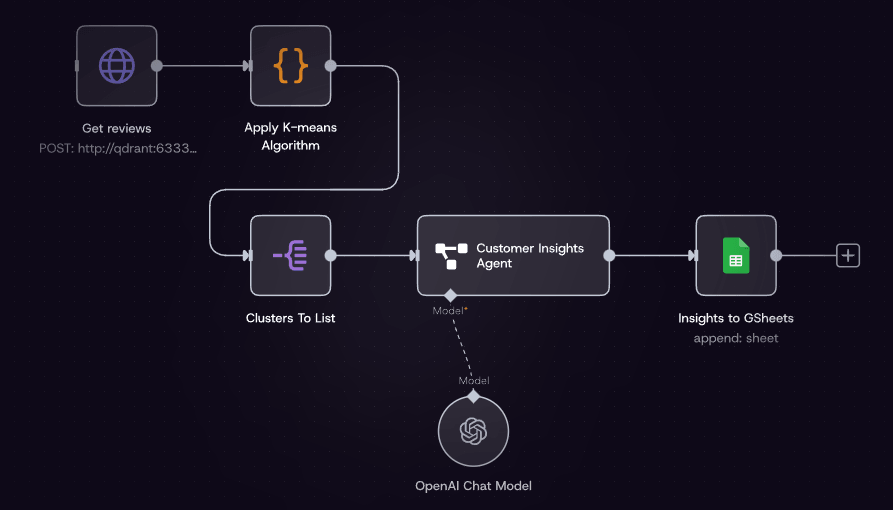
This is one of the most important buying decisions with n8n. Cloud is easier, faster, and better for teams that want to ship without running infrastructure. Self-hosting is the bigger differentiator, because it gives you control over deployment, licensing paths, and, depending on the plan, deeper enterprise features. n8n explicitly offers a free self-hosted community edition, plus Business and Enterprise options for licensed self-hosted use.
For many teams, the right reading is simple. If your goal is to automate quickly and you do not want ops overhead, use n8n Cloud. If your goal is control, internal data handling, custom infrastructure, or auditable ownership, self-hosting is one of n8n’s strongest competitive edges. n8n’s enterprise page leans heavily into ownership, auditable source code, and deployment flexibility for exactly that reason.
The trade-off is obvious: self-hosting is not free in operational terms just because the software can be free. You are taking on setup, scaling, security, upgrades, and reliability yourself. n8n’s own docs explicitly caution that this requires technical knowledge.
n8n is a strong fit for technical operations teams, internal tools builders, agencies building client automations, startups wiring together product workflows, and AI teams that need more than a chat interface. It is especially well suited to webhook-heavy workflows, lead routing, internal AI assistants, support automation, document processing, and multi-system orchestration.
It is also a good fit for teams that want a bridge between no-code speed and code-level control. The ability to start visually, then add expressions, code, custom nodes, HTTP requests, and self-hosted infrastructure is one of the clearest reasons n8n has such a strong technical following.
Where it is less ideal is for nontechnical users who want polished business-analyst automation with minimal maintenance. n8n can absolutely be used by less technical builders, but its real value shows up when someone on the team can think like a developer, even if they are not writing full applications.
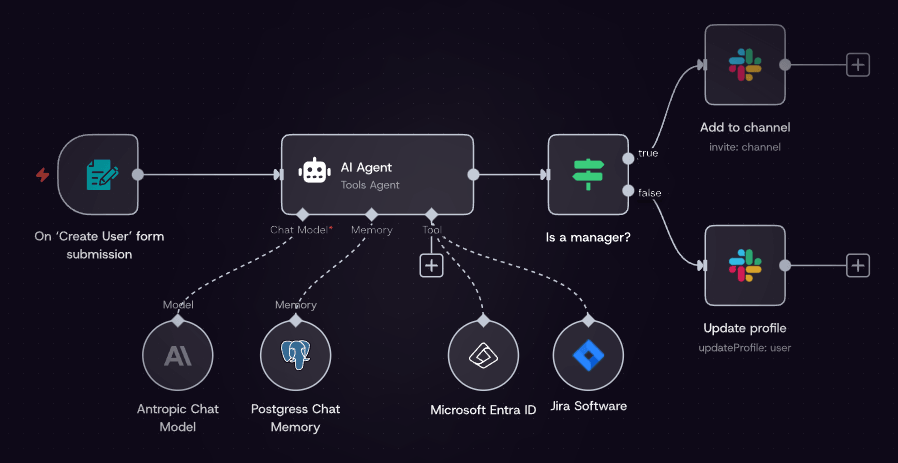
Compared with simpler automation tools, n8n gives you more control, more deployment flexibility, more room for code, and a stronger path into AI agent workflows. Compared with full custom development, it lets teams move much faster and keeps a lot of logic visible on a canvas instead of burying it entirely in code.
That middle position is the whole point. n8n is not the easiest automation product, and it is not the deepest software framework. It is strongest exactly where those two extremes fail: when teams need something faster than building from scratch and more controllable than conventional no-code automation.
- The biggest trade-off is complexity. n8n is easier than building everything yourself, but it is still a serious workflow tool. Teams without technical fluency may get value from templates, but they often struggle once authentication, transformations, retries, and production reliability become important.
- The second trade-off is operational overhead, especially on self-hosted deployments. n8n’s self-hosting story is a strength, but it only stays a strength if your team can handle infrastructure responsibly. Otherwise, cloud is the safer path.
- The third is that some newer AI convenience features are still layered unevenly across plans and surfaces. The core platform is clearly AI-capable, but buyers should verify whether they specifically need AI Workflow Builder credits, cloud-only conveniences, or enterprise governance features before choosing a plan.
n8n is one of the most compelling workflow automation platforms for technical teams because it combines visual building, code-level flexibility, strong deployment choice, and an increasingly credible AI workflow stack.
It is best for teams that want to automate serious business processes, build agentic workflows with real logic and integrations, and keep control over how those systems run.
The main caveat is that n8n rewards technical thinking; if you want ultra-simple automation with minimal maintenance, it can feel heavier than the friendlier end of the market.
TAGS: AI Automation
Related Tools:

Connects apps and services to create automated workflows
AI agent that executes user commands across platforms
Enables users to build, customize, and deploy AI agents
Connects apps and automates workflows
Creates intelligent agents to automate tasks
Automate workflows and interact with data