

Share this tool:
 |
Description:
Make is a visual automation platform for connecting apps, moving data, and building multi-step business workflows.
It began with the kind of no-code automation many people will recognize: take information from one app, change it if necessary, and send it somewhere else. The current platform goes further, combining those fixed workflows with AI models, AI Agents, custom code, MCP connections, and monitoring tools.
Make can still copy a form submission into a CRM. It can also handle processes where AI must interpret the submission, decide what it means, and trigger an appropriate action in another system.
The platform currently offers more than 3,000 app integrations.
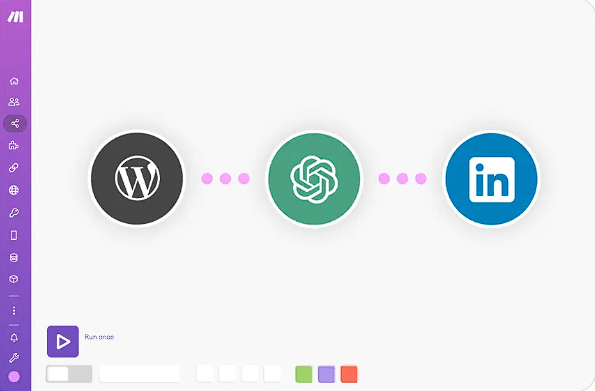
Make’s visual workflow canvas remains the heart of the product.
Automations are called scenarios. Each scenario is assembled from connected modules that show how information moves through the process. A module might detect an event, find data, create or update a record, call an API, process content, or perform another action.
For more involved workflows, Make provides filters, routers, iterators, aggregators, webhooks, variables, and error-handling logic. The result looks more like a map than a script, which helps when a process branches in several directions.
A marketing scenario could receive a new lead, check where it came from, enrich the record, send high-value prospects down one CRM path, place the rest into an email sequence, and notify the appropriate team.
Seeing that logic on a canvas does not make it simple, but it does make it easier to follow.
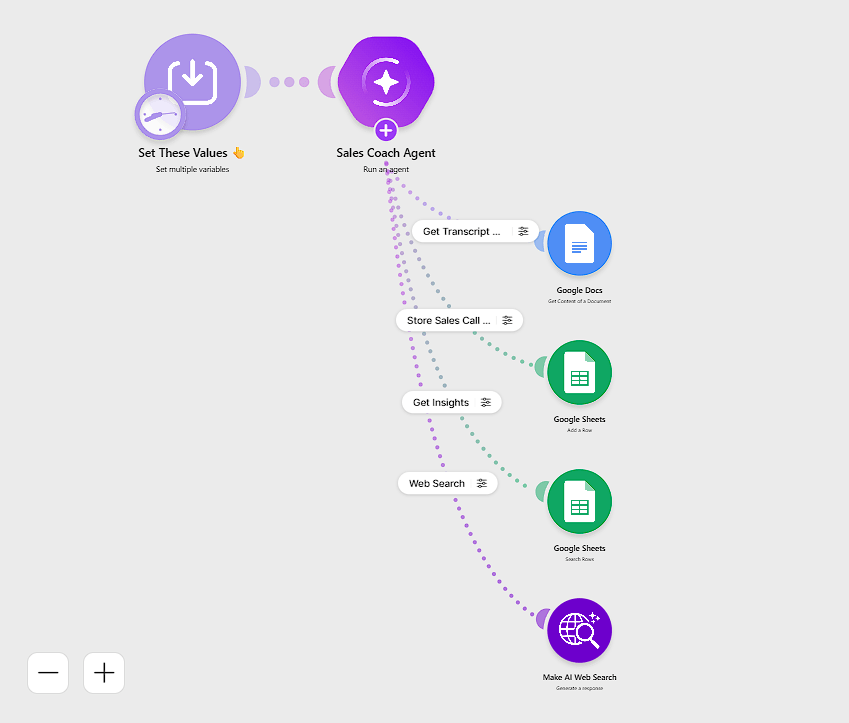
The newer Make AI Agents layer is intended for work that fixed rules cannot handle comfortably.
A regular scenario follows the path its builder defines. An AI Agent can examine an input, decide which available tool fits the request, and choose what to do next.
In February 2026, Make rebuilt the AI Agents experience so that agents could be created, run, and debugged inside the same visual canvas used for ordinary automations.
| Capability | Best suited for |
|---|---|
| Scenarios | Predictable, rule-based processes |
| AI Agents | Tasks requiring judgment or interpretation |
| Make AI Tools | Focused AI work such as extraction or categorization |
| Make Code | Custom JavaScript or Python logic |
| MCP | Connecting agents and external AI systems to tools |
| Data Stores | Keeping lightweight workflow data between executions |
Agents can use connected app modules, complete Make scenarios, and work with MCP tools. Make also displays reasoning information so builders can inspect which actions an agent chose rather than treating every decision as a mystery.
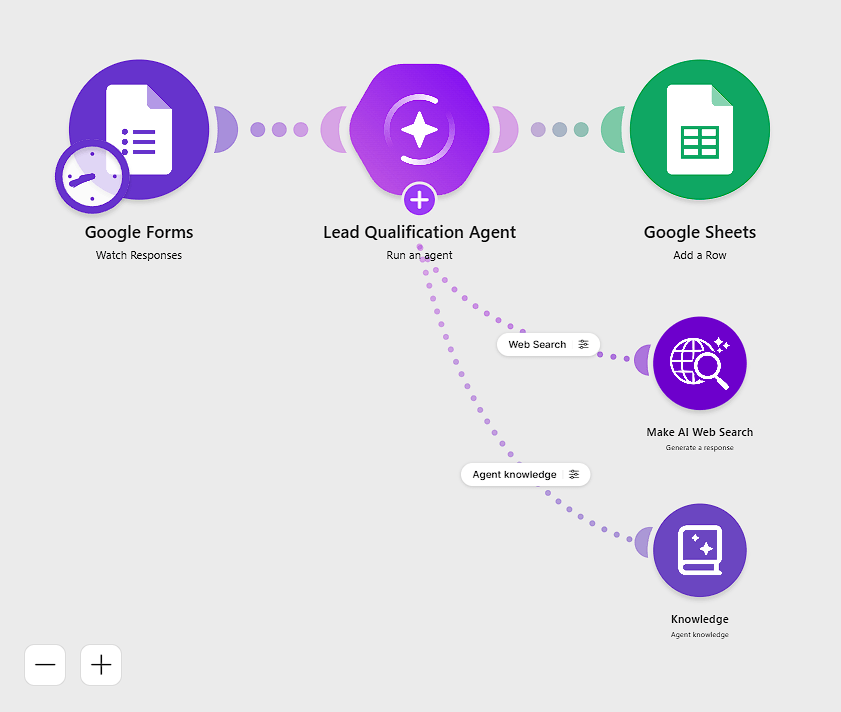
The sensible part of this design is that AI does not have to control the entire workflow. Fixed steps can remain fixed. The agent only needs to handle the portions that actually require interpretation.
Make’s large integration catalog is one of the clearest reasons to use it.
Supported services include Google Sheets, Gmail, Slack, Notion, Airtable, Salesforce, HubSpot, Shopify, Monday.com, Google Drive, Telegram, and many other business tools.
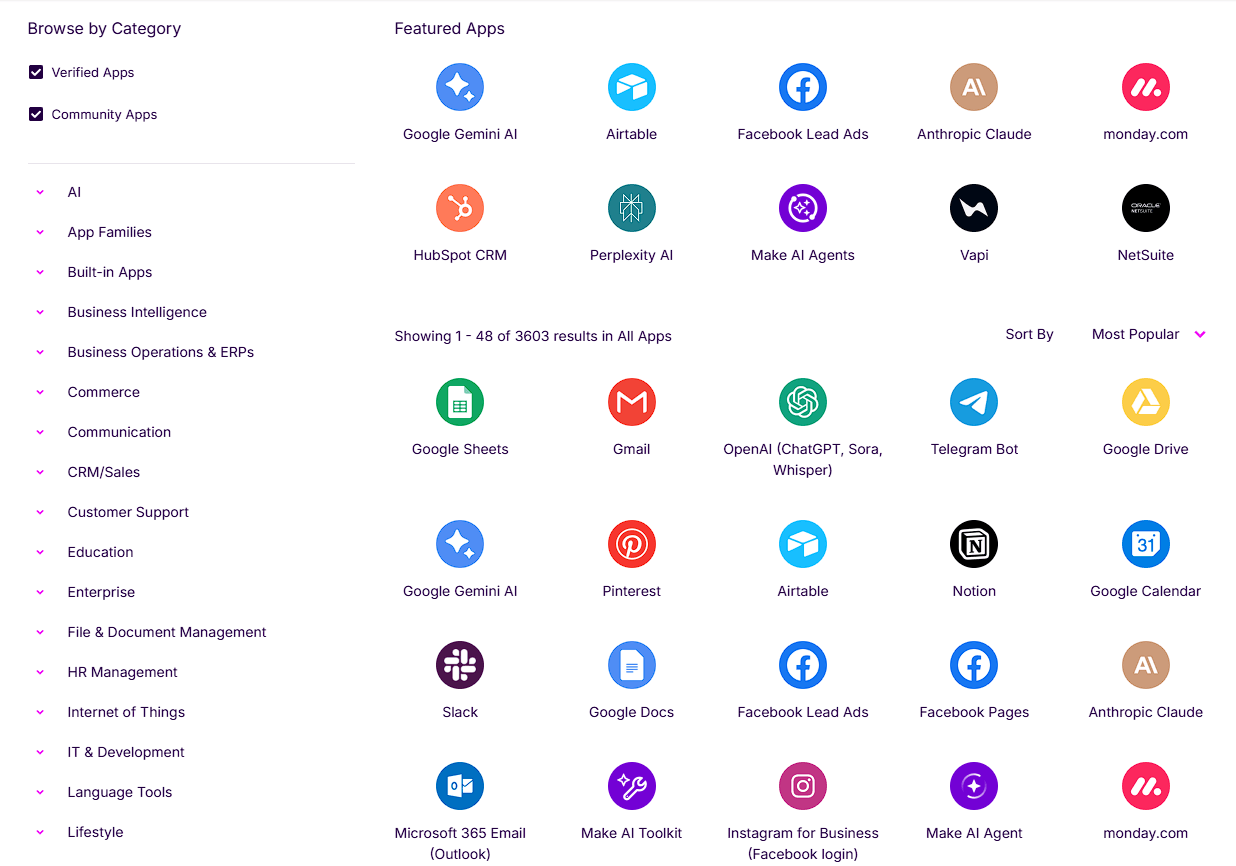
Its AI integrations cover OpenAI, Anthropic Claude, Google Gemini, Perplexity, DeepSeek, ElevenLabs, and specialist services for image, video, voice, and data processing.
When a native integration is unavailable, Make’s HTTP tools can connect to services with an API. That option is useful for internal software and less common products that are unlikely to receive their own ready-made module.
Make is not restricted to no-code workflows.
The Make Code app allows JavaScript or Python to run inside a scenario. It provides an editor with syntax support, error details, and an isolated execution environment.
Custom code becomes useful when Make’s standard functions cannot handle a particular calculation, transformation, or data format. It lets technical users solve the awkward last ten percent without rebuilding the whole automation elsewhere.
Make also has a CLI for managing scenarios, connections, webhooks, data stores, and other platform resources from the terminal. Development teams can therefore connect Make to their existing coding workflows and agents instead of managing everything manually in a browser.
A handful of automations is easy enough to remember. Dozens or hundreds are not.
Make Grid creates a visual map of scenarios, apps, AI components, and data stores. It exposes dependencies so teams can understand what may be affected when one part of the automation environment changes.
The platform also includes an Analytics Dashboard for monitoring how scenarios and agents are used and how they perform.
These features will mean little to someone creating a first workflow. For an established automation team trying to work out which scenario updates which database, they become much more valuable.
- Marketing operations: Lead routing, campaign data, content workflows, reporting, and AI-assisted asset production.
- Sales: CRM updates, enrichment, notifications, qualification, research, and follow-up processes.
- Customer support: Ticket classification, AI-assisted triage, response workflows, and escalation.
- Operations: Document processing, database synchronization, approvals, inventory updates, and recurring administrative work.
- AI workflows: Connecting language models to business systems so their decisions can trigger controlled actions.
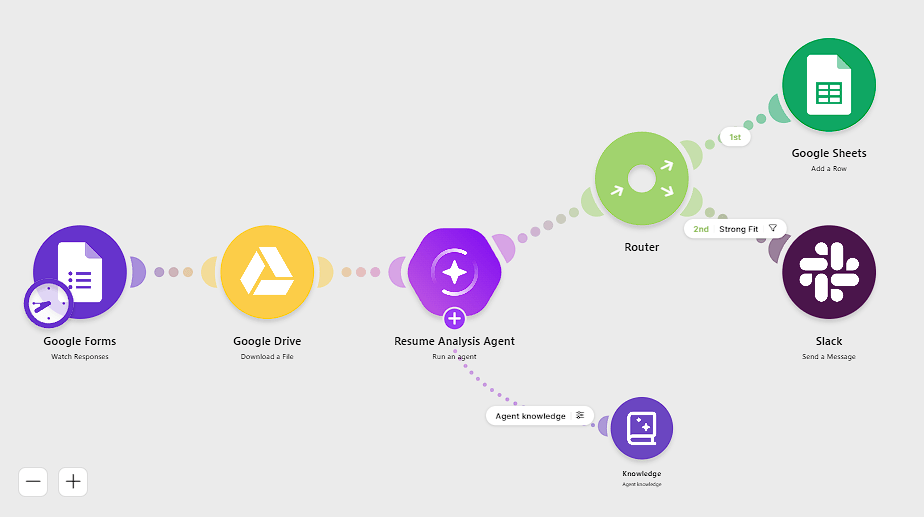
Make is particularly well suited to workflows that must cross several unrelated applications.
The visual approach is approachable, but a large Make scenario can still become difficult to manage. Routers, field mappings, nested data, filters, error handlers, and API responses add up quickly once a workflow moves beyond the basics.
AI Agents bring their own uncertainty. Make offers visibility into agent reasoning, but reliable results still depend on good instructions, clear tool descriptions, sensible inputs and outputs, and repeated testing. Make’s own guidance emphasizes how those details affect an agent’s ability to choose the right action.
There is also a temptation to use every feature because it is available. Most new users will be better off learning ordinary scenarios first. Add agents, custom code, or MCP when a specific workflow calls for them, not simply because they sound more advanced.
Make connects traditional automation with agent-based AI in a single visual platform. Its scenario builder, catalog of more than 3,000 integrations, AI Agents, custom-code options, MCP support, and monitoring tools can handle anything from a modest personal automation to a connected business process.
The trade-off appears as those systems grow. Make makes complex workflows easier to see, but it cannot make the underlying logic disappear. Dependable automation still comes down to clear process design, careful testing, and knowing when a fixed rule is safer than an AI decision.
TAGS: AI Automation
Related Tools:

Lets you extract structured data from any website
Connects apps and services to create automated workflows

Enables users to build, customize, and deploy AI agents

AI tool that runs autonomous personal agents locally
Connects apps and automates workflows

Automates content creation and data-driven processes