

Share this tool:
 |
Description:
CostGPT AI is a software project planning tool built for people who need an early estimate before they talk to a development agency, hire freelancers, or start building. Its main job is to take a rough product idea and turn it into a more structured plan: features, dependencies, sitemap, user stories, milestones, time estimates, and development scope.
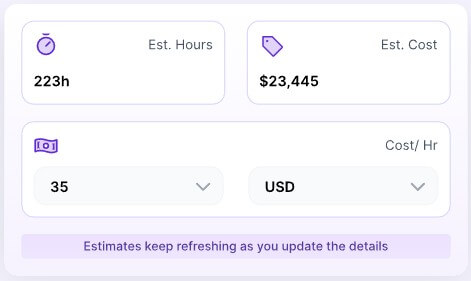
CostGPT gives users an overview of project variables in one place, which is useful for discussing budget, scope, and effort with a team or vendor.
The tool lists possible features the software product may need. This is one of its most practical outputs because it turns a vague product idea into a checklist.
CostGPT identifies what needs to be in place before development starts. This can include technical, planning, or product dependencies that users may overlook.
The sitemap output gives a rough skeleton of the product and possible user flows. This helps users visualize the structure before wireframes or design work.
CostGPT can generate micro user journeys that describe how different users may interact with the product. That is helpful for product managers and development teams.
The milestone output suggests a sprint-style plan based on requirements and timelines, giving users a clearer path from idea to execution.
CostGPT AI is not a project management platform in the same category as Jira, Linear, or ClickUp. It also is not a full product strategy consultant. It is better understood as an AI estimation and planning assistant for early software projects.
The official site describes CostGPT as a tool that creates roadmaps with cost estimates, features, sitemaps, and milestones, helping users plan from concept to completion with better budget control. It also positions the tool as useful for project managers, developers, business owners, and anyone involved in software planning and execution.
The starting point is simple: you give CostGPT a software idea. In earlier product material from Codebuddy, CostGPT’s creators described two ways to get an estimate: describe the idea in detail, or provide a reference website that works like the product you want to build. From there, the system generates planning outputs such as estimated hours, feature count, time per feature, recommended tech stack, and feature lists.
That makes CostGPT useful at the messy beginning of a project, when the idea exists but the scope is still unclear.
CostGPT AI is strongest when users need a planning baseline. Many founders know what they want in broad terms: a marketplace, booking app, SaaS dashboard, learning platform, delivery app, CRM, or AI assistant. What they often do not know is how many parts that idea contains.
CostGPT helps expose those parts. A “simple app” may still need authentication, user roles, admin tools, payments, notifications, search, reporting, file uploads, integrations, and support workflows. Seeing those pieces early helps users ask better questions before they spend money.
The tool is especially useful for:
| User Type | Why CostGPT Helps |
|---|---|
| Startup founders | Turns a rough idea into a planning document |
| Product managers | Helps organize scope before deeper discovery |
| Agencies | Speeds up early proposal preparation |
| Freelancers | Gives a starting estimate before quoting |
| Non-technical business owners | Makes software scope easier to understand |
| Developers | Helps break a concept into features and dependencies |
The best use case is not replacing expert estimation. It is preparing for it.
The workflow is built for speed. You start by describing the software product you want to build or by giving a reference site. The better the input, the better the estimate is likely to be.
This is important because CostGPT’s own FAQ says estimate reliability depends heavily on the thoroughness and accuracy of the details provided by the user. The company claims project-planning accuracy above 80%, but also warns users to interpret the plan carefully and include all relevant information for better results.
That is a fair caveat. Software estimation is hard because every feature has hidden assumptions. “User profiles” can mean a basic account page or a complex identity system with roles, permissions, verification, privacy settings, and admin controls. “Payments” can mean a single checkout form or subscriptions, refunds, invoices, tax handling, coupon logic, and multiple currencies.
CostGPT works best when users describe the project in concrete terms: user types, platforms, required features, integrations, admin needs, compliance concerns, and what should be included in the first version.
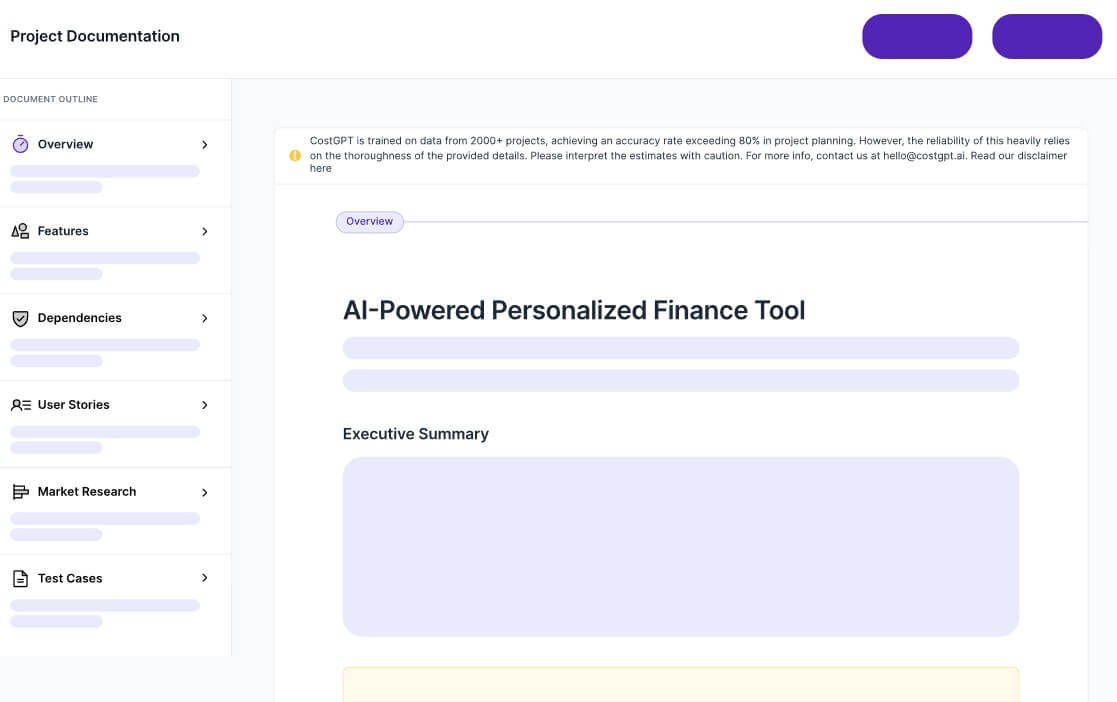
CostGPT’s planning output is useful because it gives structure, not just a number. The feature list, dependencies, sitemap, user stories, and milestones are often more valuable than the estimate itself.
That said, the estimate should be treated as a ballpark planning tool. Codebuddy’s original product article specifically says the estimates are meant to provide a ballpark number, not exact values.
That distinction matters. A ballpark estimate can help a founder decide whether an idea is realistic. It can help an agency start a scope conversation. It can help a business owner understand why one feature set is larger than another. But it should not be used as a final development quote without review from a technical team.
Product Hunt feedback points in the same direction. Review summaries describe CostGPT as useful for early planning, feature lists, module breakdowns, time estimates, dependencies, and suggested tech stacks, while also noting that some users want better AI training and more detailed module breakdowns.
CostGPT AI is best for early product scoping. A founder can use it before investor conversations, agency calls, or freelance outreach. A product manager can use it to turn a rough idea into a more structured discussion document. A developer or agency can use it as a first-pass planning aid before writing a real proposal.
It is also useful for comparing versions of the same idea. For example, a user can estimate a basic MVP, then estimate a more advanced version with payments, mobile apps, analytics, and integrations. That comparison can make scope decisions easier.
CostGPT is less useful when the project is already fully specified. If a team has detailed requirements, architecture, designs, and sprint plans, they may need expert estimation rather than an AI-generated first pass.
The main limitation is estimation uncertainty. Software projects change once real users, technical constraints, integrations, and edge cases appear. CostGPT can help frame the work, but it cannot know every hidden requirement from a short description.
The second limitation is depth. Generated feature lists and user stories are helpful, but they still need review. A product team should check whether the tool missed security needs, admin workflows, accessibility, analytics, data migration, testing, compliance, or long-term maintenance.
There is also a risk of false confidence. A polished estimate can look more certain than it is. Users should treat CostGPT as a planning draft, not a binding quote.
CostGPT AI is a practical tool for turning software ideas into clearer project plans. Its strongest value is the structured output: estimates, feature lists, dependencies, sitemaps, user stories, and milestones that help users understand scope before development begins. It is best for founders, product managers, agencies, freelancers, and business owners who need an early planning baseline. The main caveat is that software estimates are never final from AI alone, so CostGPT works best as a starting point for expert review, not a replacement for it.
TAGS: Productivity
Related Tools:
AI-powered writing tool for paraphrasing

Enhances writing productivity

AI search engine for research
Organizes personal digital content
Lets users build automated AI workflows

Helps users explore biomedical and life sciences research