

Share this tool:
 |
Description:
Lindy is an AI assistant and agent platform built to work across the tools a business already uses. It can interact with email, calendars, meetings, CRM systems, documents, Slack, and other connected apps rather than staying inside a standalone chat window.
The current product is positioned as an AI teammate capable of handling both one-off requests and recurring work.
That description covers two slightly different uses. An individual might rely on Lindy for inbox management, meeting preparation, scheduling, or research. A team can go further and build structured agents around repeatable business processes.
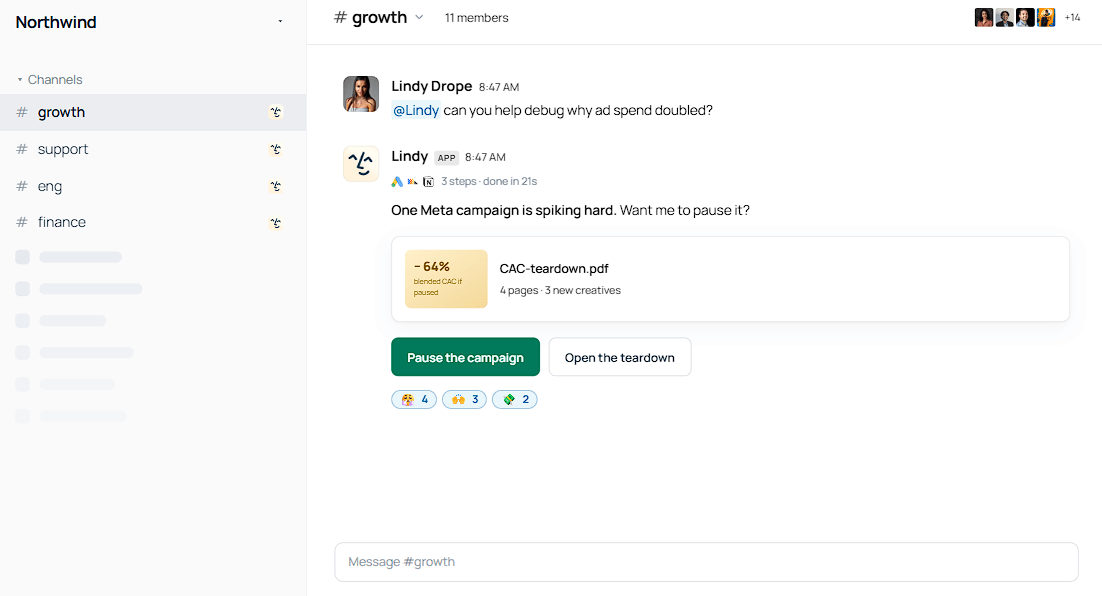
Lindy is at its most useful when a task calls for action, not another block of generated text.
Its documentation describes workflows for prioritizing email, drafting replies, preparing for meetings, taking notes, sending follow-ups, managing calendars, and carrying out ad hoc research. Users can communicate with Lindy through the web app, Slack, SMS, and iMessage.
You could ask it to prepare a meeting brief using earlier context, find a suitable appointment time, summarize a call, or draft a response to an incoming email.
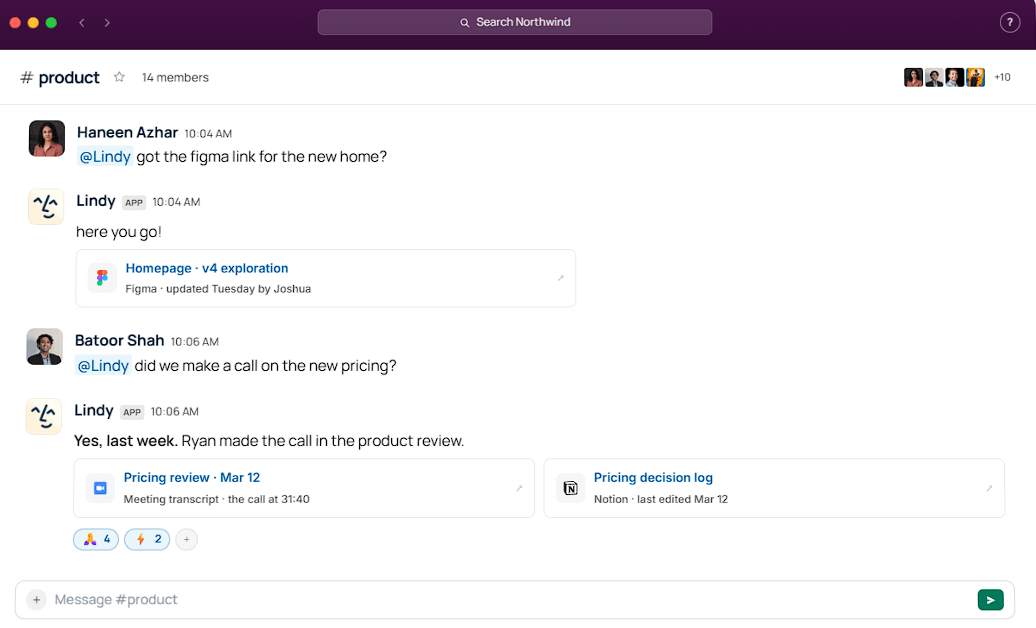
None of those tasks is revolutionary on its own. The appeal is that Lindy can handle them within the apps where the work already happens, cutting down on the constant copying and pasting between tools.
Lindy also has a workflow builder for creating custom agents.
A workflow can combine triggers, actions, conditions, loops, integrations, memory, and separate agent steps. This opens the door to broader business processes. A support agent might monitor incoming requests and update customer records, while an operations workflow could process documents, prepare reports, or route tasks to the right people.
Users can describe a workflow in natural language instead of beginning with code. That makes the first setup less intimidating.
Complexity still catches up eventually. Once a workflow has several conditions, connected apps, and branching actions, careful testing matters more than how easy the first prompt was to write.
Lindy currently lists more than 1,000 app integrations and supports connections to MCP servers.
The catalog includes Gmail, Google Calendar, Slack, Notion, HubSpot, Salesforce, Google Drive, Shopify, QuickBooks, Zendesk, Airtable, Microsoft tools, and many other services.
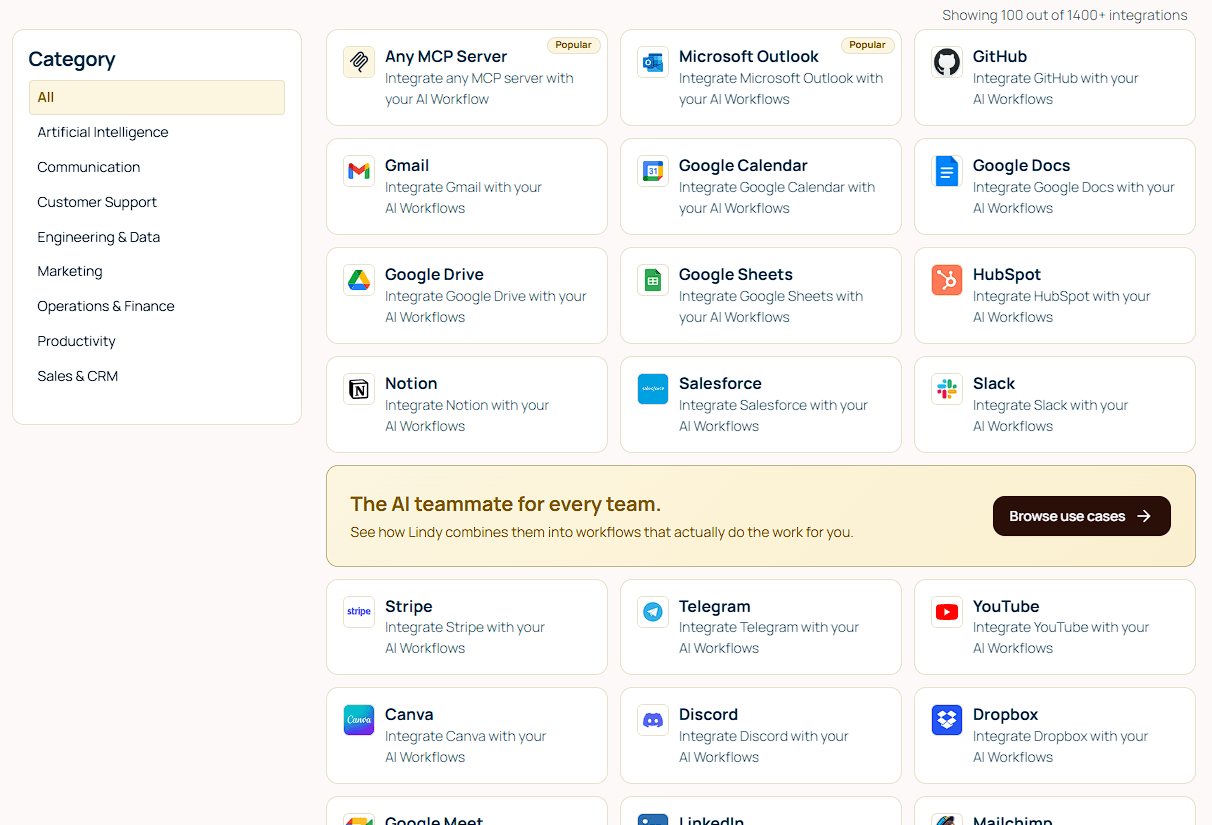
The number is useful because business work rarely stays inside one application. A Lindy workflow could collect information from one system, analyze it, update a record somewhere else, and post a summary in Slack.
Recurring schedules add another layer. Teams can set up morning briefings, weekly reports, periodic follow-ups, and other routines that should happen without someone remembering to start them each time.
Lindy is expanding beyond isolated automations with reusable Skills. The platform says it includes more than 40 Skills for work such as research, data analysis, slide-deck creation, and dashboard building. Teams can also save their own work as reusable Skills for colleagues.
Memory allows Lindy to retain preferences and context between interactions. For larger collections of reference material, its Knowledge Base can search files, websites, and connected cloud sources using semantic and keyword matching.
This makes a noticeable difference for recurring work. A support assistant can consult company documentation, remember the relevant context, and avoid beginning every request with a blank slate.
Giving an AI access to email, calendars, CRM records, and external communications introduces real risk. Lindy addresses that with human-in-the-loop controls.
Actions can be paused for confirmation before they run. A workflow can alert someone when it reaches an uncertain situation, and supported email actions can create drafts for review instead of sending messages immediately.
This is a sensible approach. Maximum autonomy is not a useful starting point when a workflow can contact customers or change business records. Let the system earn more freedom by proving that it handles a narrow task reliably.
- Executive and personal assistance: Inbox triage, meeting preparation, scheduling, follow-ups, research, and daily briefings.
- Sales and CRM operations: Lead research, record updates, outreach coordination, and data synchronization.
- Customer support: Combining incoming requests with company knowledge, routing cases, drafting responses, and escalating unusual situations.
- Operations and reporting: Recurring reports, document processing, data collection, internal notifications, and scheduled checks.
- Team-wide AI assistance: Slack is particularly useful because employees can delegate work from an app they already use instead of opening another automation dashboard.
Lindy is easier to approach than an agent stack built from scratch, but it still needs clear instructions and proper testing. One bad assumption can travel through several connected actions before anyone notices.
Its wide range of integrations also creates a practical boundary: Lindy can work only with the systems and Slack channels it has permission to access. Those connections need to be chosen carefully, especially when they contain sensitive information.
Straightforward administrative work is one thing. Judgment-heavy decisions are another. Approval controls reduce the risk, but people should remain involved when a workflow handles important records, sensitive choices, or communication that represents the business.
Lindy is for people who want AI to complete work rather than simply answer questions. Personal assistance, custom agents, extensive integrations, reusable Skills, memory, scheduling, and approval controls give it plenty of room to handle recurring business tasks.
The sensible way to adopt it is to begin with work that is clearly defined and easy to check. Test those workflows, watch where they fail, and add autonomy gradually. Lindy can remove a fair amount of repetitive coordination, but it still needs someone paying attention.
TAGS: AI Automation
Related Tools:

Connects AI agents to real-world apps and services

No-code AI assistants that automate tasks

Converts brand guides into structured skill packs

Automates content creation and data-driven processes

Enables users to build, customize, and deploy AI agents

Automate workflows and interact with data