

Share this tool:
 |
Description:
Ayudo is a customer-support platform built around autonomous AI agents. These agents can answer questions, retrieve information from business systems, complete tasks, escalate cases, and analyze support conversations.
Companies can use Ayudo with help desks such as Zendesk, Freshdesk, Intercom, Salesforce, and Discourse. They do not have to discard their existing support setup to start using it.
Ayudo is most relevant when a customer request takes more than one step to resolve. Checking an order is easy enough. Checking the order, contacting another team, updating a system, and getting back to the customer is where the platform becomes more interesting.
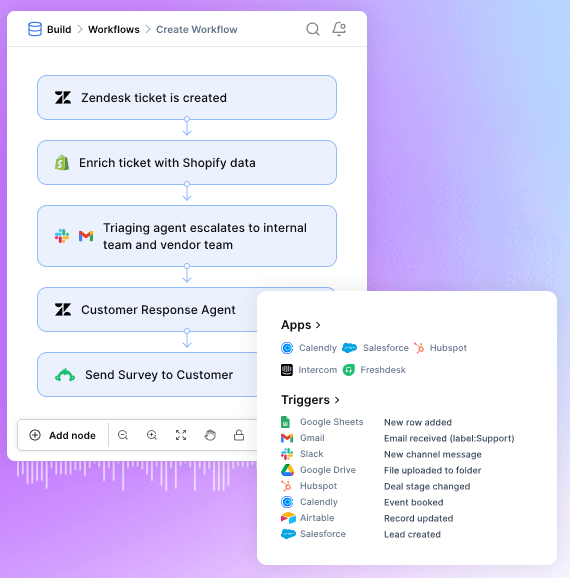
Ayudo divides work across specialized AI agents.
The Help Desk Agent handles customer requests using past conversations and live data from connected systems. The Escalation Agent coordinates cases across customer channels, internal teams, and external partners. An Insights Agent analyzes conversations and can recommend workflow or knowledge-base improvements.
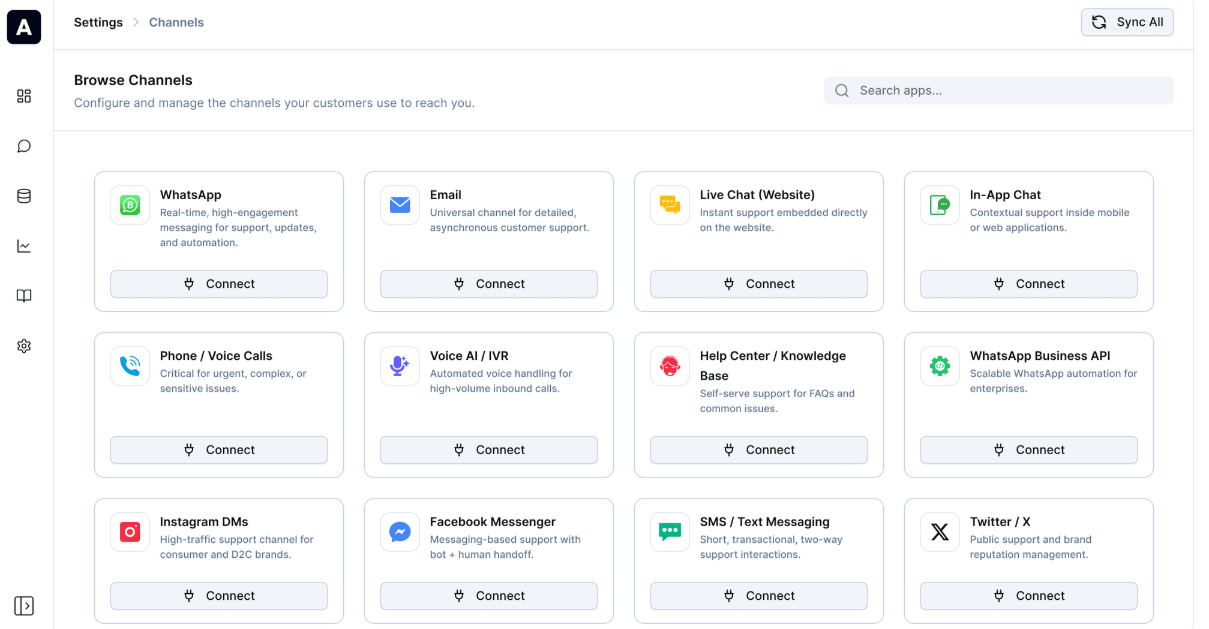
Ayudo also supports both text and voice agents. This gives it broader coverage than tools centered mainly on web chat. A company can potentially automate support across email, messaging, live conversations, and phone-based workflows while keeping the same underlying business context.
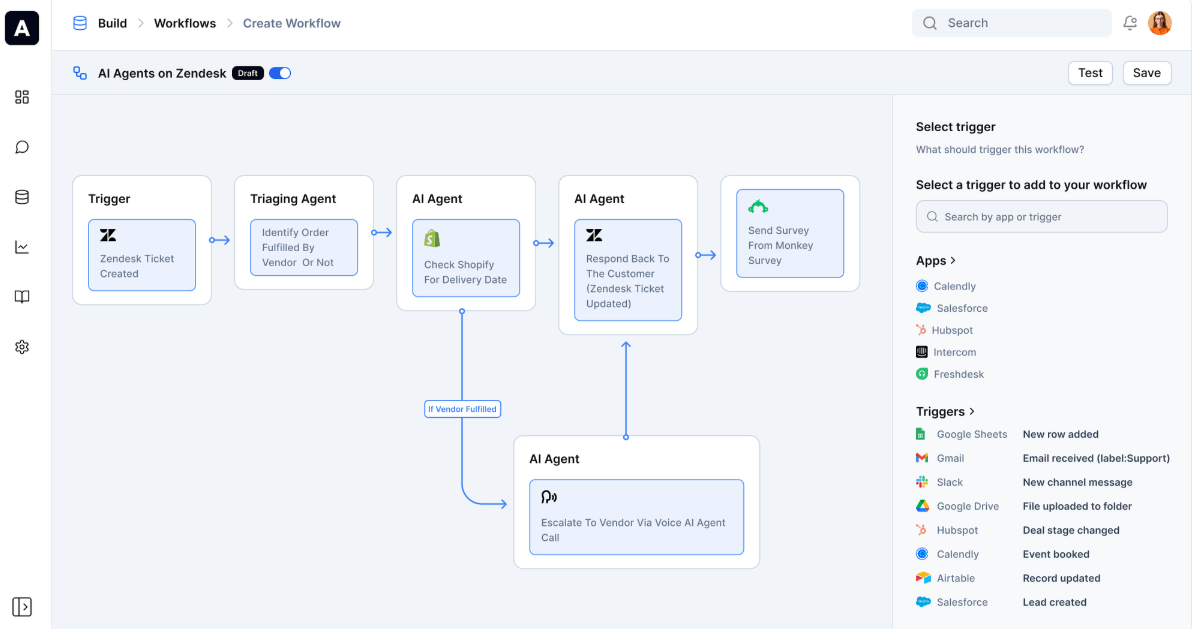
Ayudo’s workflow tools allow agents to do more than draft responses. They can connect a customer conversation to the systems needed to resolve the issue.
A new ticket could prompt Ayudo to look up an order, check payment or delivery details, update the help desk, notify someone in Slack, and send a reply to the customer. Conditions can be written in ordinary language and based on factors such as customer type, intent, urgency, or agent persona.
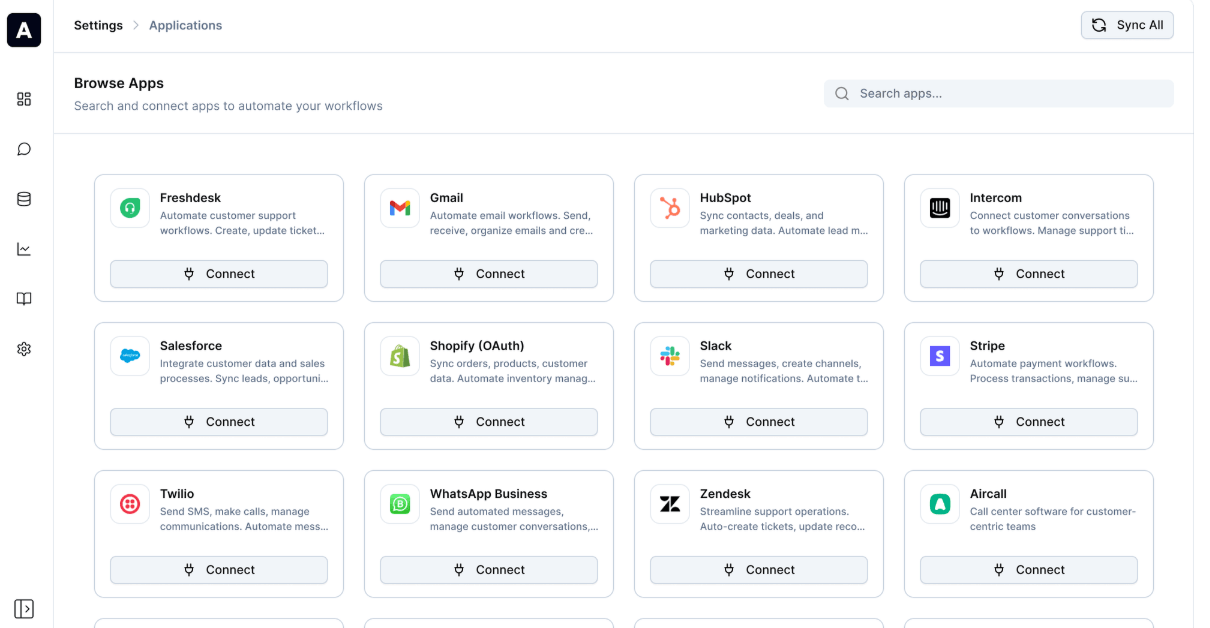
The platform connects with thousands of applications. Available tools include Shopify, Salesforce, HubSpot, Stripe, Slack, Twilio, WhatsApp Business, Zendesk, and Freshdesk.
This is the difference between a chatbot and an operational agent. One explains what should happen. The other can help make it happen.
Ayudo has a shared conversation inbox for email, WhatsApp, Slack, Discord, phone, and other messaging channels.
Human support staff can step in when necessary. A built-in copilot suggests replies and next steps using company knowledge and information from connected systems. Administrators can also ask questions across past conversations instead of reading tickets one at a time.
This mix of automation and human review is more realistic than trying to force every customer issue through a fully autonomous process. Some requests are predictable. Others turn strange in a hurry.
Ayudo can sync knowledge from URLs, PDFs, Google Drive, Intercom, and other sources. More importantly, it can connect that static knowledge with live information from CRMs, ERPs, order-management tools, and similar business systems.
That helps with questions where a knowledge-base article isn't enough. “What is your return policy?” needs documentation. “Where is my specific order?” needs live customer data.
The platform also includes knowledge-gap detection, AI quality checks, and conversation analysis intended to identify recurring problems and areas where self-service support could improve.
Ayudo is best suited to support teams with large ticket volumes and issues that regularly cross several internal systems.
E-commerce businesses can use it for order, delivery, refund, and payment questions. SaaS companies may use it for account support, ticket routing, escalation, and troubleshooting. Larger teams can add AI agents to their existing help desk instead of moving everything to another platform.
For a small business receiving a handful of straightforward questions each day, Ayudo may be more machinery than the support process needs.
Complexity is Ayudo’s main challenge. Every additional system an agent can read or modify creates another place where permissions, bad data, or a poorly tested workflow can cause trouble.
Ayudo lists enterprise controls including SSO, SCIM, audit logs, custom roles, secure data mapping, and VPC deployment. Those controls provide options, but they do not decide the organization’s policies. Someone still needs to define exactly which data an agent can access and which actions it may take.
Automated replies and workflow decisions also require regular review, especially when customer accounts, payments, refunds, or other sensitive matters are involved. Escalation should be designed into the workflow, not added after the first serious mistake.
Ayudo is strongest when customer support requires action, not just answers. Its combination of specialized AI agents, voice and text support, workflow automation, live business data, and existing help-desk integrations makes it a good fit for teams trying to automate complex resolution work.
The main caveat is operational control. Ayudo can reach deep into a support stack, so its value depends on setting up integrations, permissions, knowledge, and escalation rules carefully.
TAGS: AI Automation
Related Tools:
Automate workflows and interact with data
Connects apps, APIs, and AI tools to automate tasks

Enables users to build, customize, and deploy AI agents

Answers business calls and books appointments,
Turns Google Sheets into intelligent workflows

Connects apps and services to create automated workflows