

Share this tool:
 |
Description:
Higgsfield is a full AI creation platform built around three connected layers: top external models, proprietary Higgsfield tools, and production workflows. Inside one workspace, you can generate video, generate images, create audio, compare outputs across multiple models, build character-consistent content, create talking avatars, shift perspectives, batch social photos, and use cinematic camera controls that are more structured than what most AI generators offer.
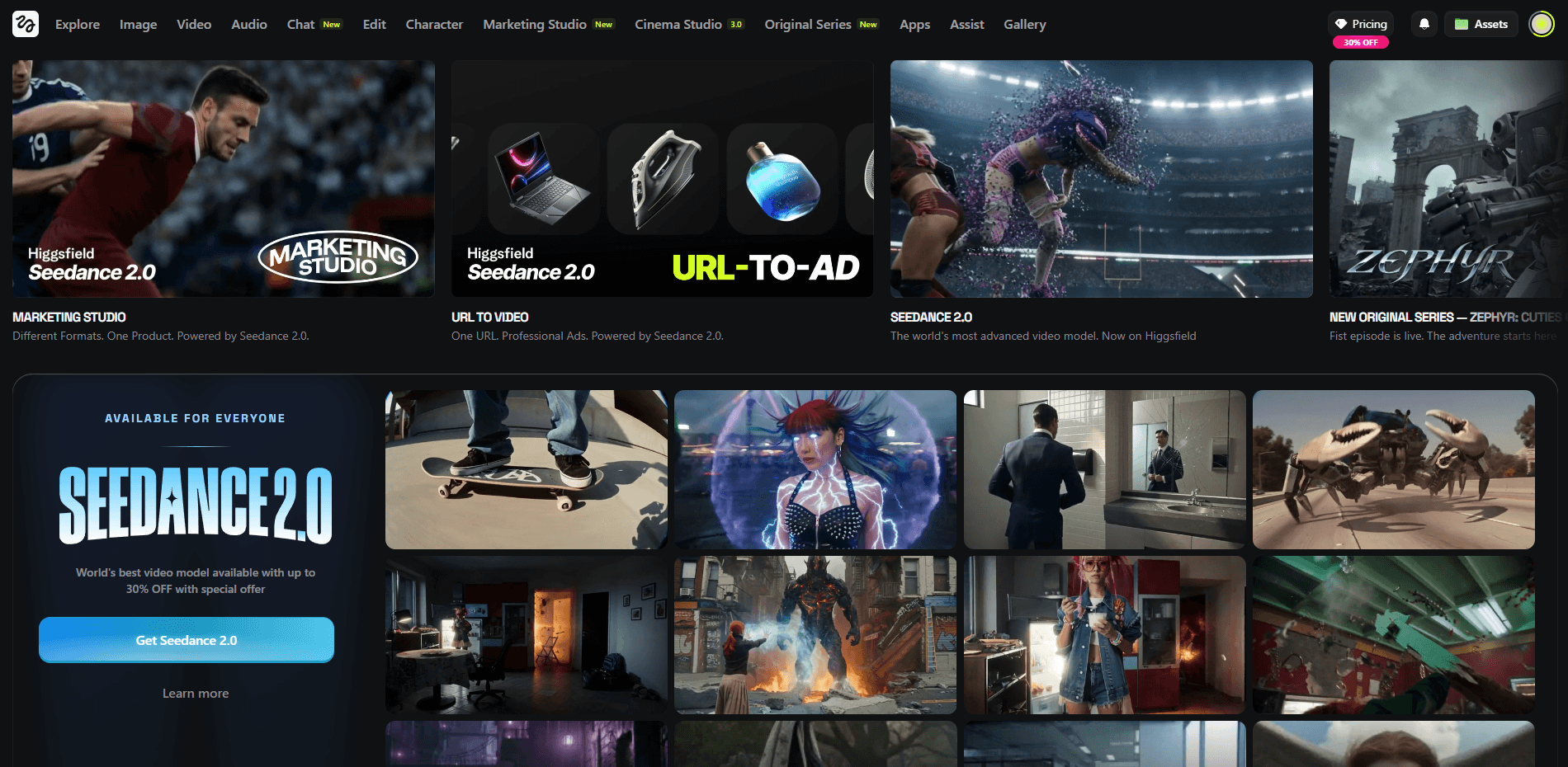
That is the real reason Higgsfield stands out. It is both a multi-model hub and a creative workflow system.
The easiest way to understand Higgsfield is to break it into three layers.
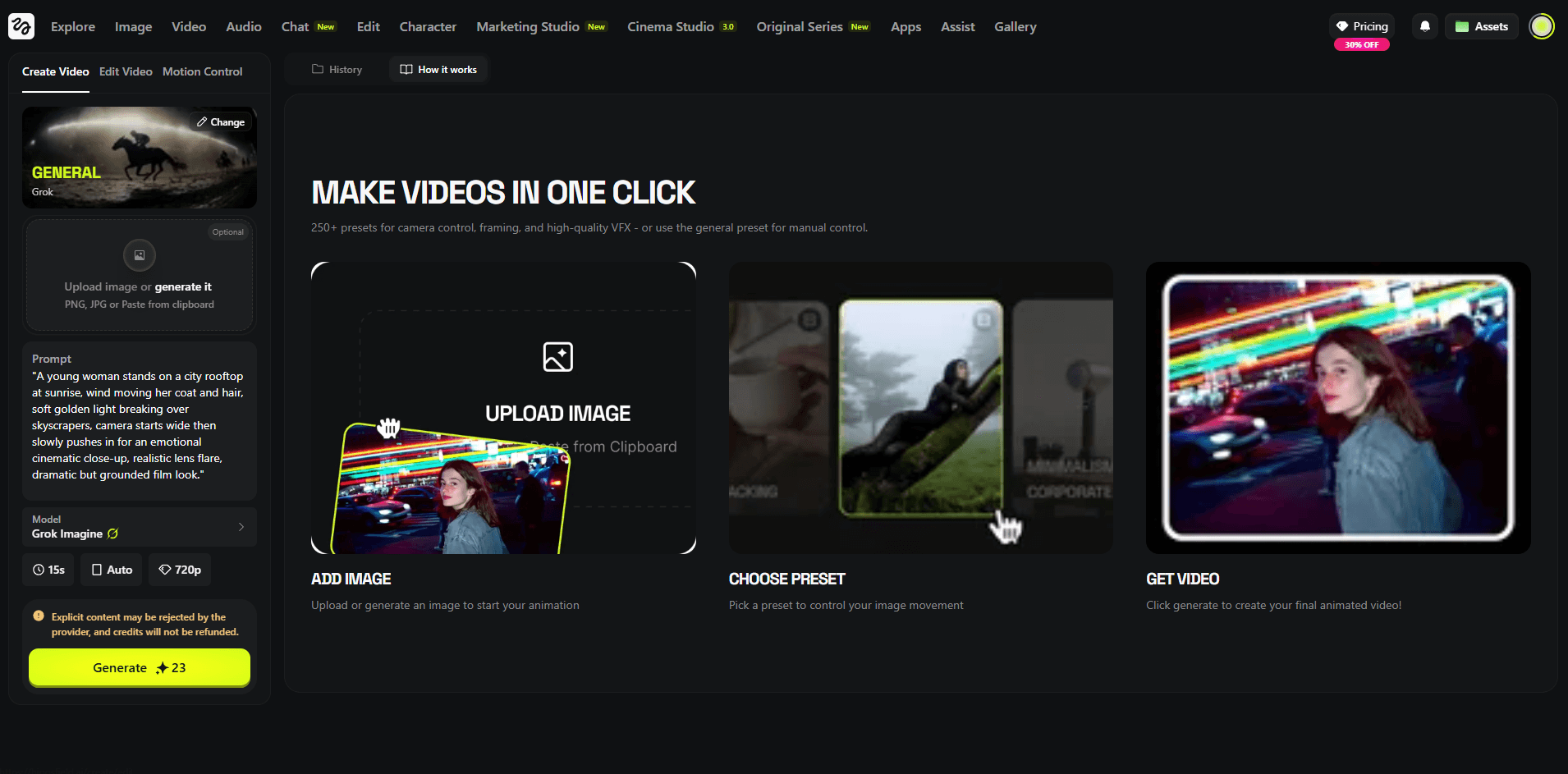
Higgsfield’s public AI video page lists multiple major video models in one interface, including Kling 3.0, Seedance 1.5 Pro, Wan 2.5, Kling o1, Sora 2, Veo 3.1, and Kling 2.6. The platform describes this as “every top model, one workspace”, which is a major practical advantage for anyone who wants to compare outputs quickly.
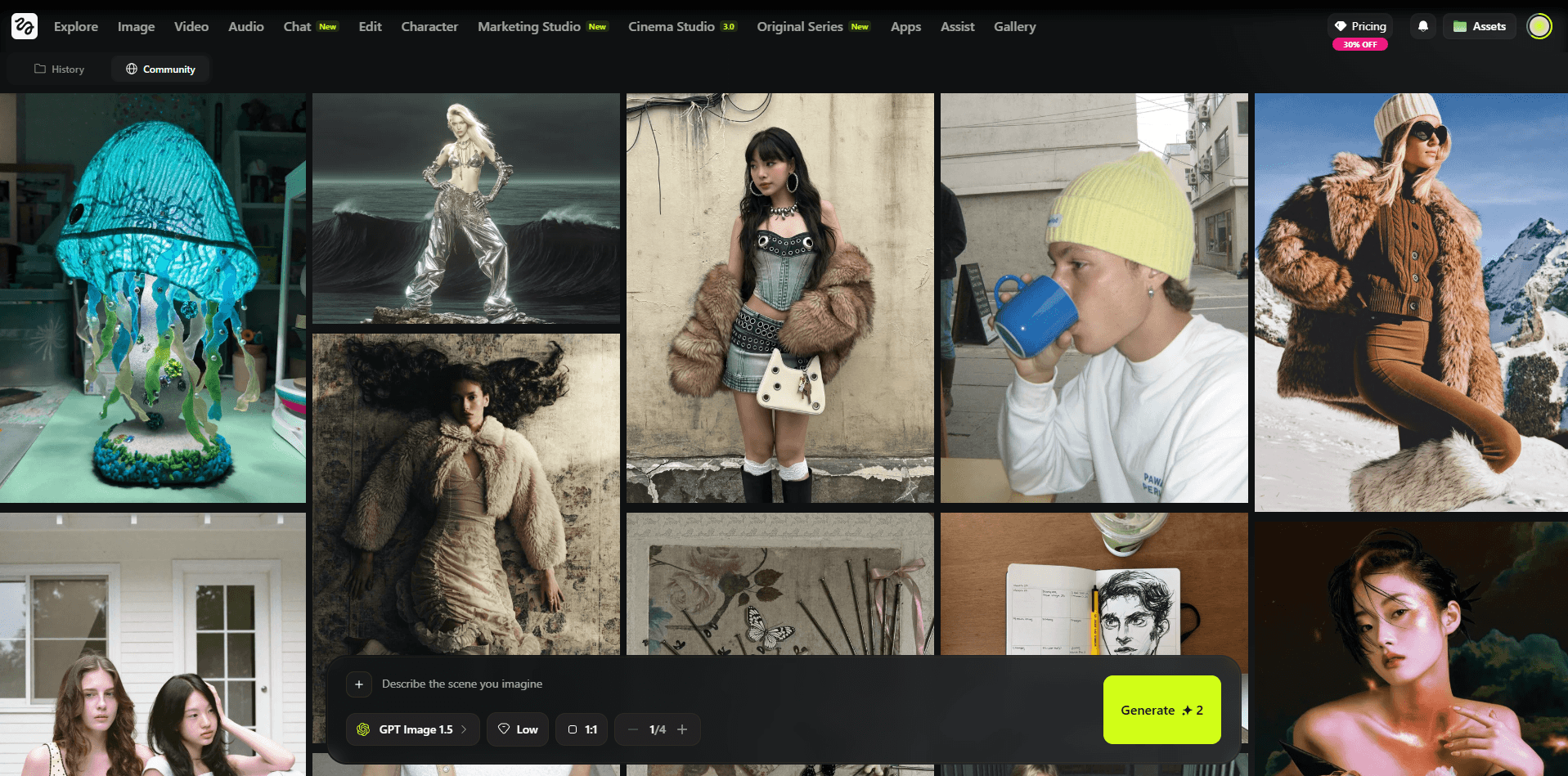
Higgsfield’s AI image page shows that the platform now includes a broad image stack, not just SOUL. Publicly listed image models include Nano Banana Pro, GPT Image, Seedream, FLUX, Reve, Kling o1, and Higgsfield Soul, and the site says users get access to 15+ leading image models in one workspace.
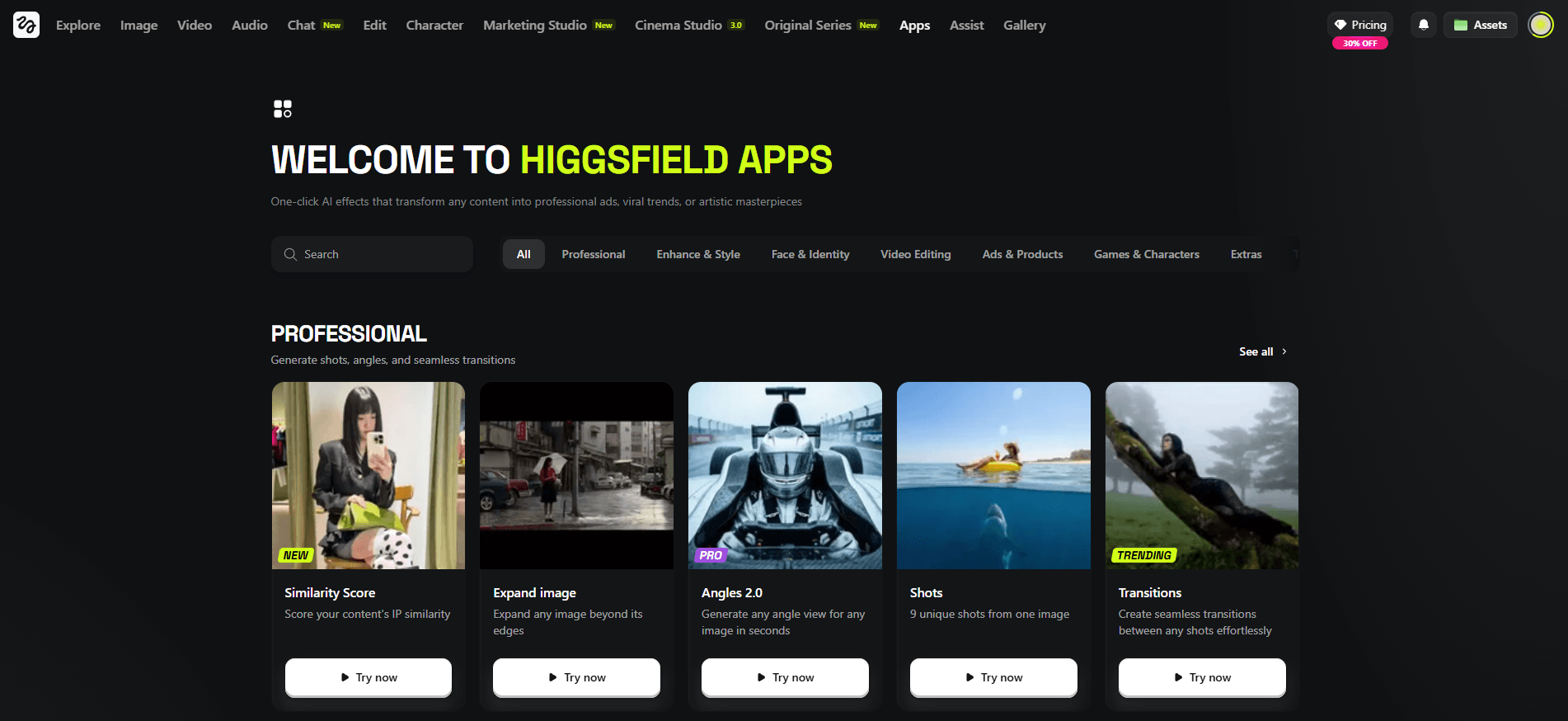
On top of the model access, Higgsfield adds its own tools like Cinema Studio 3.0, SOUL, SOUL ID, Photodump Studio, Angles, Talking Avatar, Lipsync Studio, Product Placement, Banana Placement, Draw to Video, Upscale, and Higgsfield Audio. This is the layer that turns it from a model catalog into a real production platform.
Text-to-video cinematic rainy street scene
Before using this prompt: Use this directly in text-to-video mode. Keep the prompt focused on motion, lighting, and atmosphere instead of overloading it with too many scene changes.
Prompt:
A young man walking down a city sidewalk during rainy evening, wet reflections on the pavement, cool blue-gray tones, soft rain falling steadily, distant headlights glowing, steady side-tracking camera, realistic body movement, cinematic urban atmosphere, polished live-action realism.
Why this model fits: Seedance 2.0 is a strong choice for realistic motion-heavy scenes like this because it handles cinematic movement, body motion, and polished live-action atmosphere especially well.
Image-to-video macro nature animation
Before using this prompt: Upload a sharp flower or butterfly image first. This works best when the original subject is already clear and well framed.
Prompt:
Animate the uploaded flower or butterfly image into a realistic macro nature scene. Preserve the composition and subject details while adding gentle wing movement, soft breeze through nearby leaves, subtle lighting changes, and a calm cinematic documentary feel.

Why this model fits: Seedance 2.0 is a strong fit for this kind of image-led motion because it can preserve the subject while adding subtle cinematic movement and realistic environmental animation.
Image-to-video sneaker commercial
Before using this prompt: Upload a clear shoe image first. Use a clean product shot so the model has a stronger base for preserving shape, materials, and branding areas.
Prompt:
Animate the uploaded shoe image into a premium sneaker commercial. Preserve the shoe’s shape, materials, logo area, and core design while adding a sculptural pedestal, soft directional studio lighting, controlled reflections, subtle shadow movement, sleek geometric accents, and a slow cinematic orbit. Keep the result clean, modern, and ad-quality.
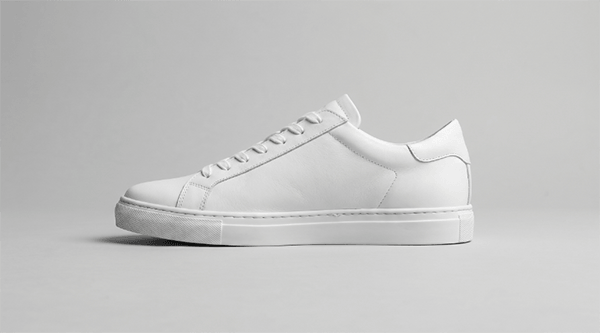
Why this model fits: Seedance 2.0 works especially well here because it can animate a product shot into a polished commercial-style scene without losing the core design of the original item.
Text-to-video magical girl transformation scene
Before using this prompt: Use this directly in text-to-video mode. Keep the action visually clear and focused on one subject for better motion and composition.
Prompt:
An anime-style magical girl floating in midair surrounded by glowing ribbons, sparkles, and pastel energy light, dynamic pose, flowing hair, dramatic camera movement, bright fantasy palette, clean polished anime transformation scene.
Why this model fits: Kling 3.0 is a strong fit for dynamic stylized scenes like this because it handles expressive motion, fantasy visuals, and polished cinematic animation especially well.
Text-to-video fantasy hero and dragon scene
Before using this prompt: Use this directly in text-to-video mode. This kind of prompt works best when the composition stays centered on one strong hero shot instead of many different actions.
Prompt:
A stylized 3D fantasy hero standing beside a dragon on a cliff at sunrise, cape moving in the wind, subtle dragon breathing, drifting clouds, glowing horizon light, slow dramatic camera push-in, cinematic animated-film fantasy style.
Why this model fits: Kling 3.0 is a good fit for cinematic fantasy shots like this because it can combine stylized visuals, environmental motion, and strong hero framing in a polished way.
Image-to-video regal fantasy queen animation
Before using this prompt: Upload a clear fantasy character image first. This works best when the source already has strong costume detail and a clean overall composition.
Prompt:
A regal fantasy queen seated on a stone throne in an ancient forest temple, ornate gown, crown of leaves and gold, soft light rays through vines, floating magical particles, subtle head movement, slow regal push-in, rich cinematic fantasy atmosphere.
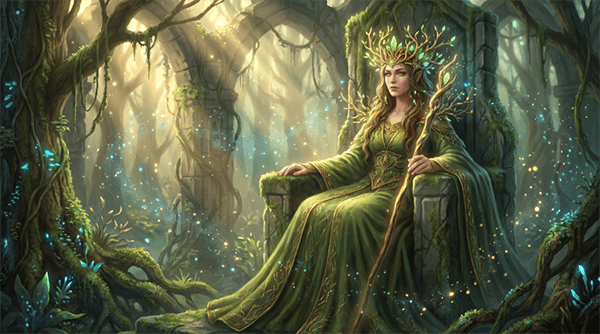
Why this model fits: Kling 3.0 works well here because it can turn a strong fantasy still into a cinematic motion shot with elegant movement and rich atmosphere.
Text-to-video alien rover exploration shot
Before using this prompt: Use this directly in text-to-video mode. Keep the movement simple and cinematic so the environment and machine motion stay believable.
Prompt:
A futuristic rover moving slowly across a rocky alien planet, red dust drifting in the air, distant mountains under a pale sky, faint sunlight catching metallic surfaces, cinematic wide shot, realistic vehicle motion, slow tracking camera, science-fiction exploration mood.
Why this model fits: Seedance 2.0 is a good fit for this prompt because it can handle cinematic sci-fi movement, believable tracking shots, and realistic environmental motion without needing a more complex workflow.
Start-frame to end-frame automotive commercial
Before using this prompt: Upload both the start frame and end frame first. This works best when both images clearly match the same car, environment, and visual style.
Prompt:
Animate from the start frame to the end frame as a premium automotive commercial. Preserve the car’s design, proportions, and realism while transitioning from a static parked shot into smooth forward motion along the coastal road. Add shifting reflections, subtle wheel movement, ocean shimmer, and elegant tracking-camera motion.
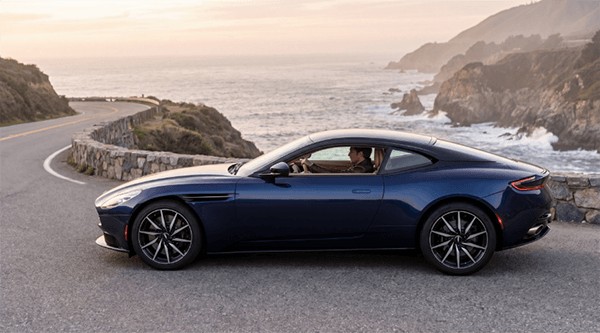

Why this model fits: Veo 3.1 is a strong fit for premium automotive motion like this because it is well suited to realistic movement, elegant commercial framing, and polished high-end visual output.
Text-to-image claymation character scene
Before using this prompt: Use this directly in text-to-image mode. No source image is needed.
Prompt:
A cute claymation fox in a tiny forest made of handcrafted trees and mushrooms, visible clay texture, soft warm lighting, miniature storybook set, stop-motion animation style.
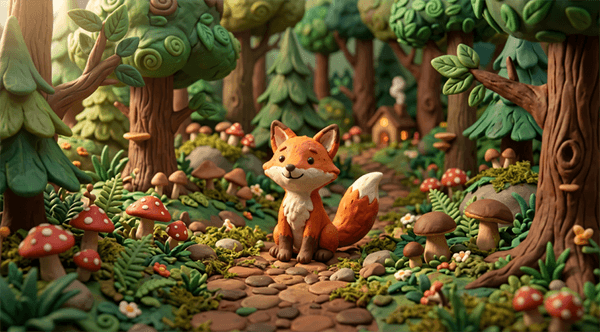
Why this model fits: Nano Banana 2 is a strong fit for stylized image generation like this because it can produce a polished toy-like render with clear texture, strong composition, and a clean final aesthetic.
Image-to-image premium sneaker ad
Before using this prompt: Upload a clear shoe or product image first. Use image-to-image mode so the original design and product details stay anchored.
Prompt:
Transform the uploaded shoe or product image into a bold premium sneaker advertisement. Preserve the original shoe design and details, but showcase it as the center of a dynamic sportswear campaign. Place it on a sculptural pedestal with dramatic clean studio lighting, strong refined shadows, and subtle motion graphics.
Add these exact text elements:
Headline: "BUILT TO MOVE"
Subheadline: "Next-generation comfort for every stride."
Feature callouts: "Speed" • "Support" • "Stability"
CTA: "GET YOURS TODAY"
Include dynamic diagonal shapes, subtle speed lines, a bold accent color, layered shadow effects, and a strong athletic commercial aesthetic while keeping the overall layout clean and premium.
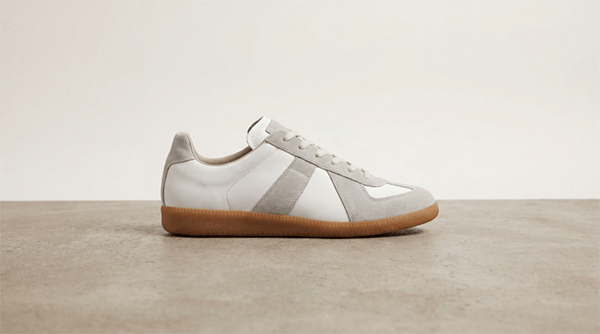
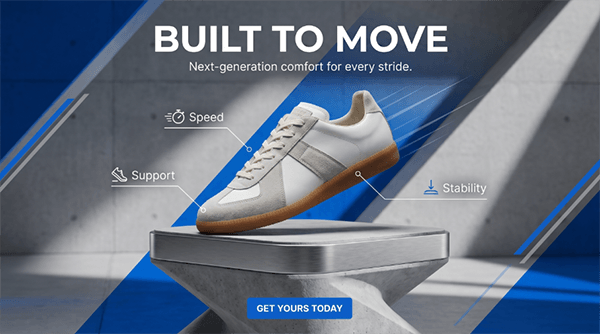
Why this model fits: Nano Banana Pro works especially well here because it is suited to product-focused image transformations that need to preserve the original item while elevating the layout, polish, and campaign look.
Image-to-image android portrait transformation
Before using this prompt: Upload a clear portrait first, ideally with a visible face and readable pose, so the identity and proportions remain consistent during the transformation.
Prompt:
Transform the uploaded portrait into a futuristic android character. Preserve the facial identity, body proportions, and pose, but redesign the clothing and body details into a sleek advanced android with elegant metallic accents, glowing interface lines, and refined robotic elements. Place the subject in a futuristic laboratory with holographic displays, cool white-blue lighting, and a cinematic sci-fi atmosphere.
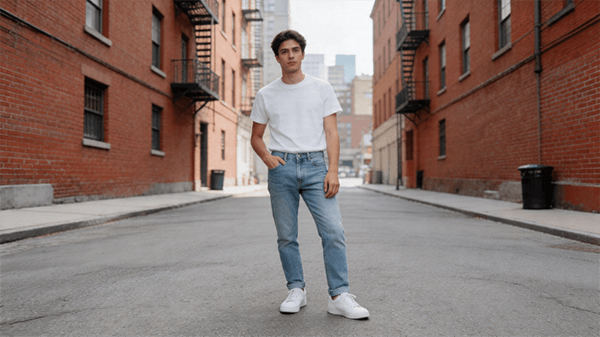

Why this model fits: Nano Banana Pro is a good match for this kind of portrait transformation because it can preserve recognizable identity while applying a much stronger character redesign.
Text-to-image fantasy queen illustration
Before using this prompt: Use this directly in text-to-image mode. No source image is needed.
Prompt:
A regal fantasy queen seated on a stone throne in an ancient forest temple, wearing an ornate gown and a crown of leaves and gold. Soft light filters through vines overhead, magical particles float in the air, and the scene has a painterly fantasy illustration style with rich texture and detail.
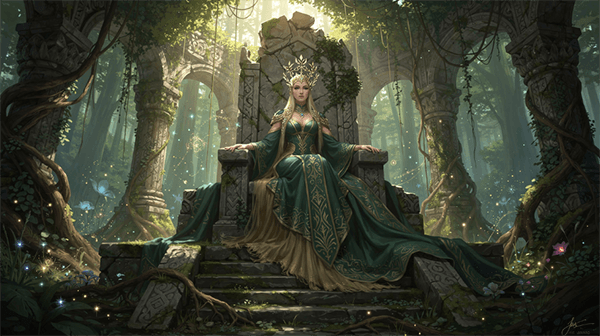
Why this model fits: FLUX.2 is a strong choice for fantasy illustration work like this because it can handle rich texture, painterly atmosphere, and detailed concept-art composition very well.
Image-to-image architectural restyle
Before using this prompt: Upload a building or landscape image with a clear overall structure first. This works best when the source already has a readable silhouette or strong architectural massing.
Prompt:
Transform the uploaded building or landscape image into a minimalist architectural visualization. Preserve the general structure if possible, but restyle it into a modern desert residence with clean concrete forms, glass walls, warm sunset lighting, and a calm luxury aesthetic.
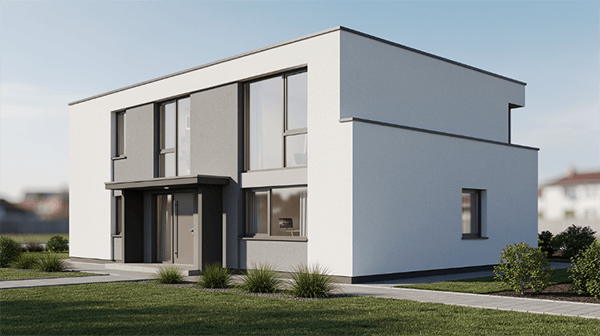

Why this model fits: FLUX.2 is well suited to architectural restyling because it can reinterpret form, lighting, and material mood in a refined and visually coherent way.
Text-to-image children’s-book illustration
Before using this prompt: Use this directly in text-to-image mode. No source image is needed.
Prompt:
A charming children’s-book illustration of a young child in a yellow raincoat walking through a magical forest filled with glowing mushrooms, friendly foxes, and soft mist. Warm colors, storybook composition, whimsical atmosphere, gentle hand-painted illustration style.

Why this model fits: Seedream 5.0 Lite is a good match for soft illustrated scenes like this because it suits whimsical stylization, warm atmosphere, and storybook-style composition.
Text-to-image anime duel key art
Before using this prompt: Use this directly in text-to-image mode. This works best when you want a stylized anime action scene with strong motion cues and cinematic atmosphere.
Prompt:
Two anime swordsmen face off in a windy field of tall grass during sunset, then explode into a fast and elegant duel with precise blade strikes and dramatic pauses. Flowing clothing, hair movement, dust trails, sharp sword sparks, and sweeping cinematic camera movement. Emotional anime atmosphere, refined choreography, golden-hour lighting, polished historical action anime style.

Why this model fits: Seedream 5.0 Lite is a solid option for anime-inspired scenes like this because it handles stylized action, expressive atmosphere, and polished illustration-led composition well.
Image-to-image cute 3D astronaut redesign
Before using this prompt: Upload a clear character image first. Use image-to-image mode so the original identity and silhouette stay recognizable in the redesign.
Prompt:
Transform the uploaded character image into a cute stylized 3D astronaut. Preserve the subject’s identity and silhouette, but redesign the outfit into a rounded glossy space suit with a clear helmet, and place the character on a tiny moon with pastel nebula clouds, floating stars, and a charming animated-movie aesthetic.
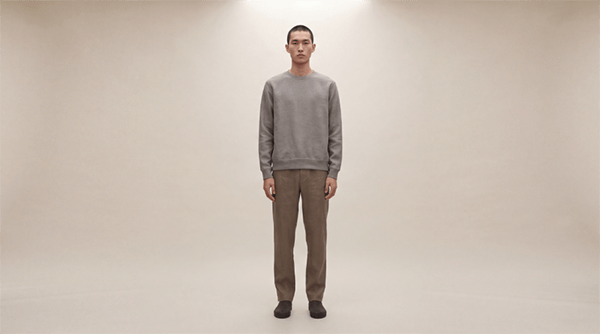

Why this model fits: Seedream 5.0 Lite works well here because it can turn a simple source character into a cute stylized render while keeping the identity readable and the result visually playful.
Cinematic scene with a named camera preset
Prompt:
“A lone figure walks through an abandoned art deco hotel lobby. Dust particles float through shafts of golden afternoon light. Camera: Dolly In with slow 360-degree orbit. Film noir tone, cinematic grain, wide lens.”
Why this model fits: This tests one of Higgsfield’s clearest strengths — named camera logic and cinematic control instead of vague motion prompting. Cinema Studio publicly emphasizes optical physics, lens simulation, and stacked camera motion.
Editorial fashion image
Prompt:
“Editorial fashion photography. Female model in an architectural concrete setting. Oversized linen coat, minimalist styling. Directional side lighting, deep shadows. High fashion magazine quality. Muted tones with a warm highlight.”
Why this model fits: This directly targets SOUL’s intended use case — fashion, editorial, campaign, and visual-culture-style image generation.
Character consistency across scenes
Before using this prompt: Define and lock your character in SOUL ID first.
Prompt:
“Consistent female character, early 30s, confident expression, smart casual styling. Generate in three separate scenarios: 1. Modern glass office environment. 2. Busy coffee shop, afternoon light. 3. Walking through a city street in autumn. Maintain character identity across all three scenes.”
Why this model fits: This targets the exact consistency workflow Higgsfield is built to support for creators, branded personas, and recurring campaign characters.
Same prompt across multiple video models
Prompt:
“A woman laughs on a sunny rooftop. Casual, colourful outfit. Natural light from the right. Candid, authentic emotion. Handheld camera feel, slightly loose framing.”
Why this model fits: One of Higgsfield’s biggest practical advantages is that you can compare how different models interpret the same scene without leaving the platform.
Perspective change from one image
Before using this prompt: Upload a source image first.
Prompt:
“Shift this café portrait from eye level to a high overhead bird’s-eye perspective while preserving the subject identity and overall lighting feel.”
Why this model fits: This targets Higgsfield’s angle-shifting workflow for reframing an existing visual without starting over.
Consistent social content batch
Prompt:
“Generate a set of 8 consistent lifestyle photos of a female creator, early 20s, warm personality. Casual but stylish outfits. Locations vary: café, park bench, indoor studio, city sidewalk. Different poses across all 8. Warm golden hour lighting throughout. Instagram lifestyle aesthetic.”
Why this model fits: Photodump is one of Higgsfield’s most practical creator workflows because it generates a batch instead of a single image.
Talking avatar explainer
Before using this prompt: Add either an audio track or text-to-speech setup first.
Prompt:
“Professional female avatar, business casual styling, clean studio background, warm but neutral lighting. Speaking confidently about AI tools for content creators. Natural lip-sync. Expressive but measured body language. Light hand gesture. 30-second clip.”
Why this model fits: This tests the avatar and lip-sync layer for explainers, corporate content, and presenter-style videos.
Localized voiceover workflow
Before using this prompt: Prepare either your script or a source clip to dub.
Prompt:
“Generate a warm, polished English voiceover for this 30-second skincare promo, then translate and redub it in Spanish and French while keeping the delivery natural and commercially polished.”
Why this model fits: This tests Higgsfield’s newer audio layer, including voiceover plus translation and localization workflows.
Higgsfield gives you video, image, and audio creation tools inside one platform, which makes comparison and iteration much faster.
Cinema Studio 3.0 is built around optical physics, lens behavior, camera bodies, focal lengths, and stacked camera motion rather than vague prompt-only movement.
Higgsfield SOUL is positioned specifically for fashion-grade, campaign-grade, and editorial image creation.
SOUL ID, multi-reference tools, and Photodump support repeated character identity across scenes and content sets.
Higgsfield Audio supports text-to-speech, voice replacement, and translation using multiple voice models.
Tools like Photodump, Angles, Product Placement, Talking Avatar, and Lipsync Studio make the platform more workflow-oriented than a standard generator.
This is one of the most important parts of the platform now.
- Kling 3.0 — described by Higgsfield as “the new standard in photorealism with advanced motion complexity.”
- Seedance 1.5 Pro — described on the video page as “the first native audio-video model”, with synced lip-sync, SFX, and music in one pass.
- Wan 2.5 — positioned as a balance of generation speed and visual richness.
- Kling o1 — described as a reasoning model for more complex, multi-layered scene composition.
- Sora 2 — described by Higgsfield as a model for deep world simulation, accurate physics, and object permanence.
- Veo 3.1 — described as “crystal clear 4K generation with native cinematic visual flows.”
- Kling 2.6 — described as a fast, stable engine for consistent character animations.
- Higgsfield Soul / Soul 2.0 — proprietary model for editorial, fashion, and campaign visuals.
- Nano Banana Pro — listed as one of Higgsfield’s integrated top image models. The site highlights inpaint support, brand color controls, and multi-model comparison.
- Nano Banana 2 — dedicated page emphasizes native 4K-capable workflows, strong text rendering, and speed-focused output.
- GPT Image / GPT Image 1.5 — listed in the image model lineup and image navigation.
- FLUX / Flux 2 / Flux Kontext — publicly surfaced in the image model list and navigation.
- Seedream / Seedream 4.0 — publicly surfaced across the image page and navigation.
- Reve — included in the listed image model stack.
- Kling O1 — also appears in the image model listing, showing how Higgsfield blends some model access across visual workflows.
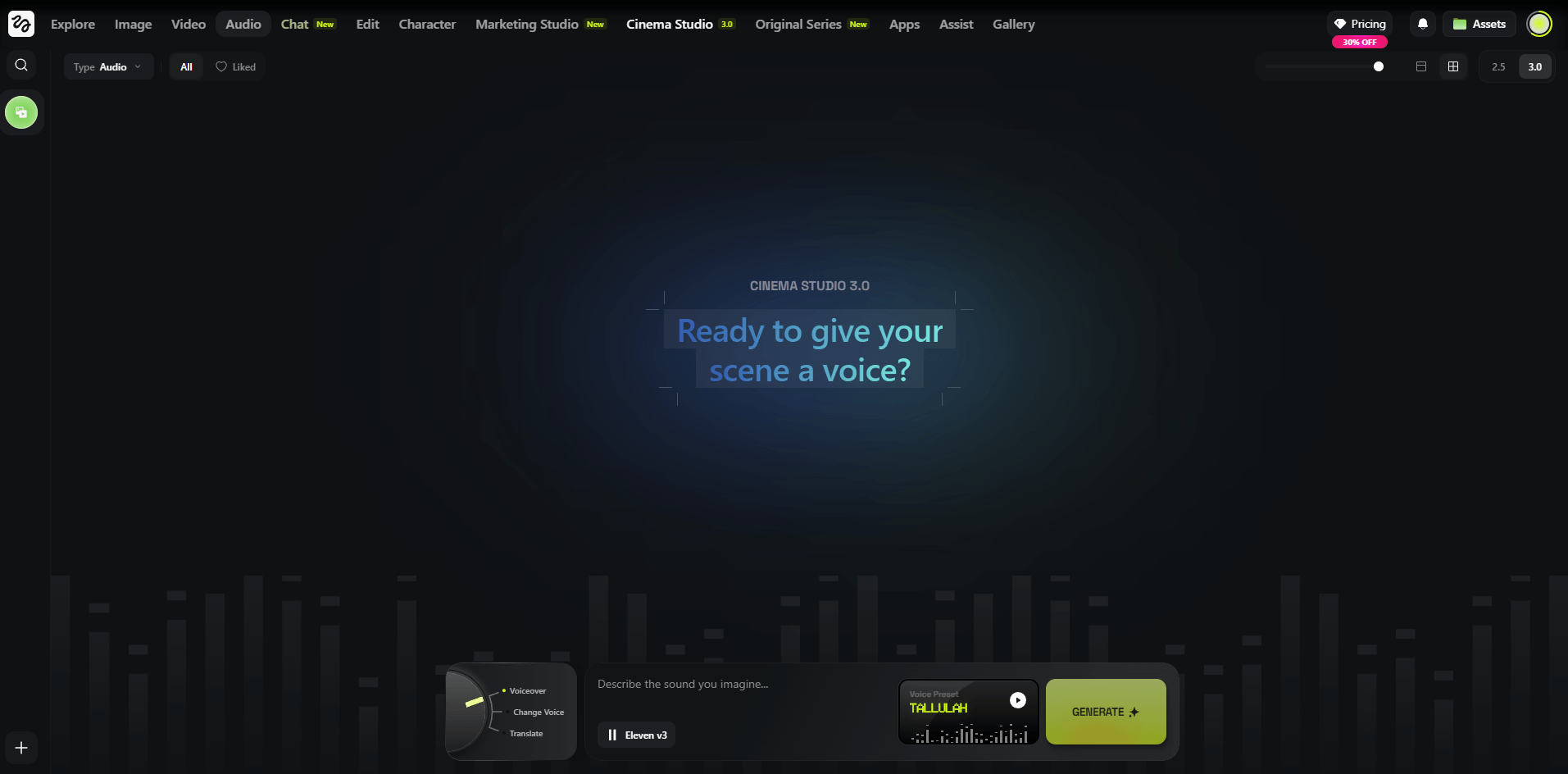
Higgsfield Audio’s official blog says the platform currently supports three AI voice models:
- Eleven v3
- MiniMax Speech 2.8 HD
- VibeVoice
That same post says Higgsfield Audio supports 70+ languages, custom voices, preset voices, text-to-speech voiceovers, voice swapping, and video translation workflows.
- Kling 3.0 for smoother motion, photoreal commercial scenes, and natural-feeling character movement.
- Veo 3.1 for polished cinematic visuals and higher-end lighting-rich outputs.
- Sora 2 for richer world simulation, stronger physics cues, and conceptually ambitious scenes.
- Seedance for more controlled motion and, in the currently listed version, native audio-video generation.
- Kling o1 for more reasoning-heavy scene composition.
- Kling 2.6 for more stable character-driven animation when consistency matters.
- SOUL / SOUL 2.0 for editorial, fashion, lookbook, campaign, and magazine-style images.
- Nano Banana Pro / Nano Banana 2 for text-heavy images, mockups, packaging, branded layouts, UI-style visuals, and higher-resolution frames. Higgsfield explicitly highlights readable text and up-to-4K workflows here.
- FLUX for broader general-purpose image generation and experimentation inside the same workspace.
- Seedream for high-resolution image generation as part of the multi-model stack.
- GPT Image when you want another general-purpose image option without leaving Higgsfield.
- Eleven v3 for high-quality voiceover work.
- MiniMax Speech 2.8 HD for alternate premium speech output inside the same workflow.
- VibeVoice for additional voice generation options in the Higgsfield Audio stack.
- Creators and social-first content teams: Photodump, SOUL ID, talking avatars, and model comparison make Higgsfield strong for recurring creator content and AI persona workflows.
- Fashion and editorial brands: SOUL is one of the clearest reasons to use Higgsfield because it is built for editorial and campaign visuals specifically.
- Product and ad teams: The ability to move between Nano Banana, SOUL, Kling, Veo, and marketing-oriented tools makes Higgsfield strong for product concepting and campaign prototyping.
- Filmmakers and directors: Cinema Studio gives Higgsfield a real edge for people who care about camera movement, lens logic, and shot design.
- Avatar, explainer, and localization workflows: Talking Avatar, Lipsync Studio, and Higgsfield Audio make it more viable for explainers, training, branded presentations, and multilingual content than a video-only platform.
- AI influencer and recurring persona workflows: SOUL ID plus Photodump makes Higgsfield unusually well suited to users who want a consistent recurring character across many posts or scenes.
- Use named camera presets in Cinema Studio. Higgsfield’s camera layer is one of its biggest differentiators, so specific motion logic works better than vague camera language.
- Lock the character first when consistency matters. Start with SOUL ID if you need repeated identity across outputs.
- Use editorial vocabulary with SOUL. Campaign, editorial, high fashion, magazine, and lookbook prompts are better aligned with what the model is built for.
- Use Nano Banana when text and layout matter. Higgsfield explicitly highlights readable text and design-friendly image generation here.
- Run multi-model comparisons before committing. This is one of the platform’s biggest workflow advantages.
- Choose the audio model deliberately. Higgsfield now clearly exposes multiple voice engines, so voiceover quality is no longer a one-option workflow.
- Use Cinema Studio when the shot itself matters. That is where Higgsfield separates itself most clearly from simpler generators.
- Character consistency still has edge cases: SOUL ID is strong, but extreme visual variation can still introduce drift.
- Crowd scenes and complex choreography remain hard: This is still a weak area across current AI video systems, including multi-model platforms.
- Hands in motion are still a weak point: Faces and body motion generally hold better than detailed hand interaction.
- Rendering time rises with more complex workflows: Cinema Studio settings and multi-model comparisons will naturally take longer.
- The platform has a real learning curve: Higgsfield is powerful partly because it has many tools, but that also means it is less instantly simple than narrower apps.
- The lineup can change by surface and rollout: Higgsfield’s public pages currently show slightly different catalogs across video, image, and navigation layers, so it is smart to verify the live workspace before describing the exact model set as fixed.
Compared with a single-model platform, Higgsfield gives you more range because it combines many top models with its own tools like Cinema Studio, SOUL, SOUL ID, and Photodump. The trade-off is a steeper learning curve.
Compared with tools focused mostly on corporate presenters and training avatars, Higgsfield is broader. It covers that use case, but its real center of gravity is cinematic, editorial, creator, and marketing content.
The main difference is that Higgsfield adds proprietary creative tools on top of model access. Cinema Studio, SOUL, SOUL ID, Angles, Photodump, and the audio layer are the biggest reasons to use it over a pure aggregation workspace.
Higgsfield is broader and more capable than it first appears. It is not just a video-model hub and not just a creator app. The platform now clearly spans video models, image models, audio models, editorial image generation, cinematic camera control, persona consistency, avatar workflows, social content batching, and marketing utilities in one system.
That changes how it should be judged. The real value is not only that you can use Kling, Sora, or Veo inside one place. The real value is that you can move between Nano Banana, FLUX, SOUL, Kling, Veo, Sora, Eleven v3, MiniMax Speech, and Higgsfield’s own proprietary tools without breaking your workflow or switching platforms.
For filmmakers, creators, editorial brands, product teams, AI persona builders, and content-heavy marketing teams, Higgsfield is one of the most ambitious AI creation workspaces available right now.
TAGS: Photo Editing Video Editing Text to Video
Related Tools:

Creates cinematic videos from text prompts and images

Creates cinematic videos from text, images, and frames

Turns text, images, and footage into cinematic videos
Creates realistic videos from text prompts and images
Creates realistic videos from text prompts and images

Creates cinematic videos from text and images
Related Videos:
Higgsfield Just Released Cinema 2.0 & It's a Game Changer
I’ll show you how to use all the new tools and new features including the 3d scene image editor for cinema studio 2.0 in Higgsfield.
I Tested Higgsfield's New Mixed Media Tool (Here's What Happened)
The new ‘Mixed Media’ tool is one of the most impressive Ai video generation tools I’ve tested, with over 30 unique templates to chose from it can turn any footage into a visual masterpiece.
Insane Face Swap For Videos! How To Swap Faces in Any Video
You can now swap faces with anyone in ANY video, it’s incredibly easy and I’ll show you how to do it in the video by using Higgsfield AI
Superman Flying Effect Using AI | Recreated VFX with Higgsfield AI
In this video I’ll show you how to recreate the Superman flying shot using the amazing Higgsfield Ai.
Create Insane VFX Easily With Higgsfield AI
I’ll show you why Higgsfield Ai is leading the way on Ai VFX and how it allows you to create incredible looking effects easily.
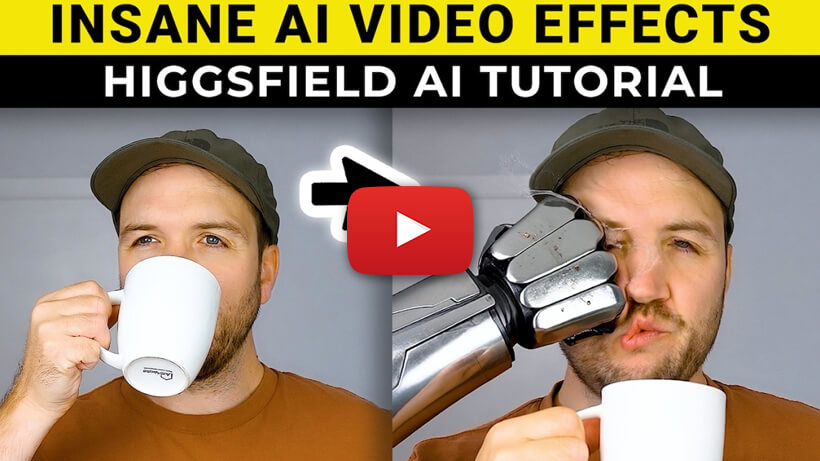
Create INSANE Ai Video Effects With Higgsfield Ai | How-to Tutorial
Higgsfield Ai allows you to create some incredible VFX, I’ll show you 4 insane methods, from bullet time effects, disintegration, and much more.