

Share this tool:
 |
Description:
Luma AI is one of the stronger AI video platforms right now, with Dream Machine as the main product layer and the Ray model family doing the actual video generation. The current flagship is Ray3.14, which Luma says brings native 1080p generation, stronger prompt adherence, better temporal coherence, improved Modify Video performance, and much faster, cheaper generations than the earlier Ray3 release.
Luma is strongest at prompt-driven cinematic video, especially when the prompt clearly describes shot type, lighting, and camera behavior.
Dream Machine supports text-to-video, image-to-video, keyframes, and video-to-video style workflows, which makes it more flexible than a simple prompt box.
Ray3 Modify adds more precise editing and reimagination workflows, including keyframe and character reference controls for better consistency.
Luma explicitly supports camera motion prompting like pan, orbit, and zoom, and this is one of the main reasons it works well for cinematic previsualization and product-style clips.
Ray3.14 is officially described by Luma as 4x faster and 3x cheaper than Ray3 while adding native 1080p output.
Luma now also offers Photon image models, which makes it easier to generate starting frames and move between image and video workflows inside the same ecosystem.
Cinematic short scene
Prompt:
“Cinematic wide shot. A solitary figure in a dark trench coat walks down a rain-soaked cobblestone alley at night. Gas lamps cast warm yellowish light, creating dramatic shadows on the wet pavement. Camera follows smoothly from behind, then pulls back to reveal fog rolling through the narrow street. Film noir lighting, moody color grading.”
Why this is useful: This tests the thing Luma is best known for—smooth motion, controlled lighting, and cinematic camera direction. Luma’s own guidance emphasizes camera motion and visual direction as core parts of Dream Machine prompting.
Product animation
Before using this prompt: Upload a clean, well-lit product photo first.
Prompt:
“Slow 360-degree rotation of the product on the pedestal. Dramatic spotlight transitions across the surface as it rotates, revealing fine details and reflections. Macro focus pulls in slightly on the mechanism, then pulls back. Studio lighting. Professional commercial aesthetic.”
Why this is useful: This is one of the most practical commercial workflows because the source image gives the model something concrete to preserve while animating. Ray3.14 officially supports image-to-video inside the standard workflow set.
Looping ambient visual
Prompt:
“Abandoned vintage library interior. Dust particles float through golden afternoon sunlight streaming through tall arched windows. A soft wind gently moves old papers on the shelves. Occasional dust motes swirl through the beams of light. Static camera angle. Peaceful, nostalgic atmosphere. Seamless loop.”
Why this is useful: Looping works best with subtle cyclical motion, and Luma’s official best-practices guide explicitly supports loop prompting this way.
Transformation sequence
Before using this prompt: Set a clear start frame and end frame first, using either uploaded or generated images.
Prompt:
“Character changes as energy builds around them. Eyes light up. Lighting shifts from cool to warm. Smooth five-second transformation sequence.”
Why this is useful: Keyframes are most useful when you want to control both the start and the destination instead of letting the model guess the full transition. Luma’s keyframe guide confirms this exact workflow.
Product ad
Prompt:
“Close-up slow push into a glass bottle of perfume sitting on a white marble surface. Morning light catches the bottle from the left side. Soft bokeh background. Tiny bubbles of light shift across the glass as the camera moves. Elegant, premium, restrained. No text. No people.”
Why this is useful: This is a strong commercial-use prompt because it focuses the model on controlled camera movement, material rendering, and product lighting while avoiding text, which is still unreliable in generated video. Luma’s Ray3.14 release notes emphasize improved quality, stability, and motion consistency in exactly these kinds of polished outputs.
Video restyle
Before using this prompt: Upload a short source video clip first.
Prompt:
“Transform this into a cyberpunk city alley at night. Neon signs. Wet pavement. The person is wearing a sleek tactical outfit. Cool blue-purple lighting. Keep all movement and performance exactly as filmed. Flex strength.”
Why this is useful: This targets Luma’s Modify workflow, where the goal is to change the visual layer while preserving the source motion. Luma officially describes Modify as preserving performance while enabling retouching, element swaps, and scene redesign.
Camera movement stress test
Prompt:
“Medium shot of a classic motorcycle parked on a clifftop road overlooking the ocean at golden hour. Camera begins wide, then slowly orbits 180 degrees around the bike from left to right, while simultaneously pushing in slightly. Lighting warm and golden throughout. Sharp focus on the motorcycle throughout the orbit.”
Why this is useful: This is a direct test of Luma’s spatial coherence and camera control, which is one of the platform’s most useful strengths for previsualization and commercial shot development.
- Product marketing and e-commerce: Luma is especially strong when turning product photos into premium-looking short commercial clips.
- Previsualization and shot exploration: Camera prompting, keyframes, and cinematic motion make it useful for testing shot ideas before production.
- Short-form social content: Looping clips, atmospheric scenes, and product videos fit well with Dream Machine’s short-duration generation model.
- Creative concept development: It is useful for ad concepts, branded visuals, and visual pitching because it can generate credible moving imagery quickly.
- Video restyling and scene redesign: Modify workflows are especially practical when you already have source footage and want to push it toward a different aesthetic.
- Prompt like a director: Luma’s own best-practices guidance supports using cinematic language, camera motion, and visual reference cues rather than short keyword lists.
- Be clear about lighting and camera movement: These are two of the biggest factors in whether the output feels generic or cinematic.
- Use Draft mode or lower-cost preview passes first: Ray3.14 is faster and cheaper than Ray3, which makes iterative prompting more practical before committing to full-quality output.
- Use reference images when consistency matters: Luma’s visual reference tools are more reliable than trying to describe a specific style only in text.
- Build longer sequences in parts: Ray3.14 supports core short-clip workflows, and Luma’s own guidance still treats extension as something best used in segments rather than one very long generation.
- Text inside video is still unreliable: Luma is strong at visuals and motion, but readable text inside generated scenes is still not something to depend on. This is consistent with the platform’s visual-first workflow design.
- Fast action plus fine detail is harder: As scene complexity rises, motion artifacts and softness become more likely, especially when combining many moving parts. Luma’s own Ray3.14 notes still mention current limitations.
- Long extensions still soften over time: Modify and extension workflows are stronger now, but practical continuity still weakens as sequences get longer. Ray3.14 guidance continues to frame these as short-form workflows first.
- Source quality matters a lot: Image-to-video and video-to-video results depend heavily on how clean and controlled the uploaded source image or footage is.
- Costs can add up for serious production use: Luma’s public plans and API pricing make it clear that repeated commercial-quality generation is a paid workflow, especially at higher usage levels.
Luma AI is one of the strongest current choices for cinematic AI video when you care about motion quality, camera direction, short-form commercial visuals, and practical generation speed. Ray3.14 is the main reason for that right now: native 1080p, stronger consistency, better prompt following, and much faster output than the earlier Ray3 generation.
It works best when you give it specific visual direction and use it as part of a workflow, not just a one-line prompt toy. For creators, marketers, and filmmakers who want cinematic short-form video, product clips, restyled footage, and stronger motion control, Luma AI is a serious tool worth learning.
TAGS: Text to Video Generative Video
Related Tools:

Generates personalized videos using your cloned face
Creates dynamic animations from prompts

Creates personalized music videos

Specializes in sales process and lead generation

Automates and personalizes email campaigns

Generates high-quality images and videos quickly
Related Videos:
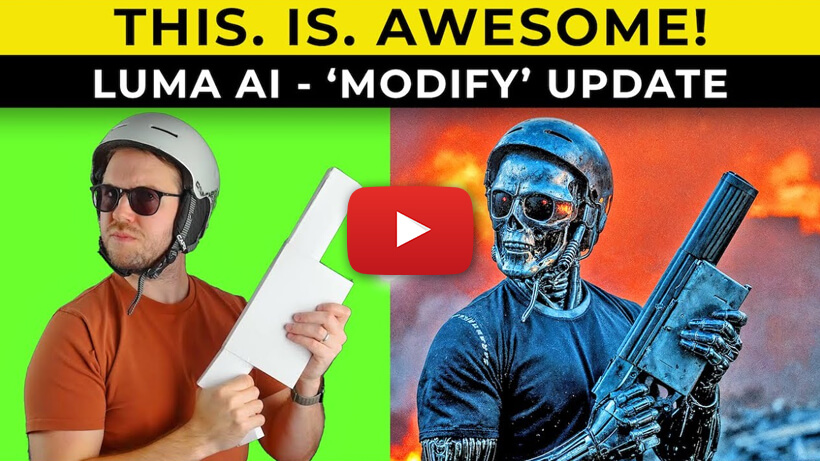
Create INSANE Videos With Luma Ai Modify Tool | How-To Tutorial
Learn how to use Luma AI’s Modify tool to transform existing videos with creative changes, visual upgrades, and more controlled AI edits.