
Share this tool:
 |
Description:
Flowla is an AI-powered digital sales room platform for sales, customer success, and RevOps teams that want one shared space for buyer materials, next steps, forms, signatures, and deal progress. Its value is not just that it lets reps share links. The stronger point is that Flowla turns the sales or onboarding process into a guided, trackable workspace that buyers and internal teams can keep using after the first meeting.
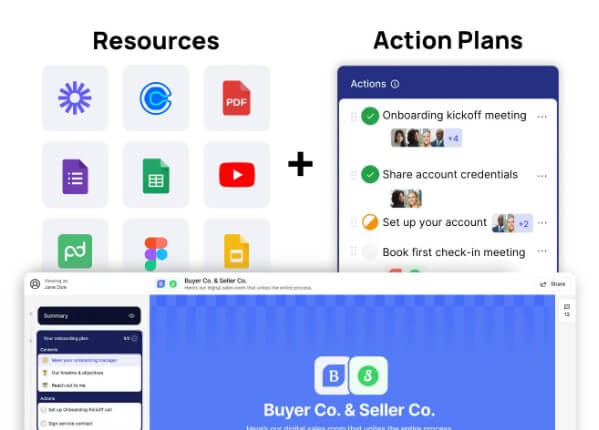
Flowla is best understood as a buyer-facing workspace with automation behind it. A seller can create a room for a deal, add sales assets, embed videos or decks, assign tasks, include a mutual action plan, collect information, track engagement, and keep the next step visible. Flowla describes digital sales rooms as shared online workspaces that bring the process from demo to onboarding into one interactive link, replacing scattered email threads, PDFs, and drive folders.
That distinction matters. Flowla is not mainly a content storage tool. It is closer to a revenue workflow layer. The room gives buyers a clear path, while the internal team gets visibility into who is engaged, what they viewed, what is overdue, and where a deal may be losing momentum.
Flowla is strongest when deals are complex enough that a single follow-up email is not enough. If the buyer has several stakeholders, legal steps, procurement checks, technical validation, onboarding tasks, or renewal goals, Flowla gives both sides a shared place to manage the process.
Its best fit is B2B sales and post-sale workflows where momentum matters. Flowla’s own digital sales room page lists sales, proof of concept, onboarding, renewals, and QBRs as common use cases, with rooms used to centralize proposals, guide pilots, standardize implementation plans, and keep customers engaged after the sale.
The practical benefit is clarity. Instead of asking buyers to dig through emails for the right deck, contract, action item, or calendar link, the rep can keep everything in one branded workspace.
| Feature | What it does | Why it matters |
|---|---|---|
| Digital sales rooms | Creates a shared buyer workspace for content, tasks, and collaboration | Keeps the deal journey organized in one link |
| Mutual action plans | Adds shared milestones, owners, deadlines, and next steps | Helps reduce confusion and stalled deals |
| Flowla AI and workflows | Builds assets, handles admin, and suggests next actions | Reduces repetitive follow-up work |
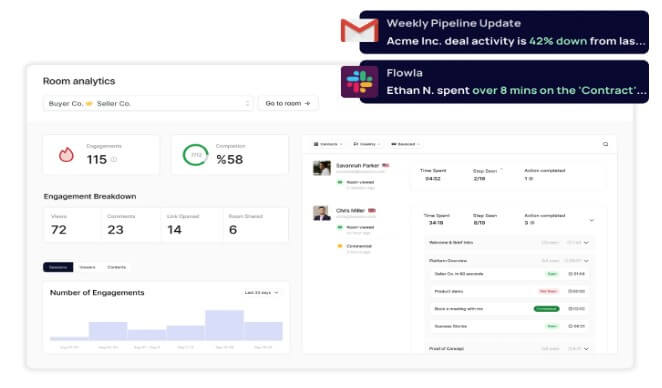
| Buyer engagement tracking | Shows stakeholder activity, content views, and deal signals | Helps reps prioritize the right actions |
| Forms and e-signature | Collects data and signatures inside the room | Reduces tool switching for buyers |
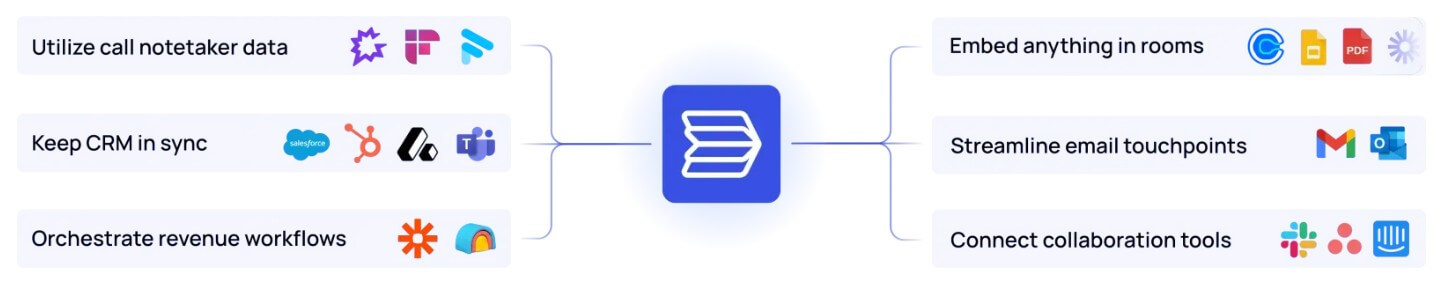
| Integrations | Connects with CRM, Slack, email, call notetakers, Zapier, and more | Keeps room activity tied to the wider revenue stack |
The mutual action plan is one of Flowla’s most important pieces. Flowla frames MAPs as shared plans that align stakeholders, responsibilities, timelines, and milestones across sales, onboarding, or project work.
This is useful because complex deals often fail in the spaces between meetings. Everyone agrees on the call, then legal waits on procurement, procurement waits on security, the champion forgets to involve finance, and the rep does not know which step is stuck. A shared plan makes those handoffs more visible.
Flowla also supports task owners, deadlines, reminders, and progress tracking. Its MAP page says buyers can complete actions inside a room, including e-signing documents, filling forms, booking meetings, and reviewing files. That is the right direction for this category. A MAP should not feel like a static checklist. It should feel like the operating plan for getting the deal or onboarding process done.
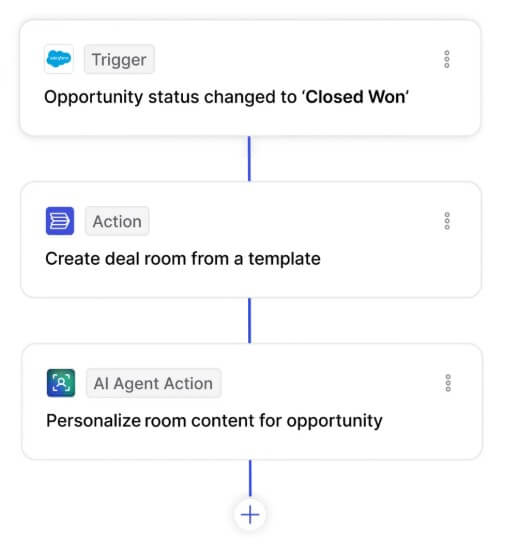
Flowla’s AI layer is more operational than creative. It is not the kind of AI tool where the user spends most of their time writing prompts. The AI is used to create assets, reduce admin work, suggest next steps, draft follow-ups, and connect buyer signals to actions.
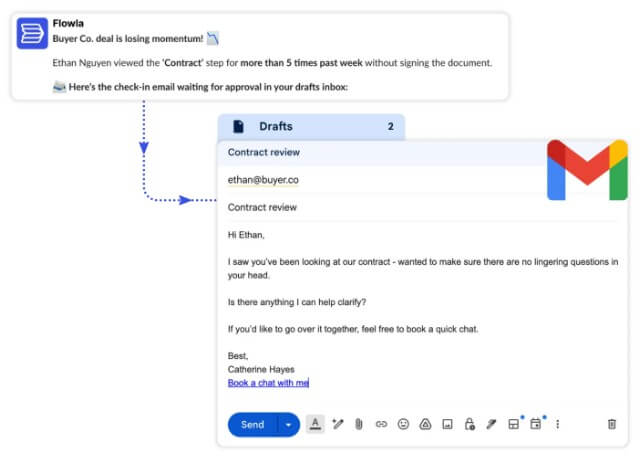
Flowla says its AI workflows can standardize team execution, while its AI agents can create business cases, handoff notes, custom rooms, assets, and follow-up emails. It also describes smart suggestions that turn room activity into next-step drafts, such as a tailored intro email when a new decision maker enters a room.
That is a smart use of AI because sales teams do not need another blank chat box. They need help acting on context they already have: CRM data, call notes, room engagement, buyer behavior, and deal stage. Flowla is trying to turn those signals into useful work while keeping humans in control. The platform says users can choose which AI-drafted actions need human review before execution.
Flowla also works as a content and action hub. Its content management feature lets teams store documents, videos, calendars, forms, mutual action plans, and other assets in a shared library. It also supports tags, search, filters, AI auto-tagging, and central content updates across rooms.
This matters for revenue teams with messy enablement libraries. If reps keep sending outdated decks or building one-off rooms from scratch, buyer experience becomes inconsistent. Flowla’s content layer helps standardize what gets shared while still allowing personalization.
Forms and e-signature are practical additions. Flowla Forms collect data and documents inside client-facing workspaces, then sync responses to CRM or other tools. Flowla E-signature lets buyers sign documents inside deal rooms and uses Dropbox Sign infrastructure, with SOC 2 Type II compliance and email verification mentioned on the product page.
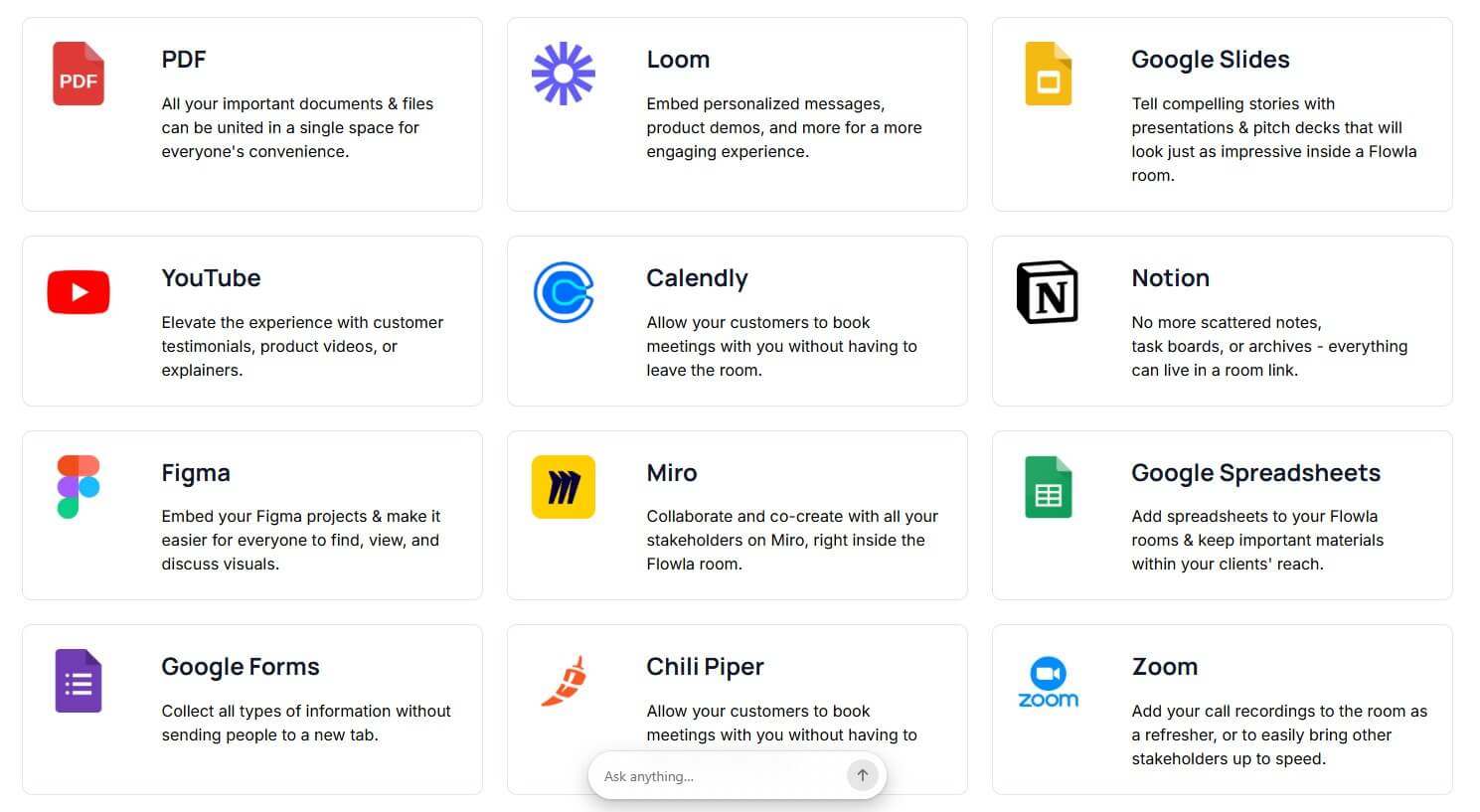
Flowla makes the most sense when it is connected to the tools a revenue team already uses. Its integrations page lists Salesforce, HubSpot, Attio, Slack, Zapier, email, call notetakers, Calendly, and embeddable content such as PDFs, Loom, Google Slides, YouTube, Notion, and more.
The HubSpot integration shows the direction clearly: rooms can be created from CRM triggers, personalized with company details, updated as deals move, and synced back to HubSpot with stakeholder, progress, task, and room activity. For RevOps teams, this is one of the main reasons Flowla is more than a buyer portal. The room becomes part of the revenue system rather than a separate microsite.
Flowla is a strong fit for sales teams managing multi-stakeholder B2B deals, especially when buyers need decks, security docs, legal materials, timelines, and action items in one place.
It also works well for proof-of-concept projects, where the buyer needs a clear test plan, success criteria, task owners, and deadlines. Customer success teams can use it for onboarding plans, implementation checklists, customer portals, renewals, QBRs, and expansion conversations.
RevOps teams may get the most strategic value when Flowla is used to standardize process execution. Templates, CRM triggers, content controls, AI follow-ups, and engagement data can help turn scattered rep behavior into a repeatable sales and CS motion.
Flowla is probably too much tool for simple sales cycles. If your process is one call, one proposal, and a quick decision, a clean email sequence and a good CRM may be enough.
The platform also depends on team adoption. A digital sales room only works if reps keep rooms useful, buyers understand why the room matters, and managers treat engagement signals as part of the process. If teams create rooms but still run everything through email, the value drops fast.
There is also setup work. Templates, content libraries, CRM fields, workflows, stakeholder rules, and MAP structures need thought. Flowla can reduce admin after it is configured, but it is not a magic layer that fixes an unclear sales process by itself.
Flowla is best for B2B revenue teams that need a cleaner way to manage complex sales, onboarding, renewals, and buyer collaboration. Its strongest value is the combination of digital sales rooms, mutual action plans, buyer engagement tracking, AI-assisted next steps, content management, forms, signatures, and CRM-connected workflows. It is less ideal for simple sales motions or teams that are not ready to standardize their process. The main caveat is adoption: Flowla works best when it becomes part of how sales and customer success teams actually run deals, not just a prettier place to store follow-up links.
TAGS: Productivity
Related Tools:

Simplifies project planning by providing cost estimates

Enhances productivity for researchers
Creates AI-driven sales rooms that simplify buyer engagement

AI-powered writing tool for paraphrasing

AI-powered note-taking tool

Organizes your inbox and drafts personalized replies