
Share this tool:
 |
Description:
Luma Dream Machine is an AI video generation tool built for fast, cinematic video creation from text, images, and existing footage. The current Ray3.14 model is Luma’s newest flagship for Dream Machine, with native 1080p generation, faster processing, stronger prompt adherence, better temporal coherence, and support across text-to-video, image-to-video, Modify Video, loop, keyframes, and video extension workflows.
Dream Machine is strongest at short cinematic clips with good motion flow, strong atmosphere, and clear response to camera and lighting language.
It can animate still images, interpolate between frames, and turn static artwork, portraits, or product shots into motion-ready clips.
Prompts using film terms like push in, orbit, pan, and crane usually produce more intentional and polished results.
It can restyle existing footage, change environments or aesthetics, and preserve source motion better than simpler video stylization tools.
Character reference, visual reference, and extension tools make it more usable for multi-shot ideas, recurring subjects, and continuity across clips.
Ray3.14 improves speed, prompt adherence, and visual sharpness, with native 1080p generation and optional higher-end finishing workflows.
Cinematic short scene
“Wide aerial shot of a neon-lit city skyline at midnight. Rain-slicked streets below with cars passing. Camera slowly pushes forward. Deep shadows, cinematic lighting, moody atmosphere.”
Why this is useful: This tests cinematic language, mood, lighting, and whether the model can keep motion coherent across the full clip.
Controlled cinematic B-roll
“Close-up shot of an old leather-bound journal being opened on a wooden desk. Candlelight flickers across the pages. Shallow depth of field, warm amber tones. A hand gently turns the first page.”
Why this is useful: This is a better stress test for grounded motion than chaotic action. Dream Machine tends to do well when motion is deliberate.
Portrait animation
Before using this prompt: Upload a portrait of a woman in a garden first.
“Slow pan across her face as she looks toward the camera with a gentle smile. Soft light filtering through leaves, subtle wind in her hair.”
Why this is useful: This tests face stability, subject consistency, and subtle natural motion from a still image.
Product ad animation
Before using this prompt: Upload product photography of a smartphone on a white surface first.
“Orbit the camera slowly around the phone from left to right, revealing all sides. Subtle reflections on the surface. Professional studio lighting, clean and minimal.”
Why this is useful: This checks whether the tool can preserve product proportions and render believable reflections during camera motion.
Stylized image animation
Before using this prompt: Upload a watercolor painting of a forest path first.
“Animate gently, soft camera movement weaving through the trees as if following the path. Mist rising between the trees. Light filtering through the canopy. Maintain the watercolor aesthetic.”
Why this is useful: This tests how well Dream Machine preserves non-photorealistic style while adding motion.
Camera-controlled reveal shot
“Static wide shot of an empty luxury retail interior. Floor-to-ceiling windows, afternoon light streaming in. Slow crane down from ceiling height to reveal the ground floor. Camera comes to rest at eye level.”
Why this is useful: This is a direct test of camera prompting. Dream Machine works better when the move is named clearly.
Food and beverage commercial
“Wide shot of a busy coffee shop interior. Warm lighting, many customers. Slow orbit left around a featured espresso cup on the counter. Ends in a close-up of the cup with shallow depth of field emphasizing it.”
Why this is useful: This tests directed attention, depth of field, and product-focused camera movement.
Luxury product commercial
“Close-up of a luxury watch face. 24-karat gold case, professional studio lighting. Camera slowly rotates around the watch revealing the bezel detail and craftsmanship. Warm light reflects off the polished surfaces. Ends with the watch resting on rich leather.”
Why this is useful: This tests material rendering, reflections, and premium commercial aesthetics.
Social-ready beauty flat lay
“Flat lay of cosmetic packaging arranged on a marble surface. Warm natural light from the side. Slow push in across the products as if traveling across a display. Smooth focus transitions between items. Luxurious and aspirational mood.”
Why this is useful: This is a practical prompt for beauty brands, short-form product content, and e-commerce visuals.
Stylized storytelling
“Surreal animation of an octopus floating through a starfield. Tentacles undulating slowly as if dancing with cosmic energy. Deep blues and purples, bioluminescent glow. Dreamlike and meditative. Soft lens flare as light passes through space.”
Why this is useful: This checks whether Dream Machine can handle imaginative motion without the scene falling apart.
Anime-style visual
“Anime-style animation of a girl walking through a cherry blossom garden at sunset. Watercolor aesthetic, soft pinks and oranges. Petals falling around her, slow motion. Contemplative and quiet mood.”
Why this is useful: This tests style consistency across the clip, especially for illustrated aesthetics.
Ambient loop
“Looping animation of a coffee cup on a wooden table. Steam rising continuously from the top. Warm, soft lighting. The cup stays full, the steam swirls upward infinitely. Calm and meditative.”
Why this is useful: This is one of the most practical loop tests because the motion is naturally cyclical.
Music / background visual
“Looping video of a vinyl record spinning on a turntable. Warm lamp light nearby. The record rotates continuously, the needle is stationary. The record surface reflects shifting light as it spins.”
Why this is useful: This checks whether reflective surfaces and cyclical motion stay believable on repeat.
Multi-beat storytelling
Clip 1:
“A woman standing in a foggy forest clearing at dawn. She’s holding her breath, waiting. Apprehensive, still. Wide shot, cool blue morning light.”
Extension:
“She sees something moving in the fog. Her expression shifts to wonder. The camera slowly pans left to reveal a large stag stepping out of the mist.”
Why this is useful: This tests whether Dream Machine can hold subject identity, environment continuity, and emotional progression across an extension.
Video-to-video transformation
Before using this prompt: Upload a simple live-action clip of a person walking down a hallway first.
“Transform this into cinematic anime style. Maintain all original motion. Apply cel shading, expressive line work, and a warm golden color palette.”
Why this is useful: This tests style transfer while preserving timing and motion from the source footage.
Commercial restyle workflow
Before using this prompt: Upload simple product footage of someone holding a bottle first.
“Reimagine this as filmed in a luxury European boutique. Marble surfaces in background, warm golden hour light through tall windows. All motion preserved.”
Why this is useful: This is a strong real-world test for ad creative, content repurposing, and low-cost commercial transformation.
- Cinematic short scenes: Dream Machine is strongest when the prompt includes mood, lighting, and clear camera direction.
- Product videos and ads: It works well for watches, cosmetics, electronics, and premium packaging where surfaces and lighting matter.
- Image-to-video animation: This is one of its most practical workflows for portraits, concept art, product photography, and editorial visuals.
- Loopable ambient content: Strong fit for lo-fi visuals, meditation apps, website hero sections, and music backgrounds.
- Stylized visual storytelling: Good for anime-inspired clips, surreal concepts, painterly motion, and music visual content.
- Creative pre-visualization: Useful for testing framing, reveal shots, movement, and overall visual direction before production.
- Video transformation workflows: Strong option for taking simple source footage and pushing it toward a more cinematic or branded look.
- Write cinematically: Mood, lighting, lens feel, camera position, and motion intent usually matter more than just naming the subject.
- Use real camera terms: “Push in,” “orbit left,” and “crane down” are usually better than vague motion phrasing. Luma’s own guidance supports camera motion prompting directly.
- Use reference inputs when possible: Visual reference and character reference tools are now important parts of the Dream Machine workflow for better consistency.
- Break longer ideas into clips: Dream Machine is still a short-form system, so multi-beat sequences usually work better as connected shots rather than one overloaded prompt. Supported extension guidance remains roughly around 30 seconds total.
- Match Modify strength to the goal: Lower-strength preservation is better when you need motion fidelity, while stronger transformation is better when visual change matters more.
- Design loops from the beginning: Looping works best with subjects that already have cyclical motion like steam, spinning objects, flowing water, or drifting fog.
- Use clean source material: Image-to-video and video-to-video outputs depend heavily on input quality.
- Short clip bias: Ray3.14 supports 5- and 10-second text-to-video clips, 5-second image-to-video clips, and Modify inputs up to 18 seconds, so longer storytelling still depends on extension workflows.
- Quality drops on longer sequences: Luma’s own guidance still places practical extension around 30 seconds before coherence becomes less reliable.
- Chaotic motion is harder: Fast action, crowded scenes, and complex physical interactions are still more likely to produce artifacts.
- Fine-detail close-ups can drift: Hands, fingers, and very tight facial shots can still show inconsistencies.
- Lip-sync is not the core strength here: Dream Machine has broader video creation and editing capabilities, but dialogue-precise character speech is not the main reason to use it.
- Credits can add up: Higher resolutions, upscaling, and repeated iterations can increase usage quickly. Luma also offers separate top-up credits on paid plans.
Dream Machine is one of the better AI video tools for fast cinematic generation, especially when you care about mood, camera motion, image animation, stylized output, and creative transformation workflows. Ray3.14 improves the current experience in the ways that matter most for real use: stronger prompt adherence, better temporal consistency, faster generation, and native 1080p output.
It works best when you treat prompting like directing. Clear motion language, proper camera terms, visual references, and grounded scene design usually produce much better results than vague prompts. For short-form video, product visuals, loops, stylized scenes, and rapid concept exploration, Dream Machine is a strong practical choice.
TAGS: Text to Video
Related Tools:

Simplifies video editing and creative content production
Creates realistic videos from text prompts and images

Creates cinematic videos from text, images, and frames

Creates cinematic videos from text prompts and images

Turns text, images, and audio into stylized videos

Turns text or images into animated, cinematic video clips
Related Videos:
This Ai App is Awesome! Create Ai Images & Videos From Anywhere
You can now create Ai images and videos wherever you are with the dream machine IOS app.
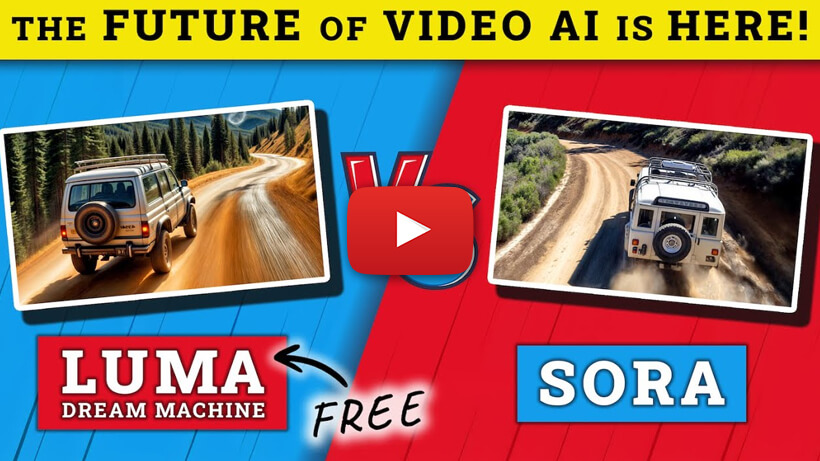
This FREE AI Video Generator Is Now The Best...Watch To Find Out
Create MINDBLOWING videos for free, I'll show you how to easily create stunning footage.