

Share this tool:
 |
Description:
Runway is an AI creative platform that combines video generation, image generation, reference-based consistency, video editing, character performance, restyling, reshooting, relighting, and post-production tools inside one workspace. That broader toolkit is what makes it useful for real production work rather than only one-off experiments.
The current platform centers on the Gen-4 family, including Gen-4.5, Gen-4 Video, Gen-4 Turbo, Gen-4 Aleph, Gen-4 Image, Gen-4 Image Turbo, and Act-Two for character performance workflows. Runway’s public materials position Gen-4.5 as its most advanced cinematic generation model, Aleph as its in-context video editing and transformation model, and Act-Two as its character animation and dialogue tool.
The best way to understand Runway is as a creative production platform with four connected layers:
- Generate: Create new video or image outputs.
- Reference: Use images to anchor character, object, or scene consistency.
- Edit: Modify existing footage with tools like reshoot, relight, remove, restyle, and environment change.
- Control: Guide motion, camera behavior, and character performance more deliberately than simpler prompt-only tools.
That combination is why Runway sits in a different category from basic clip generators. It is not only about “make a shot.” It is about generate, revise, preserve consistency, and finish. This framing aligns with the current Runway product stack and tool lineup.
Gen-4.5 is Runway’s flagship for higher realism, motion quality, and creative control in short-form video generation.
Runway’s Gen-4 workflows are designed for more reliable character, object, and location consistency across shots using reference images.
Aleph is built for video edits like adding, removing, transforming, relighting, restyling, and changing scenes from existing footage.
Act-Two is a dedicated performance model for facial animation, lip sync, and expressive character motion.
Runway’s Gen-4 video tools support image-led generation, which is especially useful for product ads, reshoots, and reference-based storytelling.
Runway combines generation with post tools, image tools, audio tools, and API access, making it more useful for end-to-end creative work than most single-purpose video models.
This part matters because Runway is no longer just one “Gen-4” button.
| # | Model Name | Description | Best For |
|---|---|---|---|
| 1 | Gen-4.5 | Runway describes Gen-4.5 as its most advanced video model, focused on stronger visual fidelity, motion quality, prompt adherence, and cinematic control. It supports both text-to-video and image-to-video, with durations from 2 to 10 seconds and output at 720p. | hero shots, polished final outputs, premium branded scenes, cinematic short-form work |
| 2 | Gen-4 Video | This is the balanced general-purpose Gen-4 video model. Runway’s help docs describe it as the standard Gen-4 video option and recommend it after Turbo when you want stronger quality. It requires an input image. | standard production work, image-to-video, polished but not maximum-cost outputs |
| 3 | Gen-4 Turbo | Runway positions Gen-4 Turbo as the fast, budget-friendlier generation option. It uses 5 credits per second, supports 5- and 10-second generations, and is recommended for iteration before switching to higher-quality output. | testing prompts, trying camera ideas, finding the right reference setup before committing more credits |
| 4 | Gen-4 Aleph | Aleph is not just another video generator. Runway describes it as an in-context video model for editing and transforming existing footage, including adding, removing, retexturing, replacing, changing angles, and modifying lighting or style. | video-to-video edits, visual transformations, background changes, environment changes, object replacement |
| 5 | Gen-4 Image and Gen-4 Image Turbo | Runway’s pricing and model documentation list Gen-4 Image and Gen-4 Image Turbo as the image-generation layer. Gen-4 Image is the higher-end image model, while Image Turbo is the faster, cheaper option. | reference image creation, character look development, product concept images, story beats before animation |
| 6 | Act-Two | Act-Two is Runway’s performance-focused model. It is designed for character animation with facial motion, dialogue sync, and expressive delivery. | talking characters, explainers, spokesperson-style clips, expressive performance-driven storytelling |
Cinematic short scene
Prompt:
“A woman walks slowly through a foggy cobblestone alley at night. Warm amber streetlights cast long shadows. She stops, looks over her shoulder. Low camera angle, shallow depth of field, cinematic mood.”
Why this is useful: This tests one of Runway’s strongest areas—atmosphere, motion weight, lighting behavior, and cinematic camera language.
Image-to-video storytelling
Before using this prompt: Upload a strong source image first.
Prompt:
“A lighthouse keeper standing at the edge of a cliff, looking out at the stormy ocean. Waves crash below. Wind moves through his coat. Camera slowly pushes in.”
Why this is useful: This checks how well Runway respects a source image while adding motion and camera behavior. Gen-4 video workflows are explicitly image-led in Runway’s docs.
Consistent character across shots
Before using this prompt: Upload two or more reference images of the same character first.
Prompt A:
“A young woman in a red jacket stands in a busy Tokyo intersection. Rain. Neon signs reflected on the wet pavement. Medium shot.”
Prompt B:
“The same young woman sits at a café window, holding a coffee cup. Morning light. Close-up on her face.”
Prompt C:
“The same young woman runs through a subway station, shoulder bag swinging. Urgent, dynamic.”
Why this is useful: This targets one of Runway’s most important platform-level advantages—reference-based consistency across multiple scenes.
Product reshoot
Before using this prompt: Upload a clean product image first.
Prompt:
“A luxury perfume bottle sitting on a marble surface. Soft golden light from the left. Cherry blossom petals falling slowly in the background. Elegant. Slow camera pan right.”
Why this is useful: This is a practical brand and e-commerce workflow because it preserves the product while changing the environment, mood, and motion.
Video-to-video restyle
Before using this prompt: Upload a source video clip first.
Prompt:
“Anime style. Hand-drawn look. Warm sunset tones. Loose brushstroke detail. Keep the motion of the original.”
Why this is useful: Aleph is specifically built for transforming existing footage while preserving the underlying motion structure.
Camera movement test
Prompt:
“A detailed architectural scale model of a city block, sitting on a table. Camera slowly orbits 360 degrees around the model. Soft overhead studio lighting. Close focus.”
Why this is useful: This tests how well Runway follows direct camera language like orbit, focus, and controlled movement.
Character dialogue and performance
Before using this prompt: Upload a character image and add either dialogue audio or text, depending on the workflow.
Prompt:
“A confident middle-aged man in a blazer, seated at a desk. He looks directly at the camera and speaks clearly. Professional tone.”
Why this is useful: This targets Act-Two’s main strength—facial performance, dialogue sync, and controlled presenter-style delivery.
Atmospheric VFX scene change
Before using this prompt: Upload a base video or source scene if you want to transform existing footage.
Prompt:
“A quiet suburban street on a calm afternoon. Change the time to late evening. Add a building electrical storm approaching in the distance. Wind moves through the trees. Streetlights flicker on.”
Why this is useful: This tests Runway’s editing depth for lighting shifts, environmental changes, and atmosphere rather than pure generation.
Reference-first workflow
Step 1 Prompt — Use Gen-4 Image Turbo:
“A cinematic portrait of a futuristic female detective, sharp cheekbones, dark red coat, rain-soaked hair, moody neon lighting, realistic photography.”
Step 2 Prompt — Use Gen-4.5 with that image as reference:
“She walks through a rainy alley at night, camera slowly pushing in, neon reflections on wet pavement, tense cinematic mood.”
Why this is useful: This reflects a real Runway workflow—generate the character or environment reference first, then animate it.
- Product marketing and e-commerce: Runway is especially useful for product reshoots, relighting, backdrops, and converting simple product assets into higher-end branded video. This aligns strongly with its current toolset and commercial positioning.
- Cinematic short-form video: The short native durations of Runway’s models match trailers, social ads, mood clips, and short cinematic storytelling particularly well. Gen-4.5 is clearly aimed at this space.
- Character-driven storytelling: Reference workflows plus Act-Two make Runway one of the stronger current platforms for consistent characters across many scenes.
- Previsualization and creative development: Runway works well for testing camera moves, scene moods, location alternatives, time-of-day changes, and stylized treatments before real production.
- Post-production enhancement: Aleph and the surrounding edit tools make Runway useful not just for AI-native shots, but also for upgrading, transforming, or fixing real footage.
- Agency and branded campaign workflows: Because Runway combines generation, consistency, editing, and performance in one place, it is especially useful for teams producing multiple creative variations under one visual identity.
- Start with strong reference inputs. Runway’s image-led workflows perform best when the source image is clear, well-lit, and compositionally strong. This is consistent with Runway’s own Gen-4 creation guidance.
- Prompt motion, not just description. Runway works best when the prompt clearly says what moves and how it moves.
- Use simple camera instructions. One clean move like orbit, push in, or pan left is usually more reliable than stacking many complex moves.
- Use multi-image references when consistency matters. One image can work, but several views give the model a stronger identity anchor.
- Prototype with Turbo, finish with Gen-4 or Gen-4.5. Runway explicitly recommends testing in Turbo first before switching upward.
- Treat long scenes as connected shots. Native video duration is still short, so sequence planning matters.
- Use the editing layer before and after generation. Tools like Aleph, relight, and environment changes are not just fixes—they are part of the creative workflow.
- Native duration is still short: Gen-4.5 supports 2 to 10 seconds, and Gen-4/Gen-4 Turbo focus on 5 or 10 seconds, so longer videos still need shot planning and stitching.
- Complex body mechanics can drift: Runway is strong on cinematic motion and moderate action, but highly technical movement can still lose precision over time.
- Text inside video is unreliable: Generated in-scene text should still be treated as a weak point and added in post when it matters.
- Multi-object consistency is harder than single-subject consistency: Runway is strongest on one main subject or clearly reference-anchored scenes.
- Higher-end projects can become credit-heavy: Gen-4.5 costs 12 credits per second, Aleph costs 15 credits per second, and complex workflows can add up quickly.
- Dialogue sync is strong, but not perfect: Act-Two works well for moderate speech, but fast, emotional, or extremely close-up performance may require more iteration.
Runway’s current pricing and documentation make the credit system fairly clear:
- Gen-4.5: 12 credits per second
- Gen-4 Turbo: 5 credits per second
- Gen-4 Aleph: 15 credits per second
- Act-Two: 5 credits per second
- Gen-4 Image: 5 credits per 720p image or 8 credits per 1080p image
- Gen-4 Image Turbo: 2 credits per image
Runway’s public pricing page also shows plan examples in terms of how much generation the included monthly credits roughly cover, and some higher plans include Explore Mode for unlimited relaxed-rate generations on selected models.
The practical takeaway is simple: use Turbo for testing, use Gen-4 or Gen-4.5 for final outputs, and reserve Aleph for edits and transformations that actually need it.
Sora is strong on natural motion and broader scene simulation, while Runway stands out more on reference-based consistency, integrated editing, and production-friendly workflows. This difference is partly inference from Runway’s tooling and public positioning, but it matches the way the platforms are aimed.
Synthesia is more specialized around presenter-led business videos and avatar workflows. Runway covers that use case through Act-Two, but its real strength is much broader creative and production work.
Pika is easier to approach for lighter consumer-style animation, while Runway is the deeper production platform with stronger reference systems, editing layers, and workflow breadth.
Luma is very strong for cinematic prompt-driven motion and elegant short-form video. Runway’s edge is the broader platform depth: reference control, editing tools, product reshoots, Aleph transformations, and Act-Two performance workflows.
Runway is one of the most complete AI creative platforms available right now because it combines generation, consistency, editing, and character performance in one connected system. The Gen-4 family gives it real credibility for cinematic short-form work, Aleph makes it much more useful for video transformation and post-style editing, and Act-Two adds a serious performance layer that many competitors still separate into a different product category.
It works best when you approach it like a production tool: prepare strong references, use prompt language that describes motion and camera behavior, iterate cheaply first, move to higher-end models for final shots, and use the editing tools as part of the workflow, not only as repair tools.
For product marketers, filmmakers, agencies, post-production teams, and character-driven creators, Runway is one of the strongest current options if you want more than just “generate a clip.” It is one of the few platforms that genuinely supports a broader creative workflow from idea to revision to final output.
TAGS: Video Editing Text to Video
Related Tools:
Creates realistic videos from text prompts and images

Creates cinematic videos from text, images, and frames

Creates cinematic videos from text prompts and images

Turns text, images, and audio into stylized videos
Turns text, images, and clips into cinematic videos

Turns text or images into animated, cinematic video clips
Related Videos:
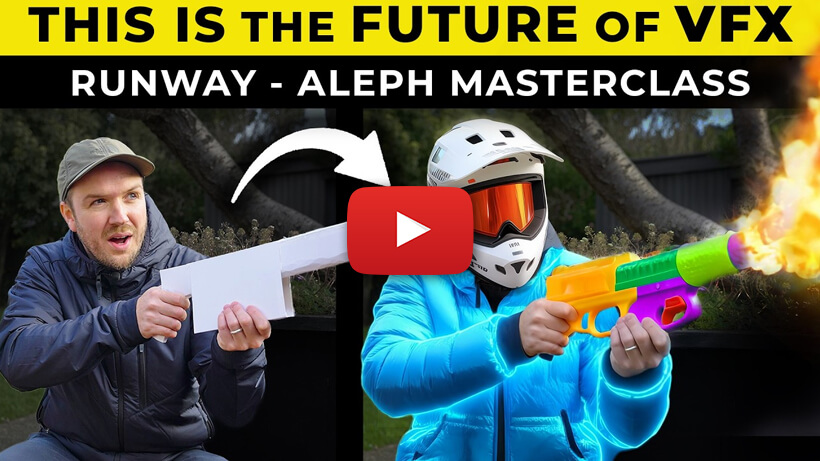
The Future of VFX is Here! Using Runway Aleph | How-To Tutorial
Learn how to use Runway Aleph to change objects, scenes, and visual elements inside your videos for more advanced AI VFX workflows.
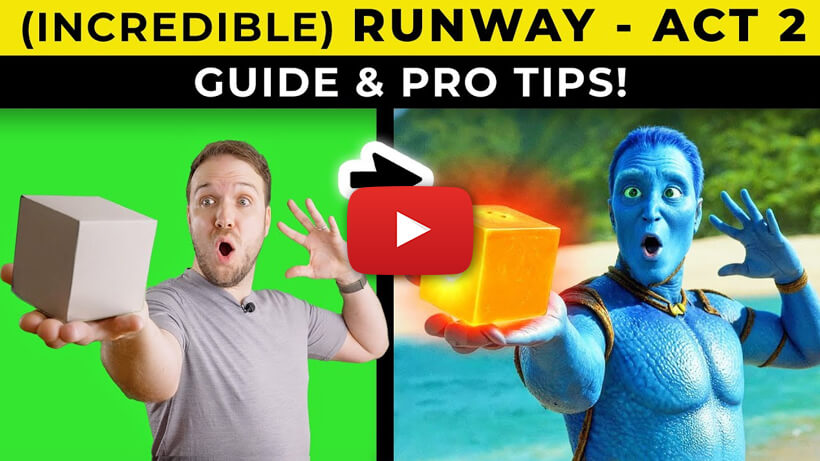
Create AMAZING Videos With Runway's ACT 2 | How-To Tutorial
Learn how to use Runway’s ACT 2 feature to create more dynamic AI videos with stronger motion and more expressive character performance.
Runway References - The BEST Character Consistency | How To Use Tutorial
Learn how to use Runway References to keep characters more consistent across different scenes for stronger storytelling and more polished AI videos.
Create AMAZING VFX Videos With Runway ‘First Frames’ | How-To Tutorial | 3 Unique Methods
Learn how to use Runway First Frames with three practical methods to create stronger AI VFX videos with more control over style, motion, and scene setup.
Create AMAZING Videos With Runway ‘First Frames’ | How-To Tutorial | 3 Creative Techniques
Learn three creative ways to use Runway First Frames to create more stylized, controlled, and visually impressive AI videos.
Runway Act-One Video Update | How to create Mind-blowing videos
Learn how Runway Act-One can transfer facial performance onto video characters to create more expressive and visually impressive AI videos.
Runway Aleph Changes Everything | The New Era of AI VFX Is Here
Discover how Runway Aleph can transform video scenes, replace elements, and open up more advanced AI VFX workflows for creators.
Runway Act-One | How To Create Mind-blowing Character Animation
Learn how to use Runway Act-One to create expressive character animation from simple video input for more dynamic and cinematic AI results.
Runway Ai Video To Video | Best Prompts & Tips
Learn how to use Runway’s video-to-video tools with better prompts and practical tips to transform footage into different visual styles with more control.
Create Ai VFX (Visual Effects) | With Runway Gen-3 | Full Tutorial
I will show you how to create amazing VFX easily and quickly to create viral content and to add pro visual effects to your videos and films.