
Share this tool:
 |
Description:
CalendHub is a calendar management and smart scheduling platform for people who live across more than one calendar. Its main value is not flashy AI planning or automatic day reconstruction. It is more practical than that: connect your Google and Outlook calendars, create booking links, block time across calendars, protect private event details, and reduce the risk of double-booking. CalendHub’s own positioning is clear: it helps busy professionals control their time without jumping between calendars.
CalendHub is best understood as a calendar-first scheduling system. Most scheduling tools start with a booking link, then check one or more calendars for conflicts. CalendHub starts with the messier problem: many people now manage work calendars, client calendars, personal calendars, side-project calendars, shared team calendars, and video meeting workflows at the same time.
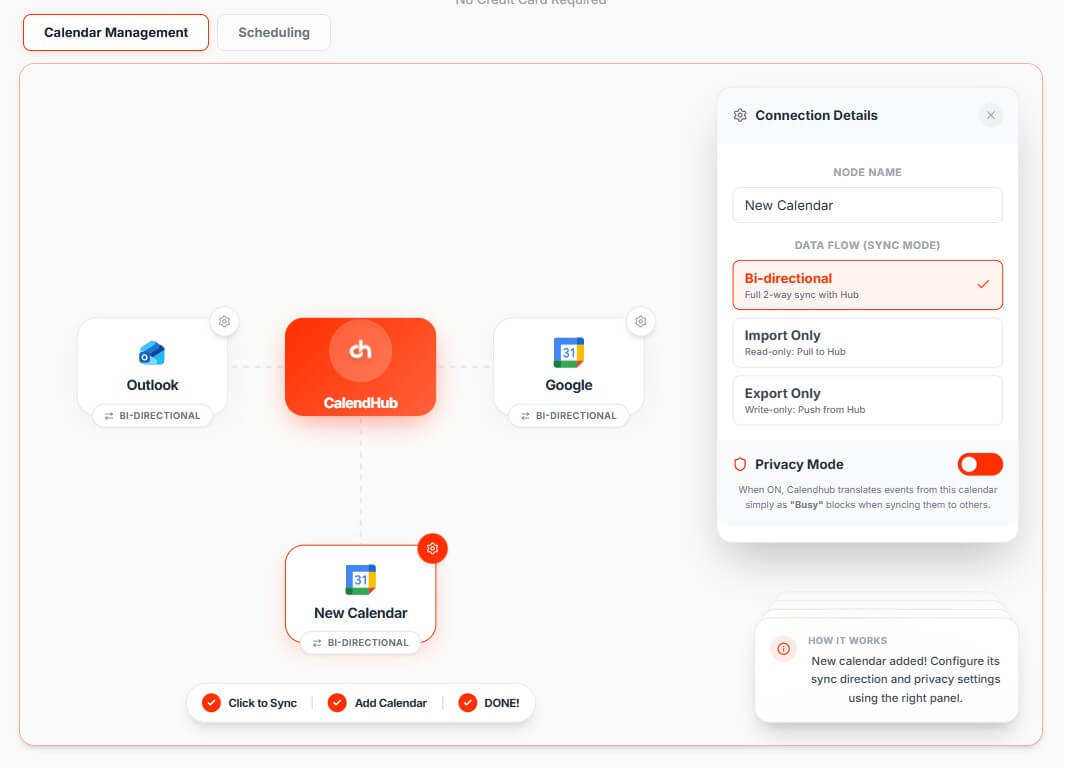
The platform connects calendars into one availability system, then uses sync, busy blocks, privacy rules, and booking routing to keep them aligned. CalendHub says users can connect unlimited Google and Outlook calendars and view them in one master schedule. It also supports bi-directional sync, meaning changes in one connected calendar can be reflected across the broader CalendHub setup.
That distinction matters. CalendHub is not just another “send me your link” tool. It is built for people whose availability is scattered across different accounts and contexts.
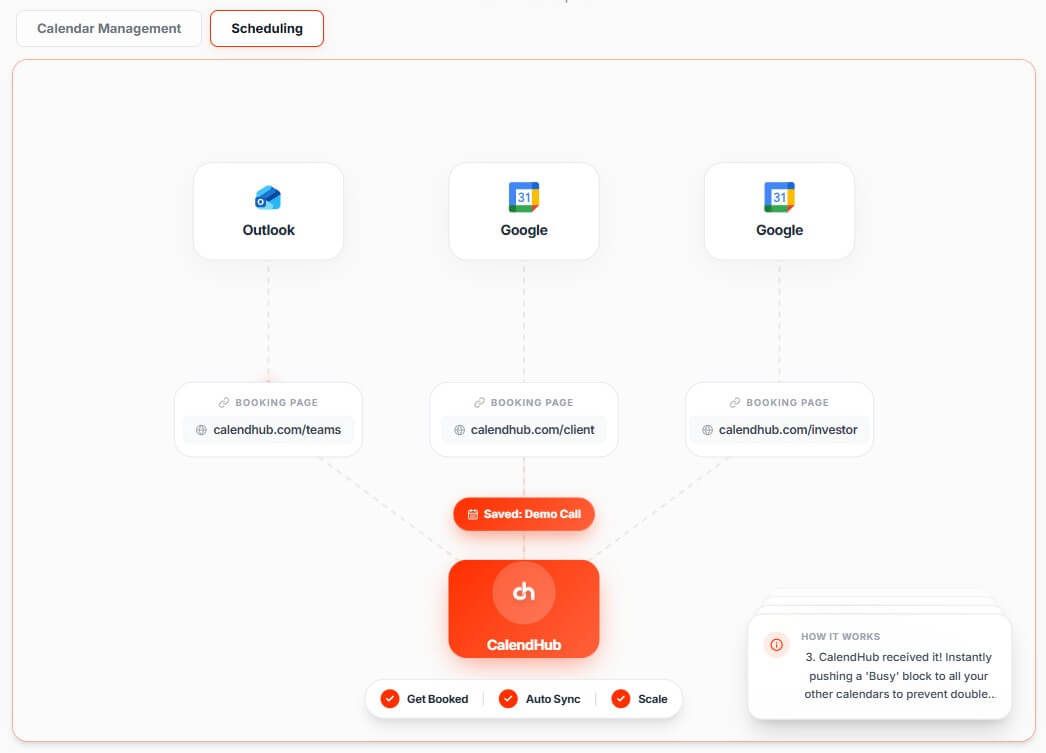
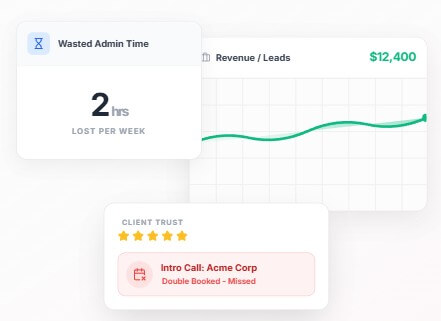
CalendHub is strongest for multi-calendar conflict prevention. If a client books a meeting on one calendar while your personal calendar already has a commitment, a basic scheduling setup can still leave you exposed. CalendHub’s scheduling page says it checks connected calendars before showing available times, then blocks the same time across other calendars after a booking happens.
That makes it useful for consultants, fractional executives, freelancers, agency owners, executive assistants, sales teams, and anyone juggling multiple calendar identities. The product is especially relevant when different meeting types need to land in different calendars. A sales call might belong in a work calendar. A coaching session might belong in a separate business calendar. A personal appointment should block time elsewhere without exposing private details.
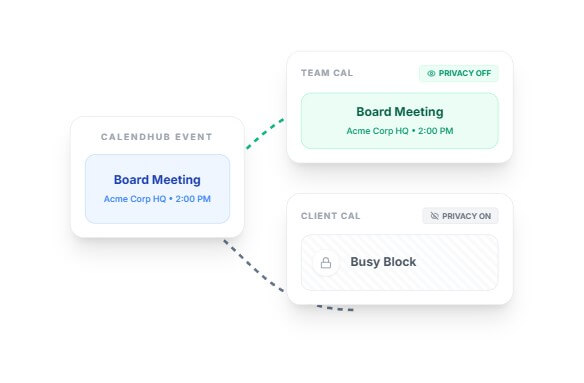
The privacy angle is another strong point. CalendHub says selected destination calendars can receive full appointment details while other calendars receive only busy blocks. That is the right model for users who want accurate availability without broadcasting sensitive event names across every account.
| Feature | What it does | Why it matters |
|---|---|---|
| Multiple Calendar Management | Connects Google and Outlook calendars into one unified schedule | Gives users one place to manage availability across accounts |
| Bi-Directional Sync | Syncs events across connected calendars | Reduces the need to copy meetings or busy blocks manually |
| Privacy Controls | Shows private events as busy blocks instead of exposing full details | Protects sensitive event names, attendees, and context |
| Unlimited Booking Links | Creates different booking links for clients, sales calls, interviews, consultations, and other workflows | Lets users route different meeting types cleanly |
| Calendar-Specific Routing | Sends appointment details to the calendar or calendars the user chooses | Keeps each booking type in the right calendar context |
| Video Meeting Integrations | Supports Google Meet, Microsoft Teams, and Zoom meeting workflows | Turns booking links into usable meeting flows |
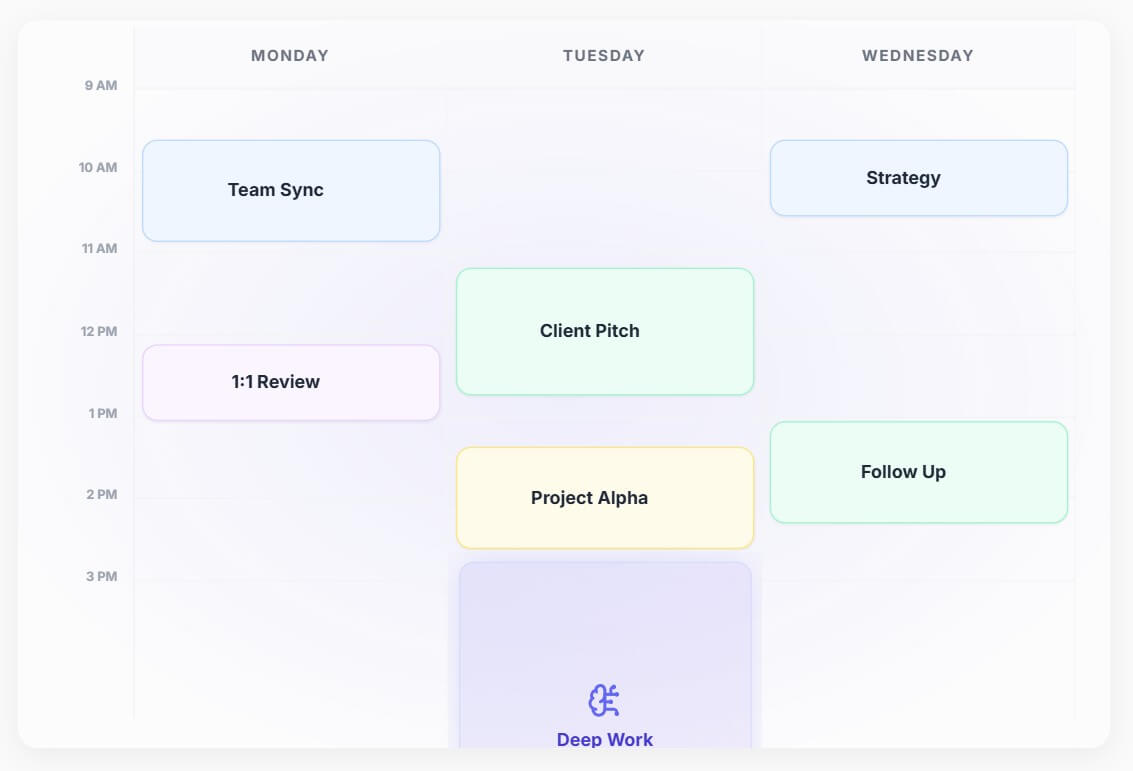
CalendHub’s best workflow is straightforward: connect calendars, decide which calendars should receive full details, create booking links for different appointment types, then let the platform manage availability protection in the background.
The setup is meant to be fast. CalendHub’s FAQ says users can sign up, connect Google or Outlook accounts, and start preventing conflicts in a few minutes. The more important setup work is not technical. It is deciding how your calendars should behave. Which calendar owns client calls? Which one owns internal meetings? Which calendars should only receive busy blocks? Which booking links should route to which calendar?
That is where CalendHub rewards a little planning. A user with two calendars can probably set it up quickly. A consultant with eight client calendars should spend more time naming links, setting destinations, and checking privacy behavior before sharing links publicly.
CalendHub should not be confused with tools like Reclaim AI, Motion, or Clockwise. Those products lean harder into AI planning, habit scheduling, focus time protection, task placement, or automatic schedule optimization. CalendHub’s own comparison against Reclaim AI describes CalendHub as stronger for cross-platform calendar unification, while Reclaim is stronger for AI scheduling and focus-time automation.
That is a useful distinction. CalendHub is better if your main pain is, “I do not know what my real availability is because it lives across too many calendars.” It is less compelling if your main goal is, “I want AI to plan my whole day, prioritize tasks, and move focus blocks around.”
CalendHub is a strong fit for consultants managing several client calendars, especially when each client expects clean scheduling and reliable availability.
It also works well for freelancers and solo operators who split work across personal, client, sales, and project calendars.
Executive assistants can use it when they need visibility across multiple principals, shared calendars, and meeting types.
Sales and client-facing teams may benefit from separate booking links for demos, discovery calls, onboarding, interviews, and follow-ups.
It is less ideal for users who only have one calendar and want advanced AI task planning. For that group, CalendHub may feel more structured than necessary.
The first trade-off is that CalendHub is automation-first, not AI-first. That is not a flaw, but it matters. Users expecting an assistant that rearranges their whole day or decides what they should work on next may be disappointed.
The second limitation is platform focus. The official site heavily emphasizes Google and Outlook workflows. Users living mainly in Apple Calendar, niche CalDAV setups, or industry-specific scheduling tools should verify support before building their workflow around it.
The third trade-off is setup discipline. CalendHub can reduce calendar chaos, but only if users configure routing and privacy rules thoughtfully. Poorly named links, unclear destinations, or messy calendar ownership can still create confusion.
CalendHub is best for people who manage several calendars and need reliable availability, privacy-aware busy blocks, and booking links that route meetings to the right place. Its strongest value is calendar consolidation, not AI day planning. For consultants, freelancers, executive assistants, and client-facing teams, that can be more useful than another smart scheduler. The main caveat is simple: CalendHub works best when your real problem is multi-calendar coordination. If you only need one calendar plus AI task planning, a different tool may fit better.
TAGS: Productivity
Related Tools:

Simplifies the use of diverse applications

Email assistant that automatically generates replies

Detects and fixes critical software vulnerabilities

Lets you ask business questions and instantly get insights

Enhances productivity by automating task management

Enhances focus and efficiency in work or study