

Share this tool:
 |
Description:
- Introduction
- Core Features and Capabilities
- What FineShare VoiceTrans Actually Is
- What VoiceTrans Does Best
- Workflow and Ease of Use
- Voice Quality and Real-Time Control
- Soundboard and Live Interaction
- Desktop, Mobile, and Online Surfaces
- Voice Packs, Customization, and Sonic Identity
- Best Use Cases
- Where VoiceTrans Is Strongest
- Where It Is Weaker
- Privacy and Safety Notes
- Practical Tips
- Final Takeaway
FineShare VoiceTrans is an AI voice changer and soundboard platform built for live communication, gaming, streaming, online chats, and quick voice-message creation. Its strongest value is not studio-grade narration or podcast cleanup. It is giving users a fast way to change their voice, trigger sound effects, send character-style voice messages, and make online interactions feel more expressive.
Lets users transform their voice into different styles live, especially for gaming, streaming, and online socializing.
Includes 1000+ AI voice models and character-style options for experimenting with different vocal identities.
Provides lightweight real-time effects such as robot, demon, chipmunk, female, kid, cave, and echo, with fine-tuning available.
Lets users play sound memes, SFX, voice lines, and custom MP3 or WAV sounds during live chats, games, and streams.
Creates personalized voice messages using character-style voices for games and chats.
Supports Windows desktop, iOS mobile, and online sound-clip discovery/sharing workflows.
VoiceTrans is a real-time voice changer, AI voice pack tool, soundboard, and voice-message system under the broader FineShare product family. FineShare describes it as a “realistic real-time AI voice changer” that lets users switch voices, mimic characters, and use a library of sound memes to make conversations, chats, and games more entertaining.
The easiest way to understand it is that VoiceTrans is not one single voice tool. It has three main jobs. First, it changes your live voice in real time on desktop. Second, it gives you sound effects and sound memes you can trigger while gaming, streaming, or chatting. Third, it supports AI voice packs and mobile voice-message sharing, so users can create and send transformed voice clips instead of only using live voice effects.
| Layer | What it does | Why it matters |
|---|---|---|
| Real-time voice changer | Changes your voice live on Windows. | Best for gaming, streaming, calls, and live chat. |
| AI voice models | Offers 1000+ AI voice models and character-style voices. | Useful for experimenting with different vocal identities. |
| Voice modulator | Adds filters such as robot, demon, chipmunk, female, kid, cave, and echo. | Gives users more playful live control than simple voice presets. |
| Soundboard | Plays sound memes, SFX, game sounds, and custom clips. | Strong for streams, Discord-style calls, gaming reactions, and live moments. |
| AI voice packs | Creates personalized voice messages with character-style voices. | Useful when the user wants shareable voice clips rather than live voice only. |
| Mobile and web surfaces | Supports iOS voice messages and online sound-clip discovery. | Makes VoiceTrans more portable than a desktop-only voice changer. |
VoiceTrans is strongest in live entertainment settings. If you are in a game lobby, streaming on Twitch, joining a Discord call, sending funny voice messages, or trying to make a casual group chat more lively, the tool makes sense. Its own product page points directly to gaming, streaming, chatting, meetings, video chats, and online teaching as target scenarios.
Its first real strength is speed. VoiceTrans is built around switching voices and playing sounds quickly, not around editing a final audio file for release. FineShare says the real-time voice changer is designed to be lightweight and fast, with low CPU and GPU usage so it does not hurt game or application performance.
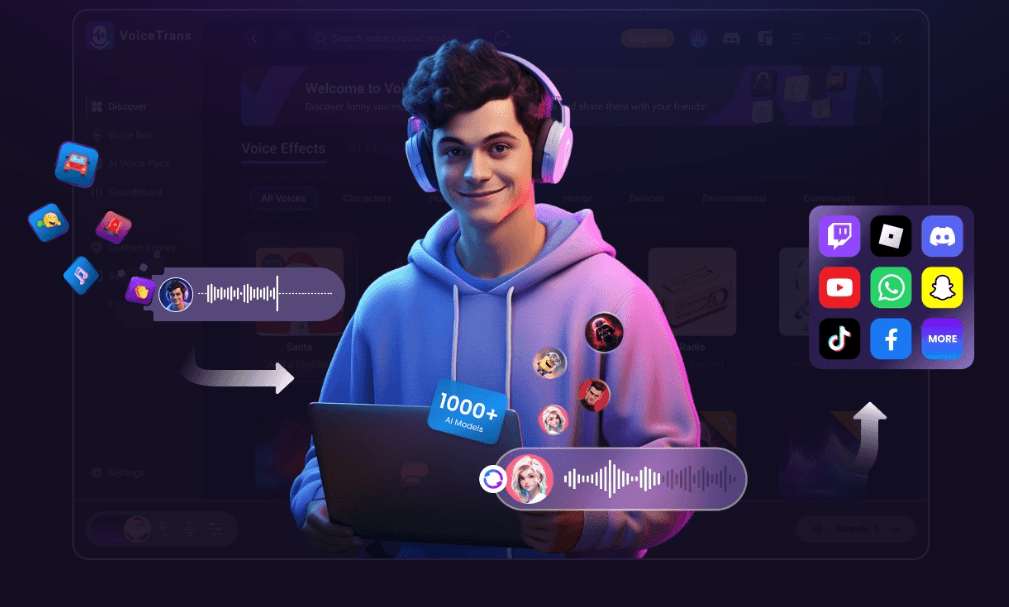
Its second strength is variety. FineShare says VoiceTrans includes 1000+ AI voice models, tens of thousands of voice clips, sound memes, free sounds, SFX, game sound effects, and voice packs. That kind of library matters because the audience for this tool is usually not looking for one perfect voice. They want options, jokes, reactions, character voices, and fast ways to match the mood of a live moment.
Its third strength is platform coverage. VoiceTrans has a Windows desktop version for real-time voice changing and soundboards, an iOS app for realistic AI voice changing and shareable voice messages, and an online surface for discovering, creating, and sharing voice clips. That gives it a broader shape than a simple PC-only soundboard.
VoiceTrans has a simple live-audio logic. On desktop, you use VoiceTrans as the voice layer between your microphone and the app where people hear you. You choose a voice, sound effect, or soundboard item, then use it during a game, stream, chat, or call. FineShare’s soundboard setup page describes choosing the soundboard, selecting a sound effect, then clicking to play or binding shortcut keys for one-click playback.
That shortcut-key workflow is important. A soundboard is only useful if you can trigger it at the right moment. VoiceTrans supports key bindings for sound effects and voice messages, which makes it more practical for live use than a tool that requires digging through menus mid-game or mid-stream.
The iOS workflow is more about sharing transformed voice messages. FineShare’s App Store listing says VoiceTrans lets users transform their voice, use voice packs and short voice memes, and engage with friends through chat applications and games. That makes the mobile version feel less like a full live desktop audio router and more like a portable voice-message and sound-meme companion.
The online workflow is lighter still. The soundboard page describes the web version as a place to explore free short sound memes, select clips, and share or play them. This is useful for discovery, but the desktop version is clearly the strongest fit for real-time voice changing and live soundboard control.
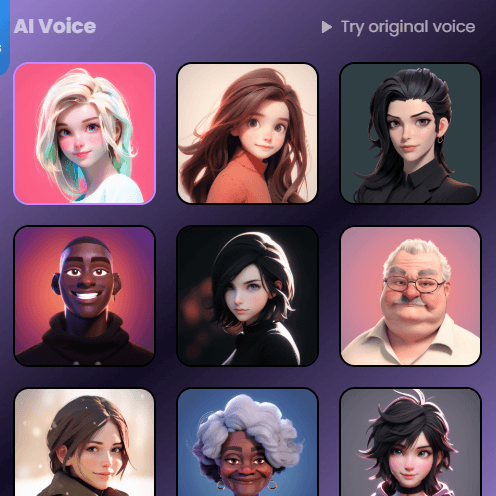
VoiceTrans should be judged as a live voice-expression tool, not a studio voice generator. It is designed to make a conversation more fun, disguised, energetic, or character-driven. FineShare says the AI voice changer can preserve accents, intonations, and emotions while transforming voices into realistic characters, celebrity-style voices, male-to-female, female-to-male, and age-style voice changes.
The live voice modulator is the more performance-oriented layer. It is meant for low-latency use, with effects like robot, demon, chipmunk, female, kid, cave, and echo. FineShare also emphasizes low CPU and GPU usage, which matters because voice changers often run alongside games, streaming software, browsers, and chat apps.
The main quality point is that VoiceTrans is best when the effect matches the context. A robotic voice in a game lobby, a monster voice in a roleplay scene, a funny sound meme in a group call, or a quick character voice message can work very well. It is less appropriate when the user needs clean narration, professional dubbing, audiobook delivery, or a realistic voice clone for polished media.
Voice quality also depends on input quality. A clean microphone, sensible gain, and a quiet environment will always help. If the source voice is noisy, distorted, or too far from the microphone, the transformed result will likely sound rougher. VoiceTrans can change the voice, but it does not remove the need for basic microphone discipline.
The soundboard is one of the most practical parts of VoiceTrans. FineShare positions it for Discord, Twitch, Fortnite, Valorant, podcasts, games, live streams, video creation, and chatting. It is not just a library of random clips. It is a live interaction tool.
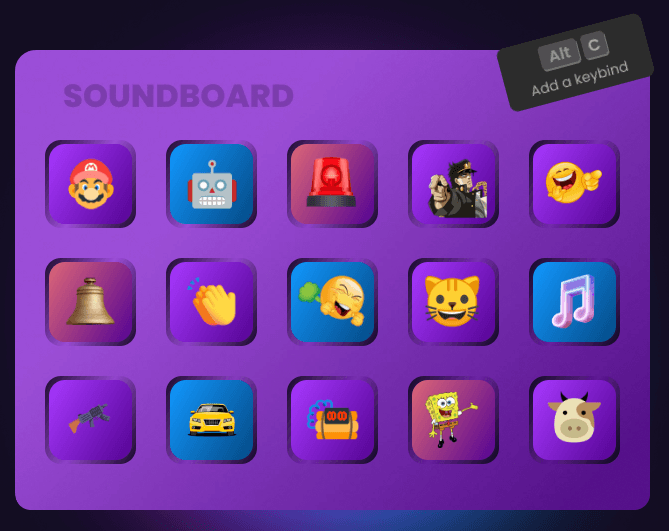
For streamers, the soundboard can create recurring channel moments. For gamers, it can add reactions, SFX, or team-chat humor. For Discord groups, it can make calls feel more playful. For creators, it can supply audio elements for videos or podcasts. FineShare’s page explicitly lists use cases such as online games, live interaction, voice chat, social media sharing, content creation, educational learning, and business needs.
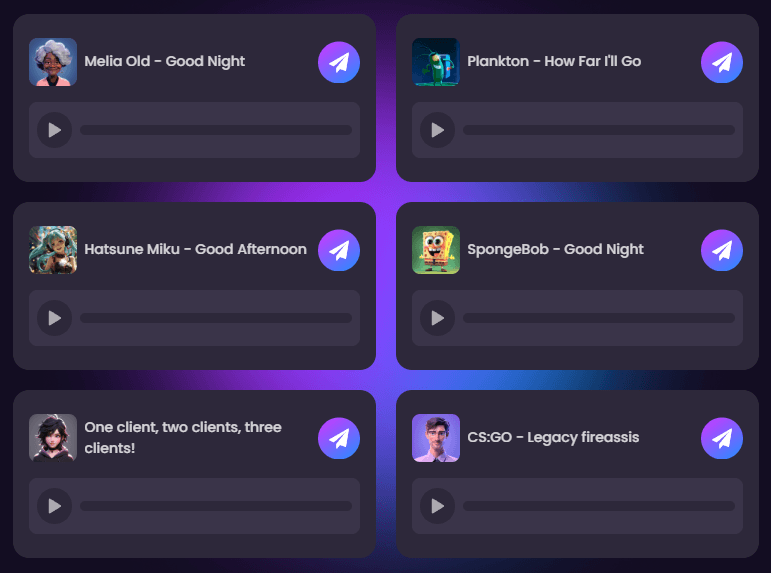
The custom soundboard option is important because users can import MP3 or WAV files and build their own soundboard. That matters more than the stock library over time. A creator’s best soundboard is usually personal: running jokes, branded sounds, channel memes, community reactions, or sounds tied to a specific game or audience.
The main caution is restraint. Soundboards can make streams and chats more entertaining, but they can also become annoying quickly if overused. A well-timed sound effect is funny. Constant audio interruptions can make a call or stream harder to follow.
VoiceTrans is useful because it is not locked to one surface. FineShare breaks the experience into desktop, mobile, and online options. Desktop is for real-time voice changing and soundboards on Windows. Mobile is for realistic AI voice changing and sharing voice messages on iOS. Online is for discovering, creating, and sharing voice clips.
| Surface | Best For | Practical Notes |
|---|---|---|
| Windows desktop | Real-time voice changing, live soundboard, games, streams, calls. | Best version for live voice control and app/game use. |
| iOS app | Voice messages, short memes, mobile sharing. | Better for casual sharing than full desktop-style routing. |
| Online sound library | Finding and sharing sound clips. | Useful for discovery and quick access to memes/SFX. |
| FineVoice-linked tools | Voice cloning and related AI voice workflows. | More relevant when users want generated or cloned voice assets rather than only live effects. |
This surface split is useful, but it can also create some product confusion. FineShare has VoiceTrans, FineVoice, soundboard pages, voice-changer pages, and online voice tools. Users who only want one live voice changer may need to understand which product surface they are actually using.
VoiceTrans is partly about performance and partly about identity. FineShare uses the phrase “Build New Sonic Identity” and says users can switch voices, mimic characters, and use sound memes to add personality to interactions.
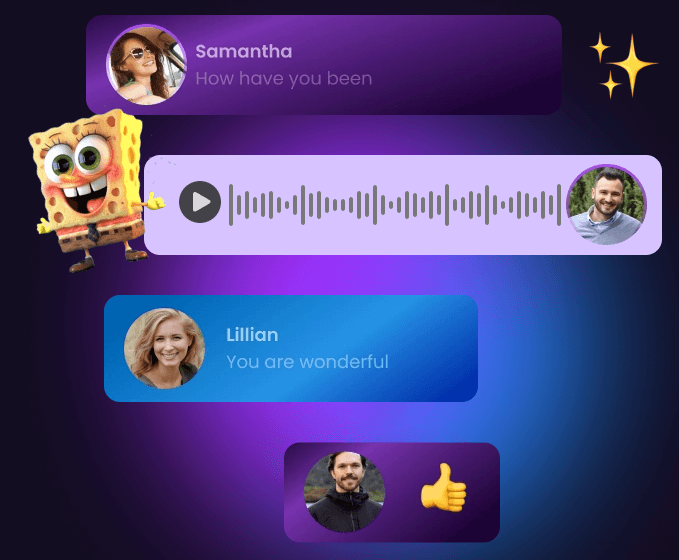
The AI voice pack workflow is useful when live voice changing is not enough. Instead of changing your voice continuously during a call, you can create personalized voice messages with a favorite character-style voice and send them in games or chats. That is especially useful for mobile messaging, Discord jokes, game communities, and short-form social sharing.
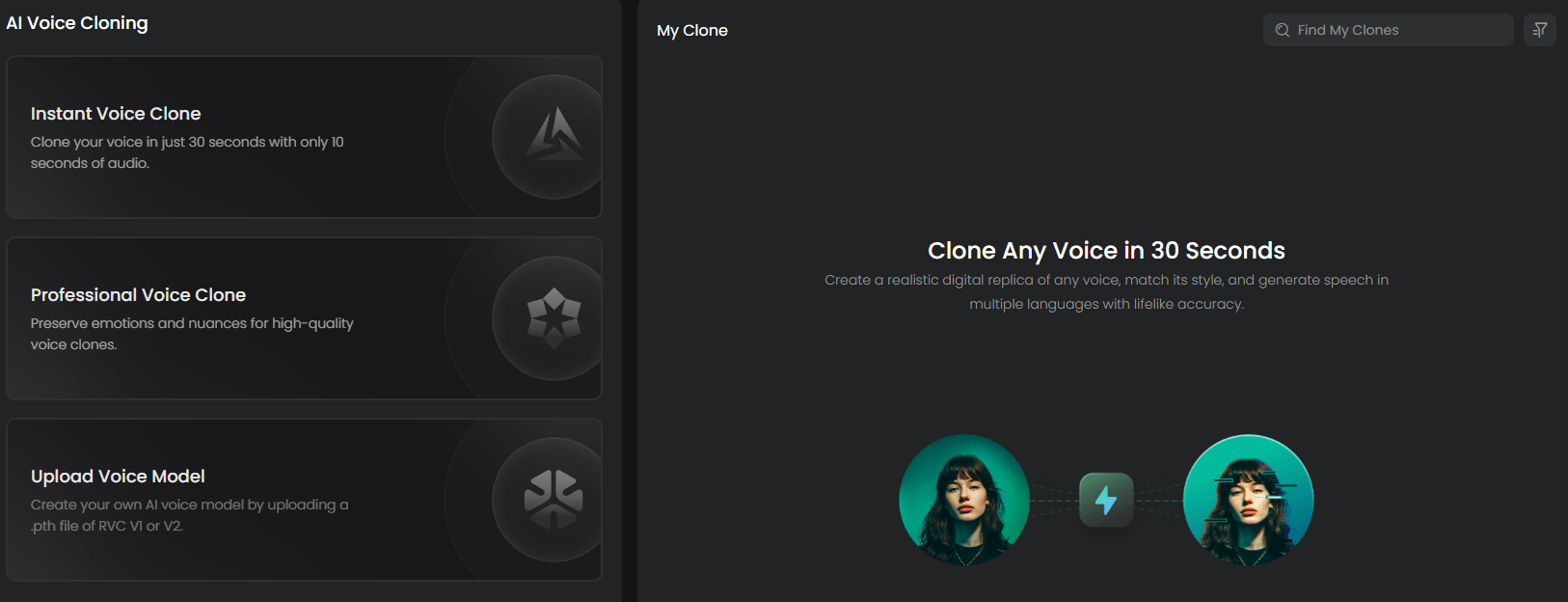
Customization is another important layer. VoiceTrans supports custom key bindings, custom soundboards, MP3/WAV imports, voice modulation, and voice cloning links through the broader FineShare/FineVoice ecosystem. This makes the product more flexible than a fixed preset list.
The practical distinction is simple: presets are good for trying the tool, but custom soundboards and repeatable voice choices are what make it useful long term. A streamer, roleplayer, or community manager will get more value by building a recognizable audio identity instead of randomly switching effects every time.
- Gamers: VoiceTrans fits game lobbies, roleplay, team chats, and casual multiplayer sessions where voice effects and sound memes can add energy.
- Streamers: The combination of real-time voice changing, soundboard triggers, SFX, and key bindings makes it useful for Twitch-style live moments and audience interaction.
- Discord and chat communities: VoiceTrans is a natural fit for group chats where users want funny voice messages, sound memes, or character voices.
- VTubers and roleplayers: Character-style voices, voice packs, and modulation can help match a voice to a persona or scene.
- Social media creators: Short voice memes and shareable clips can support skits, reactions, meme pages, and casual content.
- Online teachers and presenters: Used lightly, sound effects and voice changes can make lessons more engaging. FineShare specifically lists online teaching as one possible use case.
- Casual meeting users: VoiceTrans can add personality to calls, but this is best for informal settings. Professional meetings usually need restraint.
VoiceTrans is strongest when the goal is live personality. It helps users sound different, trigger audio reactions, send playful voice clips, and create a more memorable atmosphere in games, streams, and chats.
It is also strong for users who want one tool that mixes voice changing and soundboard control. Some tools focus only on live voice effects. Others focus only on soundboards. VoiceTrans combines both, plus AI voice packs and mobile sharing.
The biggest practical strength is speed. VoiceTrans is built around real-time use, shortcut keys, low CPU/GPU impact, and quick playback. That makes it useful in the exact situations where slow tools fail: games, streams, calls, and live reactions.
VoiceTrans is weaker when users need professional audio production. It is not a DAW, post-production tool, dubbing suite, or high-end narration platform. It is built for expressive voice transformation and entertainment.
It is also weaker when realism is the only priority. FineShare describes realistic character and celebrity-style voices, but real-time effects still have limits. Some voices may sound entertaining rather than truly natural, especially if the microphone input is poor or the effect is extreme.
The second trade-off is product complexity across FineShare’s ecosystem. VoiceTrans connects to soundboards, FineVoice, AI voice cloning, voice modulator pages, mobile apps, and online sound libraries. That is flexible, but it can make the product family feel scattered for new users.
The third limitation is social appropriateness. Voice effects and sound memes are context-dependent. They can improve a stream or game night, but they can annoy teammates, disrupt calls, or feel unprofessional in serious meetings.
The fourth limitation is rights and likeness caution. FineShare’s page mentions character and celebrity-style voices, and its DMCA policy says community-generated content and derivative works should be used in accordance with its terms, especially for parody purposes. Users should be careful with commercial use, impersonation, copyrighted characters, and public figures. A funny private voice message is very different from publishing monetized content that relies on someone else’s recognizable voice or identity.
Voice tools can involve sensitive information because they process microphone recordings, voice clips, and potentially identity-like audio. FineShare’s privacy policy says its services include the website and mobile applications, and it explains that personal data may be collected and used to provide and improve the service.
For casual gaming or meme use, this may not be a major concern. For sensitive calls, confidential meetings, private client conversations, or business communications, users should be more careful. The safest approach is to avoid processing sensitive speech through entertainment voice tools unless the privacy and data-handling terms fit the use case.
There is also a safety boundary around impersonation. VoiceTrans can be fun, but users should not use voice-changing tools to deceive people, harass others, bypass moderation, or misrepresent identity in serious contexts. The more realistic a voice effect becomes, the more important consent and context become.
- Use VoiceTrans mainly where playfulness is welcome. Gaming, streaming, Discord calls, roleplay, and casual chat are the clearest fits.
- Set up key bindings before going live. Soundboards are much more useful when reactions can be triggered instantly. FineShare’s soundboard workflow specifically supports shortcut keys for one-click playback.
- Build a custom soundboard. Importing MP3 or WAV files lets you create a more personal audio identity instead of relying only on generic meme clips.
- Test microphone levels first. Voice effects sound better when your input is clean, close, and not clipping.
- Use extreme effects sparingly. Robot, demon, chipmunk, echo, and cave-style effects can be funny, but they can also reduce clarity.
- Separate casual and professional use. What works in a Twitch stream may not belong in a client meeting.
- Be careful with recognizable voices. Character-style and celebrity-style voice effects can create rights, consent, or platform-policy issues when used publicly or commercially.
FineShare VoiceTrans is best understood as a live voice-expression tool for gaming, streaming, chats, and social audio. Its strongest value comes from combining real-time voice changing, AI voice models, soundboards, voice packs, custom sound imports, key bindings, and mobile voice-message sharing.
It is best for gamers, streamers, Discord users, VTubers, roleplayers, casual creators, and anyone who wants to add personality to online communication.
The main caveat is that VoiceTrans is an entertainment-first voice tool, not a professional voice-production suite. It works best when users treat it as a live performance layer and stay thoughtful about context, microphone quality, and voice-likeness ethics.
TAGS: Voice/Audio Modulation
Related Tools:

Transforms written texts to voiceovers

Enhances voice in real-time

Game development tool for Nintendo Switch

Enables users to create 2D games for various platforms
Offers voice cloning and translation

Enables to create cross-platform 2D and 3D games