
Share this tool:
 |
Description:
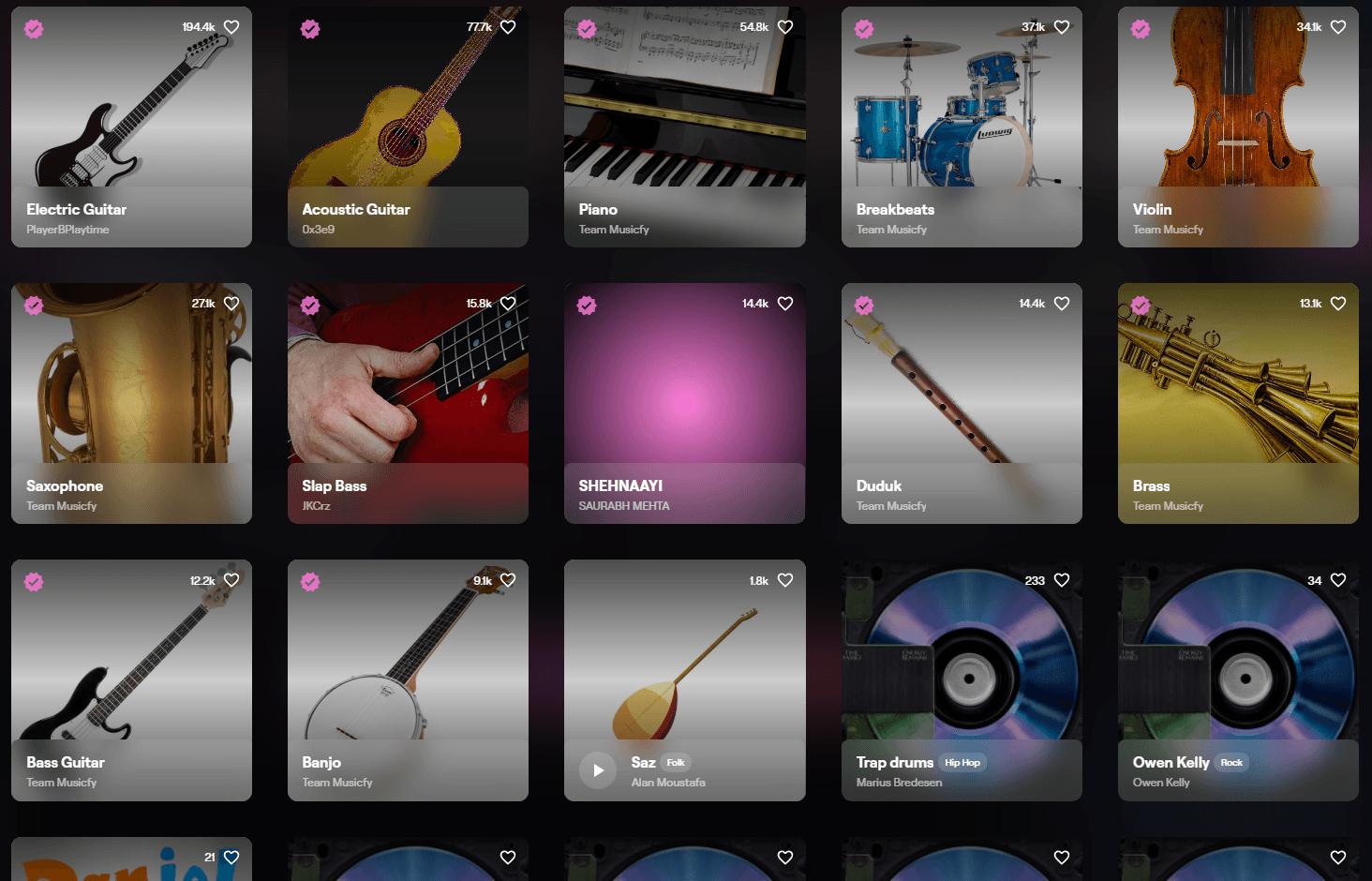
Musicfy is an AI music and voice-generation platform built around turning vocals, song ideas, and text descriptions into AI-powered music outputs. Its strongest angle is voice: users can create covers, choose from a large voice library, make a clone of their own voice, generate music from text, and use related tools like voice-to-instrument and stem separation across Musicfy’s web and developer surfaces.
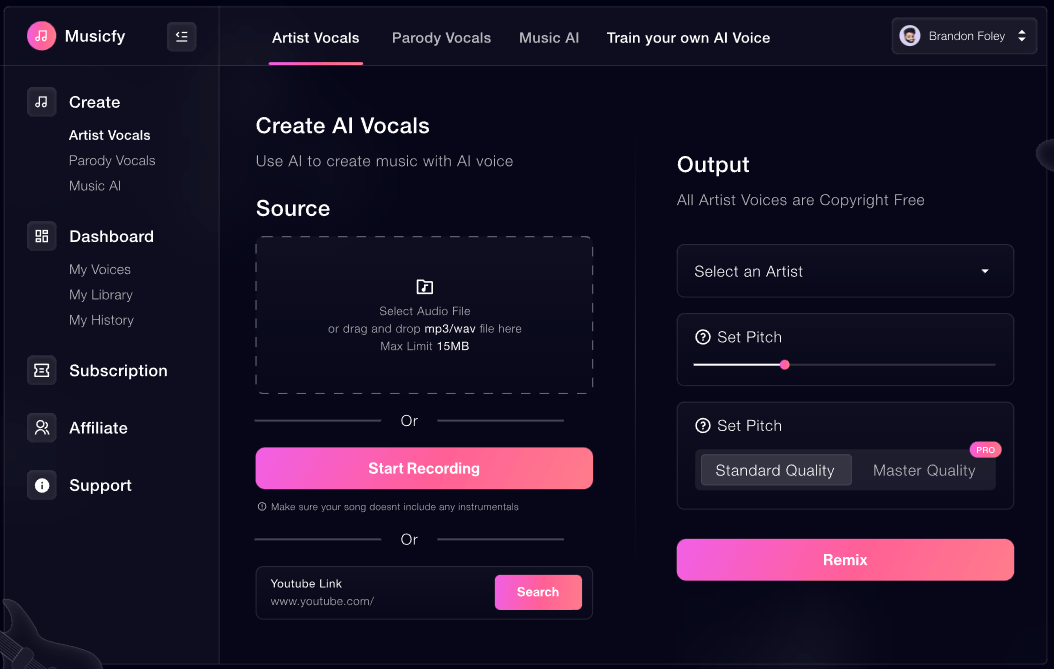
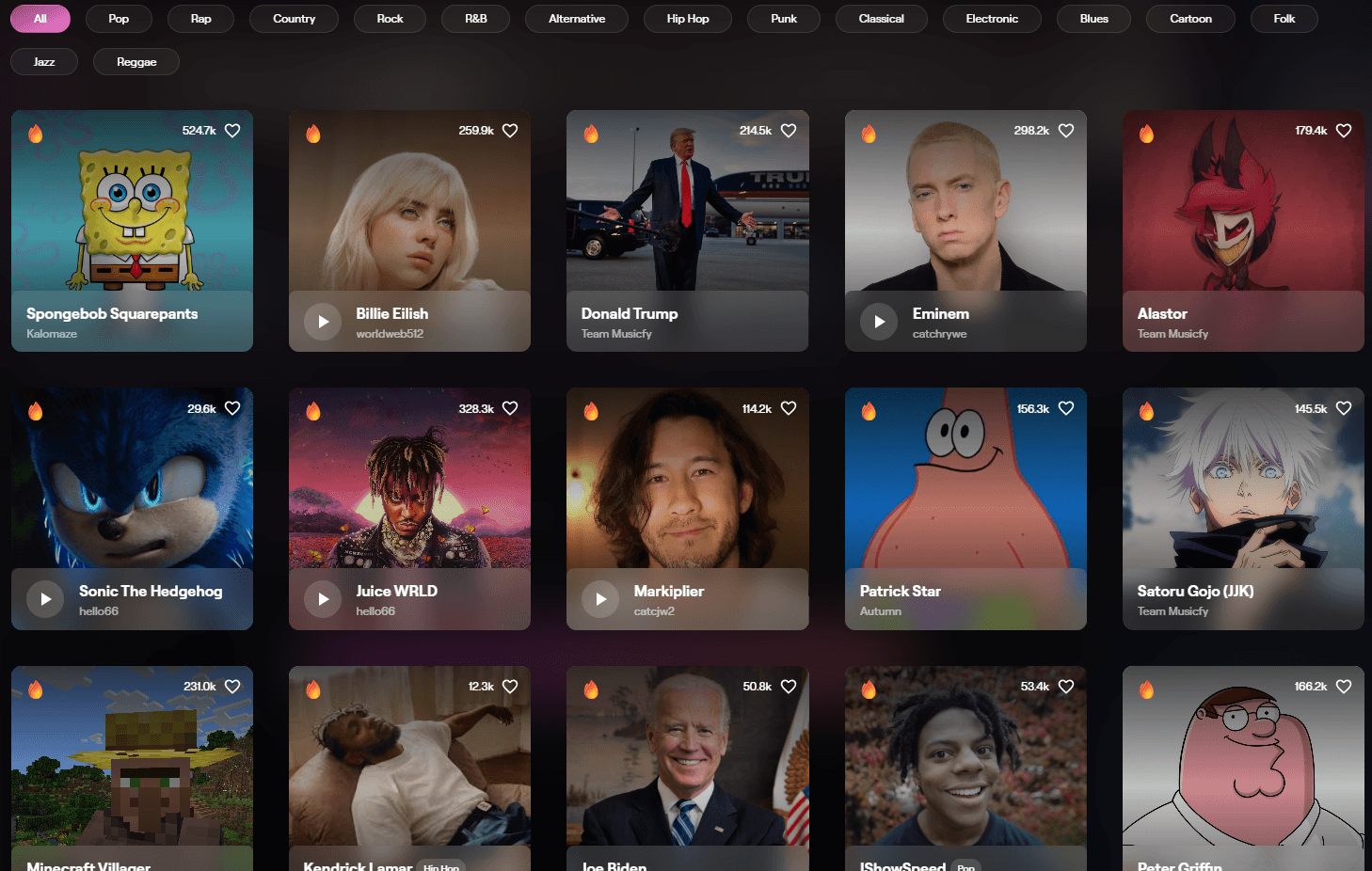
Musicfy’s web app is positioned around creating AI covers in different voices, including a large library of available voices and the option to make a clone.
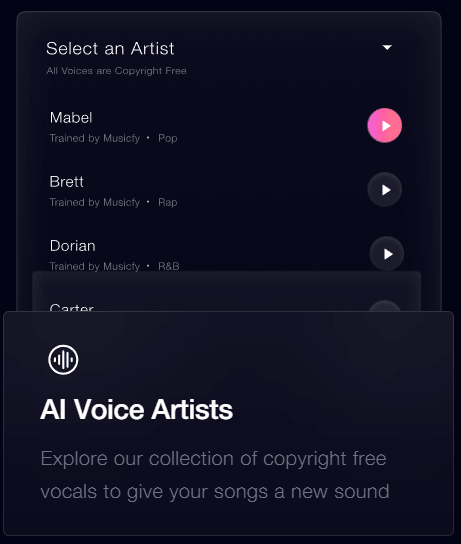
The homepage describes a collection of copyright-free vocals that users can explore to give songs a different sound.
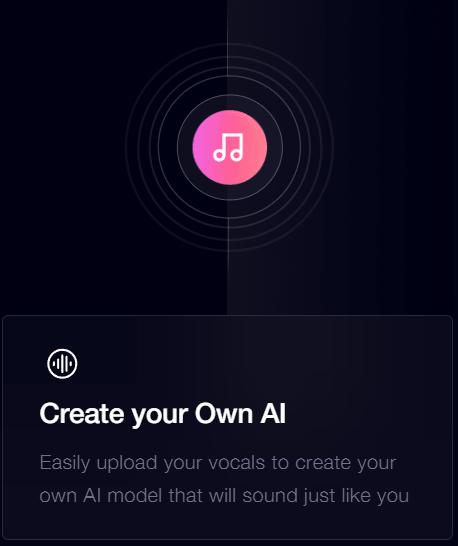
Users can upload vocals to create a custom AI model that sounds like them, which is one of Musicfy’s most important repeat-use features.
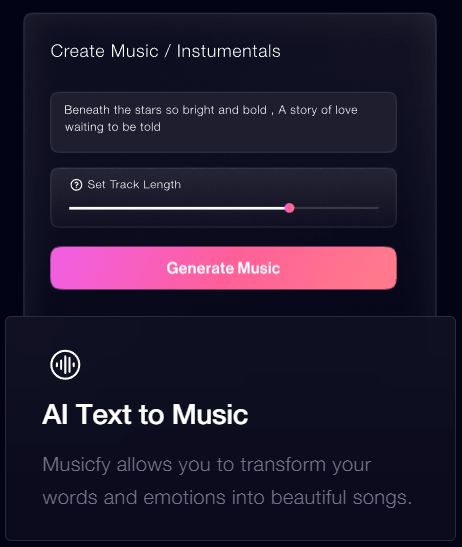
Musicfy’s public site describes AI Text to Music as a way to transform words and emotions into songs.
Musicfy’s blog describes a workflow where users can create instrument sounds, such as guitar-like sounds, from their own voice.
Musicfy’s API docs list stem separation, and the create-app stem splitter page describes separating vocals, melodies, bass, and drums, with an upload interface for audio files.
Musicfy is not just a text-to-song generator. It is closer to an AI voice studio for music creators. The platform’s public site describes it as a tool for creating music with your own voice or other voices, and its web app is positioned around AI voice song generation, AI covers, and voice cloning.
That voice-first positioning is important. Many AI music tools focus on generating a complete track from a written prompt. Musicfy can do text-to-music, but its more distinctive value is helping users transform vocals, test different vocal identities, build custom voices, and create music assets quickly without a traditional recording workflow. Its API documentation also confirms support for voice conversion, text-to-music instrumentals, and stem separation.
The easiest way to understand the product is through its main layers:
| Layer | What it does | Why it matters |
|---|---|---|
| AI voice covers | Converts or creates vocal performances using AI voices. | Useful for cover concepts, vocal experiments, and social music content. |
| Custom voice models | Lets users clone or train a voice from their own vocals. | Best for repeatable identity across multiple songs or creator projects. |
| Text to music | Turns written ideas into music outputs. | Useful for fast drafts, background tracks, and song concepts. |
| Voice to instrument | Turns vocalized sounds into instrument-like parts. | Helpful when you can hum an idea faster than you can play it. |
| Stem tools | Separates parts of a track such as vocals, bass, drums, and melodies. | Useful for remixing, cleanup, vocal isolation, and production handoff. |
| API layer | Lets developers build Musicfy-style workflows into products. | Makes the platform more than a casual web app. |
That range is the main reason to use Musicfy. It is not trying to be only a language translator. It is trying to be a file localization assistant.
Musicfy is strongest when the creative problem starts with a voice. If you want to hear a rough vocal in a different style, make a fast AI cover, test an alternate singer-like texture, clone your own voice, or turn a vocal idea into something more produced, Musicfy is a more natural fit than a generic music generator.
The platform’s homepage highlights AI Voice Artists, custom AI creation from uploaded vocals, and AI Text to Music as core features. It also claims access to a very large voice selection and gives users the option to make their own clone. That combination makes Musicfy practical for users who are not trying to build every part of a song from scratch. Instead, they can start with a voice, a melody, a cover idea, or a rough concept and use AI to move faster.
Its second strength is speed. Musicfy is built for quick generation and experimentation, not slow studio setup. That matters for content creators, producers, game developers, parody channels, and independent artists who need to test ideas before committing time to a full recording or mixing process.
Its third strength is personalization. A stock AI voice can be useful, but a custom voice model gives the user a more repeatable creative asset. Musicfy says users can upload vocals to create an AI model that sounds like them. That makes the platform more useful for people who want continuity across multiple songs, characters, projects, or creator formats.
Musicfy’s workflow is easiest to understand in three lanes.
The first lane is quick voice creation. This is where a user chooses a voice, uploads or records source material, generates the result, and downloads or saves the output. It is the simplest version of Musicfy: fast AI voice transformation without needing to understand vocal chains, comping, tuning, or session production.
The second lane is custom voice work. This is more valuable for recurring creators because it lets the user build around a repeatable vocal identity. If a singer, YouTuber, game developer, or parody creator wants a consistent sound across many outputs, a custom voice model is more useful than switching between random voices each time.
The third lane is production support. This includes text-to-music, voice-to-instrument, and stem workflows. These features make Musicfy useful before and after the main vocal generation step. You can create a rough instrumental idea, turn a hummed part into an instrument-like sound, or separate stems for remixing and editing.
The product is approachable because it hides the technical parts. A beginner does not need to know how to record a vocalist, isolate stems manually, or build an instrumental arrangement inside a DAW before getting started. The trade-off is that Musicfy is not a full production environment. It is much stronger for generating, converting, and testing ideas than for detailed arrangement, advanced mixing, or final mastering.
Musicfy’s quality depends heavily on the source material. Voice conversion tools generally perform better when the input is clean, dry, and clear. If the source vocal has background noise, heavy reverb, clipping, overlapping instruments, or unclear pronunciation, the output is more likely to sound unstable.
The custom voice feature is where Musicfy can become more useful over time. A reusable voice model gives creators a way to build a consistent sound rather than relying on one-off generations. That matters for artists making multiple songs, creators producing recurring music formats, and developers building character-based audio.
Text-to-music is better treated as an ideation tool than a precision production system. It can help create a direction quickly, but users who need exact song structure, detailed arrangement control, very specific lyrics, or professional mix decisions will still need outside editing.
Voice-to-instrument is one of the more interesting creative features, but it should also be judged realistically. It is useful for turning hummed ideas into rough instrumental textures. It is not the same as hiring a guitarist, pianist, or producer to perform a highly nuanced part. Its value is speed and creative translation, not perfect session-player realism.
Stem separation is practical but also source-dependent. Separating vocals, drums, bass, melodies, and other elements can be very useful, but the result depends on the original mix. Clean, well-balanced audio usually gives better separations than dense, noisy, or heavily compressed tracks.
Musicfy is more layered than it first appears. It has a public marketing site, a creation app, pro-style tools, and a developer API. That matters because not every feature is best understood from the homepage alone.
| Surface | Main Role | Best For |
|---|---|---|
| Musicfy website | Explains the core product and main creation use cases. | New users evaluating the tool. |
| Create app | Main generation workspace. | AI covers, voice conversion, text-to-music, libraries, and saved outputs. |
| Pro tools | Utility-style workflows such as stem splitting. | Remixing, isolating parts, and preparing material for editing. |
| API docs | Developer-facing access to Musicfy workflows. | Apps, automation, and product integrations. |
There is one clarity issue worth noting. The homepage still labels “Stem Splitters” as coming soon, while a live create-app page describes an AI stem splitter for separating vocals, melodies, bass, and drums. That does not mean the tool is unusable, but it does mean users should check the actual creation dashboard for the feature surface they need.
Musicfy’s own materials lean heavily into copyright-safe and royalty-free positioning. The homepage says users can use copyright-free vocals in their own songs and upload them to streaming platforms. Its blog also says Musicfy helps users create unique AI music and discusses commercial use around AI-generated music.
The practical caution is that copyright-safe positioning does not remove every rights issue. Music projects can still involve protected songs, lyrics, samples, artist likeness, voice likeness, trademarks, and platform-specific rules. Musicfy’s DMCA page says copyright owners can submit takedown notices and that Musicfy may remove challenged content or disable accounts in appropriate situations.
The celebrity voice issue also needs care. Some older Musicfy blog pages discuss celebrity-style voice generation, but Musicfy’s refund policy says celebrity voices are not available as part of its services. For serious commercial work, the safer path is to use your own voice, licensed voices, copyright-free voices, or clearly original AI voices rather than trying to imitate a famous person.
- Independent artists testing vocal ideas: Musicfy is useful when a songwriter wants to hear a vocal direction before recording final vocals.
- Producers making rough demos: A producer can test voice textures, topline ideas, or alternate vocal performances before bringing in collaborators.
- Content creators making music-led videos: Short-form creators can use Musicfy for parody songs, hooks, background music, and social-first audio ideas.
- Game developers and character creators: Musicfy can help create rough character vocals or stylized voice concepts before final voice production.
- Small brands and creators needing audio assets: The text-to-music and voice tools can help create jingles, intros, theme snippets, and campaign concepts.
- Developers building audio products: Musicfy’s API documentation confirms a public API for AI voice cloning and music generation tools, including conversion, instrumentals, and stem separation.
Musicfy is strongest as an idea accelerator. It helps users move from “I have a voice or song idea” to “I can hear a rough version” quickly. That is valuable because music production is usually slow, especially when vocals are involved.
It is also strong for users who do not have easy access to singers, session musicians, or traditional production tools. The homepage frames Musicfy around making music creation easier, streamlining collaboration, and reducing the friction of recording sessions.
The custom voice angle is the most serious long-term feature. A one-off AI cover can be fun, but a repeatable custom voice can become part of a creator’s actual workflow. That is where Musicfy starts to feel more like a production shortcut than a novelty.
Musicfy is weaker when users need exact control. It can generate and transform audio quickly, but it does not replace a DAW for detailed arrangement, mix automation, vocal comping, tuning decisions, mastering, or final delivery control.
It is also weaker when the source material is poor. AI voice tools are sensitive to input quality. Noisy vocals, low-quality files, crowded mixes, and unclear singing can all reduce output quality.
The product messaging can also feel uneven. The homepage, blog, create app, and API docs do not always describe the feature set with the same level of clarity. The stem splitter example is the clearest case: one official surface says the feature is coming soon, while another surface presents an active stem-splitting tool.
The final limitation is legal caution. Musicfy’s DMCA page makes it clear that copyright and trademark complaints can still apply to content on the platform. Users should not treat AI generation as automatic permission to use protected songs, recognizable voices, or famous-person likenesses.
- Use the cleanest vocal source possible. Dry vocals with minimal echo, noise, and background music will usually give better conversion results.
- Build a custom voice only when consistency matters. For one-off experiments, stock voices may be enough. For recurring songs, creator formats, or character work, a custom voice is more useful.
- Use text-to-music for direction, not perfection. Treat it as a fast sketching tool, then refine the best outputs elsewhere if the project needs polish.
- Check the creation dashboard before relying on a specific workflow. Some official pages describe features differently, so the actual app surface matters.
- Use stem separation as a helper, not a miracle fix. It can isolate parts of a track, but dense mixes may still create artifacts.
- Avoid famous-person voice assumptions. Musicfy’s own refund policy says celebrity voices are not available as part of its services, so commercial users should stay with owned, licensed, or original voice assets.
- Review outputs before publishing. Listen for strange phrasing, artifacts, unstable pitch, unclear lyrics, or legal concerns before using a track publicly.
Musicfy is best understood as an AI voice and music creation platform for people who want fast vocal experiments, AI covers, custom voice models, text-to-music generation, voice-to-instrument ideas, and stem-based production support.
It is best for indie artists, producers, short-form creators, parody channels, game developers, and builders who want to move quickly from an audio idea to a usable draft.
The main caveat is that Musicfy is strongest as a creative accelerator, not a full production replacement. Clean inputs, careful review, and sensible rights decisions still matter.
TAGS: Music Creation Voice/Audio Modulation
Related Tools:

Enables users to create 2D games quickly and easily

Creates royalty-free music tracks
Allows users to create and publish their own role-playing games

Generates AI voice for music creation

Improve speech clarity and reduces noise

Create high-quality visual effects, animations, and game assets