
Share this tool:
 |
Description:
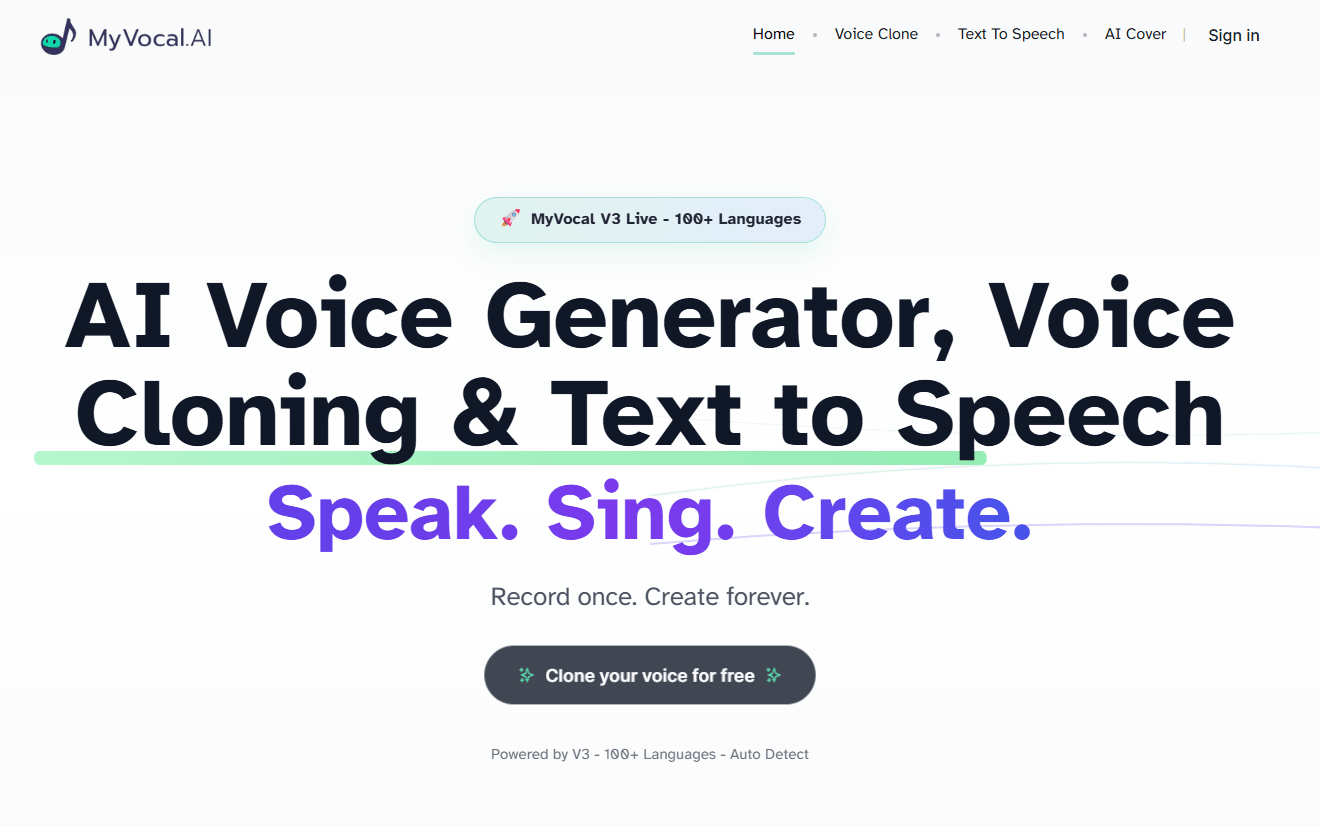
MyVocal.ai is a voice-cloning platform with two main destinations: text to speech and AI song covers. The homepage pitches it very simply — “Speak. Sing. Create.” — while the official docs make the product structure clearer: clone or prepare a voice first, then reuse that same voice for TTS or AI covers. That core reuse loop is the main reason to care about it. It is not trying to be a full music workstation or a giant enterprise communications suite. It is trying to make one voice portable across speaking and singing workflows.
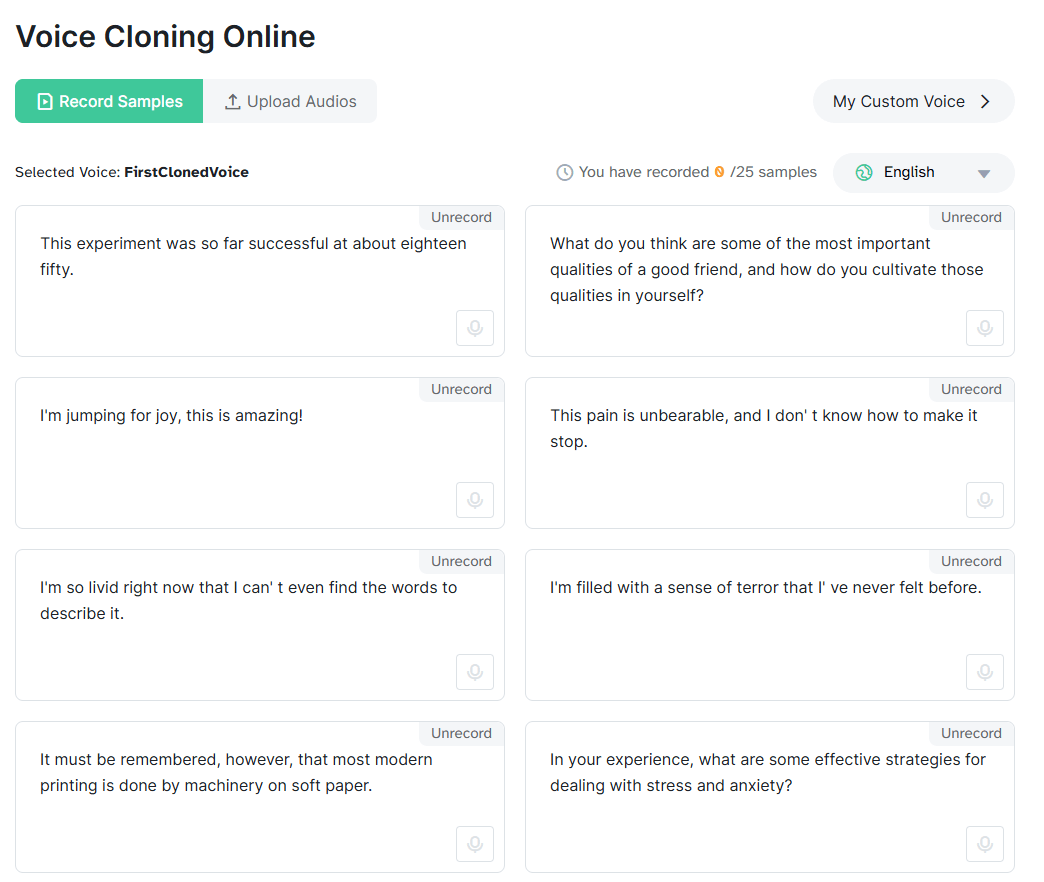
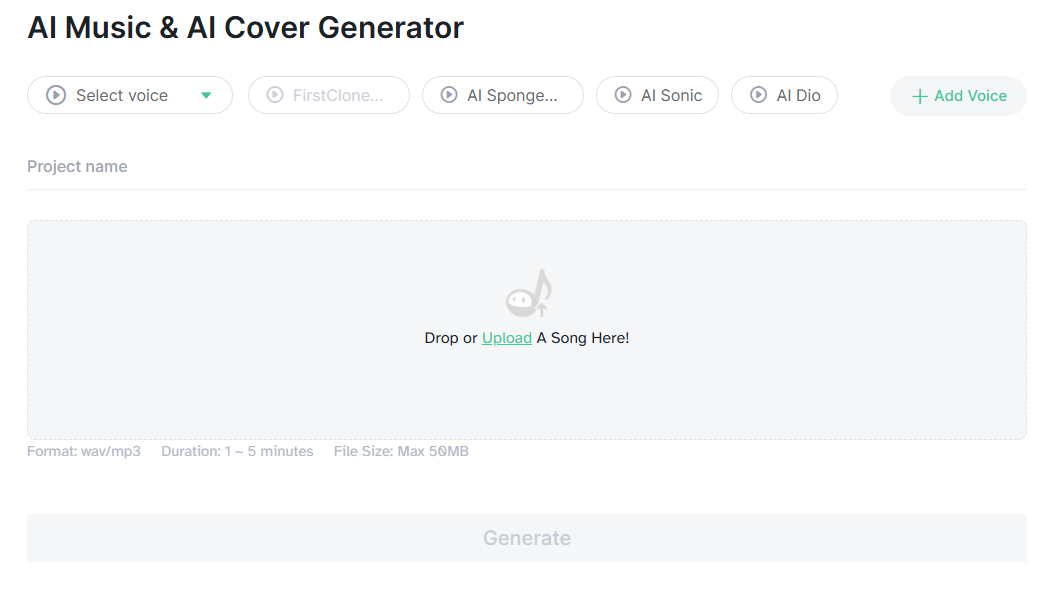
The most useful way to think about MyVocal.ai is as a three-part system. First, there is voice creation: you can add a custom TTS voice from uploaded audio, improve that voice with more files later, or even design a TTS voice without audio by specifying things like gender, accent, age, and accent strength. Second, there is speech generation: the TTS endpoints let you render complete audio or streamed audio, with language selection and a stability control. Third, there is AI Cover: you upload a target song, choose a custom or premade voice, and generate a cover version.
That product shape matters because it gives MyVocal.ai a more specific identity than a generic “AI voice generator” label suggests. Plenty of tools can do text to speech. Plenty of music tools can generate vocals. MyVocal’s differentiator is that it is built around carrying one voice identity across both speaking and singing. The docs say that directly, and the homepage plus AI Cover page reinforce the same message from the consumer side.
Create custom voices for TTS or AI Cover from uploaded audio, then improve them later with additional files.
The docs expose a designed-voice path using text, gender, accent, age, and accent-strength controls.
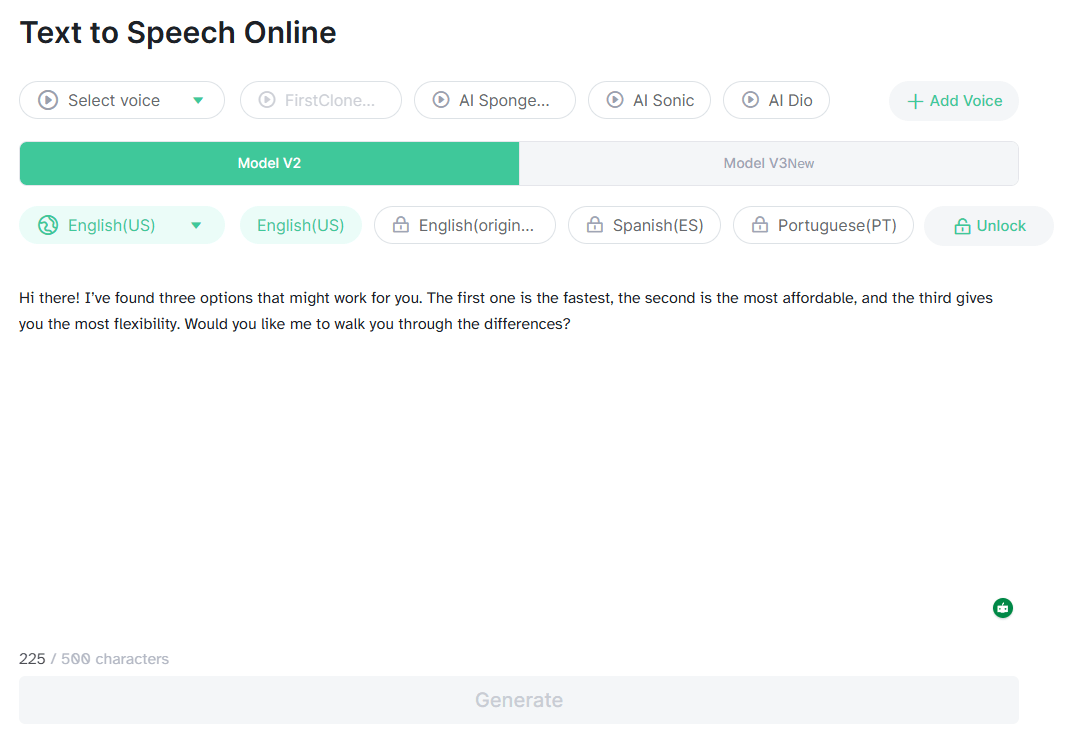
MyVocal supports both full-audio generation and streaming responses through separate TTS endpoints.
Upload a song, choose a custom or premade voice, and generate a cover through a webhook-based process.
The docs publish myvocal_v3 plus older V2 model IDs, and the V3 language page lists broad multilingual support.
Authentication, user info, voice management, TTS, streaming, history, and AI Cover are all documented as first-class API surfaces.
MyVocal.ai is strongest when you want your own voice, or a designed voice, to become a reusable asset rather than a one-off output. That is the best reason to choose it. The platform’s docs revolve around saving voices, improving them, listing them, renaming them, then reusing those voices in TTS or AI Cover jobs. Even the API is organized around that logic rather than around a giant menu of unrelated media tools.
It also looks stronger for creator and developer workflows than for enterprise communications or team collaboration. There is an enterprise surface, and the enterprise page snippet positions MyVocal.ai around commercial licensing, multilingual speech generation, scalable infrastructure, and integration. But the clearest public product story is still personal or productized voice reuse: clone a voice, generate TTS, make covers, integrate via API.
The most practical control on the TTS side is stability. MyVocal’s TTS docs explain that lower stability creates more emotional variation and more output differences across generations, while higher stability makes the emotion more consistent. That is a genuinely useful control, because it maps directly to two real user goals: expressive output versus repeatable output. Many voice tools expose a slider without explaining the trade-off this clearly.
The other important control is the voice source itself. MyVocal.ai supports cloned voices from uploaded audio, but it also supports designed voices. That second path matters because not every project needs a perfect copy of a real person. Sometimes a creator, app, or content workflow just needs a consistent synthetic identity with a certain age, accent, or tone.
On the singing side, the control is more workflow-based than editor-based. The AI Cover process is about choosing the voice and source song correctly, then generating and reviewing the result. That makes it useful for fast experimentation, but it also means users should expect to judge outputs manually rather than assume every cover will be publication-ready on the first attempt.
MyVocal.ai’s documentation makes the platform feel more API-first than many casual voice-cloning tools. The API surfaces cover authentication, user information, voice creation, voice management, TTS, streaming TTS, history, and AI Cover jobs. That matters if you want to build voice reuse into a product instead of only generating audio manually in a browser.
The workflow is simple in concept: create or prepare a voice, save that voice, then call it from either the TTS side or the AI Cover side. That makes the voice itself the reusable object. For apps, creator tools, automated narration systems, or experimental music workflows, that is a cleaner mental model than treating every output as a disconnected generation.
The webhook-based AI Cover flow also signals that some tasks may be asynchronous rather than instant. That is normal for heavier audio generation workflows, but it matters for developers because they need to design around status updates, callbacks, and completed jobs rather than assuming everything returns immediately.
- Creators who want a reusable voice identity: MyVocal.ai is a good fit when the same voice needs to appear in voiceovers, experiments, covers, or recurring content.
- Musicians and cover creators: The AI Cover workflow is the most distinctive consumer-facing use case because it connects cloned voices with singing output.
- Developers building voice features: The documented API surfaces make MyVocal.ai more useful for products that need custom voice creation, TTS generation, or cover generation behind the scenes.
- Multilingual narration workflows: The V3 positioning around broad language support makes the tool more useful when the same voice identity needs to travel across languages.
- Personal voice experiments: Users who want to test how a cloned or designed voice performs in both speech and song will find the platform’s core loop easy to understand.
- Start by creating the best voice asset you can. MyVocal.ai’s value depends heavily on the reusable voice, so the quality of your source audio or designed-voice setup matters more than any single generation.
- Use stability deliberately. Lower stability is better for emotional variety, while higher stability is better when you need repeatable tone across outputs.
- Separate speaking tests from singing tests. A voice that sounds good in TTS may still need different source material or iteration before it works well as an AI cover.
- Use the API if you need repeatability. The browser workflow is useful for testing, but the documented API is more practical when you need voice generation inside a product or automated pipeline.
- Keep legal rights in mind when cloning voices or creating covers. A reusable voice identity is powerful, but that also makes consent and usage rights more important.
- The first limitation is focus. MyVocal.ai is centered on reusable voice identity, TTS, and AI covers. If you need a full audio workstation, detailed post-production suite, or complex team collaboration layer, this does not appear to be the main product goal.
- The second limitation is output review. Both cloned speech and AI covers should be checked manually. Voice identity, pronunciation, emotional delivery, and singing quality can vary depending on the input voice, settings, and source material.
- The third limitation is workflow clarity for casual users. The product is simple at the headline level, but the deeper value becomes clearer in the docs and API structure. Users who only see it as a quick voice toy may miss the reusable-voice workflow that makes it more interesting.
- The fourth limitation is rights sensitivity. A tool built around cloning voices and making AI covers naturally raises ownership, consent, and commercial-use questions. Those questions need to be handled before publishing outputs, especially when a real person’s voice or copyrighted song is involved.
MyVocal.ai is best understood as a reusable voice platform for speech and AI covers. Its strongest idea is simple: create or design a voice once, then use that same identity for text-to-speech, streaming speech, and song-cover workflows.
It is most useful for creators, musicians, experimenters, and developers who care about portable voice identity more than a giant all-in-one media suite. The main caveat is that voice cloning and AI covers both require careful review, good source material, and attention to rights before anything is published.
TAGS: Voice/Audio Modulation Text to Speech
Related Tools:

Transforms voices into professional performances for media projects
Offers speech-to-text and text-to-speech

Animates people in videos to speak any language

Transforms texts to voice-overs
Allows users to create and publish their own role-playing games
Allows developers to create high-performance 2D games