

Share this tool:
 |
Description:
TradeUI is an AI-assisted trading platform for stocks, options, and market scanning. Its main value is not one single signal or chart. It is the combination of options flow, AI sentiment, smart alerts, technical dashboards, unusual activity tracking, live news, Discord tools, and community features. That makes it most useful for active traders who want a faster way to spot possible setups, but it should still be treated as a research and idea-generation tool, not a system that predicts trades for you.
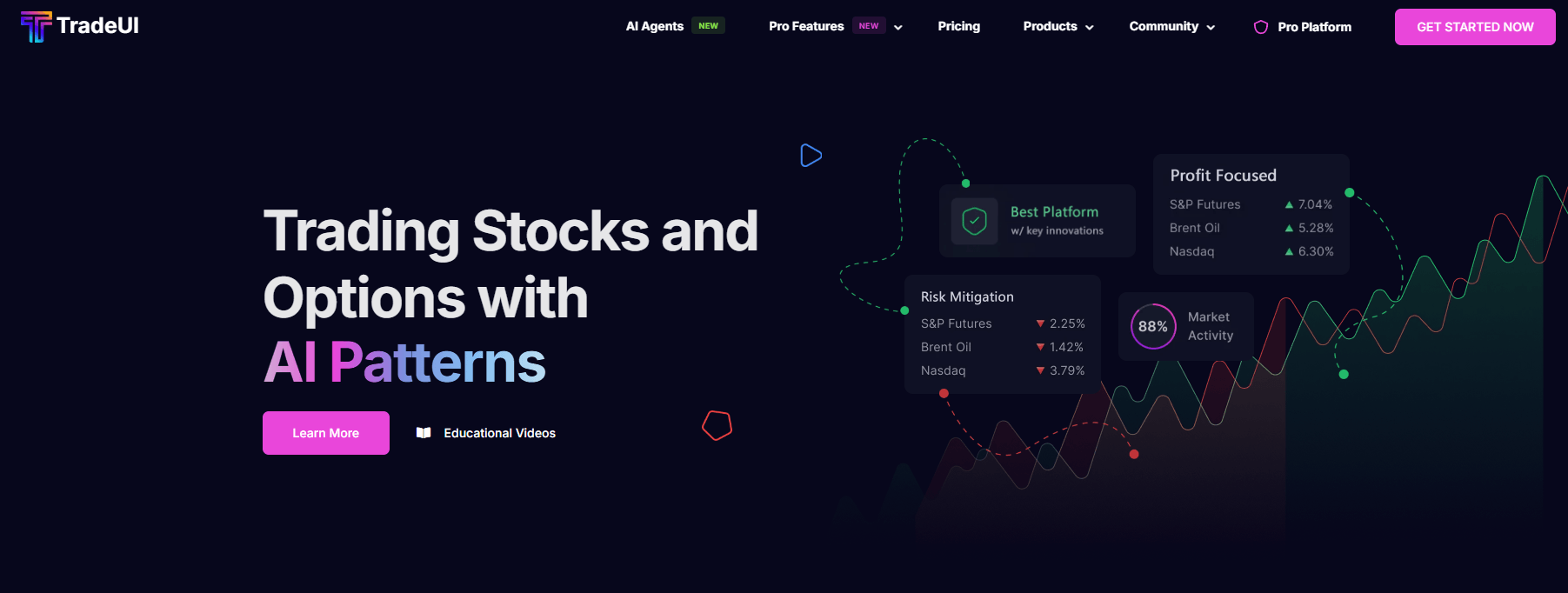
TradeUI tracks options activity and presents it as market sentiment, money flow by ticker, and unusual-premium context for specific securities.
The platform uses AI-powered scanning and backtested strategies to surface high-probability setups based on user-selected criteria.
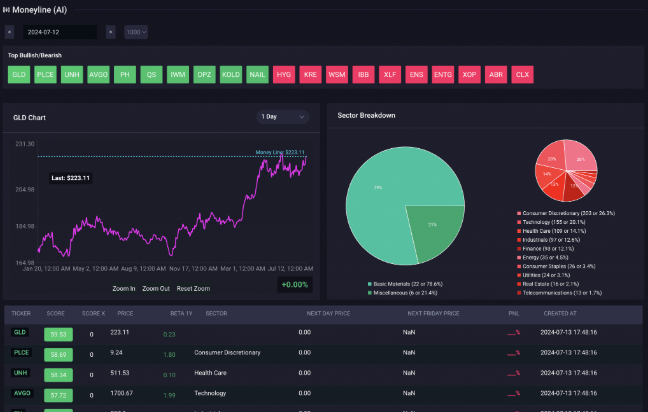
TradeUI describes MoneyLine as an AI-driven tool that combines options data and option flow orders for day traders and short-term swing traders.
TradeUI includes dashboards for off-exchange activity and block trades, giving users another view of market activity beyond regular chart movement.
TradeUI’s features page describes real-time news enriched with AI sentiment analysis, while the public news page shows fields for timestamp, AI sentiment, headlines, author, and source.
TradeUI’s bot supports commands for chart patterns, gamma exposure, AI-generated support and resistance, earnings, IPOs, technical analysis, crypto prices, and chart indicators.
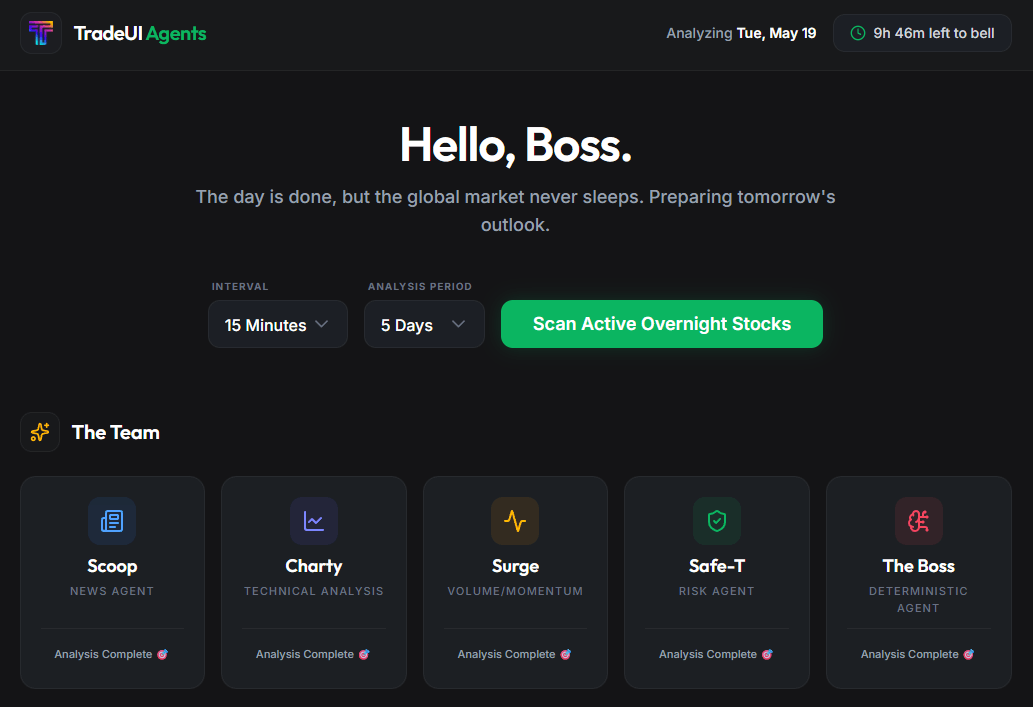
TradeUI is strongest for traders who want to reduce scanning time. Options flow, unusual premium, smart alerts, dark pool and block trade dashboards, technical charts, live news with AI sentiment, and automated pattern tools all point toward the same job: surface possible trade ideas faster than manual scanning would.
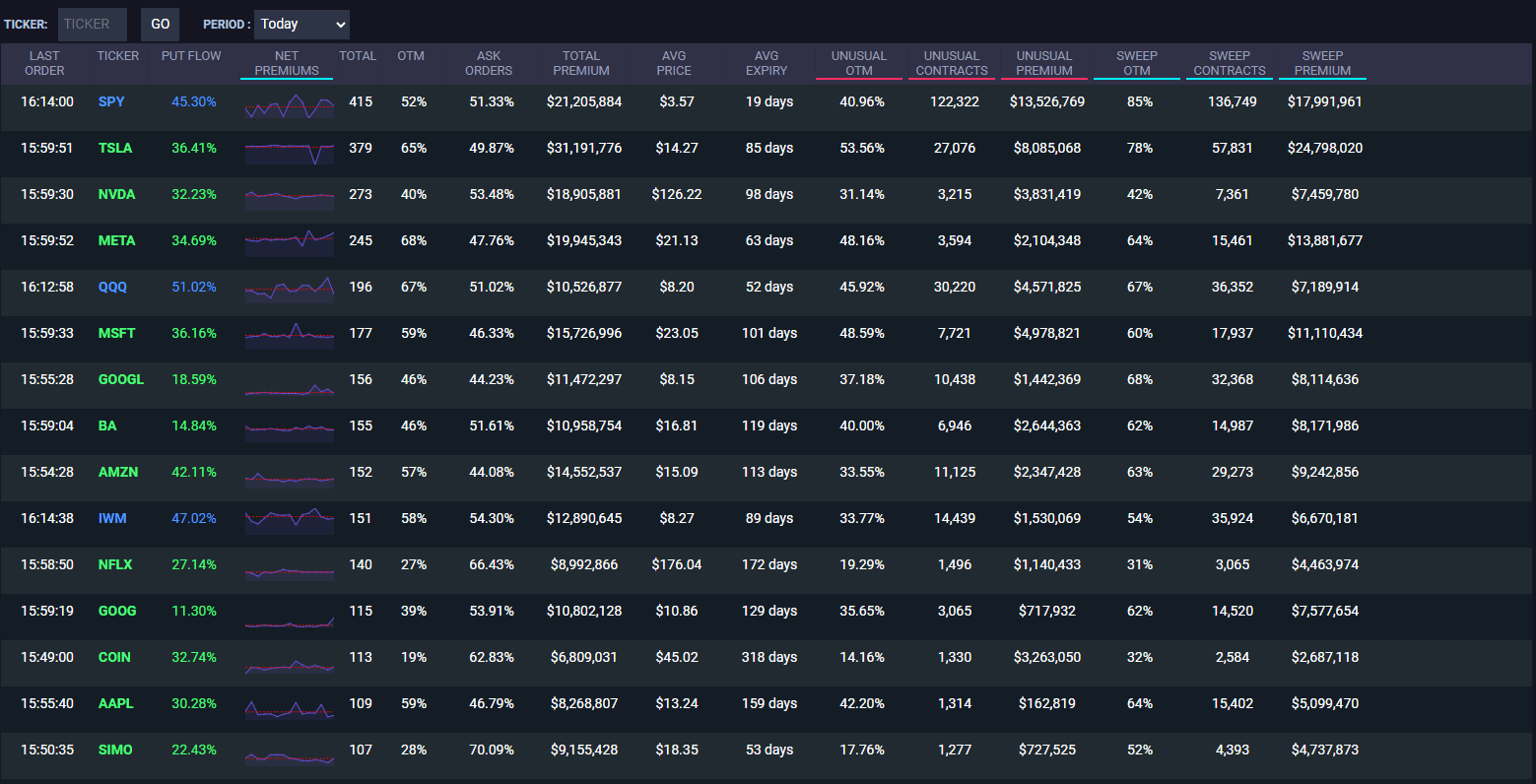
The options flow layer is the clearest centerpiece. TradeUI says its platform can show money flow by ticker and use options flow with unusual premium to give a more focused view of specific securities. That matters because options data can become noisy fast. A large premium trade, unusual volume, or concentrated flow by ticker can be useful, but only if the trader can filter it into something readable.
Smart Alerts are another important feature. TradeUI says the alerts use backtested AI strategies to scan markets, let users choose parameters, apply setup criteria such as earnings or technical levels, set a minimum impact threshold, and receive curated alerts. That is a better workflow than staring at a market scanner all day, although the alert still needs review before any trade is placed.
TradeUI works best when used as a filtering system before trade planning. A trader might start with the options flow dashboard, check money flow by ticker, look for unusual premium, compare the setup with news sentiment, check the chart or automated pattern view, then create or monitor alerts around the idea.
| Workflow stage | What TradeUI helps with | Why it matters |
|---|---|---|
| Market scan | Options flow, Smart Alerts, market pages, news | Finds possible setups faster |
| Context check | AI sentiment, dark pools, block trades, earnings, insiders | Helps avoid reading one signal in isolation |
| Technical review | Automated charts, support/resistance, patterns, indicators | Adds price-structure context |
| Alerting | Smart Alerts and configurable criteria | Reduces manual screen-watching |
| Community layer | Discord bot and social trading network | Adds discussion, quick commands, and peer workflow |
| Risk review | User judgment, chart review, position sizing | Keeps signals from becoming blind trades |
The workflow is useful because active trading often breaks down at the scanning stage. There are too many tickers, too many headlines, too many options contracts, and too many possible setups. TradeUI tries to narrow the field. That is valuable, as long as users remember that “interesting” and “tradeable” are not the same thing.
Smart Alerts are TradeUI’s most direct AI-driven workflow. The official alerts page says the feature uses backtested AI strategies to identify market opportunities, with automated market scanning, customizable alert criteria, daily email delivery, and setup types that include earnings, price levels, volume spikes, and more.
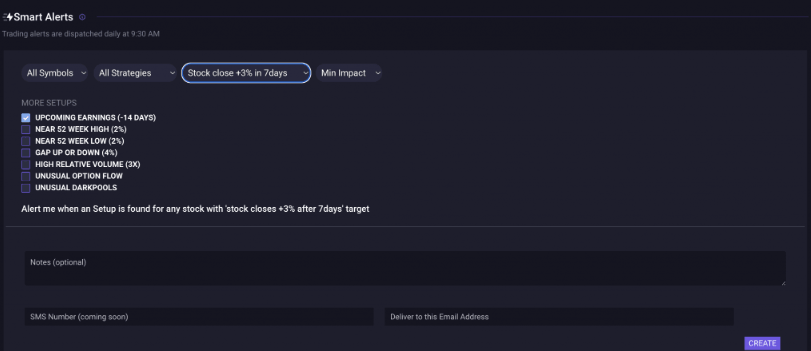
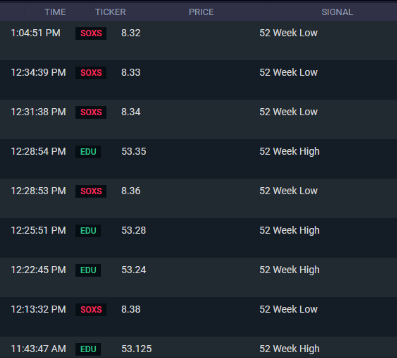
That is a strong fit for traders who know what they want to monitor but do not want to manually watch every symbol. You can think of Smart Alerts as a curated scanner rather than a guaranteed signal engine. The user defines the parameters, TradeUI scans, and the alert tells the user where to look.
The key caveat is that “backtested” does not mean “safe.” Backtests can be useful, but market conditions change. A setup that worked during a trending period may struggle in chop. A signal that worked before a volatility shift may behave differently after liquidity dries up. Smart Alerts should be used as a trigger for review, not as an instruction to trade automatically.
TradeUI’s live news layer matters because technical and options signals can look cleaner than they are. A stock can have strong flow because of earnings, litigation, analyst coverage, sector rotation, takeover speculation, or macro news. TradeUI’s public news page includes AI sentiment fields along with headlines, author, and source, while the features page frames news sentiment as a way to understand market impact faster.
This is useful, but sentiment needs caution. News sentiment can summarize the tone of a story. It cannot tell you whether the market already priced it in, whether the source is reliable, or whether the move will continue. A positive headline can still lead to a selloff if expectations were too high. A negative headline can be a buying opportunity if the damage is already priced.
The best use is quick triage. Use sentiment to decide what to read first, then check the actual source and compare it with price action.
TradeUI also includes technical and pattern-oriented tools. The features page mentions automated charts for technical analysis and patterns, while the Discord bot supports commands for flags, pennants, AI-generated support and resistance, automated key levels, RSI, MACD, ADX, ATR, and other indicators.
The Market Cycle page is a good example of the platform’s technical framing. TradeUI describes its Market Position indicator as a composite signal derived from RSI, MACD, and Bollinger Bands, designed to show overbought, oversold, neutral, and stronger signal conditions. The same page warns that no indicator is perfect and says the indicator should be used with other technical and fundamental analysis tools.
That warning is the right tone. Technical indicators are useful because they simplify price behavior. They are risky when users treat them as prediction machines. TradeUI’s technical tools are best used to support a setup already found through flow, news, or scanning, not to replace trade planning.
TradeUI’s Discord bot is more useful than it may sound at first. The bot page lists commands for chart patterns, gamma exposure levels, option concentration levels, AI support and resistance, earnings, upcoming IPOs, technical analysis, trade values, volatility squeeze, charts, futures, crypto, forex, and indicators.
That makes the bot a lightweight research surface for communities. Instead of opening a full dashboard for every question, users can ask for a ticker chart, technical view, gamma exposure, or support and resistance level inside Discord. For trading communities, that speed matters.
The trade-off is that Discord commands are best for quick checks. They are not a full research workflow. The bot can pull data and visuals into a conversation, but the user still needs to verify the context, check whether data is real-time or delayed, and avoid treating group enthusiasm as confirmation.
TradeUI is a natural fit for users who want options flow, unusual premium, ticker-level money flow, gamma exposure, and option concentration context.
MoneyLine, Smart Alerts, flow dashboards, news sentiment, and automated charts are most aligned with traders looking for near-term setups rather than slow long-term portfolio research.
Smart Alerts and real-time signal workflows can help users reduce manual searching, especially when they already have a defined playbook.
The Discord bot and community layer make sense for groups that discuss tickers, share setups, and want quick command-based market checks.
TradeUI’s combination of flow, sentiment, technical analysis, education links, and community access can help newer traders see how different signals connect. That said, newer traders should be careful not to confuse more data with better decisions.
The first limitation is that TradeUI is not a registered investment adviser. Its disclaimer says Traderead Inc, TradeUI, is not registered as an investment advisor, does not manage client financial assets, and provides information for educational purposes rather than financial advice.
The second limitation is signal risk. TradeUI’s FAQ says directly that users cannot profit from every trade and that there is no magic algorithm with 100% market prediction accuracy. That is important. A platform can improve scanning and awareness, but it cannot remove uncertainty.
The third limitation is possible data overload. TradeUI includes options flow, dark pools, block trades, news, alerts, automated charts, market cycle indicators, insiders, Congress trades, Discord commands, and more. That breadth is useful, but newer traders may need time to build a clean process.
The fourth limitation is that some access surfaces are less polished. Desktop wrappers are labeled beta, and the public-facing site includes multiple product areas, redirects, and app entry points. That does not make the platform unusable, but it means users should test the exact workflow they plan to rely on during market hours.
The fifth limitation is that options flow itself is not always directional. Large trades can be hedges, spreads, rolls, closing positions, or volatility plays. TradeUI can make the flow easier to see, but interpreting the trade still requires options knowledge.
Finally, TradeUI is better for active trading research than passive investing. Long-term investors focused on valuation, financial statements, moats, management quality, and portfolio allocation may find only part of the platform relevant.
TradeUI is best for active retail traders who want AI-assisted market scanning, options flow, smart alerts, AI sentiment, technical dashboards, and quick community-based research tools in one place. Its strongest advantage is breadth: it combines flow, alerts, news, sentiment, charts, market-cycle context, and Discord commands instead of forcing users to stitch together several smaller tools.
The main caveat is that more signals do not equal better trades. TradeUI can help surface ideas faster, but users still need a trading plan, risk controls, source verification, and the discipline to ignore setups that do not fit. For options-focused traders and short-term market scanners, it is worth evaluating as a research workflow. For anyone looking for guaranteed predictions or hands-off financial advice, it is the wrong tool to trust blindly.
TAGS: Finance
Related Tools:

Collaborative document editing and project management tool

Facilitates project workflow automation

Analyze CSV files through natural language queries

Integrates task management and time tracking

Helps users track their digital activity, set goals, and improve productivity
Provides insights for trading analysis