

Share this tool:
 |
Description:
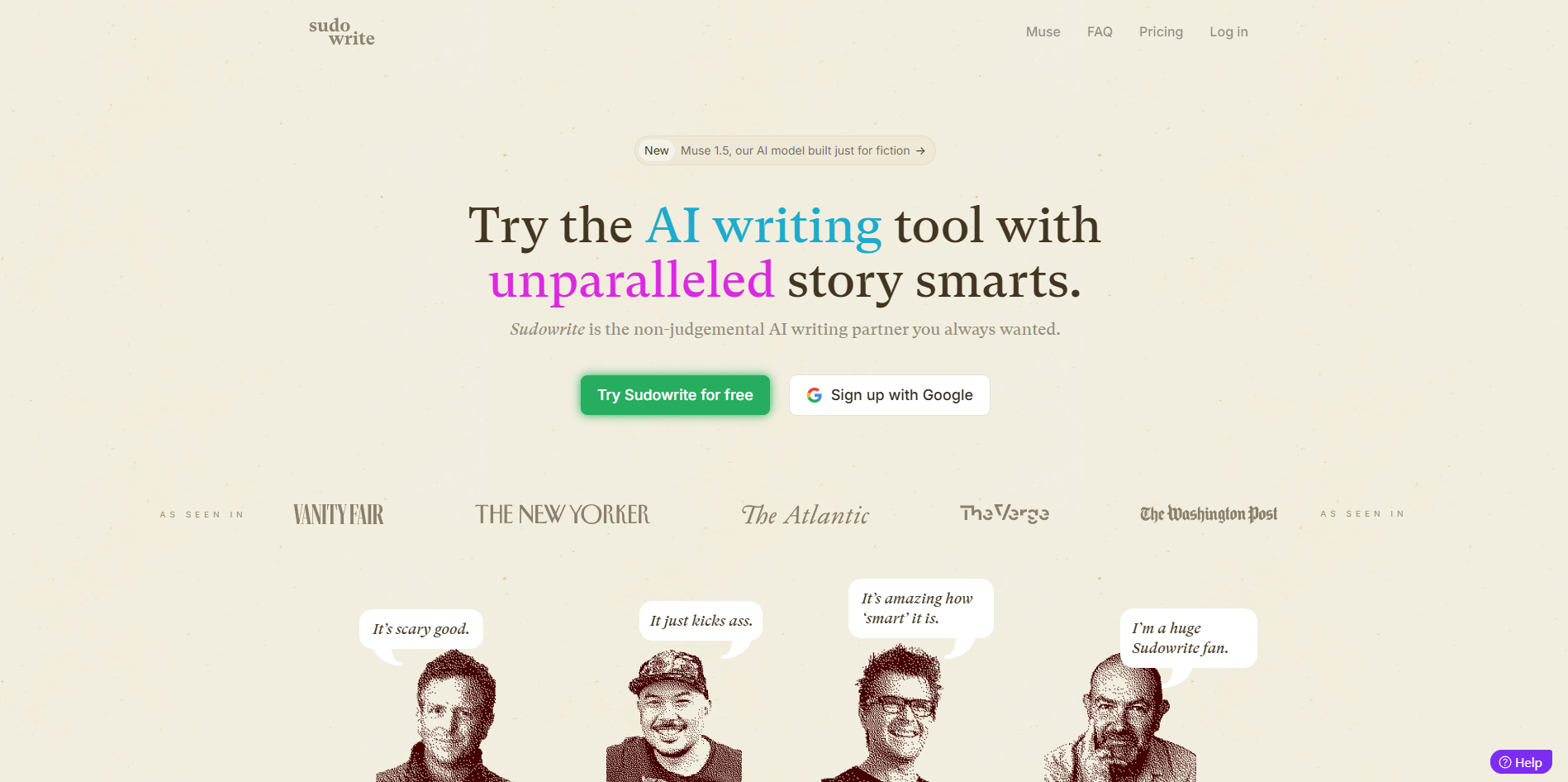
Sudowrite is one of the clearest examples of a specialized AI writing tool beating a general-purpose chatbot at a specific job. It is not trying to be your everything app. It is built for fiction writers, especially people working on novels, stories, and screenplay-style long-form projects that need memory, structure, and scene-level control instead of one-off paragraph generation.
Officially, Sudowrite positions itself as an AI toolkit for novelists, and the current product stack reflects that: Story Bible, Scenes and Draft, Canvas, Chat, Quick Edit, Brainstorm, Rewrite, Describe, and multiple prose modes/models all sit inside the same writing workflow.
Blank-page starter
Prompt:
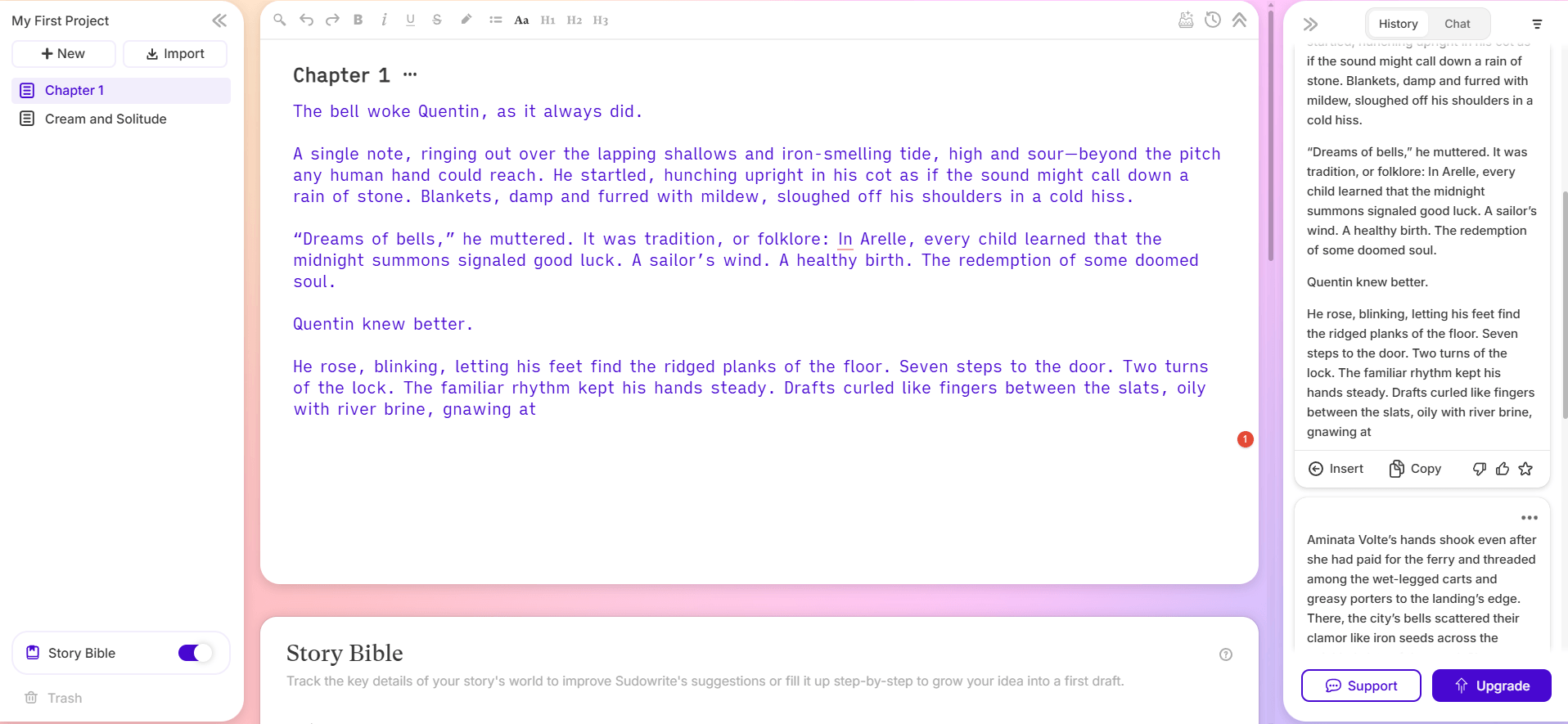
“Write the opening 1,500 to 2,000 words of a gothic fantasy novel set in a flooded cathedral-city. The protagonist is a disgraced mapmaker who discovers a dead saint is still speaking through the city bells. Third person limited, atmospheric, elegant prose, slow-burn tension.”
Why this is a good first test: First Draft is specifically meant for empty documents and can generate up to 3,000 words from a starting prompt. It is one of the fastest ways to see whether Sudowrite’s prose style works for you at all.
Plot complication generator
Prompt:
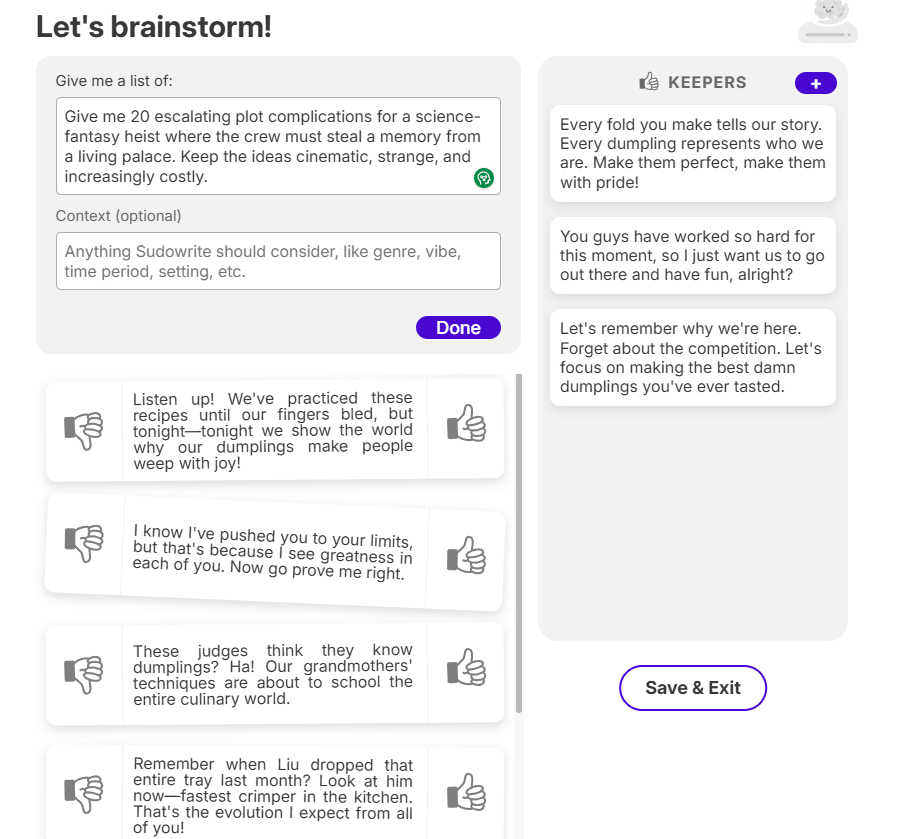
“Give me 20 escalating plot complications for a science-fantasy heist where the crew must steal a memory from a living palace. Keep the ideas cinematic, strange, and increasingly costly.”
Why this works: Brainstorm is designed for rapid-fire lists and is one of the cleanest tools in the product for getting unstuck without overcommitting to prose too early.
Chapter drafting from structure
Prompt for your Scene list:
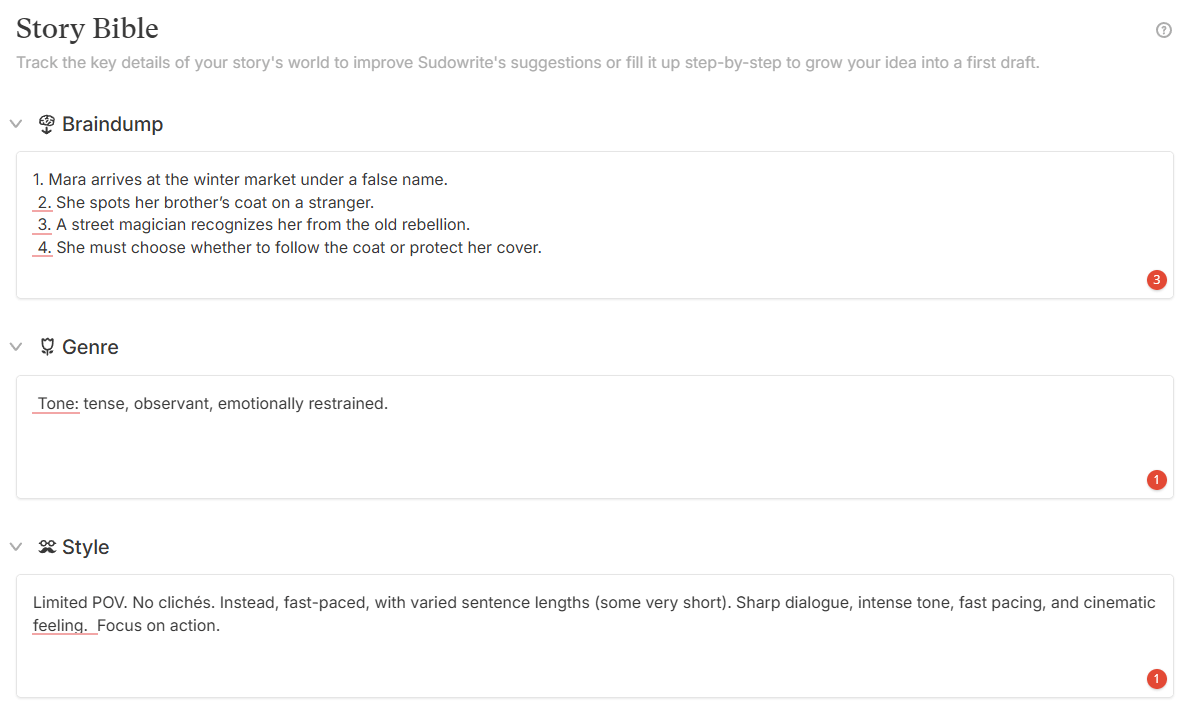
“1. Mara arrives at the winter market under a false name.
2. She spots her brother’s coat on a stranger.
3. A street magician recognizes her from the old rebellion.
4. She must choose whether to follow the coat or protect her cover.
Tone: tense, observant, emotionally restrained.”
Why this matters: Sudowrite’s Draft tool is built around Scenes as the units of chapter generation. This is much more useful than asking a general chatbot to “write chapter 7” with vague context.
Tone correction without changing the scene
Prompt:
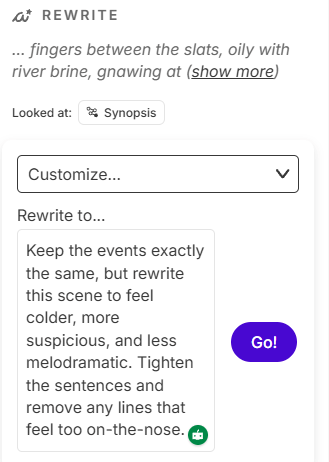
“Keep the events exactly the same, but rewrite this scene to feel colder, more suspicious, and less melodramatic. Tighten the sentences and remove any lines that feel too on-the-nose.”
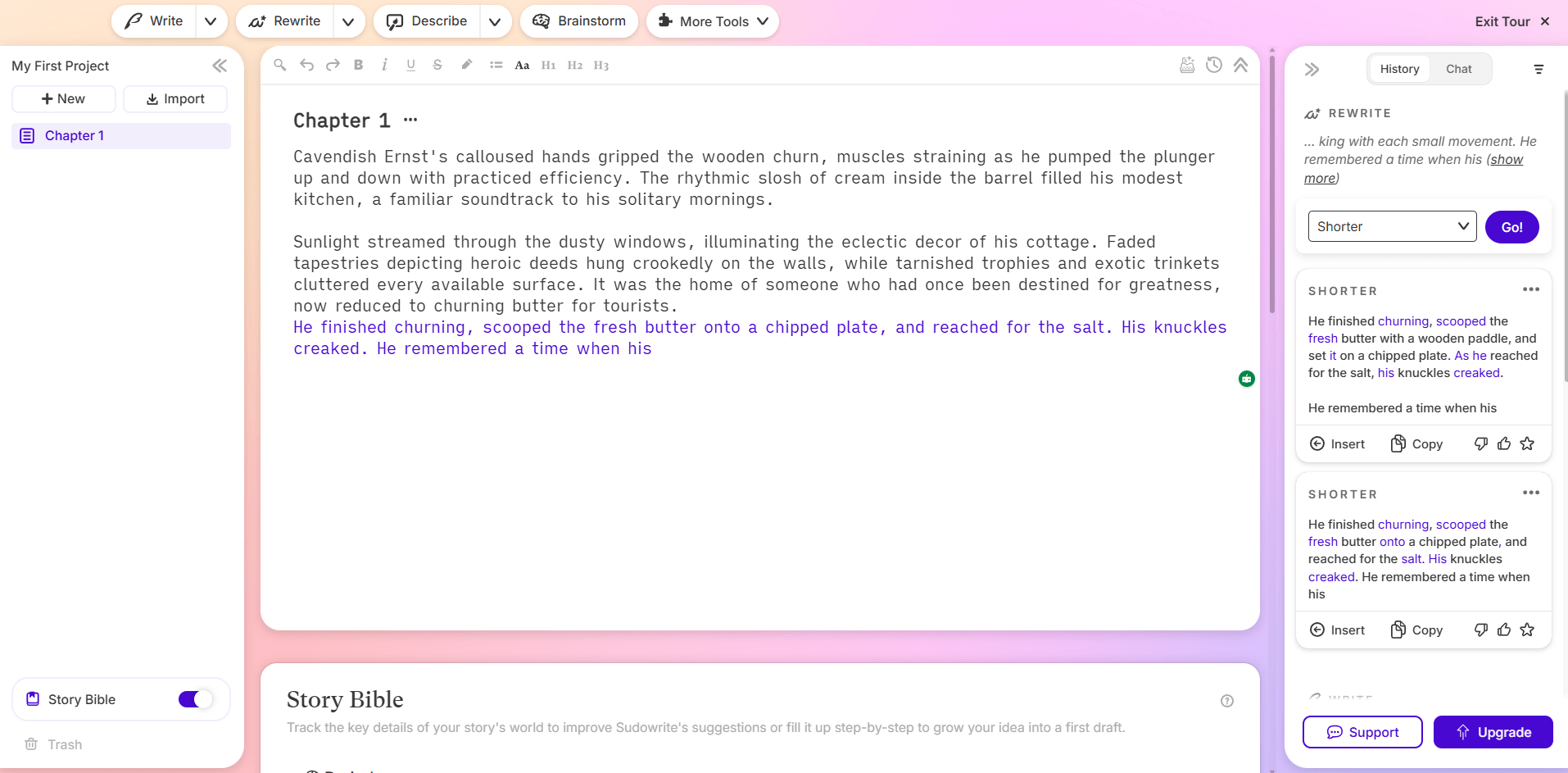
Why this matters: Rewrite is one of Sudowrite’s most practical daily tools because it works on selected text and can shift style, clarity, length, or tone without making you fully re-prompt the scene.
Inline line edit
Prompt:
“Make this paragraph sound more like a tired detective noticing details he wishes he could ignore. Keep it under 120 words.”
Why this is useful: Quick Edit is the fast inline editor. It works directly inside the document, accepts your instruction, and lets you accept or reject changes without leaving the draft.
Sensory detail expansion
Prompt:
“Describe the royal kitchen at 4 a.m. as seen by a servant who has worked there for ten years and hates everyone in it.”
Why this belongs here: Describe is one of Sudowrite’s signature fiction tools. It is built to generate sensory descriptions and metaphors from highlighted text, which is much more targeted than generic “make this vivid” prompting elsewhere.
Continuity check
Prompt:
“Based on my Story Bible and current draft, list every place where Elena’s motivations seem inconsistent, then suggest the smallest possible fixes.”
Why this is a strong test: Sudowrite Chat is story-aware. It can see your Story Bible and current document, which makes it materially better for continuity questions than starting fresh in a blank chatbot session.
Visual outline board
Prompt to place on cards:
“Create cards for Act 1, each major turning point, the hidden motive of the antagonist, and the unresolved emotional thread between the sisters. Keep each card under 30 words.”
Why it matters: Canvas is Sudowrite’s flexible whiteboard for visually arranging notes, outlines, and story fragments. Writers who outline spatially will understand the tool much faster here than through prose generation alone.
Character voice differentiation
Prompt:
“Compare @Lina and @Tomas in terms of sentence rhythm, emotional defensiveness, and what each character avoids saying directly. Then write one short argument between them.”
Why this matters: Chat supports @ mentions for characters, worldbuilding elements, and documents, which is genuinely useful when your project starts getting large.
Show-don’t-tell pass
Prompt:
“Reduce explanation and internal summary. Replace obvious emotional labeling with action, gesture, and implication.”
Why this is a good real-world prompt: This is the sort of surgical revision request Sudowrite is often better at than raw generation. It is where a lot of writers will get everyday value.
Sudowrite is strongest when your project already has some shape and you want help moving it forward without losing the thread. Its biggest advantage is not raw model intelligence. It is the way the product wraps fiction-specific tools around the writing process: Story Bible for persistent narrative context, Scenes and Draft for chapter building, Chat and Quick Edit for context-aware revision, and Brainstorm/Describe for idea generation and prose enhancement.
Story Bible is especially important. Officially, it acts both as an organizational layer and as a source of truth for the AI. That sounds like marketing until you actually compare it with ordinary chat-based writing. In a long manuscript, persistent context is the difference between “help me continue this novel” and “help me continue this one scene after I brief you for the fifth time.”
The second major strength is that Sudowrite separates writing tasks well. Brainstorm is for list-based ideation. First Draft is for getting something on the page. Scenes and Draft are for structured chapter generation. Rewrite and Quick Edit are for improving existing prose. Describe is for sensory depth. Canvas is for visual planning. That division makes the app feel more like a fiction workbench than a general AI chatbox with a text field.
Sudowrite now presents multiple prose modes and AI models rather than pretending one model fits every writing job. Officially, Muse is the flagship proprietary fiction model, while other options include stronger general-purpose and cheaper/faster modes. Sudowrite’s own docs position Muse as the most distinctive prose option, especially for vivid voice and fiction-specific nuance, while lower-cost modes are there for speed or credit efficiency.
| Mode | Best for | Main trade-off |
|---|---|---|
| Muse | Strongest prose voice, rich description, emotionally textured fiction | Costs more and can be less literal if you want strict obedience |
| Mid-tier/general prose mode | Balanced drafting, dialogue, outline-following, co-writing | Less distinctive prose than Muse |
| Basic / GPT-4o Mini | Cheap, fast drafting and utility work | Less memorable prose, more first-draft than final-pass quality |
This is the practical rule: use Muse when the sentence-level writing matters, use the balanced middle option for most drafting and revisions, and use the cheap mode when you are testing, iterating, or doing utility work that does not need sparkle. That is also the easiest way to avoid burning credits too fast.
Keeps story facts, characters, worldbuilding, outline, and narrative setup in one place for both you and the AI.
Generates chapter prose from structured scene units instead of vague full-book prompts.
Gives you both inline editing and broader prose revision, which is much better than relying on one generic “rewrite this” tool.
Covers the two most common fiction pain points: idea drought and flat prose.
Adds a whiteboard-style planning layer for writers who think visually.
Lets you ask continuity, character, and revision questions without reloading the whole book into a new prompt.
Sudowrite is best for novelists, romance writers, fantasy and sci-fi writers, thriller authors, and other long-form fiction writers who want AI as a co-writer, not a ghostwriter. It is especially good for messy middle drafting, continuity help, scene expansion, prose revision, and moving from premise to usable chapter structure.
It is also good for writers who already know their story but need momentum. That is where Brainstorm, First Draft, Quick Edit, and Rewrite work together well. You can go from “I know what this chapter needs to do” to “I have a rough scene worth revising” much faster than in a blank document.
It is less compelling for SEO writers, business marketers, and general non-fiction users. First Draft can generate essays and articles, and Brainstorm does include non-fiction-oriented options like article ideas and tweets, but the product is still openly centered on fiction and novel writing.
- Use Story Bible early, even if you think you do not need it yet. The payoff comes later, when continuity and character behavior start mattering.
- Use Brainstorm before drafting when you are stuck on options, not after you have already written yourself into a corner. It is intentionally context-light and works best as an idea generator, not as a continuity engine.
- Use Quick Edit for precise inline surgery and Rewrite for broader stylistic passes. They overlap, but they are not the same tool.
- Hide Story Bible details when needed. Sudowrite supports visibility controls at both card and trait level, which is genuinely useful for mysteries, late-entry characters, and spoiler-sensitive planning.
- Be deliberate with credits. Sudowrite’s own docs note that simple tools like Rewrite or Describe are often credit-efficient, while generating full chapter prose is much heavier.
As of January 2026, Sudowrite has three paid tiers, all with full feature access. The difference is credit volume, not feature gating. Hobby & Student includes 225,000 credits at $10/month annually or $19 monthly; Professional includes 1,000,000 credits at $22 annually or $29 monthly; Max includes 2,000,000 rollover credits at $44 annually or $59 monthly. The pricing page also advertises a no-credit-card free trial.
That pricing model is fairer than tools that lock core features behind higher plans, but it also means you need a feel for your own usage. If you mainly use Quick Edit, Chat, Brainstorm, and selective Rewrite passes, Sudowrite can feel efficient. If you lean hard on full chapter generation and repeated long-form drafting, credits will matter much more.
- Sudowrite is still AI writing software, so it still has the usual weaknesses: cliché risk, overstatement, occasional tonal drift, and the tendency to make a scene feel more “written” than truly observed if you accept too much first-pass output. Muse may produce more interesting prose than a generic model, but it does not eliminate the need for taste.
- The second limitation is cost psychology. Because everything runs on credits, you will notice usage in a way you may not in flat-rate chat tools. Sudowrite’s own documentation makes clear that heavy prose generation is materially more expensive than smaller editing actions.
- The third limitation is scope. Sudowrite is specialized. That is its advantage, but also its boundary. If your main work is research, factual business writing, or broad general productivity, ChatGPT, Claude, or a more general writing suite may still make more sense as your primary tool. This is a fiction-first environment.
- One more point in its favor: Sudowrite explicitly says the writing you generate remains yours, which matters for authors who are understandably sensitive about ownership.
Sudowrite is one of the best AI tools for fiction writers because it is built around the real structure of writing a book, not around generic conversation.
Story Bible, Scenes and Draft, Brainstorm, Rewrite, Quick Edit, and Canvas make it far more useful for actual novel work than most broad AI chat tools.
It is best for authors who want help planning, drafting, revising, and maintaining story consistency across longer projects. The main caveat is that you still need editorial judgment, and the credit-based model rewards selective, intentional use rather than endless generation.
TAGS: Copywriting Content Creation
Related Tools:

Creates marketing copy and content from short prompts

Generates compelling headlines

Generates marketing copy from simple prompts

Offers video editing tools with advanced effects
AI-powered writing tool for paraphrasing

Generates relevant keywords for content creation