

Share this tool:
 |
Description:
Speechify is now bigger than the “read text aloud” app most people know: it combines a consumer reading and dictation product with a creator-oriented Studio and a developer API, which makes it useful across three very different workflows — accessibility and faster reading, voice-first productivity, and audio content production.
That broader structure is what matters now. Speechify is no longer just a playback app. It is a voice-centered product stack with separate layers for listening, dictation, podcast-style conversion, creator audio work, and developer integration.
Speechify’s core product is still strongest when you want to turn PDFs, docs, articles, emails, and web pages into audio across desktop, mobile, and browser workflows.
Speechify’s newer voice typing push is practical because it is positioned for Gmail, Google Docs, Notion, Slack, ChatGPT, desktop apps, and general website use rather than only a fixed note-taking box.
AI Summaries, AI Chat, quizzes, recaps, and note-taking turn it into more than a playback app, especially for students and professionals working through long documents.
Speechify can turn written material into podcast-style audio formats, which is a more distinct workflow than plain text-to-speech and one of its more practical newer features for commuting and passive review.
Speechify Studio adds voiceover creation, dubbing, voice changer, stock assets, and voice cloning, so it is meaningfully broader than a simple TTS app.
Speechify is one of the few tools in this category that clearly exposes a commercial API layer with SDKs, SSML support, speech marks, multiple output formats, and usage-based pricing.
Use this when your job is to consume information faster. This is the right layer for listening to PDFs, articles, class readings, emails, and webpages; using voice typing; generating summaries; and turning documents into AI podcasts. The free plan gives you basic text-to-speech with 10 robotic voices and up to 1.5x speed, while Premium adds 1,000+ natural voices, 60+ languages, 5x speed, Scan & Listen, and AI summaries and chats.
Use this when the goal is to produce audio or localized content for other people. Studio is for voiceovers, dubbing, voice changer workflows, and voice cloning. Speechify’s own pricing page makes an important distinction here: Studio and the Reader app are different subscriptions. The free Studio plan includes 600 credits, 1,000+ voices, voiceover, dubbing, and voice changer, but no voice cloning and no commercial rights. Paid Studio plans add voice cloning and commercial usage rights.
Use this when you want to build Speechify into a product or workflow. The API sends text and returns audio in MP3, OGG, AAC, WAV, or raw PCM; Speechify also documents REST usage plus JavaScript/TypeScript and Python support. The public pricing page currently lists a free starter tier with 50,000 characters and a pay-as-you-go option at $10 per 1 million characters, with voice cloning included on the paid API plan.
Before using this workflow: Upload a PDF or open a long article in the web app.
Prompt:
“Summarize this document into bullet points, then read it aloud at a faster pace and highlight the most important sections I should review first.”
Why this is useful: It combines Speechify’s strongest consumer features in one pass — text-to-speech, AI summaries, and document-focused comprehension support.
Before using this workflow: Open Gmail, Google Docs, Notion, Slack, or another app where you normally type.
Prompt:
“Draft a concise follow-up email to a client about next week’s project timeline, then clean up punctuation and remove filler words.”
Why this is useful: Speechify explicitly positions Voice Typing as working across common apps and sites, with automatic cleanup of grammar, punctuation, and filler words.
Before using this workflow: Paste text or upload notes, a report, or a study guide.
Prompt:
“Turn this report into a short podcast-style conversation that explains the main findings and ends with three practical takeaways.”
Why this is useful: Speechify’s AI Podcast feature is not just raw TTS; the company describes it as turning documents into podcast-style audio with selectable show formats such as Podcast, Late Night Show, Debate, and Lecture.
Prompt:
“Generate a polished voiceover for a 60-second product explainer video with a warm, confident tone and pauses that sound natural for on-screen captions.”
Why this is useful: Studio is designed for voiceover work, and its main value is speed plus a low-friction browser workflow rather than deep DAW-style audio engineering.
Before using this workflow: Upload an existing video first.
Prompt:
“Dub this video into Spanish and Portuguese while keeping the pacing natural and the delivery suitable for a marketing audience.”
Why this is useful: Speechify positions dubbing as a core Studio workflow, supports multiple languages, and pitches it directly for training, marketing, and creator content.
Prompt:
“Convert this app text into MP3 output using a natural voice, then return audio that can be streamed in the product UI.”
Why this is useful: The API is straightforward and practical: input text, choose a voice and format, and get audio back without having to build your own TTS stack first.
- Students, accessibility users, and heavy readers: Speechify remains strongest when the main problem is getting through more reading with less friction. AI summaries, follow-along listening, AI chat, and podcast conversion all fit this audience well.
- Professionals who want a voice-first productivity layer: the newer voice typing and assistant positioning makes Speechify more useful for email, notes, research, and document review than older read-aloud-only apps.
- Creators who need affordable voice production: Speechify Studio makes sense for explainer videos, ads, educational content, podcasts, and multilingual video localization, especially when you want speed over a traditional recording workflow.
- Teams building voice features into products: the API is a real reason to consider Speechify if you want app-level TTS, voice cloning, or speech generation inside a service.
- People who want one voice-centric tool rather than several narrow ones: Speechify now clearly tries to merge reading, dictation, summaries, AI chat, podcasts, and voice creation rather than staying in one narrow category.
- Use the Reader app when the goal is your own comprehension, and use Studio only when you are creating output for others. Speechify now spans multiple product layers and the separate subscriptions can otherwise get confusing.
- Start with the free Reader plan if you mainly want to test listening and dictation, but check the Premium unlocks carefully. Natural voices, faster speeds, Scan & Listen, and AI summaries and chats sit on the paid tier.
- Use Voice Typing in the places where you already work instead of trying to restructure your workflow around it. Speechify’s advantage is that it is meant for real apps and websites, not just one internal editor.
- Use AI Podcast for dense but non-urgent material like reports, lecture notes, or study guides. It is more valuable when you want to absorb content while walking, commuting, or multitasking than when you need exact line-by-line review.
- For commercial voice work, check Studio rights and plan limits first. The free Studio plan does not include commercial usage rights or voice cloning.
- If you are evaluating Speechify for software products, test the API separately from the consumer app. The API has its own pricing and feature logic, including SSML, speech marks, and a separate console/docs workflow.
The biggest limitation is product sprawl. “Speechify” now refers to Reader, Voice AI, Voice Typing, AI Podcasts, Studio, Dubbing, and the API. That gives it more range, but it also makes the platform less instantly clear than a single-purpose app.
The second limitation is subscription separation. Speechify Reader and Speechify Studio are different subscriptions, which matters because users may reasonably expect one paid plan to cover both.
The free consumer tier is useful for testing, but it is clearly restricted: 10 robotic voices, 1.5x speed, and text-to-speech only. The more compelling experience sits behind Premium.
Studio is practical, but it does not appear to be trying to replace a full professional audio post-production stack. It is more about quick browser-based creation and localization than deep studio engineering.
AI Podcast is useful, but it is not the same thing as deep editorial control. Speechify’s public workflow focuses on choosing a show style and generating quickly, so this is better for fast conversion than highly customized narrative audio production.
Speechify is best for people who want a voice-first productivity toolset, not just a text-to-speech reader. Its strongest consumer value is the combination of reading aloud, voice typing, summaries, and podcast-style conversion; its strongest creator value is Speechify Studio for voiceovers and dubbing; and its strongest business value is the API.
The main caveat is that the platform now spans several separate product layers, so you need to know whether you want Reader, Studio, or API before judging the price or workflow fit.
TAGS: Text to Speech
Related Tools:

Generates realistic speech and powers voice-based applications

Transforms texts to natural-sounding speech
Creates realistic and customizable voiceovers
Converts text to realistic speech

Converts texts to podcasts
Enables real-time video dubbing
Related Videos:
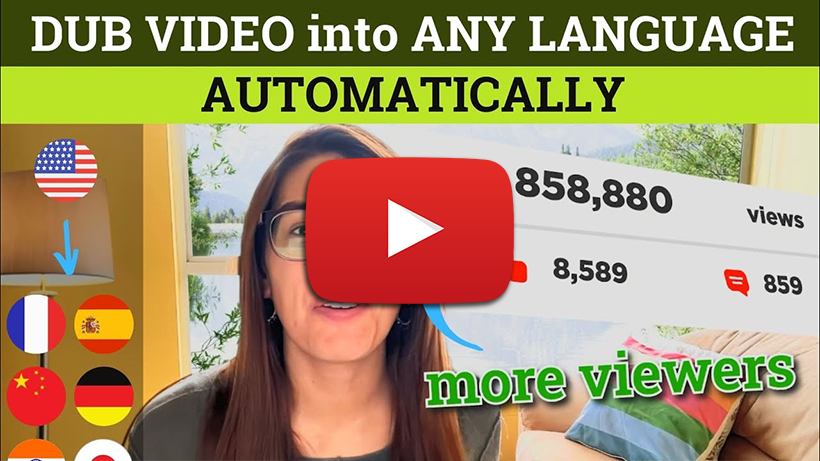
Dubbing Your Video into Multiple Languages with AI - Eleven Labs vs Dubverse vs Speechify
Expand Your Reach with AI Video Dubbing! In this video, we explore three powerful AI tools that allow you to dub your videos into multiple languages, helping you reach a wider global audience.