

Share this tool:
 |
Description:
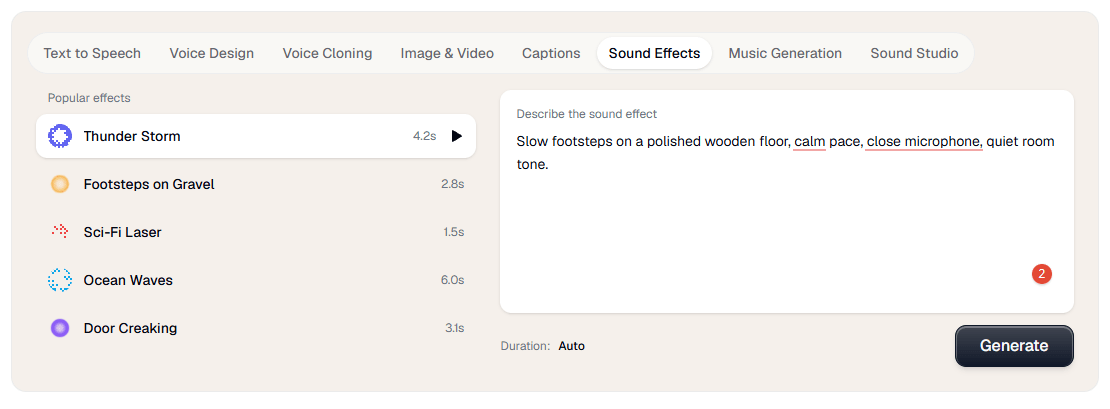
Verbatik is no longer just a text-to-speech tool. Its current public product stack includes text to speech, voice cloning, AI avatars, UGC video creation, music generation, sound effects, captions, Sound Studio, Chat AI, a broader Creative Hub for image and video generation, desktop apps, API access, workspace-based team support, and MCP integration. That broader shape is the main reason to care about it: Verbatik is trying to be a unified creative production layer, not a single-purpose narrator app.
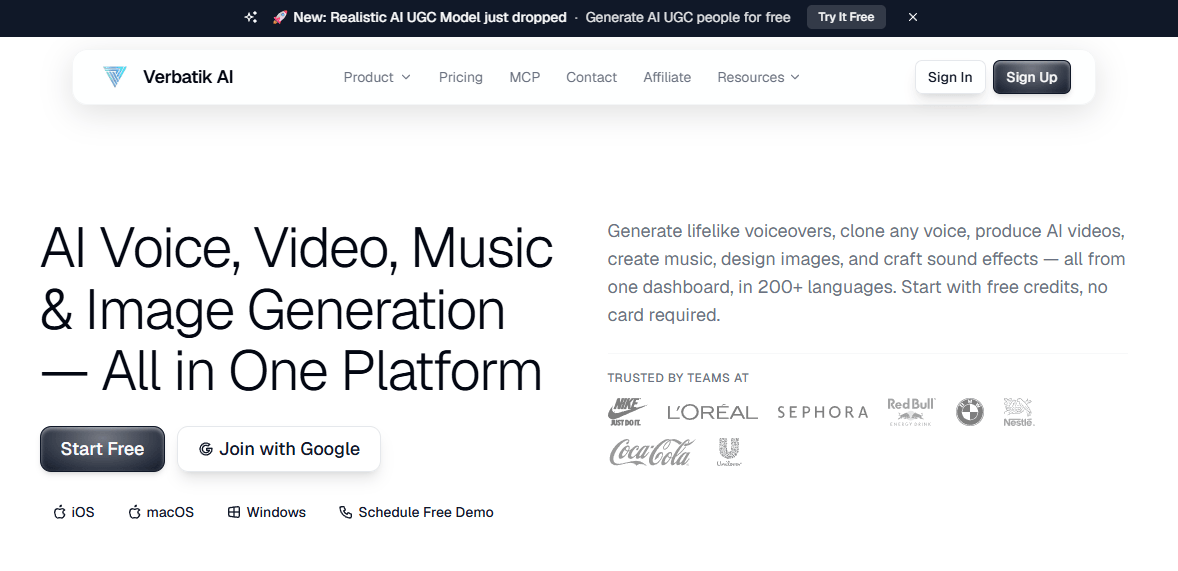
Verbatik combines TTS, voice cloning, avatars, UGC videos, music, sound effects, captions, and Creative Hub generation tools in one account.
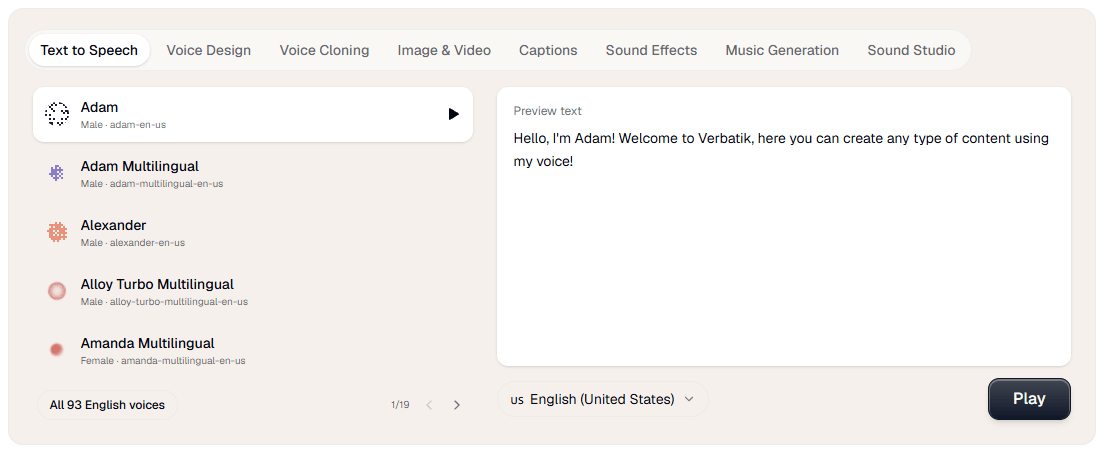
Its public voice directory currently lists 1,605+ AI voices across 197+ languages and dialects.
Verbatik says you can clone a voice from as little as 10 seconds of audio and use it across 40+ languages.
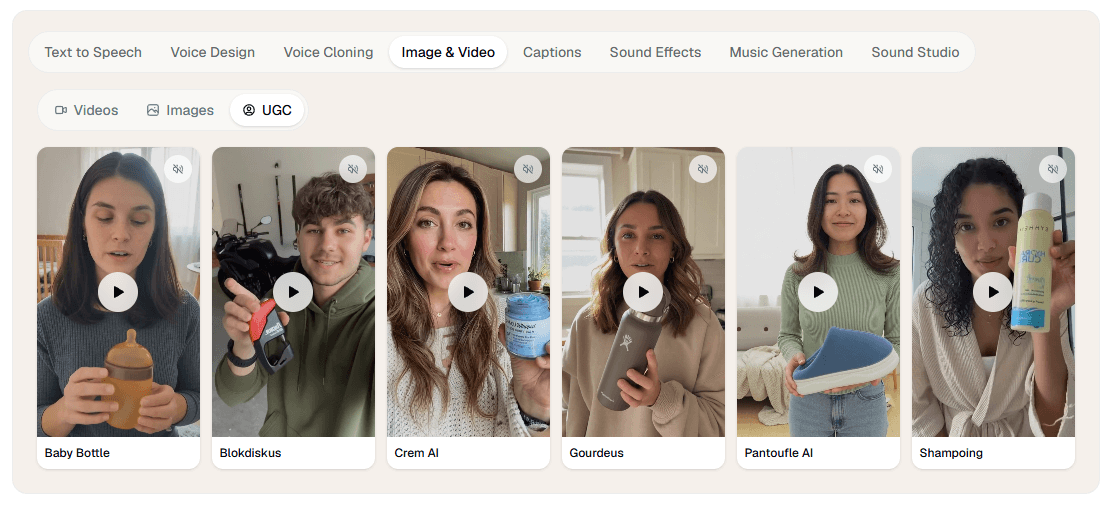
The avatar side offers 200+ lifelike avatars, 40+ supported languages, and sub-two-minute generation times, while UGC Studio is aimed at fast testimonial-style ad content.
The Creative Hub adds image and video generation, editing, remixing, and access to external models such as Sora, Veo, Kling, Wan, Flux, and Topaz Upscale.
Verbatik exposes REST API access, MCP integration, workspace-based keys, and TTS models tuned for low latency or multilingual consistency.
Verbatik is strongest when your work crosses formats. If you only need to convert text into speech once in a while, a narrower TTS tool may be enough. Verbatik becomes more interesting when the same project needs a voiceover, a cloned voice, a talking avatar, captions, background music, sound effects, and maybe a few image or video assets as well. Its public positioning consistently emphasizes that “single dashboard” idea, and the documentation reinforces it by showing separate creative tools living under one workspace.
That matters for content teams more than hobby testing. The product reads like it was designed for creators, marketers, localization-heavy teams, educators, and developers who want one vendor covering several adjacent media tasks. The strongest practical use case is not “best possible single audio generation.” It is “reduce tool switching across the whole asset pipeline.” That is where Verbatik looks most differentiated.
The cleanest entry point is still text to speech. Verbatik’s docs describe TTS as the core feature, and the workflow is familiar: choose a voice, enter text, adjust settings, and generate audio. That makes onboarding relatively easy even though the platform itself has grown wide. You do not need to learn the full stack on day one to get value from it.
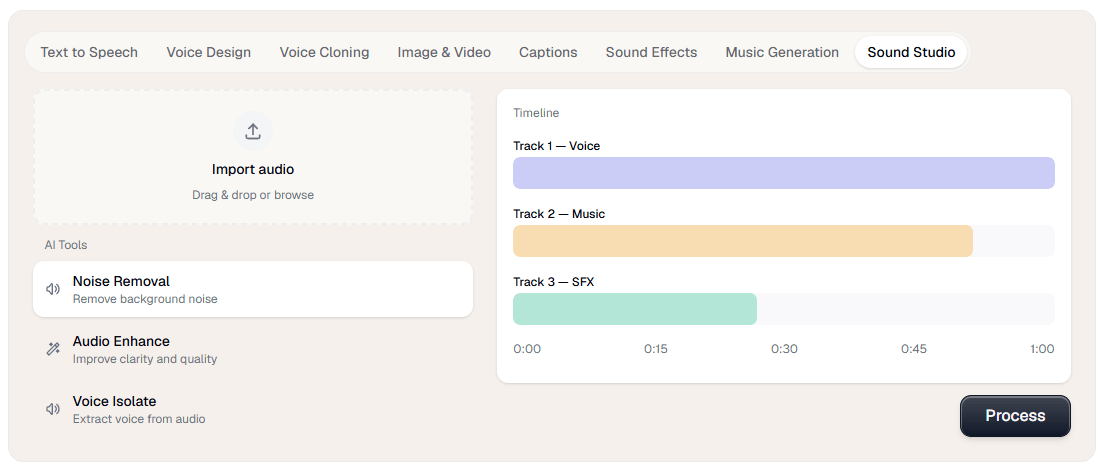
From there, the platform gets more interesting because the tools connect. Sound Studio can pull in TTS recordings, voice clones, sound effects, music generations, and voice changer outputs from your account history, combine them with uploaded audio, and then export a polished mix. That is a real workflow advantage over tools that generate assets but leave finishing work to something else.
The avatar and UGC side is also built for speed rather than production complexity. Verbatik’s avatar page is very explicit: no camera, no actors, no studio, just type and generate. The UGC page makes the same pitch for short-form ad content, positioning it around fast testimonial-style videos for TikTok, Reels, Shorts, and paid social. That means the platform is optimized more for efficient content generation than for deep traditional video editing.
The trade-off is obvious: breadth adds decision overhead. Verbatik now has enough separate surfaces that new users will probably need a minute to decide whether they should start in TTS, voice cloning, avatars, Sound Studio, Creative Hub, or API docs. That is not a flaw so much as the normal cost of becoming a suite.
Voice control looks stronger here than the homepage alone suggests. Verbatik’s TTS docs list adjustable speed, pitch, speaking style, and SSML controls, and the voice library docs note that some voices support multiple styles such as cheerful, sad, angry, whispering, and more. That is important because it moves the product beyond simple “pick a voice and hope” generation into something more usable for real narration work.
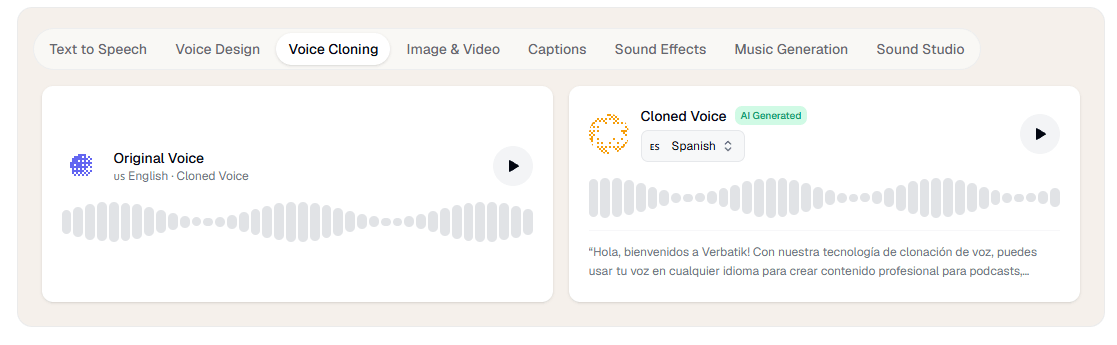
Voice cloning is one of Verbatik’s clearest selling points. The public cloning page says you can upload 10 seconds of audio and generate speech in 40+ languages using your cloned voice, while the API page adds support for noise reduction and volume normalization during cloning. The docs also distinguish between Standard, HD, and Voice Design workflows, which suggests Verbatik is not treating cloning as a single flat feature.
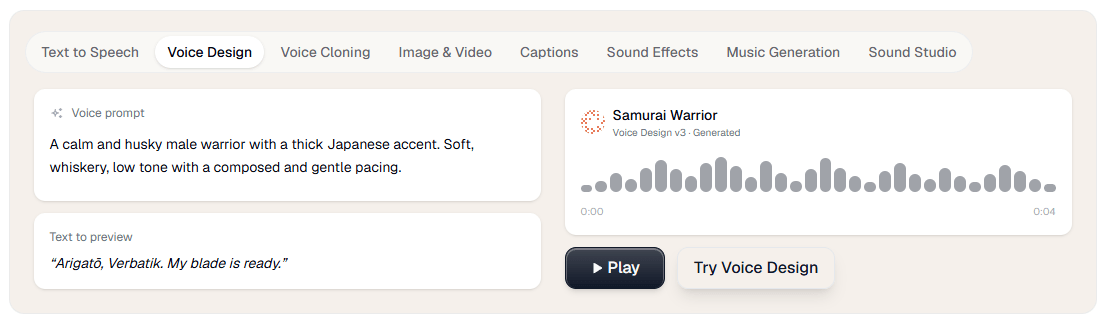
That layered control matters in practice. If you are building polished training narration, branded content, or repeatable creator voiceovers, Verbatik gives you more than a toy clone. It gives you cloning plus TTS controls, plus music and SFX generation, plus an audio mixer, plus avatars if you want a face attached. That bundled workflow is more commercially useful than cloning alone.
Verbatik’s avatar system is aimed at fast presenter-style output. The public avatar page currently advertises 200+ avatars, 40+ languages, and generation times under two minutes, with the same avatar reusable across multiple languages. That makes the tool particularly practical for explainers, product walkthroughs, training clips, multilingual updates, and faceless content workflows where speed matters more than cinematic nuance.
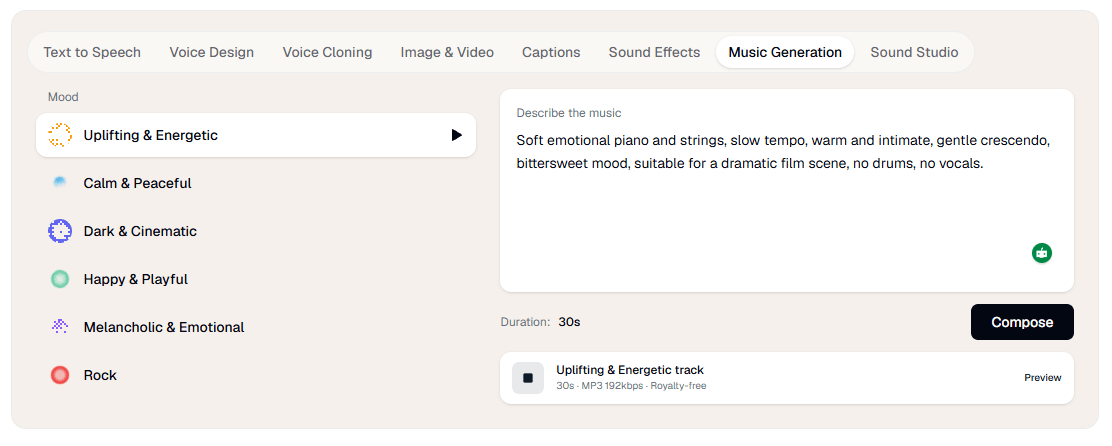
Music generation is more capable than a token add-on. The music page says Verbatik can generate royalty-free tracks in different genres, with or without vocals, in multiple languages, and it explicitly supports positive and negative prompts for better control. That matters because many “all-in-one” platforms tack on weak background music generation as filler. Verbatik is at least trying to give users a controllable music layer that fits videos, podcasts, ads, and social posts.
The Creative Hub is the part that most clearly shifts Verbatik from audio platform to broader creative suite. Officially, it handles image generation, visual editing, remixing, text/image/frame-to-video workflows, and access to outside models like Sora, Veo, Kling, Wan, Flux, and Topaz Upscale. That is a meaningful expansion, but it also changes the way to judge the product: you are no longer evaluating one model or one medium, you are evaluating whether the hub meaningfully reduces fragmentation in your workflow.
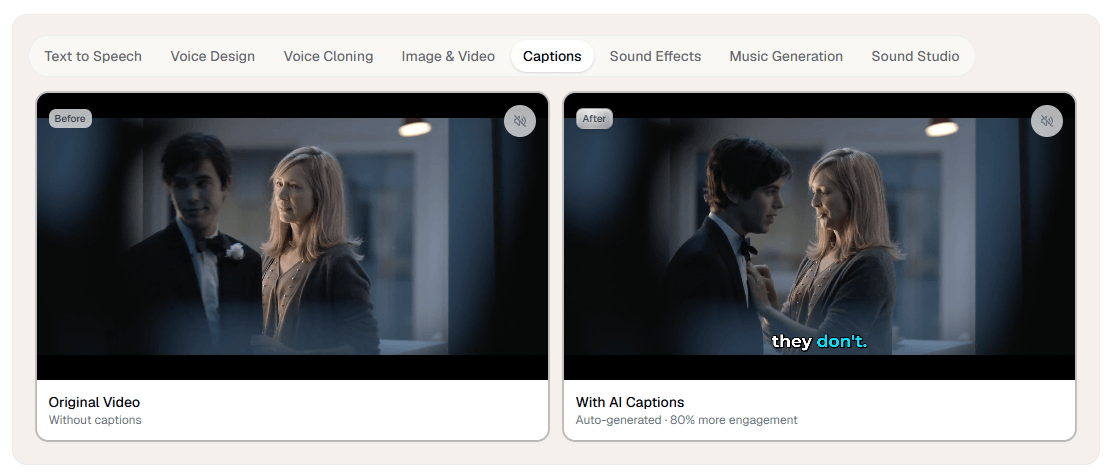
My read is that this is the real value proposition. Verbatik is not trying to win every single modality as a standalone specialist. It is trying to be the platform where audio-first users can gradually add visuals, video, captions, and creative tooling without rebuilding their stack somewhere else.
The developer story is stronger than it first appears. Verbatik’s API supports TTS, cloning, and related tools; its current API page highlights a low-latency “Verbatik Flash” model at 75 ms for conversational use cases and a “Verbatik Multilingual” option for more lifelike, consistent speech. The docs also describe workspace-based API keys, shared balances and limits, and optional expirations, which is the kind of account structure teams actually need.
The workspace model is also clearly team-aware. The API getting-started docs describe workspaces as the central hub for a team’s voices, API keys, billing, and usage, with collaborator invites during setup. That makes Verbatik feel more like a usable business platform than a purely individual creator tool.
MCP support adds another interesting layer. Verbatik’s docs say you can connect AI tools to its MCP server and expose functions like speech generation, cloning, voice design, music generation, balance checks, and cost estimation through that connection. For most creators this will not matter. For AI-native teams building workflows around assistants and tool calling, it is a serious plus.
- Creators and marketers making many assets from one script: voiceover, avatar, captions, music, and short-form UGC content all fit naturally here.
- Training, explainer, and localization workflows: the avatar system and multilingual speech stack are a strong fit for repeatable presenter-style content in several languages.
- Podcast and video teams that want built-in finishing tools: Sound Studio makes more sense here than in a pure TTS product because it can mix Verbatik-generated and uploaded audio together.
- Developers and AI-native product teams: REST API access, workspace controls, and MCP support make Verbatik more infrastructure-ready than many creator-first voice tools.
- Start with TTS before cloning everything. Verbatik already gives you a large voice library, style controls, favorites, and SSML, so it is worth testing whether a stock or designed voice solves the job before you spend time training a clone.
- Use Sound Studio as the real finishing layer. It is specifically built to combine TTS recordings, voice clones, music, sound effects, uploaded files, noise reduction, and export, which is where the platform’s “one stack” claim starts becoming genuinely useful.
- Treat the avatar system as a speed tool, not a replacement for every kind of video production. Verbatik’s own positioning emphasizes fast presenter-style output, multilingual reuse, and no-camera workflows, which is ideal for explainers and ads but not the same as full creative video direction.
- If you are evaluating it for a team, check the exact capability you need on the exact product page. Verbatik’s public site uses different counts on different surfaces for voices, languages, and tool coverage, so your safest move is to verify the lane you care about most rather than rely on one headline number.
- The biggest limitation is that Verbatik is broad enough to feel slightly diffuse. That is the price of combining TTS, cloning, avatars, music, Creative Hub visuals, Sound Studio, captions, chat, and API tooling under one roof. Users who only need one very specific function may prefer a more focused specialist. This is an inference from the platform’s current scope, not a claim Verbatik makes itself.
- The second limitation is public-page consistency. Verbatik’s homepage, pricing page, language directory, and API/docs surfaces do not always present the same counts for voices and language coverage, which makes the platform look a little messier than it probably is operationally. That does not make it unusable, but it does make exact buying decisions less frictionless.
- The third limitation is that not every layer has the same multilingual depth. The general voice stack is much broader than the current avatar-language figures, so you should not assume every capability inherits the full voice library automatically.
Verbatik is best thought of as an AI creative suite with a strong voice foundation, not just a text-to-speech app with a few extras. Its real strength is the way it connects voice generation, cloning, avatars, music, sound effects, captions, mixing, image/video generation, and developer access inside one platform.
That makes it a strong choice for creators, marketers, localization teams, and product teams that want fewer tools in the stack. The main caution is simple: Verbatik is at its best when you actually use several parts of the platform together. If you only need one narrow feature, its breadth may matter less than a specialist’s focus.
TAGS: Text to Speech
Related Tools:

AI voice assistant that understands natural speech
Provides automated dubbing and translation
Cloud-based document editing and collaboration tool
AI voice generation, dubbing, cloning, and voice workflow tools

Suite of productivity tools for macOS and iOS devices
Comprehensive document preparation system