
Share this tool:
 |
Description:
Sonofa is an AI audio tool built around a simple idea: take content you would normally read, such as webpages, PDFs, or images, and turn it into podcast-style audio you can listen to later. Its strongest appeal is not plain text-to-speech. Sonofa’s public positioning is more specific: it aims to turn written content into conversational podcast episodes that feel easier to absorb while commuting, exercising, or doing other low-focus tasks.
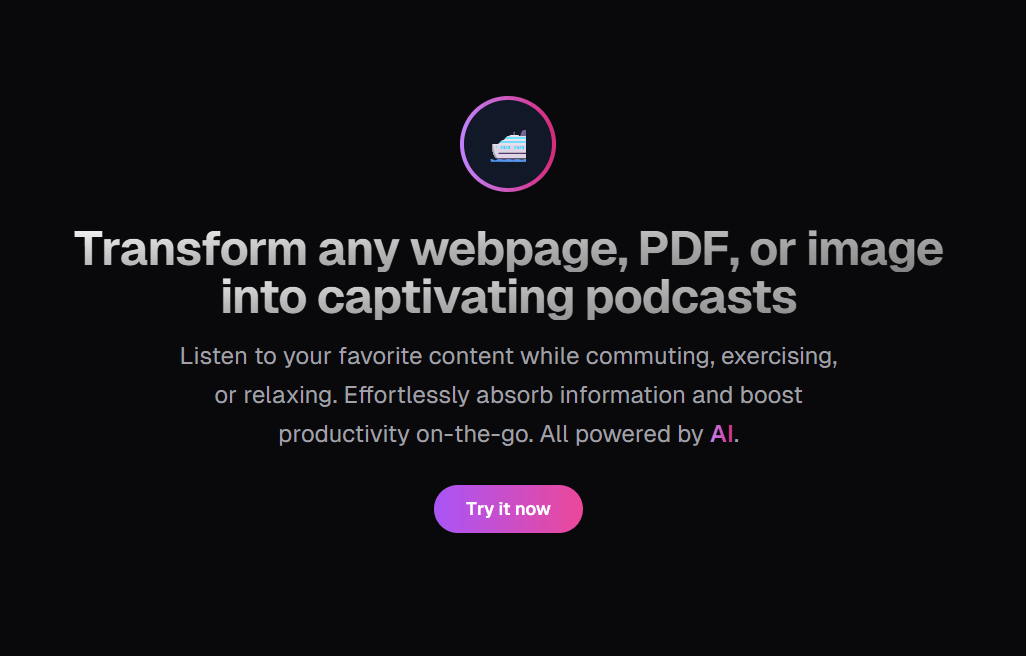
Sonofa’s public site says it can transform webpages, PDFs, and images into podcast-style audio.
The About page says Sonofa generates an interactive conversation around content rather than a plain readout.
Generated audio is added to a private podcast channel that can be followed in RSS-compatible podcast apps.
The homepage specifically names Apple Podcasts and broader RSS-compatible podcast apps as listening options.
Sonofa says it combines large language models with speech synthesis to interpret content and turn it into audio.
The product is designed for people who want to absorb information while commuting, exercising, relaxing, or doing other tasks.
Sonofa is strongest when the content is important enough to consume, but not urgent enough to read immediately.
That sounds like a narrow use case, but it is common. People save articles, research papers, essays, reports, and newsletters with good intentions, then never return to them. Sonofa’s value is that it gives that backlog another path. Instead of needing a quiet reading block, you can turn a piece into an audio episode and listen during dead time.
The tool also fits dense material better than short snippets. A two-paragraph blog post probably does not need podcast conversion. A long article, a complex PDF, an academic paper, a market report, or a saved explainer makes more sense. The About page specifically mentions content ranging from webpages to PDFs and images, and even frames the tool around complex topics that benefit from explanation.
The conversational format is the key. If Sonofa only read a PDF aloud, it would compete with many existing text-to-speech tools. Its stronger promise is that it can turn content into something closer to a guided explanation. For users who learn better by listening, that can make the difference between saving content and finishing it.
Sonofa’s workflow appears built around three steps: add content, generate the audio, then listen through a podcast app. The public homepage does not expose a deep product dashboard or a long list of configuration settings. It focuses on the outcome: turning content into a private podcast feed.
That simplicity is part of the appeal. The target user probably does not want to edit audio timelines, choose voice models, or manage a complicated narration workflow. They want to save something and hear it later.
The login page shows a Google sign-in flow, which suggests onboarding is account-based rather than a fully open public demo. That makes sense for a tool that needs to manage private podcast feeds, saved episodes, and user-generated content.
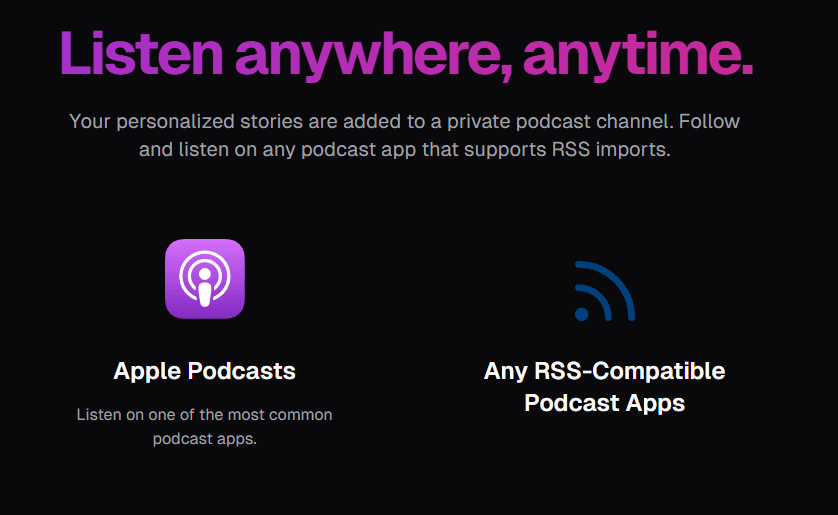
The RSS approach is also smart. A lot of AI audio tools trap playback inside their own app or webpage. Sonofa’s private feed model means the finished audio can live where listeners already spend time: podcast apps. That reduces friction after generation. It also makes Sonofa feel less like a one-off converter and more like a personal listening pipeline.
The public site gives a clear product direction, but not much technical detail. It does not publicly name the speech models, voice options, language handling settings, summary controls, audio length controls, export formats, or editing tools on the main pages reviewed.
That does not mean those controls are absent. It means users should evaluate Sonofa by testing the exact kind of content they plan to use most.
| Quality Area | What to Check |
|---|---|
| Content understanding | Does the episode capture the real argument, not just surface details? |
| Compression | Does it simplify without losing important nuance? |
| Voice delivery | Is the audio pleasant enough to finish? |
| Source faithfulness | Does the conversation stay grounded in the original content? |
The biggest question is not whether Sonofa can make audio. It is whether it can preserve meaning while making the content easier to hear. That is where this type of tool either becomes useful or starts to feel too loose.
For casual learning, a conversational rewrite can be a strength. For legal, medical, academic, or technical work, it can also be a risk. A dialogue-style summary may be easier to follow, but it may not preserve every caveat, citation, or exact phrasing from the original source.
Sonofa is a good fit for saved essays, industry analysis, and long-form blog posts you want to consume away from your desk.
The tool’s positioning around complex material makes it useful for turning dense reading into an initial audio overview. Use the original PDF for exact detail afterward.
Sonofa’s private podcast feed model fits people who already listen to podcasts during transit.
If you like learning while moving, Sonofa can turn your reading queue into something more portable.
Long newsletters often pile up. Sonofa can help convert the ones worth keeping into listenable episodes.
Since the public site mentions image support, Sonofa may be useful when the starting point is not clean article text.
Analysts, founders, students, and knowledge workers can use it to review non-urgent material while doing lower-attention tasks.
- Start with content that has a clear structure. Sonofa will likely perform better on articles, reports, and papers with headings, arguments, and sections than on messy pages full of ads, comments, navigation blocks, or broken formatting.
- Use it for first-pass understanding. If the audio helps you grasp the main ideas, then return to the original document for quotes, data, citations, and anything you plan to reference professionally.
- Keep source quality in mind. A clear PDF or clean webpage will usually give the AI better material than a cluttered screenshot or poorly scanned image.
- Build a listening habit around one podcast app. The private RSS feed is one of Sonofa’s better workflow ideas, but it only pays off if you make it part of your normal queue.
- Do not use the conversational version as the only source for high-stakes topics. Treat it as an explanation layer, not the official record.
Sonofa’s main limitation is public detail. The website explains the idea well, but it does not provide much visible information about advanced controls, supported file limits, voice choices, generation length, language coverage, transcript access, editing options, or model names.
Another trade-off is accuracy versus listenability. A conversational podcast can make content more engaging, but the same transformation may compress nuance. That is fine for casual learning. It is less ideal when you need exact wording or full context.
The RSS-based listening model is useful, but it also assumes the user is comfortable importing private podcast feeds. Some users will love that because it fits their existing habits. Others may prefer a built-in mobile app, direct downloads, or a simpler playback screen.
There is also the question of source rights. Sonofa transforms user-selected content into audio. Users should be thoughtful about what they upload or convert, especially when dealing with copyrighted material, internal company documents, or private PDFs.
Sonofa is a focused AI tool for turning webpages, PDFs, and images into conversational podcast-style audio. Its best idea is the private podcast feed, which makes AI-generated learning content feel less like a file conversion and more like a personal listening queue.
The main caveat is that the public documentation is still light on technical controls and somewhat inconsistent in its legal-policy wording, so users should test it with familiar content before relying on it for serious study or professional research.
TAGS: Podcast
Related Tools:
Enhances audio recordings by removing unwanted sounds

Generates concise, human-reviewed summaries
Helps podcasters plan, manage, and create content

Simplifies video and podcast editing
Turns written content into conversational podcast episodes
Provides concise text and audio summaries of podcast episodes