

Share this tool:
 |
Description:
- Introduction
- What RecCloud Actually Is
- What RecCloud Does Best
- Core Features and Capabilities
- Workflow and Ease of Use
- Transcription and Summarization Quality
- Subtitle, Translation, and Localization Workflow
- Editing, Generation, and Utility Tools
- Platform Surfaces That Matter
- Best Use Cases
- Where RecCloud Is Strongest
- Where It Is Weaker
- Privacy and Security Notes
- Practical Tips
- Final Takeaway
RecCloud is an AI-powered audio and video processing platform for people who need to turn recordings, videos, lectures, meetings, social clips, and multilingual content into cleaner, more useful media assets. Its main appeal is breadth: instead of being only a transcription tool or only a subtitle generator, it brings together speech-to-text, subtitle generation, translation, summarization, text-to-speech, video generation, vocal removal, screen recording, and basic online editing workflows.
RecCloud is best understood as an all-in-one AI media utility suite. It is not a deep timeline editor like Premiere Pro, and it is not only a meeting transcription tool. It sits in the middle: upload or record media, use AI to extract text, subtitles, translations, summaries, voiceovers, or edited versions, then export the result for content, study, work, or distribution.
The homepage positions RecCloud around “AI Audio & Video Processing,” with a simple flow of uploading, processing, and downloading. Its main toolkit includes AI Speech to Text, AI Subtitle Generator, AI Voice Generator, AI Video/Audio Summarization, and AI Video Generator.
The practical way to understand RecCloud is through its workflow layers:
| Layer | What it does | Why it matters |
|---|---|---|
| Transcription | Converts audio and video into editable text. | Useful for meetings, lectures, interviews, podcasts, research, and content scripts. |
| Subtitles | Auto-generates, edits, translates, and exports captions. | Strong for social videos, courses, marketing clips, internal training, and accessibility. |
| Translation | Converts video content into other languages with subtitles or voiceover workflows. | Useful for creators, educators, and teams reaching international audiences. |
| Summarization | Turns long audio/video into shorter notes and insights. | Best for saving time on lectures, YouTube videos, meetings, and presentations. |
| Creation tools | Includes text-to-speech, AI video generation, and related generators. | Helpful for creators who want lightweight production tools in the same place. |
| Editing utilities | Covers trimming, cropping, merging, vocal removal, watermark/subtitle/logo removal, and screen recording. | Useful for quick fixes without opening a full editing suite. |
That structure makes RecCloud useful when a user needs several practical media-processing tools in one online workspace.
RecCloud is strongest when the user’s problem is not “make a cinematic video from scratch,” but “make this existing media more useful.” That includes turning spoken content into text, adding subtitles to a finished video, translating captions, summarizing long recordings, extracting vocals, or preparing a clip for wider distribution.
The speech-to-text layer is one of the most practical parts of the product. RecCloud says users can upload audio/video, record directly online, or paste a link, then generate a transcript, smart summary, and editable/exportable text. It also says the tool supports 100+ languages, speaker diarization, and summaries/translations for meetings, content creation, and research.
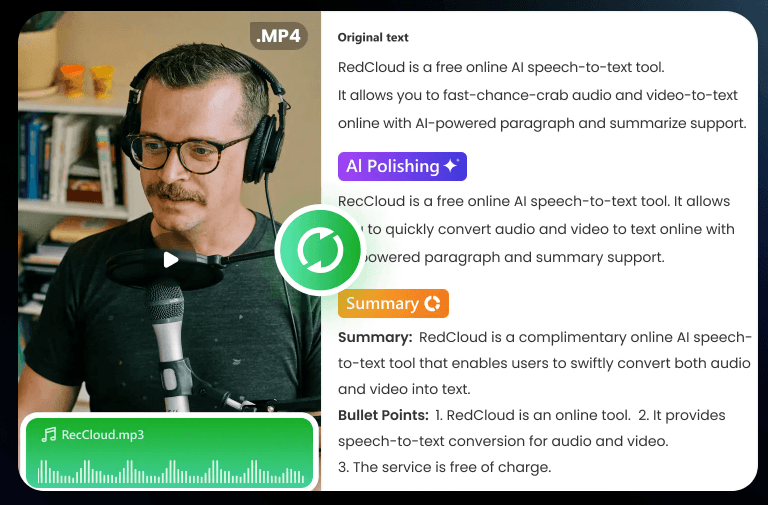
The subtitle layer is also central. RecCloud’s subtitle generator supports uploading common video and audio formats, auto-detecting speech in 100+ languages, editing subtitles, translating them, and downloading either subtitle files or a new subtitled video.
The third major strength is media repurposing. RecCloud can summarize long videos, interact with AI based on video content, generate subtitles, translate video, produce speech from text, and create AI videos from text or images. That makes it useful for creators and teams that need several lightweight media operations in one place instead of stitching together multiple small tools.
Converts spoken words into text, with automatic polishing and summarization for transcription, meetings, and note-taking.
Auto-generates subtitles, supports translation, lets users edit text and timing, and can export subtitles or a subtitled video.
Translates video content into multiple languages with voiceover translation and subtitle translation workflows.
Summarizes YouTube and long-form videos, while also letting users interact with AI based on the video’s content.
Converts text into natural-sounding speech, with support for multiple voice types and languages.
Includes trimming, cropping, merging, speech-to-text, vocal removal, subtitle generation, video translation, video-to-GIF, speed changes, and related lightweight editing tools.
RecCloud’s workflow is built around quick actions rather than complex editing. A user can upload a file, paste a link, record directly, or use one of the dedicated tools. That matters because many users do not need a full editing environment. They need a transcript, subtitle file, summary, voiceover, or translated version quickly.
For transcription, the workflow is especially straightforward: upload an audio/video file, record online, or paste a link; let the AI transcribe; then edit, copy, or export the result. RecCloud’s speech-to-text page describes exactly that flow, including transcript generation, smart summaries, and export options.
For subtitles, the workflow is similarly simple: upload the video, generate subtitles, then edit and download. The more useful detail is that RecCloud includes a built-in subtitle editor, so users can correct text, adjust timing, and sync captions without switching to another app.
That simplicity is the biggest reason to use RecCloud. It is not trying to give editors every possible control. It is trying to make common audio/video tasks faster for creators, students, educators, marketers, and teams.
RecCloud’s transcription tools are strongest when the source audio is clear and speech-focused. The company describes its speech-to-text system as suitable for meetings, lectures, podcasts, content scripts, and sales intelligence, and says it supports speaker-specific transcripts, summaries, decisions, action items, and structured notes.
The speaker diarization support is particularly useful for meetings, interviews, and group discussions. RecCloud says its AI recognizes different voices and labels them as speakers, with users able to edit those labels afterward.
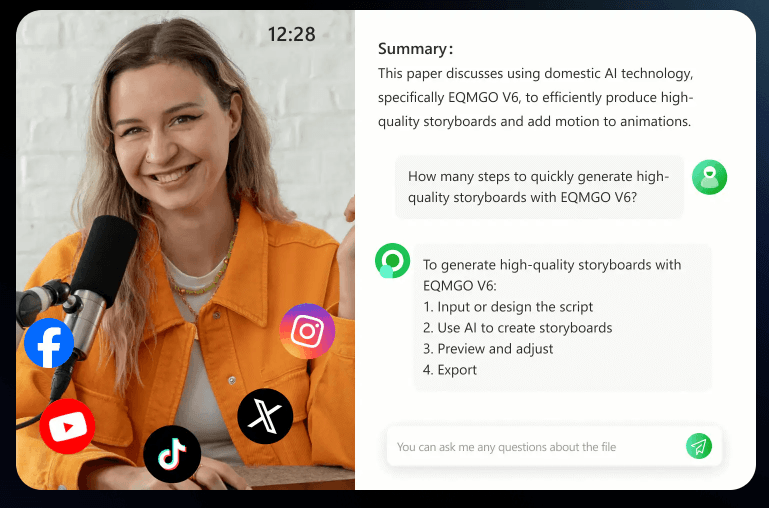
The summarization feature is important because many users do not only want a transcript. They want the useful parts. RecCloud’s homepage describes video/audio summarization as a way to summarize YouTube and other long videos, interact with AI based on the video content, and create concise highlights for courses, social media, and presentations.
The limitation is the same one found in most AI transcription platforms: output quality depends on source quality. Clear audio, one speaker at a time, minimal background noise, and well-recorded speech will perform better than muffled audio, overlapping speakers, loud music, or heavy accents mixed with poor recording conditions.
RecCloud’s subtitle tools are one of the platform’s strongest everyday features. The subtitle generator can auto-detect speech in 100+ languages, generate subtitles, translate them, and let users fine-tune timing and wording before export.
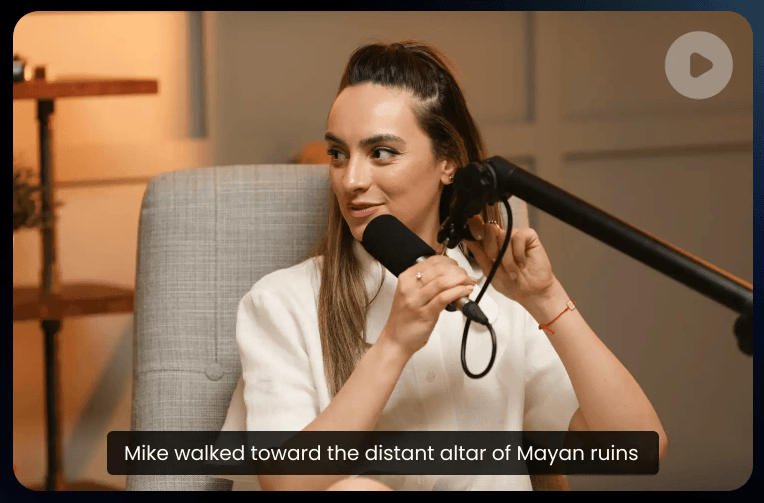
That makes it useful for social clips, online courses, marketing content, internal updates, multilingual outreach, interviews, and accessibility. RecCloud’s subtitle pages specifically call out social videos, online courses, marketing clips, team updates, multilingual outreach, recorded interviews, meetings, trainings, and professional applications as use cases.
The video translation workflow is broader. RecCloud says its AI video translator can translate video content into multiple languages with both voiceover translation and subtitle translation, and its video translator page says it supports over 70 major world languages, including accents and dialects.
This is useful for creators and educators who want to make content understandable across markets. The practical caution is that translation still needs review. AI translation can be fast and helpful, but names, idioms, technical terms, cultural nuance, and brand language should be checked before publishing.
RecCloud is not only transcription and subtitles. Its online video editor includes utility tools such as trim, crop, merge, AI speech-to-text, AI vocal remover, AI subtitle, AI video translator, image-to-video, video-to-GIF, and change video speed.
The vocal remover is a good example of RecCloud’s utility-style approach. The tool separates vocals and accompaniment from audio/video, showing outputs for original audio, vocals, and accompaniment. RecCloud says its AI extraction technology can separate vocals and accompaniment while maintaining high-fidelity audio effects.
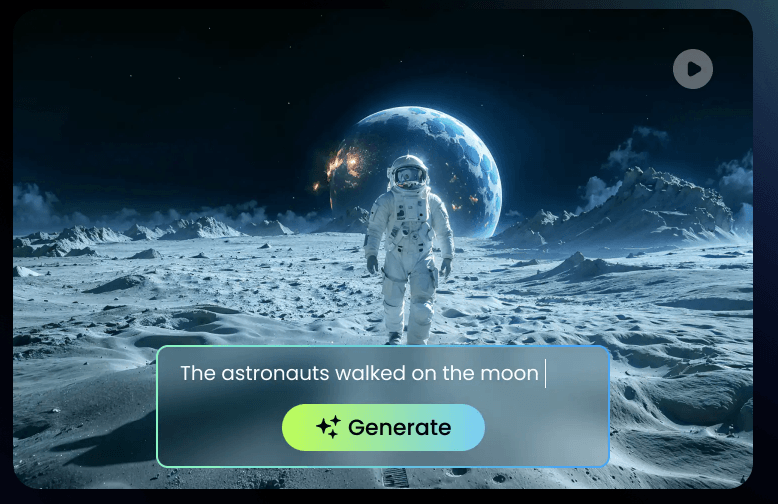
The AI video generator is another layer. RecCloud describes it as a text/image-to-video tool for turning text and images into videos without traditional shooting or editing.
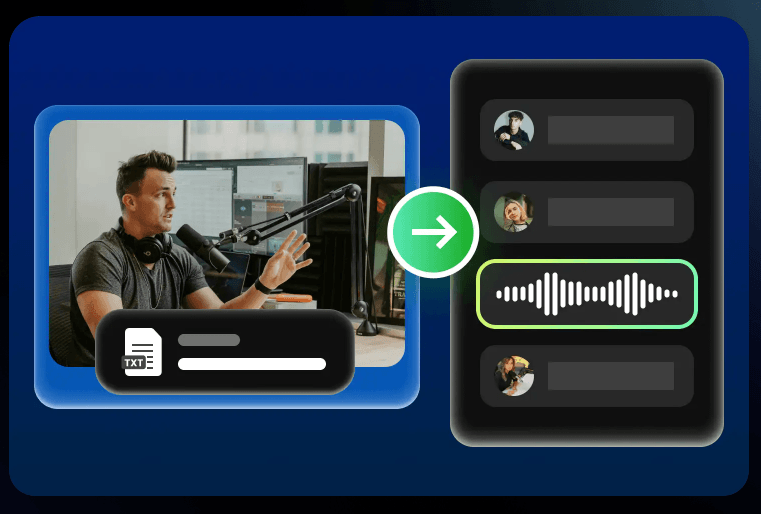
The AI voice generator is also part of RecCloud’s broader creation layer, giving users a way to turn text into voice content without recording a speaker manually.
These tools make RecCloud feel more like a media toolbox than a single-purpose app. That is good for users who want flexibility. The trade-off is that not every feature will be as deep as a specialist tool. A dedicated video editor will give more control. A dedicated dubbing studio may offer deeper voice direction. A dedicated transcription platform may offer more enterprise review workflows. RecCloud’s strength is convenience across many common tasks.
RecCloud has several product surfaces, and that is part of the experience.
| Surface | Main Role | Best For |
|---|---|---|
| Main web app | Central place for AI audio/video processing. | General users who need transcription, subtitles, translation, summaries, and quick exports. |
| AI tools hub | Collection of dedicated tools. | Users who want to jump directly into a specific task. |
| Online editor | Basic media editing and utility operations. | Quick trimming, cropping, merging, vocal removal, subtitles, and translation. |
| Recording tools | Screen and audio capture workflows. | Meetings, tutorials, demos, lectures, and browser-based recording. |
| API/developer side | Programmatic access to processing tools. | Teams building transcription or media processing into their own products. |
The main thing to know is that RecCloud is broad. That is useful, but it also means users should start from the specific job they need rather than trying to understand the whole platform at once.
- Students and educators: RecCloud is useful for turning lectures, lessons, and educational videos into transcripts, structured notes, summaries, and subtitles.
- Podcasters and interviewers: It can transcribe conversations, identify speakers, generate summaries, and create text assets from spoken content.
- YouTubers and social creators: The subtitle generator, video translator, summarizer, vocal remover, and lightweight editor help repurpose content without a heavy editing workflow.
- Marketing teams: RecCloud is useful for subtitled promos, translated clips, internal updates, training videos, and social-friendly content preparation.
- Business teams: Meeting recordings, webinars, presentations, and training sessions can become searchable text, summaries, and captioned videos.
- Localization teams: The combination of subtitle translation and video translation is useful for adapting content into other languages, though final review still matters.
- Developers and product teams: RecCloud’s API side is useful for teams that want to integrate media processing into their own product workflows. The API security page also highlights ISO/IEC 27001, ISO/IEC 27701, GDPR alignment, and encryption protocols.
RecCloud is strongest as a fast, practical media-processing hub. It is especially useful when you have existing audio or video and need to extract more value from it: text, subtitles, summaries, translated captions, voiceovers, clips, or cleaner component files.
It is also strong for non-specialists. A student, teacher, creator, or business user can get meaningful output without learning professional editing software. The video transcript page describes the workflow as upload-and-let-the-AI-work, which captures the product’s broader design philosophy.
The subtitle workflow is one of the most polished parts of the platform because it includes generation, translation, editing, styling, timing correction, and export. RecCloud’s subtitle page specifically highlights built-in editing, timestamp adjustment, translation, and branded subtitle styles.
The summarization layer is another major strength because it reduces the burden of long media. If you have a lecture, webinar, podcast, or YouTube video, a raw transcript may be too much. A summary and content-aware AI interaction layer can make the material easier to scan and reuse.
RecCloud is weaker when users need deep, professional editing control. It can trim, crop, merge, subtitle, translate, transcribe, generate, and extract audio components, but it is not a replacement for a full video editor, audio workstation, color grading tool, or professional localization suite.
It is also limited by source quality. Transcription, speaker detection, subtitle timing, vocal removal, and translation all work better with clean source material. Poor microphone quality, overlapping speech, background music, heavy noise, unclear pronunciation, or heavily compressed files can reduce output quality.
The platform’s breadth can also make it feel a little scattered. RecCloud has transcription pages, subtitle pages, AI tools, editing utilities, translation tools, recording tools, and API pages. That flexibility is useful, but users who only need one job may need to navigate around features they do not care about.
Translation and summarization also require human judgment. RecCloud can accelerate localization and content review, but published work should still be checked for terminology, tone, context, and factual accuracy.
RecCloud makes several security claims across its official pages. Its speech-to-text page says files are protected with end-to-end encryption, used solely for transcription, and not shared with third parties.
The API security section says RecCloud meets ISO/IEC 27001, ISO/IEC 27701, and GDPR-related standards, and uses encryption protocols to protect data during processing.
That is useful for ordinary creator, education, and business workflows. For sensitive material such as legal recordings, medical conversations, confidential corporate meetings, or private interviews, users should still review the current privacy policy and decide whether cloud-based processing fits their requirements.
- Start with the cleanest file possible. Good audio improves transcription, speaker labels, subtitles, translation, and summaries.
- Use the subtitle editor before publishing. Automatic captions are useful, but names, technical words, brand terms, and timing should still be checked.
- Use summaries for review, not as the only source of truth. Summaries are great for scanning long content, but important decisions should be checked against the transcript or original recording.
- Choose the tool by task. Use Speech to Text for transcripts, Subtitle Generator for captions, Video Translator for localization, Summarizer for long recordings, and Online Editor for quick video utility work.
- Review translated subtitles manually. RecCloud can speed up multilingual work, but human review still matters for tone, idioms, cultural context, and specialist vocabulary.
- Use RecCloud as a production assistant, not the whole production stack. It is strongest for extracting, transforming, and preparing media, while advanced editing and final polishing may still belong in specialist tools.
RecCloud is best understood as a broad AI audio and video processing platform for turning media into more usable formats: transcripts, subtitles, translations, summaries, voiceovers, generated videos, and lightweight edits.
It is best for students, educators, creators, podcasters, marketers, business teams, and anyone who regularly works with recorded speech or short-form video assets.
Its biggest strength is convenience across many everyday media tasks. The main caveat is depth: RecCloud can save a lot of time, but serious transcription review, localization quality, final editing, and sensitive-data decisions still need human judgment.
TAGS: Speech to Text Voice/Audio Modulation Video Editing Generative Video
Related Tools:

Enables users to easily create personalized and high-quality videos

AI-powered transcription tool for speech-to-text conversion

Conversational AI tool for voice-based interactions within virtual worlds

Email marketing platform designed for creators

Enables developers to create 2D and 3D games

Create high-quality games with integrated online features