

Share this tool:
 |
Description:
Magic ToDo is the task-breakdown tool inside Goblin Tools, a collection of small, single-purpose tools made for moments when everyday tasks feel too big or complicated. The main idea is simple: type a task, choose how much help you need breaking it down, and let the tool turn that task into smaller steps. It is especially useful for people dealing with executive dysfunction, ADHD, autism, burnout, anxiety, or plain old task overload.
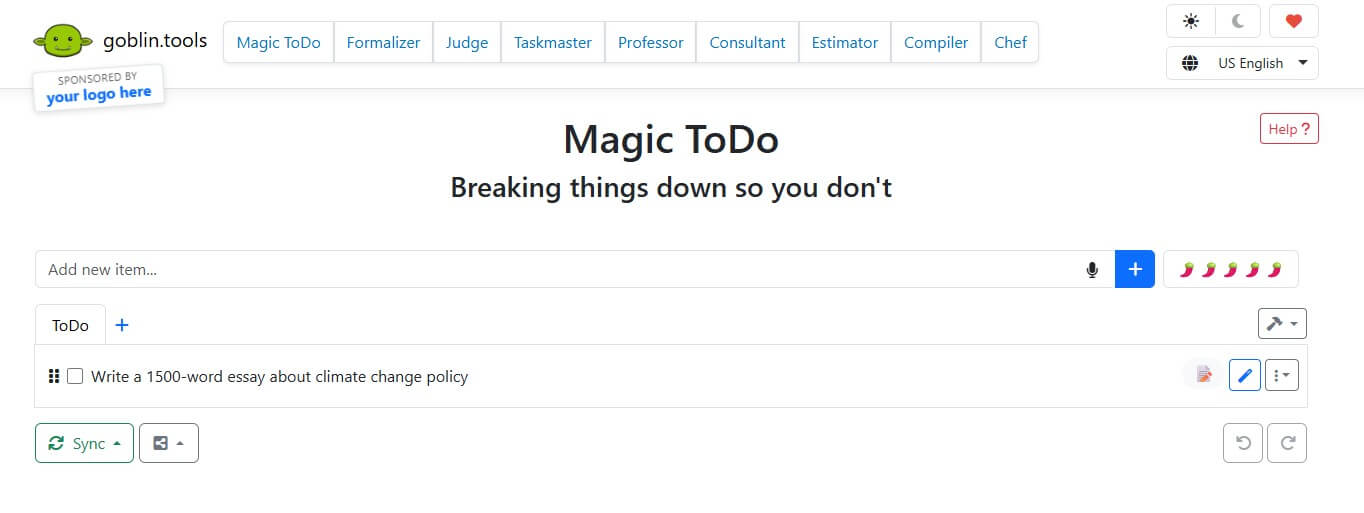
Magic ToDo is not a full productivity suite. It is not trying to replace Notion, Todoist, Asana, or a calendar system. It does one narrower job: it helps you turn a vague or stressful task into a list of doable steps.
That narrowness is the appeal. Many productivity tools assume you already know how to plan the task. Magic ToDo helps with the part before that, when “clean the kitchen,” “apply for a job,” or “start my essay” feels too large to begin.
The tool sits inside the broader Goblin Tools ecosystem, which includes other small helpers like Formalizer, Judge, Estimator, Compiler, Chef, Professor, Consultant, and Taskmaster. The homepage describes Goblin Tools as “a collection of small, simple tools” for when things feel too big or complicated. Magic ToDo is the most practical daily-use tool in that set because it turns friction into visible next actions.
Magic ToDo’s most distinctive control is the “spiciness level.” Goblin Tools explains that spiciness tells the system how hard or stressful the task feels. The spicier the task, the more steps it will try to break it into. It is not an exact measure, more of a hint to the system.
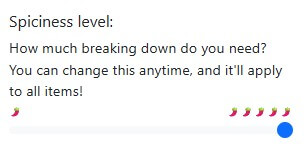
This is a smart design choice. Most to-do apps ask for priority, due date, tags, or project. Magic ToDo asks a more human question: how much breaking down do you need?
That matters because task difficulty is not only about objective complexity. “Take out the trash” may be easy on a normal day and impossible on a bad day. The spiciness slider lets users ask for more scaffolding without having to explain why they need it.
Turns a single to-do item into smaller subtasks.
The spiciness setting controls how granular the breakdown becomes.
Magic ToDo includes an estimator option for task items, useful when time blindness or planning friction is part of the problem.
The tool includes a prioritize option for lists, which helps when the issue is not only task size but task order.
Lists can be exported in several formats, including Markdown, iCal tasks, iCal events, Todoist, Asana, Notion, Amazing Marvin, and TickTick.
Goblin Tools offers synchronization using a username and password, with encrypted lists that cannot be decrypted by admins without the user’s credentials.
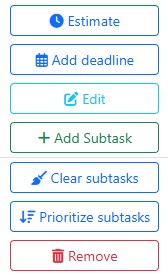
The workflow is refreshingly low-friction. You add a task, adjust the spiciness level, and let Magic ToDo break it down. After that, you can mark items complete, reorder them, add subtasks, estimate time, prioritize the list, export it, or keep working from the page.
This is where Magic ToDo feels different from heavier planning apps. It does not ask users to build a productivity system before they can get relief. The interface is plain, quick, and forgiving. That simplicity fits the audience. When a person is already overwhelmed, the last thing they need is a complicated onboarding flow.
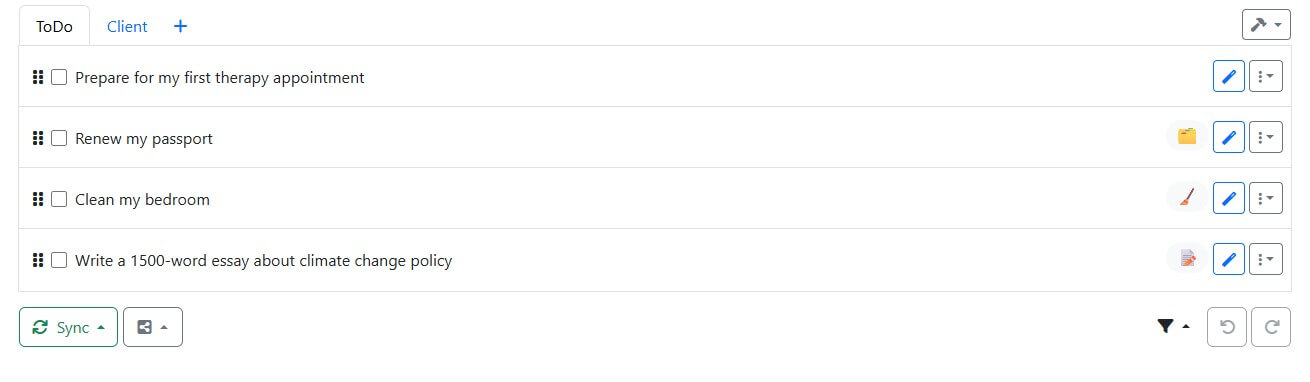
The category system also helps. Top-level tasks are automatically assigned emoji categories, and the list can be filtered by category or completed status. It is a small feature, but it makes mixed lists easier to scan.
Magic ToDo is strongest at turning stuckness into motion. It does not do the task for you, but it often makes the first step less threatening.
That makes it useful for chores, life admin, schoolwork, work projects, errands, cleaning, forms, packing, planning, and self-care routines. It is also helpful when a task is emotionally loaded. “Call the doctor,” “reply to a difficult email,” or “sort overdue bills” may not be technically complex, but they can still feel hard to start.
It is also good for people who think in messy blocks rather than clean sequences. You can type the rough task first and let the tool create order afterward.
Magic ToDo’s sync model is worth noting. The page says devices using the same username and password will synchronize lists, and that the list is encrypted on the user’s devices using those credentials. It also says admins or anyone without the credentials cannot see or decrypt the list. Sync is not instant, and the site notes that the sync system will be replaced, so current users should prepare to re-register when the new system launches.
That is a practical trade-off. The privacy posture is reassuring, but the sync transition warning means users should back up important lists rather than assuming everything will behave like a polished cloud productivity platform.
The first limitation is accuracy. Goblin Tools says its tools use AI technologies in the back end and that outputs should be treated as guesswork, not statements of truth. For everyday tasks, that is usually fine. For medical, legal, financial, academic, or safety-sensitive tasks, users should verify the steps themselves.
The second limitation is depth. Magic ToDo breaks tasks down, but it does not manage a full workflow with dependencies, collaboration, deadlines, file attachments, team permissions, or reporting.
The third limitation is that breakdowns can be too granular or not granular enough. The spiciness control helps, but AI-generated lists still need human judgment.
Magic ToDo is best for people who struggle less with knowing that something needs to be done and more with turning that thing into a first action. Its strongest feature is the adjustable task breakdown, especially the spiciness level, which makes the tool feel more humane than a standard checklist.
It is ideal for neurodivergent users, overwhelmed students, busy workers, caregivers, and anyone facing task paralysis. The main caveat is that Magic ToDo helps plan the steps, but users still need to review, adapt, and do the work.
TAGS: Productivity
Related Tools:

Merges documents, spreadsheets, and apps to help teams collaborate
AI-powered mobile keyboard app that enhances typing efficiency

Summarizes online content

Creates customized educational assessments

Detects and fixes critical software vulnerabilities

Enhances note-taking by integrating AI models