

Share this tool:
 |
Description:
- Introduction
- Strong Features and Capabilities
- What Qlip AI Actually Is
- The Main Workflow
- Where Qlip AI Is Strongest
- Clip Quality and Editorial Control
- Captions, Branding, and Visual Formatting
- Workflow and Ease of Use
- Best Use Cases
- Where Qlip Fits Compared to Other AI Clipping Tools
- Practical Tips for Better Results
- Limitations and Trade-Offs
- Final Takeaway
Qlip AI is an AI video repurposing platform built for one clear job: taking long-form video content and turning it into shorter clips for social media. It focuses on automatic highlight detection, clip generation, subtitles, branding, and social-friendly resizing, which makes it most useful for podcasters, creators, educators, marketers, and teams that already produce longer videos but struggle to turn them into consistent short-form content.
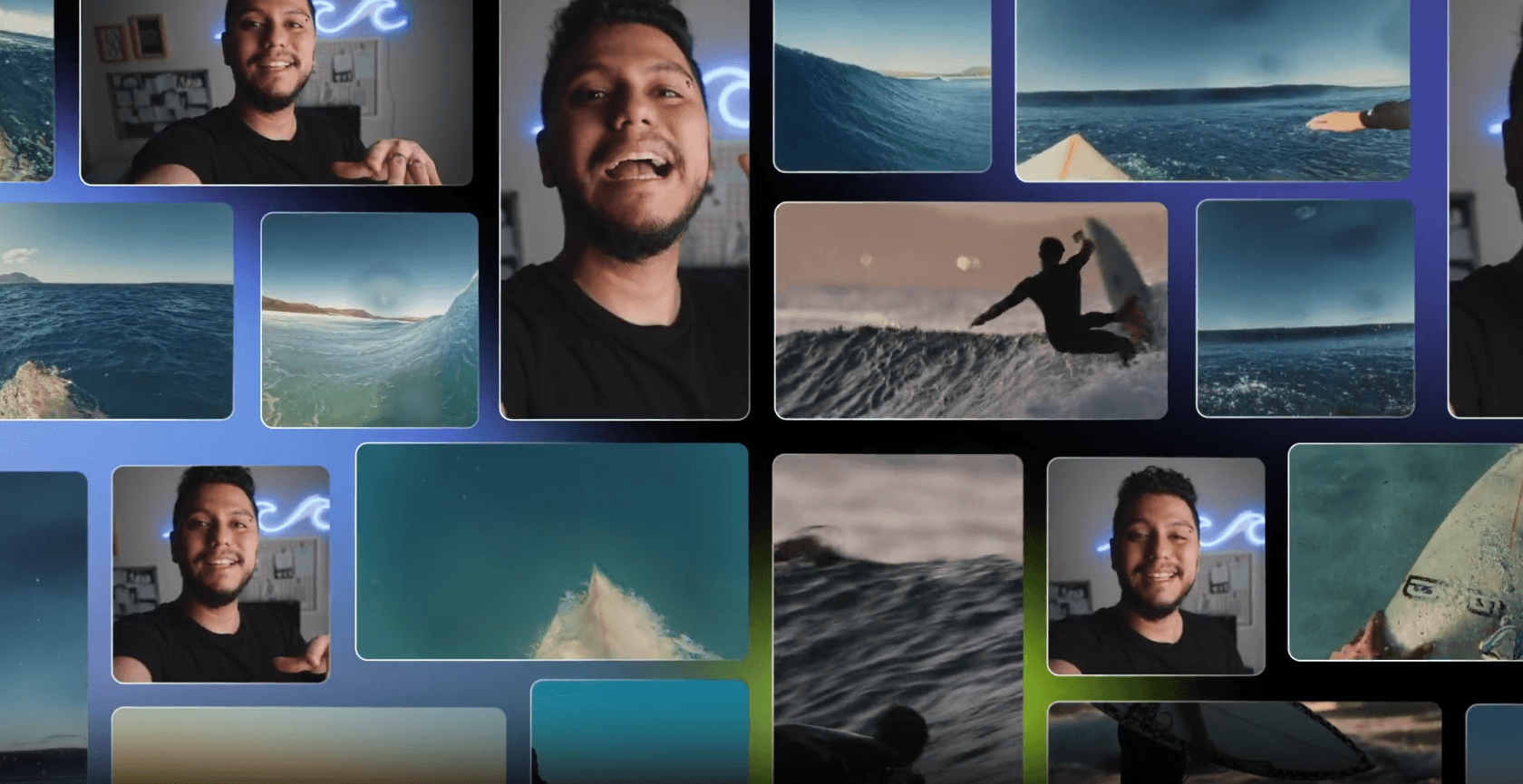
Qlip uses AI models to find impactful moments inside longer videos, which is the core reason to use it instead of manually scrubbing through footage.
Qlip describes itself as an AI-powered video editing automation platform using Natural Language Processing and Computer Vision models.
The platform can resize horizontal videos into vertical or square formats with auto-focus on the point of attention.
Qlip can apply auto-generated subtitles with styling elements such as font style, animations, and logos.
Third-party tool listings consistently position Qlip as a tool for turning long videos, podcasts, and livestreams into short, shareable social clips.
Qlip has an official API page, which matters for teams that want clipping or repurposing to fit into a larger content workflow rather than stay as a manual web-app task.
The easiest way to understand Qlip AI is this: it is a content multiplier for video. It is not a cinematic AI video generator, and it is not trying to create footage from a text prompt. Its value starts after you already have source material.
That source material could be a podcast episode, webinar, interview, livestream, course lesson, talking-head video, event recording, or long YouTube upload. Qlip’s job is to analyze that longer video, identify segments that may work as short clips, format them for social platforms, and help make them easier to publish or reuse. Its official site describes the product around extracting short clips from videos quickly, using AI models trained on large amounts of video to identify impactful highlights.
That distinction matters. Qlip is not mainly for people who need an editor to build a full video from scratch. It is for people who already have raw or finished long-form content and want to squeeze more value out of it. If you publish a one-hour podcast and only post the full episode, you are probably leaving a lot of short-form content on the table. Qlip is built to solve exactly that problem.
The practical workflow is simple.
| Step | What Happens | Why It Matters |
|---|---|---|
| Upload or provide source video | Start with a long video, podcast, interview, livestream, or educational recording | Qlip works best when there is enough spoken content for the AI to analyze |
| AI analyzes the content | NLP and computer vision help identify moments that may work as clips | This reduces the manual search time |
| Clips are generated | The tool extracts shorter segments from the source video | Useful for social media repurposing |
| Formatting is applied | Clips can be resized into vertical or square formats | Helps adapt content to Shorts, Reels, TikTok-style posts, and feeds |
| Subtitles and branding are added | Auto-generated subtitles, fonts, animations, and logos can be applied | Makes clips more platform-ready |
| User reviews and edits | The creator checks context, accuracy, pacing, and final quality | Important because AI-selected moments still need human judgment |
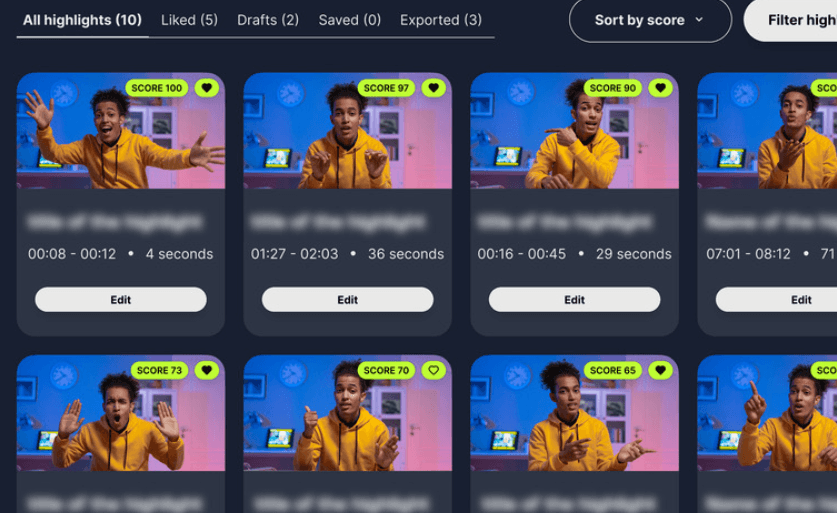
That last step is important. AI clipping is useful because it finds candidates quickly. It does not remove the need for editorial review. A clip can contain a strong sentence and still fail if it lacks context, starts awkwardly, or ends before the point lands.
Qlip is strongest when the source video has clear spoken segments, strong opinions, teachable moments, emotional beats, or useful short explanations. That is why podcast episodes, expert interviews, webinars, online courses, founder videos, and livestreams are natural fits. Third-party listings describe Qlip as a tool for transforming lengthy videos, podcasts, and livestreams into concise short-form clips, which matches the category it appears to serve best.
The best source videos are not always the most polished. They are the ones with extractable moments. A 45-minute interview with clear questions and strong answers is usually better for Qlip than a visually beautiful montage with little structure. The AI needs moments to detect: hooks, topic shifts, strong statements, useful takeaways, or emotionally clear sections.
This is also where Qlip’s NLP and computer vision positioning matters. NLP helps with what is being said. Computer vision helps with what is happening visually. Together, they are more relevant for clipping than a simple transcript-only workflow, because a good social clip depends on both message and presentation.
The real test of a tool like Qlip is not whether it can cut clips. Many tools can do that. The real test is whether the clips feel usable without heavy cleanup.
A good AI-generated clip should have a clear beginning, a reason to keep watching, a complete thought, clean framing, readable captions, and an ending that does not feel randomly chopped. Qlip’s strongest promise is that it can identify impactful highlights hidden inside longer videos, which is the right problem to solve.
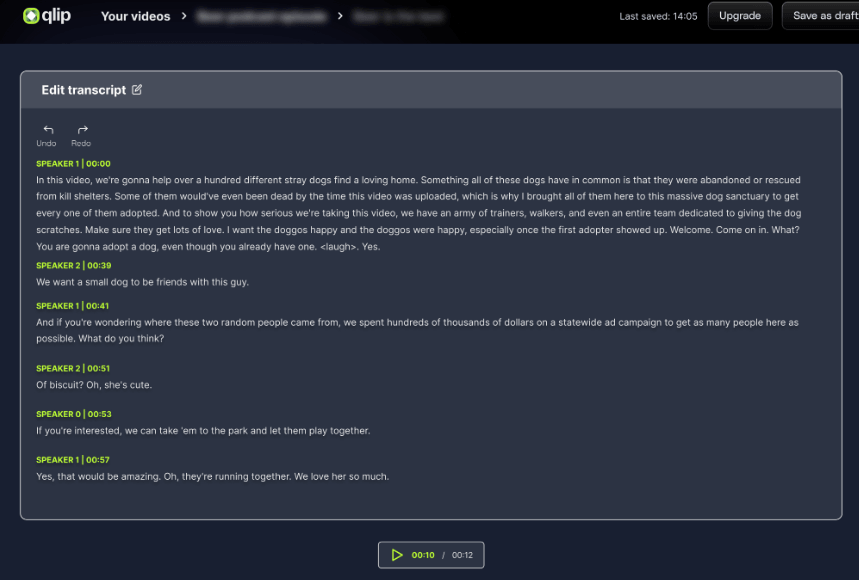
That said, users should expect to review every clip before publishing. AI can identify a moment that sounds interesting, but it may miss why the moment mattered in the original conversation. For example, it may extract the punchline but not the setup. It may capture the controversial sentence but miss the clarification that came before it. It may find the most energetic segment but ignore whether it fits your brand.
That is not a reason to avoid the tool. It is the right way to use it. Qlip should be treated as a fast first-pass editor, not as a final publishing authority.
Subtitles matter more than most people think. A large amount of short-form video is watched without sound, especially in feeds. Qlip’s indexed official page says clips can use auto-generated subtitles with font style, animations, logos, and similar branding elements.
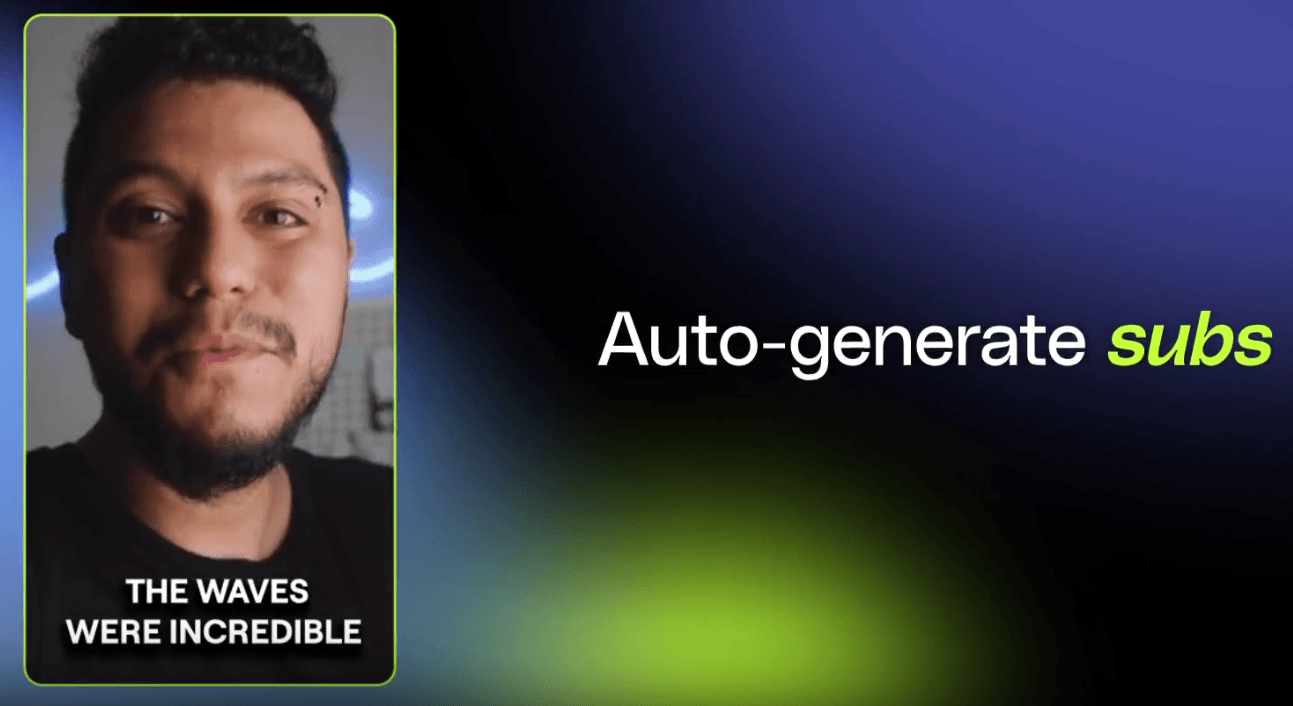
That makes Qlip more useful than a plain clip extractor. The difference is important. A raw cut from a podcast may technically be a short clip, but it still needs captions, formatting, and visual treatment before it feels native to social platforms. Qlip’s branding layer helps move the workflow closer to “ready to post” rather than “ready to edit somewhere else.”
The resizing feature also matters. Qlip’s API page says horizontal videos can be resized into vertical or square formats with auto-focus on the point of attention.
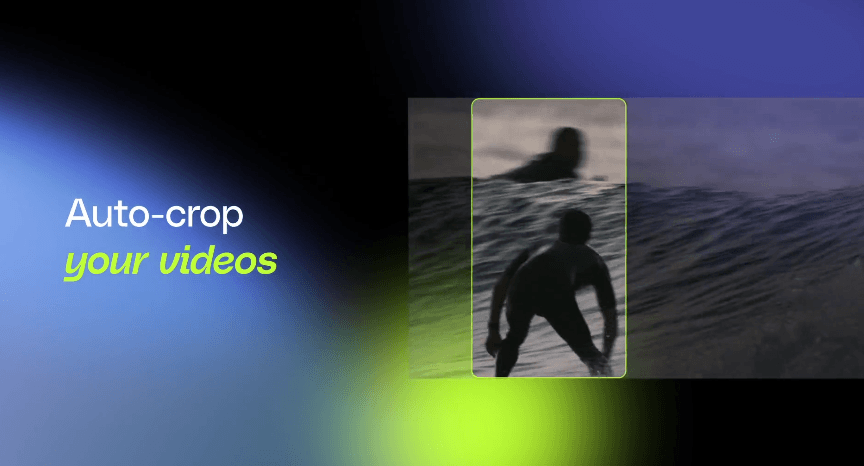
That is a practical feature because many long videos are recorded horizontally, while short-form platforms often reward vertical framing. Manual reframing is tedious, especially when the speaker moves or when there are multiple people on screen. Auto-focus helps reduce that work, but users should still check final framing carefully. Faces, hands, slides, captions, and product visuals can all be cut off if the crop is not reviewed.
Qlip’s appeal is mostly about workflow compression.
Without a tool like this, repurposing one long video usually means watching the recording, marking timecodes, cutting the strongest moments, reframing the video, writing or correcting captions, adding branding, exporting versions, and preparing posts. That is a lot of work for one asset.
Qlip tries to collapse that into a more automated pipeline. The AI finds candidate clips. The formatting tools help adapt them to social formats. The subtitle and brand controls help make the clips look more consistent. The user then reviews and chooses what is worth publishing.
For solo creators, that can make the difference between occasionally repurposing content and doing it consistently. For teams, it can create a repeatable process: every webinar, podcast, event, or interview becomes a batch of potential short clips.
The main thing to understand is that Qlip is not replacing creative direction. It is replacing the slowest mechanical parts of finding, cutting, and formatting clips.
- Podcast repurposing: Qlip is a strong fit for podcast creators who record long conversations and need short clips for TikTok, Instagram Reels, YouTube Shorts, LinkedIn, or X. The strongest clips usually come from clear opinions, stories, guest insights, or practical advice.
- Webinars and expert interviews: A one-hour webinar can produce several useful clips: one explaining the core problem, one showing a surprising statistic, one answering a common objection, and one summarizing the final takeaway.
- Course and educational content: Teachers, coaches, and course creators can use Qlip to pull short teaching moments from longer lessons. This works especially well when the lesson has clear sections and the speaker explains one idea at a time.
- Founder and brand content: For founder-led brands, Qlip can help turn interviews, livestreams, and recorded talks into short thought-leadership clips. This is useful when the goal is to maintain a regular posting rhythm without recording new short videos every day.
- Marketing teams with content libraries: Teams with a backlog of webinars, events, interviews, and customer conversations can use Qlip to mine existing material for clips instead of always producing fresh assets from scratch.
- Event highlights: Qlip can help turn longer event recordings into short highlight clips, especially when there are strong speaker moments, audience reactions, or clear topic segments.
Qlip sits in the same broad category as tools like OpusClip, Flowjin, Munch, Vidyo-style editors, and other AI short-form repurposing platforms. OpusClip publicly positions itself around turning one long video into multiple short clips and publishing across social platforms, while Flowjin emphasizes branded clips, platform-specific copy, and scheduling.
| Tool Type | Better For | Where Qlip Fits |
|---|---|---|
| AI clipping tools | Finding clips from long videos | Qlip fits directly here |
| Full video editors | Manual creative control and detailed editing | Qlip is faster, but less manually deep |
| Caption tools | Subtitle-heavy short videos | Qlip includes subtitle and branding workflows, not just captions |
| Social schedulers | Calendar and publishing operations | Qlip is more focused on clip creation than full social management |
| Generative video tools | Creating new video from prompts | Qlip is not mainly for generation; it starts from existing footage |
The main reason to choose Qlip is if your biggest bottleneck is repurposing long-form content into social clips. If your biggest bottleneck is advanced editing, you may still need a traditional editor. If your biggest bottleneck is social scheduling, you may want a platform built more around calendars and campaign management.
- Start with videos that have clear structure. Interviews, podcasts with strong questions, webinars with sections, and educational videos with topic breaks are easier for AI to clip well.
- Keep the original audio clean. AI transcription, subtitle generation, and moment detection all perform better when the speaker is clear and background noise is limited.
- Review the first and last five seconds of every generated clip. This is where many AI clips fail. The idea may be good, but the cut can start too abruptly or end too early.
- Use templates consistently. If Qlip is part of a brand workflow, standardize fonts, caption placement, logo treatment, and aspect ratios so clips feel like they belong to the same channel.
- Do not publish every clip the AI finds. The goal is not maximum volume. The goal is high signal. A smaller number of sharper clips will usually perform better than a large batch of mediocre ones.
- Check the crop on every vertical version. Auto-focus is useful, but faces, gestures, slides, and captions still need human review.
- Use Qlip as part of a wider content system. The best workflow is not just “upload video, export clips.” It is “record long-form content intentionally, structure it well, extract clips, polish the best ones, and publish with a repeatable cadence.”
- Output depends heavily on the source video: If the source content is rambling, low-energy, poorly recorded, or visually messy, the AI has less to work with. It may still produce clips, but they may not feel strong.
- Context can be missed: AI can identify a moment that sounds engaging, but it does not always understand your brand, audience, or strategy. A clip that is “interesting” is not always the clip you should publish.
- Short-form formatting still needs review: Auto-resizing is helpful, but vertical crops can create problems when there are multiple speakers, slides, product demos, screen recordings, or important visuals near the edge of the frame.
- Caption accuracy is not guaranteed: Auto-generated subtitles are useful, but proper nouns, technical terms, names, accents, and fast speech can still cause errors. Any clip meant for a public brand channel should be checked before posting.
- Qlip is not a full creative editor: It helps extract and format clips, but users may still need another tool for deeper editing, sound design, motion graphics, advanced transitions, color correction, or campaign-level publishing operations.
- Public product detail is more limited than some larger competitors: Official pages are mostly app-style pages and do not expose every workflow detail clearly in static text. That makes it smart to test the actual app with your own video style before deciding how central it should be in your content process.
Qlip AI is best for creators and teams that already make long-form video and want a faster way to turn it into short-form content. Its strongest value is not fancy generation. It is workflow speed: finding useful moments, cutting them into clips, resizing them for social formats, and applying subtitles and brand styling.
The best users are podcasters, educators, marketers, founders, webinar teams, agencies, and creators with a steady supply of long videos. The main caveat is that Qlip should be treated as an AI-assisted clipping system, not a fully autonomous editor. It can save a lot of time finding and preparing clips, but the final judgment still belongs to the creator.
TAGS: Video Editing
Related Tools:

AI virtual camera with voice modulation

Offers advanced keyword analysis
Converts text into video content
Enhances website optimization trough detailed audits

Removes watermarks from images and videos

Turns text into videos using AI voiceover