
Share this tool:
 |
Description:
- Introduction
- What Vyond Actually Is
- Where Vyond Is Strongest
- Strong Features and Capabilities
- Vyond Go: Fast First Drafts, Not Final Magic
- Vyond Studio: The Real Control Layer
- AI Avatars and Voice Quality
- Localization, Captions, and Accessibility
- Brand, Governance, and Team Control
- Integrations and Workflow Fit
- Output and Delivery
- Security and AI Data Handling
- Best Use Cases
- Practical Tips
- Limitations and Trade-Offs
- Final Takeaway
Vyond is an AI video creation platform built for business communication, training, sales enablement, HR, marketing, and internal education. Its biggest advantage is not just that it can turn text into video. It is that Vyond combines fast AI drafting through Vyond Go with a full editing workspace in Vyond Studio, so teams can generate a first draft quickly and then refine the message, visuals, voice, captions, brand assets, avatars, and export format before publishing.
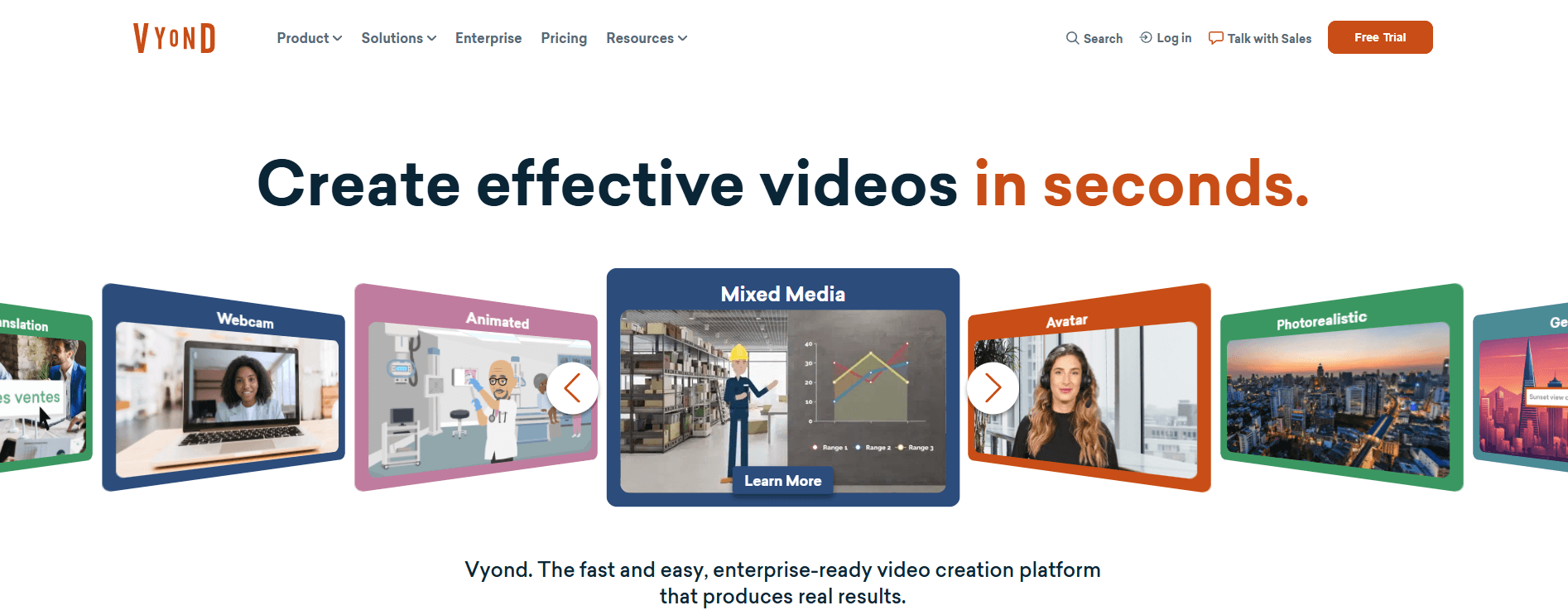
Vyond is best understood as three connected layers.
| Layer | What it does | Why it matters |
|---|---|---|
| Vyond Go | Turns ideas, scripts, documents, or URLs into video drafts | Best for starting fast instead of building from a blank timeline |
| Vyond Studio | Provides a drag-and-drop video editor for deeper customization | Best for adjusting scenes, characters, text, audio, timing, branding, and layout |
| Business platform layer | Adds avatars, translation, brand tools, collaboration, exports, integrations, and security | Best for teams that need repeatable video production, not one-off clips |
That structure matters because Vyond is not a pure “type a prompt and accept the result” tool. Vyond Go can generate a first version from a prompt, document, script, or URL, but the more practical workflow is to treat that output as a draft. From there, users can edit in Quick Edit or move into Vyond Studio for deeper control.
This makes Vyond different from many newer AI video tools. It is not focused only on cinematic generative video, avatar-only presenter videos, or quick social clips. It is built more for business users who need training modules, explainers, compliance content, onboarding material, product education, sales videos, and internal updates that can be edited, branded, translated, and reused.
Vyond is strongest when the message matters more than visual novelty.
That may sound plain, but it is the main buying point. Many AI video tools can create flashy clips. Fewer are built around the less glamorous work of turning a policy document, training outline, sales message, or internal announcement into a clear video that a company can review, revise, localize, and share.
The best use cases are usually structured business videos:
- training lessons
- HR and onboarding explainers
- compliance refreshers
- sales enablement clips
- product walkthroughs
- customer education
- internal announcements
- short marketing explainers
- LMS-ready course assets
Vyond’s official product pages center this kind of business communication. Vyond Go is positioned for explainers, sales enablement, and training, while Vyond Studio adds the fuller editing layer for more controlled production.
The tool is less ideal if you want fully cinematic AI video generation with realistic camera motion, complex scene continuity, or film-style visual experimentation. Vyond can support photorealistic and mixed-media styles, but its natural home is still business video: clear, structured, practical, and editable.
Vyond Go can create videos from a prompt, script, document, or URL, giving users a usable draft before they open the full editor.
Vyond Studio lets users adjust visuals, backgrounds, character actions, text, timing, voiceovers, translations, and other production details inside a drag-and-drop editor.
Vyond includes a large avatar library and lets users combine avatars with other video styles rather than keeping them isolated in a presenter-only format.
Vyond supports AI-powered translation across many languages, plus caption generation, editing, and export workflows.
Brand Kit, logo application, color tools, custom assets, approval workflows, and watermark controls help teams keep videos consistent.
Vyond supports exports such as MP4, SCORM, WebM, GIF, and still images, and it connects with tools like Slack, Google Docs, and Zapier.
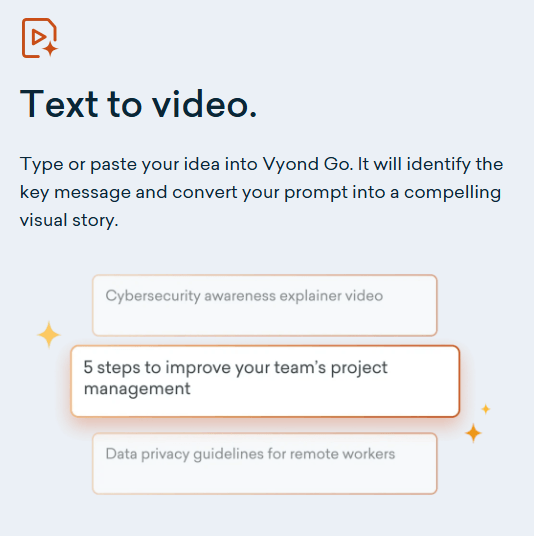
Vyond Go is the AI entry point. You can enter a topic, paste a script, upload a document, or provide a URL. Then Vyond generates a video draft that can be edited. This is useful because business video projects often stall at the first step. Someone has a policy, lesson, update, or outline, but not a storyboard. Vyond Go closes that gap.
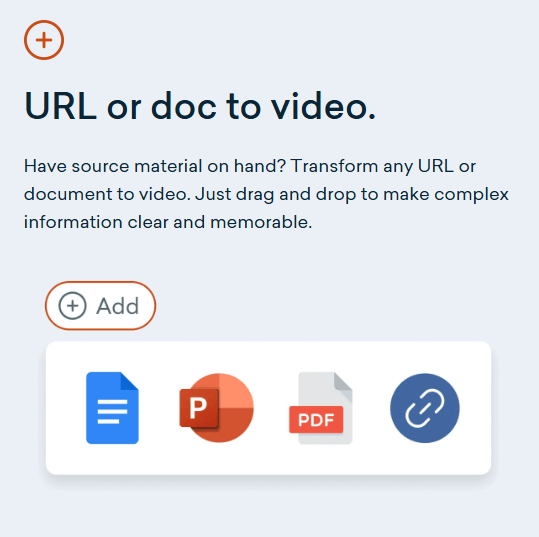
The document-to-video workflow is especially useful. Vyond’s help center says users can upload docx, PDF, PowerPoint, or txt files, add key talking points, choose layout and characters, adjust optional settings, review the summary, and then generate the video. For teams with lots of existing training decks, manuals, process docs, or internal explainers, this is a practical shortcut.
URL-to-video is another useful workflow. Instead of rewriting a webpage into a video script manually, users can provide a webpage URL and guide the video with a prompt. That makes sense for product pages, help center content, internal resources, or campaign pages that need a short video version.
The important caveat: Vyond Go is still a draft generator. Vyond’s own help docs warn that scripts made with generative AI may not always be accurate and should be reviewed carefully. They also note that Vyond Go will not follow video duration, format, or number-of-characters instructions entered inside the prompt input. That means users should not expect prompt control to replace editing judgment.
Vyond Studio is where Vyond becomes more serious than a quick AI generator. The editor gives users a place to refine scenes, adjust characters, update text, change layouts, edit audio, add visuals, apply brand elements, and prepare the video for real use. Vyond describes Studio as a full-featured drag-and-drop editor with AI-generated visuals, background removal, voiceover enhancement, automatic translation, and character-action tools.
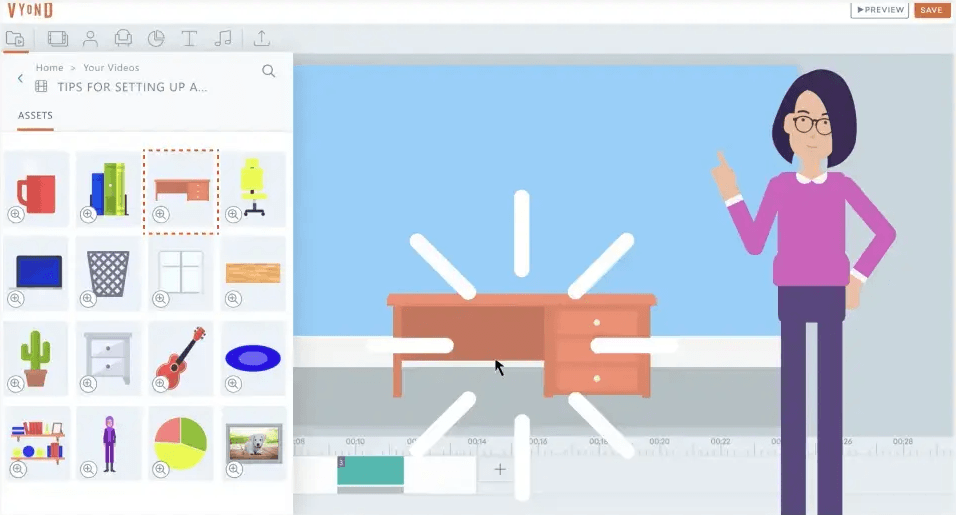
This matters because many business videos need revision. A first draft may have the right general structure but the wrong tone. A training clip may need one scene replaced. A sales enablement video may need brand-approved colors and a more specific call to action. An HR video may need captions and translation. Vyond Studio gives teams a path to fix those issues without starting over.
For avatar videos, the difference between Quick Edit and Studio is important. Quick Edit can update text-to-speech, voice settings, onscreen text, and avatars. Studio editing goes further, allowing users to resize or mask avatars, update backgrounds and layouts, add logos or watermarks where available, extend scenes, add scenes, and bring in extra props and assets.
That workflow is the main reason to think of Vyond as a video production platform rather than a one-click video tool.
Vyond’s avatar layer is one of its strongest current features. The platform offers a large set of avatar options and lets users pair avatars with text-to-speech voices across many languages. Vyond’s official pages mention over 1,100 avatar options and hundreds of text-to-speech voices, with avatars available inside broader mixed-media and animated workflows.
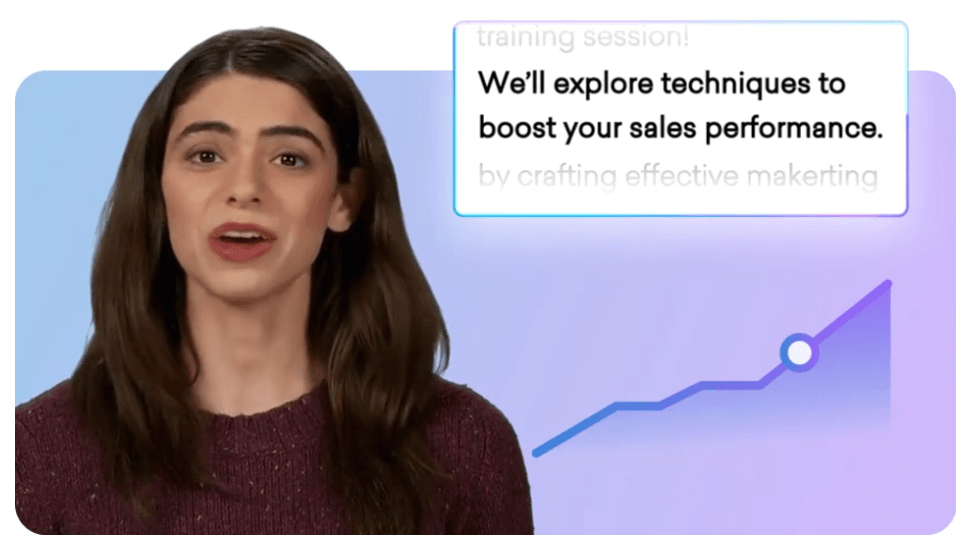
The best part is flexibility. Some tools make avatars feel like the whole product. Vyond treats avatars as one visual option among several. You can use an avatar as a presenter, combine it with animated scenes, add branded visuals, use documents or onscreen text, and then edit the result in Studio. That gives business teams more room to create training or explainer videos that do not feel like every scene is just a talking head.
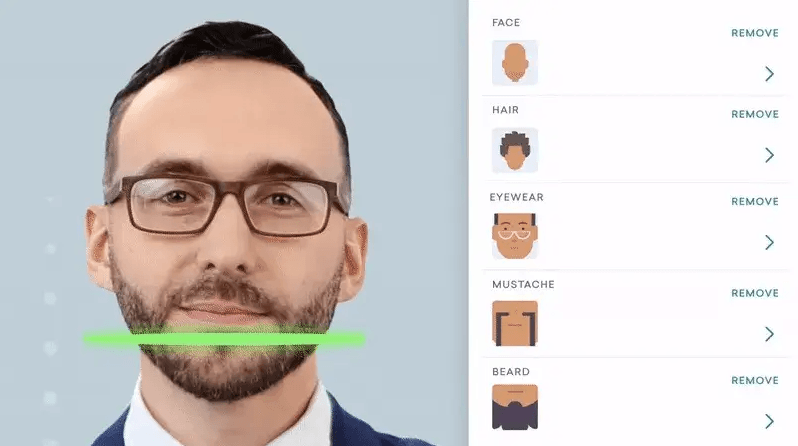
There are limits. Avatar generation can take time depending on the workflow. Vyond’s help center notes that Vyond Go avatar templates may take up to 30 minutes to an hour to generate, while AI avatar videos from the avatar page may take 1 to 5 minutes, with times varying. That does not make the feature weak, but it does mean teams should plan avatar-heavy videos with review time built in.
Voice control is practical rather than theatrical. Vyond supports text-to-speech selection, language and accent settings, and voice modifiers such as tone, speed, or pitch where available. It is strong enough for business videos, training, and narration. For highly expressive voice acting, character performance, or entertainment-style dubbing, a specialized voice platform may still be better.
Localization is one of Vyond’s more practical business features. Vyond’s public pages describe AI-powered translation into 70+ or 80+ supported languages depending on the feature page, and its help center confirms that avatar videos made in Vyond Go and Vyond Studio can be translated. Captions can also be generated inside Vyond Studio.
The captions workflow is stronger than a small checkbox feature. Vyond supports caption generation from dialog, including microphone recordings, uploaded audio, uploaded video, and text-to-speech. It also supports importing and exporting VTT and SRT caption files. That matters for teams that need accessible training, LMS content, or translated enablement material.
A useful practical note: translation should still be reviewed. This is true for any AI localization system, but it matters more in training, legal, compliance, medical, financial, and HR content. Vyond can speed up the localization workflow, but a human reviewer should still check meaning, tone, terminology, and cultural fit before publishing.
Vyond’s brand tools are a major reason the platform fits larger teams. The Brand Management Suite includes Brand Kit, custom color palettes, color shuffling, company watermarks, approval management, logo application, font import, and custom assets. These controls help companies avoid the common problem of every department making videos that look slightly different.
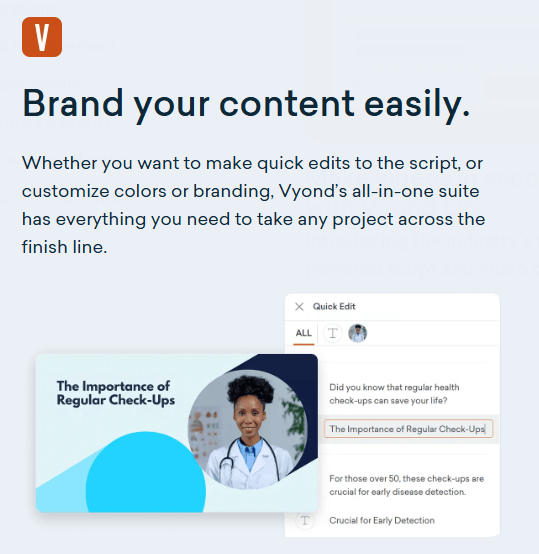
Brand Kit is the most practical piece. Teams can centralize logos, images, colors, and other assets so creators work from shared materials. Color Shuffler can apply saved brand colors to scenes and props, which helps non-designers get closer to an approved look without hand-editing every object.
The governance side also matters. Approval management gives companies a way to add review before content goes out. That is useful for HR, compliance, legal, sales, and marketing teams where a video can create risk if messaging, claims, branding, or terminology are wrong.
Vyond’s integrations make the platform more useful for teams that already work in documents, chat, automation tools, LMS platforms, and video hosting systems. Vyond lists featured integrations for Slack, Google Docs, and Zapier, with Zapier support connecting Vyond to thousands of productivity apps.
Google Docs is a good example of the direction. Users can open the Vyond add-on in Google Docs, use the document as video content, add extra context, create a video, and then open it in Vyond for editing. That is useful for training teams, operations teams, and documentation-heavy organizations that already write their source material in Docs.
Zapier support is useful for repeatable video workflows. For example, teams can use a prompt or document from another app and trigger Vyond Go to create a video. This is not a replacement for creative review, but it can reduce manual setup in high-volume communication workflows.
Vyond is practical on export formats. The FAQ says users can export videos as MP4, SCORM, WebM, animated GIF, or a sequence of still images, with resolution options including HD. SCORM support is especially useful for e-learning teams that need to move content into a learning management system.
This is one of those details that matters more than it sounds. A flashy AI video generator may produce an impressive clip, but if the output does not fit an LMS, internal portal, campaign workflow, or content library, the team still has extra work. Vyond’s export options make it easier to fit video into business delivery systems.
Vyond has a stronger enterprise story than many casual video tools. Its Trust Center says Vyond is ISO 27001:2022 certified across all locations and products and offers service to government agencies under FedRAMP requirements. It also lists controls such as SSO, SCIM provisioning, IP whitelisting, password policies, configurable inactivity logout, and encryption in transit and at rest.
The AI data statements are also important. Vyond says generated video scripts based on prompt inputs are stored in short-term memory, but the prompt input is automatically deleted after script generation and is not logged or stored beyond that. Vyond also says it does not use data provided by end users to create, develop, train, or improve AI components of the product.
For custom avatars, Vyond requires explicit consent, including a separate consent video, before creating an avatar based on someone’s likeness. That is the right direction for enterprise use, because avatar tools can create trust and consent problems if the process is loose.
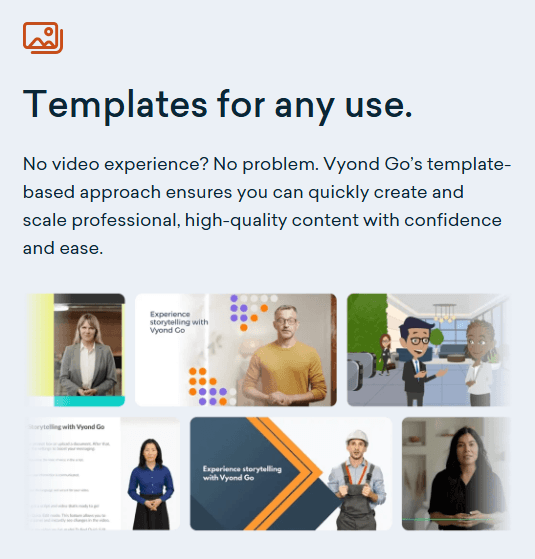
- Employee training and onboarding: Vyond is a strong fit for turning policies, processes, and onboarding topics into clearer video lessons. The mix of document-to-video, templates, narration, captions, translation, and SCORM export is especially relevant here.
- Sales enablement: Teams can create short explainers, objection-handling clips, product summaries, and prospect education videos without waiting on a full video team.
- HR and internal communications: Vyond works well for benefits explainers, leadership updates, policy changes, culture messages, and compliance reminders.
- Customer education: SaaS companies, support teams, and product teams can create explainers, tutorials, release notes, and help content in a more visual format.
- Marketing explainers: Vyond can support lightweight product explainers, campaign videos, and social-friendly business clips, although cinematic brand campaigns may still need a more specialized production workflow.
- Global training teams: The translation, captioning, and voice features make Vyond especially useful when one message needs to be adapted across regions.
- Start with source material that already has a clear structure. Vyond Go works better when the topic, audience, goal, and key points are clear.
- Treat AI-generated scripts as drafts. Review facts, claims, tone, and terminology before publishing, especially for regulated or customer-facing content.
- Use Vyond Go for speed, then use Vyond Studio for quality. The draft gets you moving, but the editor is where the video becomes publishable.
- Keep avatar videos concise. Long talking-head segments can feel flat. Mix avatars with text, scenes, props, diagrams, document highlights, and visual examples.
- Review captions and translations manually. AI can speed up localization, but it should not be the final quality-control layer for important content.
- Set brand assets early. Teams will get more consistent output if logos, colors, fonts, watermarks, and approval flows are set before many users start creating videos.
- Vyond is not the best choice for every kind of AI video. Its strengths are business clarity, editability, repeatable production, avatars, templates, localization, and team workflow. If you want cinematic AI video, advanced camera movement, realistic action scenes, or highly stylized generative visuals, another tool may be a better creative fit.
- Vyond Go also has prompt-control limits. The help center says it will not follow duration, format, or character-count instructions entered in the prompt, and AI-generated scripts may not always be accurate. That means users should expect to edit, not just generate and publish.
- Script-to-video has structure limits too. Vyond’s help docs say script-to-video supports single-speaker formats and dialogue between a maximum of two characters, and additional characters or visuals written into the script will not be considered during generation. That is worth knowing before trying to create complex scenes from a script alone.
- Avatar workflows may also take longer than users expect. Some Vyond Go avatar templates can take up to 30 minutes to an hour to generate, and preview behavior can be limited in certain avatar workflows. For quick edits and fast training content, that may be fine. For high-volume avatar production, teams should test turnaround time first.
- The final limitation is creative sameness. Like most template-driven video platforms, Vyond can produce polished but familiar-looking business videos if users rely too heavily on default layouts. The way around that is to customize scenes, vary pacing, use brand assets, trim scripts aggressively, and avoid making every video feel like a narrated slide deck.
Vyond is best for teams that need to create clear, editable business videos faster, especially for training, onboarding, HR, sales enablement, customer education, and internal communication.
Its strongest advantage is the full workflow: Vyond Go for fast drafts, Vyond Studio for real editing, avatars for presenter-style delivery, translation and captions for global reach, and brand controls for team consistency.
The main caveat is that Vyond is not a pure cinematic AI video generator, and Vyond Go is not a perfect prompt-to-final-video system. It works best when users treat AI as the starting point, then use the editor, brand tools, captions, voice settings, and review process to shape the final video. For business teams that need practical video at scale, that is a strong fit.
TAGS: Video Editing
Related Tools:
Offers advanced keyword analysis
Enhances video quality by upscaling video resolution

Transforming audio and video recordings into polished, shareable content

Automates tasks like removing video silences and adding captions
Create videos from text
Provides SEO analysis and monitoring