
Share this tool:
 |
Description:
Vowise is not really an AI voice generator, and it is not just another meeting transcription app either. The product is positioned as a voice productivity hub: you record thoughts, meetings, or ideas, Vowise transcribes them, formats them through AI templates, organizes them into searchable knowledge, and can even trigger actions like browser search, screenshots, clipboard actions, or jumps into ChatGPT and Claude. It also offers a speech-to-text API, but the bigger story is the end-user workflow around capture, structure, and execution.
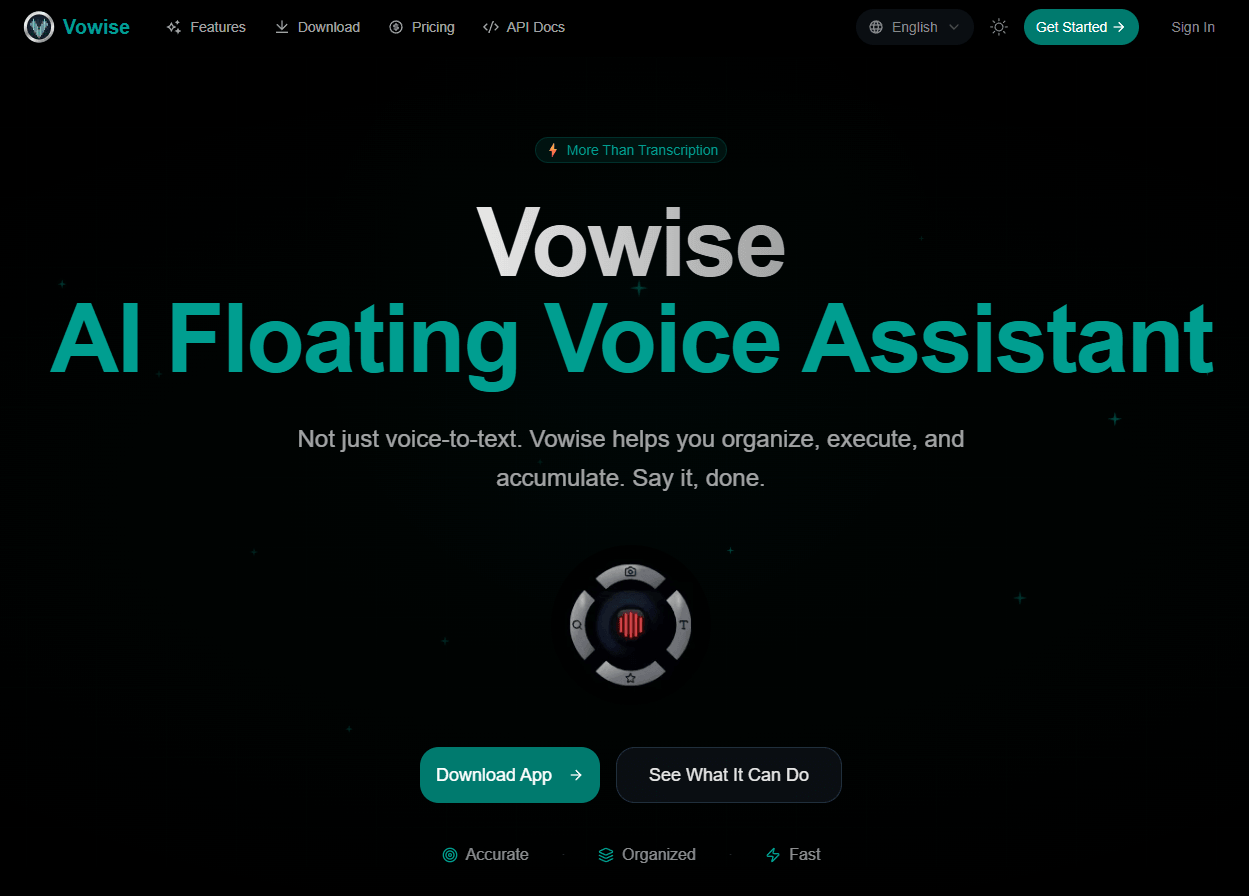
Vowise claims 99.1% recognition accuracy, supports 90+ languages, and emphasizes mixed-language recognition.
You can add names, technical terms, and product names, bulk import vocabulary, and let the system learn from frequency over time.
More than 10 preset templates plus custom templates help turn raw speech into meeting notes, ideas, technical Q&A, and structured output.
Vowise can search Google or YouTube, jump into AI assistants, take screenshots, and run clipboard or system actions from voice input.
Smart favorites, AI-generated tags, full-text search, knowledge-base chat, and AI Blocks/Kanban extraction push it beyond simple note capture.
Vowise supports desktop, mobile, web, real-time sync, cloud clipboard, widgets, and shortcuts for faster capture across devices.
Vowise is strongest when the real problem is not “Can I get a transcript?” but “How do I capture ideas fast enough, keep them organized, and actually use them later?” Its best features all point in that direction: desktop hotkeys and a floating widget for fast capture, lock-screen and shortcut flows on mobile, AI templates for turning speech into meeting notes or structured summaries, smart favorites and tags for retrieval, and a cross-device clipboard that lets you move from desktop to phone to web without breaking flow.
The other standout is voice execution. Vowise is one of the few products in this category that tries to treat voice as an operating layer rather than only an input method. On its commands page, it shows voice search, AI chat handoff, screenshots, clipboard actions, custom commands, wake-word support, and 50+ system commands. That makes it more interesting than tools that stop at “record, transcribe, summarize.”
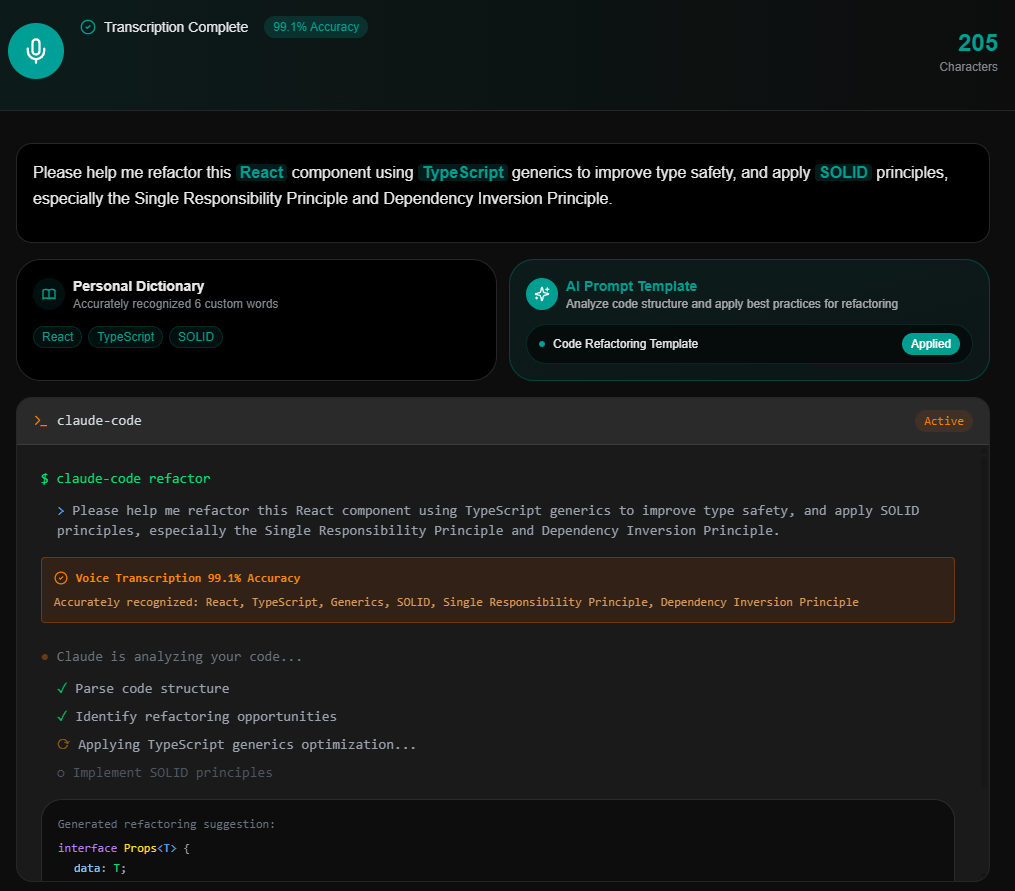
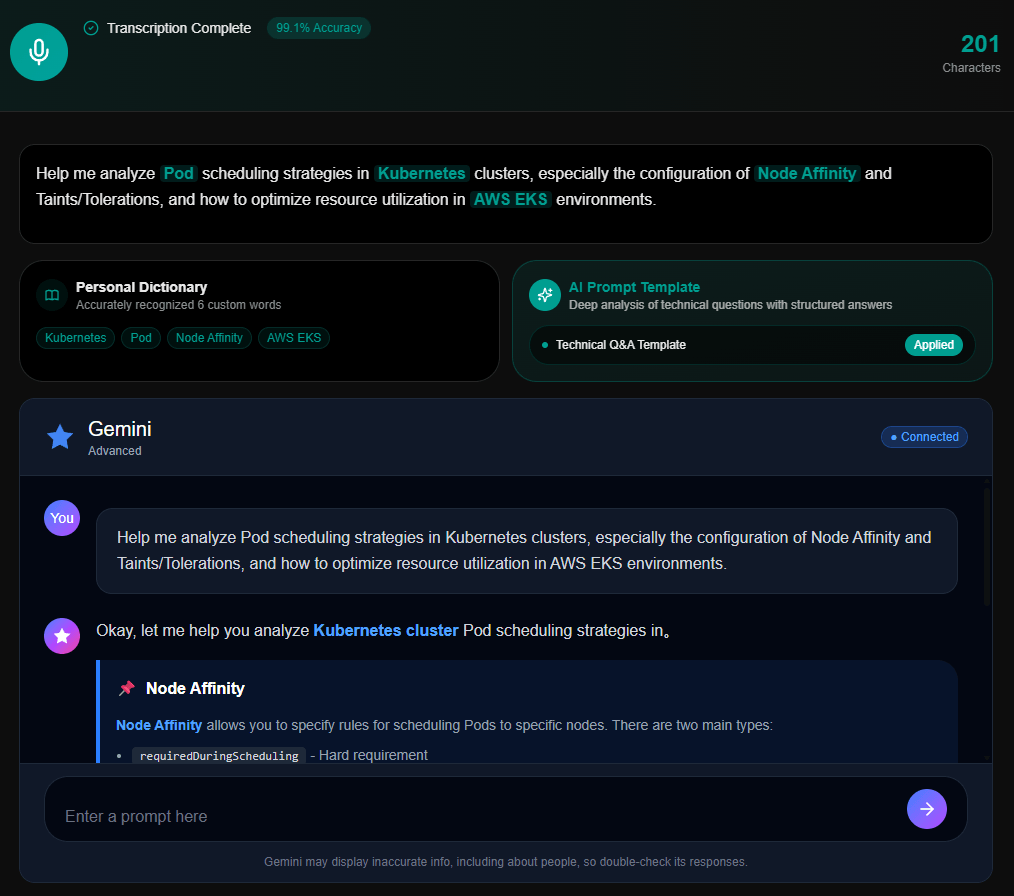
The easiest way to understand Vowise is as a three-step loop: capture, structure, then act on it. You record quickly, Vowise transcribes and formats the content, then you either save it into knowledge workflows or use voice commands to do something immediately. That is a better mental model than thinking of it as a transcription app with extras.
Desktop looks like the strongest surface. Vowise lists global hotkey recording, a floating ball quick start, auto-paste to the active window, system tray residency, and voice command execution on desktop. Its own FAQ also says native desktop apps offer the best experience because of deeper system integration, while mobile is for on-the-go use and web is best for quick access without installation.
In real use, that means Vowise should feel best for people who constantly bounce between phone and desktop and who think out loud more often than they type. It looks less optimized for highly collaborative meeting workflows than something built first around calendars, bots, or enterprise integrations. That is not necessarily a weakness, but it does define the product’s center of gravity.
On paper, Vowise’s transcription quality looks solid. The company claims 99.1% accuracy, support for 90+ languages, mixed-language recognition, and custom vocabulary handling. For jargon-heavy work, the personal dictionary may matter as much as the base model, because it allows custom terms, CSV or Excel import, and auto-learning. That is exactly the kind of practical control that improves results more than generic “better AI” claims do.
The AI control layer is also fairly practical. Templates can route the same transcript into meeting notes, idea capture, content summaries, or technical Q&A formats, and the API exposes both a prompt parameter and a dict parameter for optimizing transcription behavior. That gives Vowise more usable control than plain voice-to-text alone.
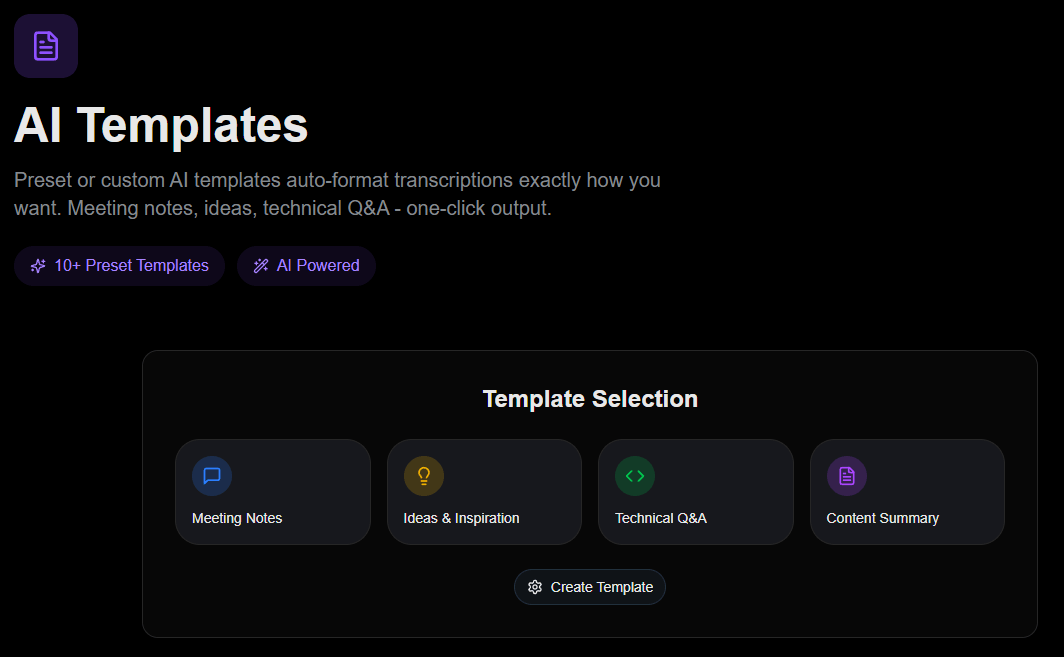
AI templates are one of Vowise’s most useful layers because they turn speech into a chosen output format instead of leaving every recording as a generic transcript. Meeting notes, ideas and inspiration, technical Q&A, and content summary templates are especially practical because they reflect the kinds of voice capture users actually need in daily work.
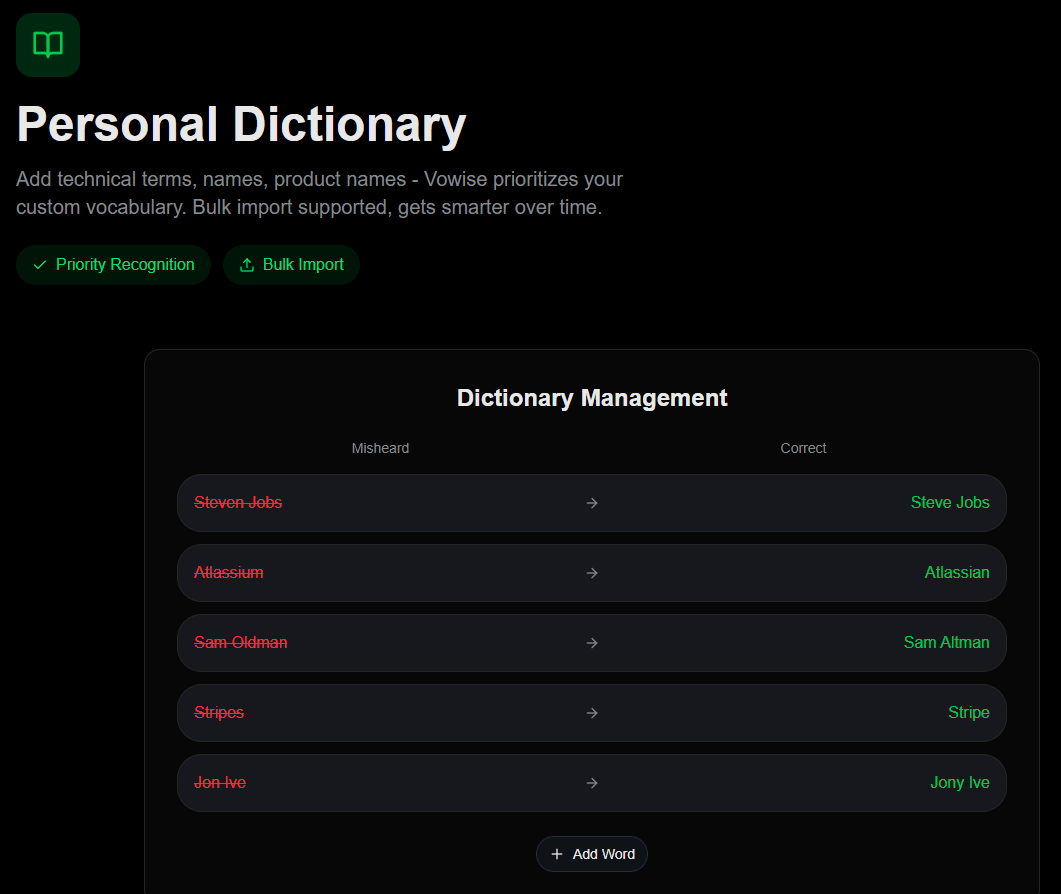
The personal dictionary matters for a different reason. It gives users direct control over the words Vowise should prioritize, including names, tools, technical terms, and product-specific language. That is especially useful for developers, founders, researchers, consultants, and teams that regularly use vocabulary a generic speech model might mishear.
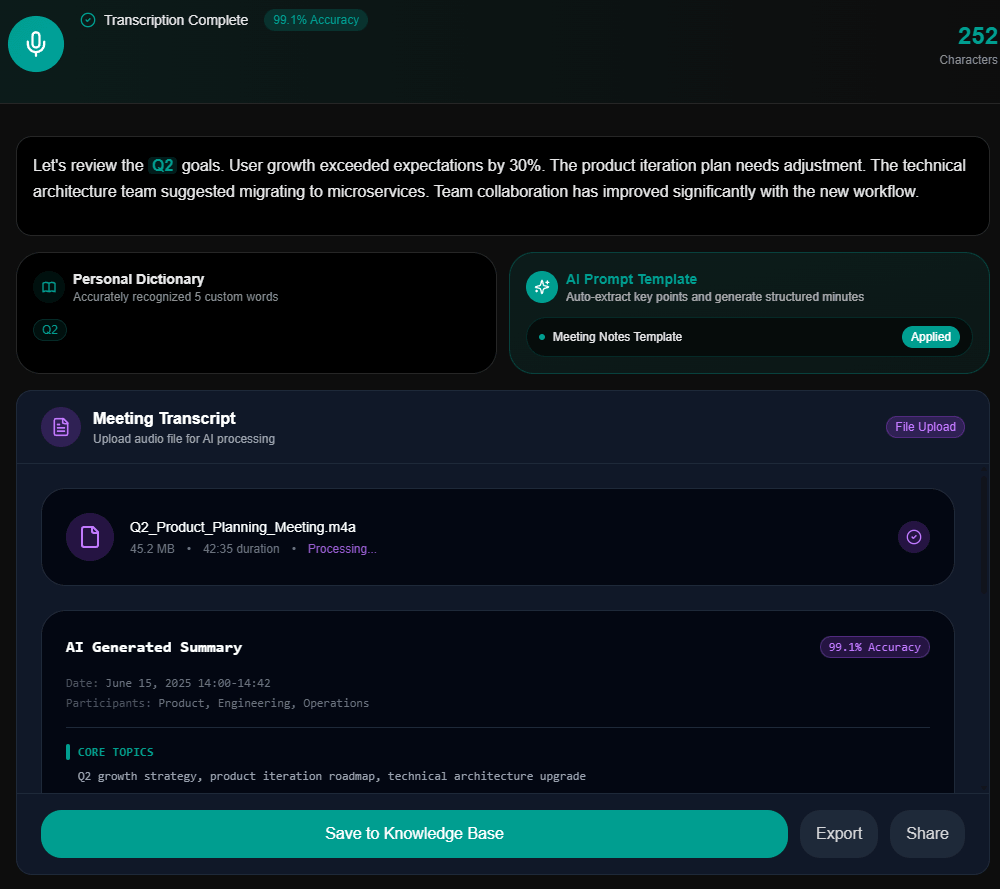
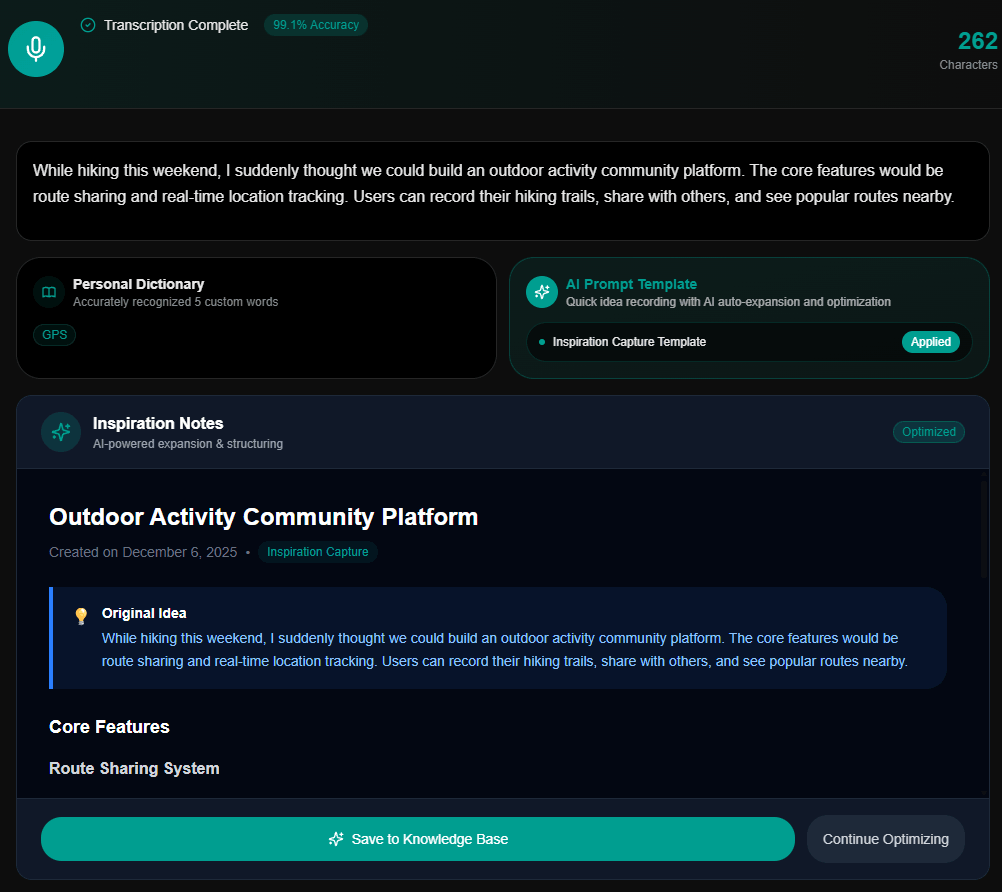
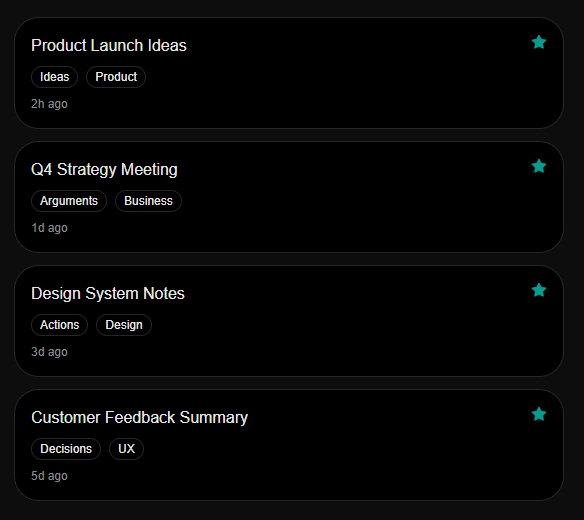
Vowise becomes more interesting when captured voice notes are treated as reusable knowledge instead of disposable transcripts. Smart favorites, tags, searchable entries, and knowledge-base organization help users preserve useful ideas, decisions, actions, and meeting notes after the original recording is finished.
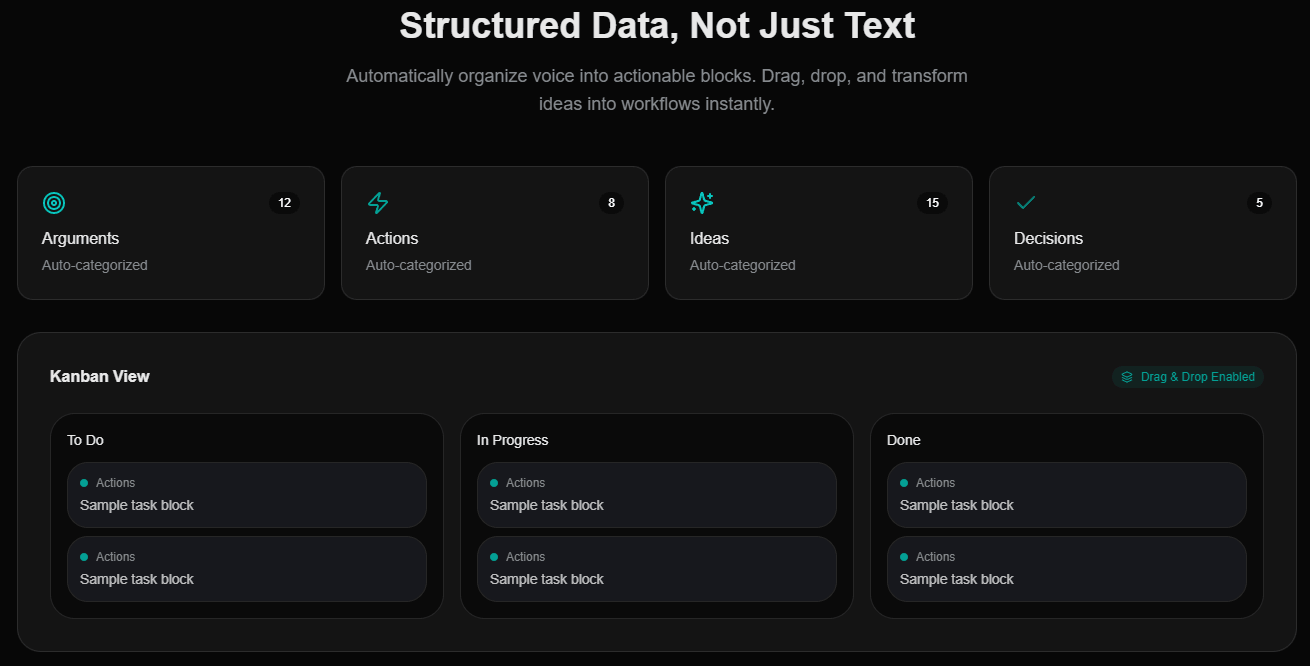
The structured-data layer pushes this further. Instead of treating every transcript as one block of text, Vowise can categorize voice content into arguments, actions, ideas, and decisions, then show those items in a workflow-style board. That makes it more useful for people who want to move from recording thoughts to actually organizing work.
- Developers and AI power users: Vowise is useful for dictating prompts, technical questions, Claude Code requests, Gemini prompts, refactoring instructions, and coding-related notes.
- Founders and operators: Quick idea capture, meeting notes, product planning, customer feedback, and strategy notes fit the capture-structure-act workflow well.
- Meeting and planning workflows: Vowise can turn spoken updates into meeting summaries, key points, and searchable knowledge entries.
- People who think out loud: Voice-first capture is useful when ideas arrive while walking, commuting, working across devices, or moving between desktop and mobile.
- Knowledge workers with repeated vocabulary: The personal dictionary is especially useful for teams and individuals who regularly use names, acronyms, tools, product terms, and technical language.
- Set up the personal dictionary early. Names, tools, product terms, acronyms, and recurring technical phrases should be added before judging transcription accuracy.
- Use templates intentionally. Meeting notes, inspiration capture, technical Q&A, and content summaries should each have different output expectations.
- Save important outputs to the knowledge base instead of leaving them as one-off transcripts.
- Use Vowise most heavily on desktop if you want hotkeys, floating widgets, auto-paste, and command-style execution.
- Review AI-formatted outputs before sharing them, especially when the transcript becomes a meeting record, technical answer, or external communication.
- The first limitation is that Vowise is broader than a normal transcription app. That is a strength if you want capture, structure, knowledge, and commands, but it may feel like too much if all you need is a simple audio-to-text converter.
- The second trade-off is that the strongest experience appears desktop-centered. Mobile and web are useful for capture and access, but desktop is where hotkeys, floating controls, auto-paste, and command execution matter most.
- The third limitation is that AI templates still need review. Structured meeting notes, ideas, technical Q&A, and summaries are useful, but they can miss nuance or format something differently than intended.
- The fourth limitation is workflow learning. Users get the most value only after setting up vocabulary, choosing templates, saving useful entries, and learning which voice commands are worth using regularly.
Vowise is best understood as a voice productivity hub rather than a plain transcription tool.
Its strongest qualities are accurate multilingual transcription, personal dictionary control, AI templates, technical prompt workflows, smart favorites, structured knowledge blocks, and voice commands that can move from capture into action.
It is best for developers, founders, operators, researchers, and knowledge workers who want spoken input to become usable notes, prompts, actions, and searchable knowledge. The main caveat is that Vowise is more powerful when users invest in its system: templates, dictionary terms, knowledge organization, and command workflows are what make it stand out.
TAGS: Speech to Text
Related Tools:

Specializes in dubbing videos into multiple languages

Transforms voice recordings into organized notes
Capture, organize, and retrieve thoughts and discoveries

Provides real-time transcription for meetings and conversations

AI-powered transcription tool for speech-to-text conversion
Accurately converts spoken language into written text