
Share this tool:
 |
Description:
RambleFix is an AI voice-to-writing tool for people who think better out loud than they type. It records or uploads spoken audio, transcribes it, cleans up the language, and turns the result into useful formats like emails, articles, notes, meeting summaries, action items, social posts, and clearer drafts. Its main strength is not raw transcription alone. It is the “ramble to usable writing” layer that comes after transcription.
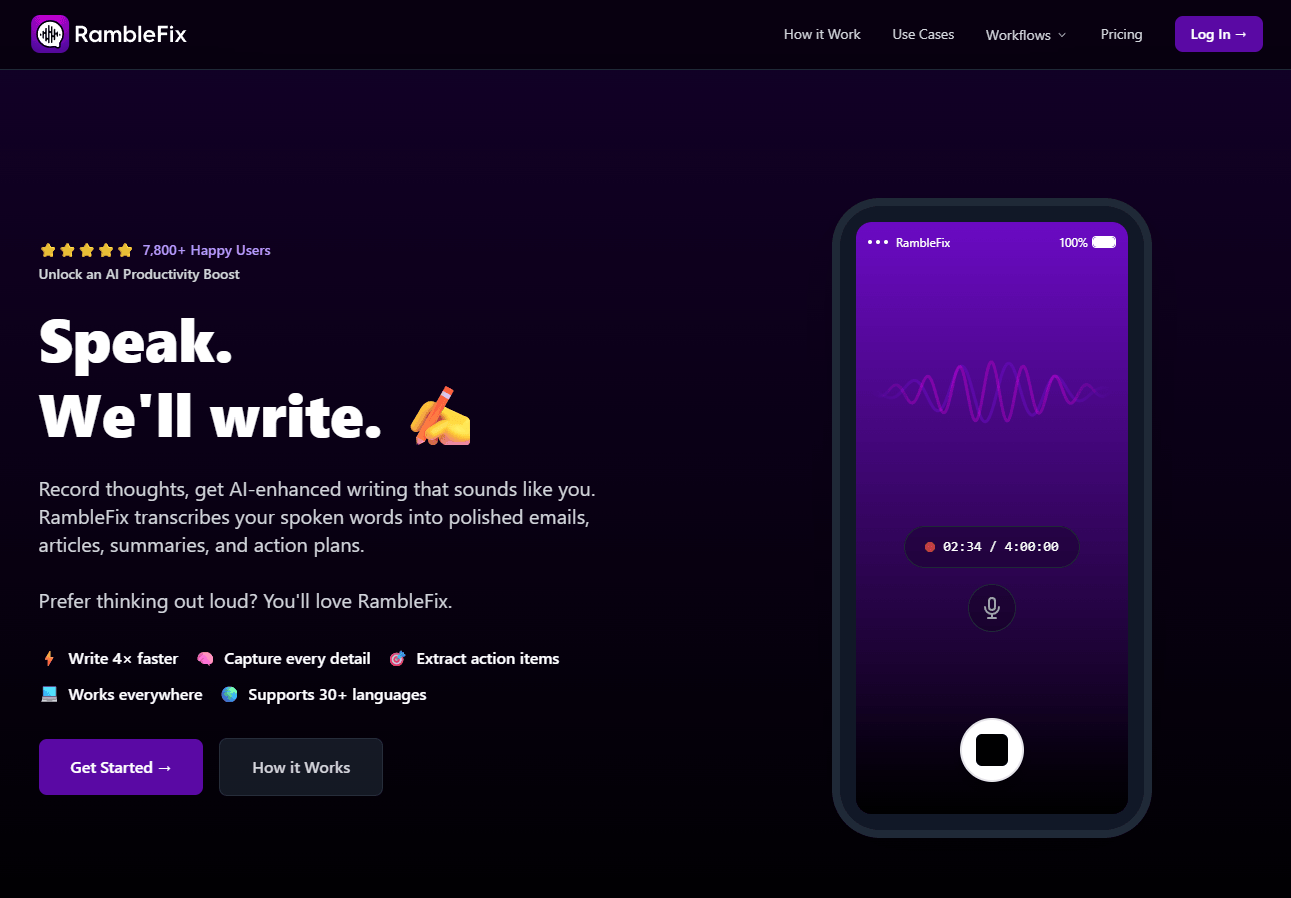
Record directly in the browser when you want to capture a thought, meeting note, or quick draft without opening a separate recorder.
Upload existing audio files for transcription and rewriting, which is useful for interviews, meetings, voice memos, and saved recordings.
Convert raw transcripts into cleaner notes, articles, messages, and polished prose instead of keeping the output as a literal transcript.
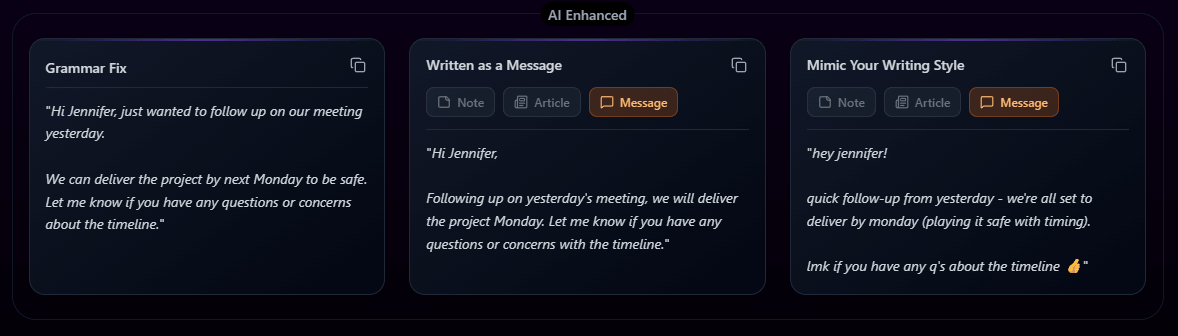
RambleFix can transform the same transcript into writing that better matches a chosen tone or personal style.
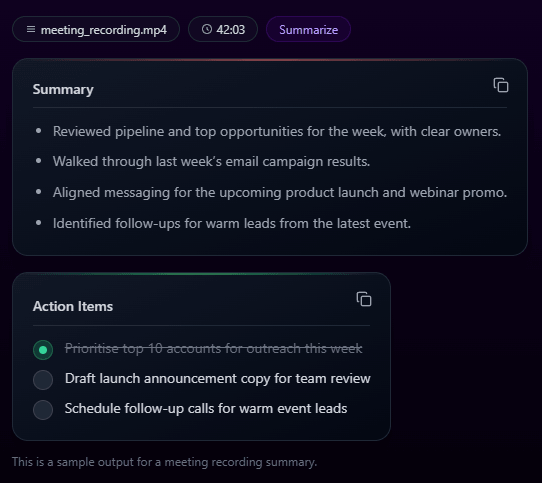
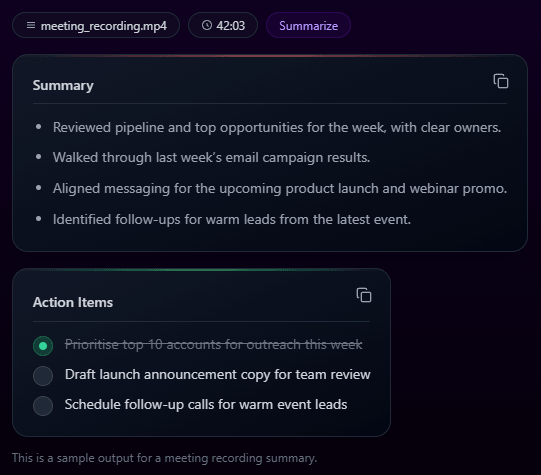
Generate bullet summaries and extract tasks from spoken input, which is useful for meetings, planning, and follow-up workflows.
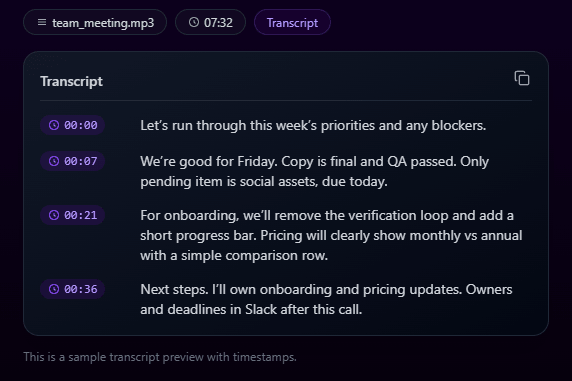
The transcription workflow highlights timestamped lines and custom dictionary support, which helps with names, technical terms, and review.
At the simplest level, RambleFix lets you speak into the browser or upload an existing audio file. It then creates a transcript and uses AI to polish that transcript into cleaner writing. The homepage describes the product as a way to record thoughts and get AI-enhanced writing that sounds like you, with outputs such as polished emails, articles, summaries, and action plans.
That positioning matters because RambleFix is not trying to be a heavy meeting assistant like Otter, a professional transcription platform like Scribewave, or a full writing suite like Notion AI. It is narrower and more personal. The best use case is capturing the rough version of what is already in your head, then letting the AI remove filler, structure the idea, and convert it into a format you can actually send, publish, or save.
The product has three main layers. First, there is transcription: live recording, file upload, timestamped lines, and support for more than 30 languages. Second, there is cleanup: grammar fixes, polished rewrites, and clearer paragraphs. Third, there is transformation: turn the same source ramble into a note, article, message, summary, action list, prompt, social post, or follow-up email.
RambleFix is strongest when the input is messy but the intent is clear. That is a very common situation. You may know what you want to say to a client, but not want to spend 20 minutes shaping the email. You may have a blog idea, but only in rough spoken fragments. You may finish a call and want to dictate the follow-up while the details are fresh. RambleFix is built for exactly those moments.
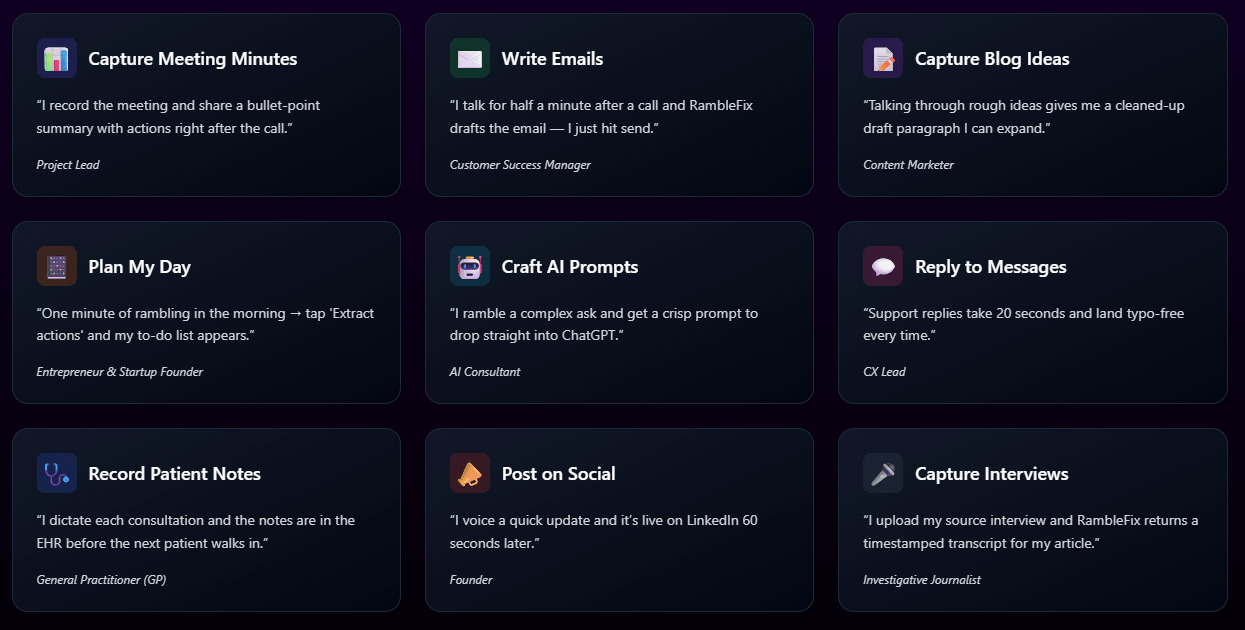
The second thing it does well is reduce the gap between thinking and writing. The site’s own examples include meeting minutes, customer replies, blog ideas, daily planning, AI prompts, social posts, interviews, and patient notes. That list is broad, but the common thread is simple: speak naturally first, clean it up afterward.
The third strength is action extraction. RambleFix can summarize a spoken recording and pull action items from it. That makes it useful for short meetings, solo planning sessions, consulting calls, and post-call follow-ups where the value is not the full transcript but the decisions and next steps.
The workflow is intentionally simple. You either record live in the browser or upload an existing audio file. RambleFix transcribes the audio, shows the raw transcript, and then lets you generate cleaned-up versions, summaries, action lists, or writing-style transformations. The official “How It Works” section shows exactly this flow: live recording or file upload, transcript, grammar fix, article-style rewrite, writing-style mimicry, summary, and action extraction.
That simplicity is the main appeal. You do not need to set up a meeting bot, connect a calendar, create a workspace, build templates, or manage a complex database. RambleFix feels more like a personal capture tool than a team system. It is especially useful when the friction of writing is the problem.
The trade-off is that it is not as operationally deep as larger platforms. It does not appear to offer the full meeting lifecycle features you would expect from Otter or Fireflies, such as automatic calendar joins, CRM syncing, shared meeting libraries, sales coaching, or organization-wide admin controls. RambleFix is better when the user wants fast personal output from speech, not a whole meeting intelligence platform.
RambleFix’s public pages emphasize accurate, timestamped transcripts, custom dictionaries, summaries, and action extraction. The timestamped transcript layer is important because it lets users preserve a factual record before moving into more interpretive AI rewriting.
The cleanup layer is the reason to use RambleFix over a plain speech-to-text tool. The example on the site shows filler-heavy spoken wording being converted into a clean grammar-fixed version, then into a more polished article-style version. That is a practical workflow because most voice notes are not written in publishable sentences.
The style-mimic layer is useful, but it is also where users should review output carefully. When AI rewrites your speech, it can improve clarity, but it can also shift emphasis, intensity, or tone. That is fine for drafts and internal notes. For client emails, medical notes, legal summaries, or public posts, the cleaned version should still be checked before use.
RambleFix works best across several everyday writing workflows.
For notes, it is useful when you want to capture thoughts while walking, driving, cooking, or moving between tasks. You can speak freely, then let the tool organize the result into something readable. The notes page specifically frames RambleFix around polished notes, summaries, and action items from spoken words.
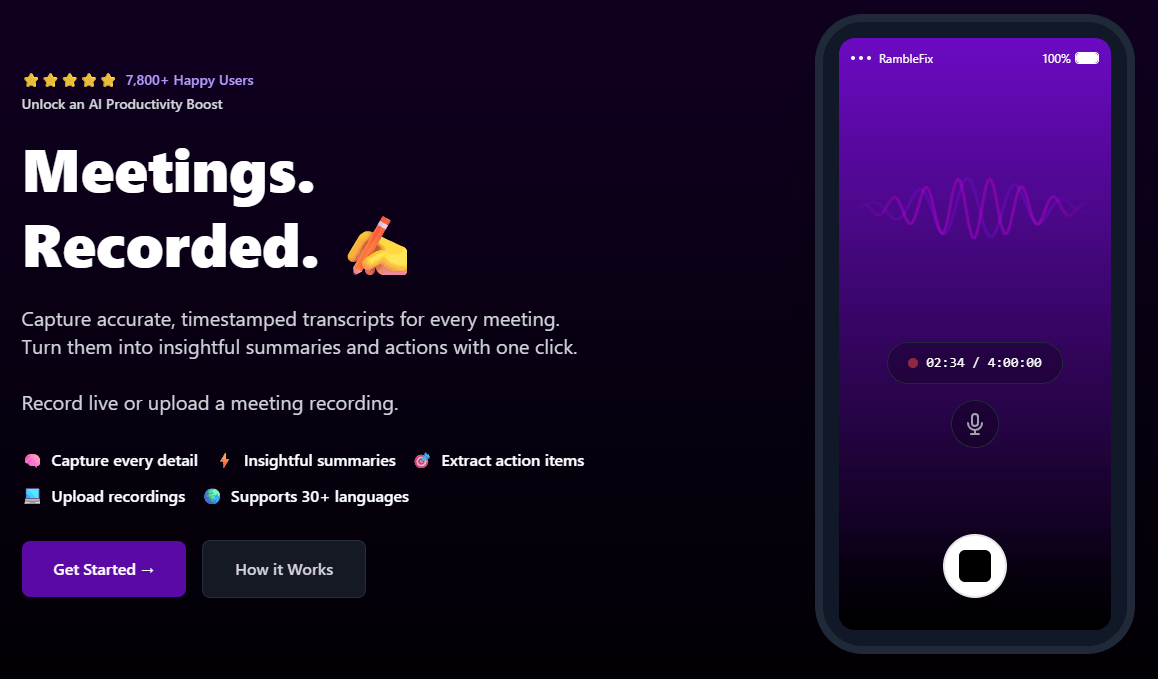
For meetings, it can record or accept meeting recordings, produce timestamped transcripts, and generate summaries and actions. That makes it practical for users who need meeting outputs but do not need an always-on AI meeting bot.
For emails and replies, the value is speed. The site’s use-case examples show users talking briefly after a call and turning that into a draft email or customer response. That is one of the clearest use cases because short spoken context often contains everything needed for a useful reply.
For content creation, RambleFix helps turn rough ideas into first drafts. It is not a full SEO platform or article generator, but it is good at getting past the blank page. A creator can talk through an idea, then turn it into a paragraph, post, outline, or article starter.
RambleFix’s privacy policy makes three important claims at the top: it says user data and audio recordings are not used to train AI models, audio recordings are not permanently stored and are deleted after transcription is provided, and user data is not sold to third parties. Those are meaningful commitments for a tool that processes voice notes, meetings, and potentially sensitive spoken material.
That said, users should still be thoughtful. The privacy policy also says RambleFix collects personal data such as email address, name, address fields, and usage data, and that information may be processed in different locations depending on the parties involved in processing. For ordinary productivity notes, that is fairly standard. For regulated, confidential, medical, legal, or client-sensitive recordings, users should review the full policy and their own compliance obligations before uploading.
- Solo professionals: RambleFix is useful for consultants, founders, freelancers, customer success managers, and managers who need fast emails, notes, and follow-ups from spoken thoughts.
- People who think out loud: This is one of the clearest fits. If your best ideas come while walking or talking, RambleFix turns that habit into written output.
- Meeting follow-up: It works well for users who record meetings or calls and want summaries, action lists, and timestamped transcripts without adopting a full AI meeting bot.
- Content creators and writers: RambleFix helps turn rough spoken ideas into article starters, LinkedIn posts, notes, outlines, and draft paragraphs.
- Interview and research capture: Journalists and researchers can upload recorded interviews and get timestamped transcripts, though they should still verify quotes against the audio.
- Use RambleFix for rough first drafts, not final truth. Let it clean up your ramble, then review names, dates, numbers, commitments, and anything that affects another person.
- Record with a clear intent. A ramble can be messy, but the output improves when you give it a rough direction: “Turn this into a client follow-up,” “Make this a meeting summary,” or “Extract actions from this.”
- Use the custom dictionary for names, products, acronyms, or technical language. RambleFix highlights custom dictionary support in the transcription workflow, and that is exactly where many speech tools usually make mistakes.
- Keep short notes short. RambleFix is especially good for quick capture: one idea, one email, one post, one meeting recap. Very long rambling recordings can still be useful, but they require more review.
- Do not overuse style mimicry for sensitive writing. It can make output sound more confident or polished, but that may not always match the nuance of what you meant. Review tone before sending.
- The biggest limitation is that RambleFix is not a full meeting intelligence system. It can record or upload meetings, transcribe them, summarize them, and extract action items, but the public product pages do not show deep team meeting features like calendar auto-join, CRM sync, deal intelligence, team-wide searchable archives, or admin dashboards.
- The second trade-off is that AI rewriting can change meaning. This is true for any tool that turns messy speech into polished writing. The cleaner version may sound better, but users still need to check whether it preserved the original intent.
- The third limitation is pricing visibility. The official terms confirm Personal, Plus, and Pro plans and say details are shown at purchase, but the public pricing area is not fully exposed in the static page text. That means buyers should verify current limits and billing details inside the live checkout flow before subscribing.
- The fourth limitation is that RambleFix depends on audio quality. The product is designed to transcribe and clean speech, but noisy rooms, overlapping speakers, strong accents, poor microphones, and specialized jargon can still create errors. Custom dictionary support helps, but it does not remove the need for review on important content.
RambleFix is a strong tool for turning spoken thoughts into usable writing. Its best qualities are simple capture, browser recording, file upload, timestamped transcription, grammar cleanup, polished rewrites, style mimicry, summaries, and action-item extraction. It is especially useful for people who have ideas faster than they can type them.
The main caveat is that it is a personal voice-to-writing tool, not a full enterprise transcription or meeting automation platform. Use it when you want to convert rough speech into emails, notes, articles, summaries, prompts, or follow-ups quickly. For deep team meeting systems, compliance-heavy transcription, or professional multi-speaker review workflows, a more specialized tool may be better.
TAGS: Speech to Text
Related Tools:
Offers speech-to-text and text-to-speech
Enables real-time video dubbing

Transforms your spoken ideas into written content
Transforms spoken words into organized text

Transcribe virtual meetings, providing clear summaries
Capture, organize, and retrieve thoughts and discoveries