
Share this tool:
 |
Description:
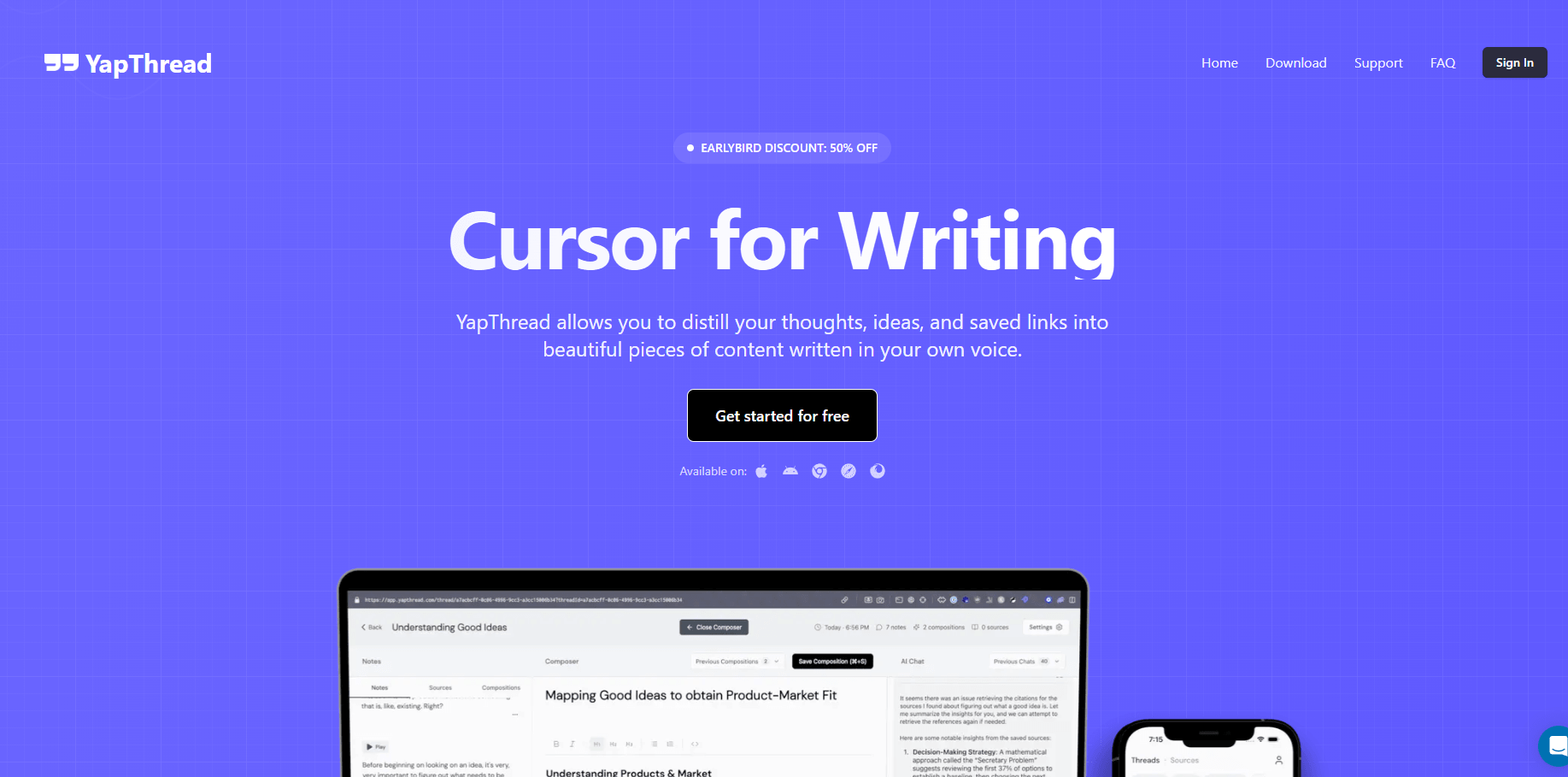
YapThread is an AI-powered voice note and writing workspace built for people who think out loud, collect links constantly, and need a better way to turn rough ideas into usable content. The product describes itself as “Cursor for Writing,” and the core idea is clear: record thoughts, save sources, chat with your notes, and turn scattered input into polished drafts that still sound like you.
Record thoughts quickly and store them as voice notes inside threads, making it easier to capture ideas while away from a keyboard.
YapThread automatically transcribes voice notes and supports immediate follow-up recording, which is useful when one idea leads into another.
The Chrome extension saves links and online content from across the web, including social posts, articles, and videos, then organizes them for later use.
Users can chat with their voice notes and saved links, ask questions, get summaries, and uncover connections between past ideas.
Sources and voice notes can be grouped into threads, which helps turn loose material into shareable or editable content projects.
YapThread’s homepage says it can generate scripts, documents, and final drafts from user ideas and sources.
YapThread is best understood as a voice-first second brain for content creation. It lets users record solo rambles, meetings, and notes; collect sources from platforms like Twitter/X, LinkedIn, YouTube, Instagram, TikTok, and other sites; then generate scripts, documents, and final drafts with its AI editor. That makes it more than a voice memo app, but less formal than a full document workspace like Notion or Google Docs.
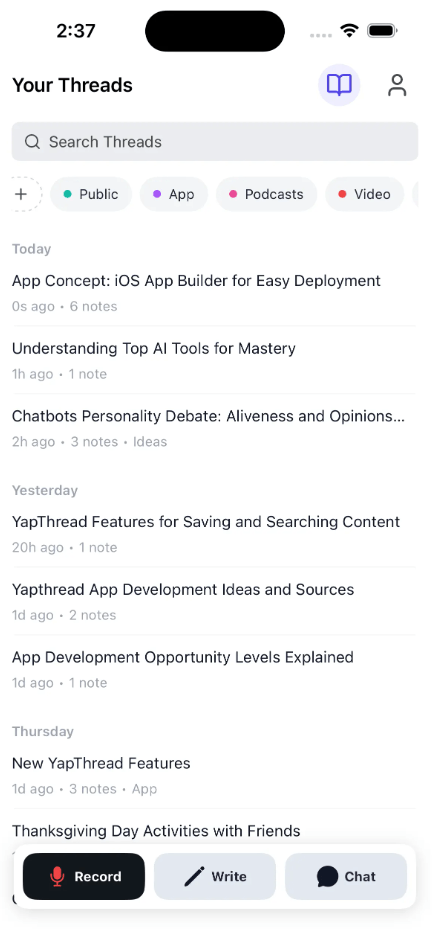
The key workflow is simple. You speak first, organize later. YapThread records voice notes, transcribes them, lets you add follow-up notes, stores saved links, and gives you an AI chat layer that can summarize, search, and connect ideas across your voice notes and saved sources.
That positioning matters because YapThread is not really a classic transcription tool. It is not built mainly for legal transcripts, subtitle files, or meeting compliance. It is built for creators, founders, students, researchers, managers, and people whose ideas come faster than they can type. The product’s own use-case list points directly at content creators, small business owners, startup founders, managers, students, researchers, and “ambitious minds.”
YapThread is strongest when the input is messy but valuable. A walk, commute, meeting, class, late-night idea, customer insight, or half-formed content angle can become a thread instead of disappearing into a forgotten voice memo. The product’s homepage emphasizes one-button recording in situations like driving, meetings, class, bed, and walking, which is exactly where normal writing tools are awkward.

Its second strength is source capture. YapThread’s Chrome extension can save links, tweets, bookmarks, and other web content, then let users chat with that saved material. That is useful because most creators do not start from a blank page. They start from articles, videos, posts, screenshots, examples, and half-remembered ideas.

Its third strength is turning a personal knowledge pile into content. A basic notes app can store thoughts. A transcription app can convert audio to text. YapThread’s more interesting layer is the combination of voice notes, saved links, threads, AI chat, and an editor that helps turn those ingredients into scripts, documents, and publishable drafts.
YapThread’s workflow is built around low-friction capture. You record a note, let the app transcribe it, add follow-up thoughts when needed, save outside sources with the Chrome extension, then organize the material into threads that can become finished content.
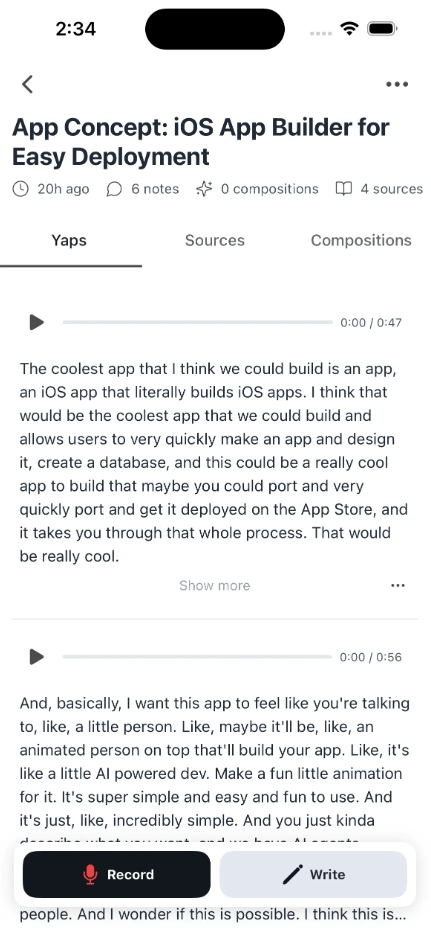
The workflow is especially useful because it separates capture from writing. Instead of forcing users to write polished ideas immediately, YapThread lets them collect raw thoughts first, then use AI to help shape those thoughts into something structured.
That makes the product feel more natural for creators and knowledge workers who constantly move between research, reflection, and publishing.
The most useful part of YapThread is the way voice notes and saved sources can work together. A user can record a thought, attach relevant links, save related posts, and then chat with the collection instead of searching manually through disconnected apps.
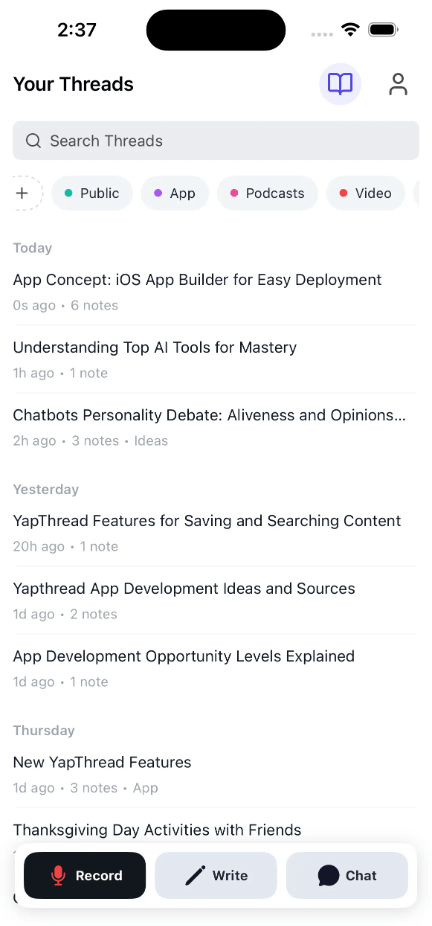
This is the difference between a storage app and a thinking workspace. The point is not only to keep a record of what you said or saved. The point is to make those materials easier to retrieve, summarize, compare, and transform into actual writing.
For people who create content from ongoing research, this is the core appeal: YapThread helps bridge the gap between scattered inspiration and finished output.
- Content creators: YapThread is a strong fit for creators who collect ideas from social platforms, record thoughts on the go, and need help turning raw material into scripts or drafts.
- Founders and small business owners: It can capture product ideas, customer insights, sales thoughts, meeting notes, and content angles before they disappear.
- Students and researchers: Saved links, transcribed notes, and AI chat make it useful for connecting research material with personal reflections.
- Managers and operators: YapThread can organize meeting thoughts, follow-up ideas, and strategic notes without requiring a formal document workflow.
- Ambitious minds: The product fits people who think constantly, save references often, and need a better place to develop those fragments into something usable.
YapThread is best understood as a voice-first writing and idea-development workspace.
Its strongest qualities are quick voice recording, AI transcription, saved sources, Chrome extension capture, AI chat with notes, thread creation, and an editor designed to turn rough ideas into scripts, documents, and final drafts.
It is best for creators, founders, students, researchers, managers, and people who think faster than they type. The main caveat is that YapThread is not a formal transcription, compliance, or subtitle tool. Its real value is helping users capture messy thoughts, connect them with saved sources, and turn them into content that still feels personal.
TAGS: Speech to Text
Related Tools:
Transcribes, edits, and formats your spoken words

Instantly transcribes, searches, and analyzes spoken language
Converts speech into text and organizes ideas
Transcribes audio and video content into accurate subtitles

Generates and translates accurate subtitles

Specializes in dubbing videos into multiple languages