

Share this tool:
 |
Description:
- Introduction
- What VEED Actually Is
- Where VEED Is Strongest
- Core Platform Layers
- Strong Features and Capabilities
- AI Video Creation and the Model Layer
- Captions Are One of VEED’s Best Everyday Tools
- Recording, Screen Capture, and Presentations
- Avatars, Voice Cloning, and Dubbing
- Workflow and Ease of Use
- Collaboration and Brand Control
- How VEED Compares to Similar Tools
- Best Use Cases
- Practical Tips
- Limitations and Trade-Offs
- Final Takeaway
VEED is an online AI video creation platform built for people who need to make polished videos without moving between five separate tools. It brings together a browser-based editor, automatic subtitles, AI voice tools, avatars, video translation, screen recording, brand assets, collaboration, and newer generative video models. The main appeal is not one single AI trick. It is the way VEED turns recording, editing, captioning, branding, translating, and repurposing into one practical workflow.
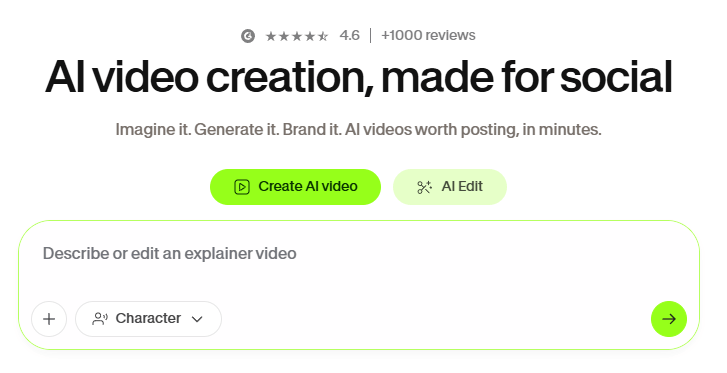
VEED is a cloud-based video editor with AI tools built around the normal steps of video production. You can upload footage, record your screen or webcam, generate a video from text, add subtitles, clean audio, create voiceovers, use avatars, resize for social platforms, share projects with teammates, and export from the same browser workspace. VEED’s own editor page describes the product as a platform for generating videos with AI, cleaning audio, adding captions, trimming, cropping, compressing, converting, and exporting in high quality.
That makes VEED different from a pure AI video generator. A generator can help you create a clip. VEED is more useful when you need the entire post-production path around that clip: captions, brand styling, audio cleanup, edits, review, resizing, and delivery. This is why the product fits marketers, creators, educators, sales teams, and internal communications teams better than users who only want cinematic prompt-to-video experiments.
The strongest way to think about VEED is this: it is a lightweight production hub. It does not replace a high-end editing suite for deep post-production, but it does remove a lot of tool-switching for common business and creator videos.
VEED is strongest when the video needs to move quickly from raw idea to usable asset. That could mean turning a webinar into shorter clips, recording a product walkthrough, creating a social ad, generating captions for a talking-head video, translating a training clip, or building a branded marketing video from a script. VEED’s editor page specifically highlights the combination of trimming, arranging clips, auto-generating subtitles, cleaning audio, extracting shareable clips from long recordings, and shaping content with logos, brand colors, and fonts.
The platform is especially useful for teams that publish often. A single creator can benefit from the speed, but VEED becomes more interesting when multiple people need to produce videos that still look consistent. Its collaboration page includes Brand Kit, team spaces, timestamped comments, reviewer/editor roles, project privacy controls, and shared links for feedback. Those features matter because video production is often slowed down by review cycles, not just editing.
VEED is less ideal when you need advanced color grading, complex motion graphics, frame-level effects control, or a traditional professional editing environment. It is built for speed, accessibility, branding, and online collaboration. That is a clear strength, but it also defines the ceiling.
| Layer | What it does | Why it matters |
|---|---|---|
| Online editor | Handles trimming, cropping, captions, audio, text, compression, conversion, and exports | Keeps common editing tasks inside one browser workspace. |
| AI editing tools | Supports auto edits, noise removal, eye contact correction, AI B-roll, dynamic captions, and Magic Cut-style cleanup | Saves time on repetitive fixes that usually slow down creator workflows. |
| AI generation | Offers text-to-video, image-to-video, video-to-video, avatars, AI voices, and model-based generation | Helps users create missing footage or full draft videos when they do not have enough source media. |
| Captions and localization | Generates subtitles, translates captions, supports dubbing, and offers downloadable subtitle files | Useful for accessibility, social viewing, and multilingual publishing. |
| Recording and review | Provides screen/webcam recording, eye contact correction, comments, team spaces, and sharing | Makes VEED useful for product demos, training, async updates, and team feedback. |
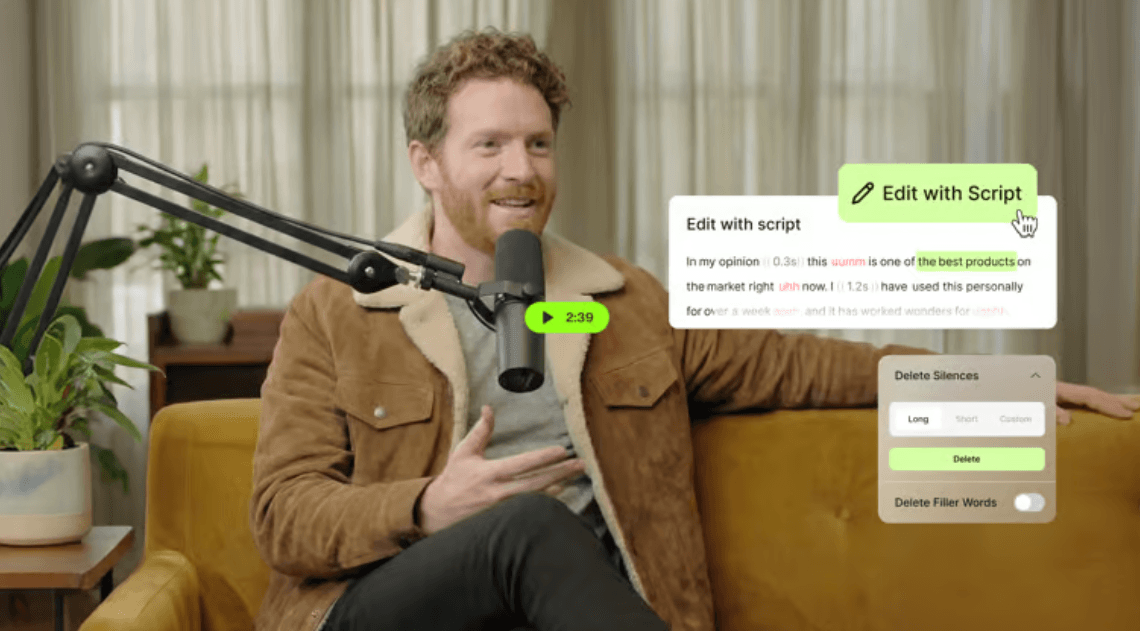
VEED can auto-generate subtitles, style them, animate them, burn them into the video, or export subtitle files such as SRT, VTT, and TXT.
VEED supports multiple AI video models and lets users generate clips, then continue editing them with normal video tools.
Users can click the AI Agent inside the editor and type plain-language requests such as adding music, changing caption style, or adapting a video for TikTok.
VEED can record screen, camera, and audio from the browser, then send the recording into the editor for cleanup, eye contact correction, background removal, and other edits.
VEED includes AI voice generation, text-to-speech, voice cloning, and dubbing workflows for video narration and localization.
VEED supports team spaces, timestamped comments, editors, reviewers, Brand Kit assets, shared templates, and project access controls.
VEED now reaches beyond basic editing into generative video. Its AI video generator page says the platform combines multiple AI video models with editing tools, including options such as Veo 3, Kling, Hailuo, Sora, Seedance, and Fabric 1.0. VEED’s model page also lists a broader AI Playground with Fabric 1.0, Kling O1, Sora 2, Sora 2 Pro, VEO 3.1, VEO 3.1 Fast, VEO 3, VEO 3 Fast, Seedance 1.0, VEO 2, PixVerse, MiniMax Video 01, LTX Video, and Kling AI.
This model range matters, but it should not distract from the editor. VEED’s real advantage is that generated media does not sit apart from the production workflow. A user can generate a scene, add captions, replace footage, add music, apply brand assets, resize for a platform, and keep polishing the video. The text-to-video page describes this clearly: generation is the starting point, not the finish line.
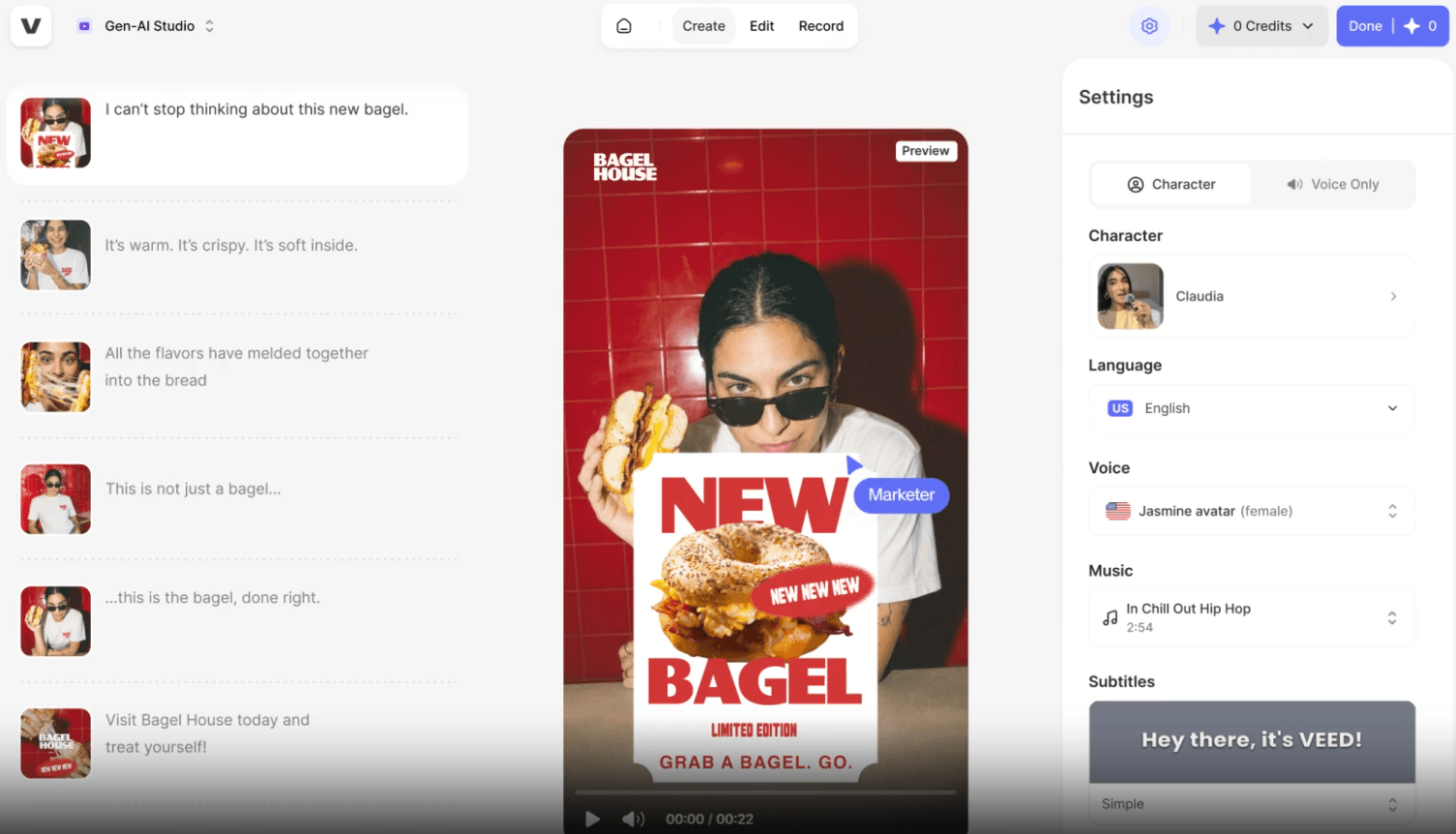
The practical use cases are short social clips, explainer drafts, ad concepts, B-roll, talking-head avatar videos, and quick marketing assets. The limitation is the same one that affects most AI video generation: results depend on the prompt, model choice, motion complexity, and how much editing you do afterward. VEED gives you a good place to finish the work. It does not make every generated clip publication-ready on the first try.
VEED’s subtitle tools are one of the most useful parts of the platform. The auto subtitle generator can create subtitles in minutes, with VEED advertising up to 99.9% accuracy. Users can hardcode subtitles into the video or download subtitle files. The editor also lets users change subtitle styles, fonts, colors, backgrounds, animations, and word highlights.
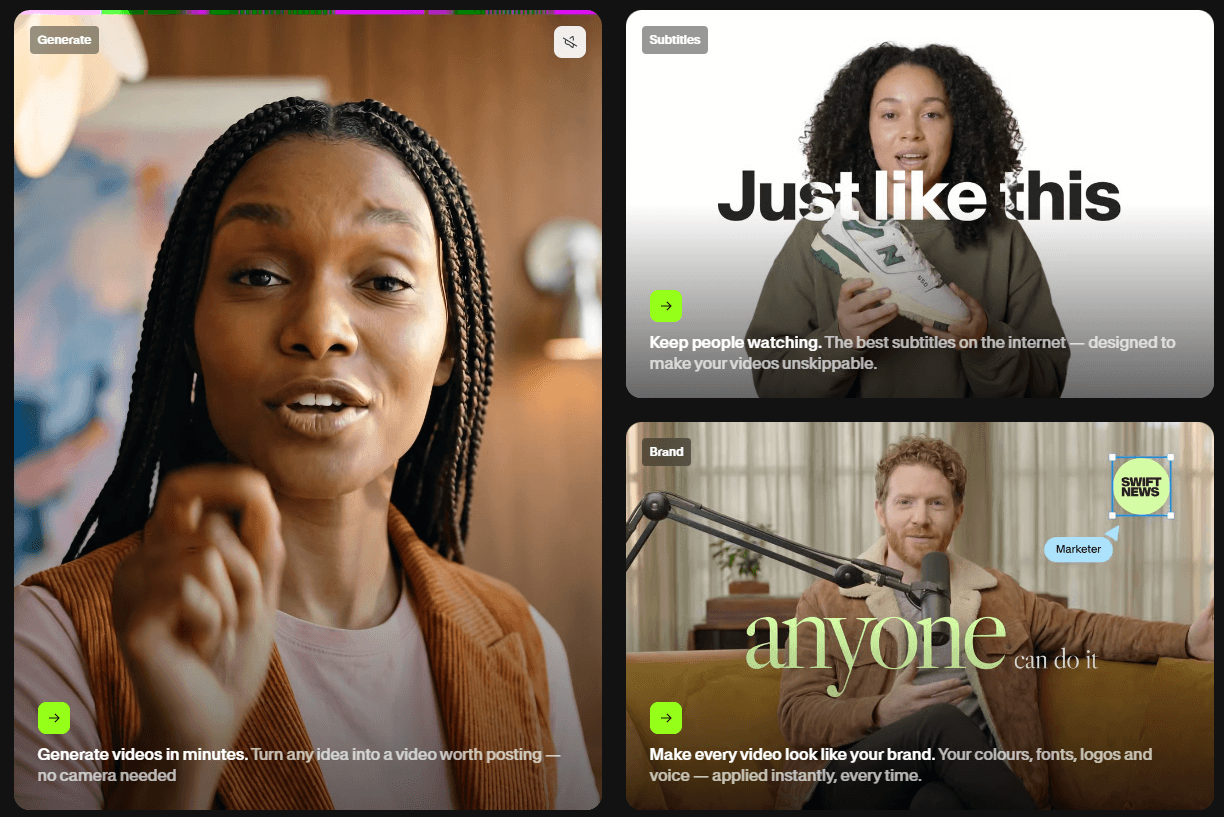
This is not a small feature. Captions are central to modern video because a lot of social and mobile viewing happens without sound. VEED’s dynamic subtitles are aimed at exactly that use case: Reels, TikToks, Shorts, ads, and short-form clips where the text has to hold attention. The ability to style captions and save branded subtitle looks makes VEED more useful than a plain transcription tool.
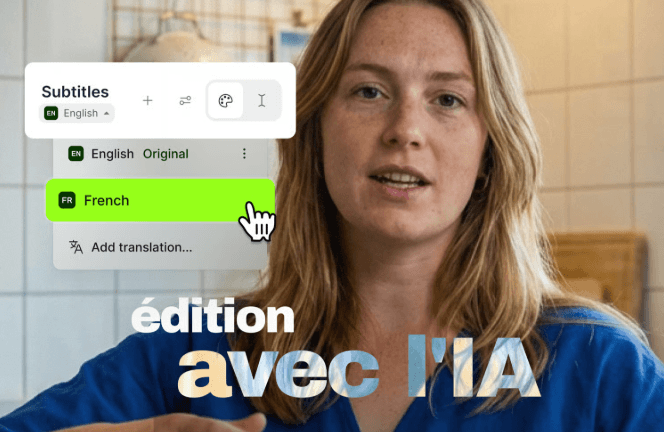
The caveat is accuracy. VEED itself tells users to edit captions for brand and industry-specific terms, which is the right expectation. Names, acronyms, technical language, accents, fast speech, and noisy recordings still need review. Captions save time, but they should not be treated as final without checking.
VEED’s screen recorder is useful because it does not stop at capture. Users can record a screen, webcam, and audio in the browser, then correct eye movements, remove backgrounds, clean audio, remove filler words, and edit the recording inside VEED. The tool can capture a window, tab, or full screen, and it supports different layouts for camera, audio, and screen recording.
That makes it a practical fit for product demos, training videos, walkthroughs, async team updates, and sales explainers. A raw screen recording often feels flat. VEED’s value is that the recording can move straight into editing, captions, cleanup, and sharing without a separate recorder, subtitle tool, and hosting platform.
This is also where VEED competes with tools like Loom. Loom is strong for quick async recording and sharing. VEED makes more sense when the recording needs to be edited, branded, captioned, translated, or reused across channels.
VEED’s avatar and voice tools are aimed at scalable video production. The talking-head video creator lets users create digital avatar videos for marketing and social content, and VEED says users can create avatars based on their physical appearance and voice profile.
Voice cloning is another notable feature. VEED says users can record a voice sample once and generate voiceovers in 29 languages by typing a script. The workflow adds the voiceover directly to the project timeline, which is useful because the audio becomes part of the edit instead of a separate downloadable asset that has to be moved manually.
Dubbing fits the same pattern. VEED’s dubbing page describes automatic voiceover translation with matching subtitles, aimed at creators who want to localize content. This can help with training videos, global marketing, course content, and social clips that need to reach audiences in different languages.
The quality caveat is important. AI voices, avatars, and dubbing can save production time, but they still need review for tone, pronunciation, lip timing, and cultural fit. A polished internal training video may be fine with synthetic narration. A customer-facing brand campaign may need more care.
VEED’s workflow is built around reducing friction. You can start from uploaded footage, a recording, a prompt, a script, or a long-form video. From there, the platform pushes users toward the most common finishing tasks: captions, cleanup, resizing, branding, AI voice, translation, and sharing. The auto video editor page lays out this direction clearly: choose a video type and goal, upload footage, apply automatic edits such as noise removal, eye contact correction, and AI B-roll, then download or continue editing manually.

The AI Agent is one of VEED’s more interesting usability moves. Instead of forcing users to find every control manually, it lets them type editing requests in everyday language. That is helpful for beginners, but also for busy marketers who know the outcome they want and do not want to dig through menus.
Still, users should expect to make decisions. AI can cut, caption, clean, and generate. It cannot always know the best hook, the strongest quote, the right brand tone, or the pacing that will make a video work. VEED helps compress production time, but it does not remove the need for editorial judgment.
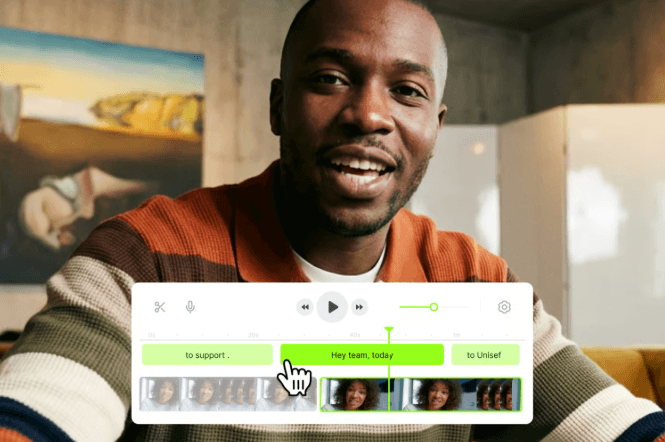
VEED is stronger for teams than many lightweight video tools because it includes review and brand workflows. The collaboration feature supports timestamped comments, shared project links, editors, reviewers, team spaces, and controlled project access. It also lets teams use Brand Kit assets such as logos, brand images, subtitle styles, templates, intros, and outros across projects.
This matters for marketing teams and agencies. The main challenge is not only making one good video. It is making many videos that look like they came from the same brand. VEED’s Brand Kit and template workflow help reduce the “every person made it differently” problem that often appears when teams scale video content.
The review workflow also reduces back-and-forth. Instead of sending large files around or collecting feedback in scattered messages, reviewers can comment at specific timestamps. That is a simple feature, but it solves a real production problem.
| Tool | Better fit | Where VEED differs |
|---|---|---|
| VEED | Marketers, creators, educators, and teams that need generation, editing, captions, recording, branding, and review in one browser tool | Strong all-in-one balance, especially for branded social and business video workflows. |
| Descript | Podcast, interview, and talking-head workflows built around text-based editing | Descript’s core pitch is editing video and audio like text, with recording, transcription, captions, and publishing in one tool. |
| Kapwing | Browser-based creative teams making social videos, memes, clips, and AI-assisted edits | Kapwing also combines AI generation and editing, including subtitles, dubbing, clean audio, Smart Cut, and repurposing tools. |
| CapCut | Fast social editing, mobile-first creator workflows, templates, background removal, and short-form effects | CapCut is especially strong for creators who prioritize social-native editing and easy AI tools across web, desktop, and mobile. |
VEED’s strongest comparison point is breadth. It does not beat every specialist tool at its own specialty. Descript may feel better for text-first podcast editing. CapCut may feel faster for trend-driven short-form social editing. Kapwing is a close browser-based competitor for teams and creators. VEED’s case is that it bundles more of the production chain into one place, especially when captions, brand assets, recording, AI generation, avatars, voice tools, and review all matter together.
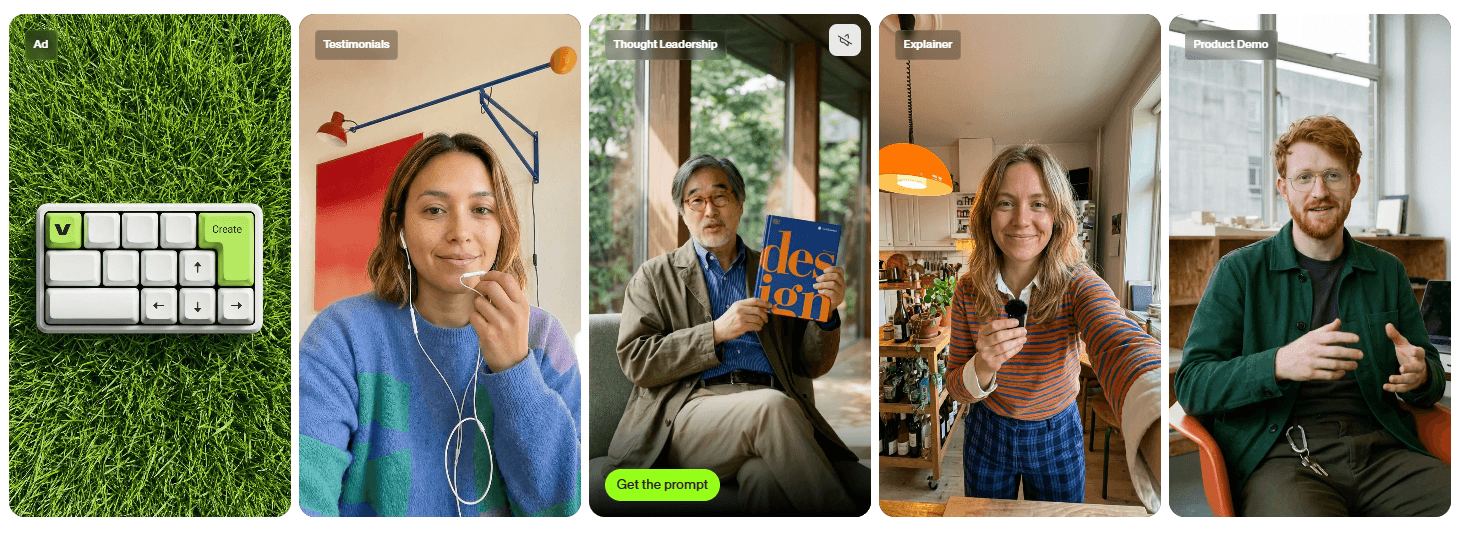
- Marketing videos and social ads: VEED works well for product announcements, customer testimonials, short ads, thought leadership clips, and branded social content. The combination of templates, subtitles, brand assets, AI voice, AI video generation, and resizing is useful for teams that publish often.
- Repurposing long content: Webinars, podcasts, interviews, workshops, and presentations can become shorter clips with captions, cleanup, and platform-specific formatting. VEED’s auto editor and long-to-short style workflows are well suited to this kind of work.
- Training and internal communication: Screen recording, webcam recording, subtitles, voiceover, translation, and sharing make VEED a good option for onboarding videos, internal updates, tutorials, and sales enablement content.
- Creator videos: YouTubers, coaches, educators, and solo creators can use VEED for captions, audio cleanup, text-to-speech, screen recording, AI visuals, and basic editing without learning a heavier production suite.
- Multilingual content: The subtitle translation, dubbing, text-to-speech, and voice cloning tools make VEED useful for creators and teams trying to adapt existing videos for different regions.
- Start with the clearest source material you can. Clean audio, steady talking-head footage, and well-structured scripts will make VEED’s captions, voice tools, auto edits, and dubbing work better. VEED’s own voice cloning guidance recommends recording in a quiet environment and speaking at a natural pace, which is good advice across most AI audio tools.
- Use the subtitle editor as a finishing tool, not just an automatic output. Generate captions first, then check names, product terms, acronyms, and timing. After that, style the captions for the platform. Dynamic subtitles may help a short-form video feel more native to Reels, TikTok, and Shorts.
- Use AI Agent for direction, but review the edit manually. Plain-language editing is helpful, especially for tasks like changing caption style, adding music, or adapting format. The final pacing and message still need a human pass.
- Build a Brand Kit before scaling production. If a team is producing many videos, saving logos, fonts, colors, templates, intros, outros, and subtitle styles will matter more over time than any single AI effect.
- Treat generative video as a draft asset. Use models for missing visuals, concept shots, and quick creative tests. Then bring the result back into the editor for captions, cuts, branding, and sound. VEED’s own text-to-video positioning supports this “generate, refine, repurpose” workflow.
- The first limitation is editing depth. VEED is broad and accessible, but it is not a replacement for a full professional post-production suite when a project needs advanced color grading, heavy compositing, detailed timeline control, or complex motion graphics. Its strength is speed and online production, not deep technical finishing.
- The second limitation is AI variability. Subtitles, dubbing, voice cloning, avatars, auto edits, AI B-roll, and generative video all depend on input quality and user review. VEED can reduce manual work, but it cannot guarantee perfect speaker names, flawless pronunciation, ideal pacing, or consistent AI video quality across every project. VEED’s subtitle page itself encourages users to edit captions for brand and industry-specific terms.
- The third limitation is feature sprawl. VEED has a large toolset: editor, captions, AI Agent, avatars, dubbing, text-to-speech, voice cloning, screen recorder, templates, background removal, audio cleanup, video generation, APIs, and collaboration. That breadth is useful, but new users may need time to understand which tool solves which problem.
- The fourth limitation is browser-based performance. Cloud editing is convenient, but large files, long videos, heavy AI processing, and team workflows can still feel less direct than local desktop editing. VEED is best for common creator and business videos. It may feel less comfortable for editors who prefer a desktop timeline and local media control.
VEED is one of the stronger all-in-one AI video platforms for people who want to create, edit, caption, translate, record, brand, review, and repurpose videos from the browser.
Its best features are practical: automatic subtitles, dynamic caption styling, AI Agent editing, screen recording, audio cleanup, avatars, voice tools, dubbing, AI video generation, Brand Kit, and team collaboration.
It is best for marketers, content creators, educators, coaches, small teams, agencies, and business users who need polished video content without building a complex editing stack. The main caveat is that VEED’s convenience comes with limits. It is excellent for fast production and branded online video, but advanced editors and high-end post-production teams may still need deeper professional tools.
TAGS: Video Editing
Related Tools:

Comprehensive plugin for WordPress

AI-powered video editing tool

Transforms YouTube videos into short clips

Helps users create branded social media videos

Reveals keywords used by audiences

Enhances website optimization trough detailed audits