

Share this tool:
 |
Description:
Unboring AI by Reface is a browser-based creative tool for making quick AI transformations from existing photos and videos. Its main strengths are face swapping, photo animation, video restyling, and image restyling, with a playful, social-first feel rather than a professional editing-suite feel. It works best when you want to take a selfie, portrait, pet photo, group picture, or short video and turn it into something funny, stylized, animated, or shareable without learning timeline editing or prompt engineering.
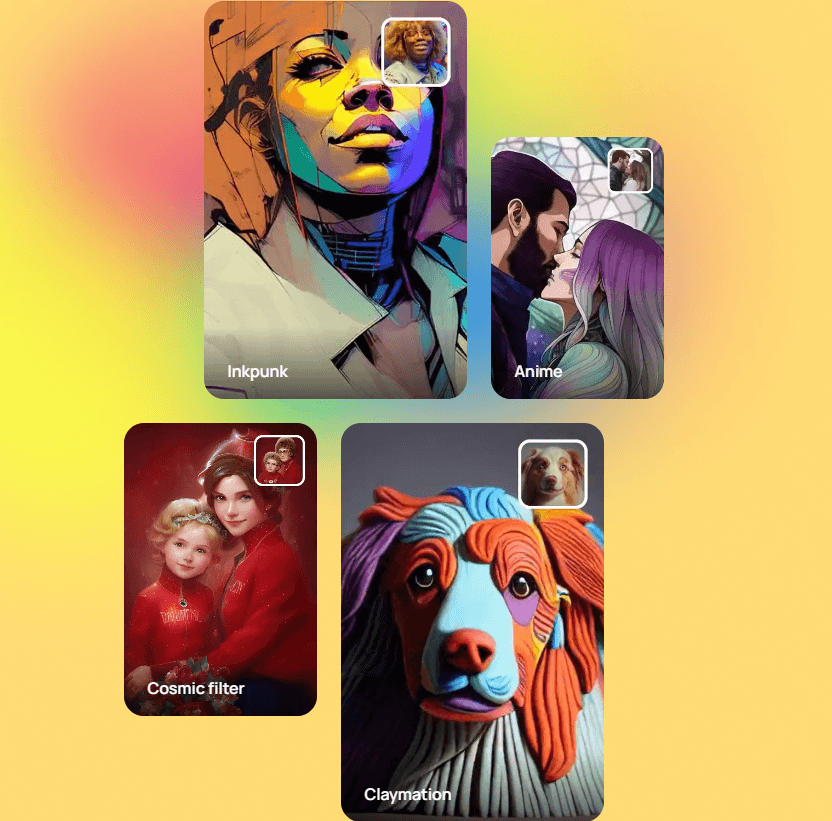
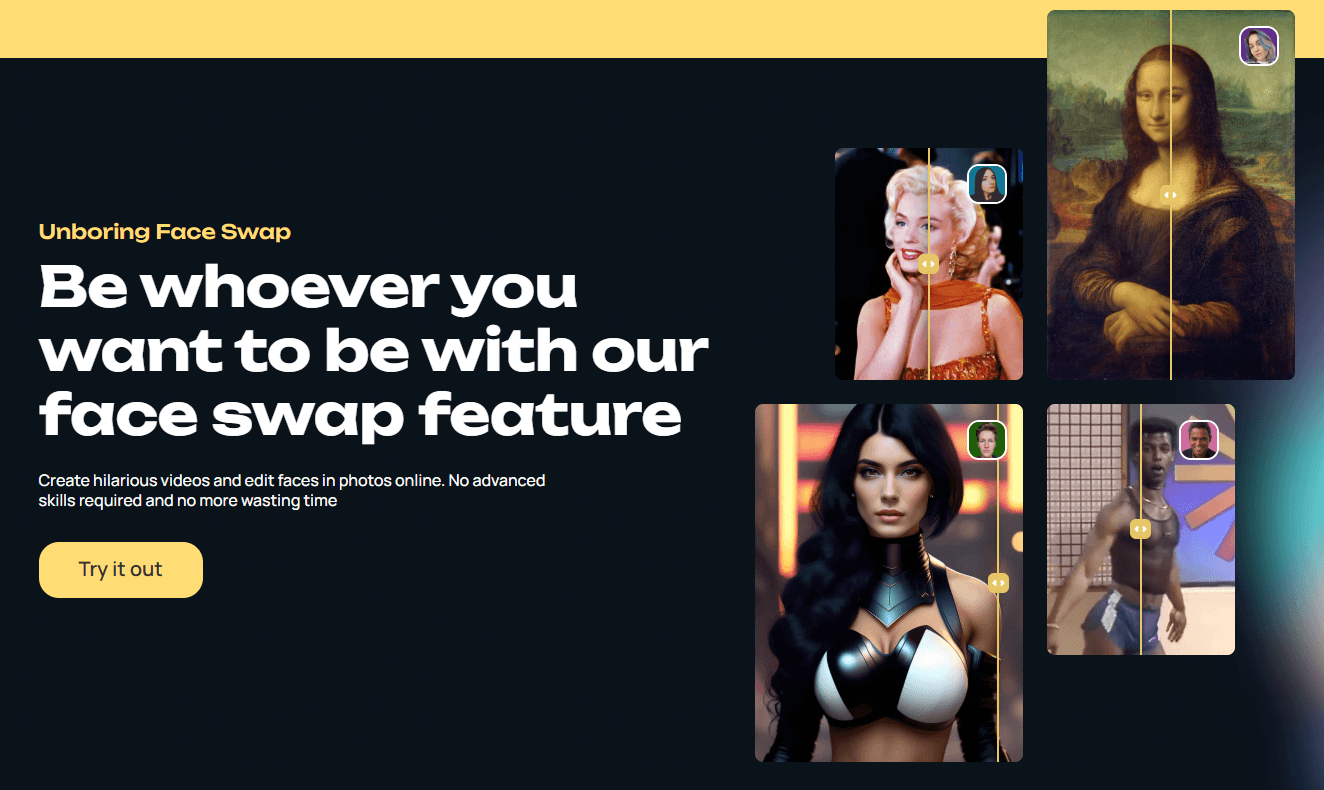
Unboring lets users create photo and video face swaps through RefaceAI™, with upload support and a built-in catalog for quick experiments.
The Animate workflow turns still face photos into moving, talking, singing, or dancing videos using preset animation effects.
The Restyle tool applies AI visual styles to videos, including looks such as anime, claymation, inkpunk, cosmic, cartoon, oil painting, and other stylized effects.
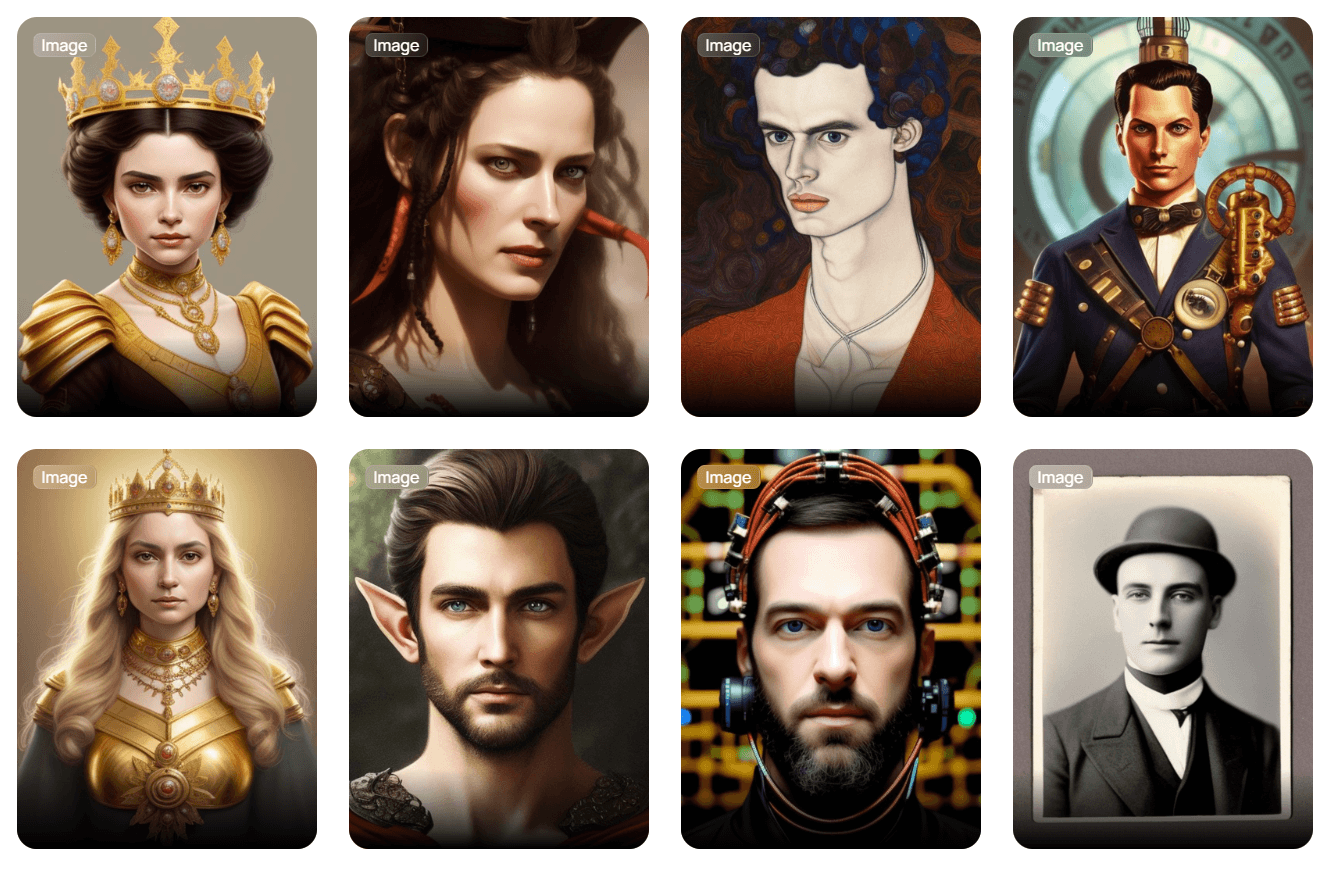
Unboring also supports image filters and styles for turning photos into cartoon, anime, vintage, pet-character, and stylized avatar looks.
Users can start from Unboring’s catalogs for face swaps, animations, and restyles instead of building everything from scratch.
Reface lists Unboring system support across Android, iOS, Windows, and macOS, which reinforces the product’s casual browser-and-device-friendly positioning.
Unboring AI is not a traditional video editor and not a prompt-to-video model. It is better understood as a creative transformation tool. You bring the media, then Unboring changes it.
That source media can be a selfie, group portrait, old family photo, pet image, video clip, or short social clip. From there, you choose the type of transformation: swap a face, animate a still image, restyle a video, or apply an AI style to a photo. The product’s own pages describe the core workflows as face swapping, photo animation, video restyling, and image restyling rather than open-ended scene generation.
That makes Unboring easiest to judge by workflow speed and transformation quality. The question is not “Can it create a full film from a paragraph?” The better question is “Can it take this photo or clip and make something fun, usable, and shareable quickly?”
In that category, Unboring is very clear. It is built for quick entertainment content: memes, vintage face swaps, pet animations, singing portraits, cartoon videos, stylized selfies, and casual social posts. It is not trying to replace Premiere Pro, Runway, After Effects, or a full generative video studio.
| Workflow | Best For | What It Does |
|---|---|---|
| Face Swap | Memes, family edits, avatar looks, vintage transformations | Replaces a face in a photo or video using RefaceAI™ technology |
| Animate | Singing portraits, dancing photos, pet clips, birthday-style videos | Turns still face photos into animated videos |
| Video Restyle | Cartoon clips, anime edits, claymation effects, stylized social videos | Applies AI visual styles to uploaded videos |
| Image Restyle | Selfies, pet photos, vacation pictures, avatar-style edits | Transforms photos with AI filters and visual styles |
| Catalog Workflows | Fast experiments and low-effort content | Lets users choose from ready-made templates and examples |
The important thing is that each workflow starts from media, not from a blank prompt. That is why Unboring feels accessible. You do not need to write a detailed creative brief. You upload something, choose a transformation, wait for processing, and review the result.
Face swap is the most recognizable part of Unboring because Reface is already associated with this category. The official Face Swap page says users can add a photo or video, explore the catalog, and create photo or video swaps instantly with RefaceAI™. It also highlights family photo edits, vintage catalog photos, and funny video swaps as common use cases.
The best results usually come from clean source images. A clear, front-facing portrait gives the AI more useful facial information than a blurry, low-light, side-angle, or heavily filtered image. For group photos, every face needs to be visible enough to detect. For video, the footage should be short, stable, and not too chaotic.
This is where Unboring is strongest as an entertainment tool. You can use it to imagine yourself in a different era, create a funny family swap, put your face into a character-style image, or make quick meme content without manual compositing. The catalog matters because it removes a lot of creative friction. Instead of searching for target media elsewhere, you can browse built-in examples and test what works.
The main trade-off is control. You can choose the target and source face, but you are not manually adjusting every blend, skin tone, edge, or expression. That is fine for casual content. For professional identity replacement, campaign assets, or anything involving a real person’s likeness, the output needs closer review.
The Animate workflow is built around making still photos move. Unboring describes it as a way to make photos talk and dance, turning a still image into an animated video through an online face photo animator.
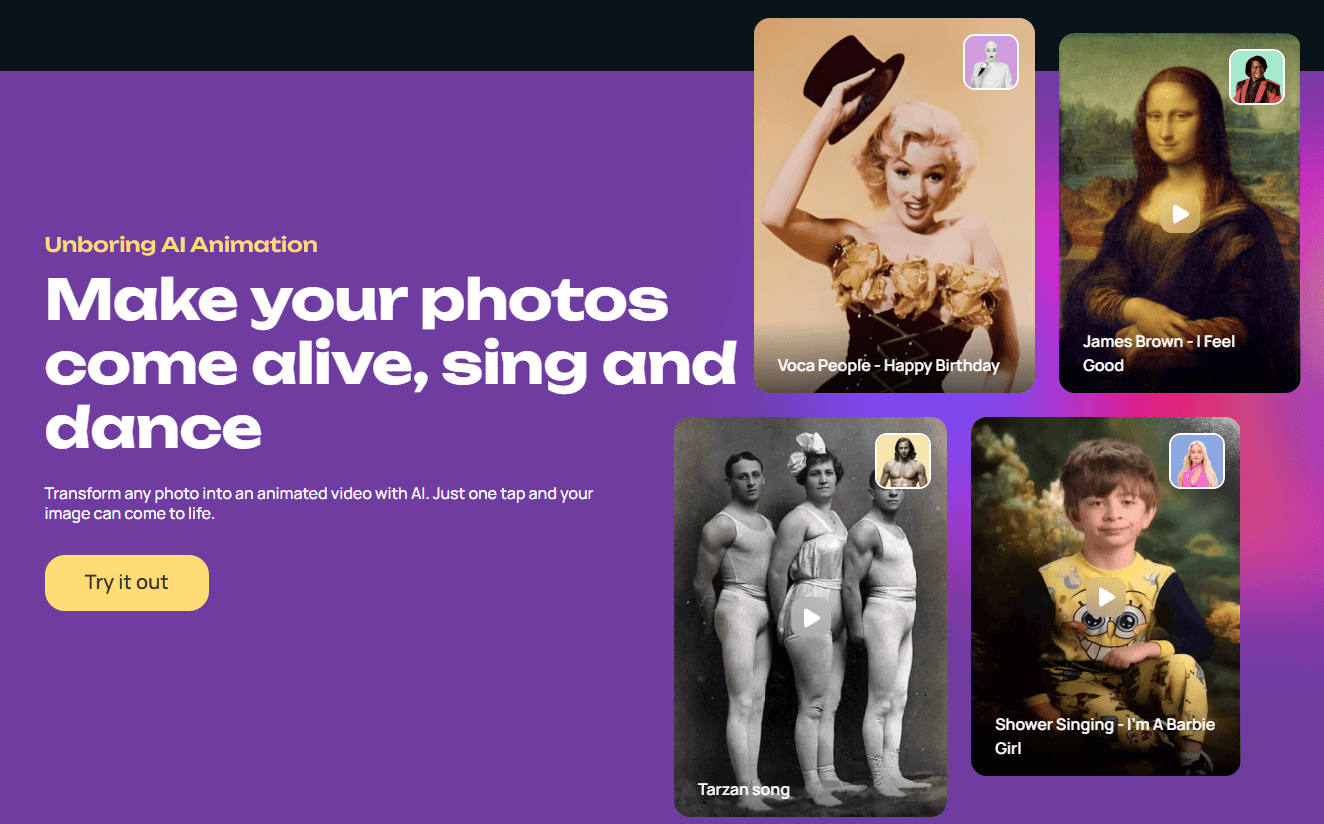
This is one of the most fun parts of the tool because the output feels immediate. A portrait can become a singing clip. A family photo can become a playful group animation. A pet image can become a novelty video. The animated video maker page describes choosing from effects such as singing, dancing, or movement, then downloading and sharing the result.
The best use case is social entertainment. This is not a professional animation rig where you control keyframes, facial performance, timing, and camera movement. It is a preset-driven animation system. That makes it fast, but also means the quality depends heavily on the original image and the chosen animation. Clean portraits work better than tiny faces or messy group shots. If the face is covered, turned too far to the side, poorly lit, or heavily stylized, the animation may look less natural. Reface’s FAQ notes that face swapping and animation require uploaded content that includes faces because the technology depends on face-based detection.
Video Restyle is the most visually expressive workflow in Unboring. Instead of swapping identity, it changes the look of the video. The official Restyle page describes it as applying a range of visual styles using video-to-video technology, while the Unboring homepage highlights styles such as Inkpunk, Cosmic, Anime, and Claymation.
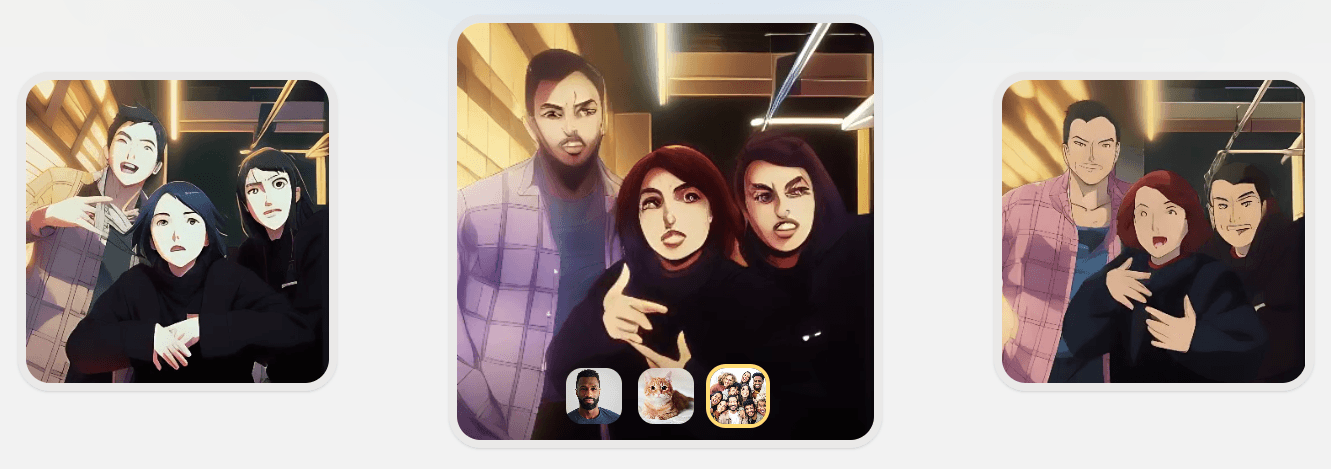
This is useful when the original clip already works, but you want it to feel more surprising. A dance clip can become an anime-style video. A pet video can become a cartoon. A casual selfie clip can become claymation or comic-style content. A short vacation clip can become more playful and stylized.
The feature is strongest with simple clips: one clear subject, good lighting, readable movement, and not too much background clutter. Complex scenes can still work, but restyling may introduce artifacts or inconsistent details across frames.
There is also an important practical limit. Reface’s FAQ says the maximum video length is 15 seconds for face swap and 60 seconds for restyling. It also says restyle processing can take up to two minutes per second of video, so longer clips can become slow to process. That tells you exactly how to use it. Unboring Restyle is made for short clips, not long-form production. It is best for social snippets, experimental edits, and stylized moments.
Image Restyle gives Unboring another useful lane: static image transformation. The official page describes it as a way to transform photos with AI filters and styles, including cartoon, anime, vintage, and pet-focused looks.
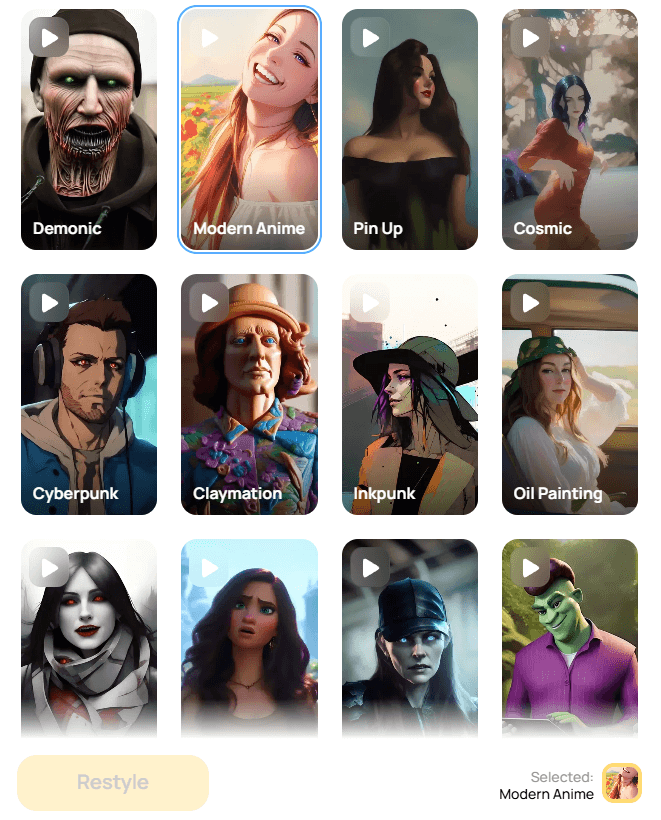
This broadens the product beyond face swaps. You can use it for stylized selfies, cartoon avatars, pet edits, nostalgic image treatments, or playful profile-picture experiments. It is also a good starting point for users who do not want to process video and only need a quick visual transformation.
The output is again template- and style-driven. You are selecting a visual direction rather than giving detailed art direction. That makes it easier than prompt-based image tools, but less controllable. If you need exact typography, brand layout, product accuracy, or client-facing visual consistency, you will probably want a more professional image tool.
Unboring’s biggest advantage is simplicity. The product is clearly built for people who want fast results without professional editing knowledge. The face swap workflow is essentially: add a photo or video, choose from the catalog or upload content, generate, and share.
That simplicity is important because the audience is not only designers or video editors. It is everyday users who want to make funny content, families who want playful edits, pet owners who want shareable clips, and social media users who want quick visual transformations.
The built-in catalogs help a lot. Instead of asking users to invent an idea from a blank page, Unboring gives them examples to browse. That is useful because casual users often know they want something funny or surprising, but not exactly what to make.
The downside is that advanced control is limited. You are not editing layers, masking frames, changing camera movement, or controlling animation timing in detail. Unboring is easy because it hides complexity. Users who want deep control will eventually hit that ceiling.
Unboring’s FAQ says images should be in JPG or JPEG format and videos should be in MP4 or MOV format. It also says face swapping and animation require uploaded content with faces because the technology works from face detection.
The media page states that Unboring retains user media for a 30-day period, including face swaps, animates, video restyles, image restyles, and stored faces. That is worth knowing before uploading sensitive personal media.
Reface also publishes a content safety rule in its FAQ: content featuring sexual, violent, political, or criminal scenes is not allowed and may be removed with a warning.
This matters because Unboring is built around faces and identity. Even if the product feels casual, users should treat it responsibly. Do not upload or publish someone’s likeness in a way that misleads, humiliates, impersonates, or violates consent. Face swap tools can be funny, but they can also create real trust and privacy issues when used carelessly.
- Social media memes: Unboring is strongest when the goal is fast, funny, visual content. Face swaps and animated photos fit naturally into meme-style posts, reaction content, and casual entertainment.
- Family and friend edits: The face swap and animation tools are useful for birthdays, group jokes, old-photo experiments, and family gathering content. The official page explicitly highlights family photo use cases.
- Pet content: The animation and image restyle workflows fit pet photos well, especially when turning pets into cartoon-style characters or playful animated clips.
- Cartoon and anime-style videos: Video Restyle is useful for users who want to turn short clips into anime, cartoon, claymation, or other stylized looks without learning a video editor.
- Profile and avatar experiments: Unboring’s AI face generator and LinkedIn-style feature pages show that the broader face swap system can be used for avatar-style transformations and professional-looking profile experiments, though serious professional use should still be reviewed carefully.
- Casual creative exploration: This is one of the best tools for people who want to test AI media effects without needing prompt skill, editing skill, or design experience.
- Use clear, high-quality portraits for face swaps and animations. The cleaner the face, the better the system can detect and animate it.
- Start with the catalog before uploading lots of custom content. The catalog helps you understand what kinds of swaps, animations, and styles work best.
- Keep video clips short and simple. Face swap videos are capped at 15 seconds and restyle videos at 60 seconds, so the product is naturally better for short-form content.
- Avoid busy scenes for restyling. One clear subject usually works better than crowded footage with lots of overlapping movement.
- Use JPG/JPEG for images and MP4/MOV for videos. These are the formats Reface recommends for the best workflow.
- Do not upload sensitive media casually. Unboring states that media is retained for 30 days, so private or high-risk content should be handled with care.
- Treat face-based content responsibly. Consent matters, especially when the result could be mistaken for real footage or used publicly.
- The biggest limitation is control. Unboring is designed for speed and ease, not advanced editing. You can choose a workflow, upload media, select a style or catalog item, and generate. You cannot precisely control every frame, facial expression, lighting adjustment, timing choice, or compositing detail.
- The second limitation is output variability. Face swaps, animations, image restyles, and video restyles all depend on input quality. Blurry photos, low light, extreme angles, crowded scenes, and obstructed faces can produce weaker results.
- The third limitation is video length. The maximum length is 15 seconds for face swap and 60 seconds for restyling, which is fine for social clips but not enough for long-form video projects.
- The fourth limitation is processing time. Restyle can take up to two minutes to process one second of video, which means even short clips can take longer than users expect.
- The fifth limitation is category fit. Unboring is entertainment-first. It can create polished-looking results, but its main personality is playful, funny, and social. For brand campaigns, commercial video, professional avatar systems, or client-facing identity work, the output should be reviewed carefully and likely finished in another tool.
- The final limitation is ethical risk. Any tool that swaps or animates faces can be misused. Unboring’s safety rules help set boundaries, but users still need to think about consent, disclosure, and context before publishing anything involving someone’s likeness.
Unboring AI is best for quick, playful AI transformations from existing photos and videos.
Its strongest workflows are face swaps, animated portraits, image restyles, and short video restyles with cartoon, anime, claymation, cosmic, and similar effects.
It is a strong fit for casual creators, families, meme makers, pet owners, and social media users who want fun AI content without prompt-writing or editing complexity. The main caveat is that it is not built for deep creative control or long-form production. Use clean source media, keep expectations social-first, and handle face-based content responsibly.
TAGS: Photo Editing Video Editing
Related Tools:
Enhamces and enlarges images
Converts images to high quality vector

Automates editing tasks like silence removal and camera switching

Create fashion models and backgrounds from simple descriptions

Transforms videos and images into branded, share-ready content

Automates creation of music, videos, and images