Share this tool:
 |
Description:
Viggle is an AI video and animation platform built around one clear idea: take a character image and make it move using motion from another video, template, prompt, or live performance. It is best known for viral meme edits, dance remixes, character swaps, and short-form social videos, but the stronger story is motion control. Viggle is not just trying to generate random video from text. It is trying to let creators control who appears in a clip, how they move, and how closely that motion follows a reference.
Viggle is a motion-first AI video tool. The basic workflow is simple: upload or choose a character image, select a motion template or upload a reference video, and generate a video where that character performs the same movement. Viggle says its AI maps full-body motion onto the character using its JST-1 video-3D foundation model, rather than treating the result like a simple GIF or visual filter.
That distinction matters. Many AI video tools are built around visual generation: describe a scene, get a clip. Viggle is more focused on controllable character animation. The user is often not asking, “Can this model invent a video?” The better question is, “Can it keep this character recognizable while copying this dance, pose, walk, fight, gesture, or performance?”
The platform now spans several related tools: Mix, Multi-Track, Motion Control, Real-Time Swap, AI Image Generator, AI Video Generator, image animation, image-to-video, face swap, and PINOC for extracting skeletal animation from footage. Viggle’s own homepage also highlights PINOC as a tool for extracting skeletal animation from video and exporting it as FBX or GLB, which points to a broader animation workflow beyond meme creation.
Viggle is strongest when you already know the motion you want.
That may be a viral dance, a sports celebration, a movie-style pose, an anime fight move, a creator trend, or a short performance from your own uploaded clip. Instead of writing a long prompt and hoping the AI understands the movement, you give Viggle a motion source. That makes the tool more predictable than many text-to-video systems for character movement.
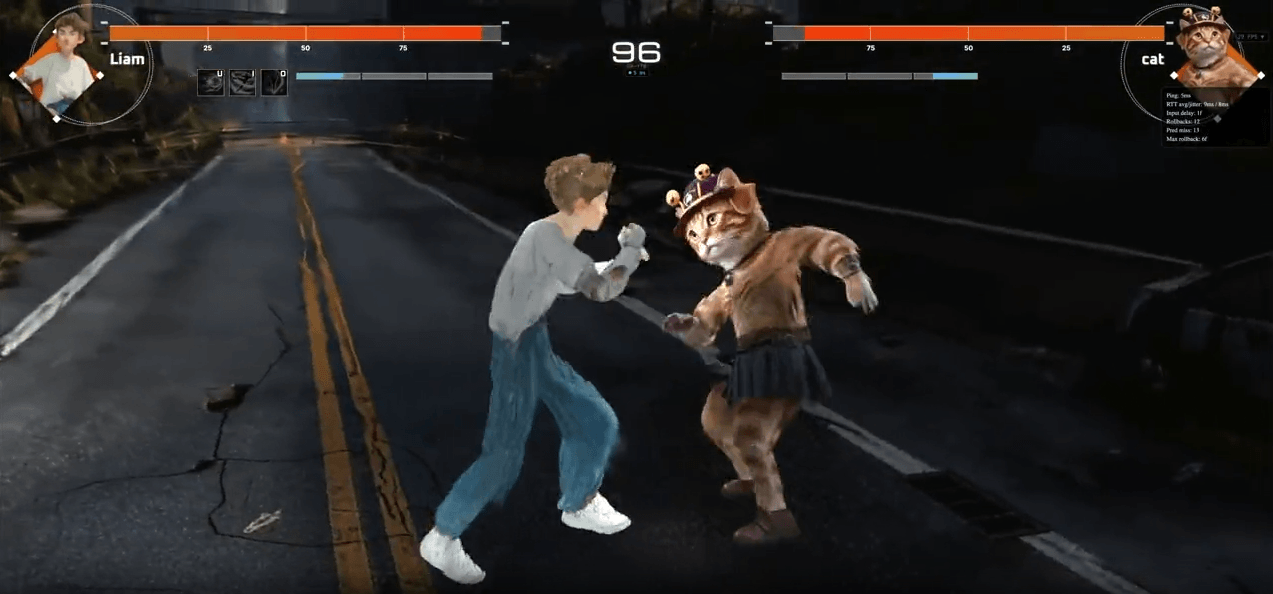
This is why Viggle works so well for memes and short-form content. Meme formats depend on recognizable timing. A dance trend is funny because the movement matches a known clip. A character swap works because the uploaded character behaves like the person in the original video. Viggle’s motion-transfer structure fits that type of work better than a purely prompt-based generator.
It is also useful for creators who work with mascots, anime characters, game characters, stylized avatars, cartoon art, or non-human figures. Viggle says users can animate real photos, anime characters, cartoon illustrations, 3D renders, hand-drawn sketches, and other character images, with best results coming from clear, front-facing images where the body is not cut off or heavily blocked.
Upload a character image, choose a motion source, and generate a moving video from a static photo or illustration.
Use a template or uploaded reference clip to define the exact movement instead of relying only on text prompting.
Viggle’s February 2026 V4 guide describes stronger complex-motion support, better character consistency, richer detail, smoother facial expression, and new controls such as Character Refine, Smooth Motion, and Foot Lock.
Replace multiple characters in a scene while keeping the original background, camera movement, and spatial layout.
Use a webcam-style live workflow to perform as a chosen character for livestreams or interactive content.
Extract skeletal animation from video footage, preview it in 3D, and export animation data as FBX or GLB.
The easiest way to understand Viggle is through Mix or image animation. You start with a character image. Then you select a motion source from Viggle’s template library or upload your own reference clip. Viggle generates a video where the uploaded character follows the reference movement.
This is a cleaner workflow than prompt-only video generation for movement-heavy clips. Text prompts are useful for style, scene, and mood, but they are often poor at exact motion. “Make this character do a spinning dance with a shoulder dip and fast footwork” leaves too much room for interpretation. A reference clip gives the model timing, pose, rhythm, and body mechanics.
Viggle’s own image animator guidance says the best images are clear, well-lit, front-facing, and not blocked by too many objects.
Viggle works best when the character is visually readable. The more complete and unobstructed the subject is, the easier it is for the system to transfer motion convincingly. Character images with clear body shape, clean edges, and visible limbs are better candidates than cropped portraits or messy source images.
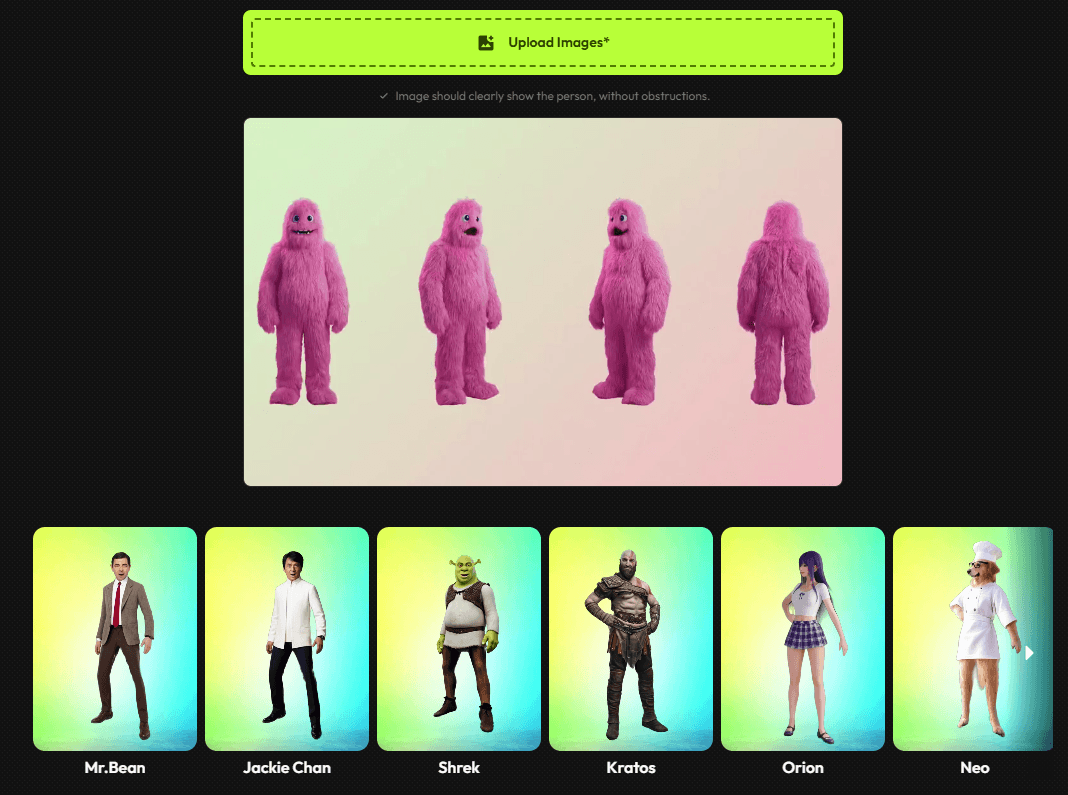
The character library and upload workflow make Viggle especially useful for fast experiments. A creator can test a recognizable motion against several characters and quickly see which one works best.
Viggle also includes image and video generation tools, which broadens the workflow beyond uploading finished character art. These tools are useful when a creator needs a new character, a visual reference, or a motion-ready starting point before moving into animation.
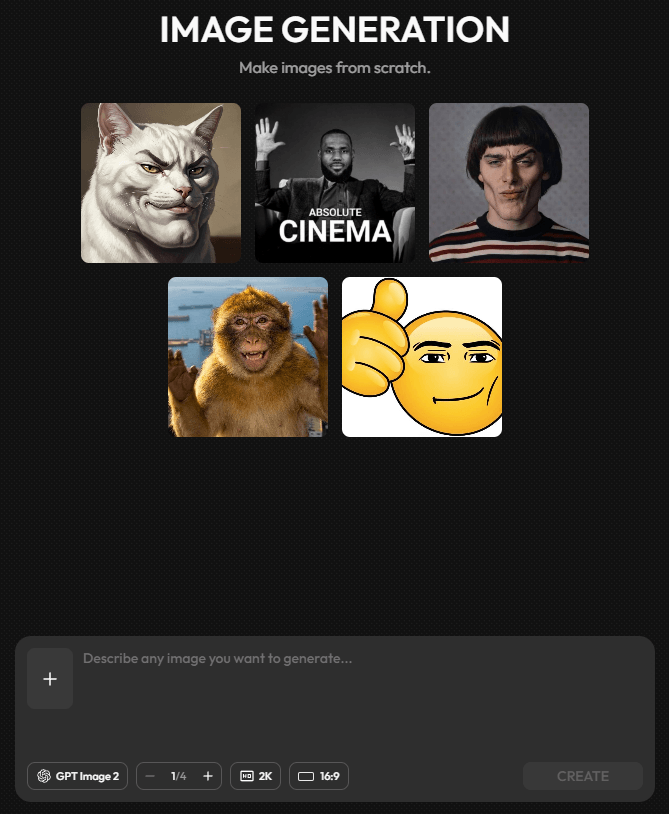
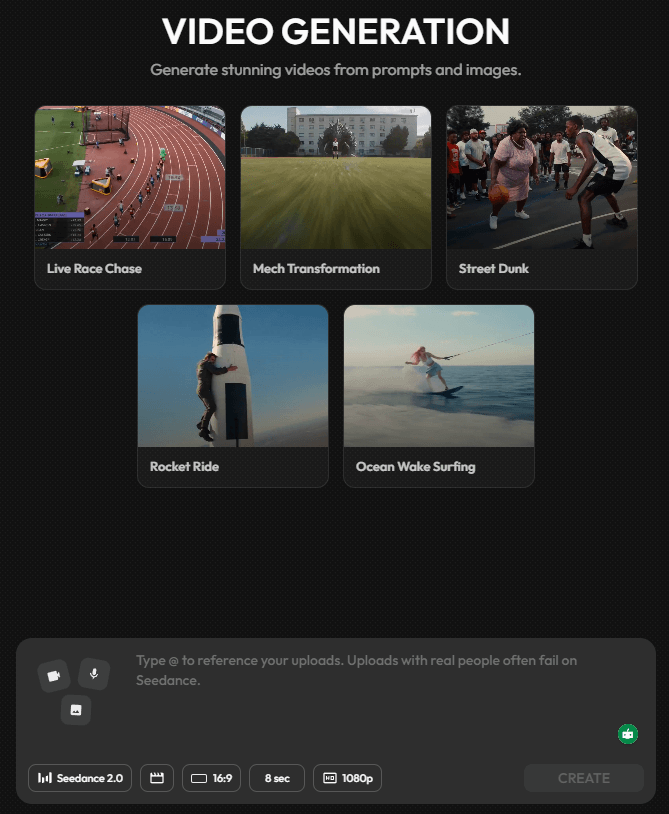
The generation layer gives Viggle more creative range, but the platform still feels strongest when motion control is the main goal. The best workflow is often to generate or upload a character first, then use a motion reference to make the output feel specific.
PINOC is the clearest sign that Viggle is moving beyond casual meme animation. Instead of only generating final videos, PINOC focuses on extracting motion from footage as skeletal animation data. That gives creators a way to reuse movement in more structured animation pipelines.
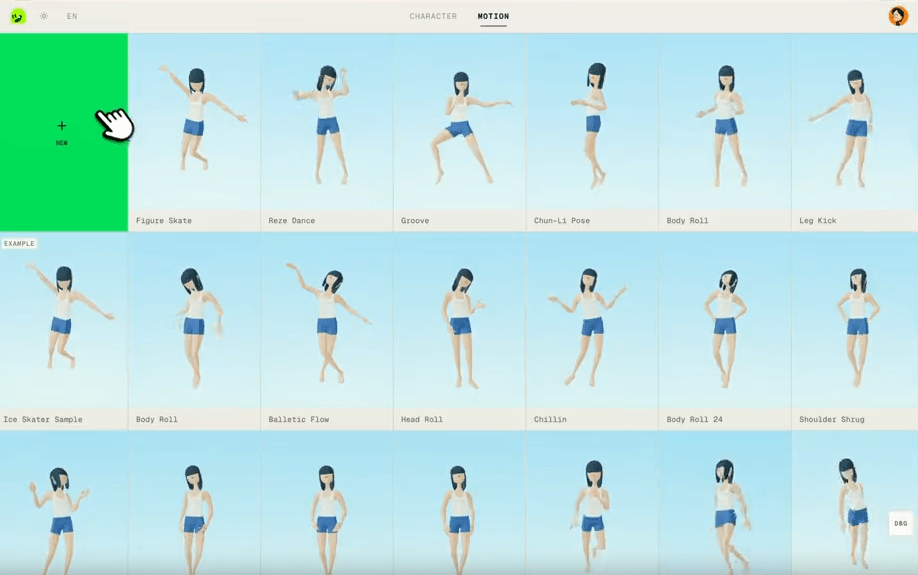
For creators who only want social clips, PINOC may feel more advanced than necessary. For animators, game creators, avatar designers, and 3D workflow users, skeletal export as FBX or GLB makes Viggle more interesting as a motion tool rather than only a video generator.
- Meme and trend videos: Viggle is a strong fit for turning viral motions, dance trends, and recognizable clip formats into character-driven short-form videos.
- Character animation tests: Creators can upload mascots, avatars, anime characters, sketches, or 3D-style figures and quickly test how they perform with different motion sources.
- Social media remixing: Viggle is useful for creators who want quick, motion-driven remixes for TikTok, Reels, Shorts, and meme pages.
- Motion reference workflows: PINOC makes the platform more useful for extracting and reusing movement outside a simple final-video workflow.
- Avatar and livestream experiments: Real-Time Swap gives creators a way to perform as a character in a more interactive workflow.
Viggle is best understood as a motion-first AI video platform. Its strongest value is not generic text-to-video generation. It is the ability to take a character image and make it follow a specific movement from a template, video, or live performance.
It is strongest for memes, dance edits, character swaps, short-form social content, avatar experiments, and motion-controlled animation workflows. The most important advantage is predictability: when you give Viggle a motion source, the output has a clearer movement target than a normal prompt-only video generator.
The uploaded article text switches into unrelated Gling content midway, so this HTML preserves and structures only the available Viggle material.
TAGS: Video Editing Text to Video