

Share this tool:
 |
Description:
TrendSpider is an AI-powered market research and trading platform built for active traders who want to reduce manual chart work, scan markets faster, test strategies, and automate parts of their trading workflow. Its best value is not one single AI feature. It is the way charting, scanners, alerts, backtesting, AI Strategy Lab, Sidekick, custom indicators, and trading bots sit inside one connected system. TrendSpider describes the platform as combining AI agents, deep research, machine learning, predictive signals, pattern recognition, and technical and fundamental analysis in one place.
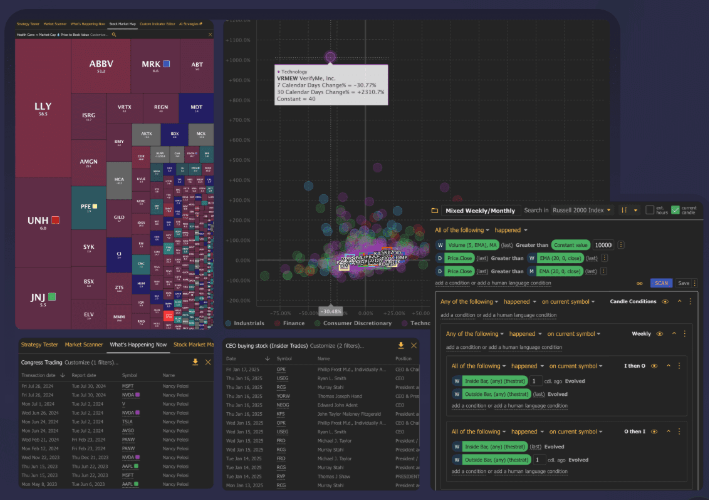
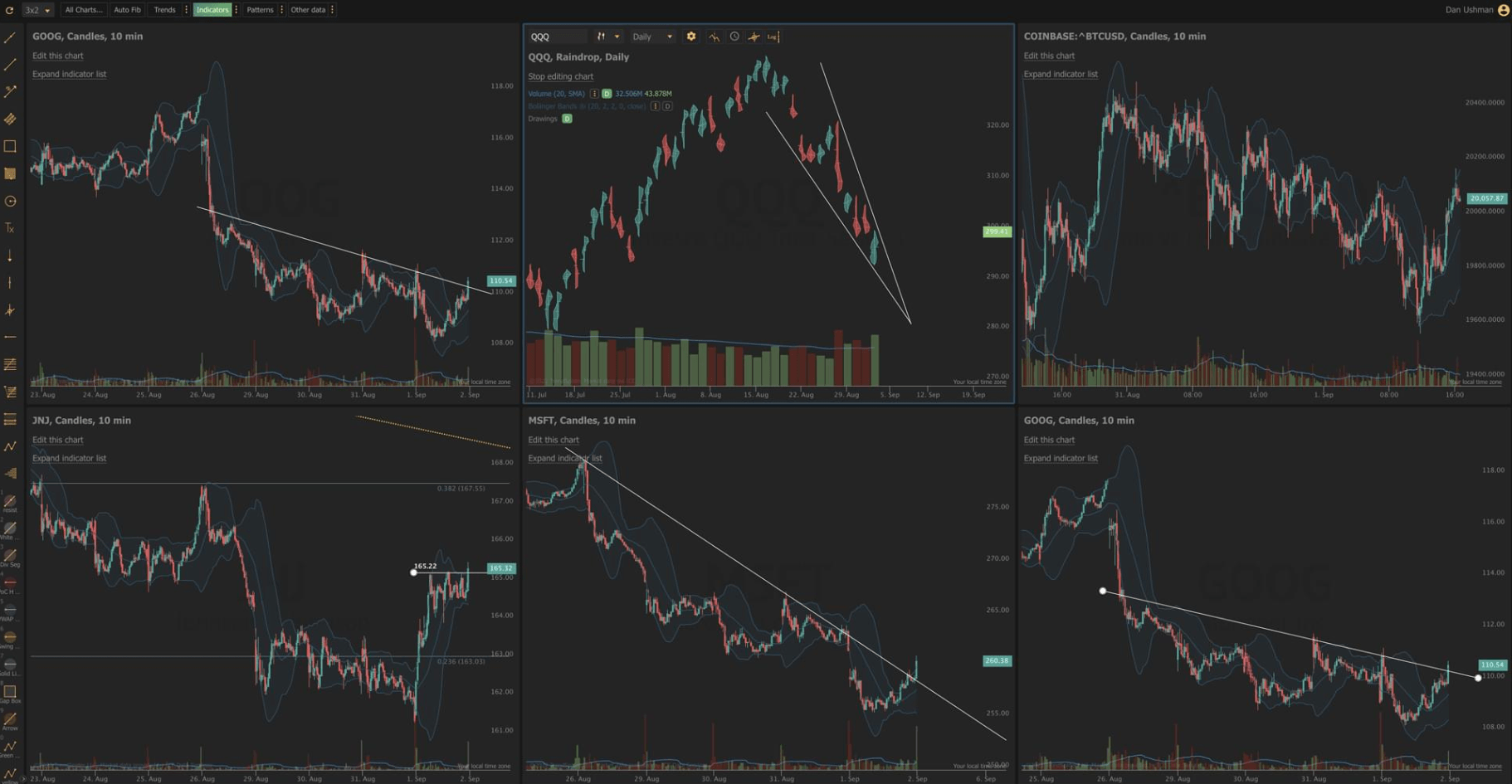
TrendSpider helps automate chart work such as technical analysis, pattern recognition, trendlines, indicators, and context around price movement.
Traders can build custom scans or use built-in scans to search across multiple symbols, data types, and timeframes.
You can backtest strategies using historical market data without writing code, although supported assets and testing rules still matter.
Alerts can track trendlines, indicators, price levels, and multi-condition setups across timeframes without manual monitoring.
TrendSpider lets users build predictive AI strategies that can be backtested, viewed on charts, and used in scanners or alerts.
Users can create custom indicators with JavaScript or use AI to help generate indicator code.
TrendSpider is not a broker-first trading app and it is not a basic charting tool. It is closer to a market analysis workstation with automation built into the center.
The core workflow looks like this: analyze a chart, define the conditions you care about, scan the market for matching setups, backtest the logic, save it as a reusable script, create alerts, and, where appropriate, connect automation through bots or webhooks. TrendSpider’s own product messaging emphasizes that it combines charting, scanning, strategy testing, and alert monitoring in one integrated platform.
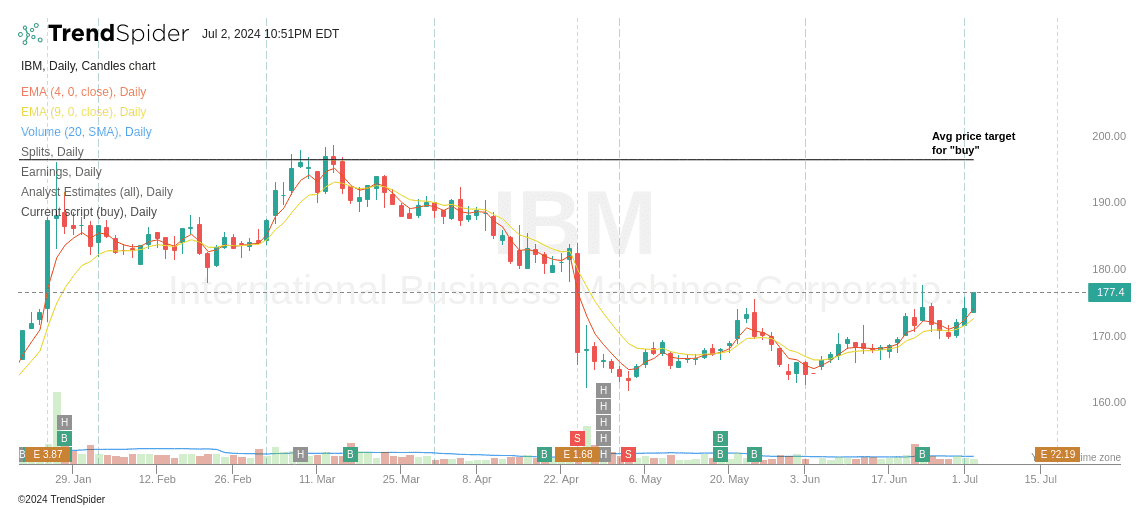
That matters because many traders already use separate tools for charts, scanners, watchlists, backtests, alerts, and trade notes. TrendSpider’s pitch is that those pieces should talk to each other. A condition you define for one workflow can often be reused elsewhere, which makes the platform feel more systematic than a normal charting app.
TrendSpider is strongest for traders who think in rules.
If your process is “I want to know when price touches this moving average, confirms on a higher timeframe, matches a pattern, and shows improving relative strength,” TrendSpider fits well. Its Market Scanner can search across custom technical or fundamental criteria, and its supported scan data includes price, indicators, candlestick patterns, chart patterns, AI models, fundamentals, relative performance, analyst estimates, news content, earnings, dividends, splits, and watchlists.
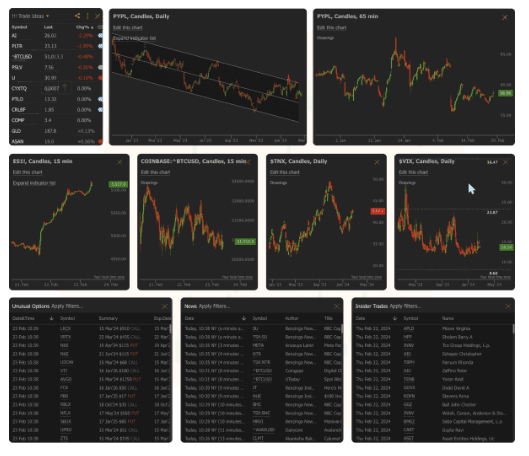
It is less compelling for people who want a simple app that tells them what to buy. TrendSpider gives you a lot of automation, but you still need a strategy, a risk framework, and enough market knowledge to judge the results.
TrendSpider’s AI layer is useful, but it should not be treated like a magic signal generator.
Sidekick is the more conversational side of the product. TrendSpider positions it as an AI analyst that can review charts, read filings, analyze backtests, perform multi-symbol research, build scanners, and create alerts. That makes it useful for reducing platform friction. Instead of manually finding every menu and setting, users can ask for help turning an idea into an action.
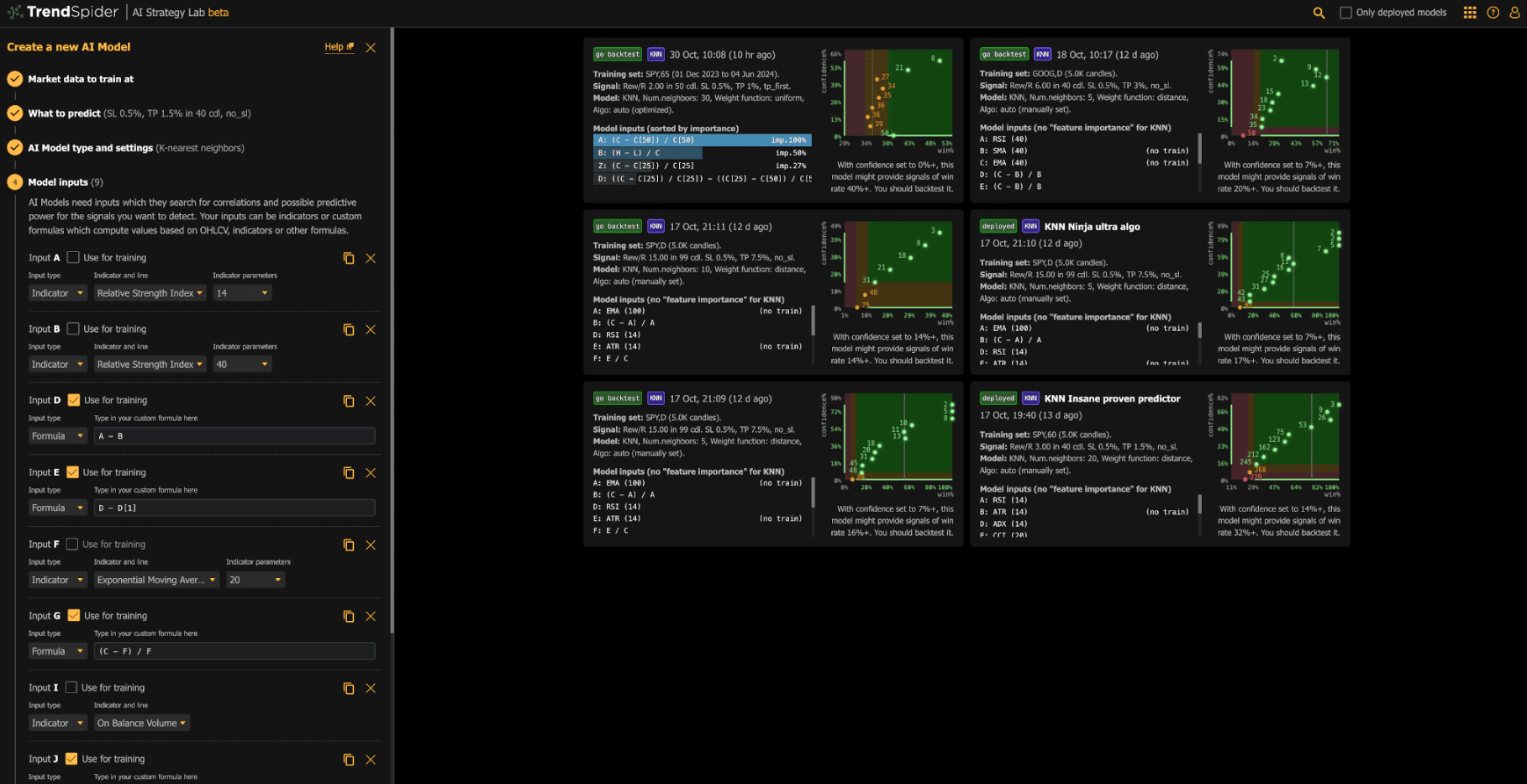
AI Strategy Lab is more technical. It lets traders build predictive models and plug those models into charts, backtests, scanners, alerts, and custom strategies. The important point is that TrendSpider’s own documentation frames AI strategies as machine-learning tools that still need model design, assessment, backtesting, and forward testing. It also warns that AI strategies are not a “silver bullet” and will not “print you money directly.”
That is the right framing. TrendSpider is best when AI helps you formalize and test ideas, not when you outsource judgment to it.
TrendSpider is easier than coding your own trading system, but it is not lightweight.
The platform gives traders visual builders for scripts, scanners, alerts, strategy tests, and checklist-style confirmation workflows. Script Manager is a good example. It stores sets of conditions that can be reused across Multi-Factor Alerts, Market Scanner, and Backtesting.
That reuse is one of the platform’s better design choices. You are not constantly rebuilding the same logic from scratch. A scan condition can become an alert. A strategy idea can become a backtest. A saved script can become a checklist.
The trade-off is density. New users may need time to understand the relationship between charts, scanners, scripts, alerts, checklists, bots, and AI models. TrendSpider University helps here, with platform courses covering strategy creation, scanning, automation, timing trades, and chart analysis.
The Strategy Tester is one of TrendSpider’s most practical features because it gives traders a way to test an idea before using it live. TrendSpider says the tool can backtest with more than 50 years of historical market data where available, and it supports stocks, futures, crypto, forex, and OTC securities, though not indices or options data.
The useful part is that you do not need to code. You can define entries and exits through the same visual scripting system used elsewhere in the platform. Exit options include scripts, take profit, stop loss, trailing stop, invalidated entry, candles passed, and signal lists.
Still, backtesting needs caution. A clean backtest can be overfit. A strategy can perform well in one period and fail in a different regime. TrendSpider gives you a strong testing environment, but it does not remove the need for risk controls, forward testing, and skepticism.
TrendSpider’s alert system is stronger than standard “price crosses X” alerts. Dynamic alerts can attach to trendlines and indicators, while Multi-Factor Alerts can combine indicators, price action, candlestick patterns, AI models, fundamentals, and relative performance across different timeframes. Alerts can be delivered through email, text, or webhook.
Webhooks are especially important for systematic traders because they let alerts send HTTP POST requests to external systems instead of only notifying the user.
Strategy Bots go one step further by allowing automated order execution through broker or exchange connections via webhooks, along with notifications and sharing to private chat rooms or social media.
This is useful, but it raises the stakes. Automation should be tested carefully. A bad alert is annoying. A bad automated trade can be expensive.
TrendSpider is a strong fit for swing traders, active traders, technical analysts, systematic traders, and investors who want to combine chart signals with fundamental or alternative data.
It works especially well for:
- Traders who want automated chart analysis instead of manually drawing every trendline and level.
- Traders who scan large watchlists for specific technical or fundamental setups.
- Strategy builders who want to test rule-based ideas without writing code.
- Traders who want alerts tied to complex conditions, not just static prices.
- More advanced users who want AI-assisted indicators, predictive models, webhooks, or bot-style automation.
It is a weaker fit for casual investors who only check a few long-term holdings, beginners who do not yet understand risk management, or users who want a simple AI stock picker.
The first limitation is complexity. TrendSpider has a lot of moving parts, and that is both the strength and the learning curve.
The second limitation is signal quality. Automated pattern recognition can help, but TrendSpider’s own documentation notes that chart patterns do not support alerts or backtesting, and scanner results can include false positives or false negatives depending on settings.
The third limitation is backtesting realism. Strategy Tester is useful, but no backtest proves that a strategy will work live. Market conditions change, execution differs, slippage matters, and overfitting is always a risk.
The fourth limitation is AI trust. Sidekick and AI Strategy Lab can speed up research and experimentation, but traders still need to verify assumptions, inspect outputs, and avoid treating AI-generated signals as financial advice.
TrendSpider is best understood as an automation-heavy trading research platform, not just an AI charting app. Its biggest strength is the connected workflow: analyze charts, scan markets, build scripts, test strategies, create alerts, train AI models, and automate parts of execution from one place.
It is best for active traders, technical analysts, and systematic traders who already have a process and want to make it faster, more testable, and more repeatable. The main caveat is that TrendSpider can automate a lot of the work, but it cannot replace trading judgment, risk management, or careful validation.
TAGS: Finance
Related Tools:

Digital whiteboard that enables teams to collaborate

Facilitates task management and time tracking

Project management and team collaboration software

Optimizes small business operations

Offers comprehensive tax assistance

Streamlines workflows and enhances team collaboration